

Page 1
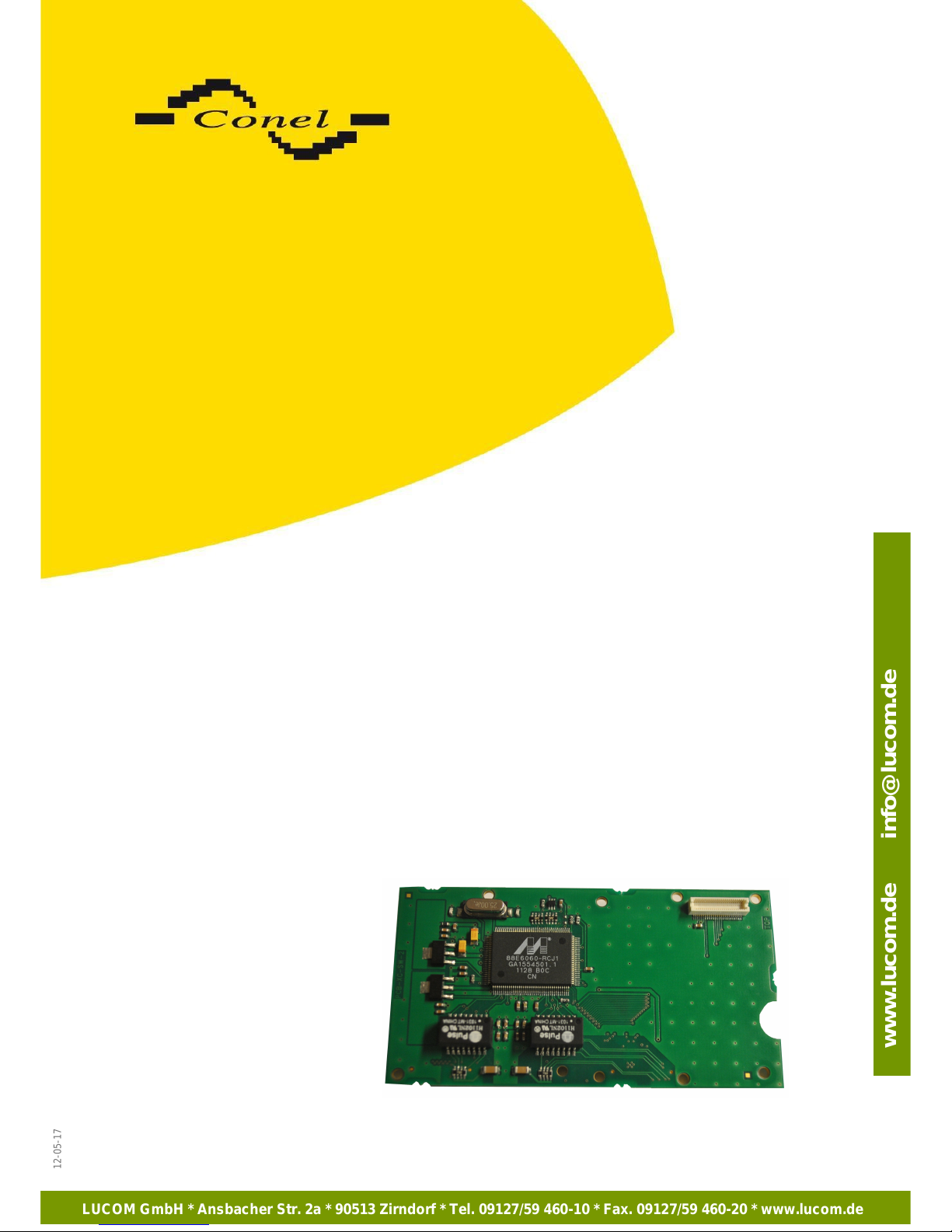
Internal SWITCH
USER'S GUIDE
12-05-17
LUCOM GmbH * Ansbacher Str. 2a * 90513 Zirndorf * Tel. 09127/59 460-10 * Fax. 09127/59 460-20 * www.lucom.de
www.lucom.de info@lucom.de
Page 2
CONTENT
Used symbols
Danger – important notice, which may have an influence on the user’s safety or the function
of the device.
Attention – notice on possible problems, which can arise in specific cases.
Information, notice – information, which contains useful advice or special interest.
GPL license
Source codes under GPL license are available free of charge by sending an email to:
Conel s.r.o., Sokolska 71, 562 04 Usti nad Orlici, Czech Republic
Manual issue in CZ, April 2, 2013
2
Declared quality system
ISO 9001
12-05-17
LUCOM GmbH * Ansbacher Str. 2a * 90513 Zirndorf * Tel. 09127/59 460-10 * Fax. 09127/59 460-20 * www.lucom.de
www.lucom.de info@lucom.de
Page 3
CONTENT
CONTENT
1. SAFETY INSTRUCTIONS.................................................................................................. 4
2. SWITCH DESCRIPTION.................................................................................................... 5
2.1. Introduction...................................................................................................................... 5
2.2. Compatibility with Conel routers......................................................................................5
2.3. Power supply...................................................................................................................5
2.4. Standard accessories......................................................................................................5
2.5. Product marking.............................................................................................................. 6
2.6. Delivery identification....................................................................................................... 6
2.7. Links to related products of the manufacturer..................................................................6
3. COMPLAINTS PROCEDURE.............................................................................................7
Image list
Fig. 1: Delivery identification .......................................................................................................6
Table list
Tab. 1: Product marking..............................................................................................................6
3
12-05-17
LUCOM GmbH * Ansbacher Str. 2a * 90513 Zirndorf * Tel. 09127/59 460-10 * Fax. 09127/59 460-20 * www.lucom.de
www.lucom.de info@lucom.de
Page 4
SAFETY INSTRUCTIONS
1. Safety instructions
Please, observe the following instructions:
SWITCH
• Internal switch (expansion port SWITCH) must be used in compliance with any and all
applicable international and national laws and in compliance with special restrictions
regulating the utilization of the communications of the communication module in prescribed
applications and environments.
• To prevent possible injury to health and demage to appliences and to ensure that all the
relevant provisions have been complied with, use only the original accessories.
Unauthorised modifications or utilization of accessories that have not been approved may
result in damage to the device and in a breach of applicable regulations. Unauthorised
modifications or utilization of accessories that have not been approved may result in the
termination of the validity of the guarantee.
• Voltage at the feed connector must not be exceeded.
• Don't expose the communication device to extreme ambient conditions. Protect the device
against dust, moisture and high temperature.
4
12-05-17
LUCOM GmbH * Ansbacher Str. 2a * 90513 Zirndorf * Tel. 09127/59 460-10 * Fax. 09127/59 460-20 * www.lucom.de
www.lucom.de info@lucom.de
Page 5
SWITCH DESCRIPTION
2. SWITCH description
2.1. Introduction
Internal switch (expansion port SWITCH) is created as an addition of router desk. With
this device LAN ports (RJ-45 connectors for connecting ethernet devices) of the router act as if
this router was a typical switch device. Which means that the router with internal switch desk
reads ethernet frames (a data packets on an ethernet link) from any port and transmits them
on other ports. Each port on this device can transmit frames independently from every other
port.
A detailed description of all ports is available in the user's guide of the corresponding
router or in the specific port manual.
2.2. Compatibility with Conel routers
Internal switch desk can be used in routers, which fall into v2 range. It answers to these
devices:
ER75i v2,
UR5 v2,
UR5i v2,
XR5i v2,
LR77 v2,
CR10 v2.
However there must be met the condition, that the last number of the serial number of
the router desk must be five or higher.
To programm the device desk must be used firmware version 3.0.1. or later.
2.3. Power supply
The switch is powered internally from the device which is mounted in.
2.4. Standard accessories
Declaration of conformity
Complaints procedure
User's guide
5
12-05-17
LUCOM GmbH * Ansbacher Str. 2a * 90513 Zirndorf * Tel. 09127/59 460-10 * Fax. 09127/59 460-20 * www.lucom.de
www.lucom.de info@lucom.de
Page 6
SWITCH DESCRIPTION
2.5. Product marking
Trade name Type name
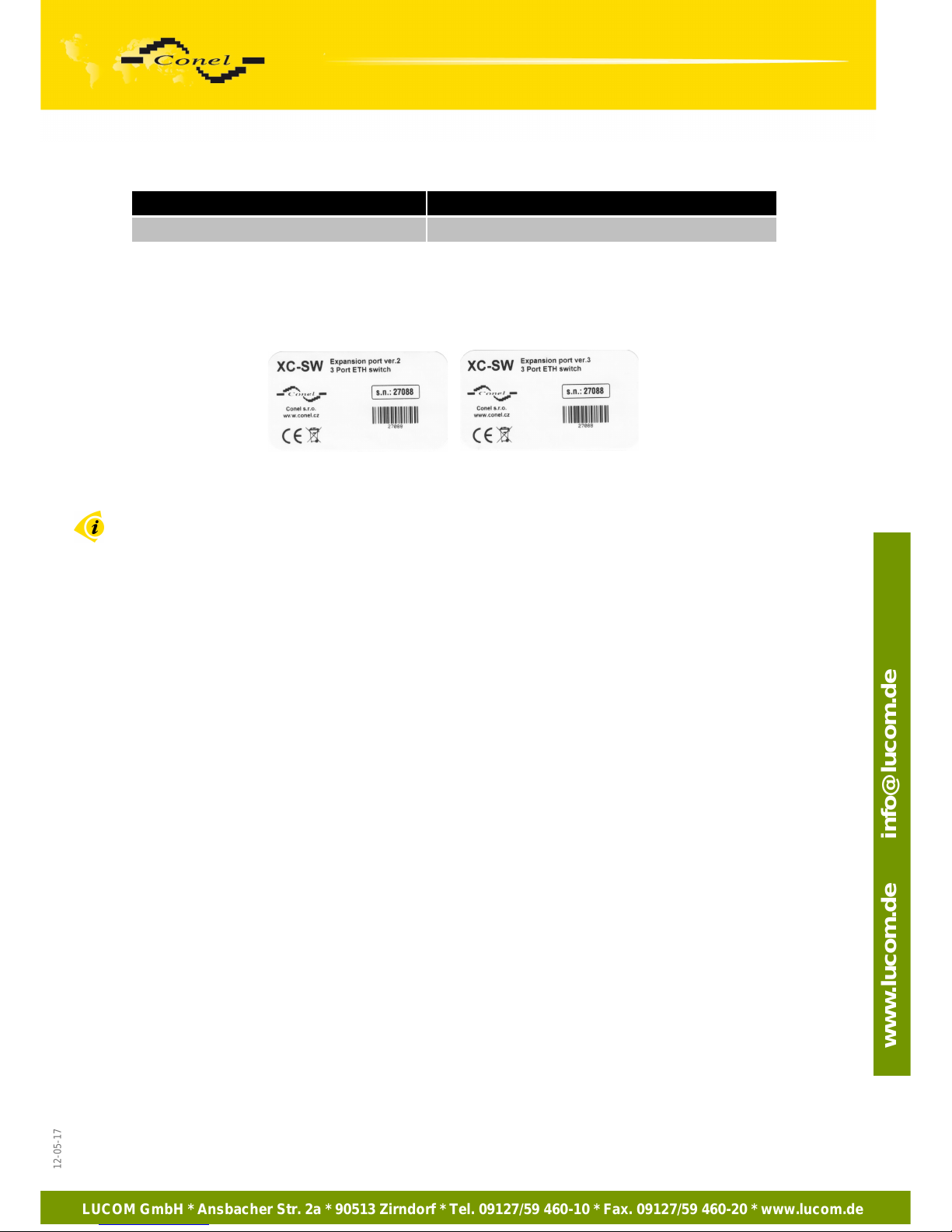
SWITCH XC-SW
Tab. 1: Product marking
2.6. Delivery identification
Fig. 1: Delivery identification
2.7. Links to related products of the manufacturer
Related products and materials with a reference can be found on the manufacturer’s
website – Conel company:
www.conel.cz
6
12-05-17
LUCOM GmbH * Ansbacher Str. 2a * 90513 Zirndorf * Tel. 09127/59 460-10 * Fax. 09127/59 460-20 * www.lucom.de
www.lucom.de info@lucom.de
Page 7
COMPLAINTS PROCEDURE
3. Complaints procedure
Dear customer
The product you have purchased had passed manufacturers tests and its functions had
been checked by our technician before sale. In case any defect shows up during the
guarantee period that prevents normal use we ask you to follow the Complains procedure
when registering your claim.
To make possible complaint procedure easier please make sure when taking over the
product your vendor has duly filled in all relevant parts of the warranty, including date, seal and
signature.
This complains procedure relates to the purchased products. This complains procedure
doesn't relate to the services provided.
Guarantee period of the products
Guarantee period of 24 months from the date of purchase is provided for the device
and possible accessories. The date of purchase is at same time date of takeover.
Registering a claim
It is necessary to register your claim at the vendor where the subject of the complaint
has been purchased. The customer shall present duly filled warranty and the complete subject
of the complaint. Subject of the complaint shall be presented in a condition adequate to that at
the moment of purchase.
Caution!
The vendor is not responsible for keeping individual settings or data saved in the
subject of the complaint.
The customer is obliged to clarify the defect or how it is displayed and what claim he
intended to register.
Processing the complaint
The vendor shall provide a free remedy depending on particular conditions, or replace
the subject of the complaint for a new product, or settle the matter in another manner in
compliance with the Civil Code and the Act on consumer’s protection.
As of the moment the claim is registered by the customer and the subject of the
complaint is taken over by the vendor the vendor the guarantee period stops running. The
guarantee period continues on the date of takeover of the repaired subject of the complaint or
replaced faultless product by the customer, or should it not be taken over on the date the
customer is obliged to take over the repaired or replaced product. In case the vendor replaces
the subject of the complaint for a new product (including IMEI replacement) the original subject
of the complaint becomes property of the purchaser. Since takeover of the new product a new
guarantee period starts. In the cases when the vendor settles the matter after agreement with
the customer by replacement of the subject of the complaint for a faultless product the new
guarantee expires.
7
12-05-17
LUCOM GmbH * Ansbacher Str. 2a * 90513 Zirndorf * Tel. 09127/59 460-10 * Fax. 09127/59 460-20 * www.lucom.de
www.lucom.de info@lucom.de
Page 8
COMPLAINTS PROCEDURE
1. After 12 months since the replaced product was taken over by the customer.
2. On the date when the original guarantee period (subject of the complaint) would
have expired should it not have been replaced, whichever comes first.
3. The claim is deemed unsubstantiated when the defect is not found by the vendor
processing the complaint or the defect is not covered by the guarantee under
Article 4 of the procedure.
4. In case the claimed defect is not found and functionality is proven to the customer,
the customer is obliged to pay demonstrable cost related to expert assessment of
the claimed defect.
5. In case defect is found when processing the complaint that is not covered by the
guarantee (extra-warranty repair), the vendor shall inform the customer and the
customer shall inform the vendor whether he/she wishes to have the defect
repaired for the price set. A protocol shall be made on exact conditions of the
extra-warranty repair and signed by both the customer and the vendor. Should the
customer not require remedy through ad extra-warranty repair under the
conditions, the device shall be returned to him/her after he/she pays the
demonstrable cost of expert assessment.
The guarantee does not cover defects incurred due to
1. Mechanical damage (fall and the like).
2. Use of inadequate or not recommended sources and other accessories.
3. Connection of the product with non-standard accessories.
4. Installation or use of the product conflicting with the Manual or use for other
purposes than usual for this type.
5. Improper manipulation or an intervention of unauthorized person or other
purposes than usual for this type.
6. Effects of natural forces (flood, fire etc.) or other local phenomena (storm,
overvoltage and the like).
7. Storage under unauthorized temperatures.
8. Operation in a chemically aggressive environment.
Other conditions
The fact that the subject of the complaint does not conform to parameters set
for other similar product types shall not be considered a fault. To assess
whether it is a case of covered fault the parameters stated in the technical
documentation for the product are decisive.
The guarantee expires in any case of changes to the subject of the complaint,
or damaged or otherwise unreachable serial number.
8
12-05-17
LUCOM GmbH * Ansbacher Str. 2a * 90513 Zirndorf * Tel. 09127/59 460-10 * Fax. 09127/59 460-20 * www.lucom.de
www.lucom.de info@lucom.de
 Loading...