

Page 1
VCP7236
Colour Mono Camera
USER MANUAL
Page 2

1. This installation should be made by a qualified service person and should
abide to all local codes.
2. Do not disassemble the camera - this is to prevent electronic shock
and/or malfunction. Do not loosen any screws on the camera body.
3. Do not touch the front glass directly. If necessary, use a soft cloth to wipe off
dust or debris.
4. Avoid installation on surfaces subjected to frequent vibration or shocks.
5. Do not operate the camera beyond its temperature range or power source
ratings.
6. Should any damage or suspected damage occur, shutdown the power
source, unplug and contact your service provider.
7. Do not install the camera under unstable lighting conditions. Severe
lighting change or flicker can cause the camera to work improperly.
8. Never use the camera close to a gas or oil leak.
9. Do not drop the camera or subject the unit to physical shocks.
10. Never keep the camera facing directly to strong light.
11. Do not install near devices which emit a strong electro-magnetic field.
12. Unplug the camera from the power source before maintenance.
13. Use a soft cloth only for cleaning.
14. If the camera may be exposed to weather conditions, dust particles or
moisture install in an IP rated housing suitable to the conditions.
PLEASE FOLLOW THE ABOVE CAUTIONS – FAILURE TO DO SO MAY
INVALIDATE THE WARRANTY OR CAUSE SERIOUS INJURY.
CAUTION
Page 3

INSTALLATION
IMPORTANT: ENSURE ALL CAUTIONARY PROCEDURES ARE
OBSERVED DURING INSTALLATION.
It is recommended the VCP7236 is tested during the most demanding
environmental conditions such as low light or bright sunlight to ensure
continuity of effective CCTV monitoring.
Remove the camera unit carefully from the box, reserving the
accessory contents in a safe place.
Point the Camera towards the intended area to be monitored.
Check the power supply voltage and connect your power supply into
the power port on the Camera.
Attach a test monitor to the video out BNC port and adjust the lens
to give the required image
Adjust the Camera picture using the OSD menu as necessary.
TROUBLESHOOTING
Ensure all power and cable connections are correct between the
Camera, power source, monitor, telemetry devices and DVR if used
Page 4
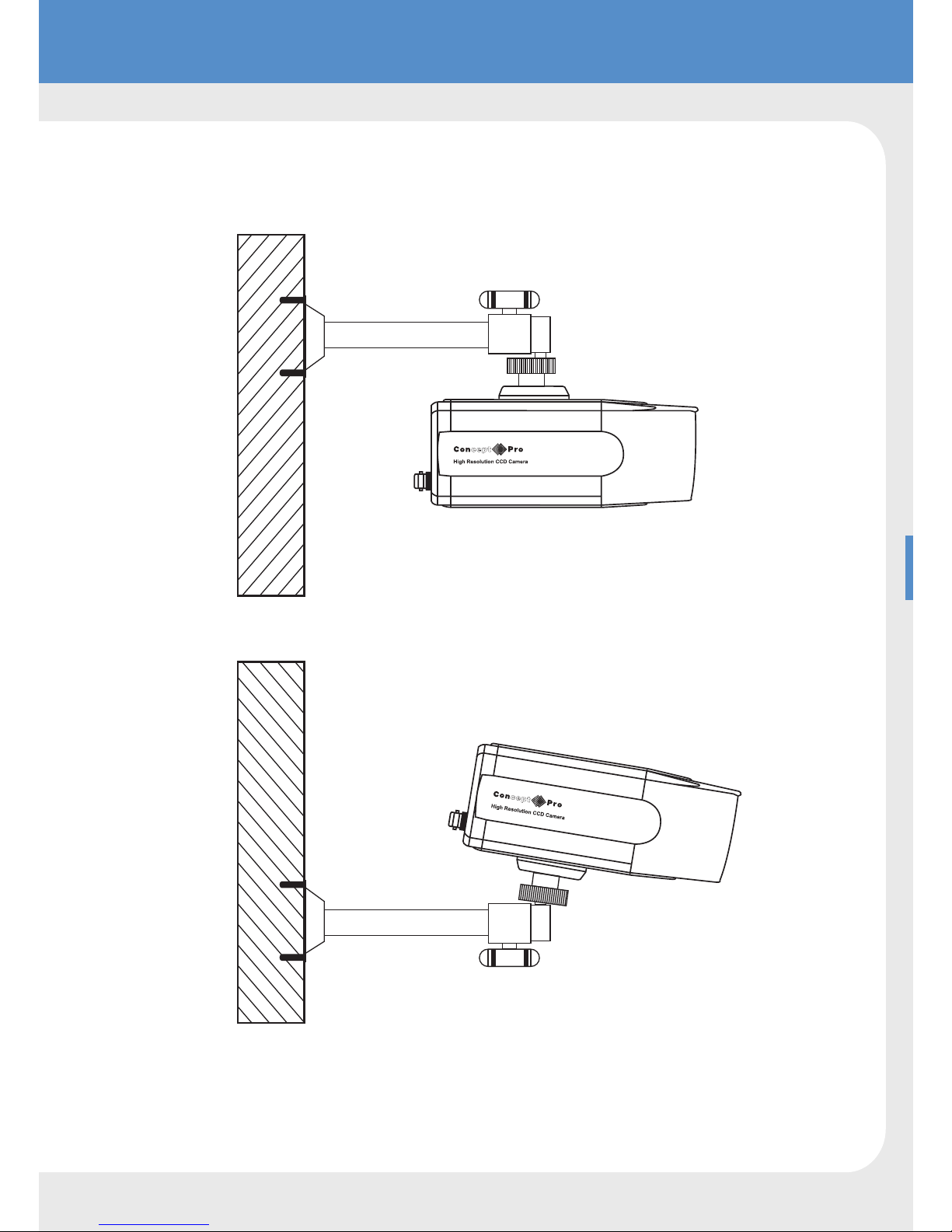
Example
Page 5
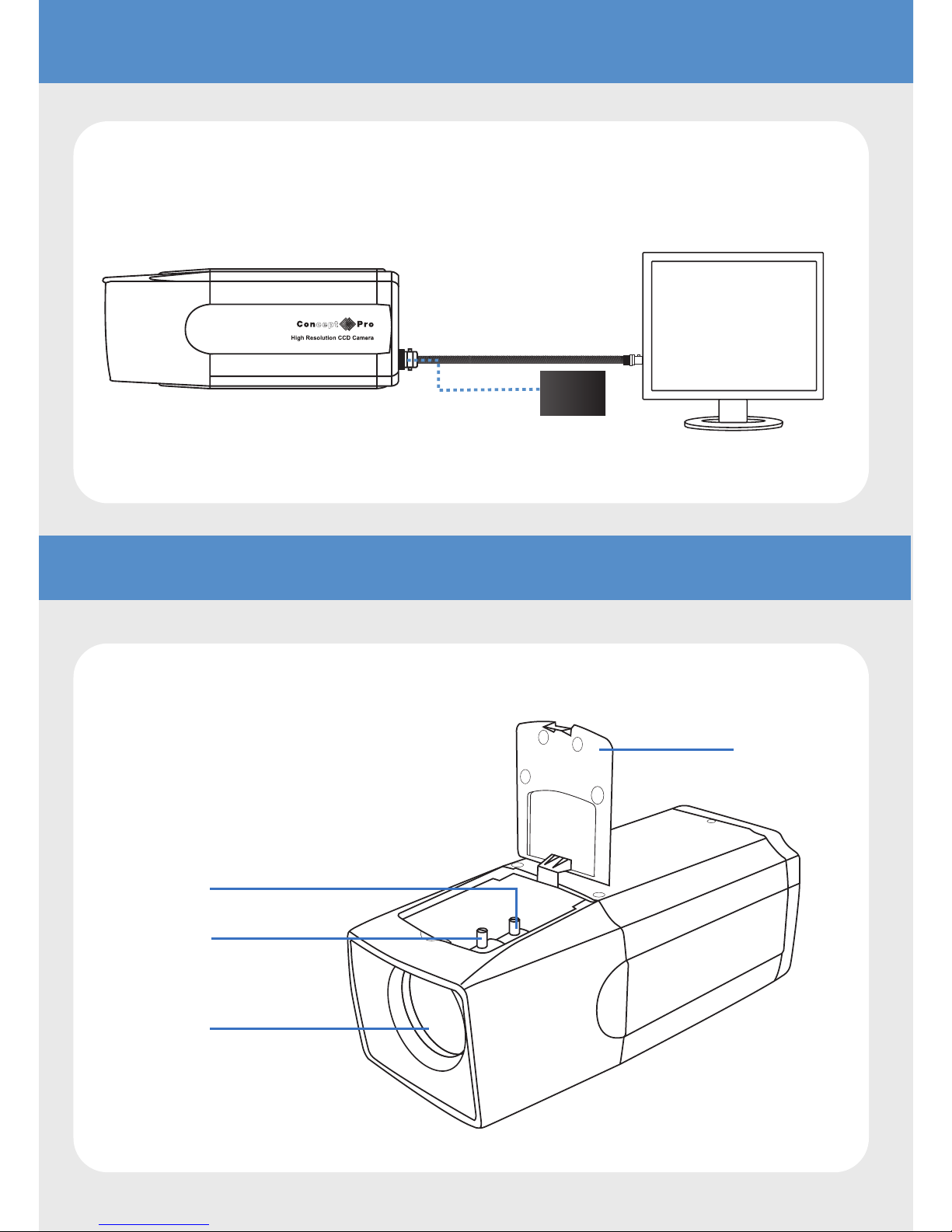
CONNECTION EXAMPLE
LENS ADJUSTMENTS
PSU
Built in Lens
Top Cover
Zoom H andle
Focus Handle
Page 6
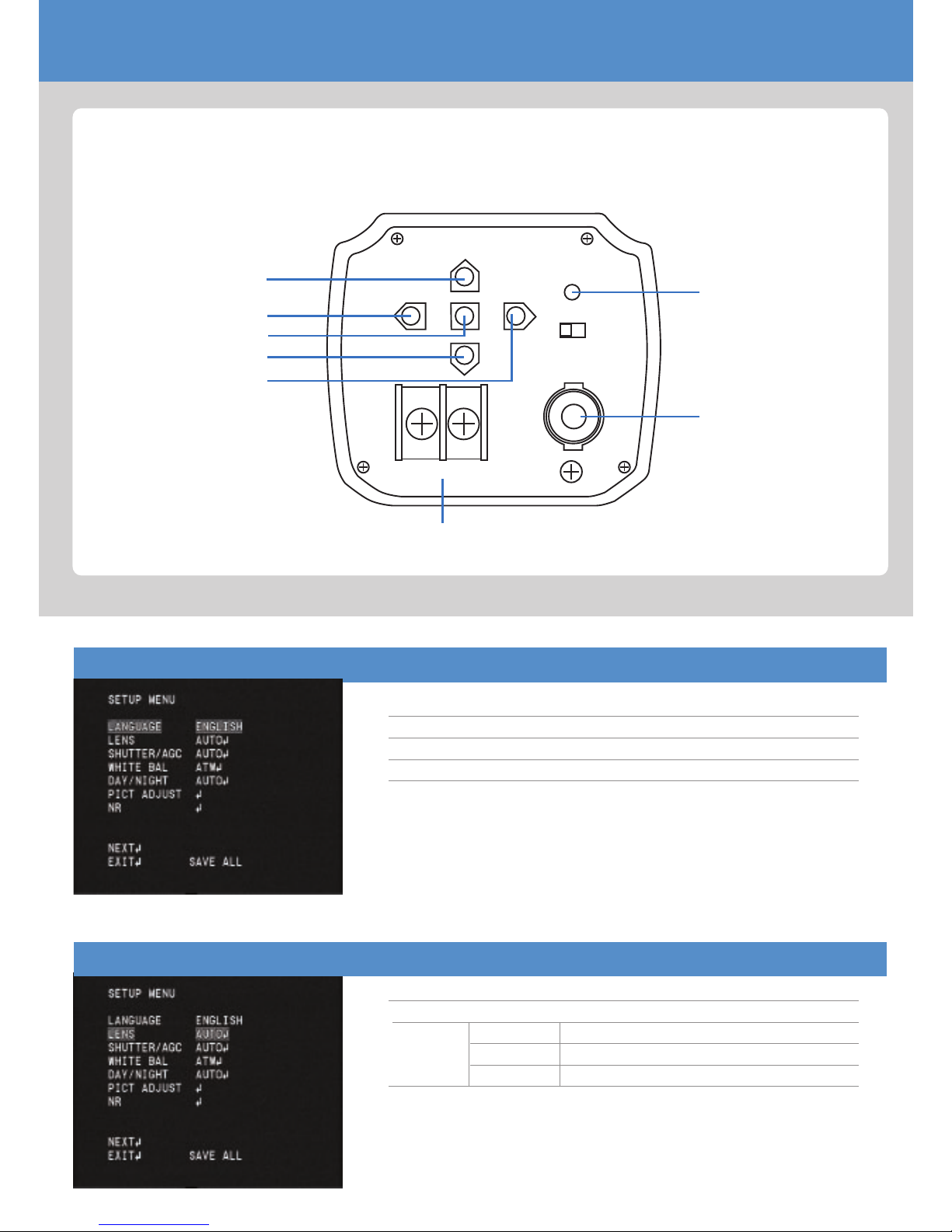
OSD
OSD Controller
LANGUAGE
ENGLISH / SPANISH / PORTUGUESE /
FRENCH / GERMAN / CHINESE /
JAPANESE / RUSSIAN
LENS
MANUAL
AUTO TYPE DC
MODE AUTO, OPEN, CLOSE
SPEED 0~255
UP
LEFT
MENU / ENTER
DOWN
RIGHT
VIDEO OUT
VD
DC
P.I
DC12V/AC24V
F.G
POWER LED
POWER
VIDEO OUT JAC K
Page 7
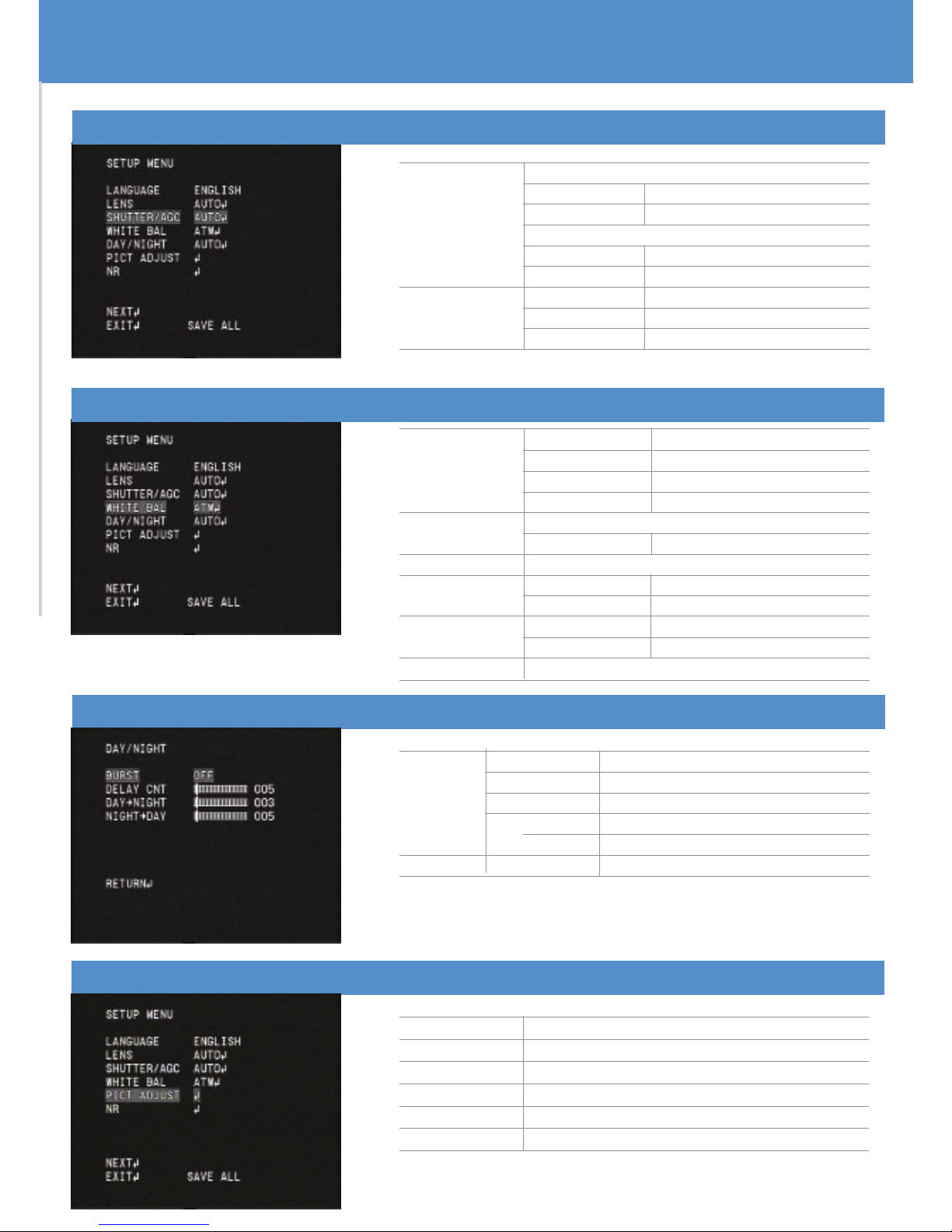
SHUTTER / AGC
AUTO
MANUAL
HIGH LUMINANCE
MODE SHUT+AUTO IRIS, AUTO IRIS
BRIGHTNESS 0~255
LOW LUMINANCE
MODE AGC, OFF
BRIGHTNESS 0.25~1.00
MODE SHUT+AGC
SHUTTER 1/50~1/10000
AGC 6.00~44.80
WHITE BALANCE
DAY/NIGHT
AUTO BURST
DELAY CNT
DAY~NIGHT
NIGHT~DAY
B/W BURST
COLOUR
ON/OFF
0~255
0~255
0~255
ON/OFF
ATW
PUSH LOCK
MANUAL LEVEL 0~255
ANTI CR
USER 1 B-GAIN 0~255
R-GAIN 0~255
USER 2 B-GAIN 0~255
R-GAIN 0~255
PUSH
SPEED 0~255
DELAY CNT 0~255
ATW FRAME X0.50~X2.00
ENVIRONMENT INDOOR/OUTDOOR
PICT ADJUST
MIRROR
BRIGHTNESS
CONTRACT
SHARPNESS
HUE
GRAIN
OFF/ON
0~255
0~255
0~255
0~255
0~255
Page 8
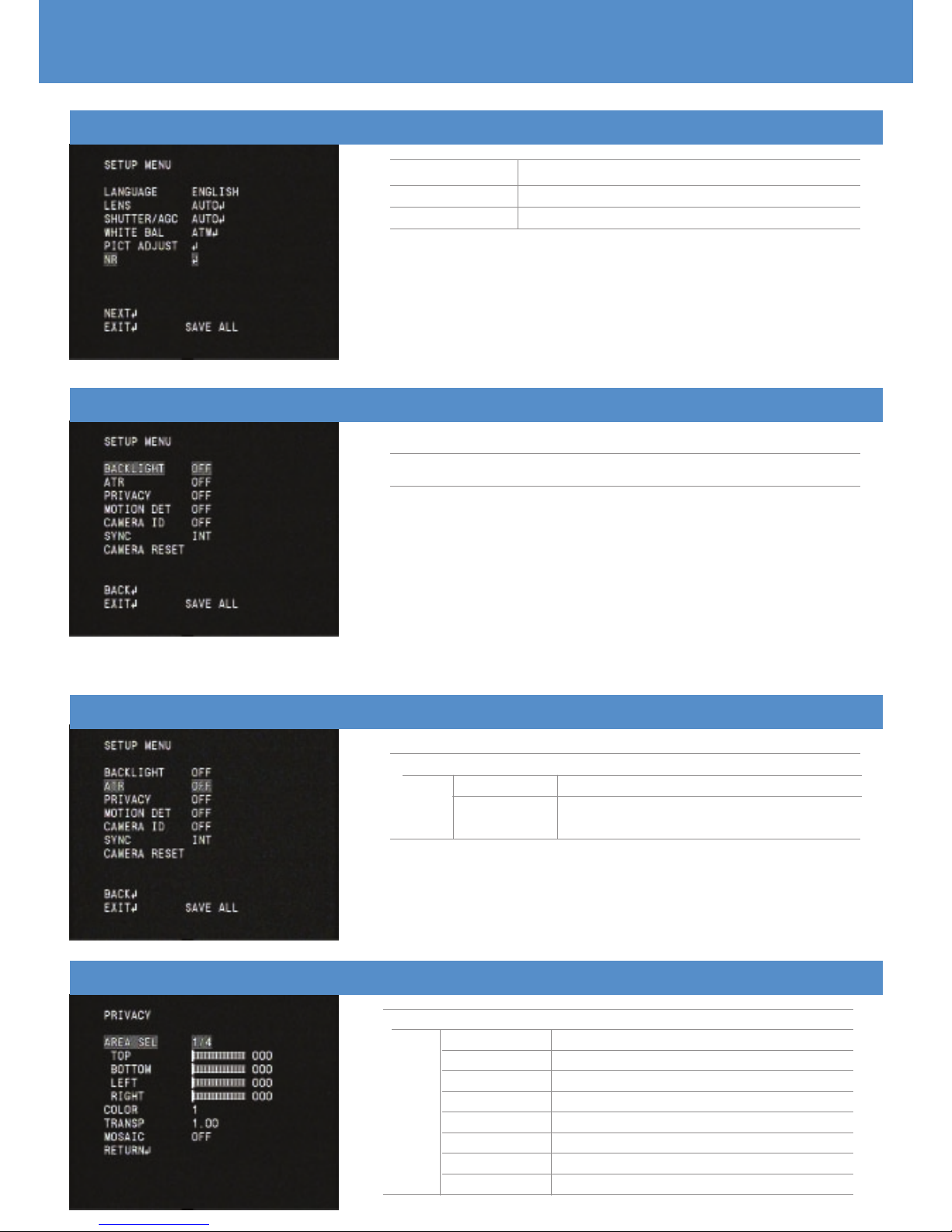
NR
NR MODE
Y LEVEL
C LEVEL
Y/C, C, Y, OFF
0~15
0~15
BACKLIGHT
OFF/BLC/HLC
ATR
OFF
ON LUMINANCE LOW, MID, HIGH
CONTRAST LOW, MIDLOW, MID,
MIDHIGH, HIGH
PRIVACY
OFF
ON AREA SEL 1~4
TOP 0~288
BOTTOM 0~288
LEFT 0~468
RIGHT 0~468
COLOUR 1~8
TRANSP 0.00~1.00
MOSIAC OFF/ON
Page 9
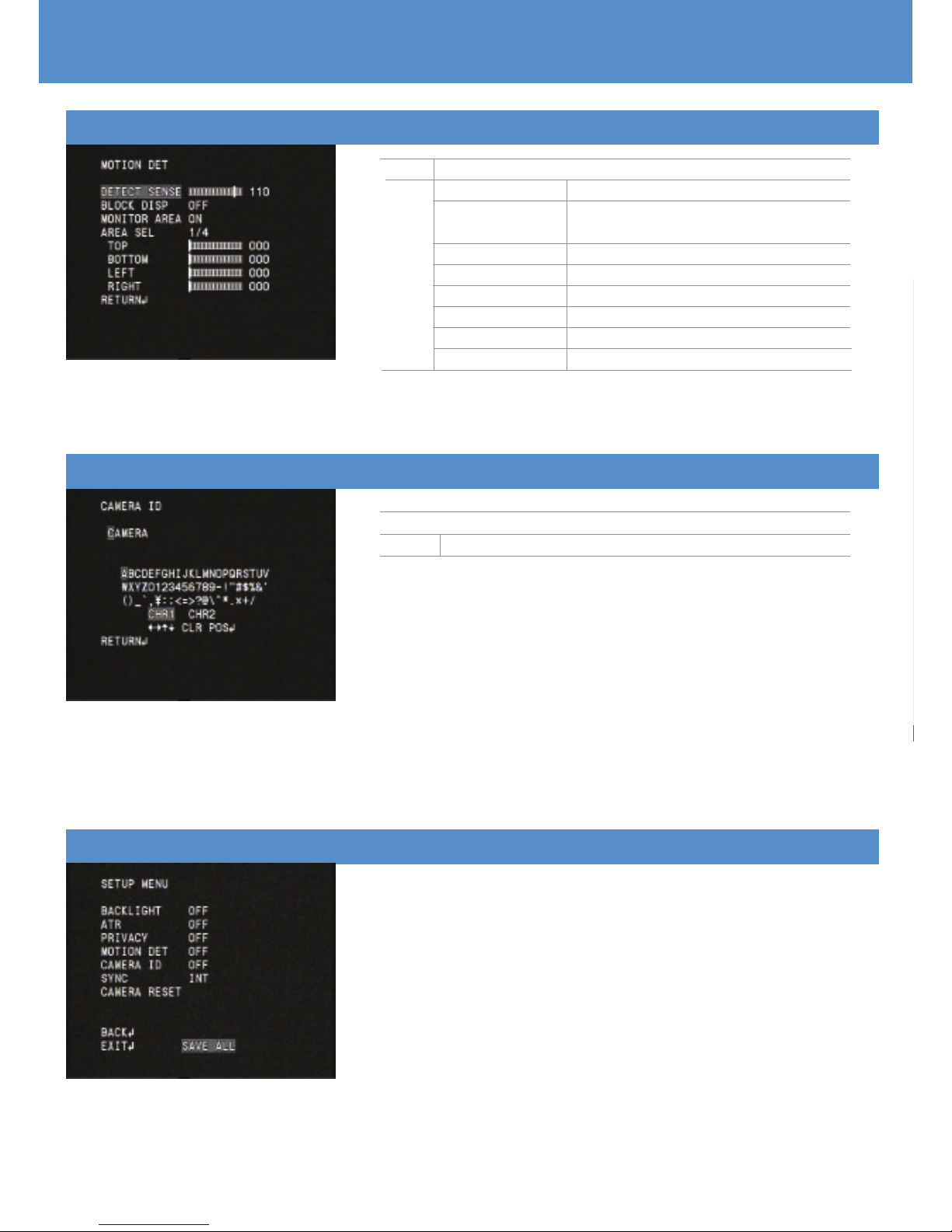
MOTION DETECTION
OFF
ON DETECT SENSE 0~127
BLOCK DISPLAY OFF/ON/ENABLE/
SELECT AREA
MONITOR AREA OFF/ON
AREA SELECT 1~4
TOP 0~288
BOTTOM 0~288
LEFT 0~288
RIGHT 0~288
CAMERA ID
OFF
ON OPENS VIRTUAL KEYBOARD
IMPORTANT - PLEASE NOTE:
When all configurations have been made select SAVE
ALL at the bottom of the OSD before exiting
SAVE ALL
Page 10
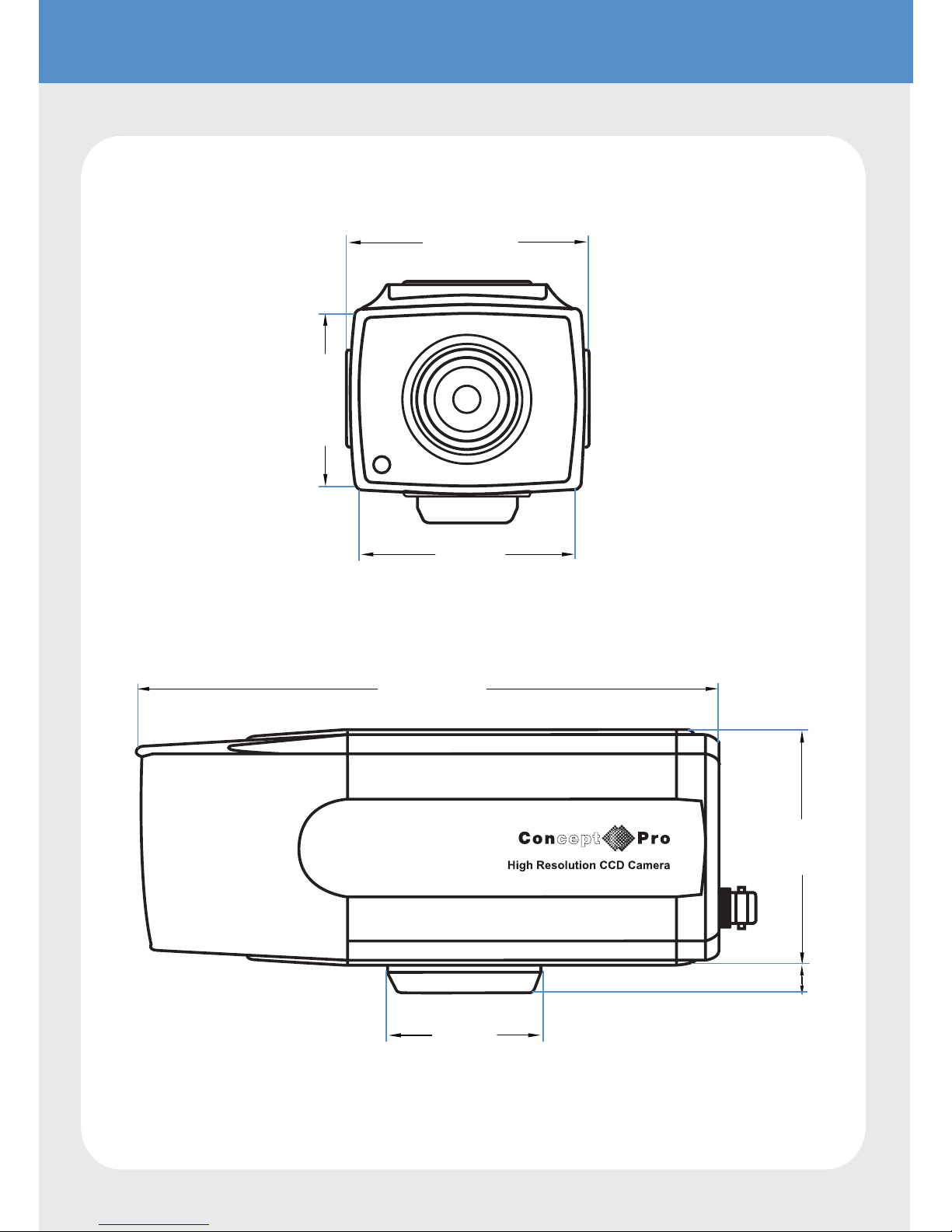
DIMENSIONS
150mm
58mm
7mm
38mm
38mm
51mm
42mm
64mm
Page 11
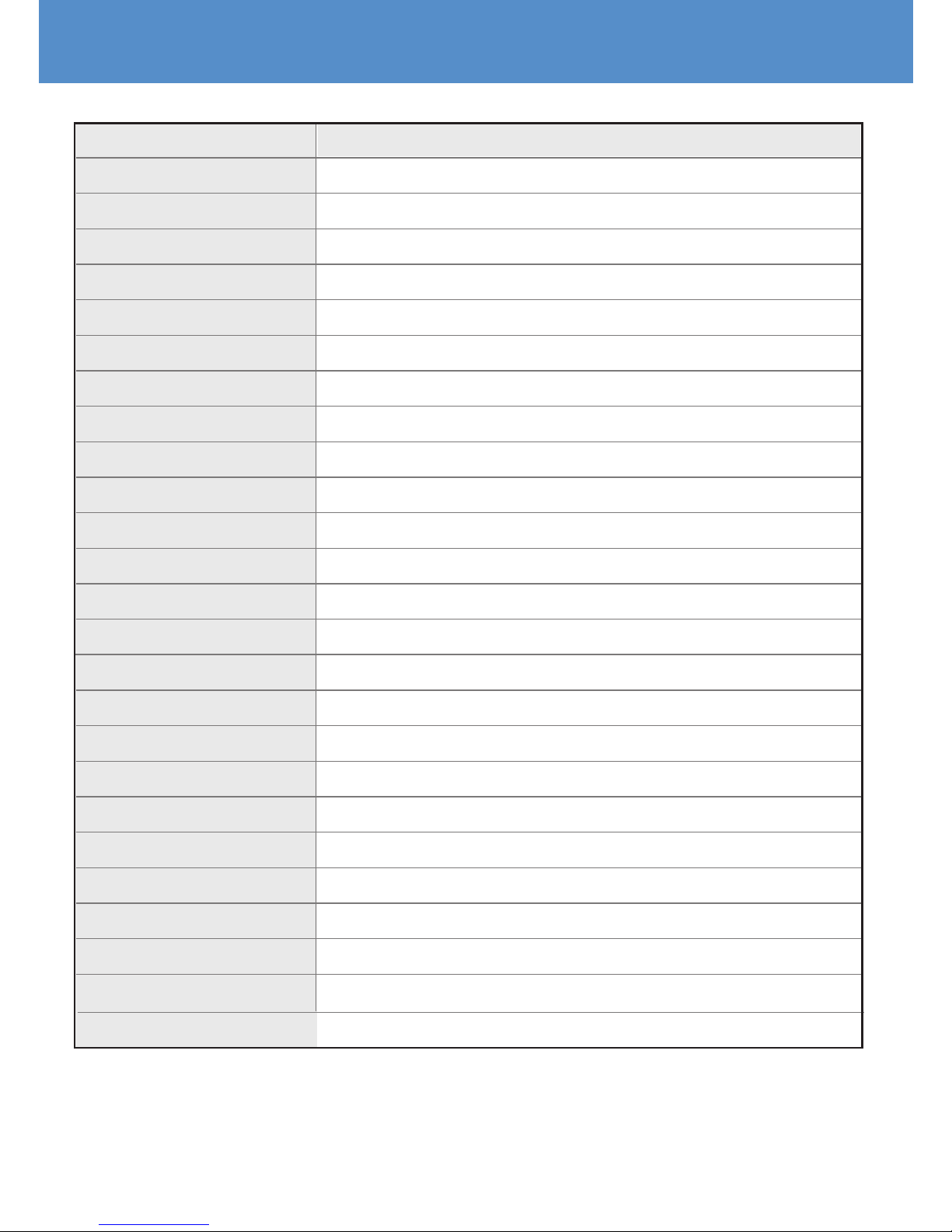
SPECIFICATION
Design and specification are subject to change without notice.
VCP7236
1/3" Sony Sony ExView HAD CCD II
PAL/NTSC
PAL: 976(H)x582(V) ; NTSC 976(H)x494(V)
650TV Lines in Colour 700TV Lines in B&W
0.03 Lux/F1.2 IRE40 (Colour) 0.003 Lux (B&W)
Auto IRIS Vari-focal lens F=2.8-10mm
Colour Mono
More than 52dB(AGC Off)
N/A
Multi-language OSD
1/50-1/100,000sec(PAL)
ATW/ PUSH/ USER1/ USER2/ ANTI CR/Manual/PUSG LOCE
AGC Can be adjustable by OSD
ON/OFF
2D DNR
ON/OFF
4 Zones
4 Zones
Internal
1.0V P-P,75 Ohm
DC12V/AC 24V
180mA MAX
-10ºC~ +50ºC RH90% MAX
MODEL
Image Sensor
Signal system
Effective pixel
Resolution
Min. illmination
Lens
Day & Night
S/N Ratio
IR LED
Control Method
ES
White Balance
AGC
BLC
DNR
HLC
Privacy Masking Function
Motion Detection
Sync. Mode
Video Output
Power Supply
Power Consumption
Operation Temperature
Dimension
Weight
64 x 65 x 150 (WxHxD)
300g
Page 12

 Loading...