

Page 1
Quick Start Guide
Designed by
Page 2

contents
11
IBLAZR 2 ANATOMY
3
what`s inside?
3
3
Getting Started
4
Bluetooth mode Native App
5
Bluetooth mode Shotlight App
6
Keep your iblazr 2 updated
7
Video Light Mode
7
Change the iblazr2 light temperature
8
Check the battery level
8
Strob mode
Silicon Diffuser
cold shoe mount
Smartphone clip
9
10
11
Support
Page 3
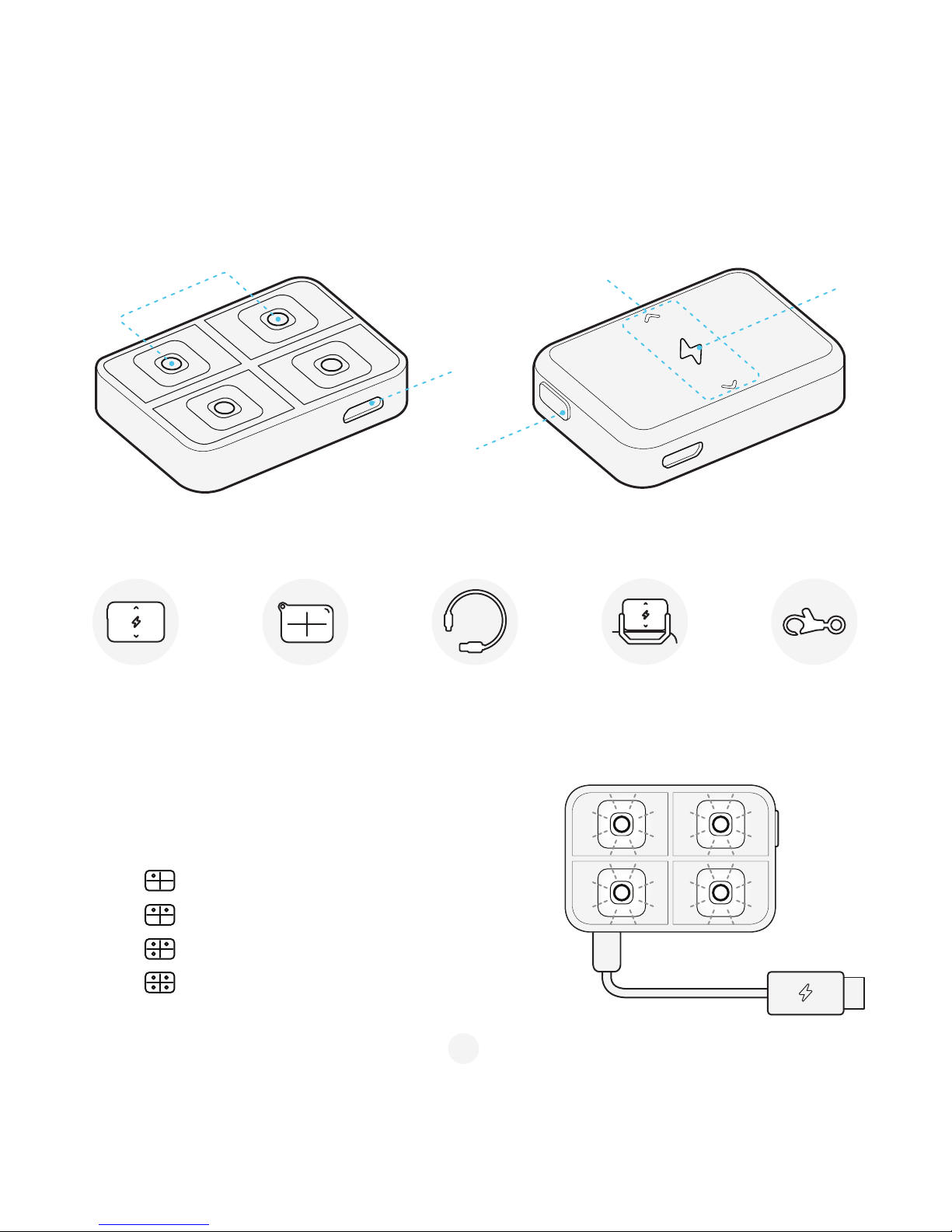
what`s inside?
IBLAZR 2 ANATOMY
Getting Started
Step 1: Charge iblazr 2 using the Micro USB cable.
Step 2: LED’s indicate:
Micro USB
connector
4 LEDs
Touch sensor
surface
Indicator
Mode
button
— 1 LED < 25% battery level
— 2 LEDs = 25%-50% battery level
— 3 LEDs = 50%-75% battery level
— 4 LEDs > 75% battery level
Smartphone clip
Key clasp
iblazr 2
Silicon diffuser
USB charger
3
Page 4
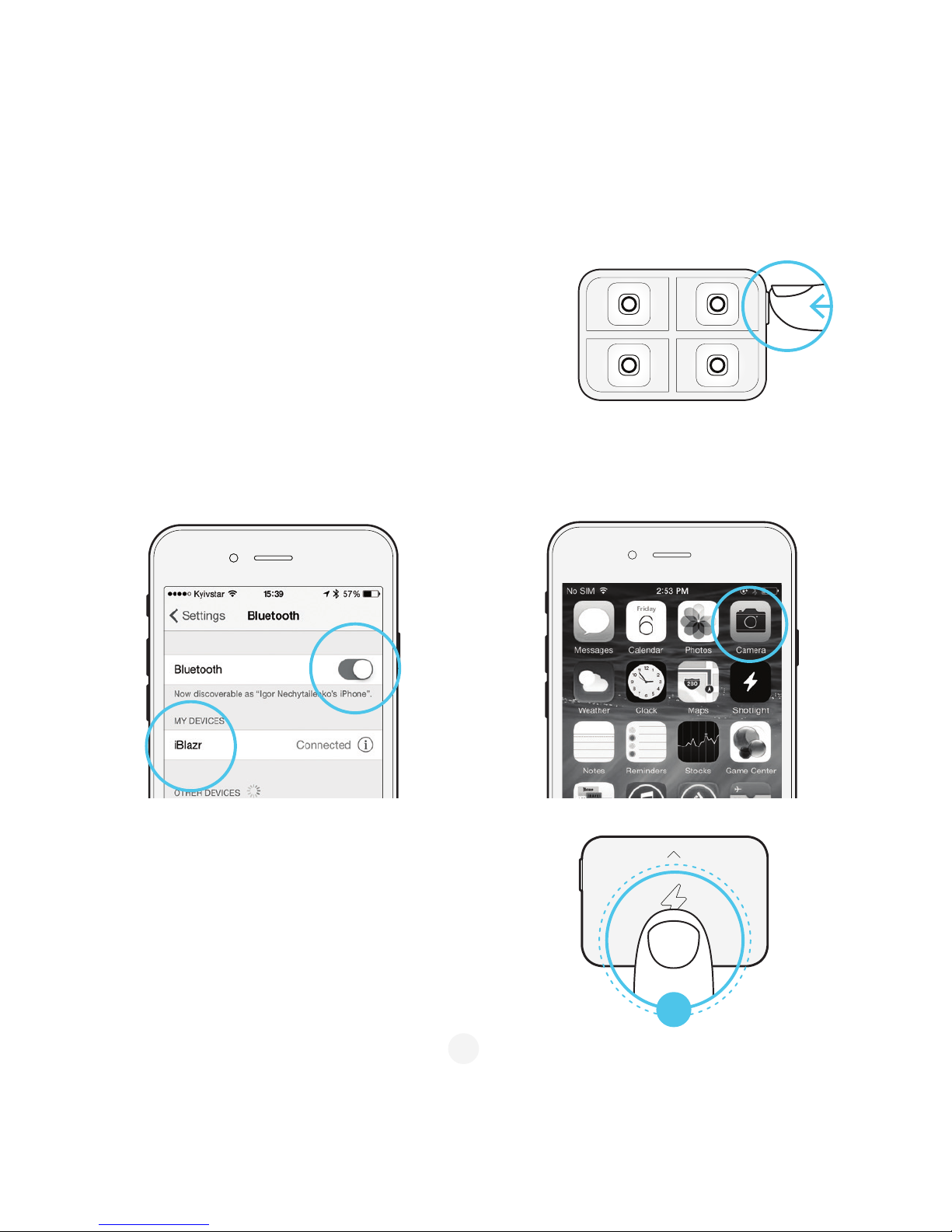
Bluetooth mode Native App
Step 1: Push the button on iblazr 2. Flash status LED starts blinking.
Step 4: Double tap the flash to take a picture.
Step 2: Connect to iblazr in Bluetooth connections list.
Once connected, the flash status LED light will start to
shine continuously.
Step 3: Open smartphone native camera.
x
2
4
Page 5
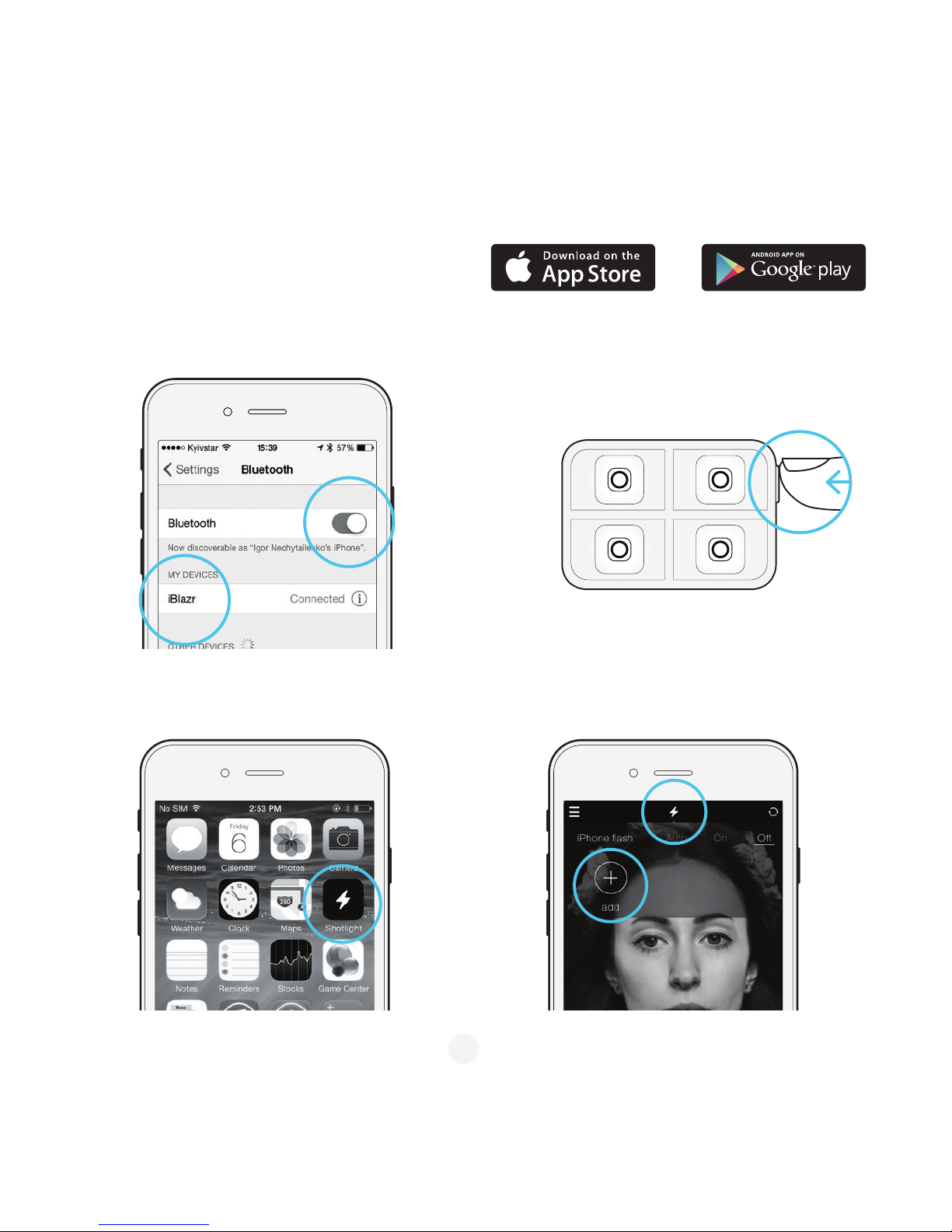
Bluetooth mode Shotlight App
Step 1: Download the Shotlight app on App Store
or Play Market.
Step 2: Turn on the Bluetooth in smartphone settings.
Step 4: Launch the Shotlight app.
Step 5: Tap the flash icon in the app.
Step 6: Tap “Add iblazr” icon and connect your iblazr.
Step 7: Start capturing great pictures and videos!
Step 3: Push the button on iblazr 2. The flash status LED
starts blinking.
5
Page 6
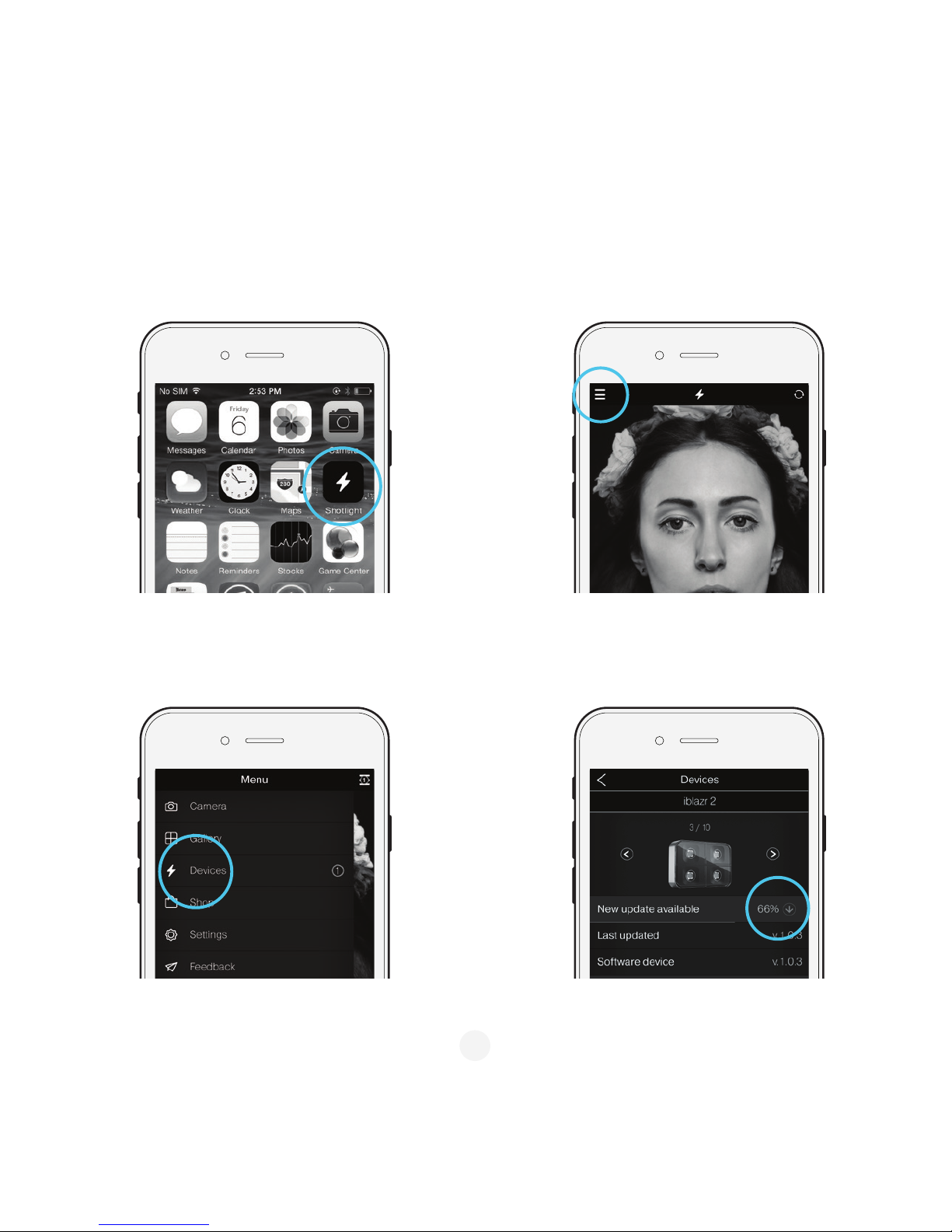
Step 1: Launch the Shotlight app. Step 2: Go to main menu.
Step 4: If the new update is available, just tap to download.Step 3: Choose "Devices" from the menu list.
Keep your iblazr 2 updated
6
Page 7
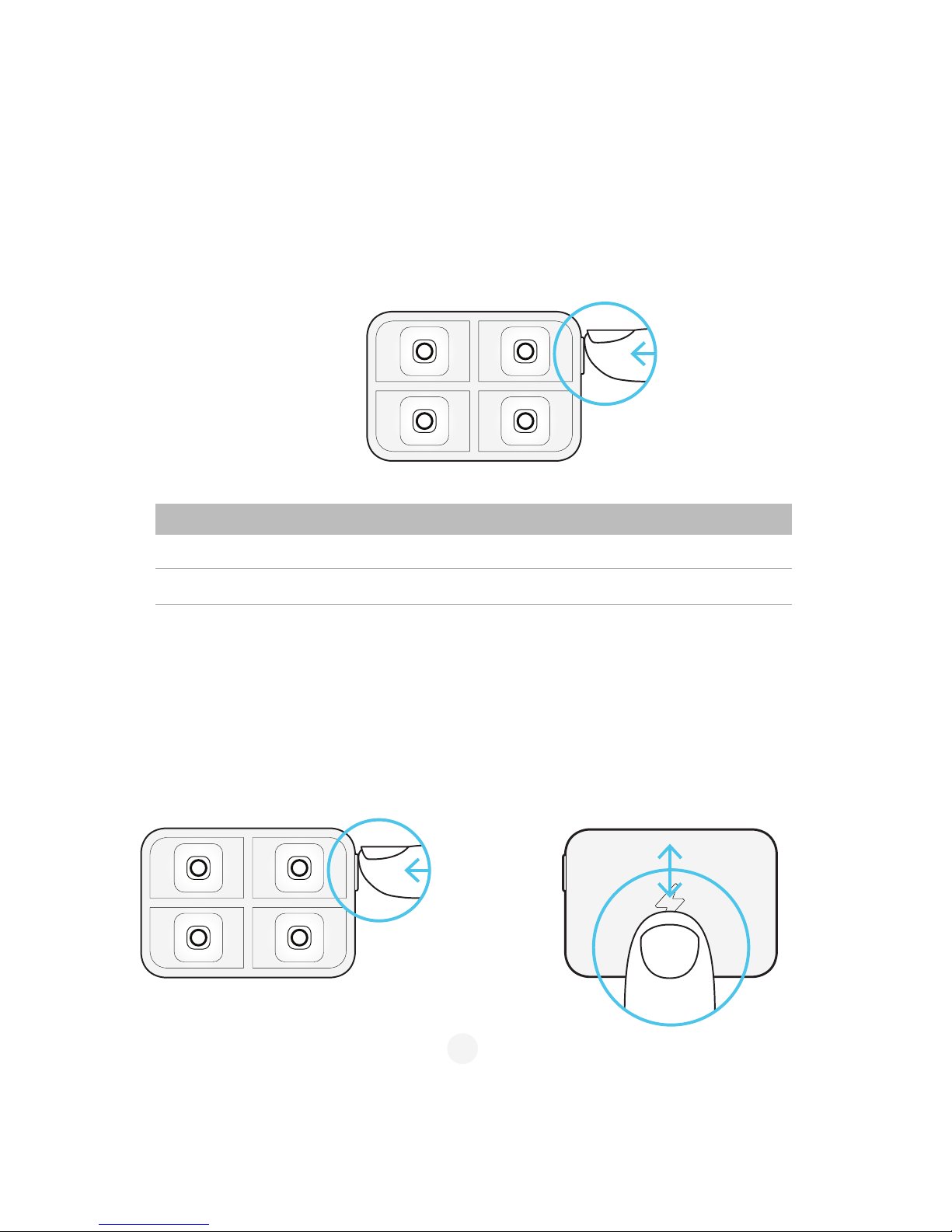
Video Light Mode
Change the iblazr2 light temperature
(Native App mode)
To active the video light mode of iblazr 2, simply press the button two times for low light output and three times
for high light output.
Step 1: Activate the video light mode (see the
chapter "Video Light Mode")
Step 2: Lift your finger up to raise the light temperature.
Lower your finger to decrease the light temperature. The
temperature will remain the same until your next use.
Mode Output Runtime
Low 2x smartphone 60 minutes
High 8x smartphone 25 minutes
7
Page 8
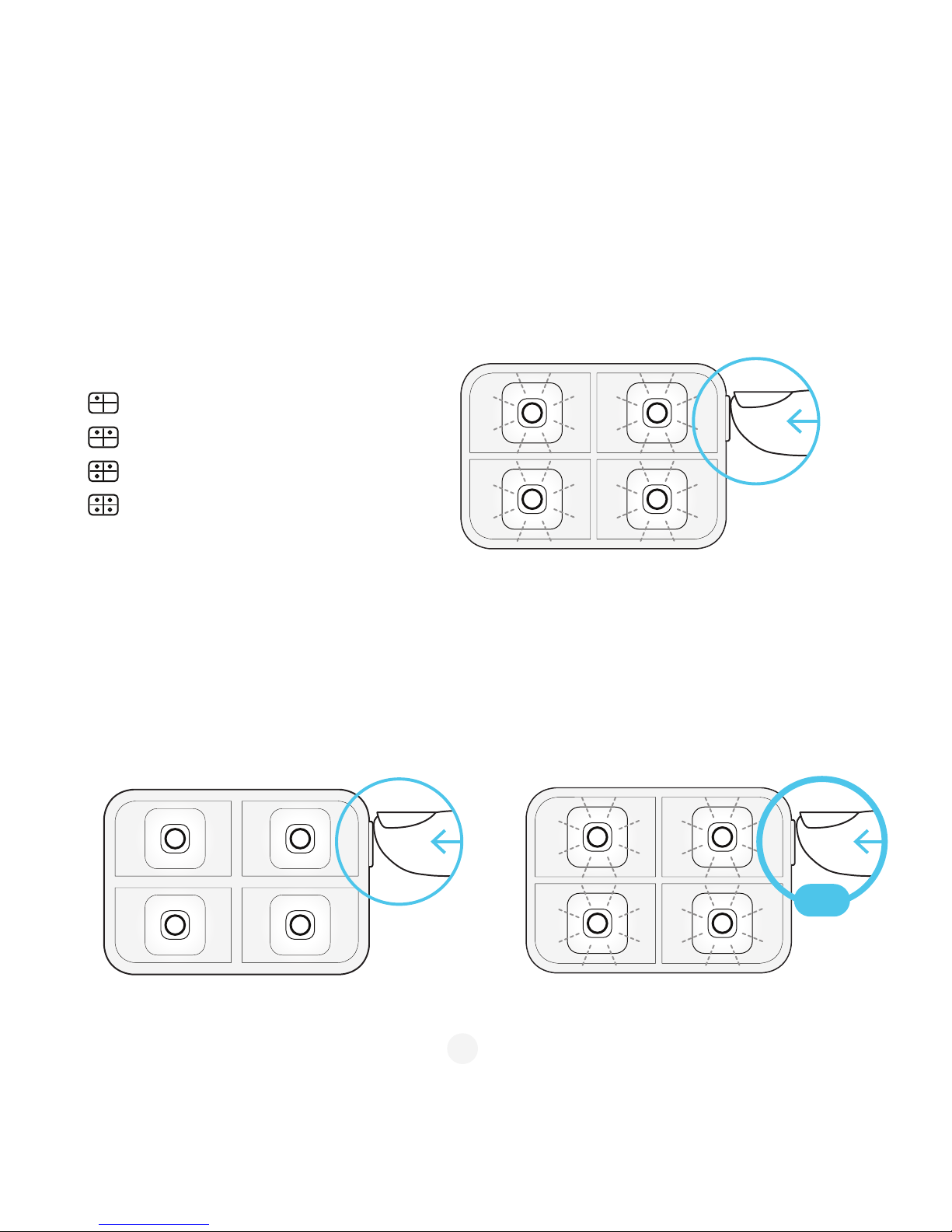
Additional Function:
Check the battery level
Step 1: Push the button to wake up iblazr 2.
Step 2: Hold the button for three seconds to check the battery level.
Step 3: LED’s indicate:
Step 1: Push the button a few times, LEDs should
start blinking.
Step 2: Hold the button for three seconds.
Step 3: LEDs start blinking.
Step 4: Push the button to turn off the strobe
Strobe mode
— 1 LED < 25% battery level
— 2 LEDs = 25%-50% battery level
— 3 LEDs = 50%-75% battery level
— 4 LEDs > 75% battery level
8
hold
Page 9
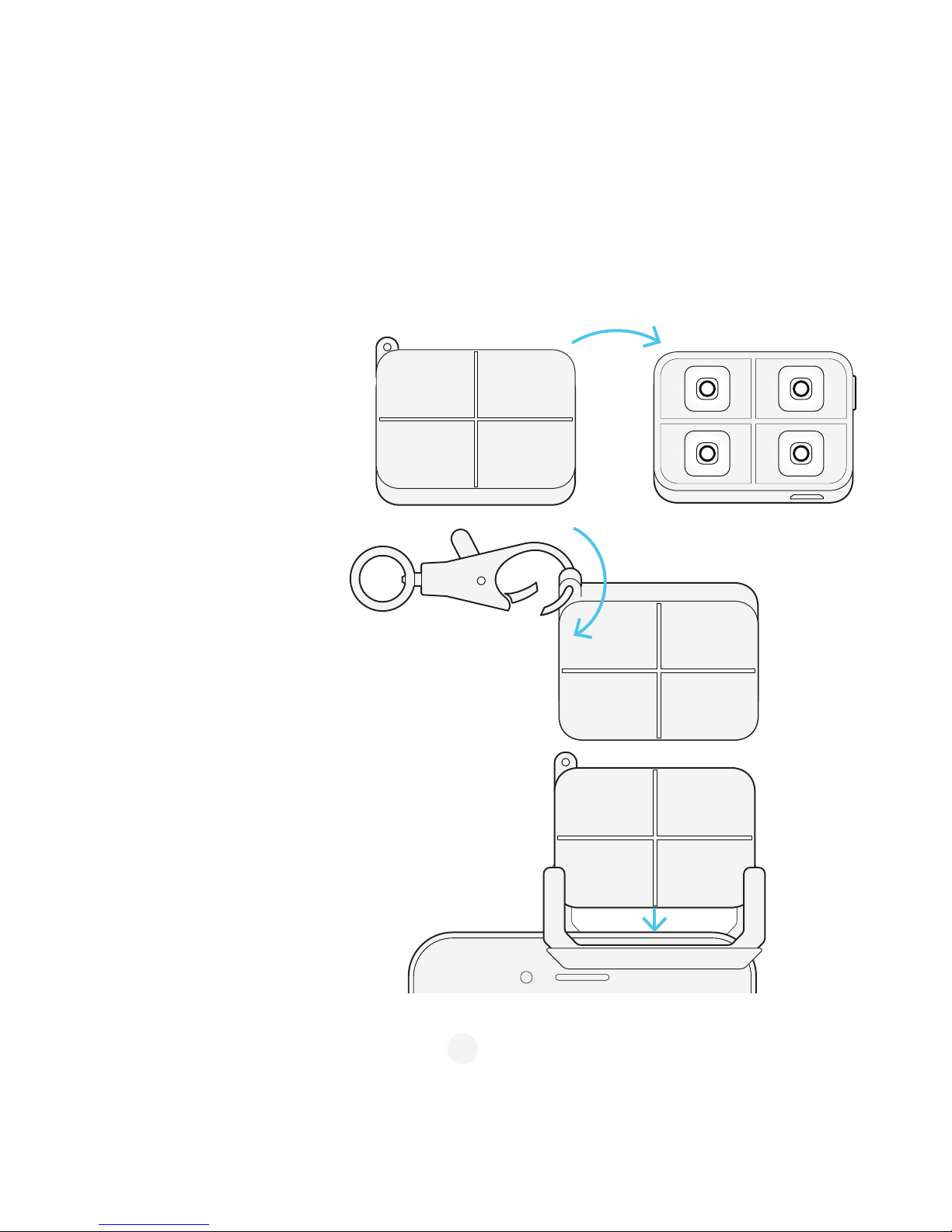
Accessories:
Silicon Diffuser
Step 2: Attach the diffuser to the key clasp and to take
iblazr 2 with you.
Step 3: Attach the diffuser to the smartphone clip.
Step 1: Put iblazr 2 inside the diffuser
Diffuser is an essential accessory that has two main functions: It diffuses the light, making it more soft. Highly
recommended for selfies and advanced users. It could be attached to the key ring and hold your LED flash
wherever you are.
9
Page 10
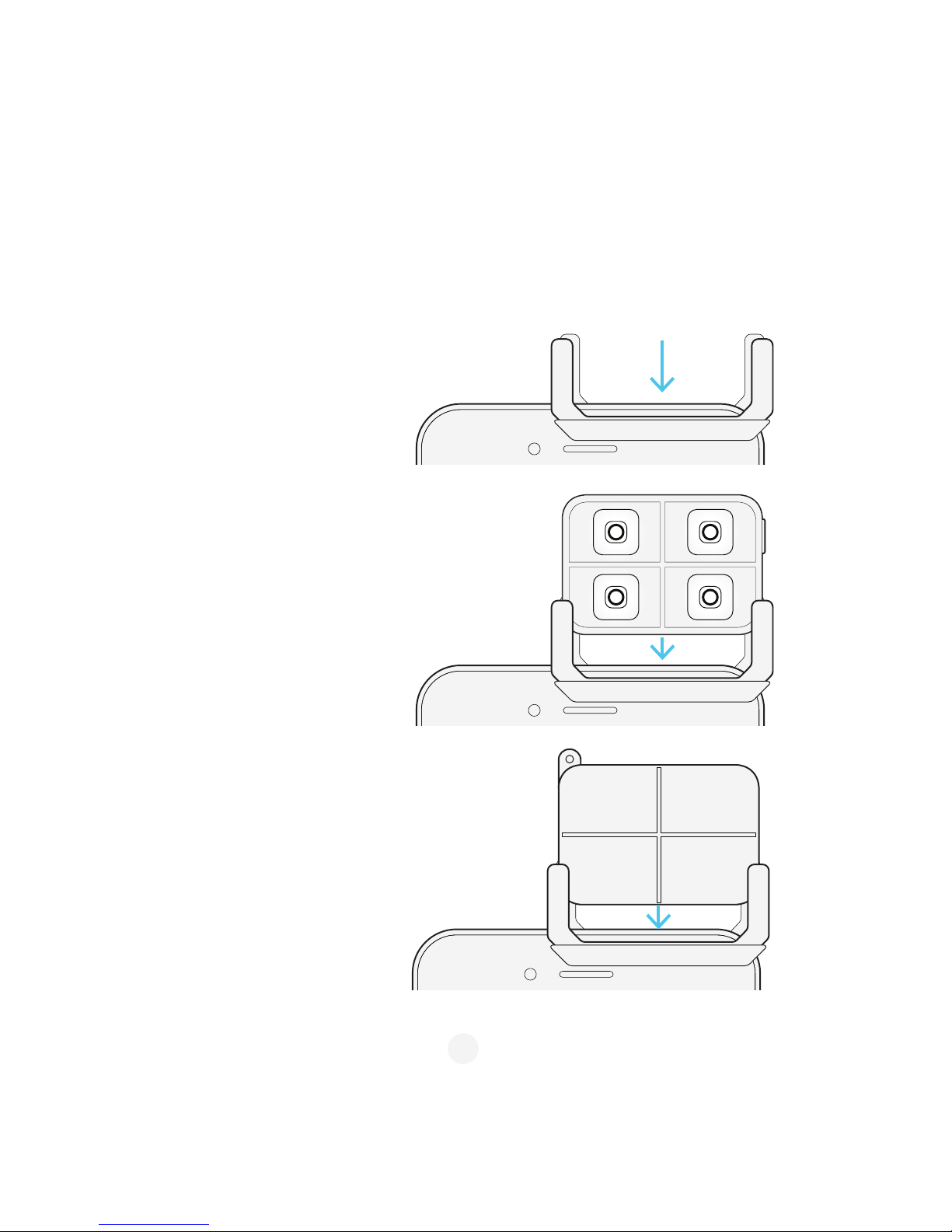
Accessories:
Smartphone Clip
Step 1: Attach the clip to smartphone or tablet.
Step 2: Mount iblazr 2 to the other side of the clip.
Step 3: Turn your iblazr to take a selfie.
Step 4: The clip can be also used with the
diffuser.
Smartphone clip is made both for iblazr2 LED flash and your smartphone. It holds the flash firmly and allows to
use sensor of the iblazr2. The smartphone clip works with smartphones, tablets or even laptop (try using it with
skype at night) that is 0.24" to 0.37" (6 mm to 9.5 mm) wide. Also it has a silicon coating, that protects the
smartphone from scratches.
10
Page 11
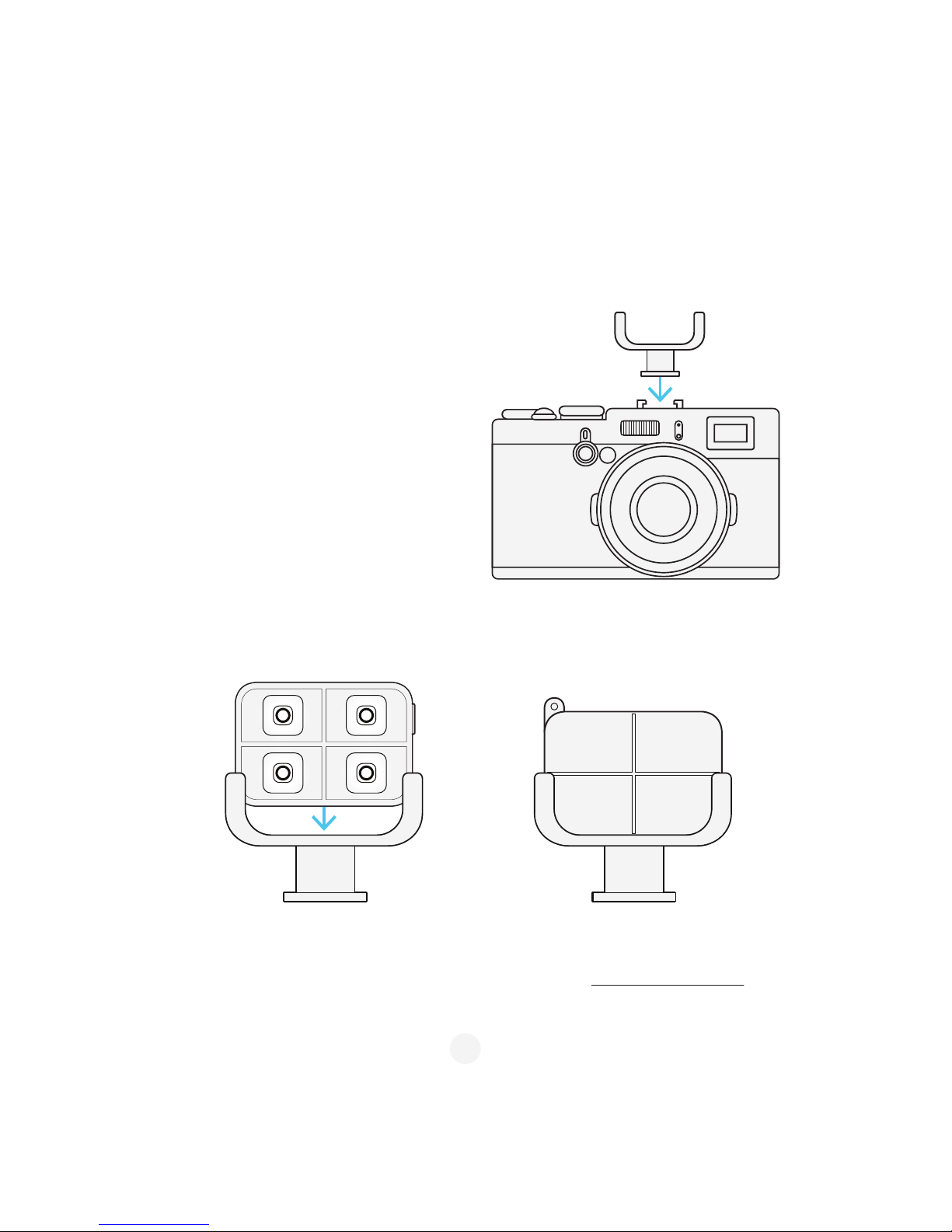
Support
Accessories:
Cold Shoe Mount (optional)
Step 1: Slide the cold shoe mount inside the flash of
the digital camera.
Step 2: Use iblazr 2 in the video light mode to capture
awesome videos.
Step 3: Cold shoe mount is suitable with the
silicon diffuser.
Get in touch with us in Shotlight App. Tap Menu > Support. Reach us via email : [email protected]
The cold shoe mount is universal mount for DSLRs and compact cameras that have hot shoe mount. iblazr2 is
awesome for making short videos, that is why we made a mount for you lovely camera as well.
11
 Loading...