

Page 1
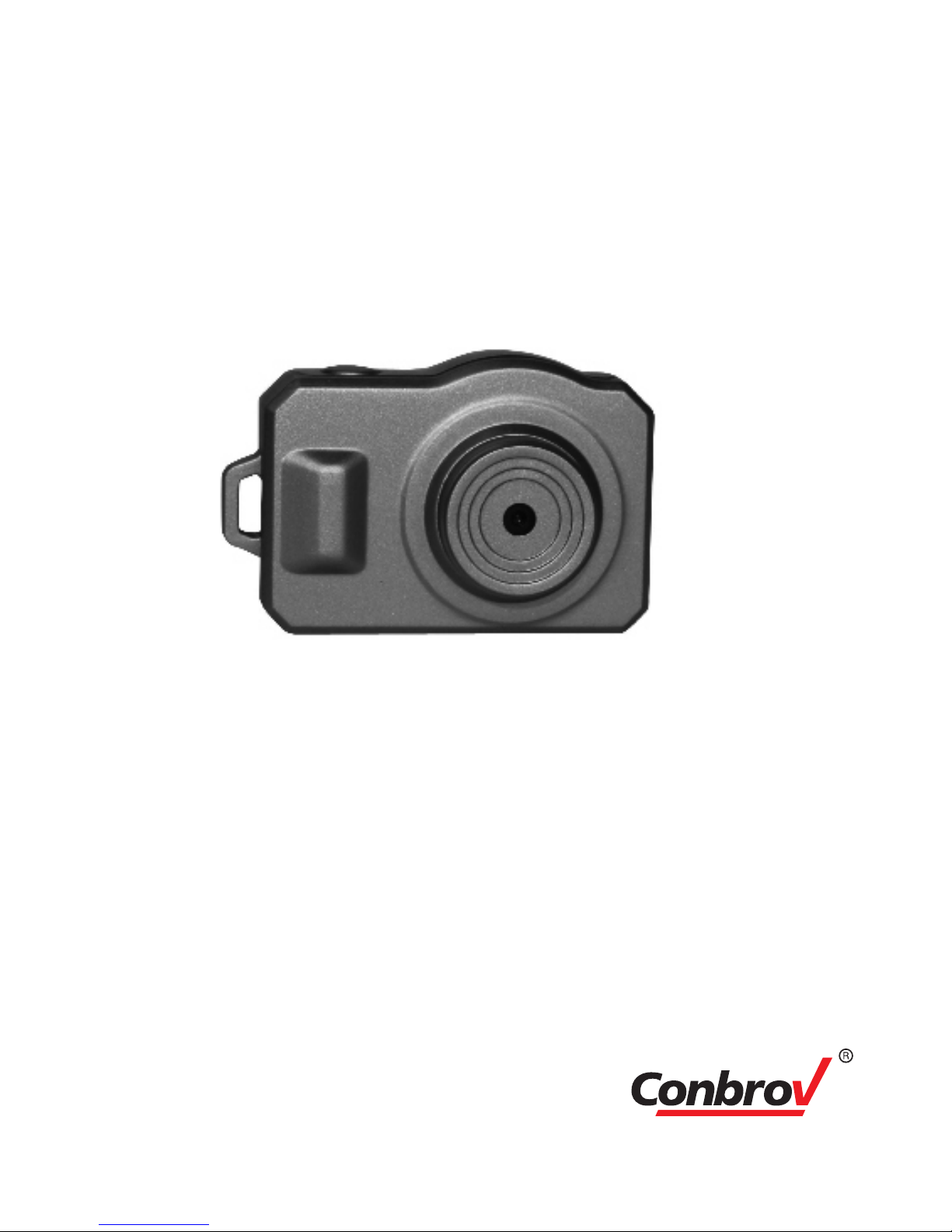
HD Mini key chain Camera
User Manual
Model: DV087
Important Notice
- Please ensure that you read the complete user manual
carefully before using any part of the product.
- Keep this copy safe for future reference in case of
operational difficulties.
Page 2

2
Safety Instructions
Please read the following instructions before using the
camera:
- The camera should be used for legal purpose only.
Check and follow the laws provided in your country
regarding the use of camera and other video recording
devices.
- The Mini Cam is NOT waterproof or dustproof, so don’t
use it outdoors, in adverse environments or during rain.
- In order to avoid any damage to the device, the risk of
electric shock to you or starting a fire, use original DC
power-supply.
- You are forbidden from doing any unauthorized
disassembling or dismantlement of this device, or
replacement of its parts. The device’s manufacturer
will not take responsibility or pay liabilities for any loss
caused by such actions.
- To avoid explosions, damages or bodily injuries, never
put this device into an oven, microwave oven or direct fire.
- Owing to version changes, this user manual may vary a
little from our real product currently on the market. In
such a case, please take the standard to be the real product.
By following the above safety instructions, we hope that it
will be enjoyable to own and use this product!
Page 3
3
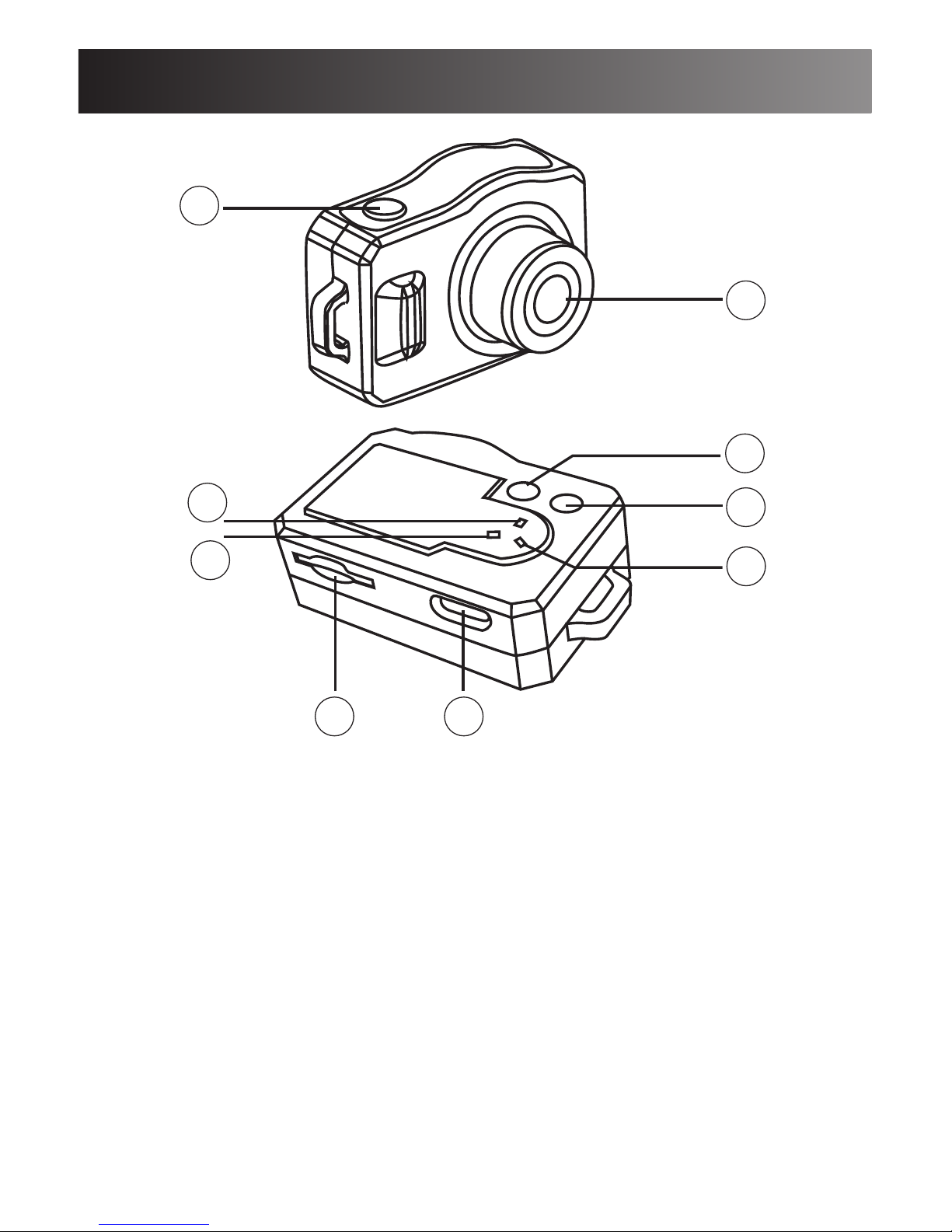
Product Structure
1.Power Button
2.OK Button
3.Mode Button
4.Video and photo Indicator
5.Voice Recording Indicator
6.Motion Detection Indicator
7.Micro SD card slot
8.Camera Lens
9.Mini USB port
1
3
2
6
5
4
8
7 9
Page 4
4
Quick Guide
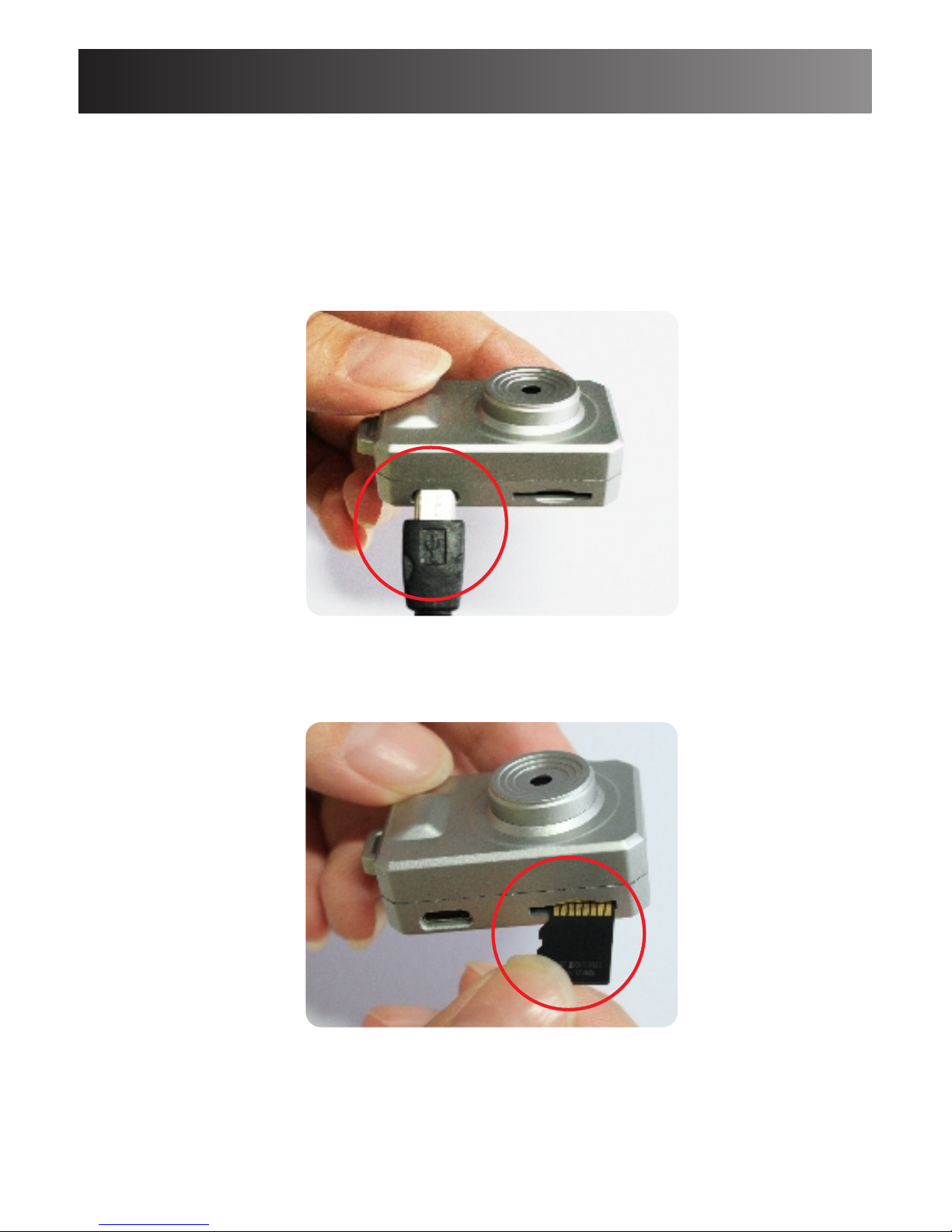
1.Charge the camera.
Use the provided USB cable to charge the camera by
Computer or AC adaptor (5v 1-2A )
During charging, three indicator will flash. All indicators
will be on when the camera fully charged.
2.Insert the Micro SD card.
Page 5
Quick Guide
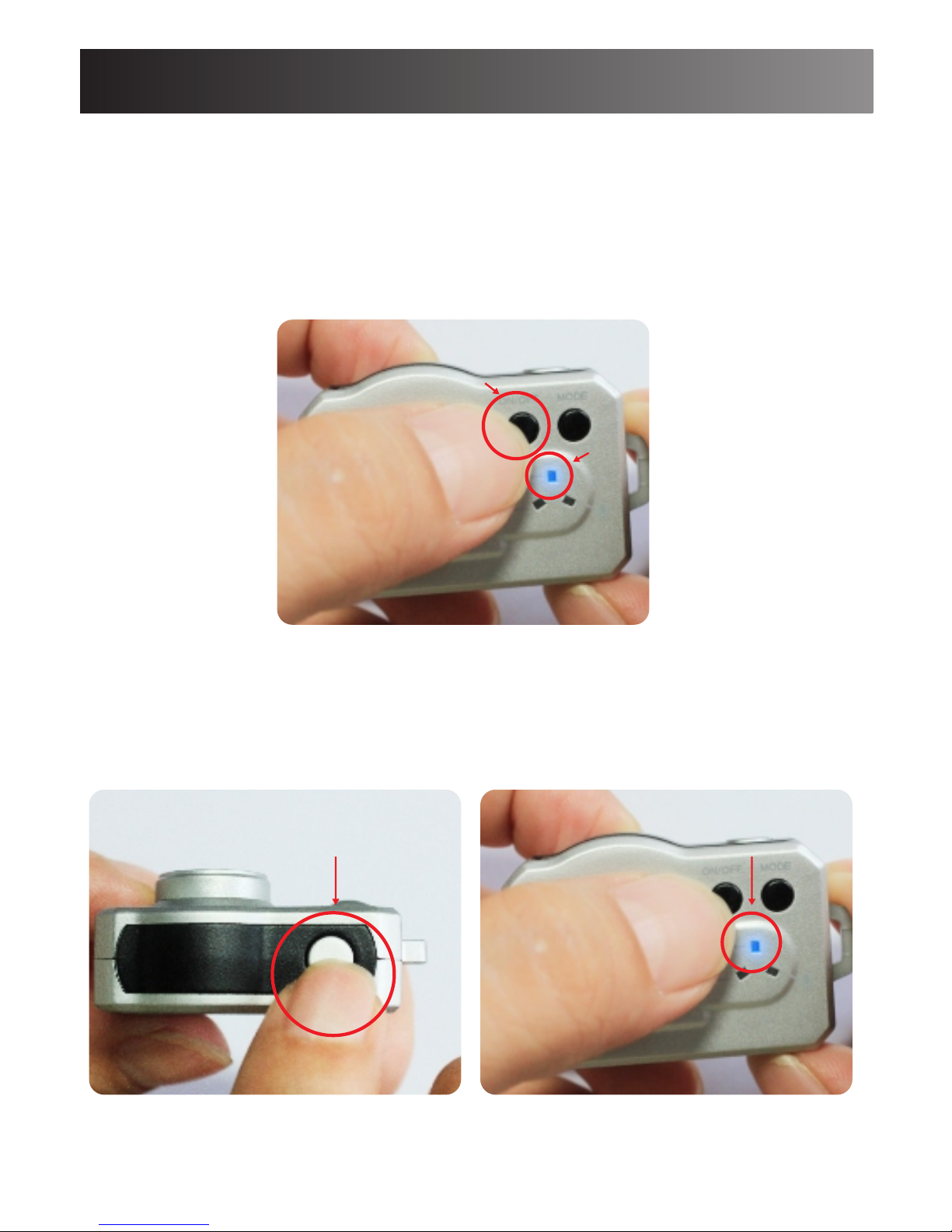
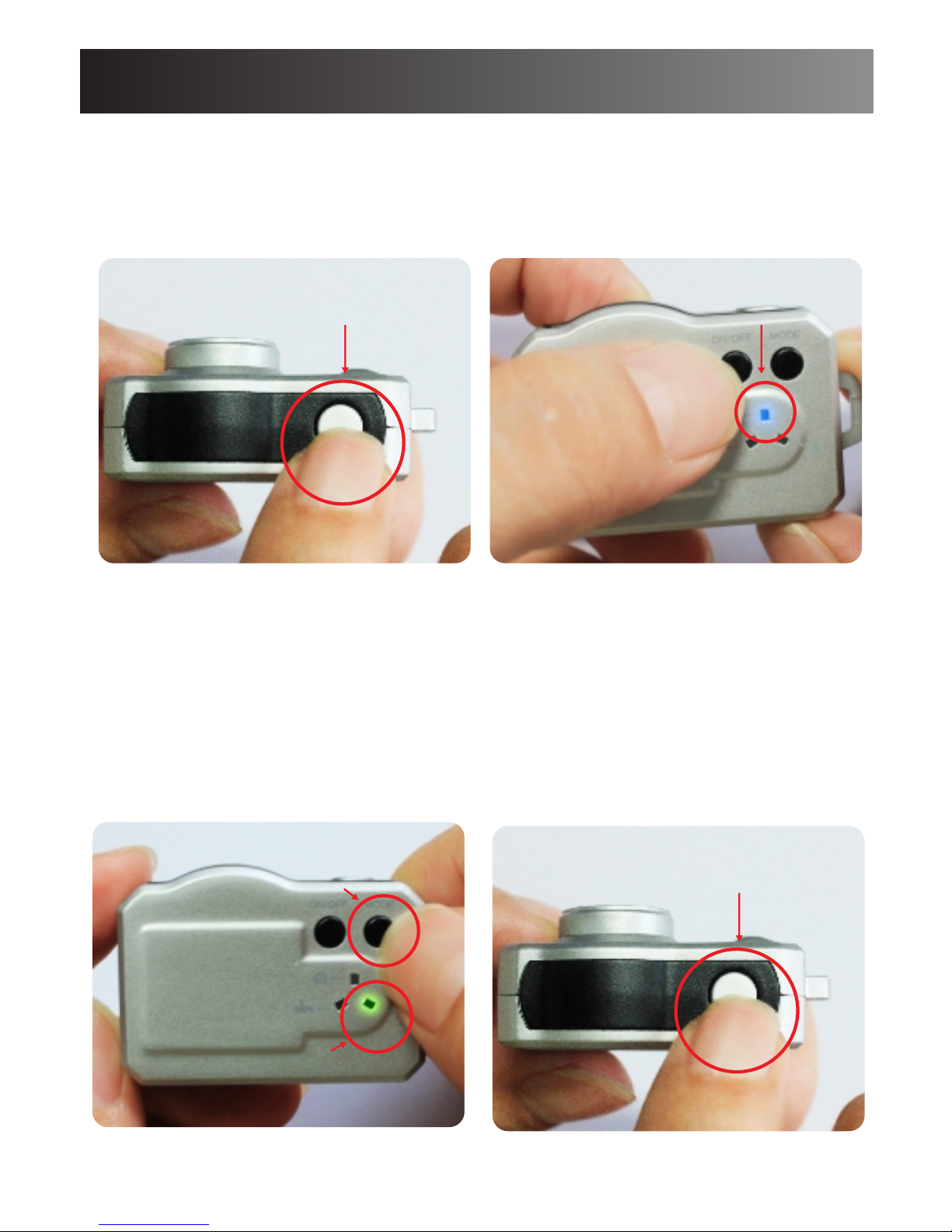
3.Power on the camera.
Hold on the Power button to power on the camera.
When the Blue indicator is always on, the camera enters
into standby mode.
Hold on the power button for 3 second to power off the
camera.
4.Taking video
Hold on OK button to take videos, the Blue indicator
will flash slowly.
Another press to stop the recording.
5
Short press on
OK button
Blue indicator
Power button
Blue indicator
Page 6
6
Quick Guide
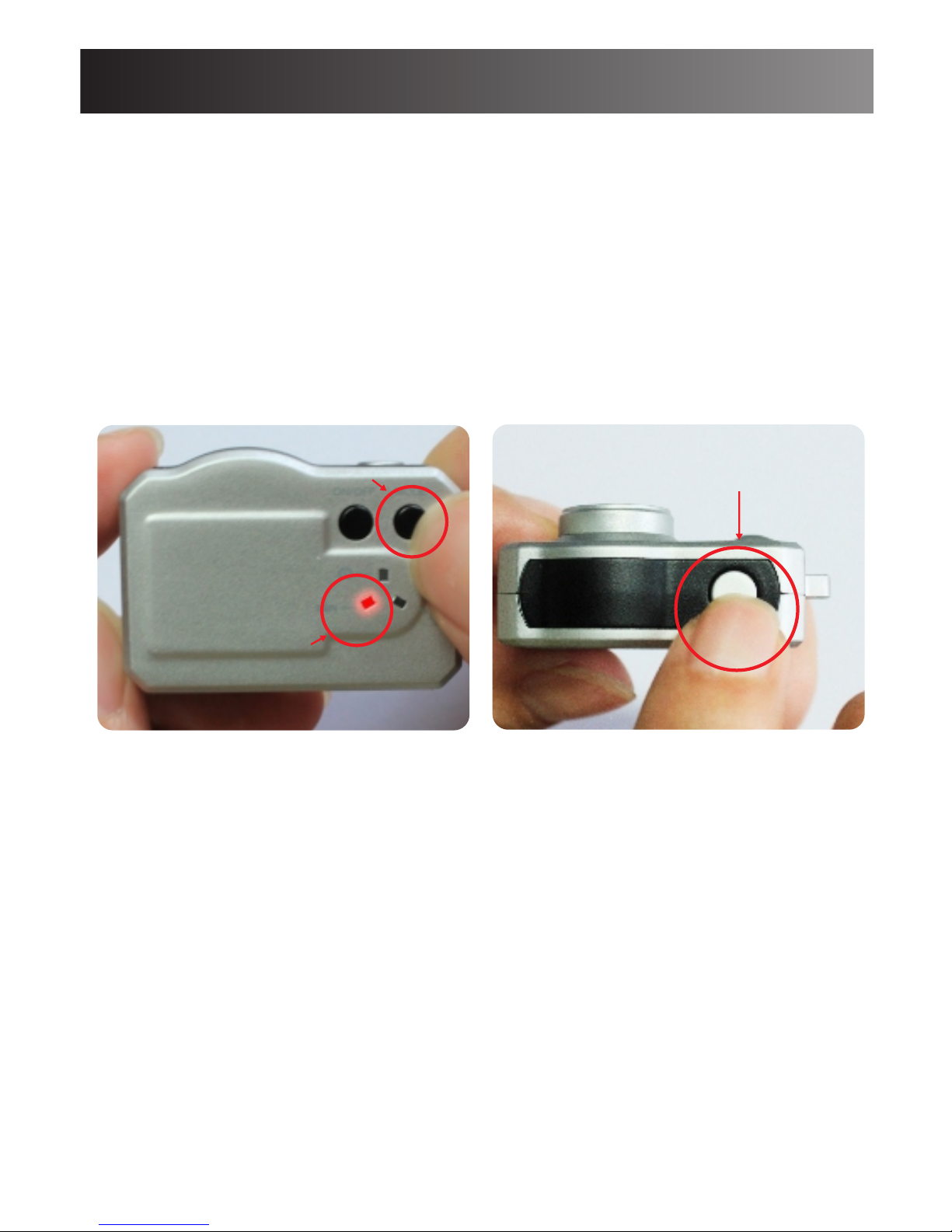
5.Taking Photo.
Short press on OK button to take one photo.
The blue indicator will flash once after taking one photo.
6. Voice recording.
Short press on Mode button to switch into Voice
recording mode.
The Green indicator will be on.
Short press on OK button to start voice recording.
The Green indicator will flash slowly.
Short press on
OK button
Blue indicator
Short press on
OK button
Mode button
Green indicator
Page 7
Quick Guide
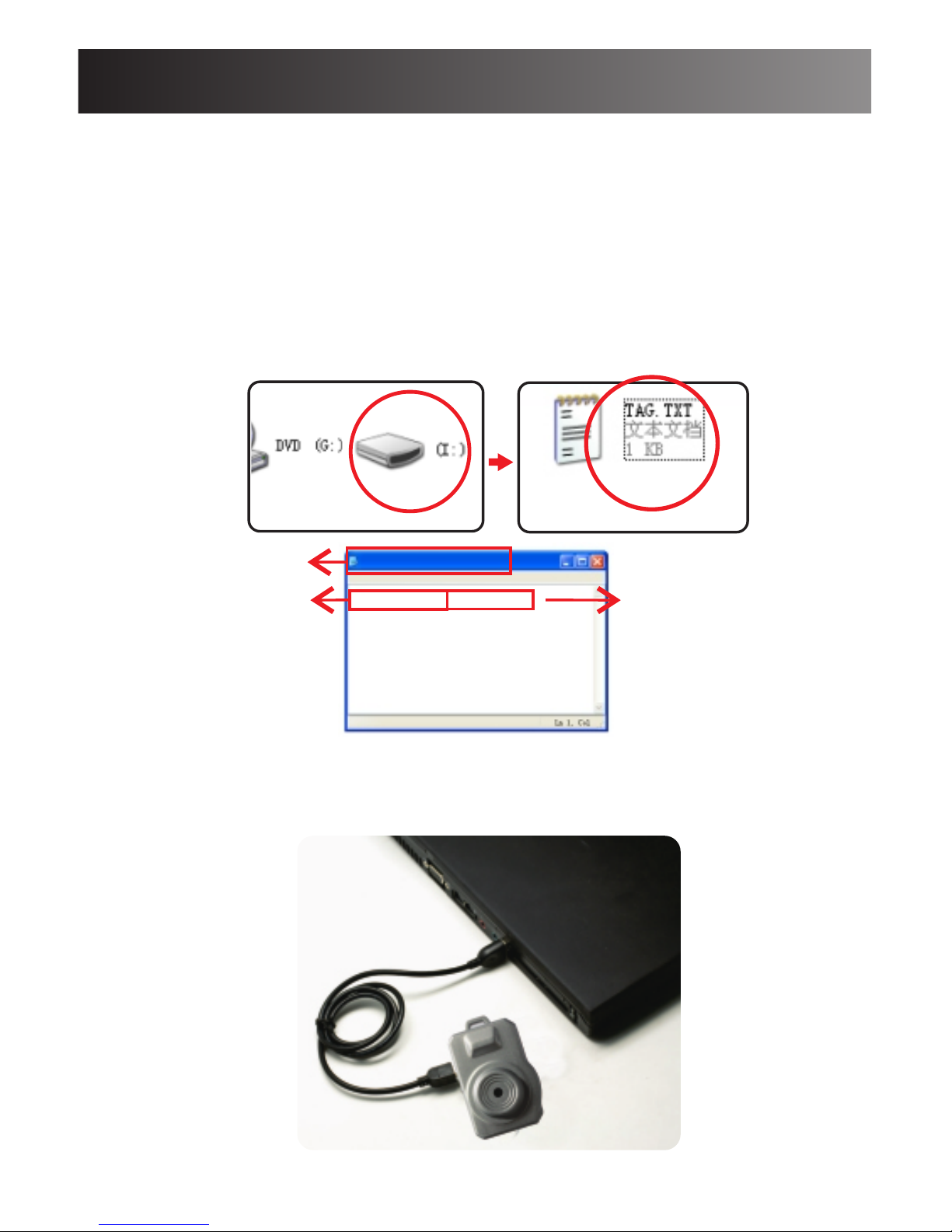
7. Motion detection.
Short press on Mode button to switch into Motion
detection standby mode.
The Red indicator will be on.
Short press on OK button to enter into Motion
detection mode.
The Red indicator will flash slowly.
When there’s a motion, the Red indicator will flash
quickly and then goes off
Important notice:
-The activated motion is about 2 minutes per file.
-When there’s no more motion, the camera will be
back into motion detection standby mode. The Red
indicator will flash slowly.
Short press on
OK button
Mode button
Red indicator
7
Page 8
Special function:
8
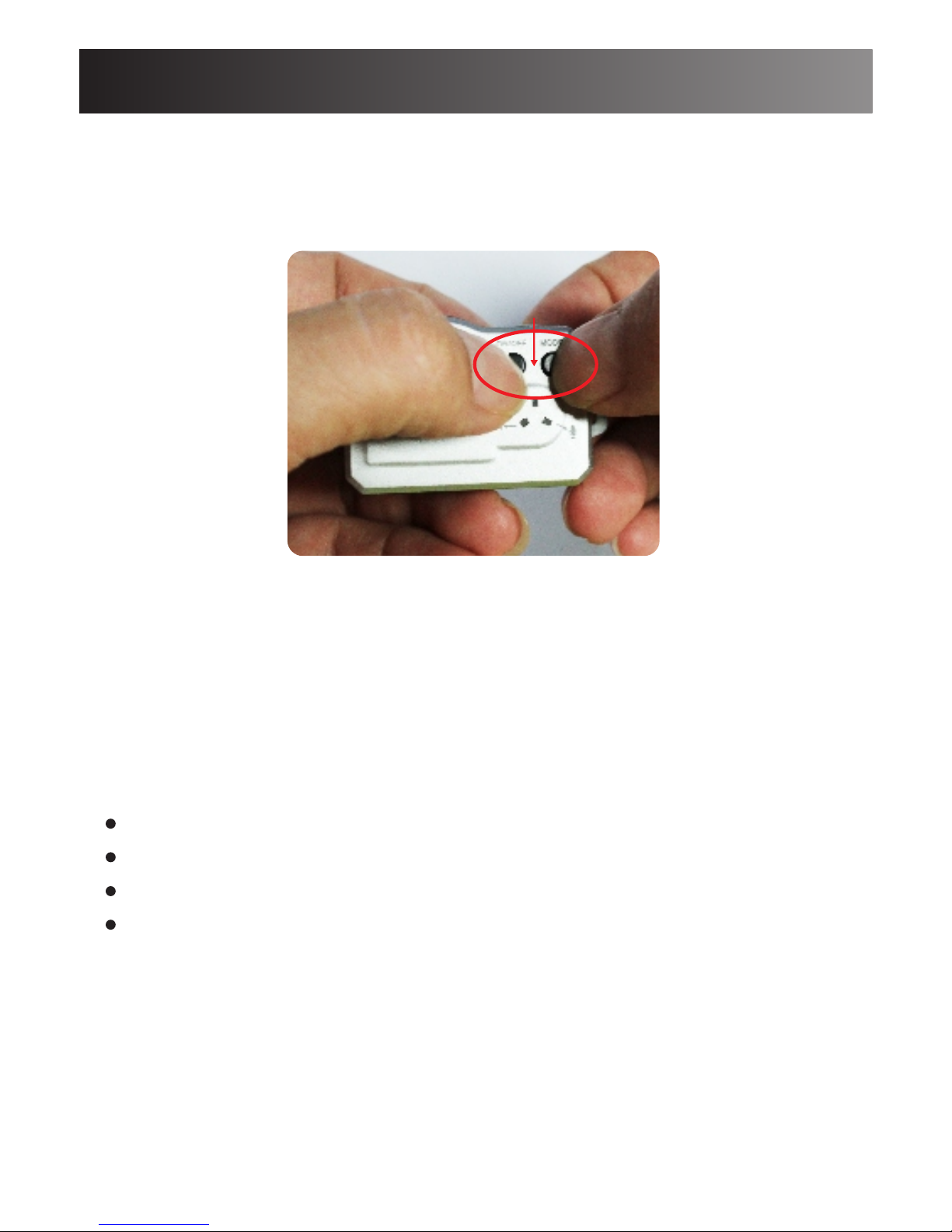
1.Time setting.
-Insert Micro SD card into the camera ,and connect it
to your computer, find a text file: TAG.TXT under the
root directory.
-2011-01-0123:59:59
-Open TAG.TXT, modify the date and time exactly
according to file and format.
-Reboot the camera to enable the updated date and time.
2.PC Camera
Connect the camera to computer using the provided USB
cable.Press any button to switch it into PC camera mode.
TAG. TX T
fil e Edit Fo rmat Vi ew H el p
File name
Year/Month/Day
Hour/Minute/Second
2011-01-01 23:59:59
Page 9
Special function:
3.Reset Camera
Hold on the Power and Mode button for 5 seconds to
reset the camera.
Important Notice:
- When you connect the camera to your computer, if the
camera cannot be identified, please try to connect again.
- It is suggested to copy the video files into computer for
a smoothly playback.
Power and Mode button
9
Product accessory
1 x DV087 Mini Cam
1 x user manual
1 x USB cable
1 x lanyard
It is important to note that:
If there is anything missing in your product package and
it is not included in the above list of accessories, contact
us as soon as possible at: [email protected]
Page 10
10
Specification
Camera size 1.35 x0.9 x0.6in
Video file format AVI
Photo file format JPEG
Voice file format WAV
Camera resolution 720x480 @ 30fps
USB type Mini 5 Pin
Camera memory storage Micro-SD up to 32GB
Battery type High capacity Li-battery
Motion detection distance 6-8M / 18-24 feet
Video file size 25M/min
Indicator Status and their meanings
Recording Standby Blue light on
Recording Blue light flash slowly
Photo taken standby Blue light on
Photo taken Blue light flash once
Audio recording standby
Audio recording Green light flash slowly
Red light flash slowly and
then off
Charging
Three light flash alternately
Fully charged
Three lights on
Motion detection standby
Motion detection
Red light on
Green light on
 Loading...