

Page 1
1
Step 1:
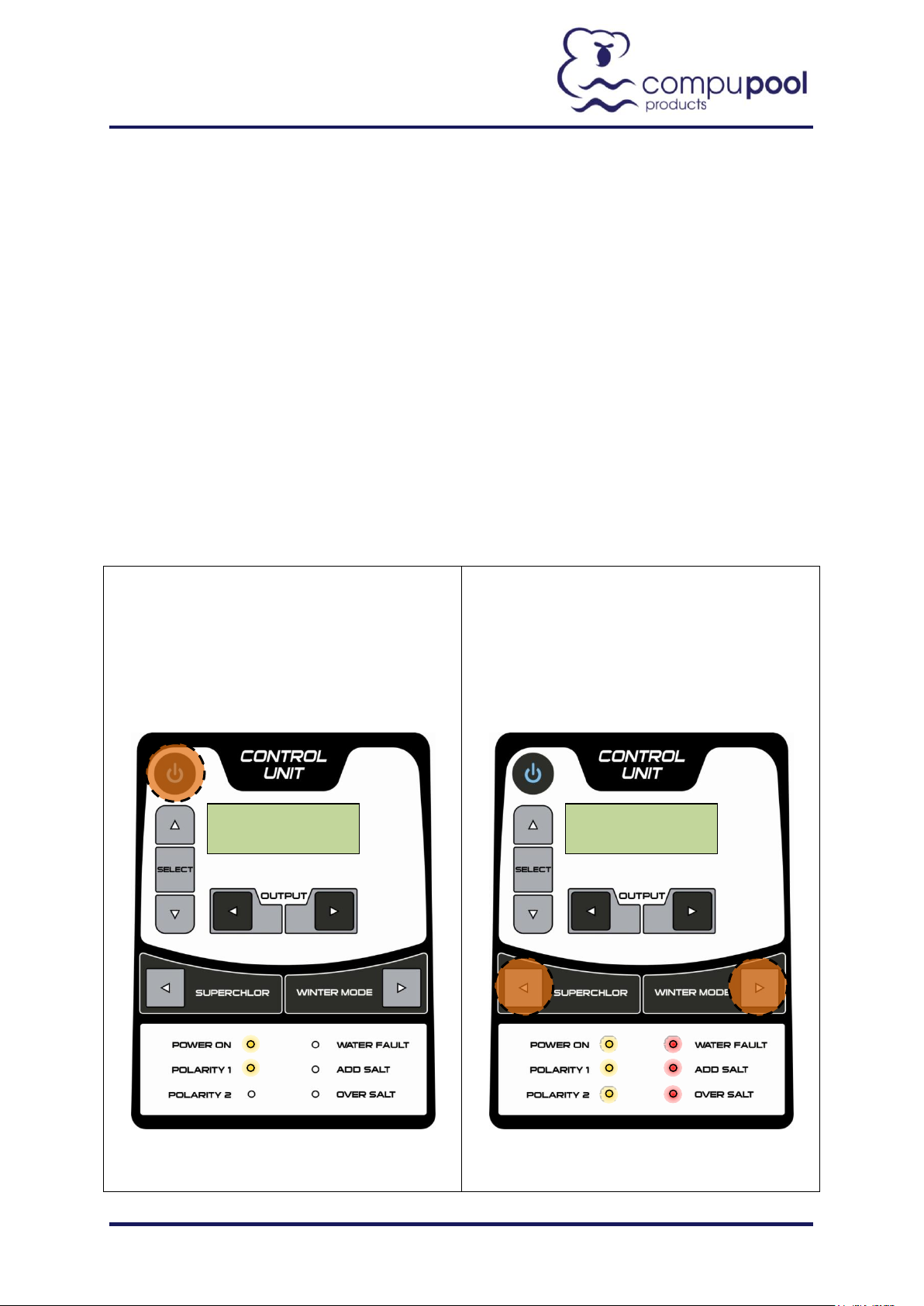
Connect the Control Unit to mains power. Ensure
that the unit is turned on. This is done with the
on/off button. The POWER ON LED will come on
when the Control Unit is turned on.
Step 2:
Re-connect the mains power. As soon as the
"COMPUPOOL ULTRAKLEEN" screen comes on
simultaneously press the SUPERCHLOR and
WINTER MODE buttons for 10 seconds. Release
the buttons and the "MAINTENANCE MENU" will
be activated. All LED's will light up during this
process.
2:29PM 20%
MAINTENANCE
3-7 Hilldon Court Nerang QLD 4211 Australia
P: +61 (0)7 5596 3773
F: +61 (0)7 5596 1951
W: www.compupool.com.au
CPSC Maintenance Menu Instructions
Changing the Model Selection
To change the CPSC Model settings, the technician / pool owner will have to access the maintenance
menu.
To access the maintenance menu and change the settings follow the procedure below:
CPSC Maintenance Menu Instructions - Model Selection - V1.docx
Page 2
2
Step 3:
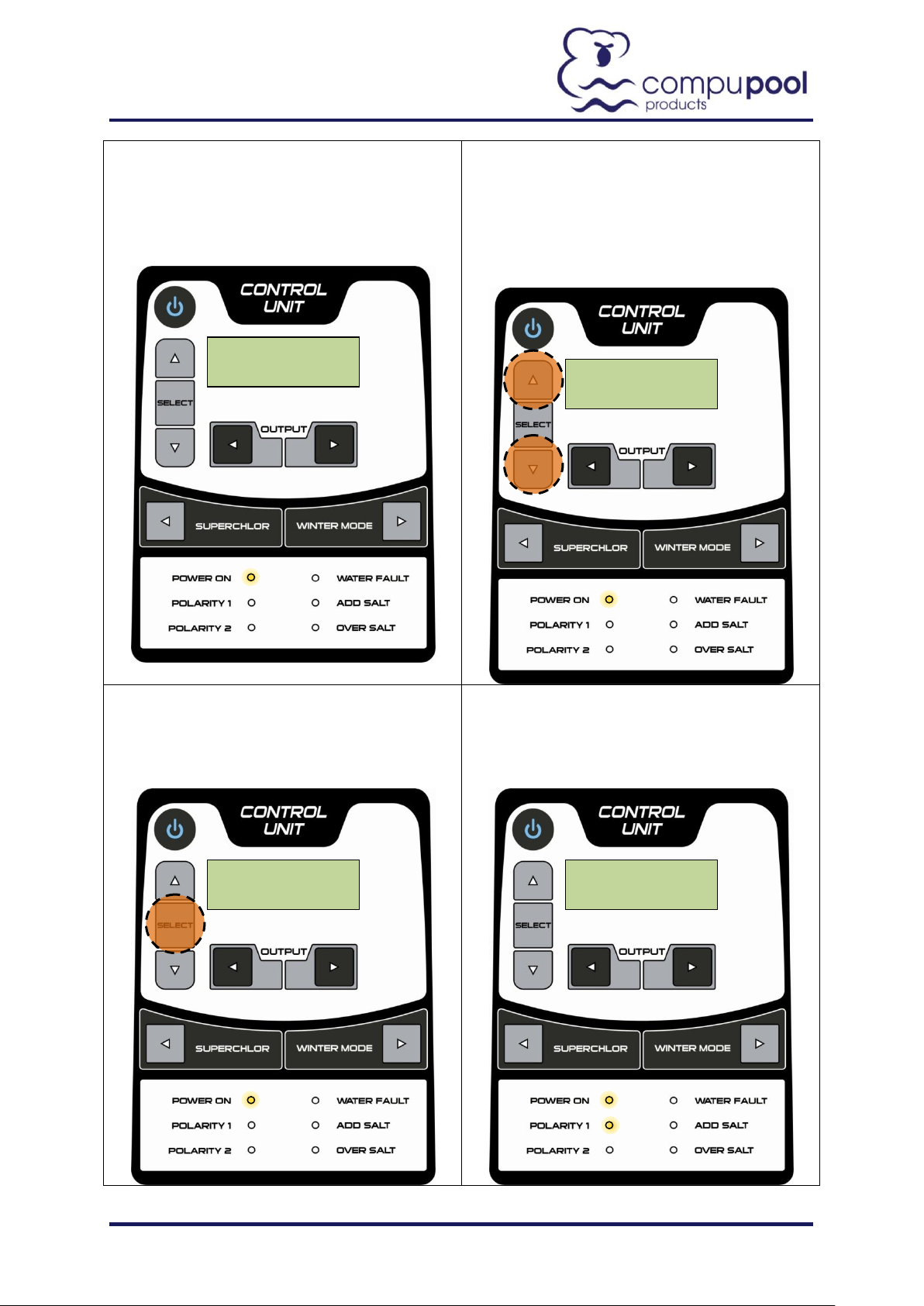
Scroll through the "MAINTENANCE MENU" by
pressing the SELECT BUTTON. Press this button
once to access the "LOAD" (Model Selection)
setting.
Step 4:
To change the "LOAD" settings press the up
▲and ▼ symbols. There are four options for the
"LOAD" setting - 7.5A (CPSC08), 15A (CPSC16),
20A (CPSC24), and 30A (CPSC36 and CPSC48).
NOTE: The 30A setting requires a larger
transformer than the smaller models.
Step 5:
Once the chosen "LOAD" setting has been
selected scroll through the "MAINTENANCE
MENU" by pressing the SELECT BUTTON until the
"TURN MAINS OFF THEN ON" screen is reached.
Step 6:
Now disconnect and reconnect the mains power
and the adjusted "MAINTENANCE MENU"
parameters will be stored.
LOAD
LOAD
TURN MAINS. .
2:32PM 20%
CPSC Maintenance Menu Instructions - Model Selection - V1.docx
 Loading...