

Page 1
Operating instructions
Switch controller for smart home
2016-V0113
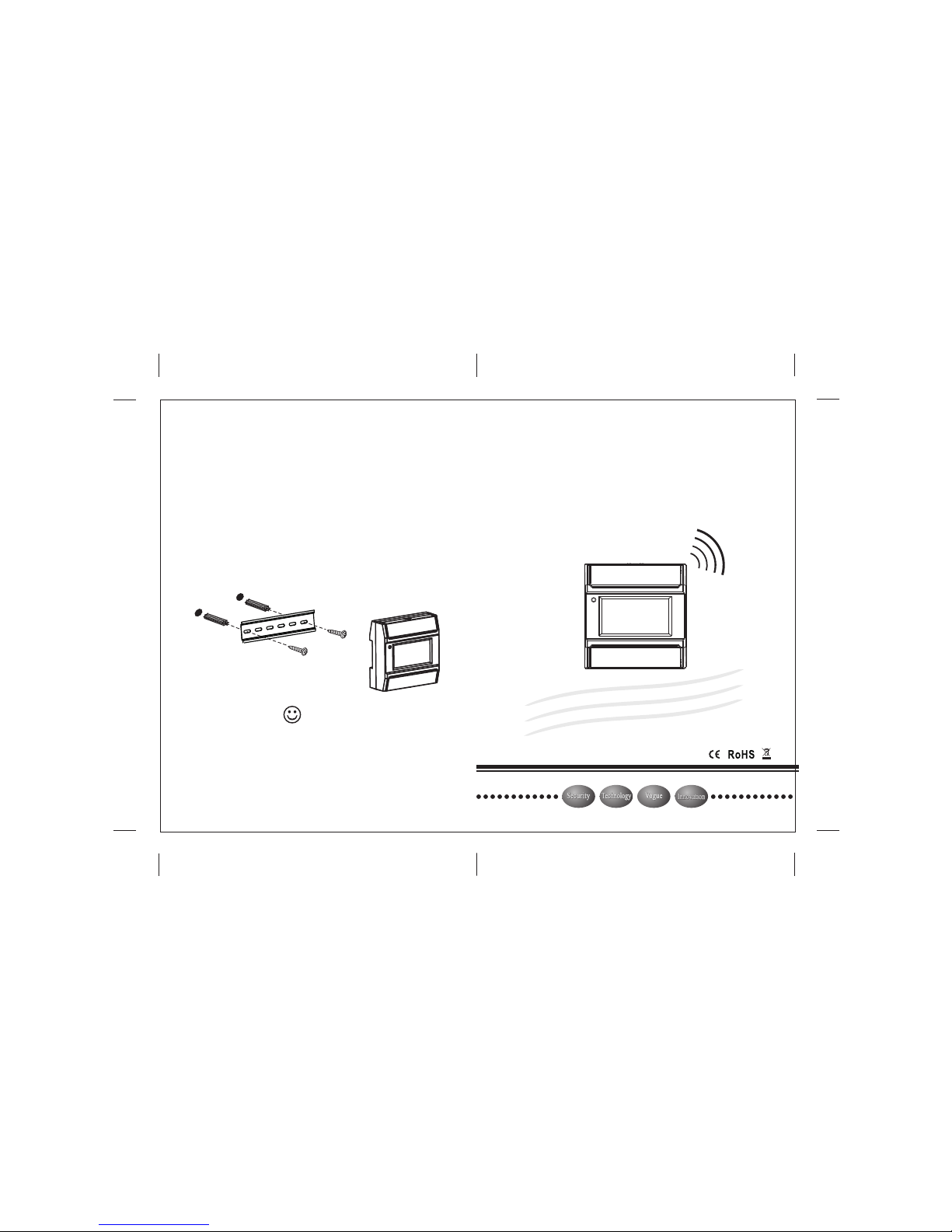
1. Located the mounting bracket on the installation
place. Keep it horizontal. Mark the hole position
2. Open holes according to the marked position.
Put the screw anchors into the hole.
3. Put the mounting bracket and fasten it with screws.
4. Connect the smart home controller according to the
wiring diagram.
5. Pull down the buckle of the controller and aim to the
mounting bracket. Loose the buckle and the
controller is installed.
Installation instructions
Plastic
Screw
Mounting bracket
Sec urit y
Sec urit y
Innovation
Innovation
Technology
Technology
Vogue
Vogue
After Z86G smart home switch controller binds with indoor
monitor, indoor monitor and cell phones can control the
ON/OFF of light via network connection. For more information
about bind methods and operation, please read the user
manual of indoor monitor.
Notice
Page 2
Relay output contact current ≤ 5A AC 250V
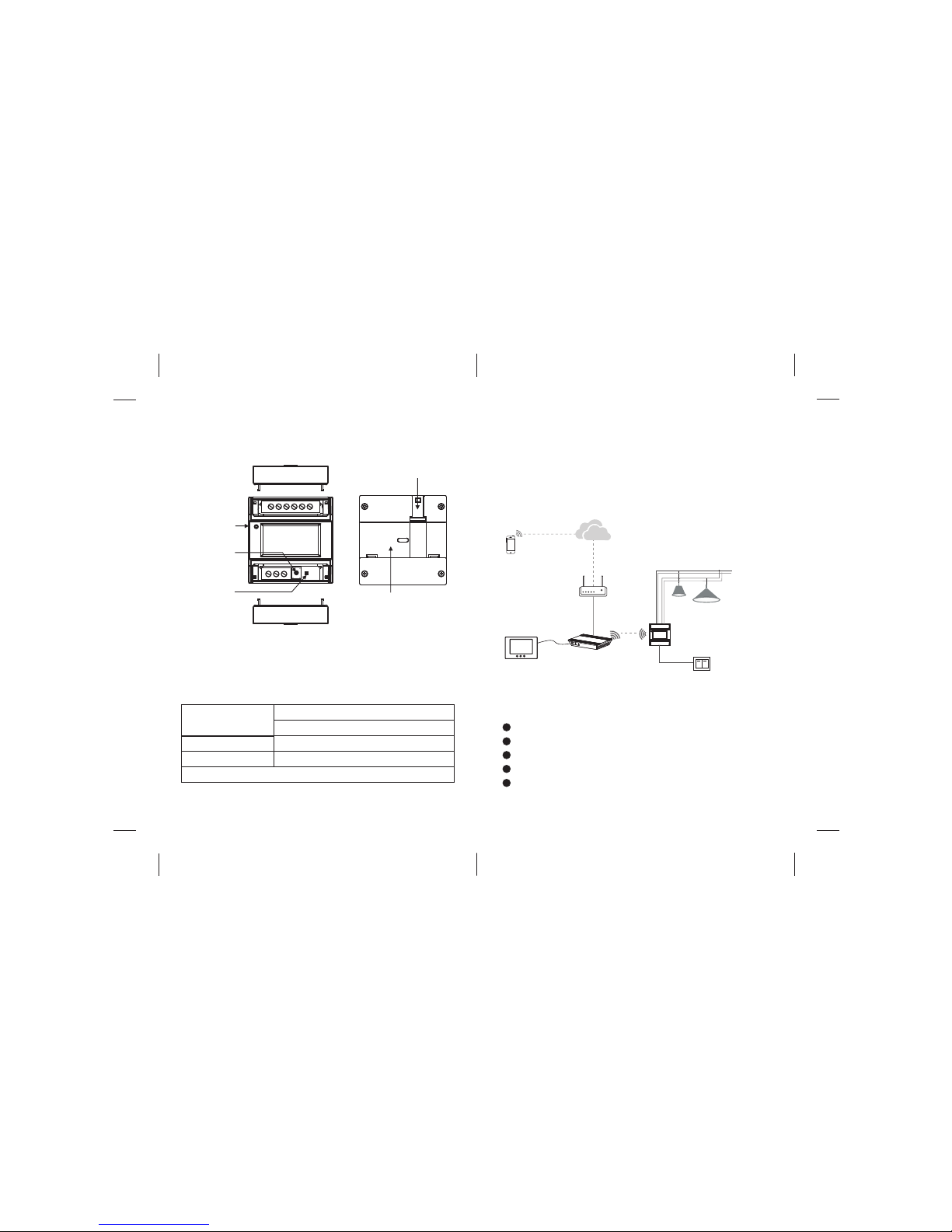
Plane sketch for Z86G smart home controller
Dimension:86X90X36mm
Basic parameters
Working
environment
Working voltage
Working current
Ambient temperature:-20℃~+50℃
Relative humidity:≤90%
AC 110 250V
≤20mA
~
Z86G is used based on the ZigBee protocol. After
binding with indoor monitor and ZigBee controller
(HD-8Z), indoor monitor and cell phones can control
the ON/OFF of light via network connection.
Red: KEY 1 is open;
Green: KEY 2 is open;
Orang: KEY 1 and KEY 2 are open;
Indicator light is off: KEY 1 and KEY 2 are close;
Indicator light is blinking: Signal is connecting.
Function description
WIFI
/
4G
Cloud server
HD-8Z
Cell phone
Internet
Router
Internet
485
Indoor monitor
AC110~250V
Z86G
N
L
Touch panel
Indicator light information
Status light
Reset button
Signal light
Install slot
Install buckle
 Loading...