

Page 1

815.874.8001 • competitionelectronics.com
OPERATING INSTRUCTIONS
Please read this manual!
This manual contains setup information necessary to
achieve proper performance from your Pocket Pro II.
(gray model# CEI-4710)
(blue model# CEI-4700)
Page 2

User Manual / Operating Instructions
1
Table of Contents
Battery Installation ..................2
Automatic Shutdown................2
Forced Shutdown ...................2
Quick Start!..........................3
Control Buttons .....................3
Shot Detection ......................4
Shot Review Screen..................4
Setting the PAR Time
(second beep) ...5
Setting the Start Delay.............5-6
Display Backlighting. ................6
Beeper Volume ......................7
Setting the Main Display Type......7-8
Shot Dead Time .....................9
Shot Sensitivity......................9
Setting the Date and Time ..........10
Battery Status ......................11
Resetting Factory Defaults ..........11
Timer “Wraparound” . . . . . . . . . . . . . . . .12
Accuracy ...........................12
Specications ......................13
Carrying Case ......................13
Limited Warranty . . . . . . . . . . . . . . . . . . . 14
Page 3
User Manual / Operating Instructions
2
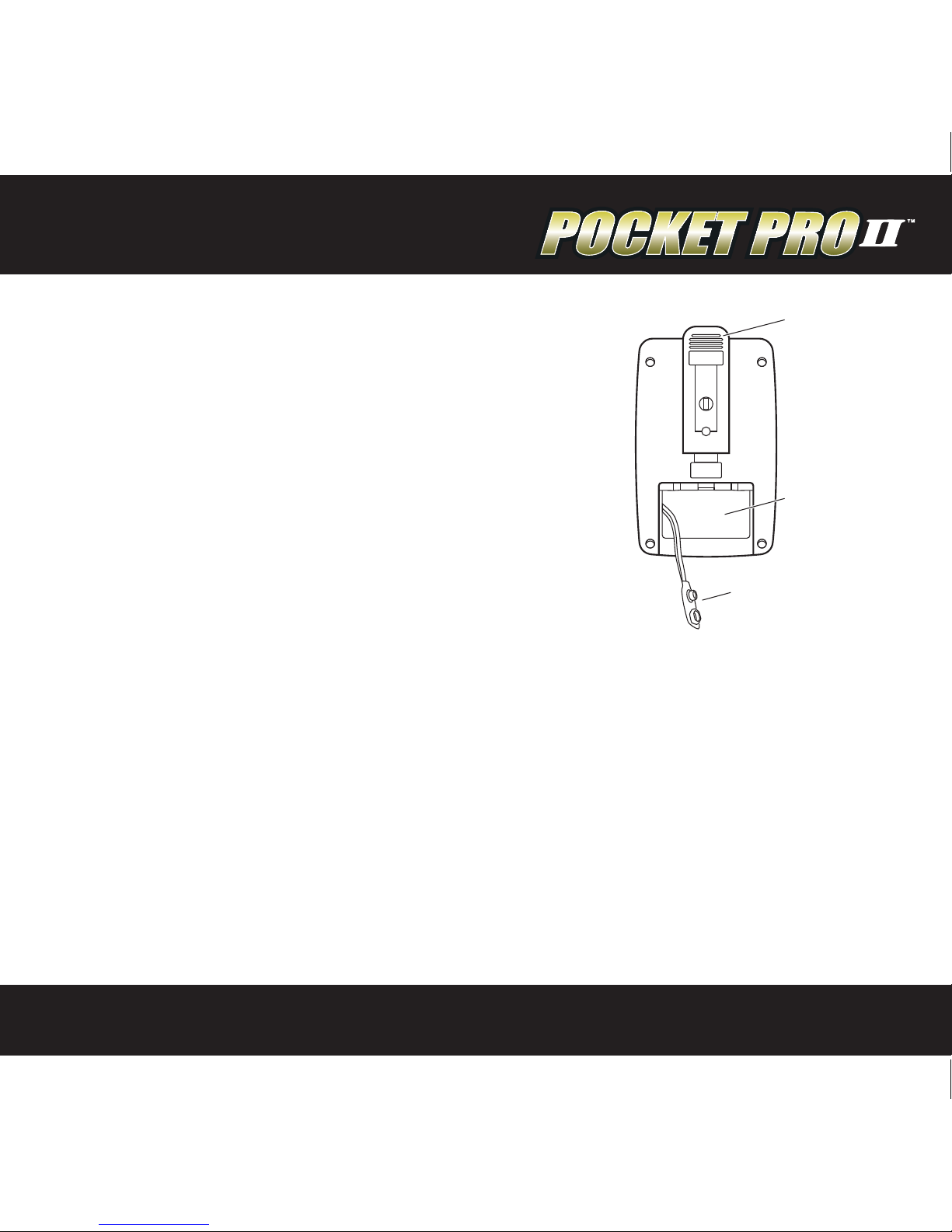
Battery Installation
The Pocket Pro II operates on a 9 volt alkaline battery.
It is important to use alkaline batteries due to the
power demand of the buzzer. To install the battery,
remove the cover, connect the battery to the wire
clip, t the battery in the compartment, and replace
the cover. Once installed, the Pocket Pro II will
briey display a sign-on message, followed by the
main operating screen. The sign on message can be
bypassed by pressing one of the menu buttons.
If at any time you suspect the unit is not functioning
normally, try resetting it. The procedure is listed on page 11 of this manual.
Automatic Shutdown
If no shots are detected and no buttons are pressed for a period of ten minutes, the
timer will power down automatically. This will prevent battery discharge in the event
it is not turned o after use. To wake up the timer, press the SET/ON button.
Forced Shutdown
To turn the Pocket Pro II o, press and hold the MENU DOWN button for
approximately 3 seconds.
BELTCLIP
BATTERY
COMPARTMENT
9V BATTERY
SNAP CONNECTOR
Page 4
User Manual / Operating Instructions
3
Quick Start!
If you want to get started right away, all you have to do is press the start button on
the side and shoot. The Pocket Pro II comes from the factory congured and ready to
run. After the timer shuts down, press the SET/ON button to turn it on.
Control Buttons
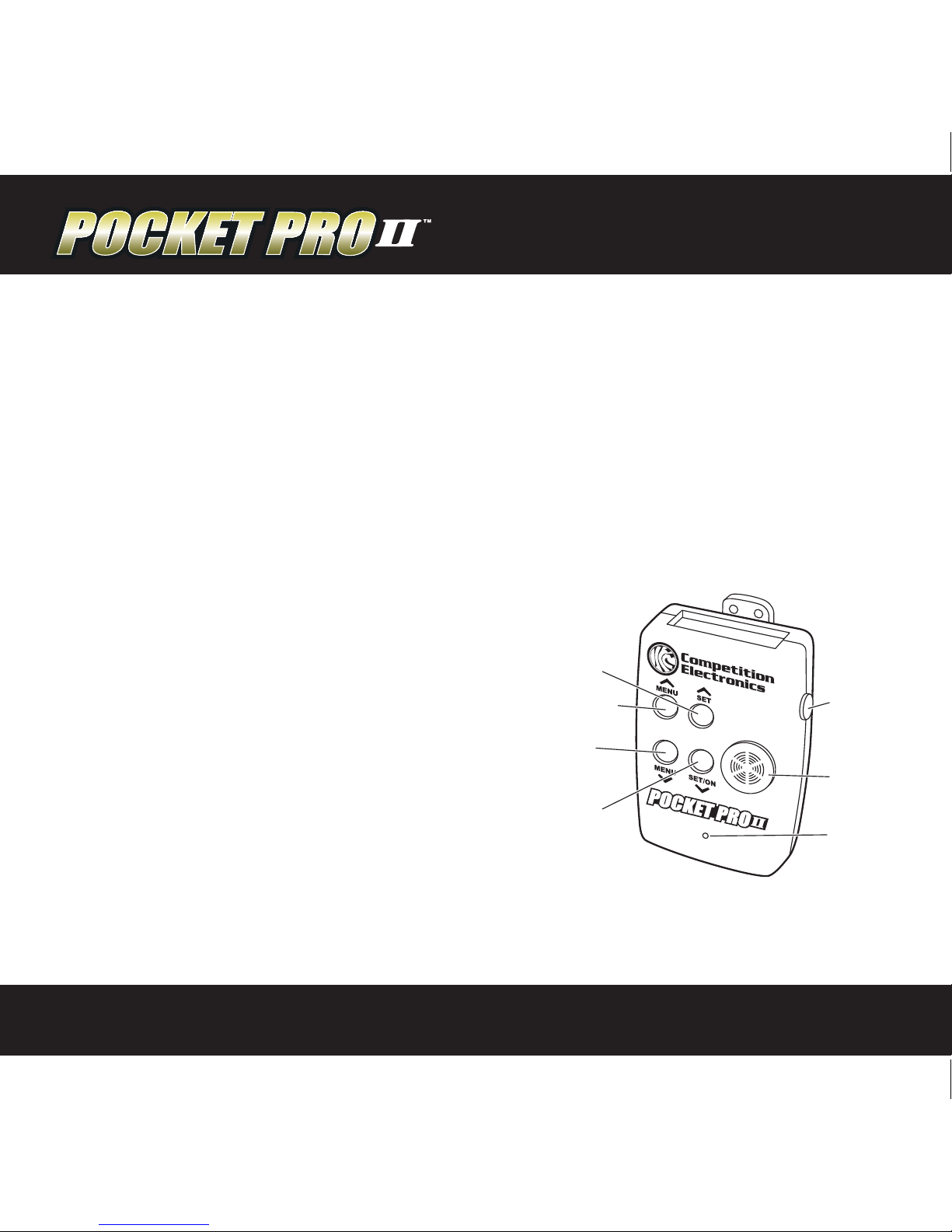
There are four buttons on the front of the case. Looking at the front of the case,
you will see the MENU UP/DOWN buttons on the left, and the SET UP/DOWN value
buttons on the right.
MENU UP/DOWN
The MENU UP/DOWN buttons are used to
navigate forward and backward through a
short loop of menu screens where the user
can access information and settable values.
SET UP/DOWN
In menu screens with ashing settable values,
pressing the SET (up arrow symbol) will
increase the value and SET/ON (down arrow
symbol) will decrease the value.
START
BUTTON
BUZZER
SHOT
SENSOR
SET/ON
DOWN
MENU
DOWN
MENU UP
SET UP
Page 5
User Manual / Operating Instructions
4
Shot Detection
Each time a shot is detected, it will be added to the “shot string” maintained within
the timer. The timer will automatically calculate the “split time.” Split time is the time
between the current shot and the previous shot. The timer can store up to 99 shots
for a given timing cycle. Subsequent shots will be stored by overwriting the previous
value of shot 99.
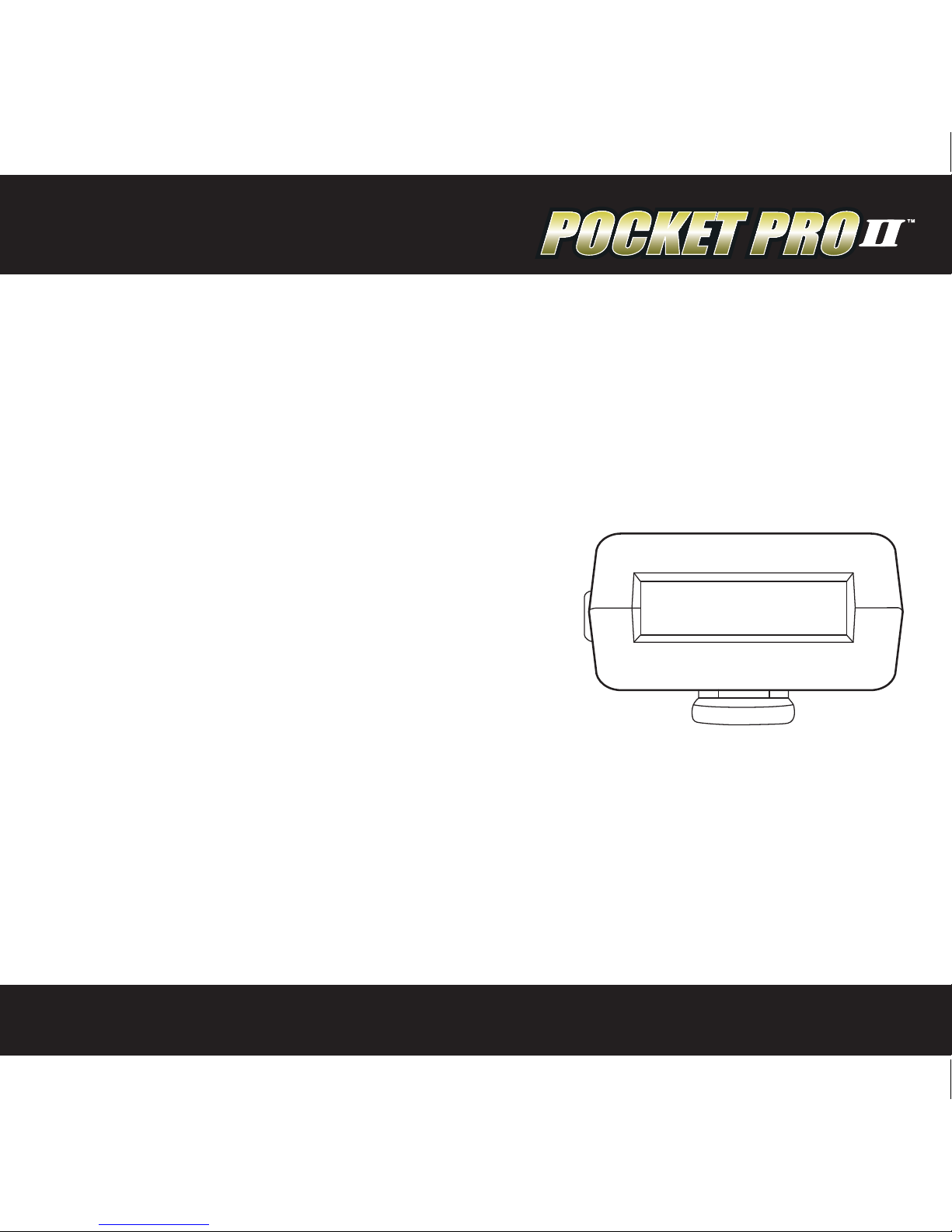
Shot Review Screen
Shots will be displayed on the shot review screen
in a “one shot per line” format. Reading from left
to right in the shot line, the shot time appears
rst, followed by the shot number, and nally
the split time, if any. When rst navigating to the
shot review screen after the start of a cycle, the
rst shot will appear on the 3rd line, and the last
shot will appear on the 2nd line, if there are 4 or more shots. Otherwise, the shots will
be clearly identied by their shot numbers. Use the SET UP/DOWN buttons to scroll
through the shot string.
SPL 2.1 6
SPL 1 .58
SPL 3.4 1
SPL 2.93
17 .07 # 5
18 .65 # 6
17 .41 #
1
17 .34 # 2
Page 6

User Manual / Operating Instructions
5
Setting the PAR Time (second beep)
The par time setting (also known as the “second beep”) comes congured from the
factory for 0 seconds. When the par time is set to 0, the timer will beep only once, at
the start of a timing cycle. Setting the par time to other than 0 will give you a beep
at the start, and the end of the par time period. Par time is adjustable from 0 to 199.9
seconds. Hold the SET UP or SET DOWN button to increase the speed at which the
digits increment for large par times. Press the SET UP and SET DOWN buttons simultaneously to reset the Par Time to zero.
Setting the Start Delay
The start delay is completely congurable. If enabled, it can generate a xed delay
or random delays between .5 seconds and 9.9 seconds. The timer is set to a factory
default delay time between 1 and 4 seconds.
Instant (No Delay)
Using the MENU UP/DOWN buttons, advance to the “START DELAY TYPE” screen. Use
the SET UP or SET DOWN button to select “ INSTANT.” The timer will start instantly
when you press the start button.
Page 7

User Manual / Operating Instructions
6
Fixed Delay
On the same screen as mentioned in the previous section, select “RANDOM.”
Now, using the MENU UP/DOWN button, advance to the “RANDOM START TIME –
MINIMUM” and “RANDOM START TIME – MAXIMUM” display screens. In both screens,
select the same delay time, between .5 seconds and 9.9 seconds. This will result in a
xed delay time at the setting specied. Note that the timer will not allow you to set a
minimum time greater than the current maximum time, or a maximum time less than
the current minimum time. It will “push” the alternate time value along to match the
setting currently being adjusted.
Random Delay
To achieve a random delay, set the maximum and minimum delay times at the outer
limits of the random delay time range desired. When started, the timer will produce a
random start delay between these limits each time start is pressed.
Display Backlighting
Use the SET UP/DOWN buttons to set the number of seconds (from 0 to 99) the
display backlighting will remain on. Setting the value to zero will turn if o. To
activate the backlight, press any button. If you would like to illuminate the current
display, press the MENU UP, then MENU DOWN button. Longer periods with the backlight turned on will shorten battery life.
Page 8
User Manual / Operating Instructions
7
Beeper Volume
The beeper volume can be adjusted by pressing the SET UP or SET DOWN button.
Changes are indicated by a “bar graph” display indicator as well as a sample of the
sound level. A new setting will be saved automatically.
Setting the Main Display Type
The Pocket Pro II can be congured to show three dierent types of main displays.
These are selected from the “MAIN SCREEN TYPE” menu, and are described below.
Review Direct
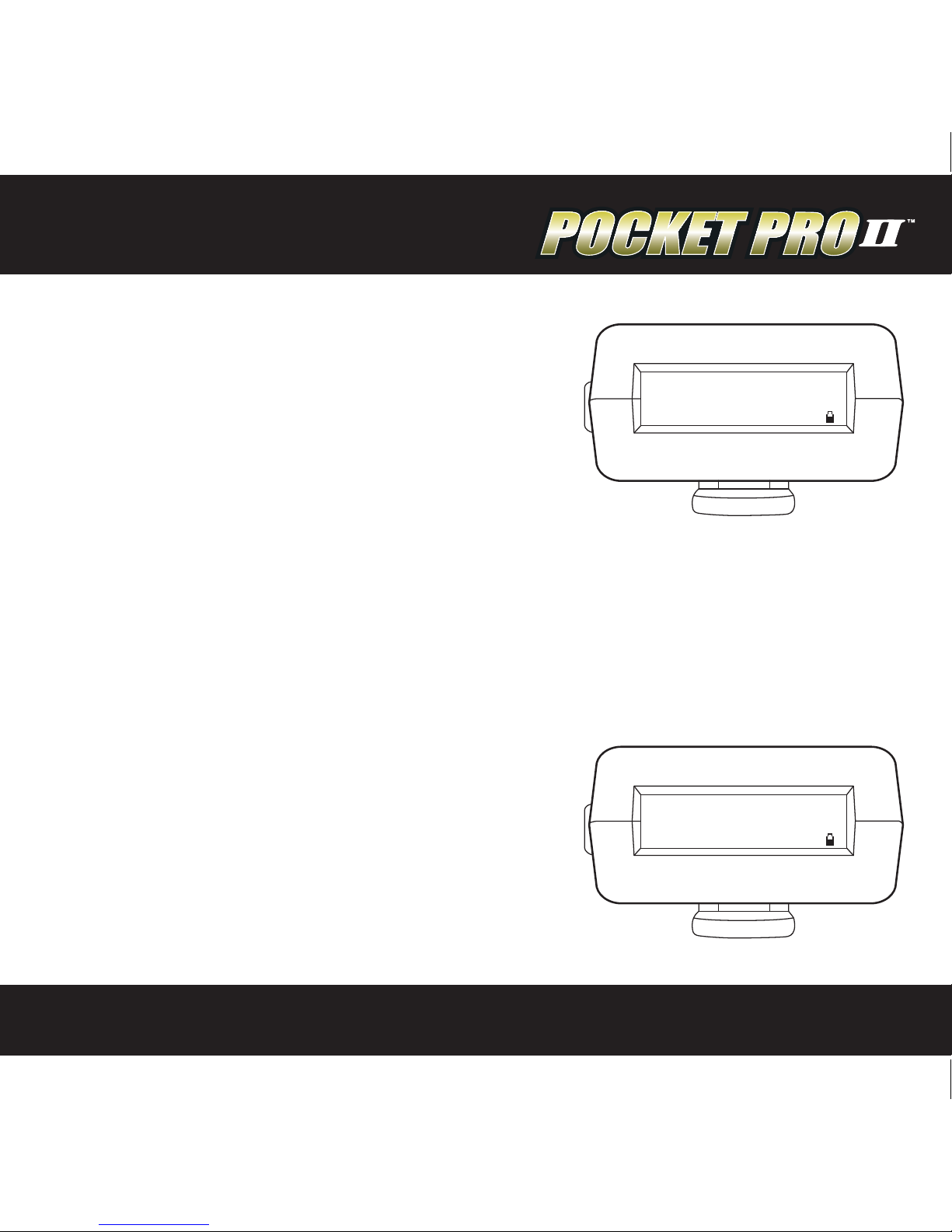
When the “Review Direct” main display is selected,
the last split time will appear in the upper right
hand corner of the main display. Pressing either
the SET UP or SET DOWN button will jump directly
to the shot review screen. Pressing the MENU UP
button will return to the main display screen.
SPL 2.1 6
1st 1 .58
DELAY RNDM
05:10:16AM
SHOT # 6
18.65
Page 9
User Manual / Operating Instructions
8
“RPM” Mode
When the “Rounds per Minute” main display is
selected, the Pocket Pro II no longer displays shot
times, but now will display rounds per minute. To
use this mode, press the START button. After the
beep, re shots; the timer will display the rounds
per minute based on the number of shots and
the time between the rst shot and the last. Shots
recorded more than 199.99 seconds after the start beep will render readings invalid
until START is pressed again. The normal shot dead time setting is overridden when
in RPM mode and set to a xed value of 0.032 seconds. This allows the Pocket Pro II to
detect shots at rates of up to 1800 RPM.
(NOTE: Please see Accuracy on page 10)
Single Time Only
When the “Single Time Only” main display is
selected, the current shot time appears on the main
display and is sized to ll up the screen. Pressing
either the SET UP or SET DOWN button will jump
directly to the shot review screen. Pressing the
MENU UP will return to the main display screen.
SPL 0.1 1
1st 0 .71
DELAY RNDM
JAN/01/13
SHOT #30
458
18.65
Page 10

User Manual / Operating Instructions
9
Shot Dead Time
The SHOT DEAD TIME feature is used to reduce false shot recordings due to echoes
or ringing . Once a shot is detected, the Pocket Pro II will disregard subsequent shots
for a short period of time. The default setting is .11 seconds, but can be adjusted from
.05 to .12 seconds. If your split time between shots is less than .11 seconds, an adjustment will be necessary. Navigate to the SHOT DEAD TIME display using the MENU
UP/DOWN buttons and adjust as needed. The shot dead time setting is set to a xed
value of .032 seconds when in the RPM mode.
Shot Sensitivity
Shot sensitivity is variable between 0 and 25 and is settable from the SHOT SENSITIVITY screen. Use the SET UP/DOWN buttons to adjust the value. Increase the value for
greater sensitivity; decrease it for less sensitivity. Keep in mind that higher sensitivity
settings will also increase the chance of false shot detection from handling, vibration,
or other noise sources.
Page 11

User Manual / Operating Instructions
10
Setting the Date and Time
Using the MENU UP/DOWN buttons, cycle through the MONTH, DAY, YEAR, HOURS,
and MINUTES display screens using the SET UP/DOWN buttons to set the date and
time. To synchronize to the nearest second, set the “MINUTES” value and at the mark,
advance to the next/previous display screen. Internally, the timer will be set to 0
seconds at the instant you change to a dierent menu screen. Be sure to note the AM/
PM setting on the hours screen. The timer will usually retain time and date settings
when changing batteries if the change is done as quickly as possible. However, if the
battery is removed and not replaced immediately, time/date information is lost and
must be reset.
Page 12
User Manual / Operating Instructions
11
Battery Status
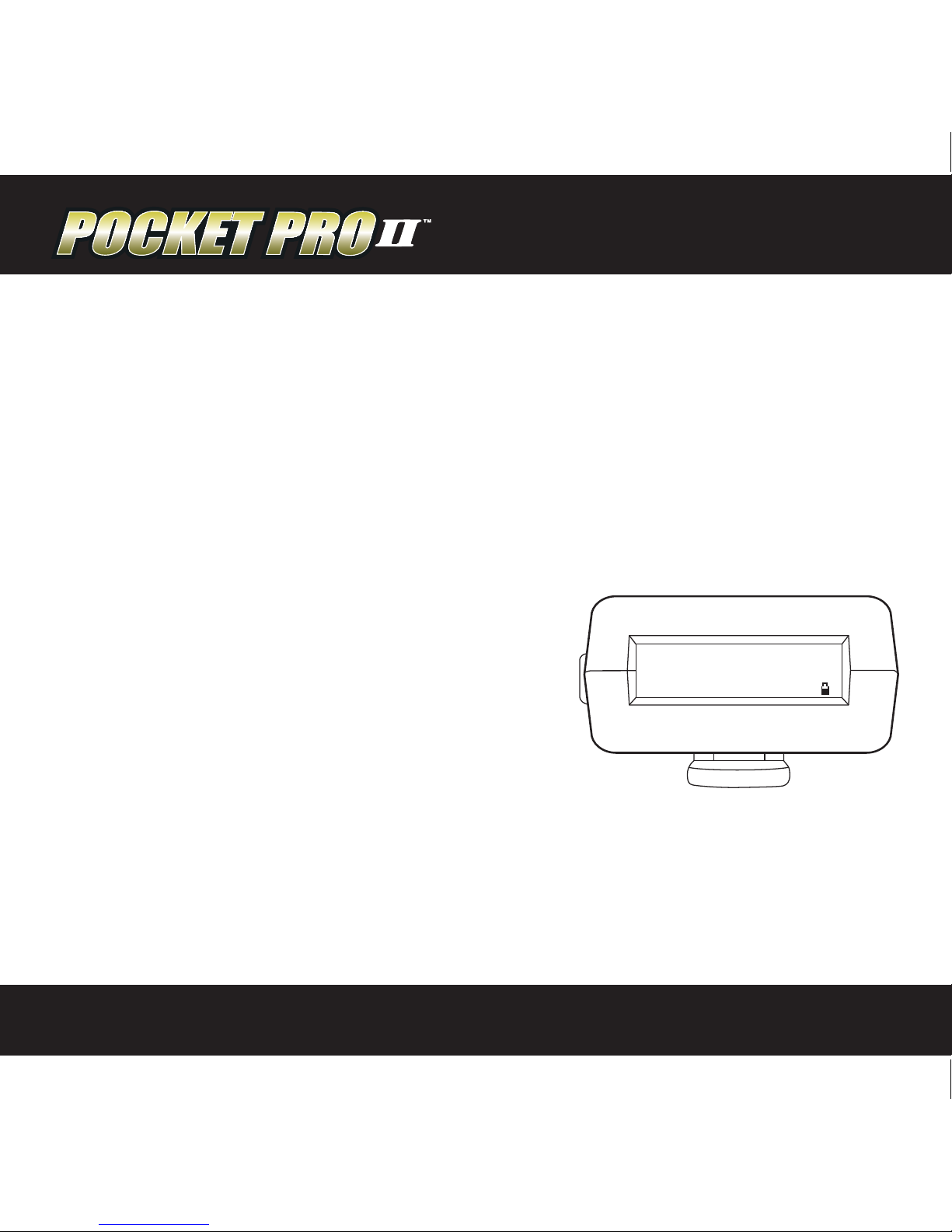
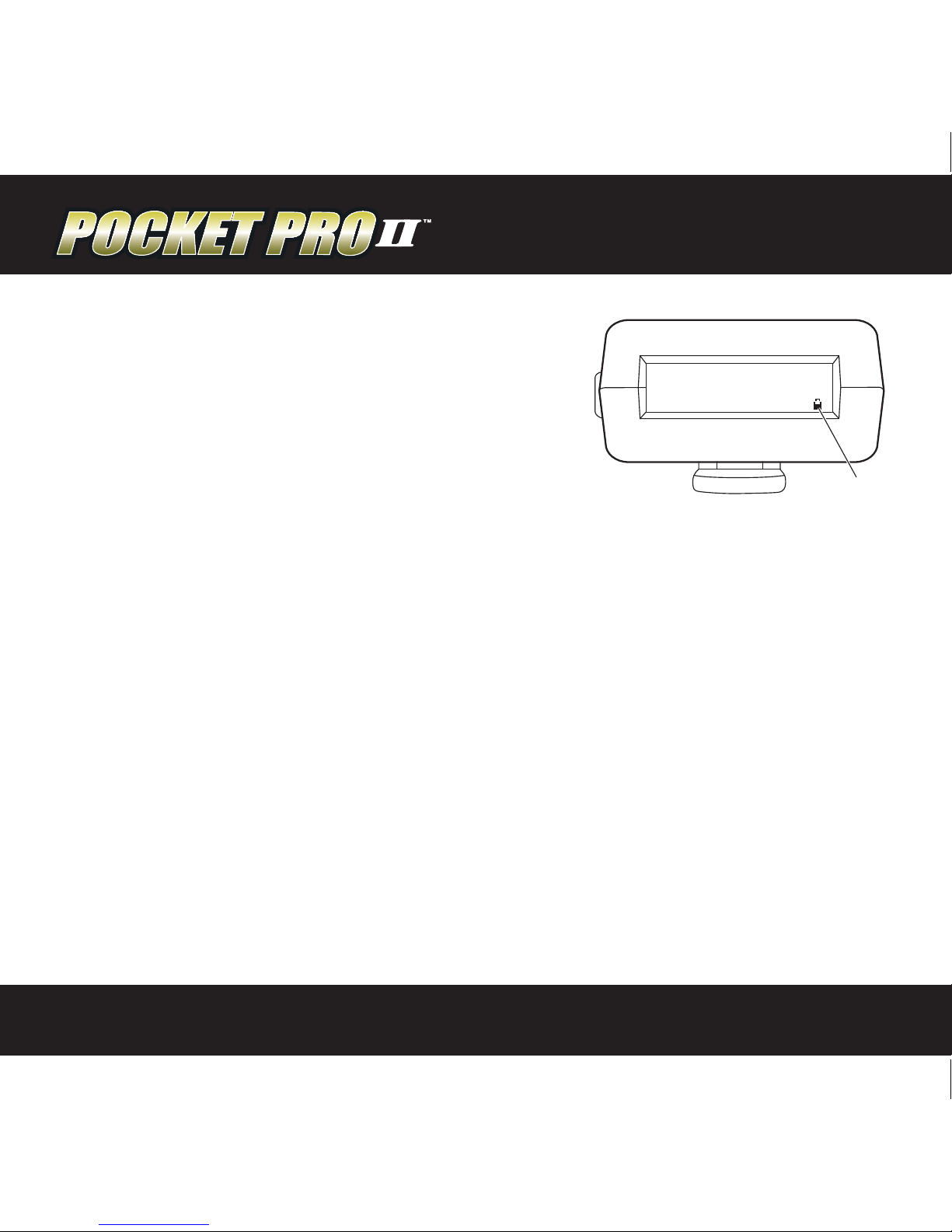
Battery Status can be monitored in two places. On
the main screen, a battery icon appears in the lower
right-hand corner of the display. As the battery
discharges, the icon will become more and more
“hollow.” For a more detailed display of the battery
condition, press the MENU UP or DOWN buttons
repeatedly until the “battery condition” display appears. Here, you can see an
expanded “bar graph” type display of the battery level. The timer will operate
normally down to a reading of around 6V. When the battery becomes depleted
to approximately 6.5 volts, the display backlighting will be turned o to conserve
power. This will allow the session to continue in the event a replacement battery
is not readily available. When the battery voltage becomes depleted to less than
6 volts, the Pocket Pro II will shut down to avoid undened operation.
Resetting the Timer to Factory Defaults
To reset factory default values within your timer, remove the battery, then hold
down the “Start” button and reinstall the battery. Look at the display to see
the message “INIT N/V MEMORY”. Now release the start button and the reset is
complete.
SPL 2.1 6
1st 1 .58
DELAY RNDM
05:10:16AM
SHOT # 6
18.65
BATTERY
ICON
Page 13

User Manual / Operating Instructions
12
Timer “Wraparound”
Internally, the timer is continuously counting up to 199.99 seconds and then
“wrapping around” to 0. When the start button is pressed, this internal time
is reset to 0. This means that the maximum timing period is limited to 199.9
seconds. Shots recorded after this will reect the “wrapped” time. Splits are
calculated correctly, as long as the timer has wrapped around only once since
the start of the cycle.
Accuracy
The Pocket Pro II measures internally to a resolution of 1 mSec, but shot displays,
splits, etc. are internally rounded to the nearest 10 mSec. For this reason, RPM
readings may appear to be inaccurate when manually calculated using the
displayed shot string values. In reality, the RPM reading is actually more accurate
than the manual calculation since it is calculated using the internal shot times,
which are measured with 1mSec resolution.
Page 14
User Manual / Operating Instructions
13
Specications
• Operatingtemprange:32-110deg.F.
• Accuracy:Quartzcrystalcontrolled.
(Within 1/100 second)
• Max#ofshotsstored:99
• Maxroundsperminute:1800
• Batterytype:9voltalkaline
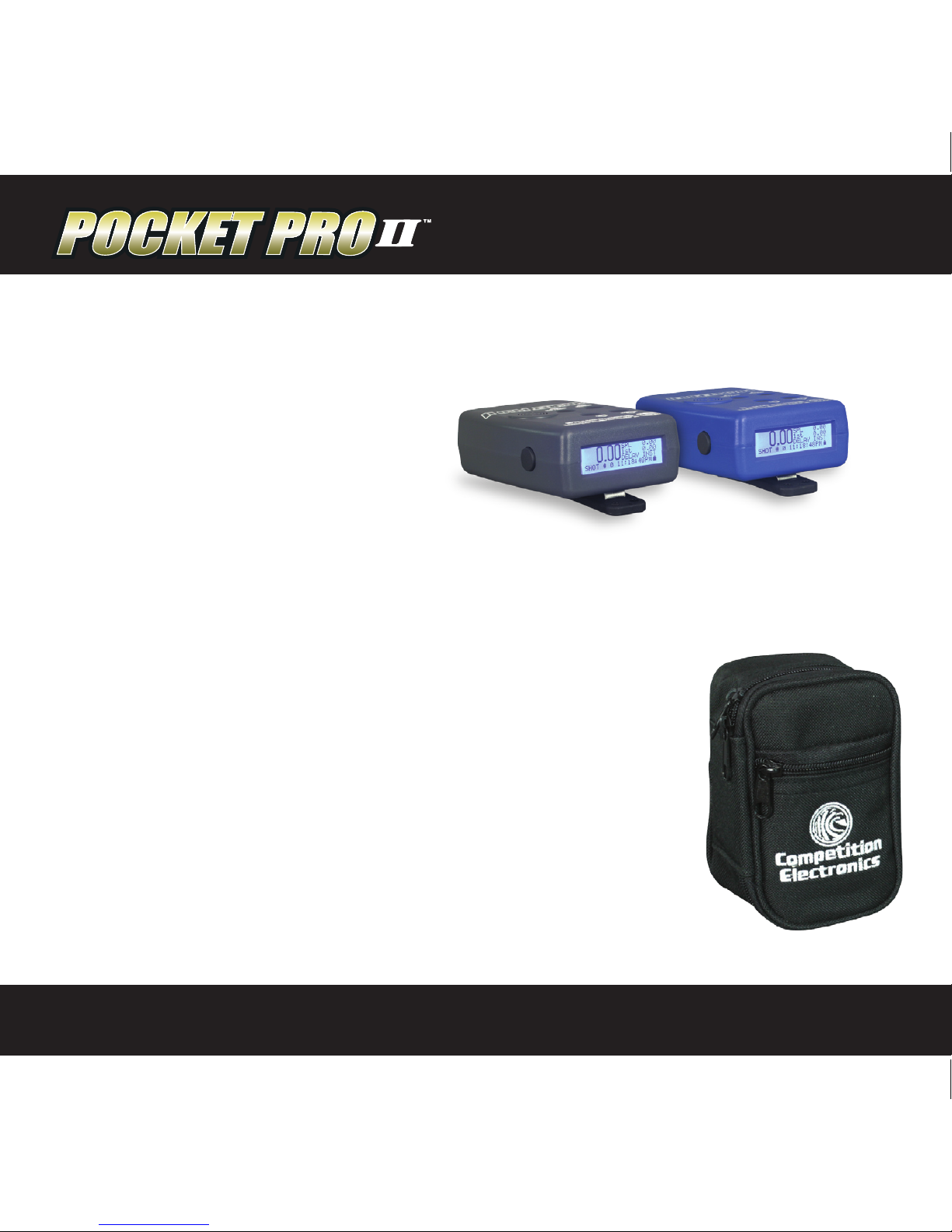
Pocket Pro II Carrying Case
• Thishandycasewillprotectyourtimerduringtransportandstorage.
• Itfeaturesazipperstoragecompartmentforsparebatteries,velcro
belt strap, and a Competition Electronics embroidered logo.
• Economicallypricedat$10.95whichincludespostagetocontinental
U.S.A. residents.
To Order Call 815-874-8001
or visit our website at competitionelectronics.com
(model# CEI-4707) $10.95
Page 15

User Manual / Operating Instructions
14
Limited Warranty
* * * * * * * * * * * * * * * * * * * * * * * * * * * * * * * * * * * * * * * * * * * * * * * * * * * * *
COMPETITION ELECTRONICS, INC., warrants the Pocket Pro II manufactured by it to be free from defects in material and workmanship for a period of 2 years from date of purchase by the original purchaser for use. COMPETITION ELECTRONICS, INC., at
its option, will repair or replace without charge, or refund the purchase price of, any product which fails during the warranty period
by reason of a defect in material or workmanship found upon examination by COMPETITION ELECTRONICS, INC., to have been
the cause of the failure. This warranty does not cover any failures attributable to abuse, mishandling, and failure to follow operating
instructions, alteration or accident.
To make claim under this warranty, the purchaser must return the product to COMPETITION ELECTRONICS, INC., at the address
shown below, properly packed and with shipping charges prepaid. All claims must be made within (30) days after the product failure
and, in any event, within thirty (30) days after the expiration of the 2-year warranty. All claims must be accompanied by a sales slip or
other written proof of date of purchase.
TO THE EXTENT PERMITTED BY LAW, ANY AND ALL IMPLIED WARRANTIES, INCLUDING MERCHANTABILITY AND FITNESS
FOR PARTICULAR PURPOSE, ARE EXCLUDED; ANY IMPLIED WARRANTIES NOT EXCLUDED ARE LIMITED IN DURATION
TO 2 YEARS FROM DATE OF PURCHASE. INCIDENTAL AND CONSEQUENTIAL DAMAGES ARE EXPRESSLY EXCLUDED
FROM THE REMEDIES AVAILABLE TO THE PURCHASER, AND THE REMEDIES PROVIDED IN THIS WARRANTY SHALL BE
EXCLUSIVE TO THE EXTENT PERMITTED BY LAW.
(Note: Some states do not allow limitations on how long an implied warranty lasts or the exclusion or limitation of incidental or conse-
quential damages, so the foregoing limitations and exclusions may not apply to you. This warranty gives you specic legal rights, and
you may also have other rights which vary from state to state.)
If any product returned by the purchaser is found by COMPETITION ELECTRONICS, INC., to require service not covered by
warranty, COMPETITION ELECTRONICS, INC., will so advise the purchaser and request further instructions. COMPETITION
ELECTRONICS, INC., will recondition to working order any Pocket Pro II returned to it regardless of condition upon the purchaser’s
remittance of payment of 1/2 of current retail price, if it is still manufactured by COMPETITION ELECTRONICS, INC.
* * * * * * * * * * * * * * * * * * * * * * * * * * * * * * * * * * * * * * * * * * * * * * * * * * * * *
Return Shipping Address:
Competition Electronics, Inc.
3469 Precision Dr.
Rockford, IL 61109
Contact Us:
Phone: 815-874-8001
FAX: 815-874-8181
competitionelectronics.com
Page 16

www.competitionelectronics.com
Rev 5-2013
User Manual / Operating Instructions
 Loading...