

Page 1
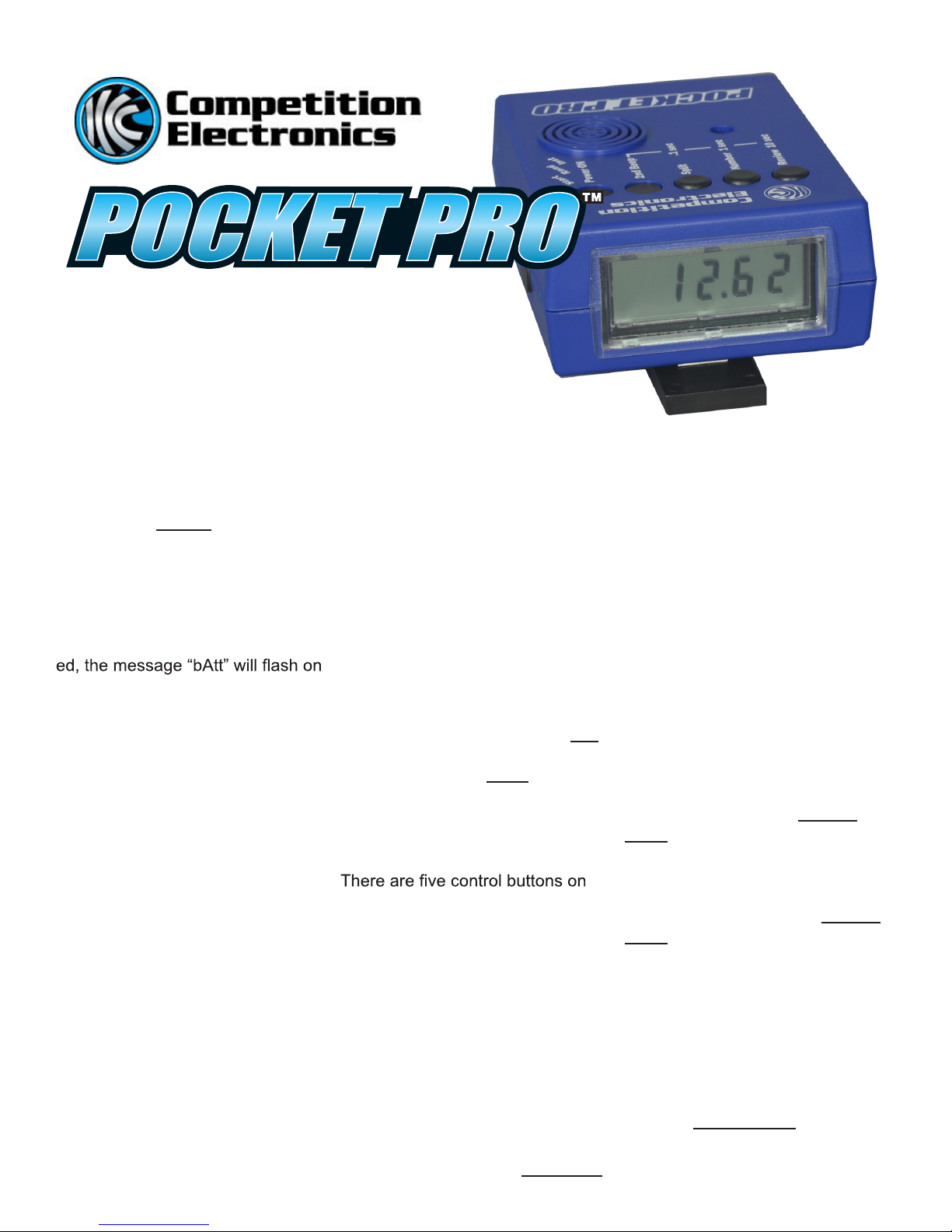
SHOT TIMER
OPERATING
INSTRUCTIONS
rev.3 2010
Battery Installation/ Status
The Pocket Pro timer operates
from a 9 volt alkaline battery.To
install the battery, remove the cover
on the back of the unit, connect the
battery to the snap clip and reinstall
the cover. A new battery will provide approximately 20 hours of use.
When the battery becomes deplet-
the display during use.
Quick Start
If you want to get started right
away, all you have to do is press
the POWER ON button, then the
START button on the side, and
shoot (You can also tap on the front
of the case near the sensor opening to simulate shots). The time to
the last shot will be displayed.
To reset the Pocket Pro, press the
start button again. It will turn off by
itself after 10 minutes of inactivity.
The last shot string and 2nd beep
(par time) setting will be saved in
power down memory.
Shot Detection
Each time a shot is detected, it will
be added to the “shot string”
maintained within the timer. The
timer can record and store up to 99
shots for a given timing cycle. Sub-
sequent shots will not be recorded.
The shot sensor is located next to
the buzzer on the front of the case.
When operating the Pocket Pro
be careful not to cover the sensor
opening with your hand. Doing so
may prevent proper sound pickup
and/or coupling of the buzzer
sound into the sensor causing a
false shot to be recorded.
Setting the Start Delay
The start delay slide switch is
located on the side of the Pocket
Pro near the start button. The
markings for its setting are on the
case front near the edge. The Inst
(Instant) setting will provide an instant start, and the Rand (Random)
setting will provide a delayed start
of 4 to 6 seconds.
Control Buttons
the front of the case. Looking at
the front of the case left to right you
will see Review, Number, Split, 2nd
Beep, and Power ON buttons.
REVIEW-
After your last shot, you can review
other shots by pressing this button.
The shot number is displayed as
long as you hold the button OR
for .5 seconds if you do not hold it
down. When the button is released,
the time from the start beep to that
shot is displayed. If you hold down
the NUMBER button while you
press the REVIEW button the shots
will be reviewed in reverse order.
This button also changes digits in
the 10’s place when setting a
second beep (par time).
NUMBER-
Pressing the NUMBER button will
show the number of the shot
currently being displayed. This
button also changes digits in the 1’s
place when setting a second beep
(par time).
SPLIT-
This button displays the time
difference between the current shot
and the previous shot. Holding
down the SPLIT button while
pressing the REVIEW button will
review the split times. It will show
the shot number for .5 seconds
followed by the split time. Holding
down the NUMBER and SPLIT
buttons while pressing the
REVIEW button will review split
times in reverse order. This button
also changes digits in the .1’s place
when setting a second beep.
2nd BEEP-
To set a second beep (par time);
begin by holding down the 2nd
BEEP button. The display will show
“PAr” for 1.5 seconds, followed
Page 2

by the current 2nd beep setting.
While you continue to hold the 2nd
BEEP button, press the REVIEW,
NUMBER, or SPLIT buttons to set
the desired time. (If no 2nd beep
is desired, set the number to “0”).
The value is saved in power down
memory. Now the beeper will sound
at the set time interval after the
start beep.
Once you release the “2nd BEEP”
button, the REVIEW, NUMBER,
and SPLIT buttons return to their
normal function.
This button is slightly recessed to
prevent unintended time settings
from accidental button presses.
Power On-
As the name implies, it is used only
to turn the Pocket Pro on. Power
off is automatic after 10 minutes
of inactivity. This button is slightly
recessed to prevent accidental turn
on while in storage.
Sensitivity Adjustment
The sensitivity adjustment opening
is located on the side opposite the
START button. It can be set with a
wise adjustment will increase the
sensitivity. Default factory setting
is with the arrow straight up. This
works well for most applications.
Do not force the adjustment, it will
stop at positions of approximately 7
o’clock and 5 o’clock.
Auto Shutdown
If no shots are recorded, and no
buttons are pressed for a period of
10 minutes, the Pocket Pro will
automatically turn off. This feature
prevents the timer from being
accidentally left on and discharging
the battery. The power consumed
during the 10 minutes of inactivity
has almost no effect on battery life.
Maximum number of shots: 99
Operating temperature range:
32-100 deg. F
Accuracy: quartz crystal controlled
within 1/100 second
Buzzer output: 105 dB @ 1,500 Hz
Maximum 2nd beep (par time):
99.9 seconds
Random Delay range: 4 to 6 sec onds
RETURN SHIPPING
ADDRESS
Competition Electronics, Inc.
3469 Precision Drive
Rockford, IL 61109
Phone (815) 874-8001
FAX (815) 874-8181
www.competitionelectronics.com
******** LIMITED WARRANTY ********* *
COMPETITION ELECTRONICS ,INC.,
warrants the produ ct manufactured
by it to be free f rom defects in material and workmanship for a period o f 2
years from the date of purchase by the
original purchaser for use .
COMPETITION ELECTRONICS ,INC.,
at its option, will repair or replace
without charge, or refund the purch ase
price of any product which fails during
the warranty period by reason of a defect in ma
upon examination by COMPETITIO N
ELECTRONICS,INC., to have bee n
the cau se of the f ailure. This warranty
does not co ver any failures attributable
to abuse, mi shandling, failure to follo w
operating in structions, alteration or
accident.
To make claim under this warranty, the
purchaser must return the product to
COMPETITION ELECTRONICS, INC.,
at the addre ss shown below, properl y
packed and with shippin g charges
prepaid. All claim s must be m ade
in thir ty (30) days
failure and, in any event, within (30)
days after the expir ation of the 2 year
warranty. A ll claims must be acco mpanied by a sales slip or written proof
of date of purchas e. TO THE EXTE NT
PERMITTED BY LAW, ANY AND AL L
IMPLIED WARR ANTIES, INCLUDING
MERCHANT ABILIT Y A
FOR PARTICU LAR PU
EXCLUDED; ANY IMPL
TIES NOT EXCLUDED
terial or wo rkmanship found
after the product
IN DURATION TO 2 YEARS FROM
DATE OF PURCH ASE. INCIDENTAL
AND CONSEQUENTIAL DAMAGES
ARE EXPRESSLY EXCLUDED FROM
THE REMEDIES AVAILABLE TO
PURCHASER, A ND THE REMEDIES
PROVIDED IN THIS WA RRANTY
SHALL BE EXCLUSIVE TO THE
EXTENT PERMITTED BY LAW. (Note:
Some states do not allow limitatio ns on
how long an implied warranty lasts or
the exclusion or lim itation of incidental
or cons equen tial damages, so the foregoing limitations and exclu sions may
not apply
you specific legal rights , and you may
also ha ve other righ ts which vary from
state to state.) If any product re turned
by the purchaser is found by
COMPETITION ELECTRONICS ,INC.,
to require service not cover ed
by warranty, COMPETITION
ELECTRONICS,INC., will so advise the
purchaser and request f urther instructions. COMPETITION ELEC TRONICS,
INC., will recondition t o working order
any product r eturned to it regardle ss
of condition upon
remittance of paymen t of 1/2 curre nt
retail price, if i t is still manufactured by
COMPETITION ELECTRONICS ,INC.
MADE IN THE USA
to you. This warrant y gives
the pur chaser ’s
SHOT TIMER
 Loading...