

Page 1
www.lan-wan-tap.com
Page 1
CUSTOMER SUPPORT INFORMATION
To order or for a technical information support:
Phone: +33 3 88 10 18 30 or
Fax: +33 3 88 10 18 35
Mail order: COMCRAFT
2, rue de la Mairie
67203 Oberschaeffolsheim - France
Website: www.lan-wan-tap.com
E-mail: [email protected]
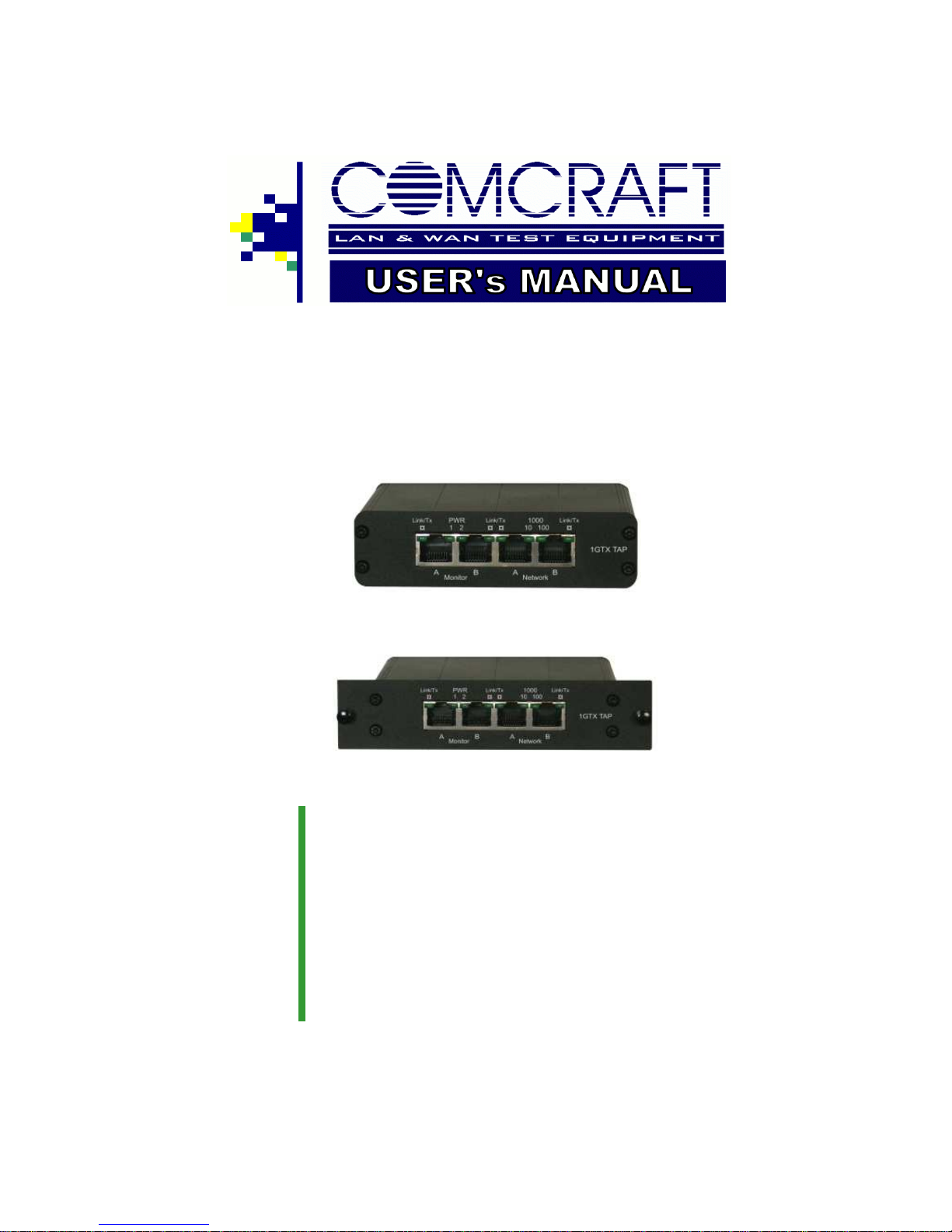
Single Port
10/100/1000 BaseT Tap
Stand Alone, Portable Model
Rack Mount Model
Page 2

Page 2
LA N & WA N TE ST E QU IPM E N T
About Us
COMCRAFT is the leading manufacturer of professional LAN & WAN
Monitor Equipment.
Our products are of highest quality, better featured and build with latest
technology.
The confidence placed in our products is the reward for many years
listening to our customer’s needs and expectations, improving technology and service, and offering an ever-expanding product line.
Founded in 1984 COMCRAFT is headquartered in Strasbourg, FRANCE and present in the worldwide market through leading partners and
reseller networks.
COMCRAFT offers a complete range of:
♦ Fiber Optic Taps
Single Port Rack Mount/Portable
Dual Port Rack Mount
Quad Port Rack Mount
♦ Copper Taps
Single Port Rack Mount/Portable
High Density 4 to 20 ports Rack Mount
Re-generation Rack Mount
♦ Wan Taps
T1/E1 Rack Mount/Portable
E3/DS3 Rack Mount/Portable
Serial sync. «RS422/X21» Rack Mount/Portable
HSSI/T3 Rack Mount/Portable
COMCRAFT objective is to become your premier solution provider,
offering you the best product support and manufacturing products with
the latest network technology.
Page 3

www.lan-wan-tap.com
Page 3
Index pages
1. General Information 4
2. Functional Description 5
2.1. Interface connectors
5
2.2. Activity/Link 5
2.3. Speed LEDs 5
2.4. Link redundancy 5
2.6. Power Failure 5
3. Installation 6
4. Additional information 7
2.5. Power 5
This Package includes :
♦
1x 1GTX Main Unit
♦
1x Power adapter 12V-2Amp
♦
1x Power cord
♦
1x Pouch for carrying (Portable version only)
Page 4
Page 4
LA N & WA N TE ST E QU IPM E N T
1. General Information.
The 1GTX tap avoids downtime in your 10/100/1000Base-T
networks. Once in place it allows you to monitor full and half
duplex communication and move test equipment without
breaking the circuit. It mirrors any packet size, bad CRC,
VLAN traffic, sees both ends of full-duplex links.
It is a single port 10/100/1000Base-T Tap for half/full duplex
Ethernet networks. The “no package loss” and redundant
power feature makes it ideal for security applications.
The 1GTX tap has no IP address and is invisible to the network. It is fault tolerant, bypasses data on power failure, the
monitor ports are none-intrusive to the network.
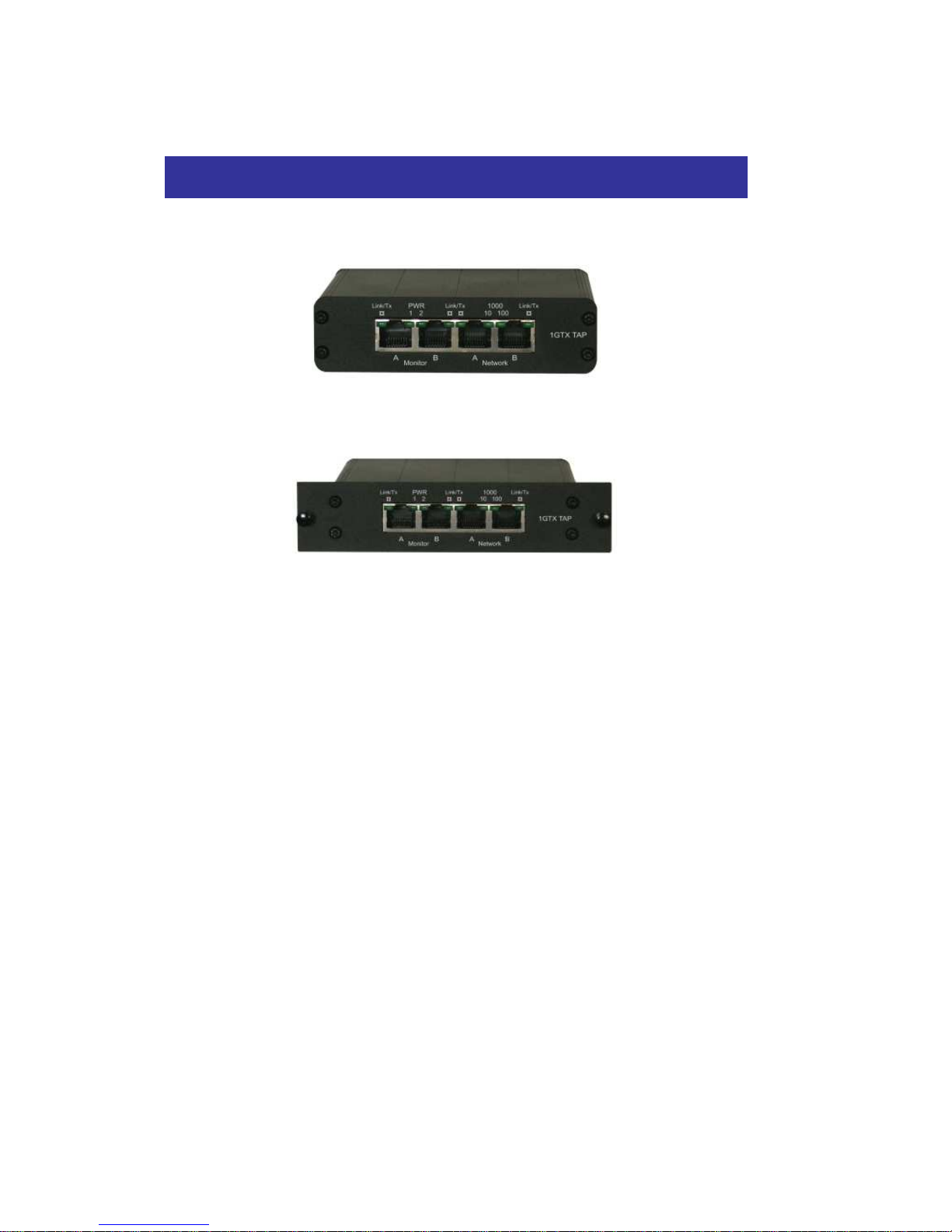
1GTX-SA
1GTX-RM
Page 5

www.lan-wan-tap.com
Page 5
2. Functional description
2.1 Interface connectors
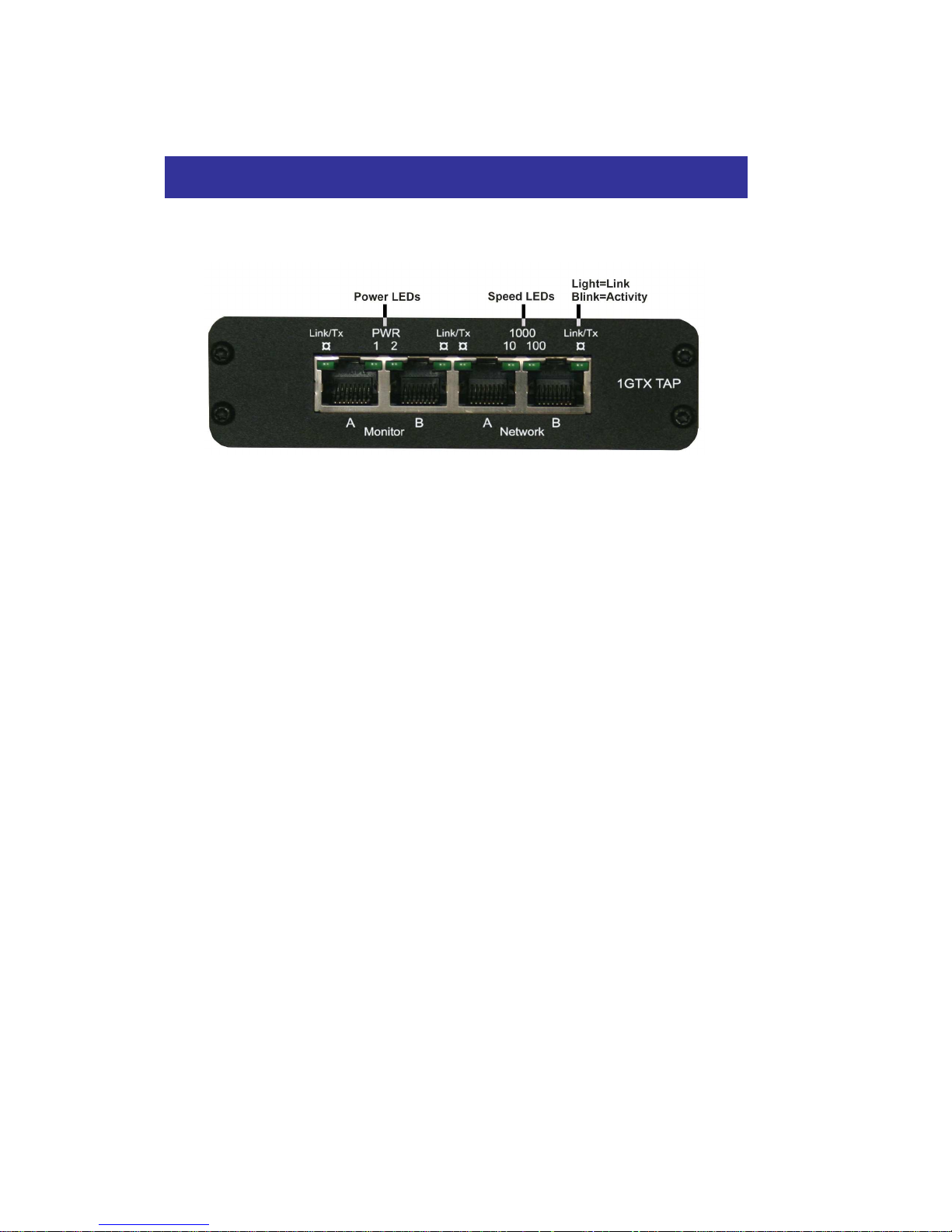
The 1GTX Tap has 4 RJ45 ports. Network ports A and B are
connected to the network, Monitor ports A and B are connected to the analyzer.
2.2 Activity/Link
Four LEDs indicate Activity and Link for each of the four ports.
Link LED lights up when a link is detected at the port. Activity
LED blinks when a signal is detected on one of the ports.
2.3 Speed LEDs
Two LEDs indicate mutual speed at 10/100/1000Mbps.
2.4 Link redundancy
The disconnection of one network port will disconnect all ports
until the next connection of the two network ports.
2.5 Power
The 1GTX tap is redundant powered from the back. The
external power can be chained as each power has two sockets. Using redundant powering guarantees a maximum uptime off the monitor ports. Two LEDs show the presence of
power.
2.6 Power Failure
The uninterrupted link in the network guarantees permanent
network connectivity, also when power fails. No data is
passed to the TAP ports at power failure. Network ports A and
B are hardware wired together when the Tap is not powered.
Page 6
Page 6
LA N & WA N TE ST E QU IPM E N T
3. Installation
1. Power both network devices, do NOT power the TAP
Note: A powered TAP will always correct a wrong cable setup.
Connect the network using category 5e UTP cables.
a. If the two (2) network devices are of DTE and DCE type, use two (2)
straight cables.
b. If the two (2) network devices are of the same type (2*DTE or 2*DCE)
use one straight and one cross-over cable.
* The connected network devices show LINK (or Activity). If there is no
LINK, change one of the cables by an opposite type.
2. When two devices are connected on the network ports, the two speed
LEDs blink simultaneously to indicate the negotiation of the highest
mutual Speed. When the connection is establish, the Speed LEDs
indicates the network speed:
♦ the left LED light for a 10Mb connection.
♦ the right LED light for a 100Mb connection.
♦ both LEDs light for a Gb connection.
If no mutual speed is detected, the two LEDs blink alternatively.
* Network activity is shown on the Activity LEDs of NetworkA and NetworkB.
3. Connect the two Monitor Ports to the analyzer using straight or crossover CAT5e cables.
The Monitor Ports are at the speed of the network ports.
The Monitor Ports Link LEDs light when link is found.
* Activity received into NetworkA and NetworkB will be mirrored on the
respective Monitor Ports and blink the ACTIVITY LEDs.
Page 7

www.lan-wan-tap.com
Page 7
4. Additional information.
Connectors
4 x RJ45, 8 pin
Power
12V stabilized / 1A
Dimensions:
30x113x130mm (Portable version)
30x141x130mm (Rack mount version)
Operation
0 to 50 °C
Storage Temperature
-22 to 70 °C
Relative Humidity
10 to 90%, no condensing
Compliance
CE, FCC class A
RoHS compilant
MTBF@40°C 450 000 hours
Page 8
Page 8
LA N & WA N TE ST E QU IPM E N T
Disclamer
The information in this document is subject to change without notice.
The manufacturer makes no representations or warranties with respect
to the contents hereof and specifically disclaims any implied warranties
of merchantability or fitness for any particular purpose. The manufacturer reserves the right to revise this publication and to make changes in
the content hereof without obligation of the manufacturer to notify any
person of such revision or changes.
Warranty and Liability
Comcraft warrants that this product is free from defects in material and
workmanship at time of shipment. The warranty period is three years
from the date of purchase. Comcraft assumes no liability for products
that have been subjected to abuse, modification, misuse, or if the model
or serial number has been altered, tampered with, defaced or removed.
Comcraft is not liable under any contract, negligence, strict liability or
other legal or equitable theory for any loss of use of the product, inconvenience or damages of any character, whether direct, special,
incidental or consequential (including, but not limited to, damages for
loss of goodwill, loss of revenue or profit, work stoppage or malfunction)
Copyright
This publication, including all photographs and illustrations, is protected
under international copyright laws, with all rights reserved. Neither this
manual, nor any of the material contained herein, may be reproduced
without written consent of the author
Trademarks
The trademarks mentioned in this manual are the sole property of their
owners.
©2007, Comcraft, rev 3.6
COMCRAFT
2, rue de la Mairie
67203 Oberschaeffolsheim
France
+33 3 88 10 18 30
+33 3 88 10 18 35
www.lan-wan-tap.com
 Loading...