

Page 1

CON-GW212: Ethernet to Serial Converter
Integration Note
Author: Samantha Frost
Product Marketing
Published: February 27 2009
Page 2
Integration Note
Introduction
Serial communication from an In-Sight vision system can be achieved using an In-Sight I/O Module, or
through an Ethernet to serial converter module. Although the I/O Module offers a direct connection to the
serial device, the In-Sight vision system and the serial device must be located in close proximity to each
other in order to communicate via RS-232. The Ethernet to serial converter module allows the serial
device to be accessed from the network, thereby increases the communication distance between the InSight vision system and the end serial device. Additionally, the Ethernet to serial converter provides a
serial only option for the In-Sight vision system where additional discrete I/O is not necessary but
Ethernet and serial communication is.
This application note will describe how to use the CON-GW212 Ethernet to serial converter module as a
gateway device for communication between In-Sight and serial devices. Although this document is
targeted for In-Sight vision systems, the converter module has been used with the DataMan series to
access Ethernet devices from the serial interface on DataMan products.
Description of Product
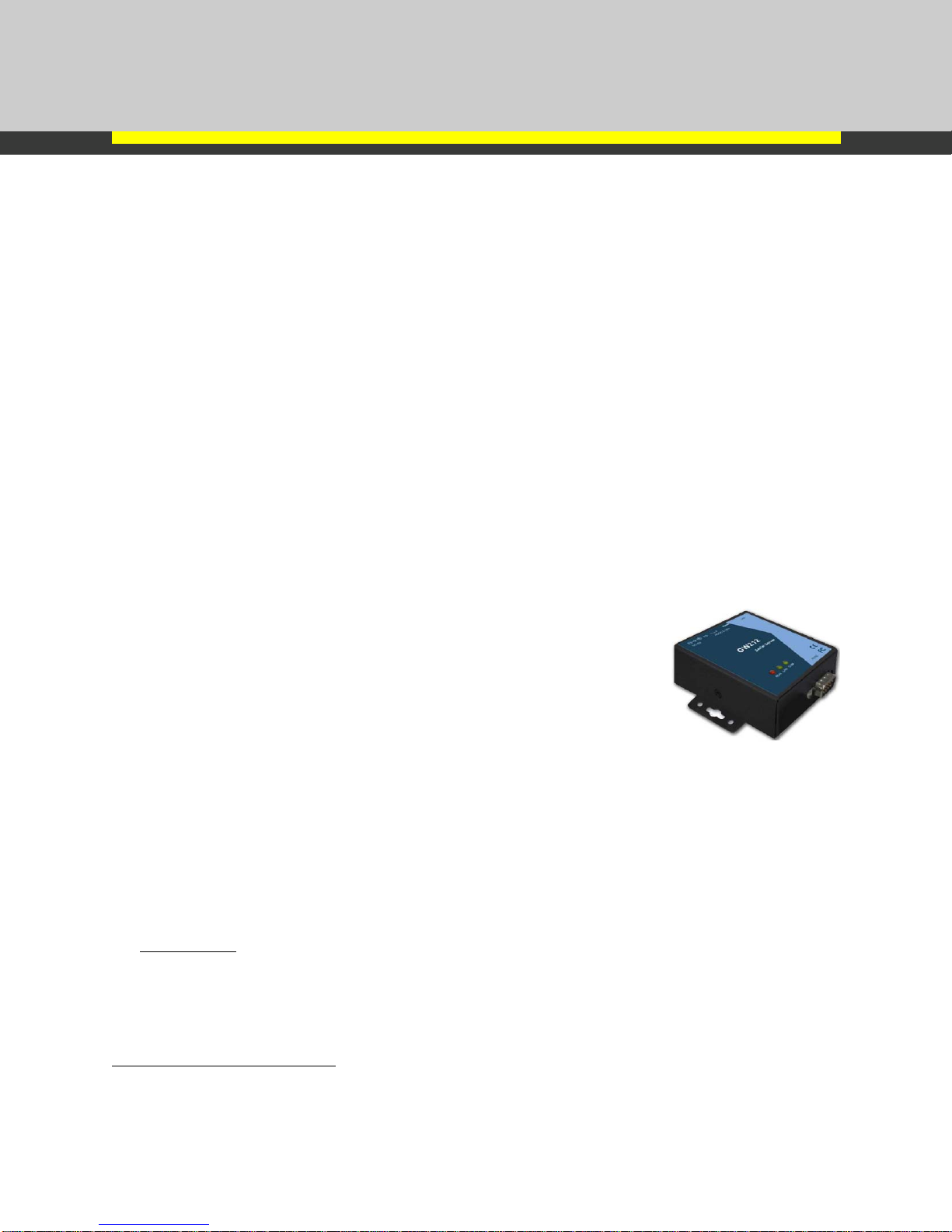
The CON-GW212 converter module acts as a gateway between Ethernet and serial devices. The
gateway allows data to be sent over Ethernet from one device and received serially via RS-232 by
another device. The converter module supports one serial connection and one Ethernet connection to
the network.
Highlights of this device include:
• Configurable as TCP Server or TCP Client
• 24 VDC power requirement (117mA current draw)
• Flexible serial communication settings:
Baud rate: 12 00-230400bps
Data bits: 7,8
Flow Control: None, Hard ware CTS/RTS, Software Xon/Xoff
• Easy Software setup
• Used with In-Sight vision systems and DataMan products
Setup of converter module with In-Sight vision system
There are three devices which need to be setup for this communication: CON-GW212, In-Sight vision
system, and a serial device. The setup procedure for each device is described below.
CON-GW212:
The converter module ships with a CD which contains software and a Quick Start Guide to aid in the
setup of the device.
1) Follow directions in the GW212 Quick start guide to configure the IP address of the module. Use
the Monitor.exe (included on GW212 CD) application to set the IP address of the module.
1
1
Manufacturer: Neteon, P/N: GW212
Cognex Corporation Page 2 of 4
Page 3
Integration Note
For example: Set the IP address to 10.26.80.97
2) Once the IP address of the unit is determined, follow directions in the GW212 Installation manual
to connect and configure the TCP/IP settings and the serial port settings.
For example: Set the device as a TCP Server, listening on port 9000 with packet delimiter
of 0x0d0a (carriage return and line feed). The In-Sight vision system would need to be
set up as a TCP Client, listening on port 9000 with the same delimiter.
In-Sight:
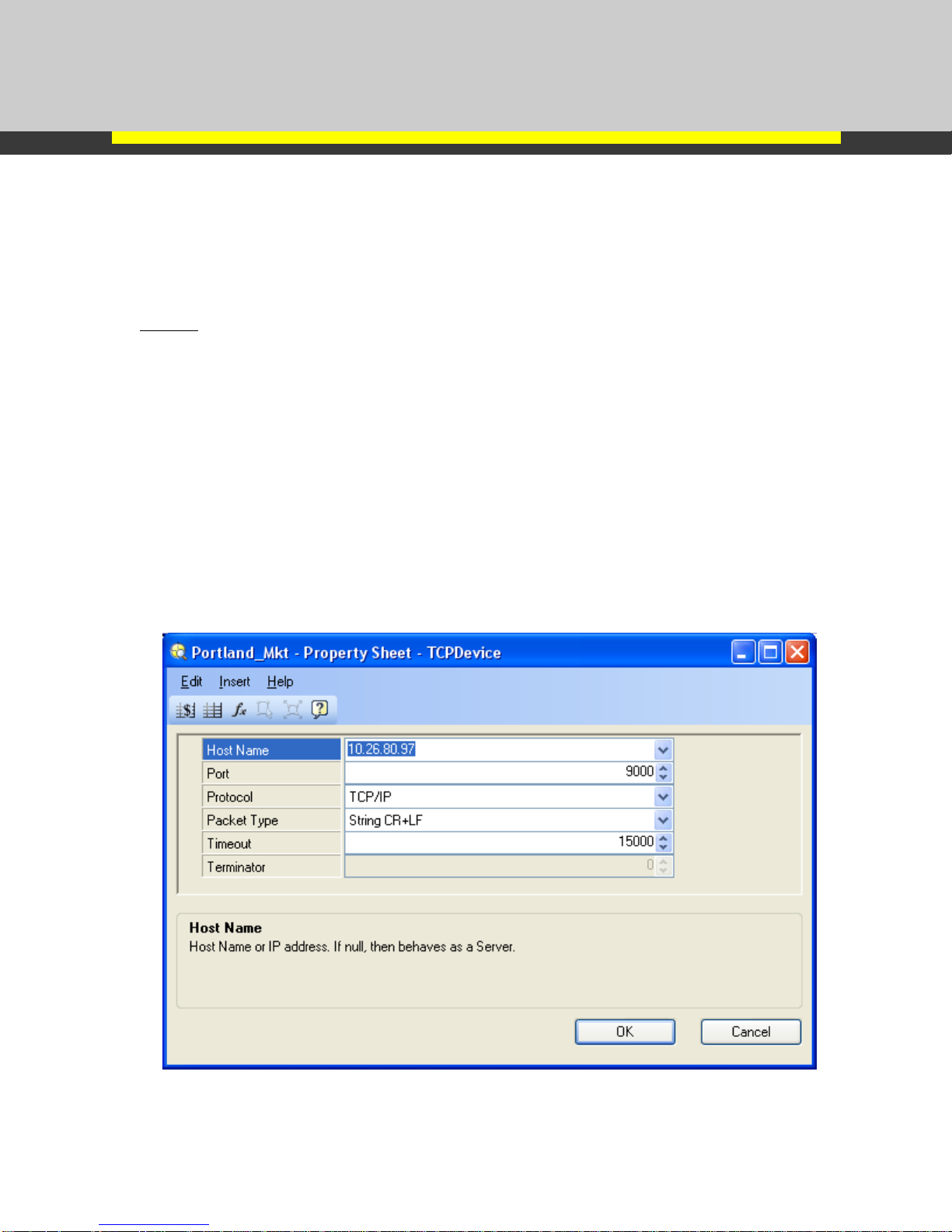
In In-Sight Explorer, configure two functions: TCPDevice and WriteDevice; to send data via TCP/IP to
the converter module.
1) Setup the TCPDevice function parameters to match the converter modules TCP/IP parameters:
• If In-Sight is the TCP Client, then enter the IP address of the converter module in the
Host Name parameter. If In-Sight is the TCP Server, then leave the Host Name
parameter blank.
• Enter the port number the converter module is monitoring.
• Enter in the Packet Type to match the delimiter setting.
For example: The TCPDevice function is setup as a TCP Client by entering the address
of the converter module in the Host Name Parameter: 10.26.80.97. (The converter
module is setup as a TCP Server). The port the converter module is monitoring is port
9000. The packet type is the same packet delimiter as the converter module: String
CR+LF
Cognex Corporation Page 3 of 4
TCPDevice parameters for this example
Page 4

Integration Note
2) Setup WriteDevice function to send data via the TCPDevice function.
3) Set the In-Sight vision system online.
Serial Device:
1) Configure the serial device to match the serial port settings in the converter module.
When the data in the WriteDevice is updated on the In-Sight vision system, the data will be sent to the
converter module via Ethernet. This data will be converted to serial and sent to the serial device
connected to the converter module.
Cognex Corporation Page 4 of 4
 Loading...