

Page 1
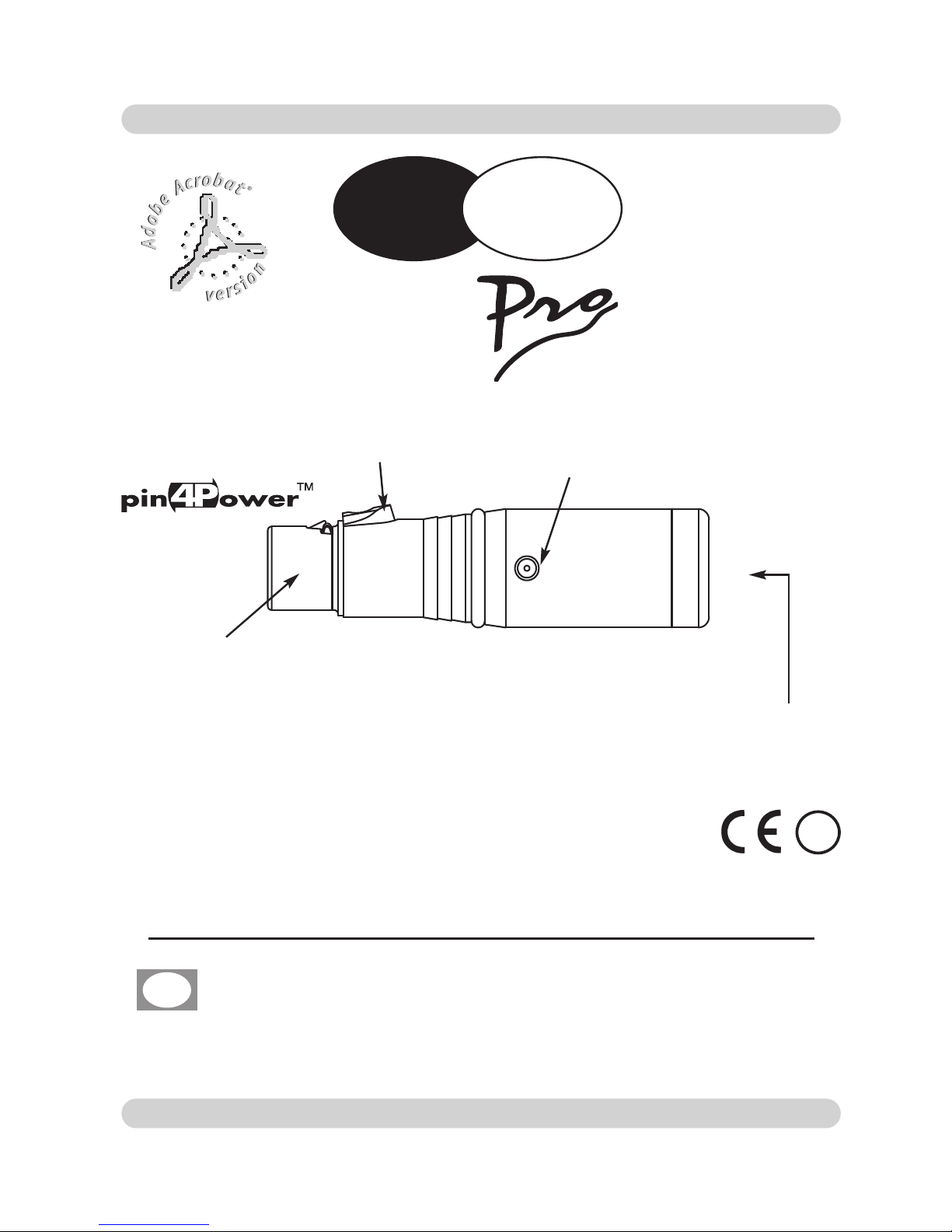
Power input
RGB led
key
XLR Connector 3/5 pole
USER’S MANUAL
GB
Wireless DMX 512 RECEIVER
!
D PEN
W
i
Page 2
GB
Insert the ac-adapter jack completly in the power input
To disconnect it, extract gently.
ATTENTION: do not use ac-adapter different from the one supplied,
it could cause serious damages at the internal circuitation.
The supplied ac-adapter has a plug, therefore you should only plug it in
the socket.
When
Wi D Pen is powered
, the led indicate for three seconds its state (
rreedd
ggrreeeenn oorr bblluuee
), if this condition is not true, please check if there is power in the
electric socket or check the connection between ac-adapter/receiver and acadapter/electric socket.
If the problem persist, please consult your dealer.
To supply
WWii DD PPeenn
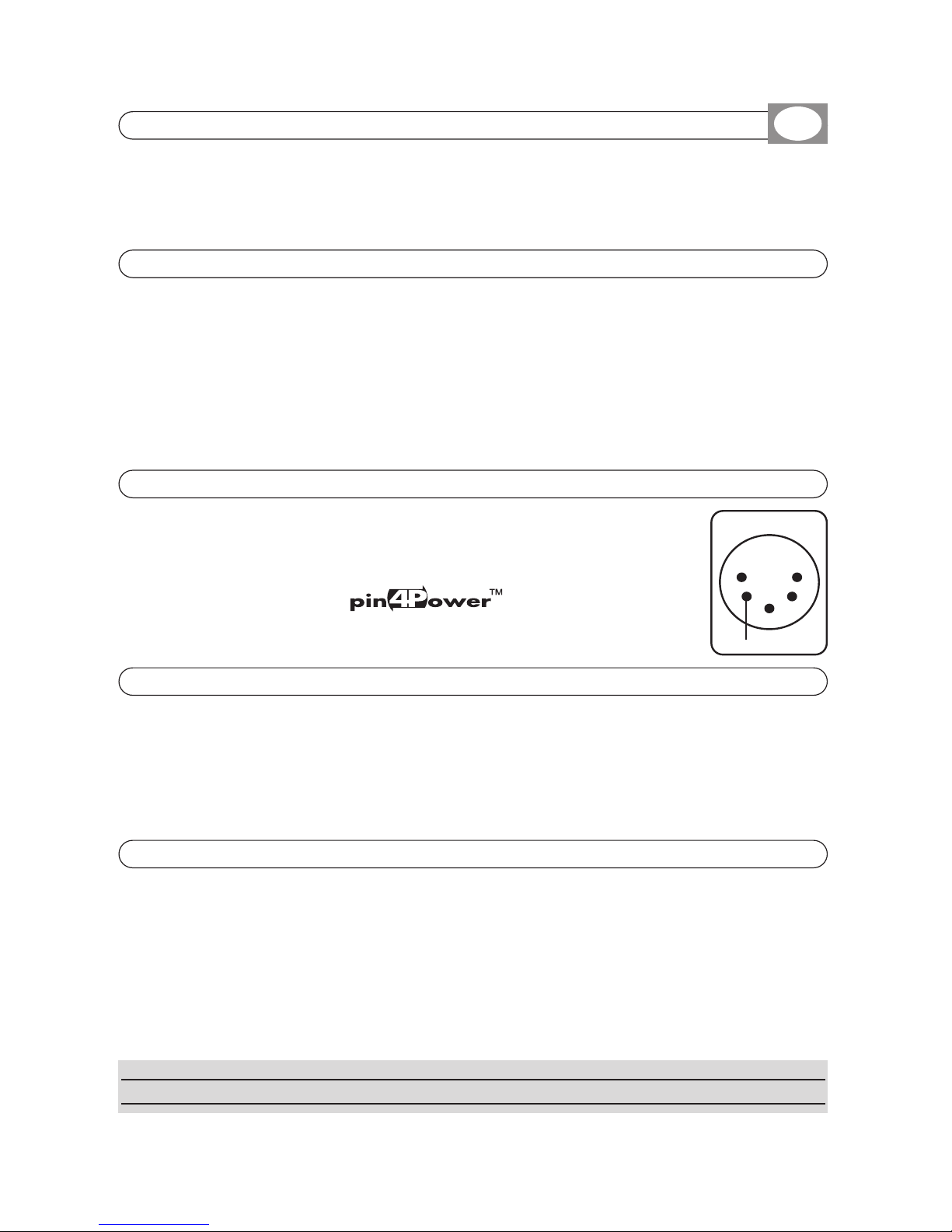
from the projector you must provide a voltage between +5Vdc and 8Vdc (200 mA) to pin 4 of the DMX
input XLR connector (see fig.1).
If the projector has the
logo, just connect
WWii DD PPeenn
without ac adapter.
TToo ttuurrnn oonn // ooffff tthhee lleedd bblliinnkkiinngg eevveerryy 1100 sseeccoonndd,,
press the key 5 time.
TToo vviissuuaalliizzee tthhee ssttaattee ooff tthhee rreecceeiivveerr,,
press the key once,
the led visualizes the state for two seconds.
TToo ddeelleettee PPaaiirriinngg,,
press the key for more than 5 seconds,
the led starts blinking red/green/blue.
Slow blinking: Receiver
OOKK
, no
DDMMXX 551122
signal.
Fast blinking:
Channel research.
Switched on, then blinking every 10 second:
DDMMXX 551122
signal
OOKK
.
Alternate blinking: No Pairing.
Wi D Pen will work only after the PAIRING operation is executed.
Refer to Wi DMX associated transmitter user’s manual.
1.1 INPUT CONNECTION FOR POWER SUPPLY
1.2 CONNECTION OF THE AC-ADAPTER TO THE ELECTRIC SYSTEM
1.5 USE OF THE KEY
1.3 POWER SUPPLY FOR WI D Pen FROM THE PROJECTOR
1.4
LED FUNCTION
15
+ 5V
fig 1
3
42
Page 3

All rights reserved. No parts of this document can be copied, photocopied or reproduced without
the prior written permission of the
CCOODDEEMM MMUUSSIICC ss..rr..ll..
No responibility is taken for possible inaccuracies or mistakes.
The
CCOODDEEMM MMUUSSIICC ss..rr..ll..
reserves the right to make any alterations or aesthetics changes of this
product that seem necessary at any time and for whatever reason.
The
CCOODDEEMM MMUUSSIICC ss..rr..ll..
takes no responsibility for the use or for the application of this product.
GB
CODEM MUSIC S.r.l. - Via G.Pierini, 13 - 61122 PESARO - ITALY
Tel. +39 0721 204357 - Fax +39 0721 203554
http://www.wi-dmx.com - E-mail: [email protected]
Technical features: Signal
Output signal: DMX512/ 1990
Output connector: 3/5-pin cannon connector female
Technical features:
Radio
Frequency range: 2,4 GHz - 2,483 GHz (ISM)
Number of channels: 20
Climatic condition for the use
Humidity: 35% ÷80%
Temperature: 5
÷
50 °C
Power supply
Voltage/current:
5 Vdc / 650 mA
Dimensions and weight
Dimension (W x L x H) / Weight:
22 x 83 x 22 mm / 45 g
Wi D PEN PRO TECHNICAL FEATURES
GB
 Loading...