

Page 1
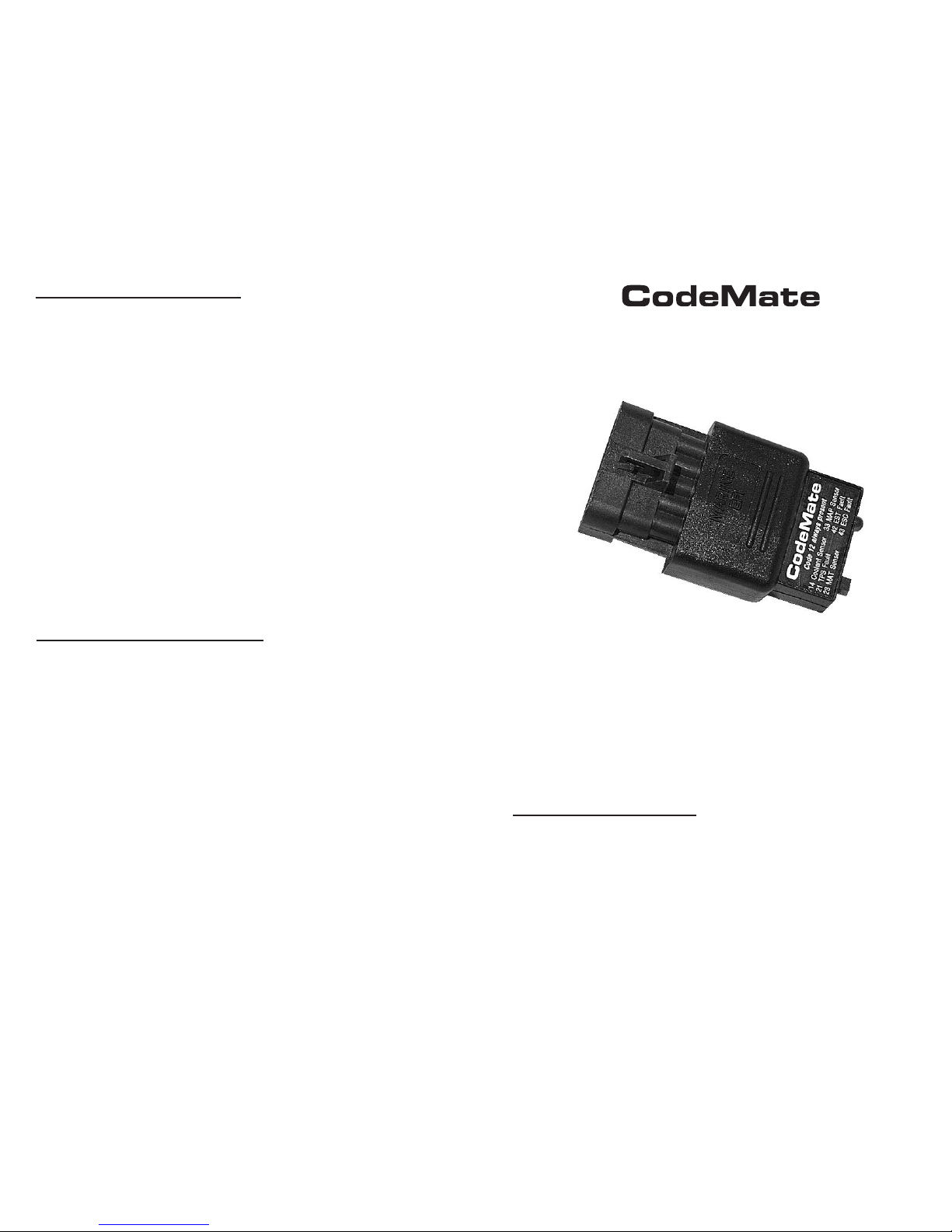
Marine ECM Trouble Code Tool
P/N 94008
The marine Engine Control Module (ECM) continually checks the integrity of
its sensors and controls. When a problem is detected a Diagnostic Trouble
Code (DTC) is set and retained in the ECM’s computer memory. These
stored trouble codes are intended to assist a service technician in
diagnosing engine and control system problems.
This CodeMate tool provides a service technician with 3 separate diagnostic
functions. It can be used as a Malfunction Indicator Lamp (MIL), a trouble
code display & erase tool and a base spark timing tool.
CONNECTING CODEMATE
1) Turn the engine’s ignition switch to the OFF position (engine not running).
2) Locate the engine’s Data Link Connector (DLC).
3) Place CodeMate tool’s test switch in the OFF position and plug the
unit into the Data Link Connector. Be sure to slide the CodeMate tool
completely into the data connector so that the connector’s locking tab
clicks into place. With this accomplished the CodeMate unit is now
properly connected.
To clear stored trouble codes with CodeMate use the following procedure:
1) Follow the steps described in “Connecting CodeMate” to install it onto
the engine’s Data Link Connector.
2) Turn the ignition key ON but DO NOT start the engine (Key ON - Engine
Off).
3) Place the CodeMate's test switch in the ON position. This action puts
the EFI system into Service Mode
4) Move the throttle, while in neutral, from 0% to 100% then back to 0%
5) Turn the ignition key OFF for 5 seconds.
6) Perform the “Reading Stored Trouble Codes” procedure to verify that the
codes have been cleared.
7) When complete, turn the ignition key OFF and disconnect the CodeMate
tool.
Note: Always be sure that the engine’s battery is fully charged before
attempting the above procedure. A low battery may impair the ECM’s ability
to clear its stored trouble codes.
BASE SPARK TIMING FUNCTION
As a result of its ability to place the EFI system in Service Mode and also
hold the Ignition Spark Advance to a fixed value during this mode, the
CodeMate tool provides a technician with a convenient method of setting
the engine’s Base Spark Timing. The procedure requires the use of an
appropriate timing light as well as adherence to the manufacturer’s
recommended steps for this service. Please refer to the manufacturer’s
service manual for details on performing this procedure.
CLEARING TROUBLE CODES
Rinda Technologies Inc.
4563 N. Elston Ave.
Chicago, IL 60630 USA
Tel: (773) 736-6633 Fax: (773) 736-2950
www.rinda.com
Page 2

MALFUNCTION INDICATOR
With the CodeMate unit plugged into the Data Link Connector and its test
switch set to the OFF position, the tool will function as a Malfunction
Indicator. During engine operation this function informs the service
technician that a problem has occurred and that the vehicle should be
brought in for service as soon as possible.
When used in this mode of operation the CodeMate’s light will turn ON when
the ignition key is ON and the engine is NOT running. This functions as a
“bulb test” to make sure the tool’s light is operational. When the engine is
started the CodeMate's light will turn OFF under normal conditions.
Indication of a persistent problem:
During engine operation, if the CodeMate’s light continually remains ON, it
indicates that a persistent problem is present and a Diagnostic Trouble
Code has been stored in the ECM’s memory.
Indication of an intermittent problem:
If, during engine operation, the light turns ON for a brief period of time (10
seconds or more) and then turns OFF, it indicates that an intermittent
problem has occurred and that a Diagnostic Trouble Code has been stored
in the ECM’s memory.
READING TROUBLE CODES
CodeMate is capable of reading trouble codes that are stored in the ECM’s
computer memory. As described in the preceding section, trouble codes are
stored when the ECM detects an intermittent or persistent problem related
to the EFI system. Trouble code read-out should be performed with the
ignition Key ON and the Engine OFF. Use the following steps to read
trouble codes.
1) Follow the steps described in “Connecting CodeMate” to install it onto
the engine’s Data Link Connector.
2) Turn the ignition key ON but DO NOT start the engine. (Key ON - Engine
OFF)
3) Place the CodeMate’s test switch in the ON position. This action puts
the EFI system into Service Mode.
4) Observe the sequence of flashes on the CodeMate’s indicator light.
5) When complete, turn the ignition key OFF and disconnect the CodeMate.
Note: Trouble codes are conveyed by counting flashes on CodeMate's light.
Flash sequences represent individual digits of a 2-digit trouble code. For example:
3 quick flashes, a "pause", followed by 4 quick flashes and then a "long pause" would
represent digits 3 and 4, therefore indicating Code 34.
Upon the initial activation of the CodeMate’s test switch, the indicator light
should flash Code 12 three times consecutively. This Code 12 sequence
consists of a “Flash, pause, Flash-Flash, long pause” and is repeated
two more times for a total of three readouts.
Code 12 indicates that the ECM’s diagnostic capabilities are working.
Following the Code 12 sequence (Code 12 displayed 3 times), any stored
trouble codes will be displayed in a similar manner.
13 Oxygen Sensor Inactive
14 Coolant Sensor Voltage High (cold)
15 Coolant Sensor Voltage Low (hot)
21 Throttle Position Sensor Voltage High
22 Throttle Position Sensor Voltage Low
23 Manifold Air Temp Sensor High (cold)
24 Speed Sensor Inactive (if installed)
25 Manifold Air Temp Sensor Low (hot)
31 Governor Not Tracking
32 EGR Valve Not Tracking (if installed)
33 Manifold Absolute Pressure Sensor High
34 Manifold Absolute Pressure Sensor Low
41 Electronic Spark Timing Open Circuit
42 Electronic Spark Timing Grounded Circuit
43 Electronic Spark Control Detects Continuous Knock
44 Electronic Spark Control Cannot Detect Knock
45 Coil Driver Fault
51 ECM Calibration Checksum Error
52 ECM Hardware Failure
54 Oxygen Sensor Lean
55 Oxygen Sensor Rich
61 Fuel Pressure Sensor High
62 Fuel Pressure Sensor Low
81 (multiple causes, use scan tool to determine cause)
Code Description
GM Marine EFI Trouble Codes
 Loading...