

Page 1
2
1
3
Unpack
Unpack the contents of the packaging. Ensure you have all of
the items listed below:
1 x Full HD Android Media Player
1 x Power Adapter
1 x Remote Control
2 x Activ Energy AAA Batteries
1 x HDMI Cable
1 x Manual
1 x Getting Started Guide
1 x Warranty Card
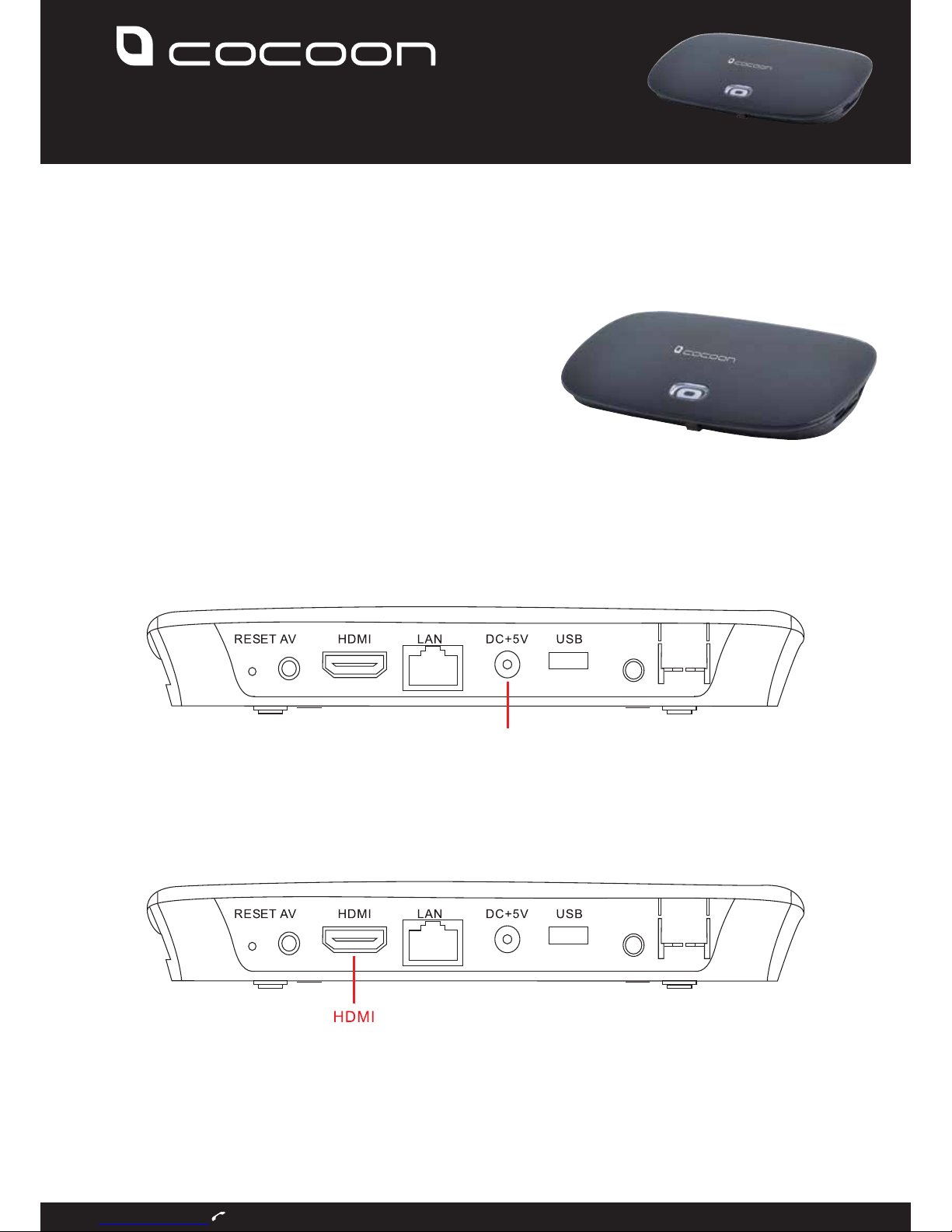
Connect to Power
Connect the power adaptor to a wall socket then connect the plug
to the rear of the Full HD Media Player in the port marked DC +
5V. Turn on the power at the socket.
Connect to your TV
Using the supplied HDMI cable, connect the Full HD Android Media
Player to your TV. Connect the HDMI cable to the port marked HDMI on
the rear of the Full HD Media Player and then to a port marked as an
input on your TV. Ensure your TV is set to display HDMI input.
Remote Control
Insert the included Activ Energy batteries into the remote control by
removing the battery cover on the rear of the remote. Insert the
batteries taking note of the polarity markings
1
3
4
GETTING STARTED GUIDE
After Sales Support 1300 663 907
FULL HD ANDROID MEDIA PLAYER
ULTIMATE ENTERTAINMENT HUB FOR YOUR TV
DC I N
Page 2
5
6
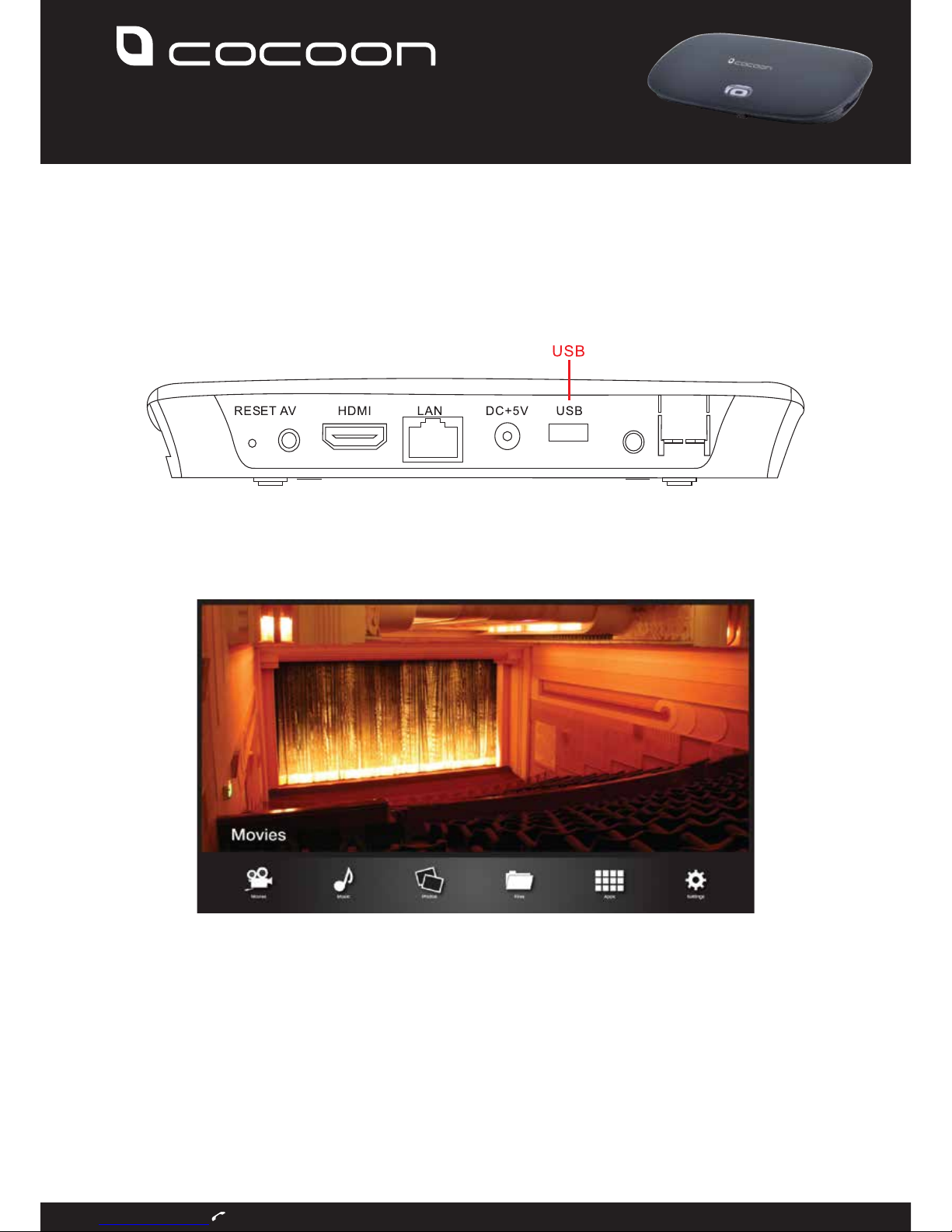
Connect a USB Drive
Connect a USB memory stick to either of the ports marked USB with
your movie files that you wish to play. You can also transfer files directly
to the 8GB internal memory of the Full HD Android Media Player (refer
the manual for further details).
Home Screen
Navigate to the movie player app by selecting Movies from the
home screen. You can navigate using the directional buttons on
the remote control and select the Movies option by pressing OK.
7
Select USB Playback
Use the remote to select ‘uhost1’ and navigate to the movie file
you wish to play. Once you highlight the file, press “OK” on the
remote to begin playback.
8
Success
You have successfully set up your Cocoon Full HD Media Player.
For further information refer to the included user manual or visit
www.winplus.com.au for advanced guides and information.
GETTING STARTED GUIDE
After Sales Support 1300 663 907
FULL HD ANDROID MEDIA PLAYER
ULTIMATE ENTERTAINMENT HUB FOR YOUR TV
 Loading...