

Page 1
RAD‐0100RemoteCO2StorageSafetyAlarmCalibrationProcedure
There are 2 methods for calibration: diffusion (recommended) and pump using a standard gas.
For diffusion calibration, we recommend taking the unit outdoors or anywhere it will be exposed
to fresh air. Wait 5 minutes until the CO 2 r eading st abilizes, start the calibration, then step awa y
from the meter to insure your exhaled breath will not disrupt the calibration process.
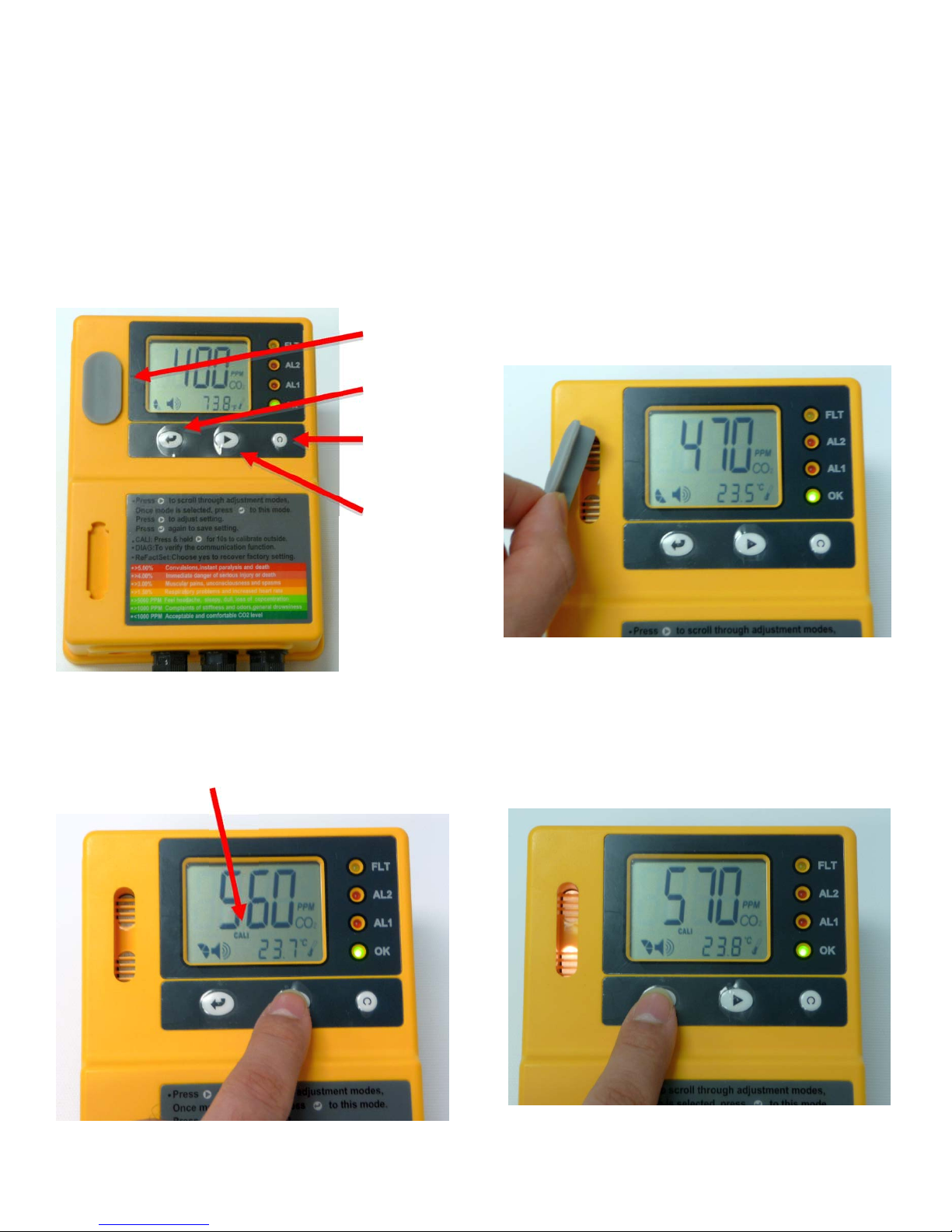
1. Diffusion Calibration
Sensor Protector
Enter Button
Reset Button
Mode Button
2. Press the Mode Button until the CALI icon
appears flashing.
1. Check that the Sensor Protector is
removed. You can store it in the lower indent
on the body of the unit.
3. Press Enter. The CALI icon will show
steady on the LCD.
Page 2
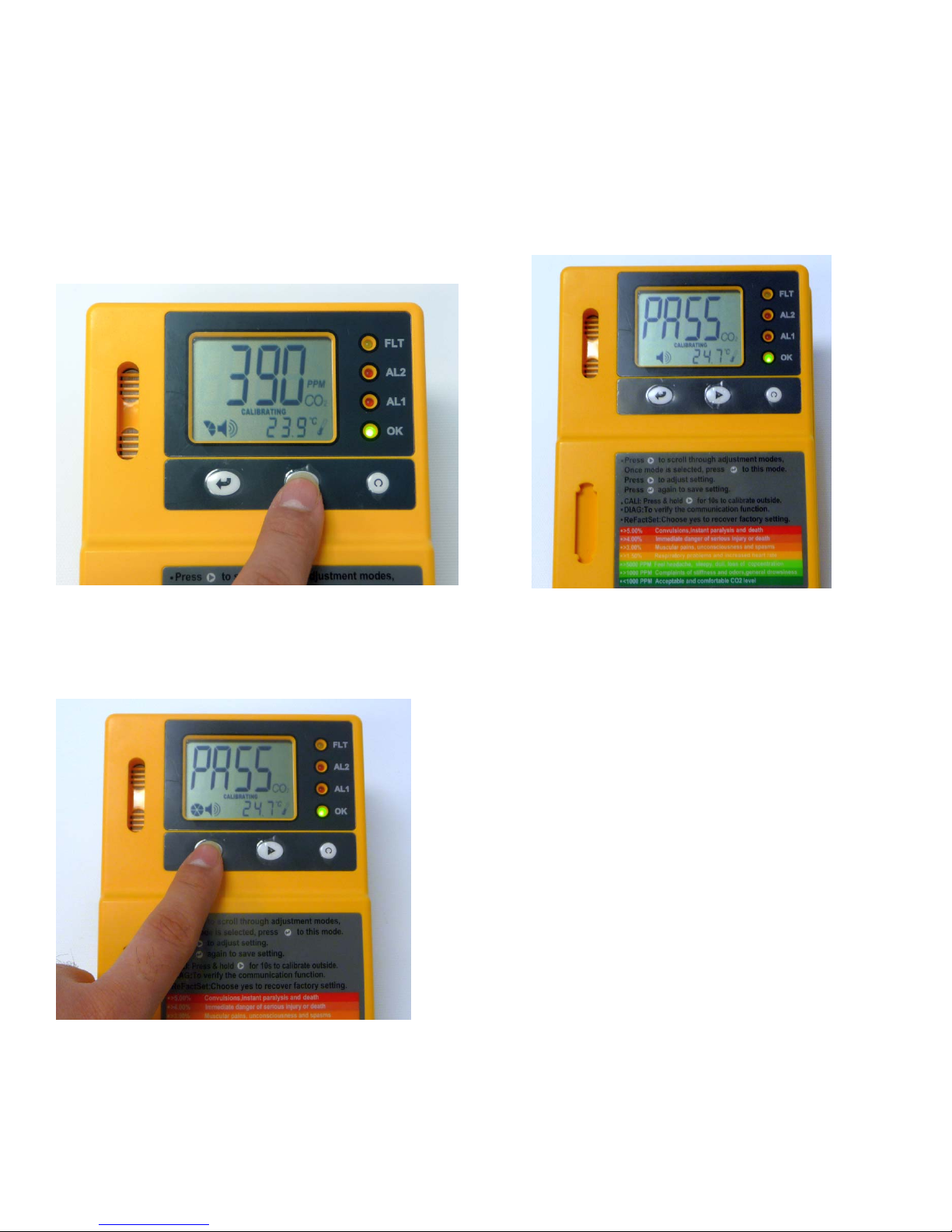
4. Press and hold the Mode button until the
CALIBRATING icon flashes (about 10
seconds). Let go. Calibration will begin.
FRESH AIR IS REQUIRED. DO NOT
BREATHE ON UNIT.
5. After 10 minutes the LCD will display
PASS or FAIL.
6. If the LCD displays PASS press ENTER.
Calibration is complete.
7. If it displays “FAIL” repeat the process.
WhentoCalibrate:
The CO2 Safety Alarm should be
calibrated at le ast once a year, or after
an alarm, using normal, outdoor air
(approximately 400ppm). If you KNOW
the room is filled with fresh air, you can
calibrate the unit in-place. Otherwise you
should move the unit and power supply
outdoors and calibrate. Do not breathe
toward the unit during the calibration
process, as your breath’s CO2 will affect
the calibration settings.
Page 3
2. Pump Calibration
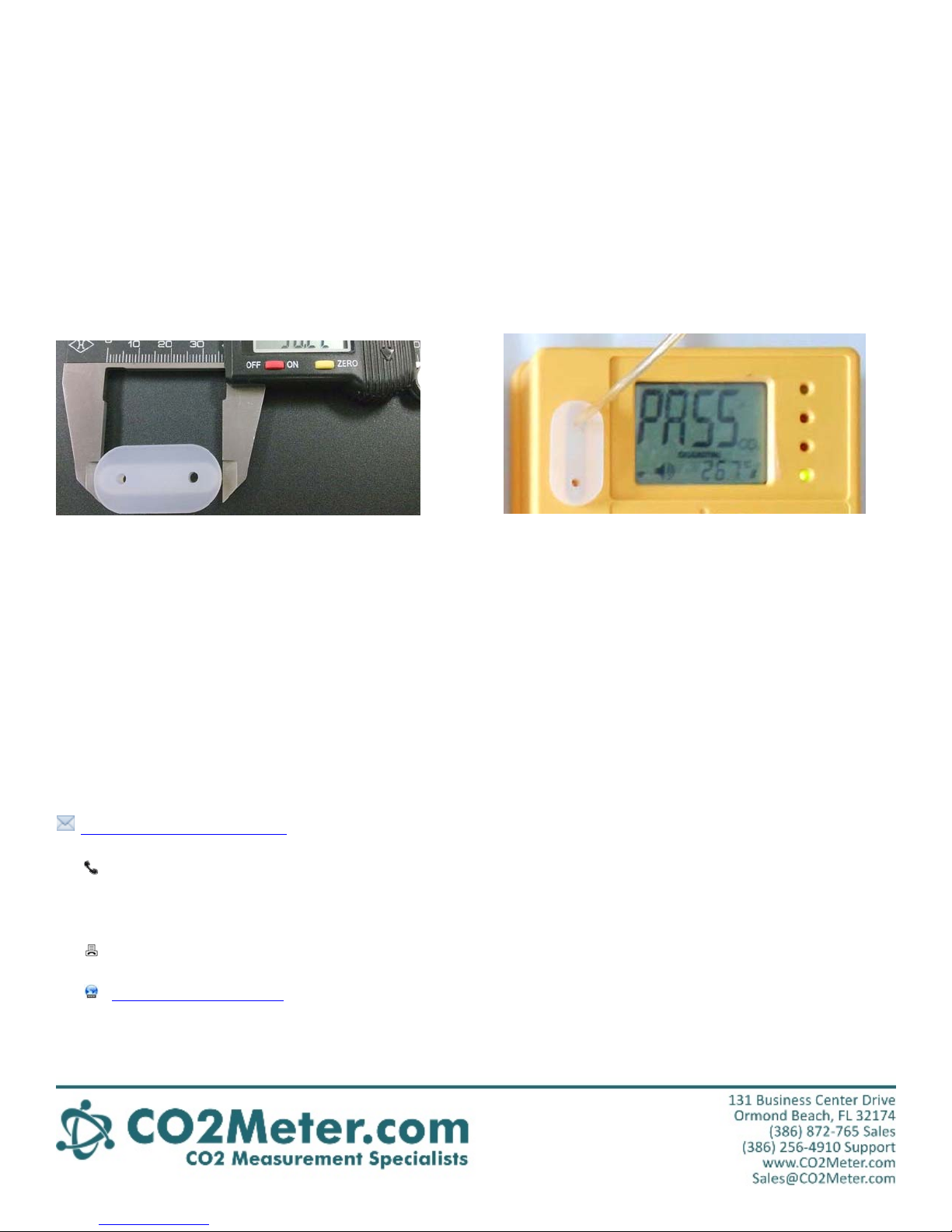
You can use a cylinder of normal air with
400ppm of CO2 to calibrate the meter. For
calibration, you must use the included air
plug with an in/out port connected to the gas
cylinder. The Flowrate should be set between
0.15 and 0.3 liters per minute.
Contact us: We are here to help!
If this calibration guide does not answer your
questions - or for more information - please
contact:
(386) 872-7665
(M-F 9:00am–5:00pm EST)
(866) 422-2356 fax
www.co2meter.com
Turn on the gas, wait for at least 2 minutes,
and then follow the same procedure as
outlined in diffusion calibration. After
calibration is complete, you should see PASS
on the screen. If you see FAIL, repeat the
procedure before contacting us for support.
 Loading...