

Page 1
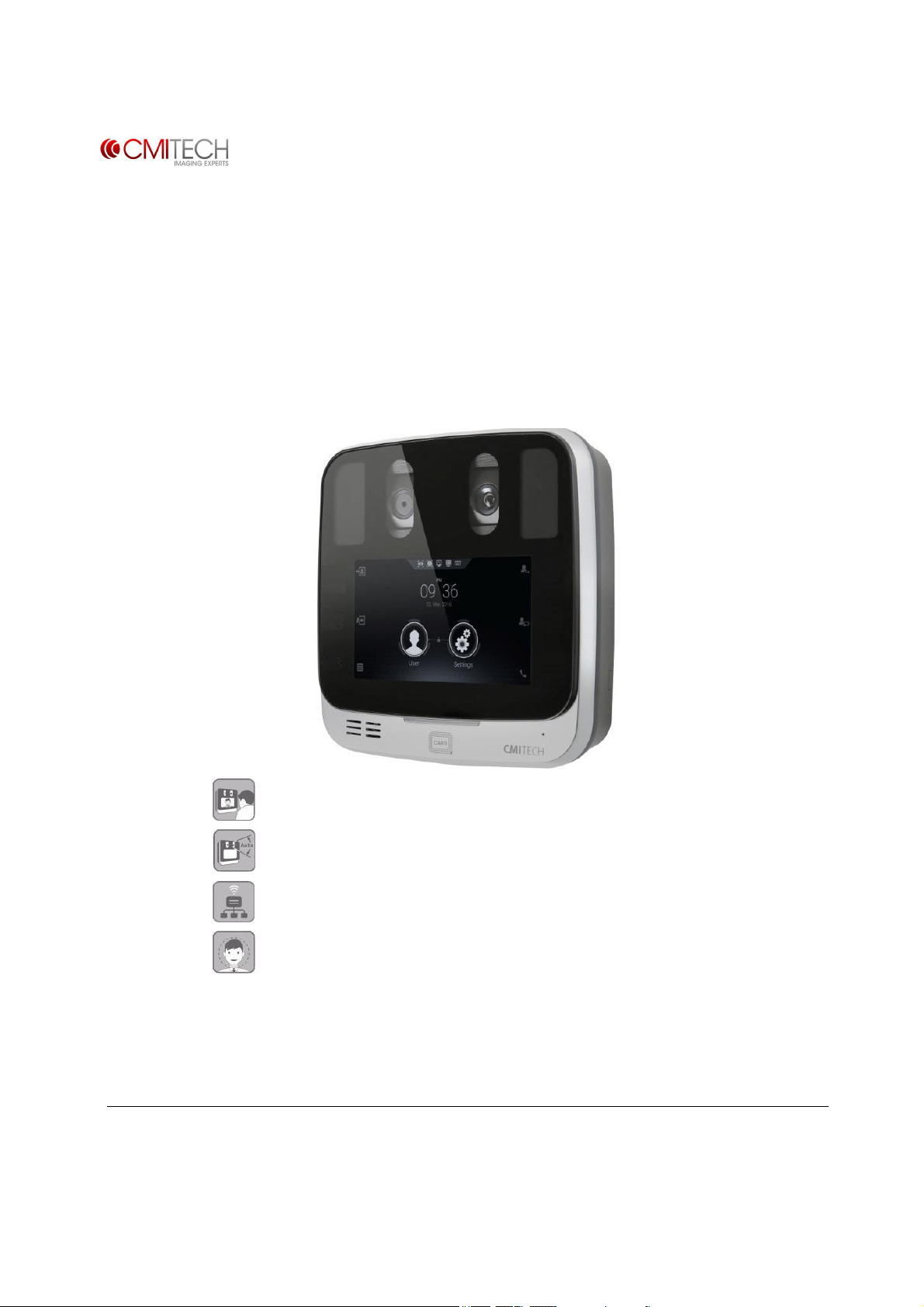
EF-45N™
Next Generation Iris Recognition System
(Derivative Model : EF-45, UMX-10, UMX-20, UMX-G)
User Manual
(v0.1.1, July 1, 2016)
Intuitive face display positioning
Internal automatic motorized tilt cameras
LAN / RS485
Optional face image capture and face recognition
User graphics and screen shots in this guide may vary from actual
Some of the contents in this manual may differ from current operating library release
www.cmi-tech.com v0.1.1
Copyright 2016, all rights reserved July 2016
Page 2
Introduction to the EF-45N™ Iris Recognition System
EF-45N
™ Next Generation
This new iris recognition system offers highly intuitive, hands-free iris biometrics imaging
in a compact and elegantly designed identification and authentication terminal for use in
a wide range of identity management applications.
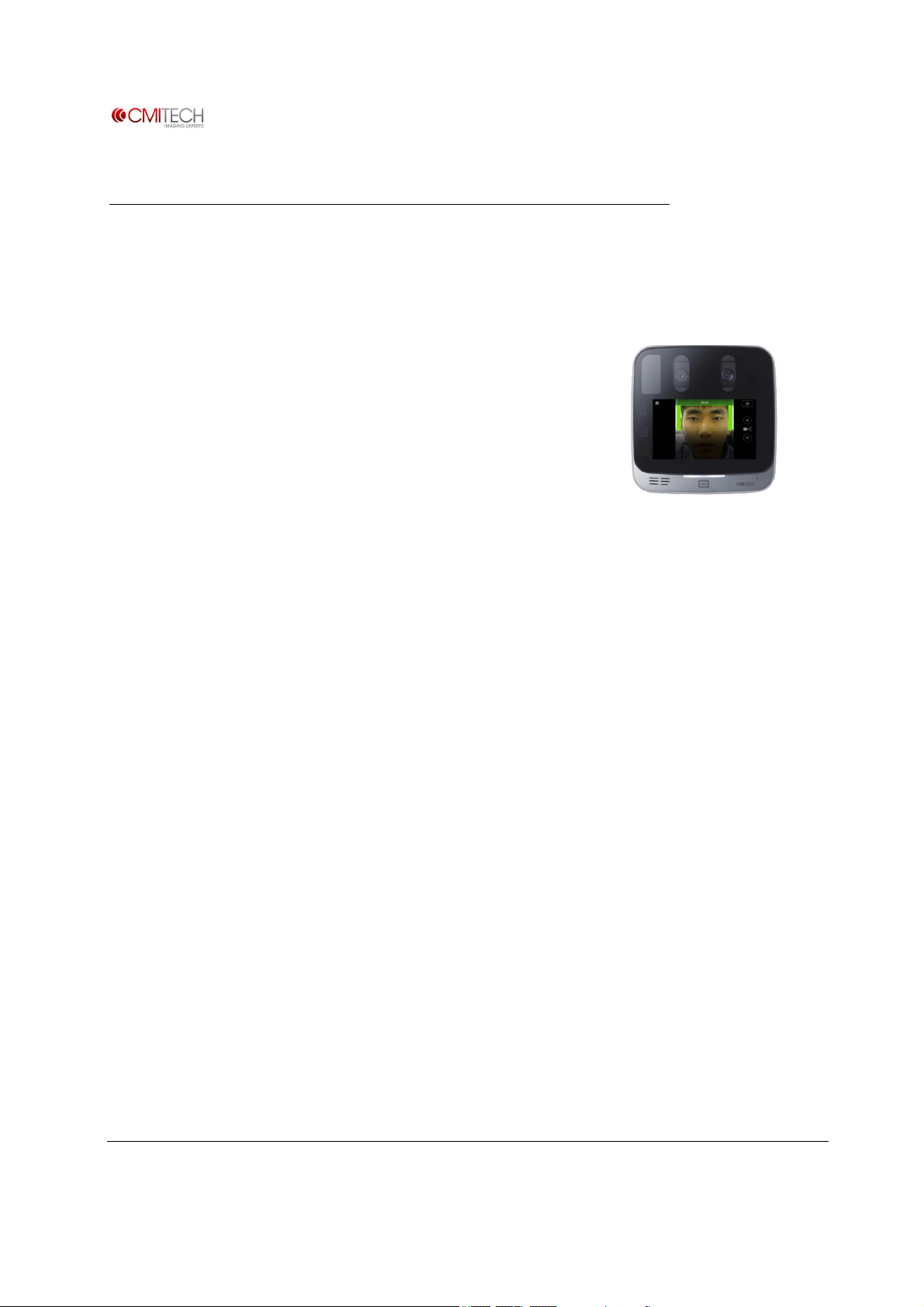
The front facing nominal 5.0 inch LCD serves to display
the user’s face image for fast, easy and highly natural
positioning for proper iris image capture. The subject
merely puts his or her face in the center of the LCD, and
then moves toward the system to size his or her head to
the brackets in the display to be in proper range. Image
capture is fast and automatic. While user instructions
are very simple, almost all subjects will be able to
interact with the system without any directions.
And the internal automatic tilt mechanism adjusts to the user’s height or vertical position
over a range of 50 cm (about 20 inches), making the EF-45N ideal for countertop,
desktop, wall mount or kiosk installations.
Iris Recognition System
The EF-45N is an embedded terminal, which means that all image processing and
machine control is performed on the internal Linux-on-ARM mainboard. Typical
connectivity to host systems is through TCP/IP (Ethernet). And iris biometric encoding
and matching is typically performed on-board as well, so identification or authentication
decisions are made locally for fast responsiveness. For access control, there are Wiegand
connections for dedicated, local communications to door controllers or panels.
Other typical options include WiFi and a smart card reader.
For all specifications, please see Specification section.
For complete depiction of all EF-45N on-board screens, see “EF-45N LCD Control Screens
and On-Board Demo Application” manual.
www.cmi-tech.com EF-45N User Manual, v0.1.1
Copyright 2016, all rights reserved July 2016
Page 3

Key Features
· Iris user interface with intuitive LCD display face positioning, like smart phone “selfie”
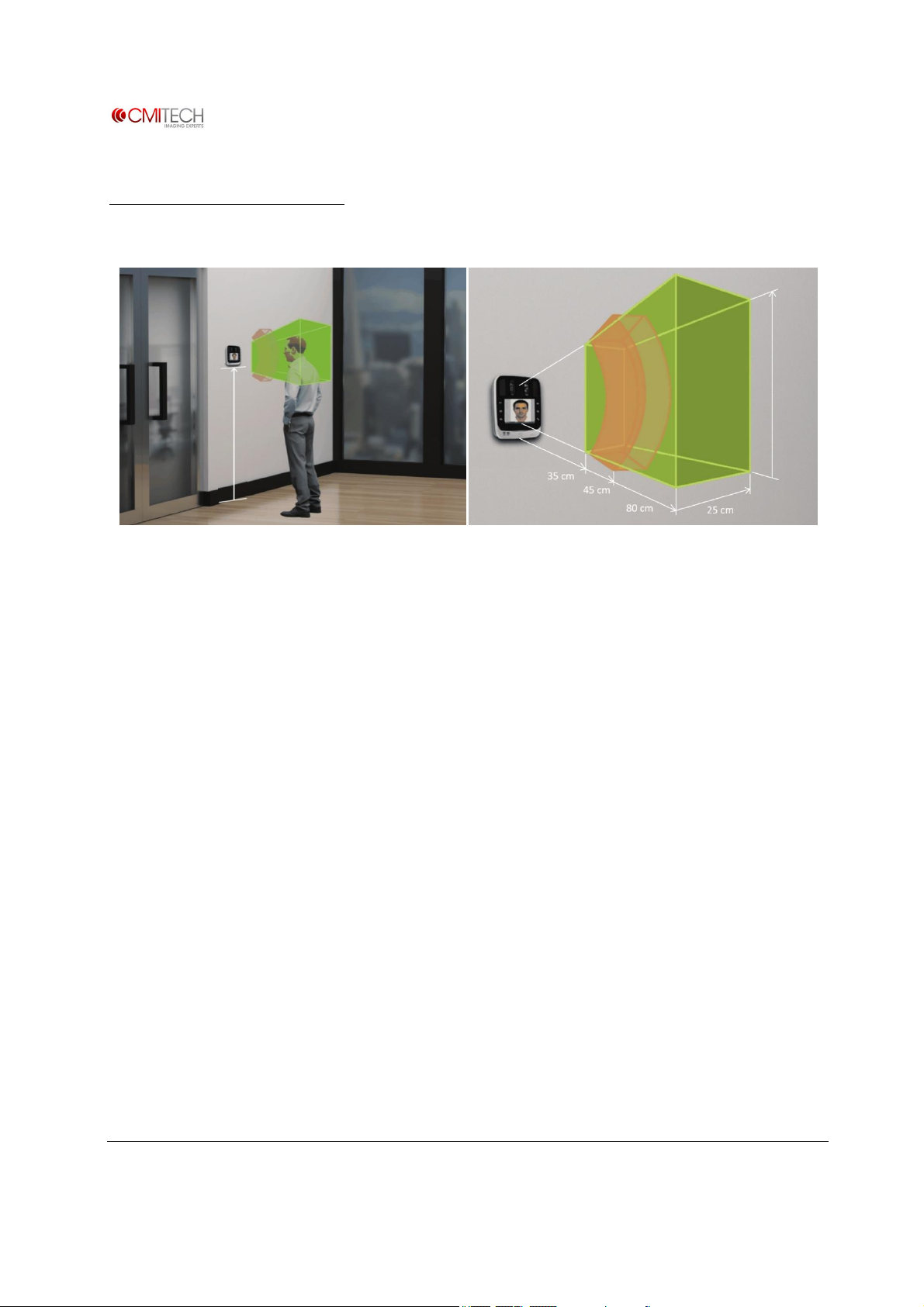
· Contactless iris imaging at range of 35 to 45 cm stand-off
· Internal, automatic face and iris camera tilt mechanism with nominal height range of 50 cm
· Positioning guidance vocalizations selectable on / off and delay time. English standard, all
other languages available with .wav file substitution
· Simultaneous dual iris recognition with typical capture speed of under 1 second
· On-board iris encoding and matching, with internal data base of up to 10,000 users in either
1:1 (authentication) or 1:N (identification) modes
· Optional Combined Face and Iris modes:
§ Face as primary modality, with face recognition rejects decisions automatically switch over
to iris recognition
§ Supplemental face recognition in case of iris recognition failure-to-capture (FTC), so that
face recognition follows iris recognition attempt
· Supports dual factor authentication with card or PIN
· Optimized imaging for difficult ambient lighting conditions
· Optimized image capture for most sunglasses, glasses, and facial veils
· Supports imaging of all iris colors
· Kensington lock slot standard
· Standard communications connectors and protocols for TCP/IP (Ethernet RJ-45), RS-484 and -
232, dual Wiegand I/O, TTL, and dry contact relay
· Connection cables with press-in connectors included in accessories kit
· External audio connector
· Tamper switch on rear panel
· Access control (AC) configuration includes wall mount plate
· Optional WiFi support (choice of compact or antenna type modules)
· Integrated Smart Card reader (choice of basic MiFare / DesFire card or HID multi-class reader)
· Meets CE mark, FCC, IEC 62471 eye safety, and RoHS standards. Iris recognition meets ISO
19794-6 2011 standard
· Design and production meet ISO 9001 2015 standard
www.cmi-tech.com EF-45N User Manual, v0.1.1
Copyright 2016, all rights reserved July 2016
Page 4

Cautions
• Consult the dealer or an experienced radio/TV technician for help
FCC Compliance Statement
This device complies with part 15 of the FCC rules. Operation is subject to the following two
conditions:
(1) This device may not cause harmful interference, and
(2) this device must accept any interference received, including interference that may cause
undesired operation.
FCC Interference Statement
This equipment has been tested and found to comply with the limits for a Class B digital device,
pursuant to part 15 of the FCC Rules. These limits are designed to provide reasonable protection
against harmful interference in a residential installation. This equipment generates, uses and can
radiate radio frequency energy and, if not installed and used in accordance with the instructions,
may cause harmful interference to radio communications. However, there is no guarantee that
interference will not occur in a particular installation. If this equipment does cause harmful
interference to radio or television reception, which can be determined by turning the equipment
off and on, the user is encouraged to correct the interference by one of the following measures:
• Reorient or relocate the receiving antenna
• Increase the separation between the equipment and receiver
• Connect the equipment into an outlet on a circuit different from which the receiver is
connected
FCC Caution
Any changes or modifications not expressly approved by the party responsible for compliance
could void the user's authority to operate this equipment. This transmitter must not be co-located
or operating in conjunction with any other antenna or transmitter.
www.cmi-tech.com EF-45N User Manual, v0.1.1
Copyright 2016, all rights reserved July 2016
Page 5

Accessories Kit
Includes:
Power supply (IEC C13 female) Yes Yes
Power cord (IEC C14 male), power side
connector type by country
Basic MiFare / DesFire card reader
(internal)
Standard back cover Yes No
Wall mount bracket No Yes
ID I/O cables with push in connectors for
device, and pig tails for external
connections
Includes cables for RS 485, RS 232, TTL (2),
dry contact relay
AC I/O cables with push in connectors for
device, and pig tails for external
connections
Includes cables for Wiegand (2), RS 485, RS
232, TTL (2), dry contact relay
ID Management
Version
Yes Yes
No Yes
Yes No
No Yes
Access Control and Time
& Attendance Versions
diode Yes Yes
www.cmi-tech.com EF-45N User Manual, v0.1.1
Copyright 2016, all rights reserved July 2016
Page 6
Mounting Instructions
144 cm
Recommended mounting height and UI (left), Capture Volume of EF-45N (right)
50 cm
The recommended mounting height for the EF-45N is 144cm (57 inches) from floor to the
bottom of EF-45N. The mounting height can be adjusted to accommodate the height of
the average user.
High ambient light and / or direct light into the EF-45N should be avoided. Sunlight,
halogen lamps or other strong illumination may reduce the performance of the EF-45N
and may result in increased failure-to-capture rates or failed authentication events.
The EF-45N was designed for indoor use only. This unit is not weatherproof and must
not be exposed to water, ice, extreme temperatures or other adverse weather conditions.
If it is required to use this unit in outdoor or extreme environments contact local sales or
[email protected] for more information.
Note: Installation in extreme environments without proper protection may cause
permanent damage and void warranty.
See System, Rear diagram for wall mounting instructions.
www.cmi-tech.com EF-45N User Manual, v0.1.1
Copyright 2016, all rights reserved July 2016
Page 7
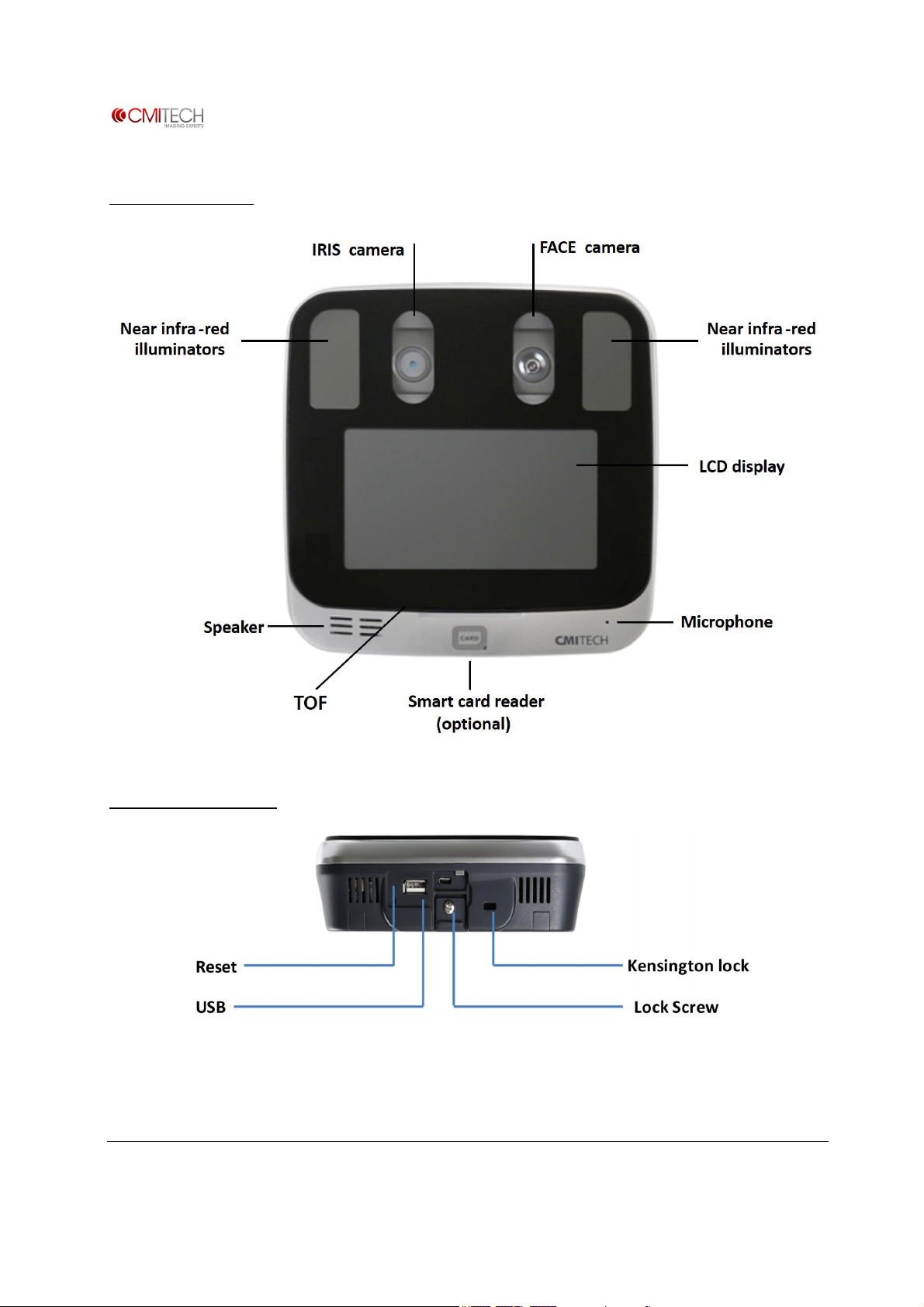
System, Front
System, Bottom
www.cmi-tech.com EF-45N User Manual, v0.1.1
Copyright 2016, all rights reserved July 2016
Page 8
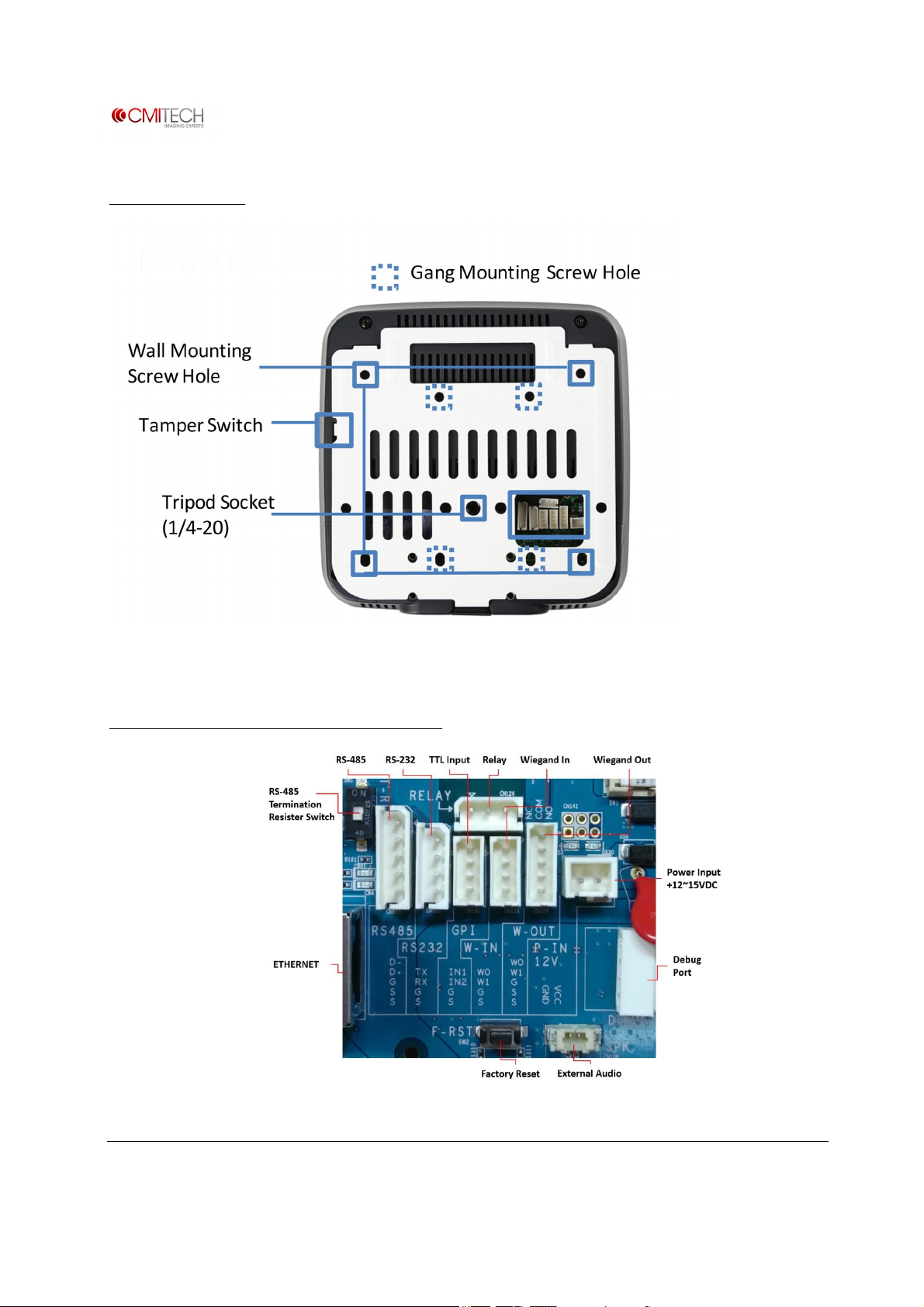
System, Rear
System Rear Connections Block
www.cmi-tech.com EF-45N User Manual, v0.1.1
Copyright 2016, all rights reserved July 2016
Page 9
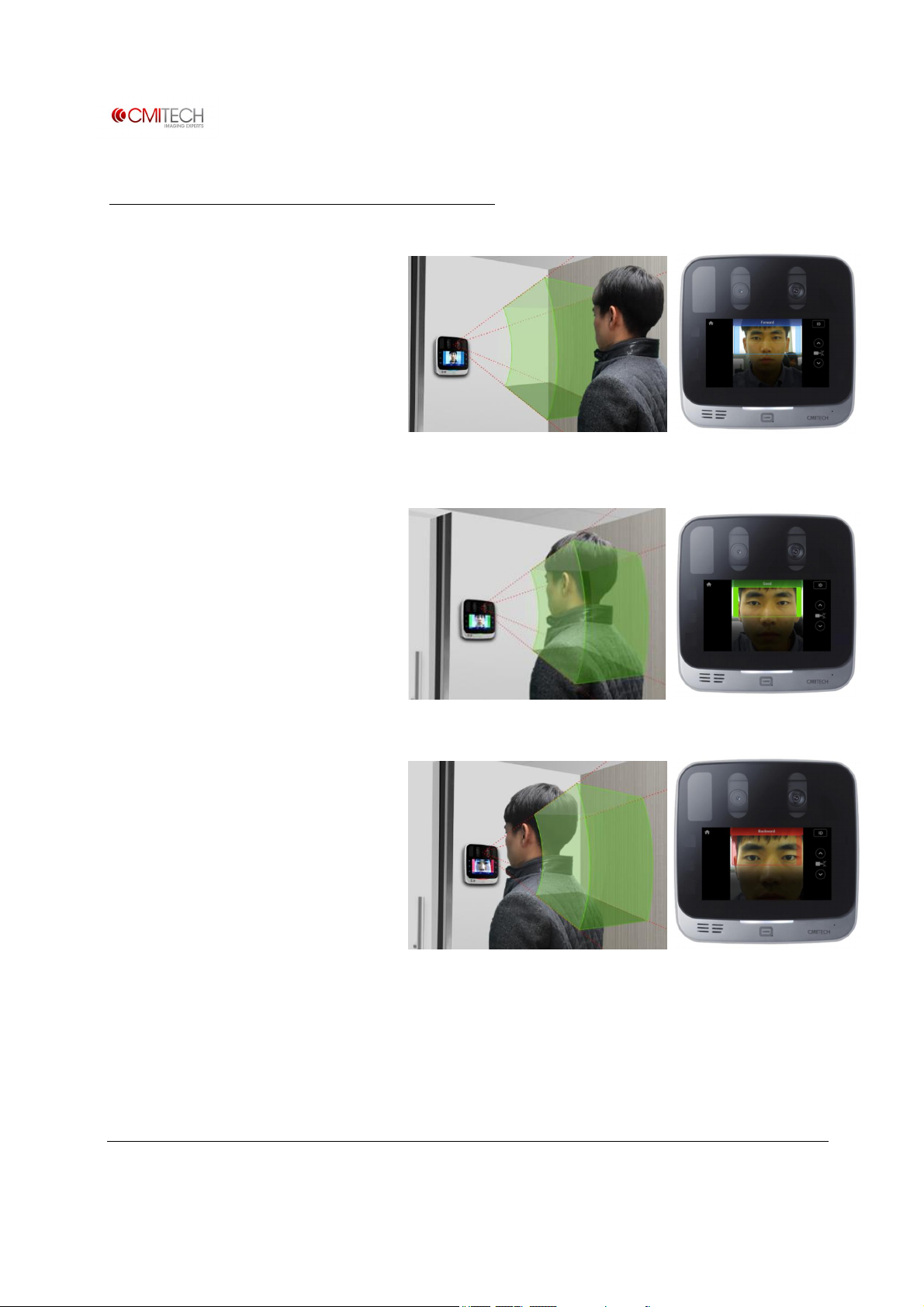
User Interface for Iris Image Capture
P
osition
yourself
facing straight
forward
.
M
ove
toward
s the
system to size
If
you are standing
too close
to
EF-45N
captures
the image
of
l
at the LCD display. When the
device detects your movement
within 1.0 meter parameter, it
initiates the image capture
sequence. A rectangular-shaped
user guide box will appear on the
screen. If it is BLUE, it means you
are too far from the device. Move
l
your face to the LCD display. If
the user guide box flashes
GREEN, it means you are at an
appropriate position. Stop and
hold your position until the
device captures image of your
face and/or iris.
l
the device, your face will not fit in
the LCD display. When the user
guide box flashes RED, it means
the device cannot capture your
image because you are too close.
Move back until the box turns
green.
l
your face and iris automatically.
www.cmi-tech.com EF-45N User Manual, v0.1.1
Copyright 2016, all rights reserved July 2016
Page 10
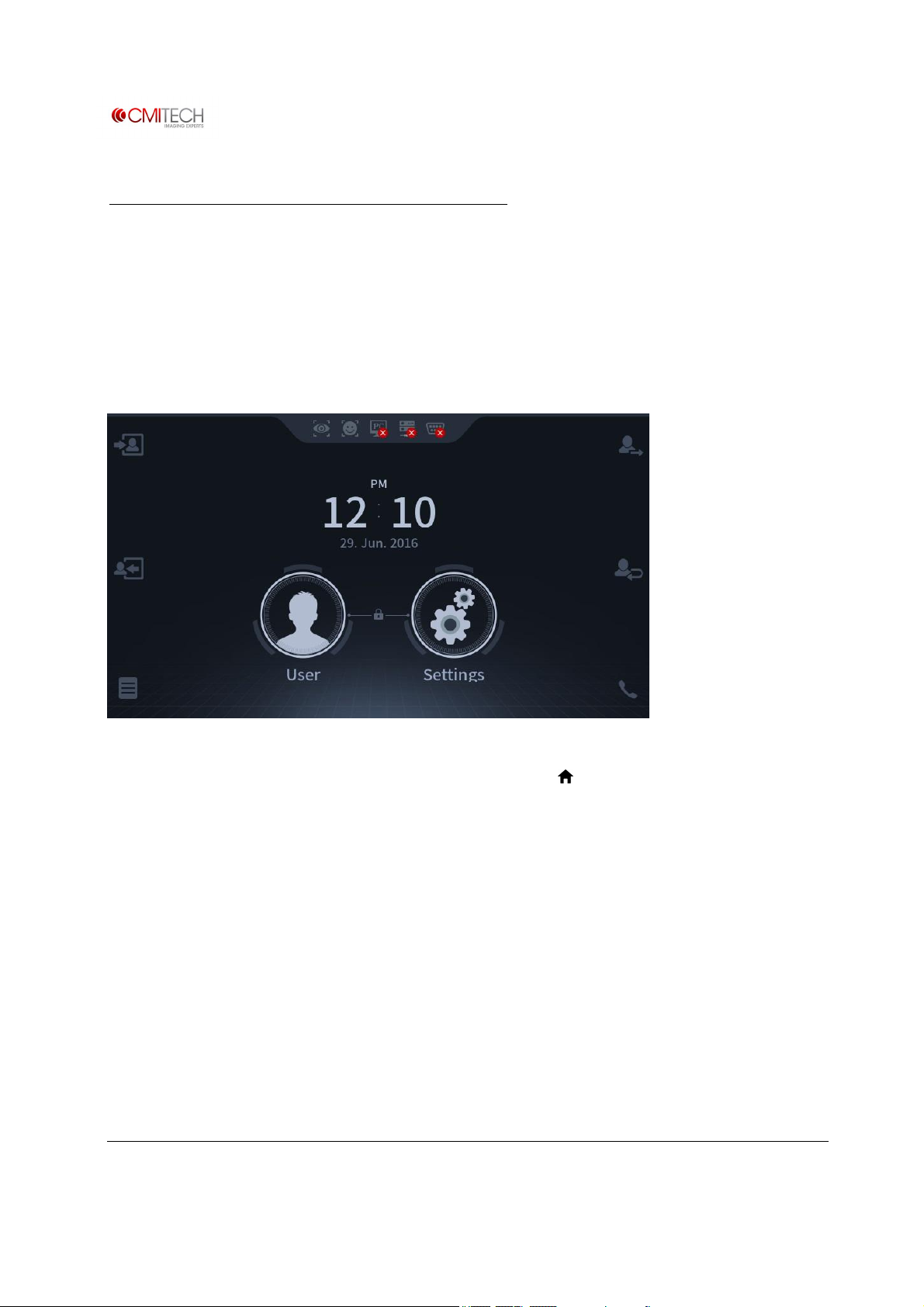
On-board Demonstration Application
The on-board demonstration application shows the full capabilities of the EF-45N for
image capture including subject positioning with the face display user interface,
enrollment, and on-board matching (authentication).
The system boots up in this demo application. It is initated by the video based motion
detector that first finds the subject from about 1 meter distance, and then continues the
natural iris image capture sequence for capture in recognition / authentication mode.
To switch to enrollment mode, press large User icon in center of main Launcher page. If
the system is in image capture mode, press Home icon ( ) on top left of active user
interface display, which will stop Recognition mode and return system to Launcher page.
www.cmi-tech.com EF-45N User Manual, v0.1.1
Copyright 2016, all rights reserved July 2016
Page 11
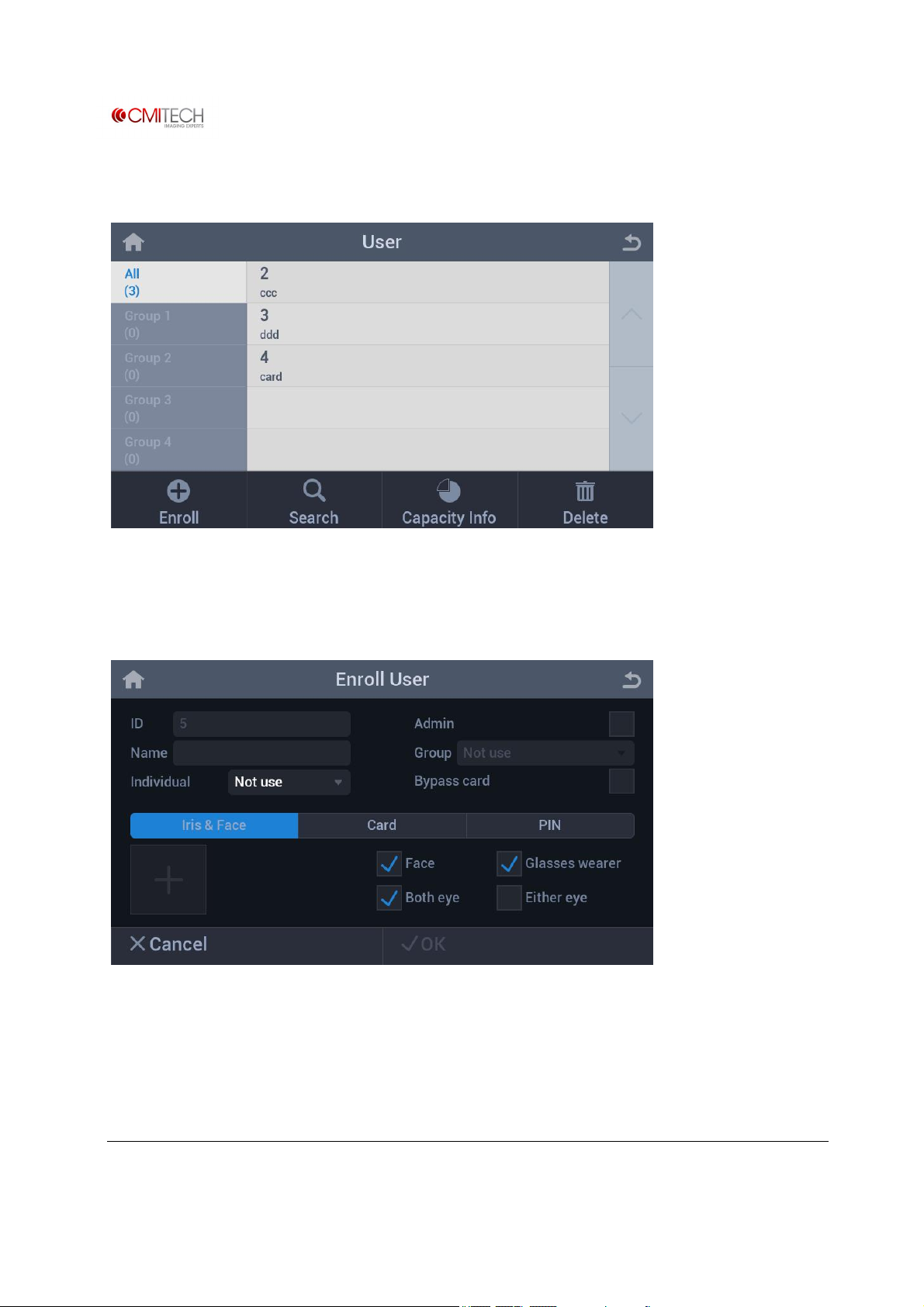
The following main User screen appears:
This user screen also allows simple database management. By tapping the Delete icon in
the bottom right, one can easily delete information of enrolled users.
To enroll a new user, press the Enroll icon to bring up Enroll User screen.
Press the plus(+) button in the bottom left to capture image of the new user.
www.cmi-tech.com EF-45N User Manual, v0.1.1
Copyright 2016, all rights reserved July 2016
Page 12
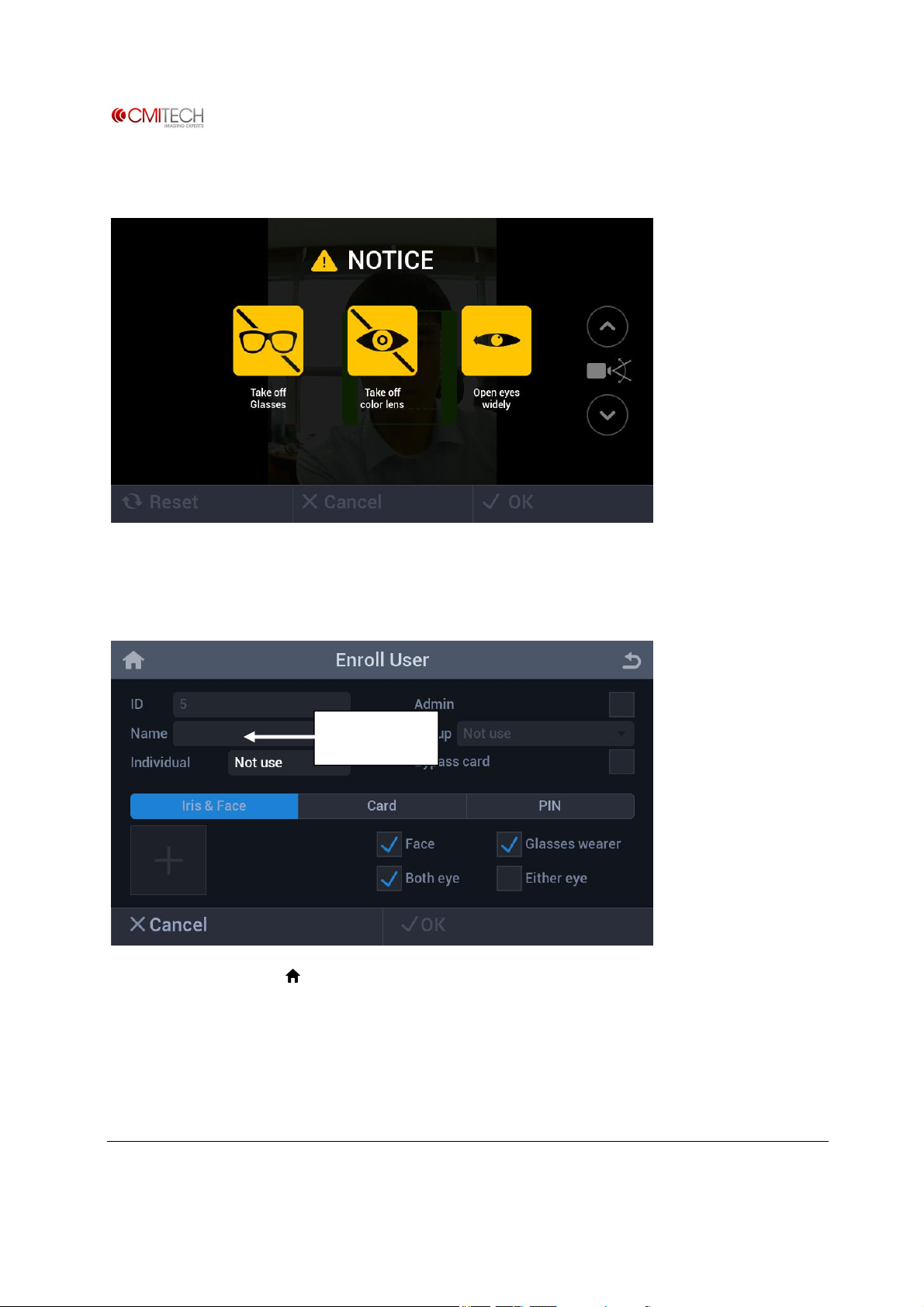
An instruction screen will appear for 3 to 5 seconds, and then switch to the user interface.
After successfully capturing iris images, click on √OK to accept images. The system then
returns to Enroll User screen. Click on Name field to enter name of subject, then click on
√OK complete enrollment.
Name field
Press the Home icon ( ) to return to the Launcher page to re-start Recognition and
Authentication mode.
www.cmi-tech.com EF-45N User Manual, v0.1.1
Copyright 2016, all rights reserved July 2016
Page 13
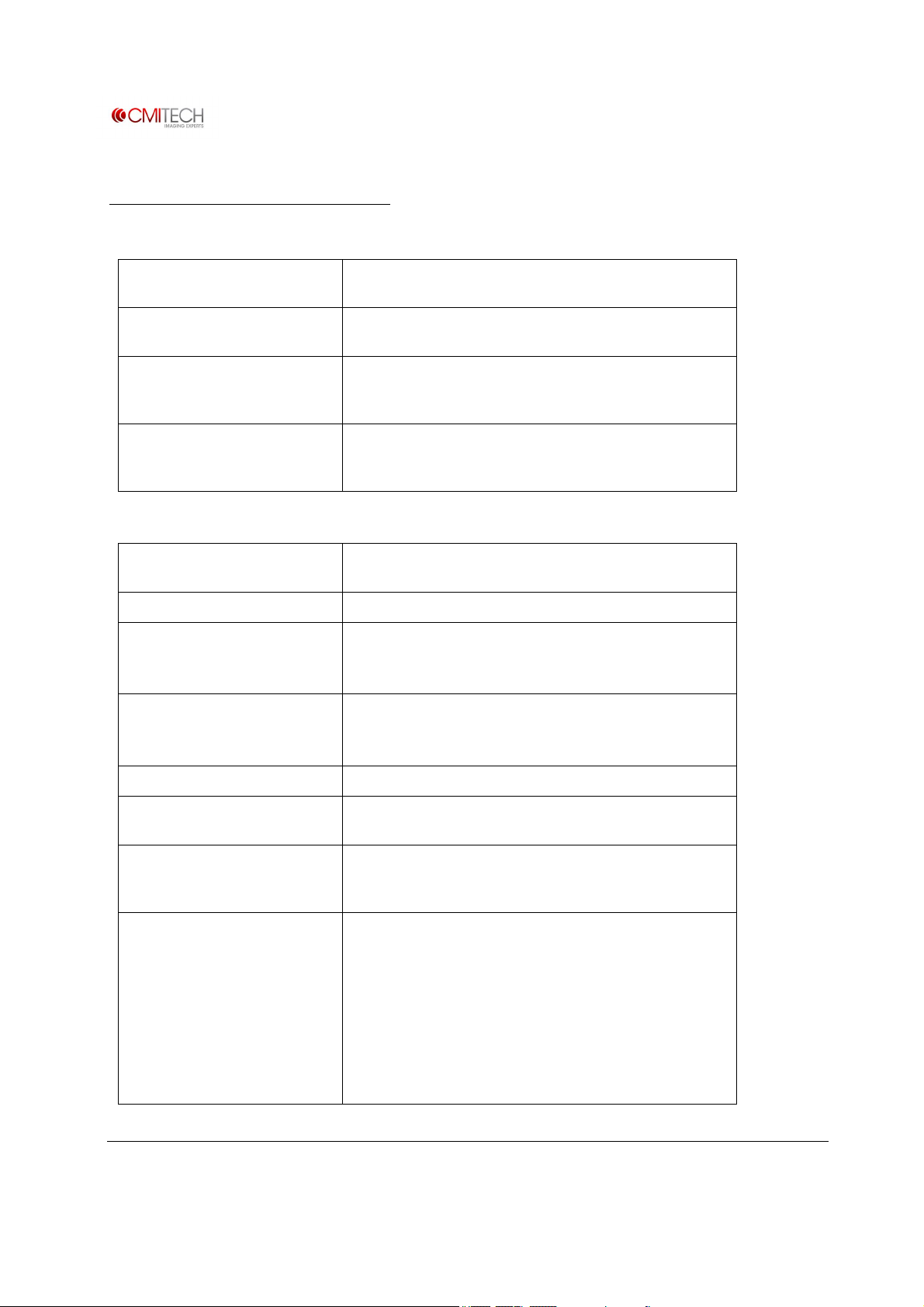
Summary of Specifications
Software and Platform Technical Specifications (Tentative)
Embedded CPU and OS
Iris on-board algorithm for
encoding and matching
Face on-board algorithm for
Combined Face and Iris encoding
and matching
Web services configuration
application (with embedded web
server)
Freescale iMX6 Cortex A9 Quad Core ARM with Linux Yocto
v1.8 OS
Optional
Optional
Yes, RESTful type SDK with C# and C++ versions for host side
Other Technical Specifications (Tentative)
Dimensions
Weight 630 g without wall plate
On-board data size
Iris image output Meets new ISO 19794-6 2011 standard:
166 x 166 x 43 mm(6.5 x 6.5 x 1.7 inches) without mounting
wall plate
Up to 10,000 iris template pairs, usable in either 1:1
(authentication) or 1:N (identification) modes
Supports dual factor authentication
MTF of minimum of 2 lp/mm @ ≥ 60% contrast, and 160
pixels across 1.0 cm iris
Iris image pixel resolution 640 x 480 pixels, 8 bit depth. Supports multiple formats.
Iris encoding and matching
algorithm
Operational iris imaging distance
(stand-off range) and depth of
field
Iris positioning indicators Face positioning within box in LCD display for X – Y
www.cmi-tech.com EF-45N User Manual, v0.1.1
Copyright 2016, all rights reserved July 2016
Delta ID (ISO 19794-6 compliant)
35 to 45 cm range (10 cm depth of capture range) in both
Enrollment and Recognition modes
Face sizing to bracket (or box) within LCD display for distance
(Z) positioning with simultaneous color bar display for
correct distance positioning:
Blue: too far away
Green: OK
Red: too close
Supplemental voice distance feedback standard. Convertible
to local language via .wav file substitution.
Page 14
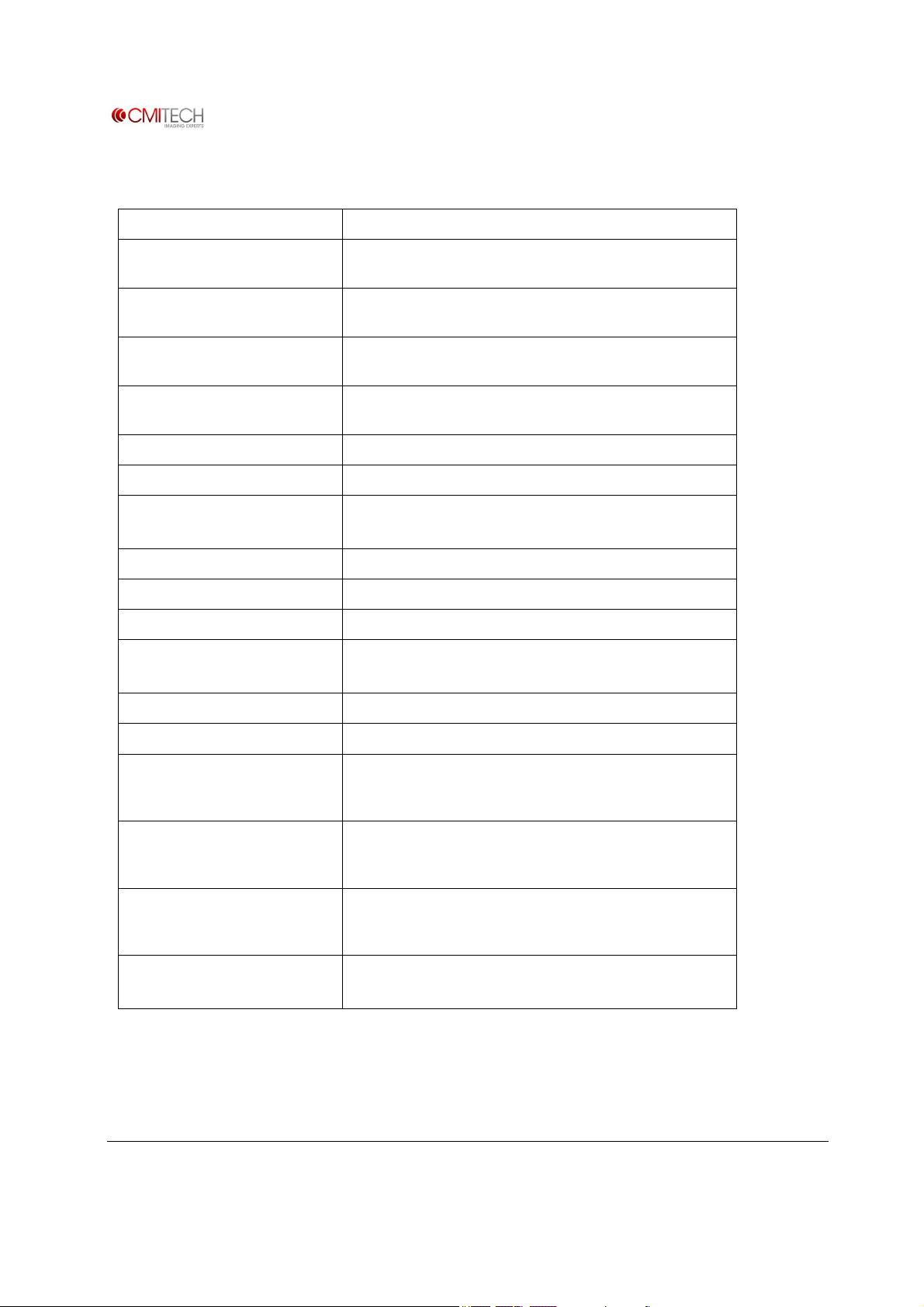
Other Technical Specifications (Tentative) (continued)
Auto tilt Yes, internal: +25 deg to -20 deg tilt
Iris inter-pupillary distance
covered
Iris time of capture
IR illumination for iris imaging
Iris maximum user positioning
speed
Face image capture Standard 24 bit color (for reference image)
Face recognition imaging Optional on-board encoding and matching. Algorithm tbd.
Audio 24 bit, 1.8 W embedded speaker
Operating temperature range 0 to 45˚C
Humidity 10 to 90% RH, non-condensing
Illuminator eye safety standard IEC 62471
Network interface 10/100 Base-T Ethernet (RJ45 connector)
45 to 85 mm
Typically about 0.5 second from time subject’s eyes are
placed within proper capture volume
Dual LED: wavelengths of 850 nm nominal (about 50%); and
750 nm nominal (about 50%)
125 mm per second (4.9 inches per sec.) in “Z” direction
(distance from front of system)
Line out connector for external speaker
Other standard ports USB host or slave (for service only)
Standard mounting ¼ - 20 UNC (camera tripod).
Physical Access Control (PACS)
configuration: other
communications ports
Physical Access Control
configuration: internal ID card
reader
Physical Access Control
configuration: wall mounting
with tamper switch
Power supply
Terminal and wired connectors for: Wiegand in/out, RS-232,
RS-485, 2X TTL inputs, USB host (internal), USB slave (for
service), 1 dry contact relay
Standard: ISO /IEC 14443 A/B (MiFare) contactless reader
Optional: HID multi-class reader (model to be determined)
Detachable wall mount plate for easy installation. Tamper
switch standard in PACS configuration
Input 110 to 240V AC
Output 15V DC, 3.5A. Provided standard with system.
www.cmi-tech.com EF-45N User Manual, v0.1.1
Copyright 2016, all rights reserved July 2016
Page 15

Contact Information
Contact: sales@cmi
-
tech.com
CMITech Company, Ltd.
5th Floor, 38, Burim-ro, 170beon-gil, Dongan-gu,
Anyang-si, Gyeonggi-do,14055, Republic of Korea
Tel : +82.70.8633.8278
Fax: +82.31.624.4490
CMITech America, Inc.
2033 Gateway Place, Suite 500
San Jose, CA 95110 USA
Tel: (1) 408 573-6930
www.cmi-tech.com EF-45N User Manual, v0.1.1
Copyright 2016, all rights reserved July 2016
Page 16
Appendix 1
EF-45N LCD Control Screens
and On-Board Demo Application
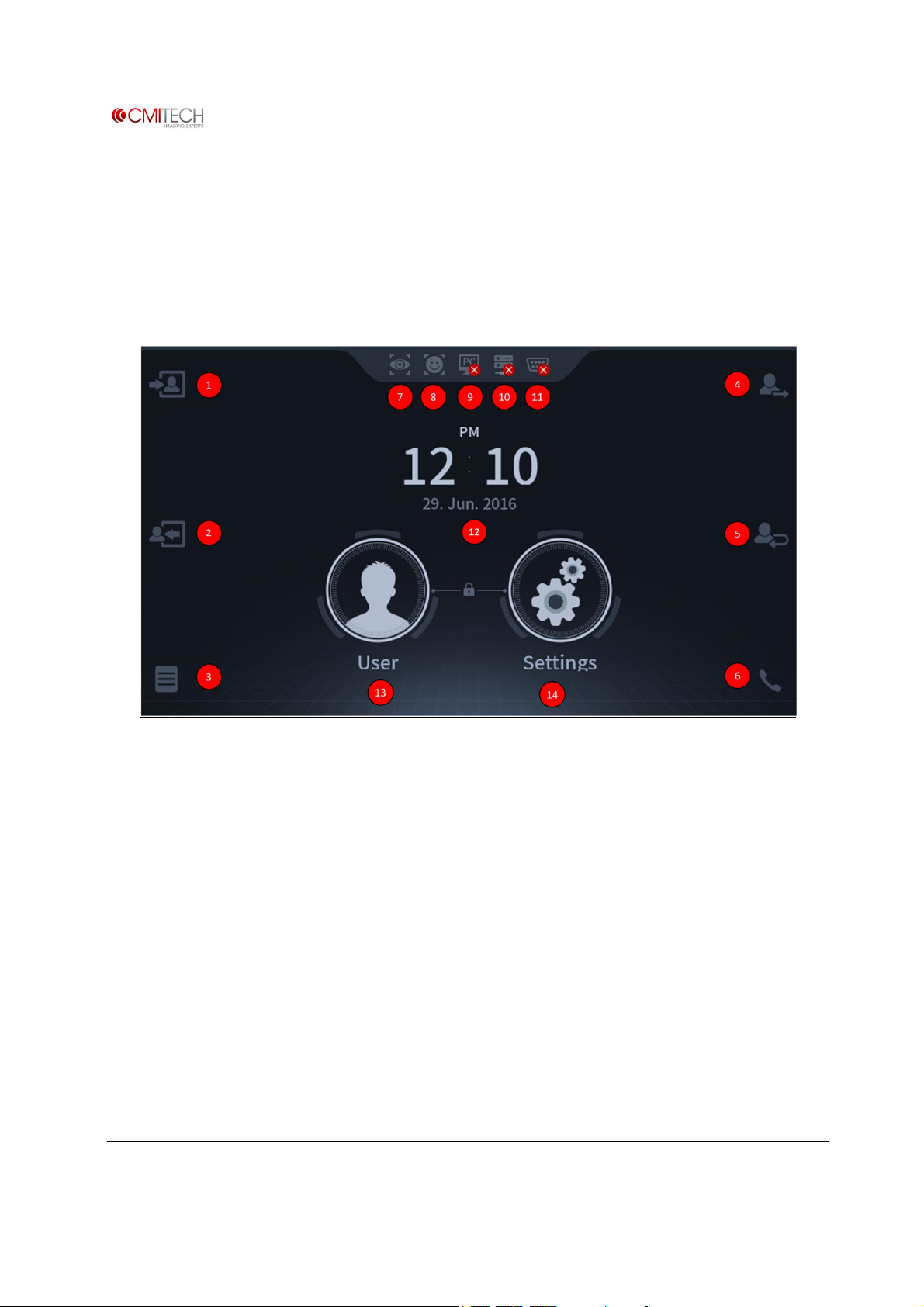
Main Launcher Page
① Check Attendance (F1 Key)
② Leave Work (F2 Key)
③ Supplement T&A (F3 Key)
④ Go Out (F4 Key)
⑤ Return Button (same as F5 Key)
⑥ Interphone Call Button (same as F6 Key)
⑦ Notice Icon of Iris mode is operating
www.cmi-tech.com EF-45N User Manual, v0.1.1
Copyright 2016, all rights reserved July 2016
⑧Notice Icon of Face mode is operating
⑨Notice Icon of CMID manager is connected
⑩Notice Icon of IP network is connected
⑪Notice Icon of Serial Communication is
connected
⑫Clock display
⑬User Button for registration, search,
modification and deletion
⑭Settings Button for system configuration
Page 17

Table of Contents
Settings
1 Device
1.1 Configuration
1.2 Bio
1.3 Sound
1.4 Date & Time
1.5 Door
1.6 Device Info
1.7 Interphone
1.8 Memory Info
1.9 Camera
1.10 Reset
2 Network
2.1 TCP/IP
2.2 Server
2.3 Serial
2.4 USB Memory
1.1.1 User Positioning Interface
1.1.2 Motion Wait Time
1.2.1 Security Level
1.2.2 Iris
1.2.2.1 Max Distance
1.3.1 Speaker Volume
1.3.2 MIC Volume
1.4.1 Manual Setup
1.5.1 Relay
1.5.2 Driven By
1.5.3 Duration
1.5.4 Door Sensor
1.5.5 Door Sensor Type
1.5.6 Held Open Period(sec)
1.5.7 Lock Time
1.5.8 Unlock Time
1.7.1 IP Address
1.9.1 Power Line Frequency
1.10.1 Reboot
1.10.2 Factory Default
1.10.2.1 Reset All Settings
1.10.2.2 Delete All Data
1.10.2.3 Delete All Data and
Reset All Settings
2.1.1 LAN Type
2.1.2 IP Address
2.1.3 Gateway
2.1.4 Subnet
2.2.1 Server IP
2.3.1 RS485-PC
2.3.2 RS485-NET
2.3.3 RS232
2.4.1 FW Upgrade
2.4.2 Import
2.4.3 Export
3 Display
3.1 Voice Instruction
3.2 Central Timer
3.3 Menu Timeout
3.4 Screen Saver
3.5 Pop-Up Timeout
3.6 Backlight Timeout
3.7 Date Display
3.8 Language
4 Authentication
4.1 Auth.
4.1.1 Combination Mode (Step 1)
4.2 T&A
4.3 T&A Mode
5 Mode
5.1 Operation
5.1.1 Dual Authentication
5.1.2 Match Timeout
5.1.3 Card Mode
6 Log
6.1 Log Info
User
1 Enroll User
1.1 Name
1.2 Individual
1.3 Group
1.4 Iris & Face Process
1.4.1 Face Capture
1.4.1.1 Tracking Guide Box UI
1.4.2 Iris Capture
1.4.2.1 Tracking Guide Box UI
1.4.3 Save Data / Complete Enrollment
1.4.4 Complete Enrollment
1.5 Card
1.5.1 Save Data
1.6 Pin
1.6.1 Input
1.6.2 Save Data
2 Search
3 Capacity Info
4 Delete
www.cmi-tech.com EF-45N User Manual, v0.1.1
Copyright 2016, all rights reserved July 2016
Page 18
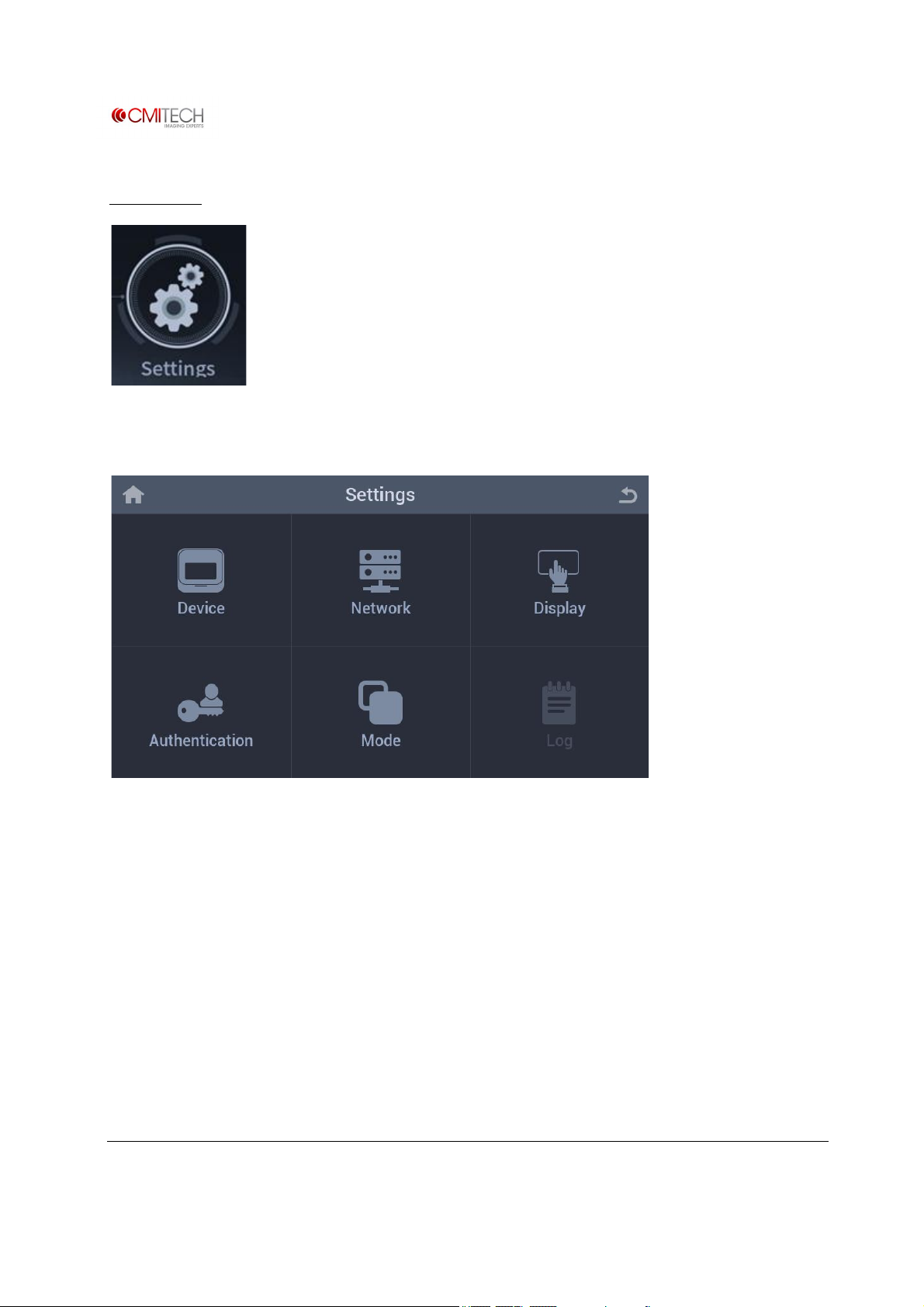
Settings
Tap the Settings icon in the home screen.
Device Configuration for device operating
Network Configuration for IP & serial communication
Display Configuration for screen display
Authentication Configuration for authentication method and T&A
Mode Configuration for recognition operation
Log Information of saved log and log search viewer
(Note: In construction)
www.cmi-tech.com EF-45N User Manual, v0.1.1
Copyright 2016, all rights reserved July 2016
Page 19
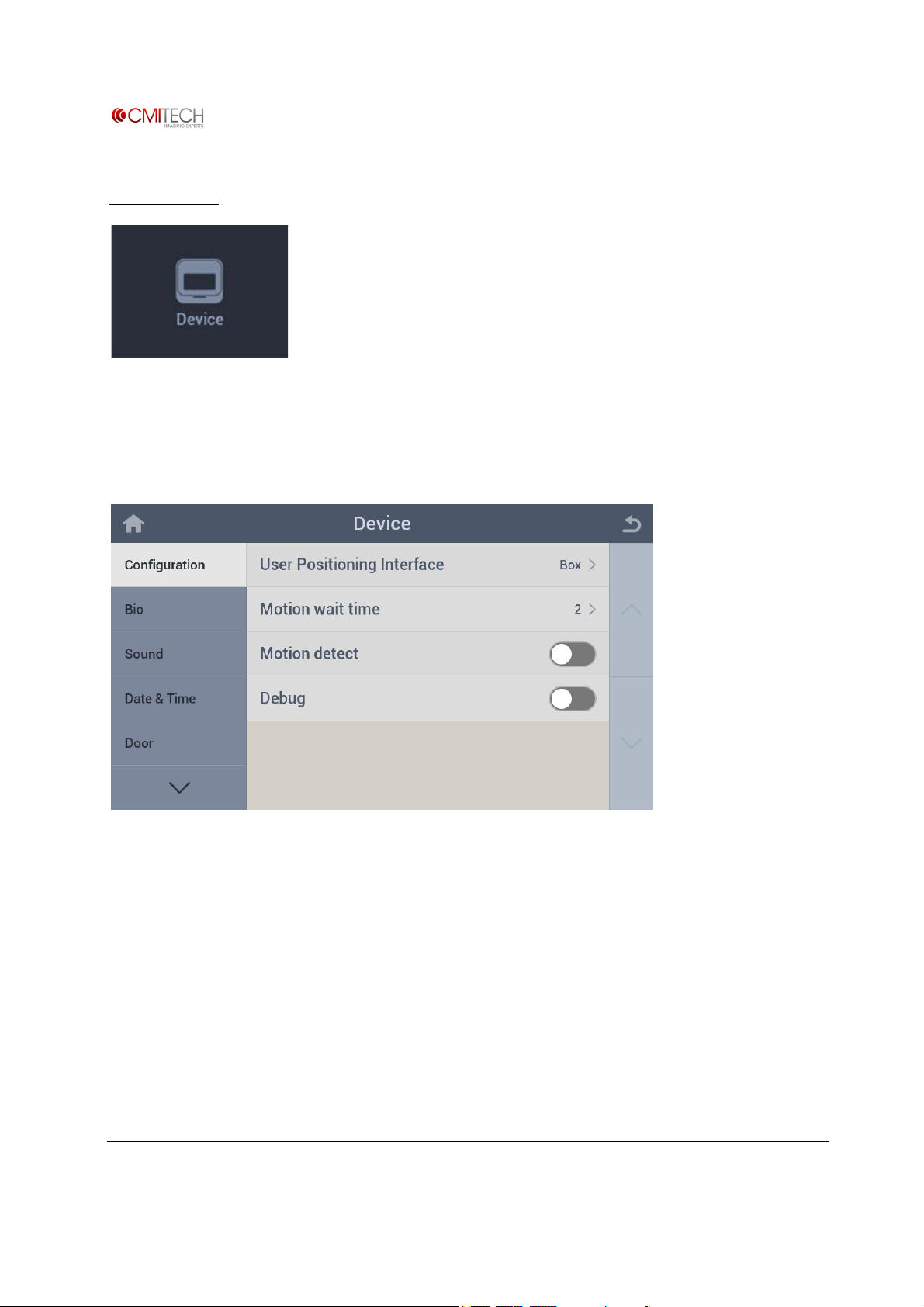
1 Device
Configure settings for device operation.
1.1 Configuration
User Positioning Interface Select a guide display UI when enrollment and recognition
Motion wait time Set motion detection delay time from last recognition operating
Motion detect Select motion detection enable/disable for starting recognition
Debug Select Debug mode enable/disable (captures image stream for off-
line analysis)
www.cmi-tech.com EF-45N User Manual, v0.1.1
Copyright 2016, all rights reserved July 2016
Page 20
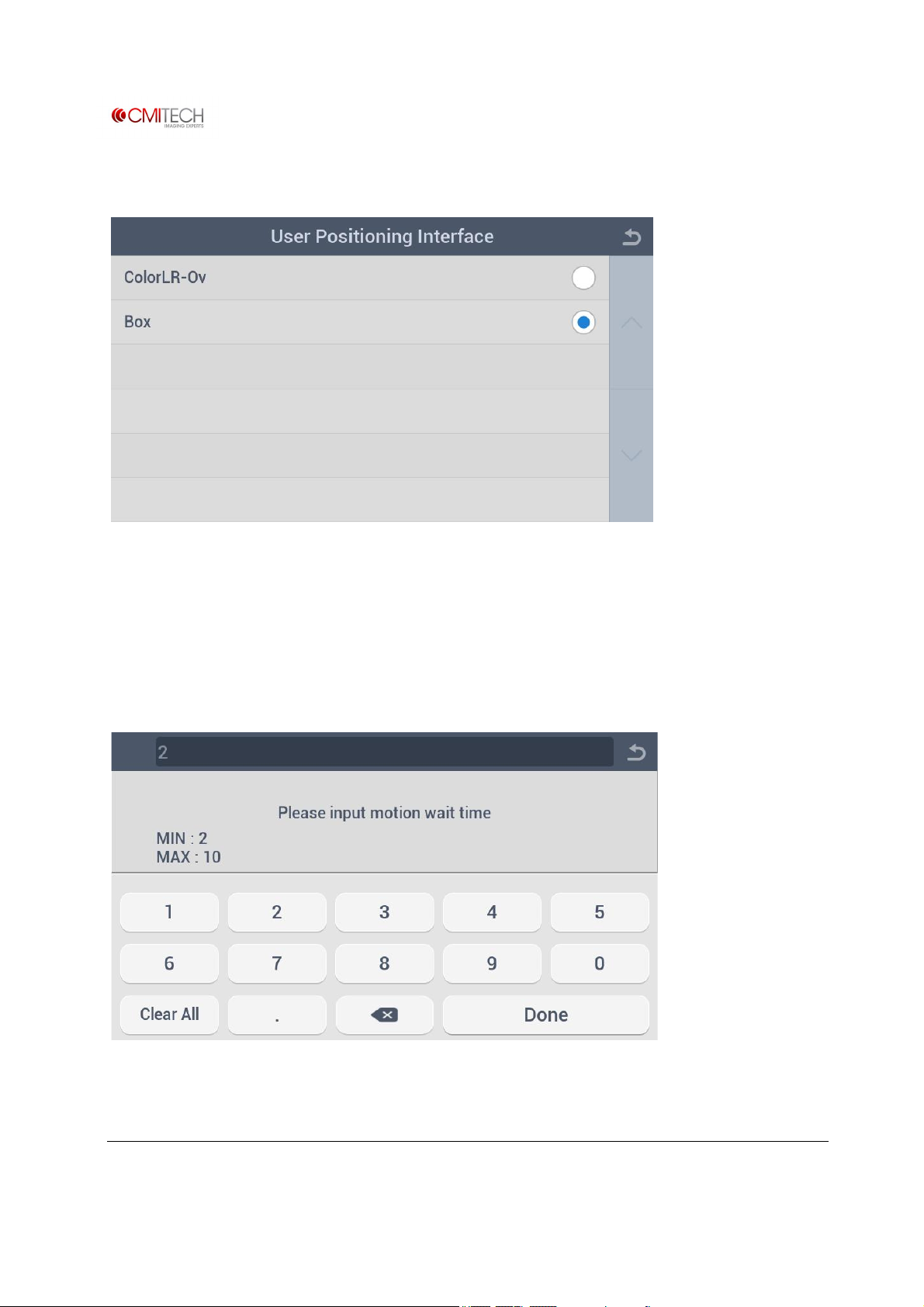
1.1.1 Configuration à User Positioning Interface
ColorLR-Ov Select Color overlay type guide UI display
Box Select tracking box type guide UI display
1.1.2 Configuration à Motion Wait Time
www.cmi-tech.com EF-45N User Manual, v0.1.1
Copyright 2016, all rights reserved July 2016
Page 21
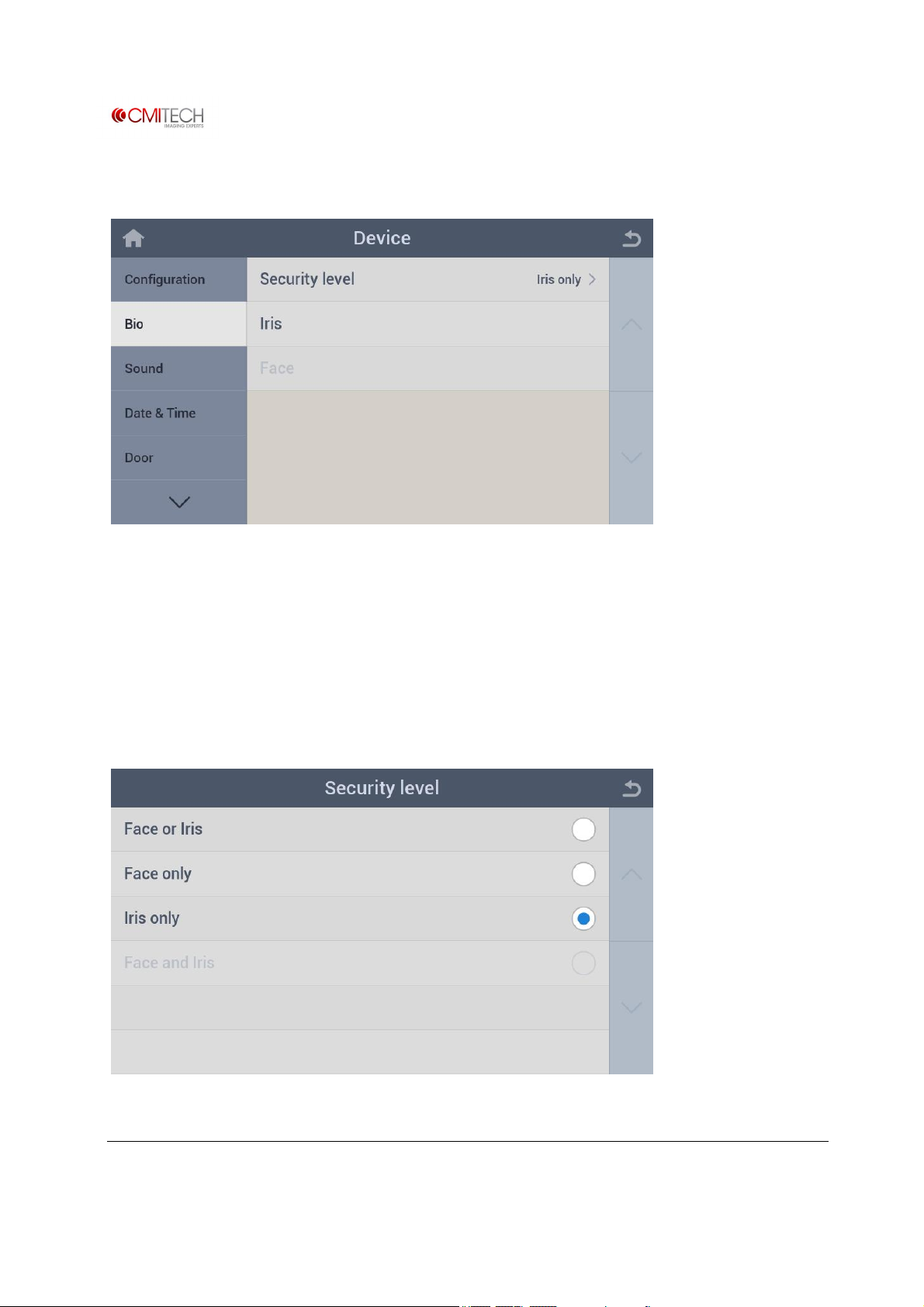
1.2 Bio
Security Level Select a combination mode of Face and Iris
Iris Additional configuration for Iris enrollment and recognition
Face Additional configuration for Face enrollment and recognition (note:
in construction)
1.2.1 Bio à Security Level (Must have face recognition option)
www.cmi-tech.com EF-45N User Manual, v0.1.1
Copyright 2016, all rights reserved July 2016
Page 22
Face or Iris Select 2 stage Face or Iris recognition mode (Face recognition first,
and then automatic switch-over to Iris upon Face recognition nonmatch)
Face only Select Face only recognition mode
Iris only Select Iris only recognition mode
Face and Iris Select 2 stage Face and Iris recognition mode (Face recognition first,
and then automatic switch-over to Iris upon multiple matches) (note:
in construction)
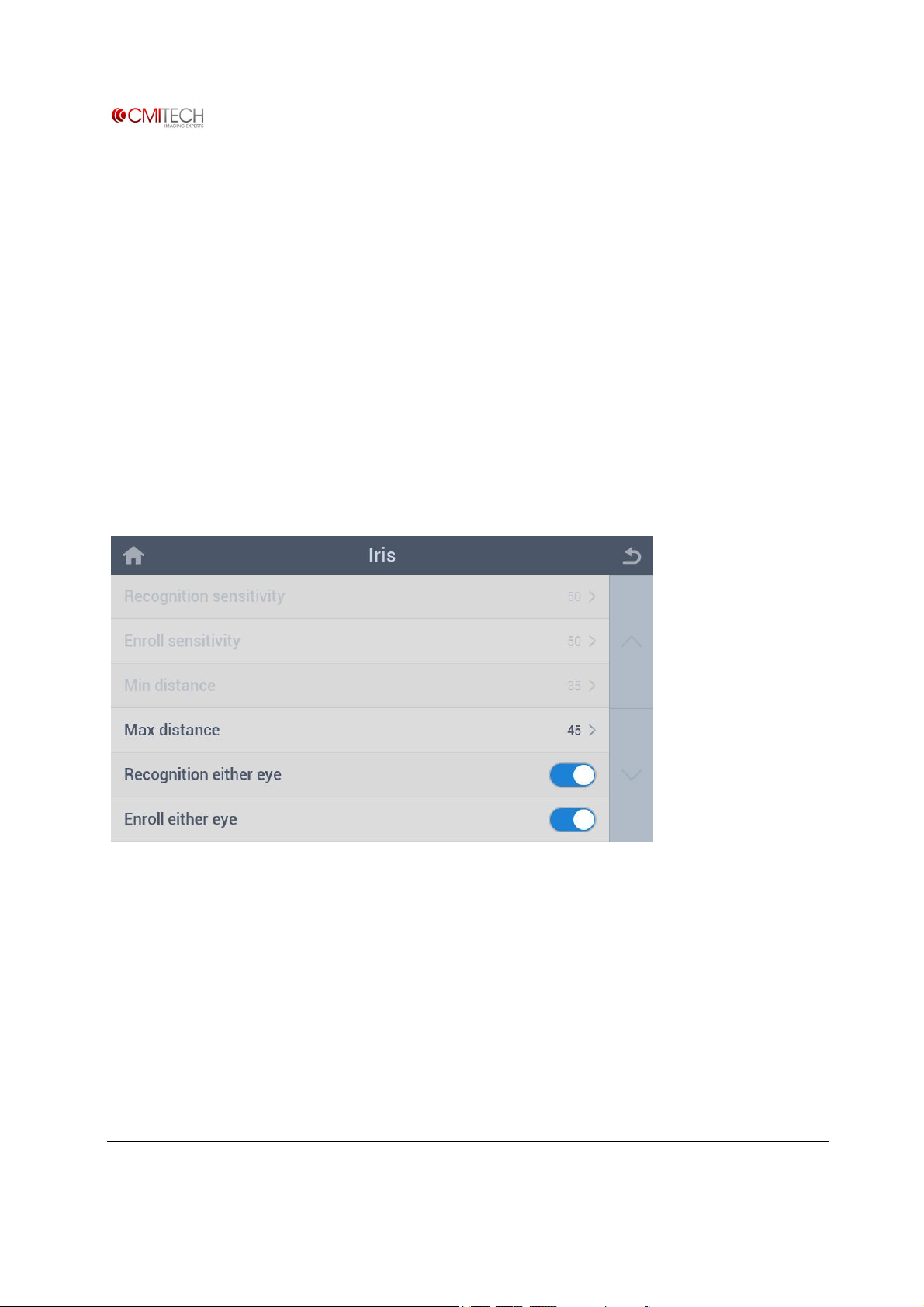
1.2.2 Bio à Iris
Max distance Set max distance for Iris recognition
Recognition either eye Select enable/disable for either eye recognition mode
Enroll either eye Select enable/disable for either eye enrollment mode
www.cmi-tech.com EF-45N User Manual, v0.1.1
Copyright 2016, all rights reserved July 2016
Page 23
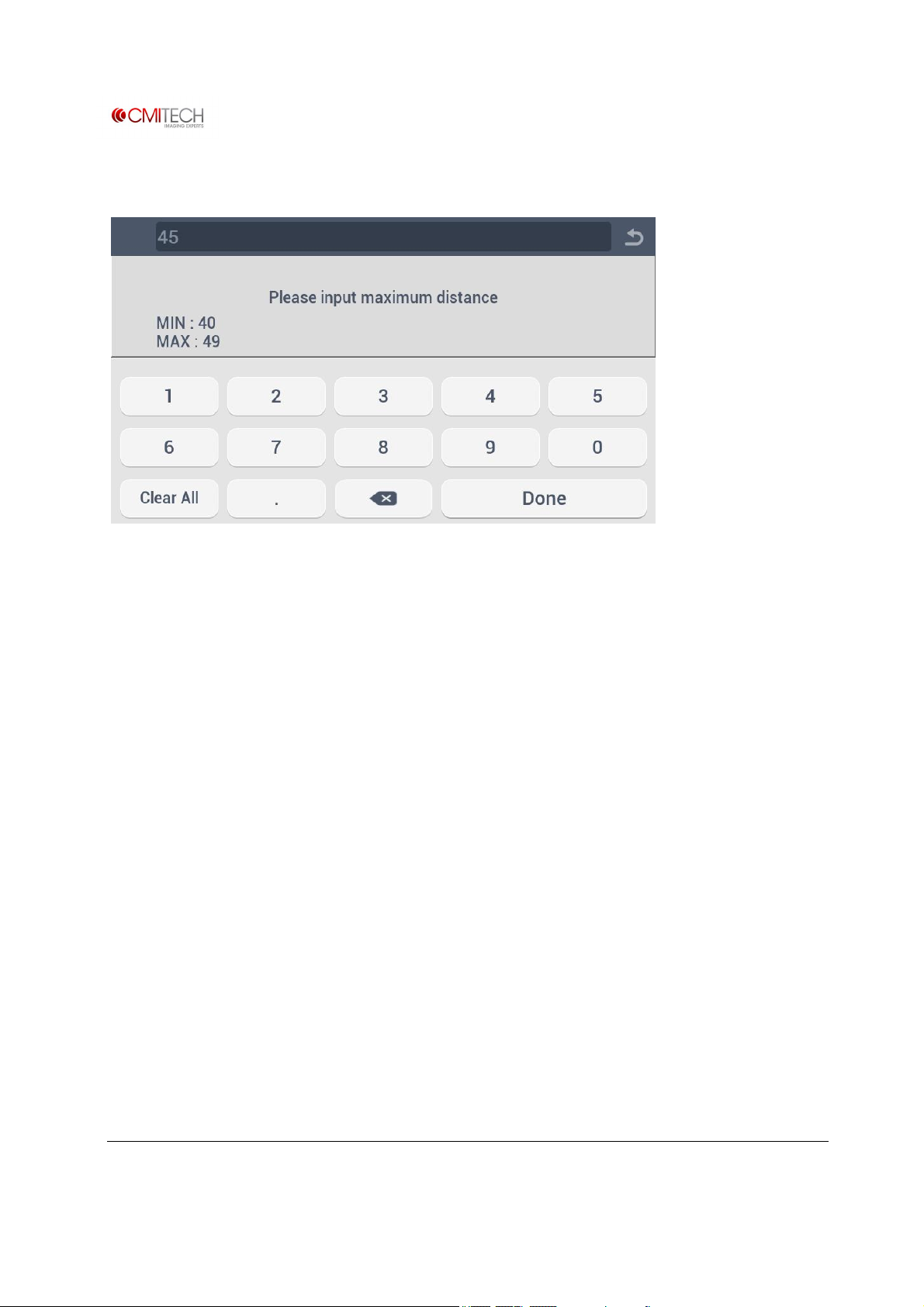
1.2.2.1 Bio à Iris à Max Distance
www.cmi-tech.com EF-45N User Manual, v0.1.1
Copyright 2016, all rights reserved July 2016
Page 24
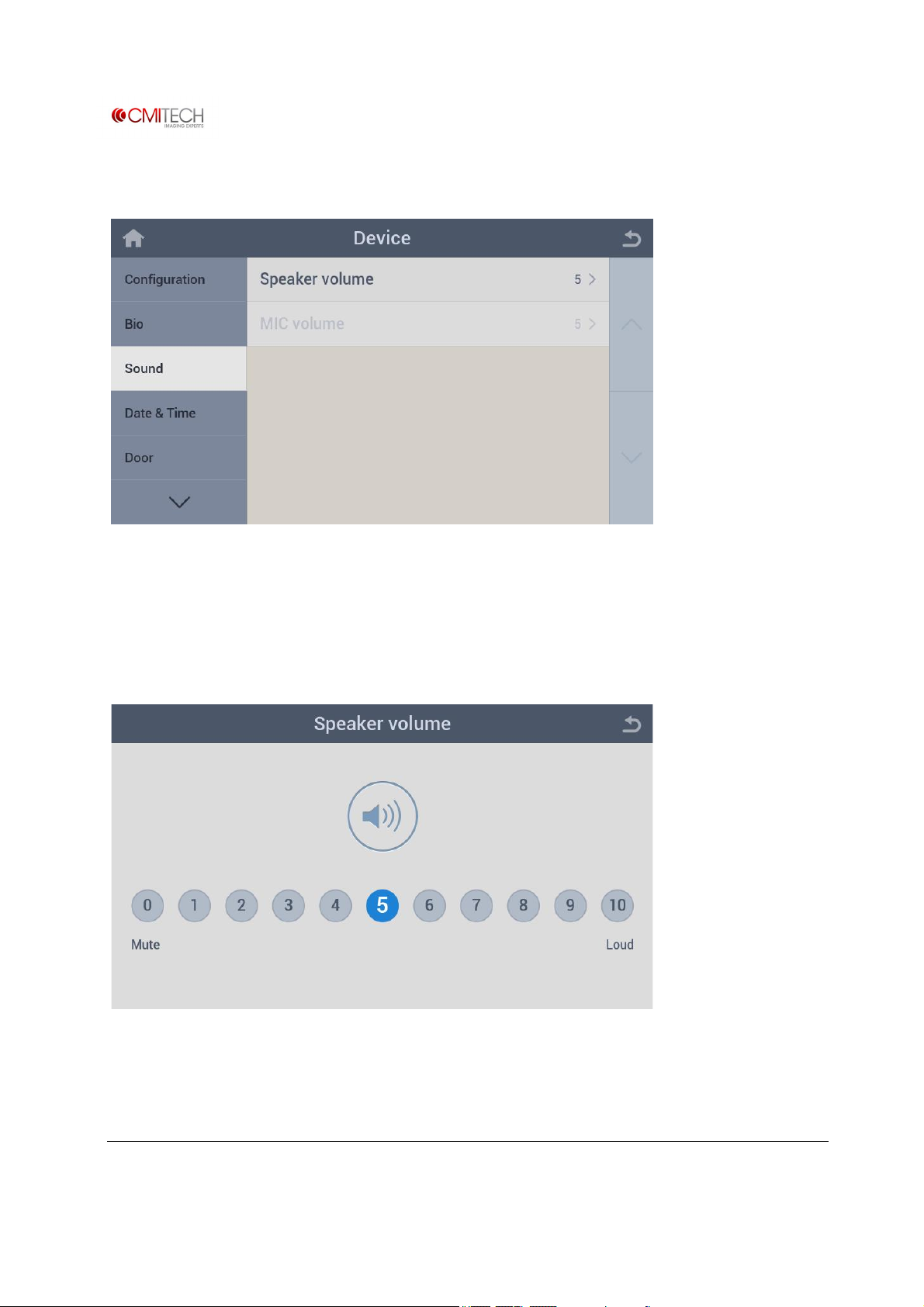
1.3 Sound
Speaker volume Set speaker volume for instruction sound and interphone voice
MIC volume Set microphone volume for interphone voice (note: in construction)
1.3.1 Sound à Speaker Volume
1.3.2 Sound à MIC Volume
Identical to settings for speaker volume
www.cmi-tech.com EF-45N User Manual, v0.1.1
Copyright 2016, all rights reserved July 2016
Page 25
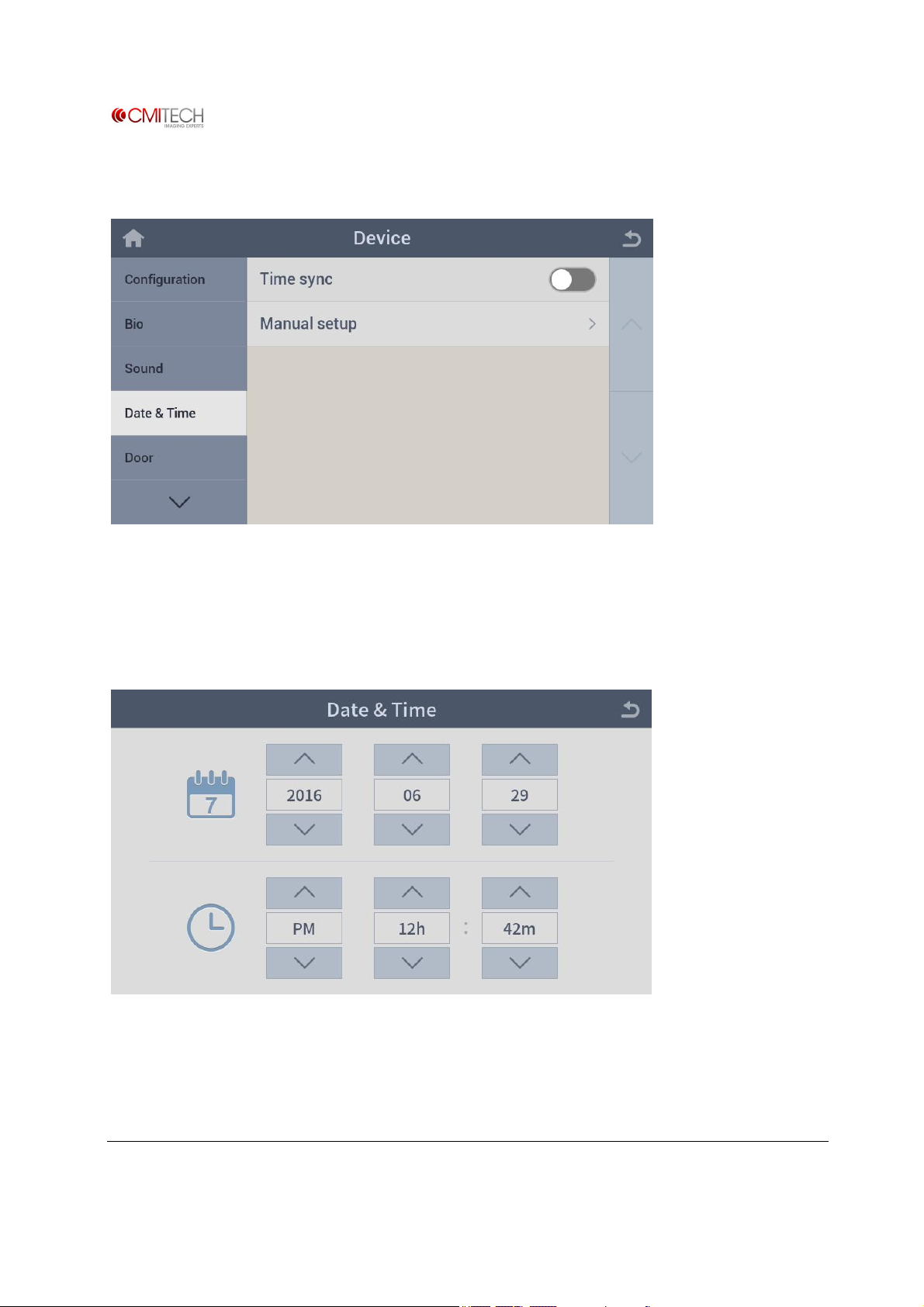
1.4 Date & Time
Time sync Select enable/disable for time sync with CMID manager
Manual setup Set date and time manually
1.4.1 Date & Time à Manual Setup
www.cmi-tech.com EF-45N User Manual, v0.1.1
Copyright 2016, all rights reserved July 2016
Page 26
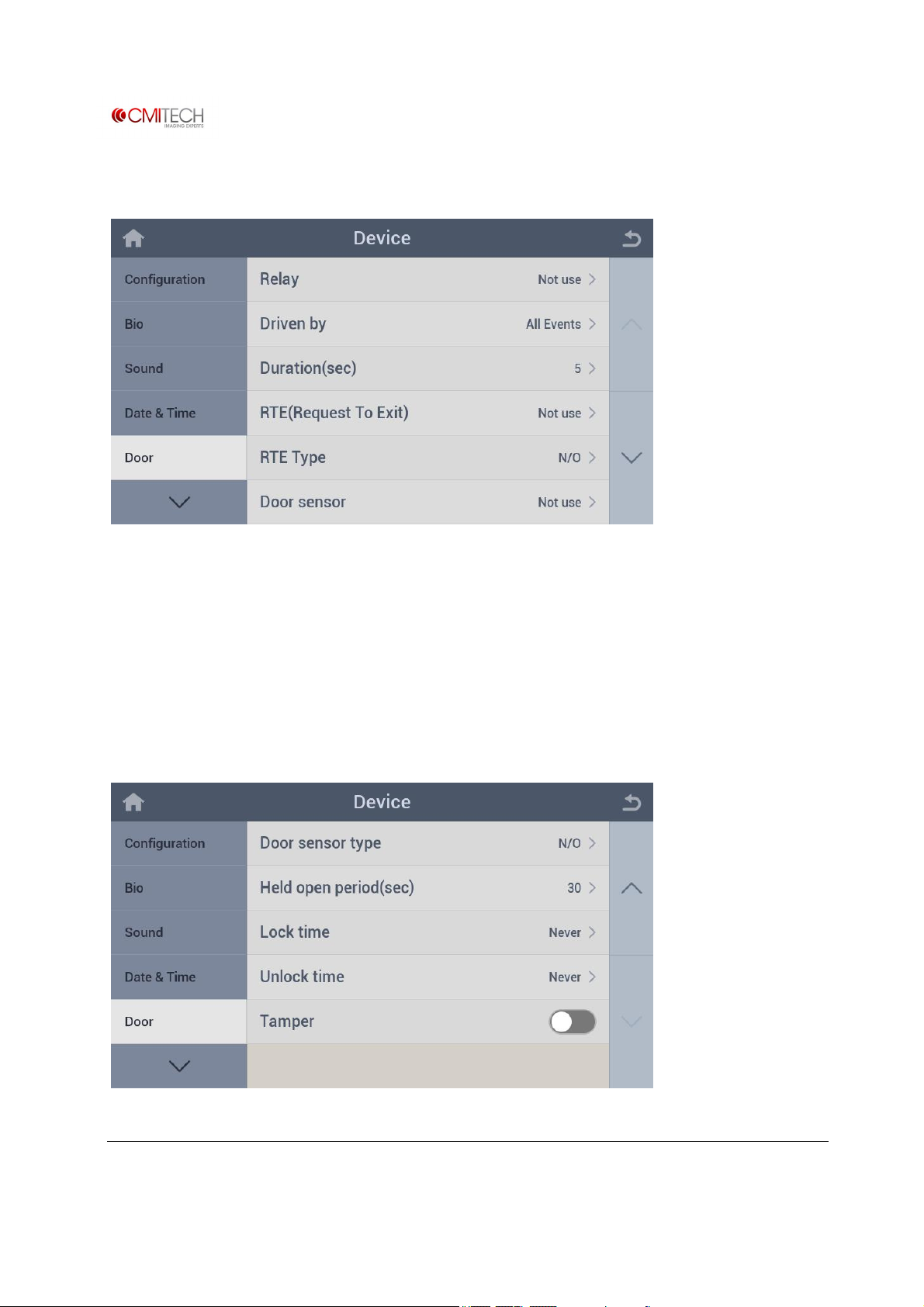
1.5 Door
Relay Select a door open relay
Driven by Select an event mode for door open relay
Duration (sec) Set time duration for door open relay operation
RTE (Request to Exit) Select a door exit button (Note: in construction)
RTE Type Select a door exit button operating type (Note: in construction)
Door sensor Select a door sensor (Note: in construction)
www.cmi-tech.com EF-45N User Manual, v0.1.1
Copyright 2016, all rights reserved July 2016
Page 27
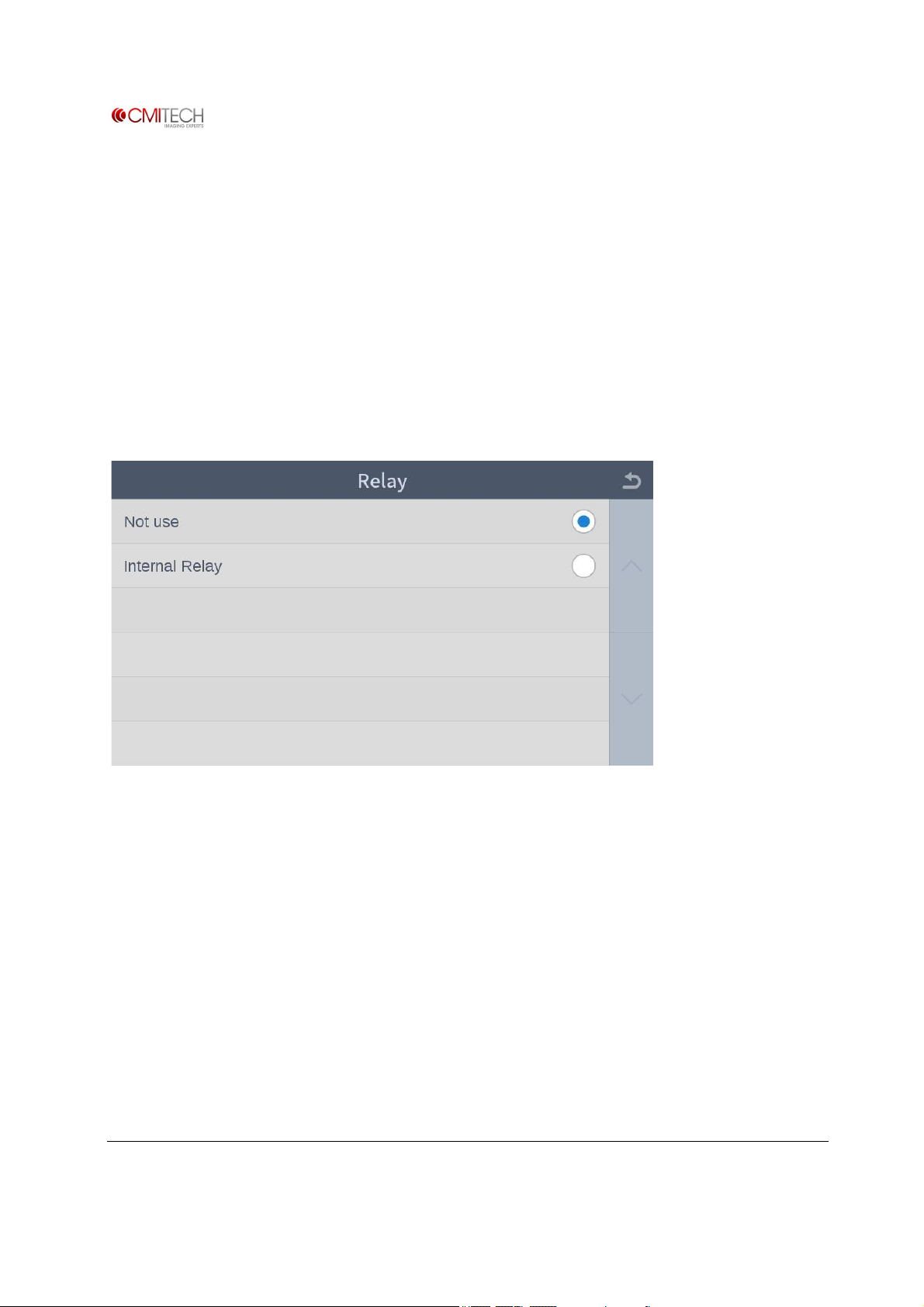
Door sensor type Select door sensor operating type (note: in construction)
Held open period (sec) Set time duration for door open operation (note: in construction)
Lock time Set door lock time (note: in construction)
Unlock time Set door unlock time (note: in construction)
Tamper Select enable/disable for tamper (off the wall detection) operation
1.5.1 Door à Relay
Not use Select not use
Internal Relay Select internal relay
www.cmi-tech.com EF-45N User Manual, v0.1.1
Copyright 2016, all rights reserved July 2016
Page 28
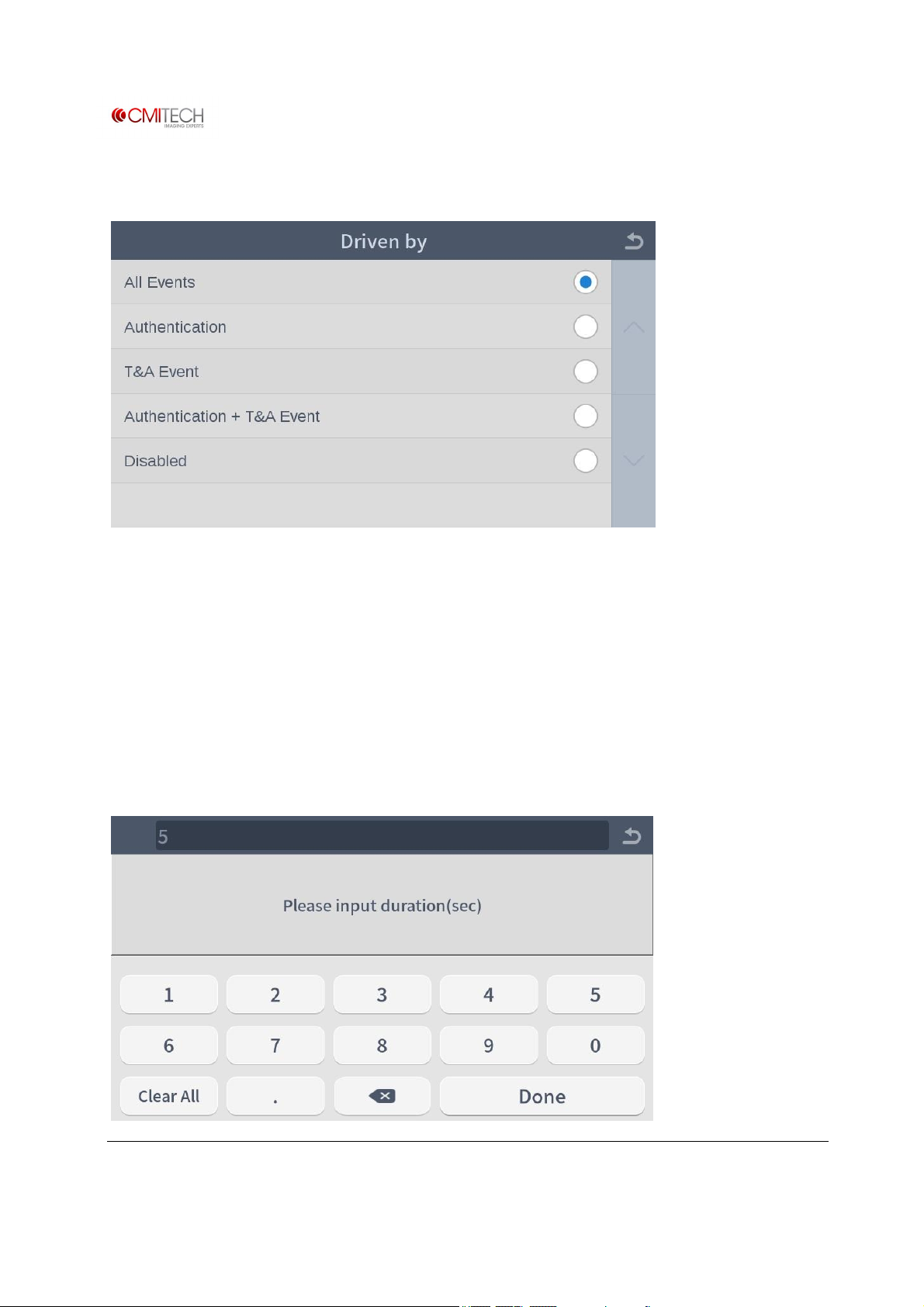
1.5.2 Door à Driven by
All Events Select door open for all events
Authentication Select door open for authentication event
T&A Event Select door open for T&A event
Authentication + T&A Event Select door open for authentication plus T&A event
Disabled Select door open disable
1.5.3 Door à Duration (sec)
www.cmi-tech.com EF-45N User Manual, v0.1.1
Copyright 2016, all rights reserved July 2016
Page 29
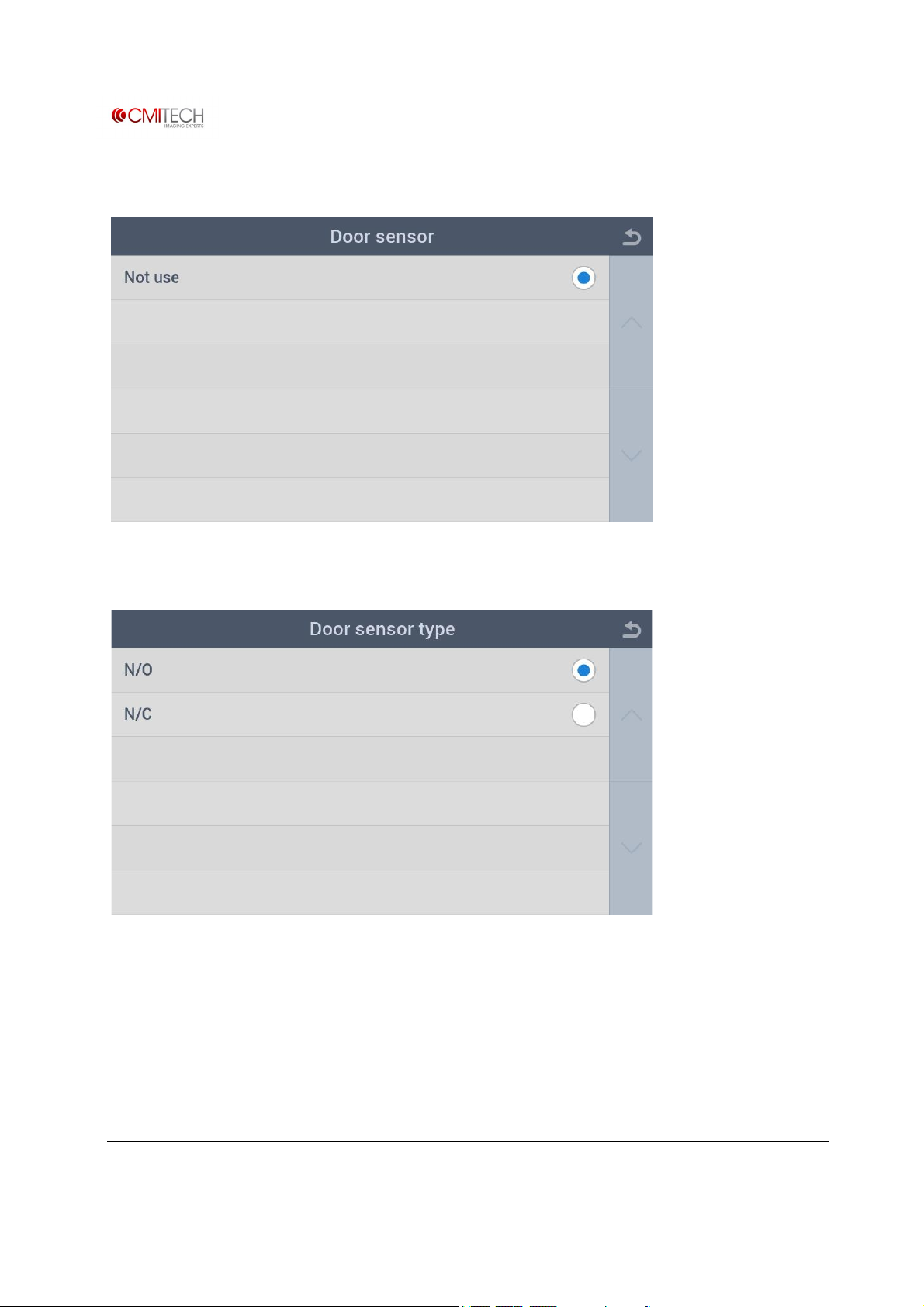
1.5.4 Door à Door Sensor
1.5.5 Door à Door Sensor Type
N/O Select door exit button sensor as Normal Open type
N/C Select door exit button sensor as Normal Close type
www.cmi-tech.com EF-45N User Manual, v0.1.1
Copyright 2016, all rights reserved July 2016
Page 30
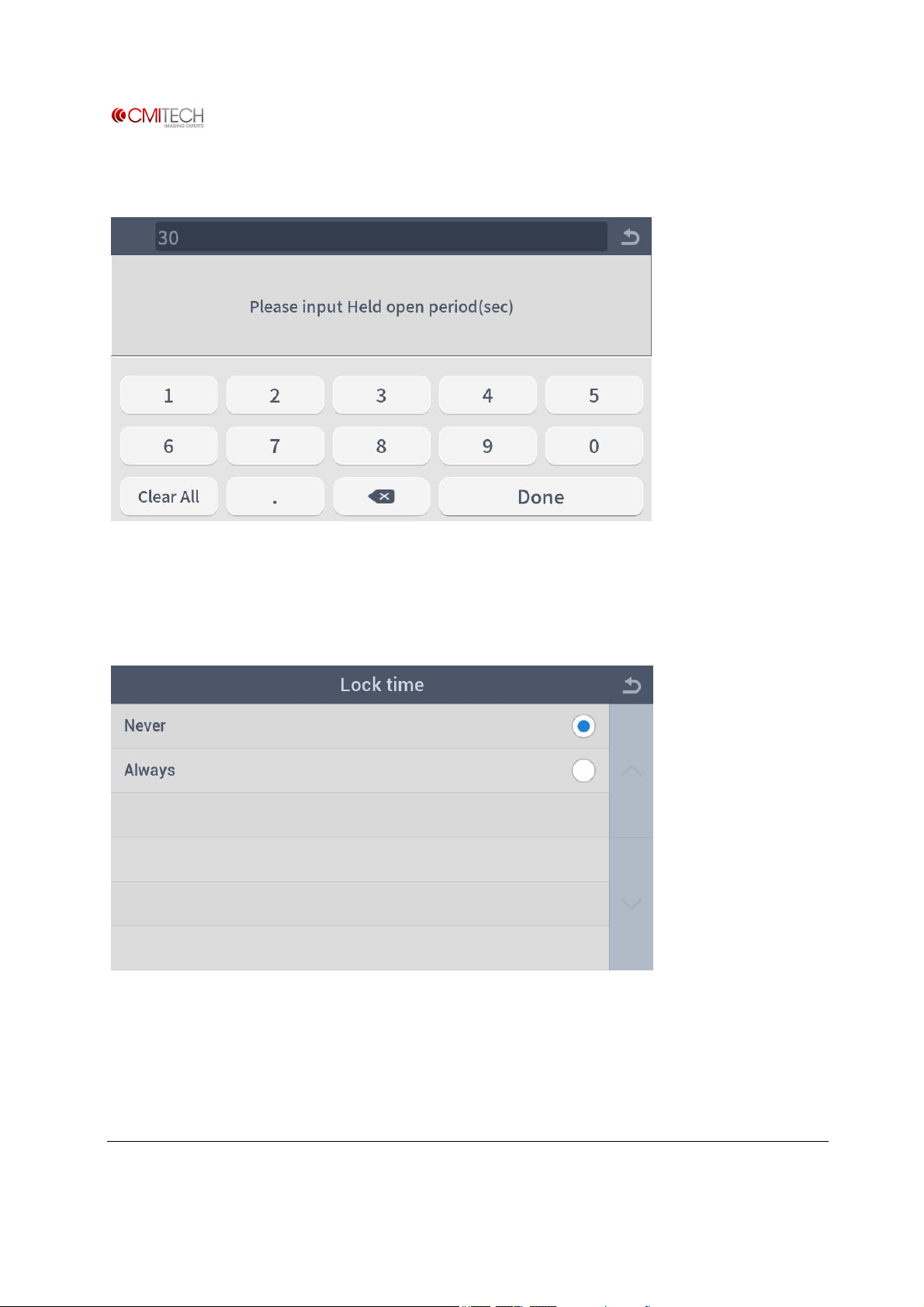
1.5.6 Door à Held Open Period (sec)
1.5.7 Door à Lock Time
Never Select door lock time -- never
Always Select door lock time -- always
www.cmi-tech.com EF-45N User Manual, v0.1.1
Copyright 2016, all rights reserved July 2016
Page 31
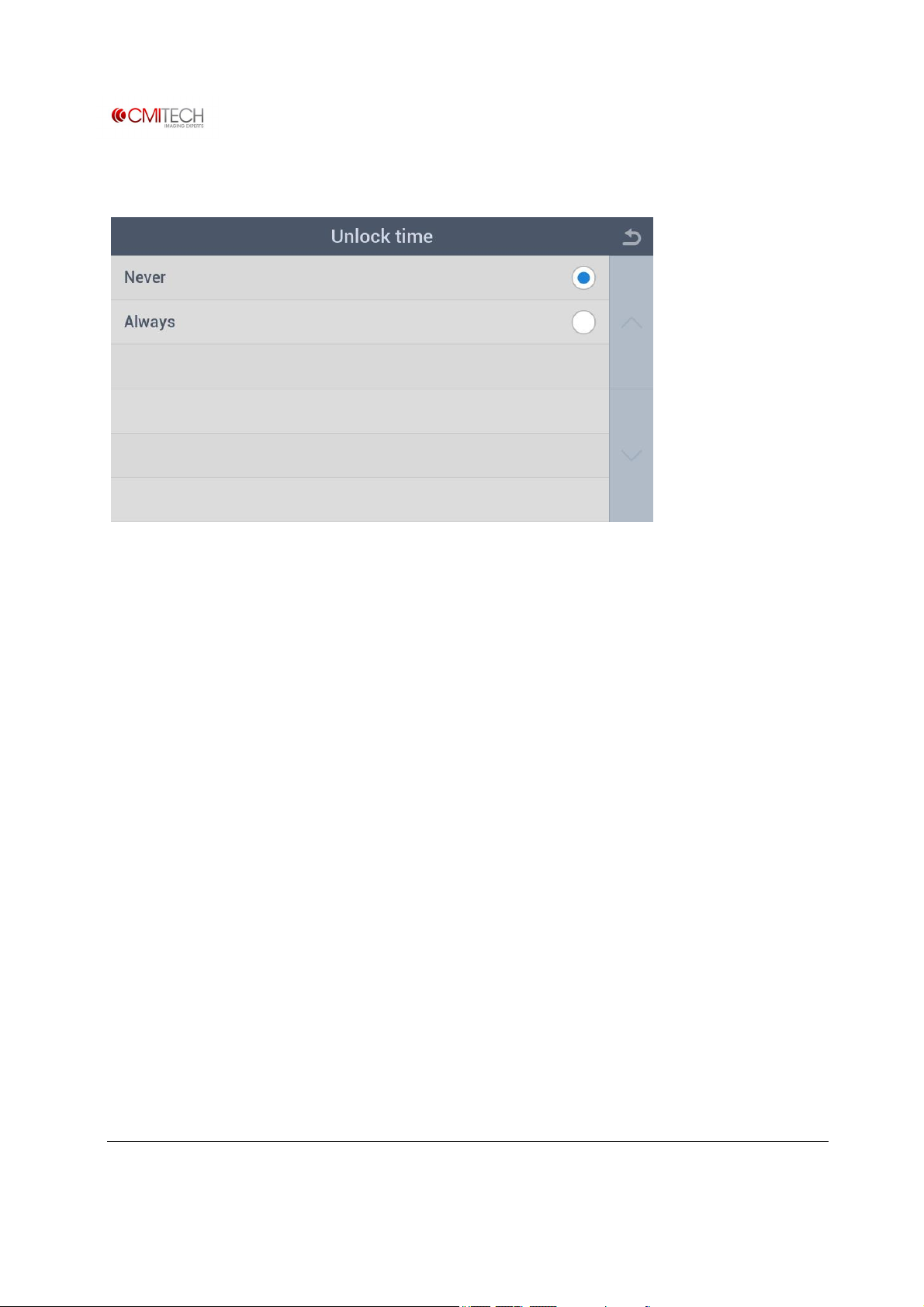
1.5.8 Door à Unlock Time
Never Select door unlock time -- never
Always Select door unlock time -- always
www.cmi-tech.com EF-45N User Manual, v0.1.1
Copyright 2016, all rights reserved July 2016
Page 32
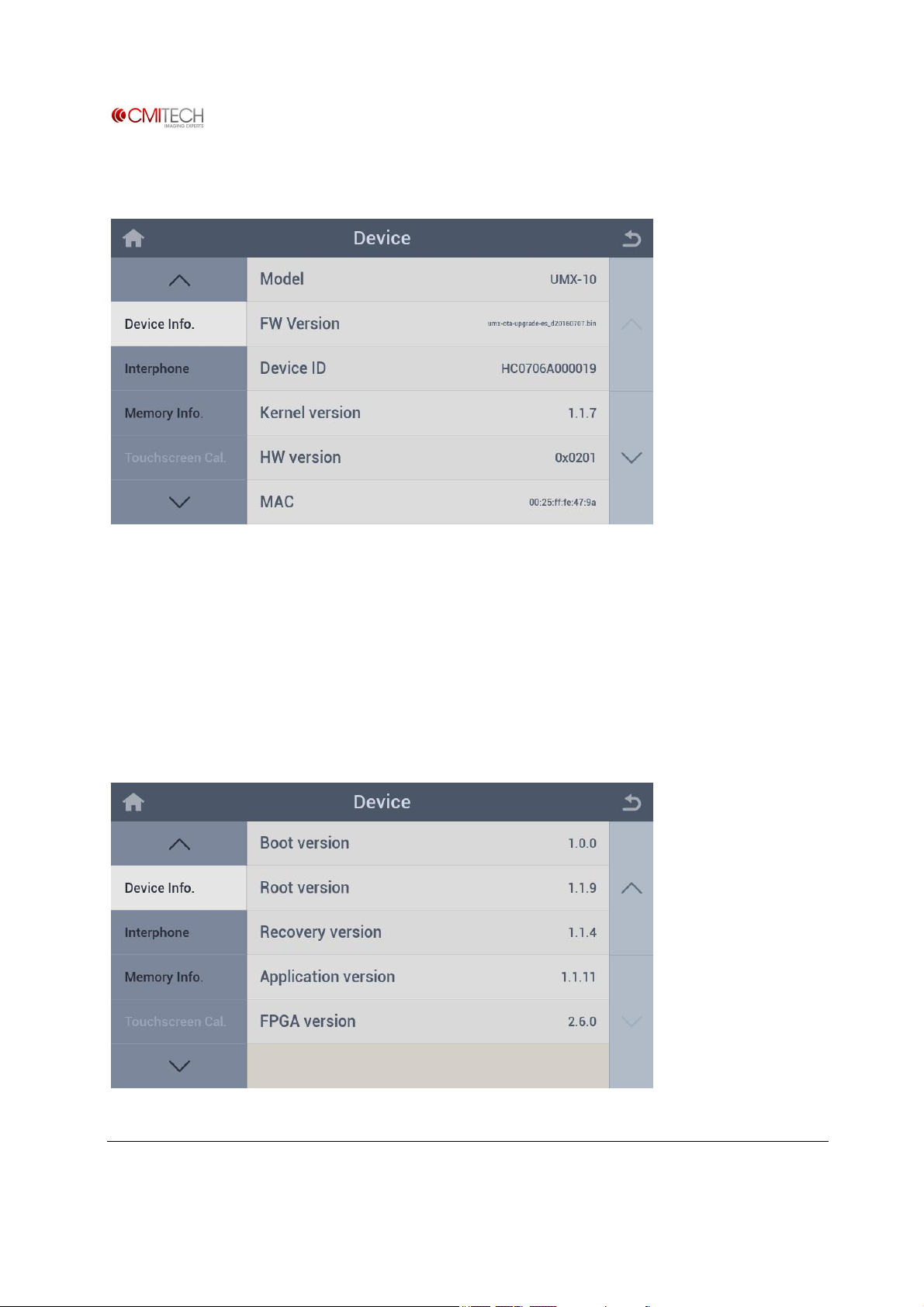
1.6 Device Info
Model Model name of this device
FW Version Version name of released firmware (F/W) file
Device ID Identification number of this device
Kernel version Revision number of kernel
HW version Revision number of hardware board
MAC MAC address of this device
www.cmi-tech.com EF-45N User Manual, v0.1.1
Copyright 2016, all rights reserved July 2016
Page 33

Boot version Revision number of boot loader
Root version Revision number of root file system
Recovery version Revision number of recovery firmware
Application version Revision number of Launcher application
FPGA version Revision number of Camera FPGA firmware
www.cmi-tech.com EF-45N User Manual, v0.1.1
Copyright 2016, all rights reserved July 2016
Page 34
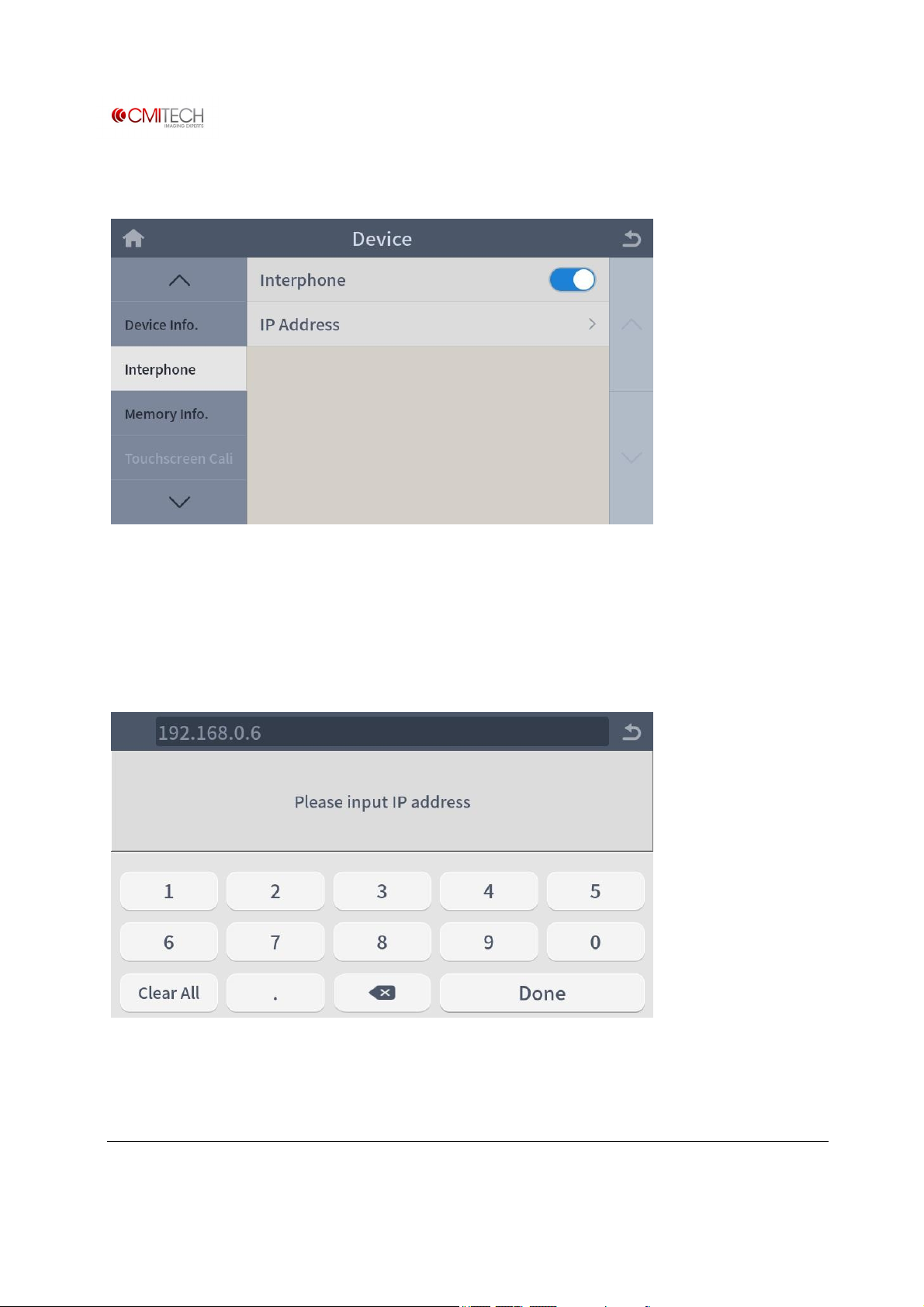
1.7 Interphone
Interphone Select enable/disable for interphone use (note: in construction)
IP Address IP address of PC which interphone program is installed (note: in
construction)
1.7.1 Interphone à IP Address
www.cmi-tech.com EF-45N User Manual, v0.1.1
Copyright 2016, all rights reserved July 2016
Page 35
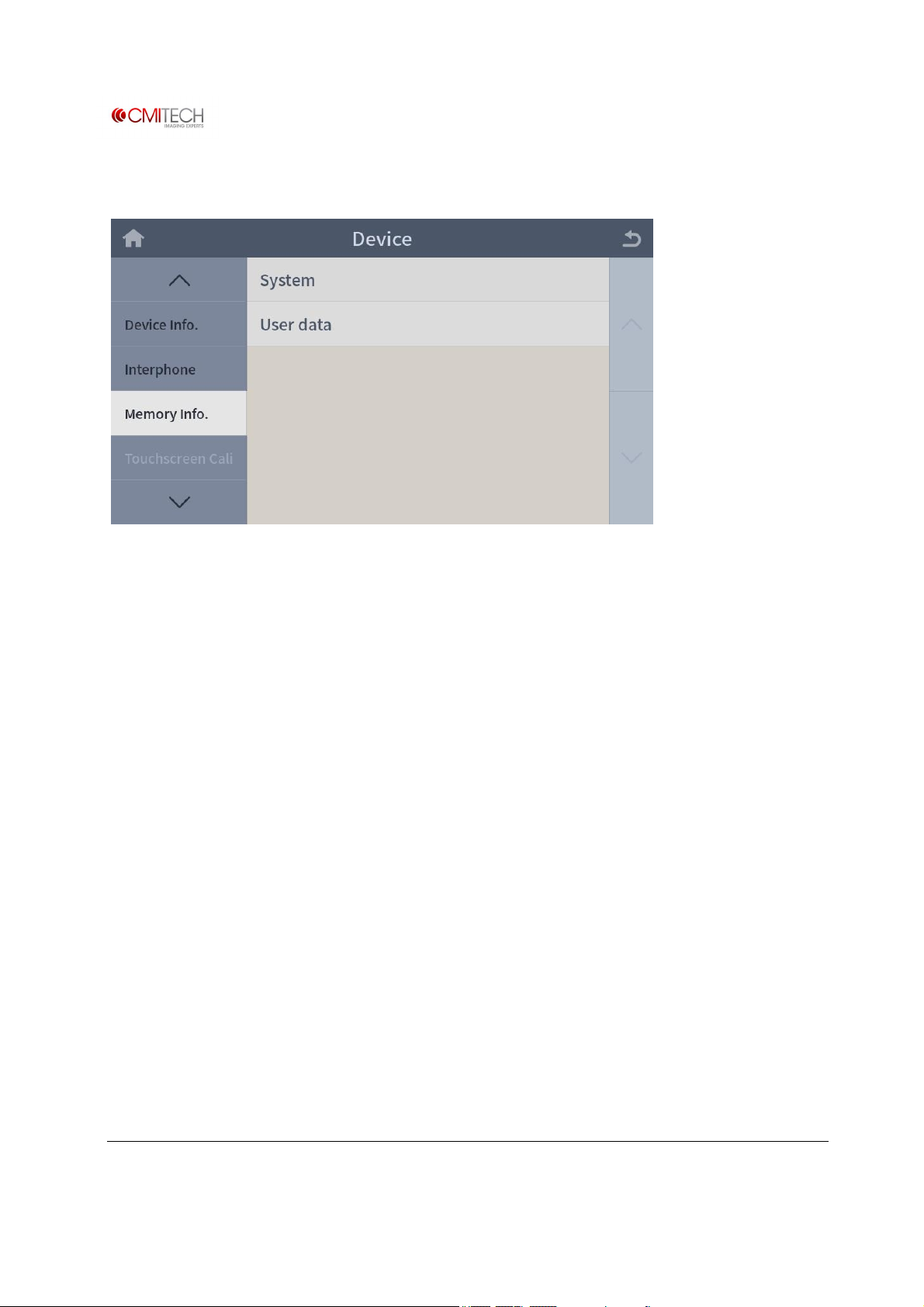
1.8 Memory Info
System Memory capacity of system area (note: in construction)
User data Memory capacity of user area (note: in construction)
www.cmi-tech.com EF-45N User Manual, v0.1.1
Copyright 2016, all rights reserved July 2016
Page 36
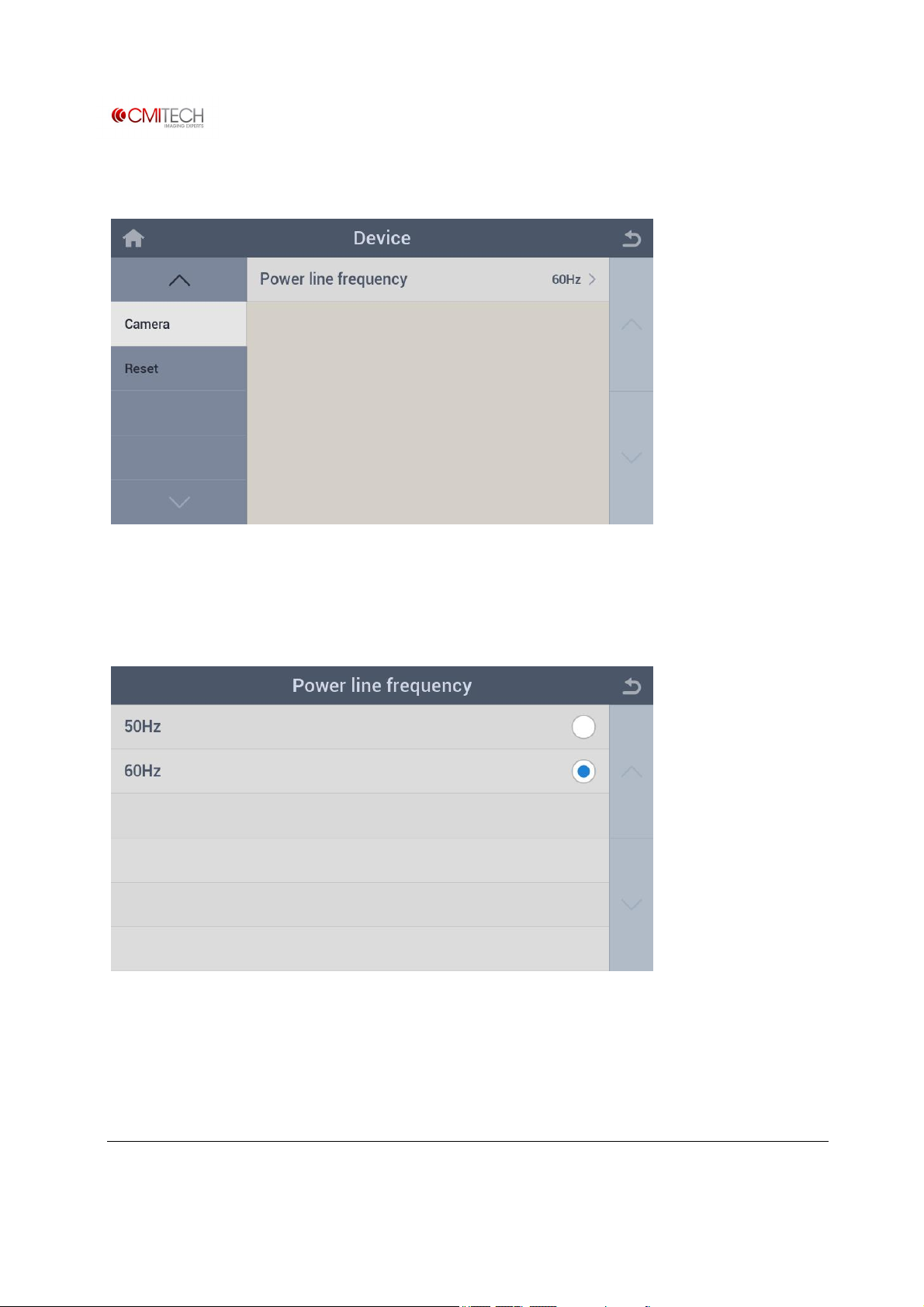
1.9 Camera
Power line frequency Select power line frequency that supplying to device
1.9.1 Camera à Power Line Frequency
50Hz Select power line frequency to 50Hz
60Hz Select power line frequency to 60Hz
www.cmi-tech.com EF-45N User Manual, v0.1.1
Copyright 2016, all rights reserved July 2016
Page 37
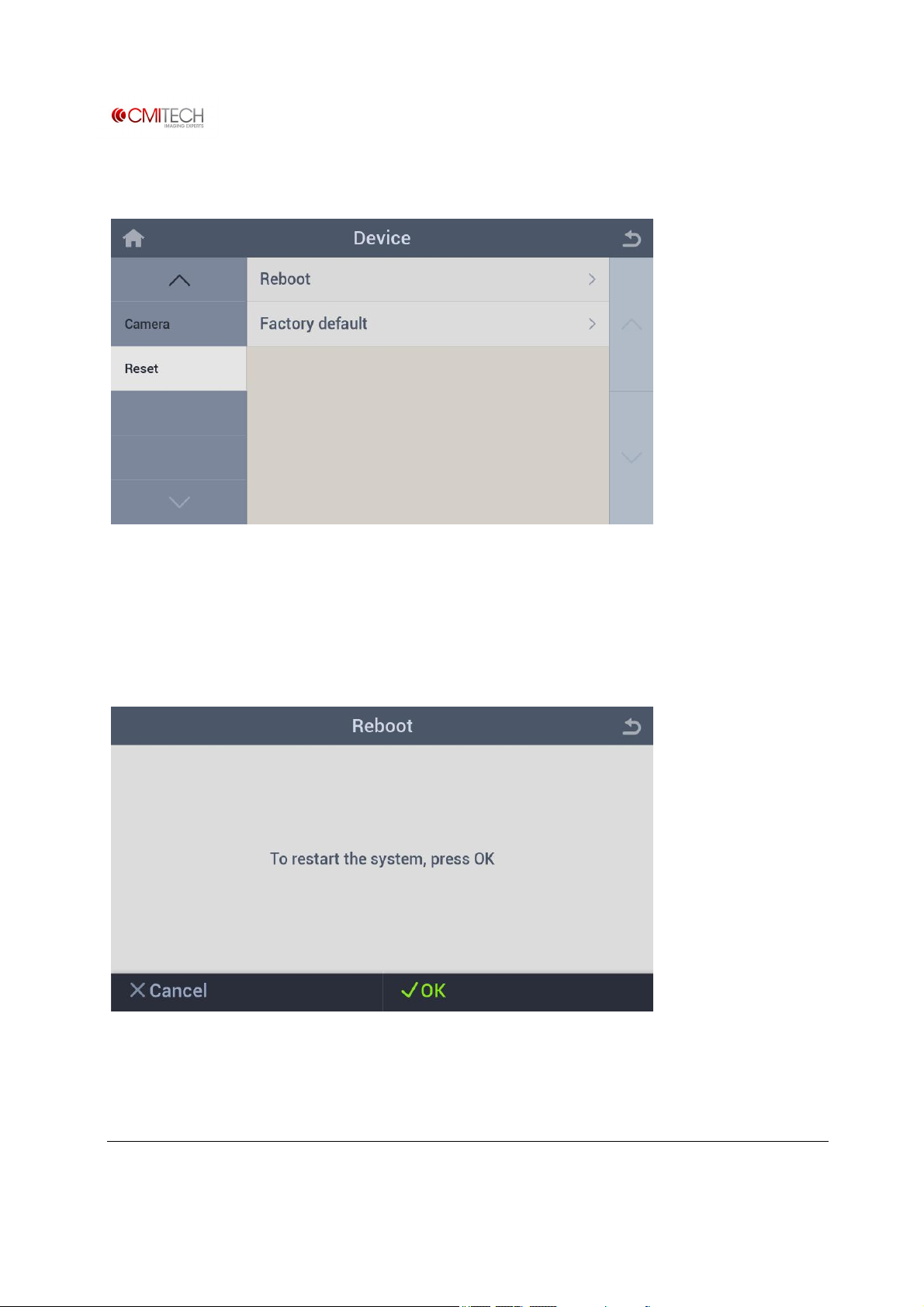
1.10 Reset
Reboot Reboot device
Factory Default Reset all configuration settings and/or delete all user data
1.10.1 Reset à Reboot
www.cmi-tech.com EF-45N User Manual, v0.1.1
Copyright 2016, all rights reserved July 2016
Page 38
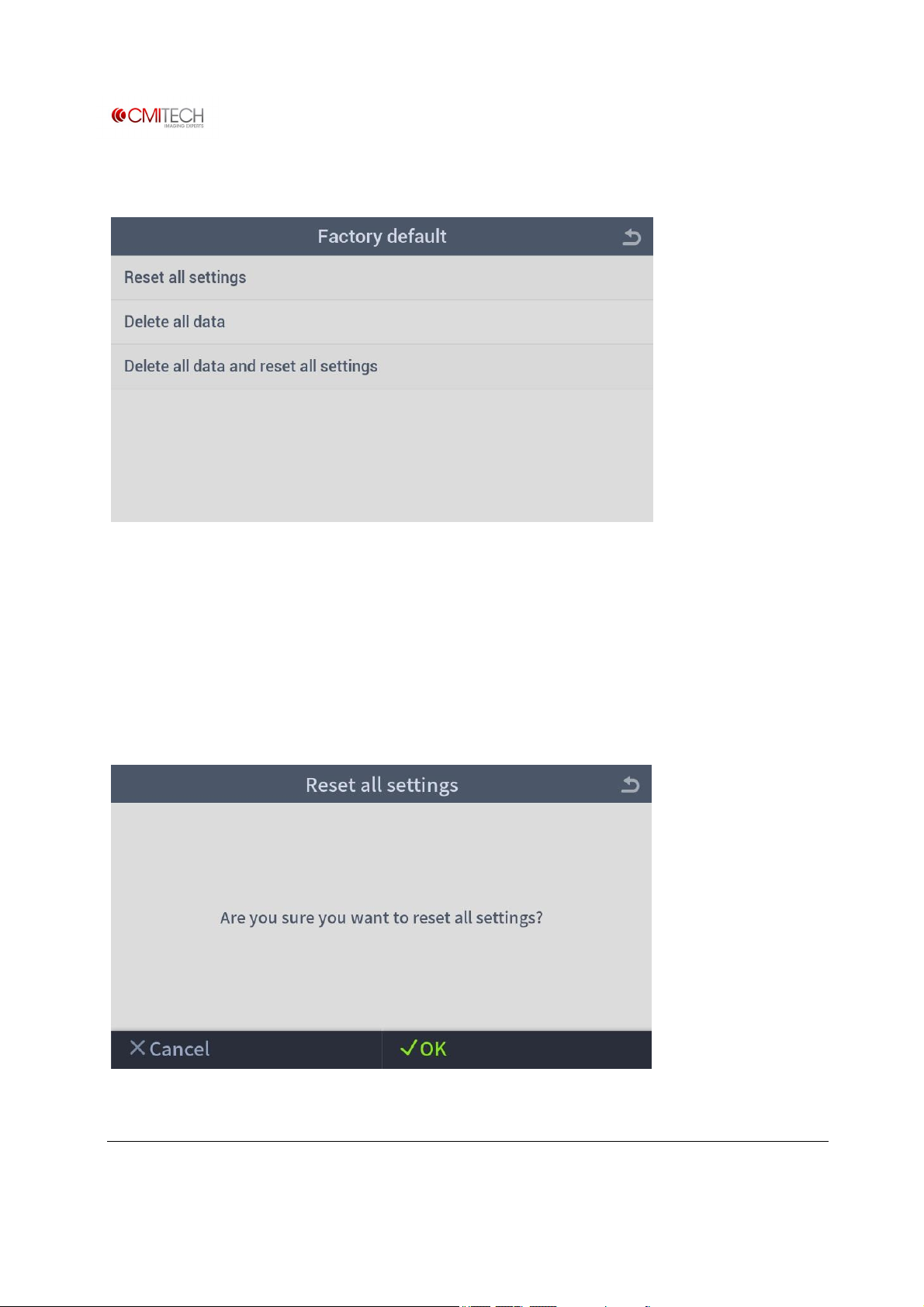
1.10.2 Reset à Factory Default
Reset all settings Reset all configuration settings
Delete all data Delete all user data
Delete all data and reset all configuration settings Reset all configuration settings and delete
all user data
1.10.2.1 Reset à Factory Default à Reset All Settings
www.cmi-tech.com EF-45N User Manual, v0.1.1
Copyright 2016, all rights reserved July 2016
Page 39
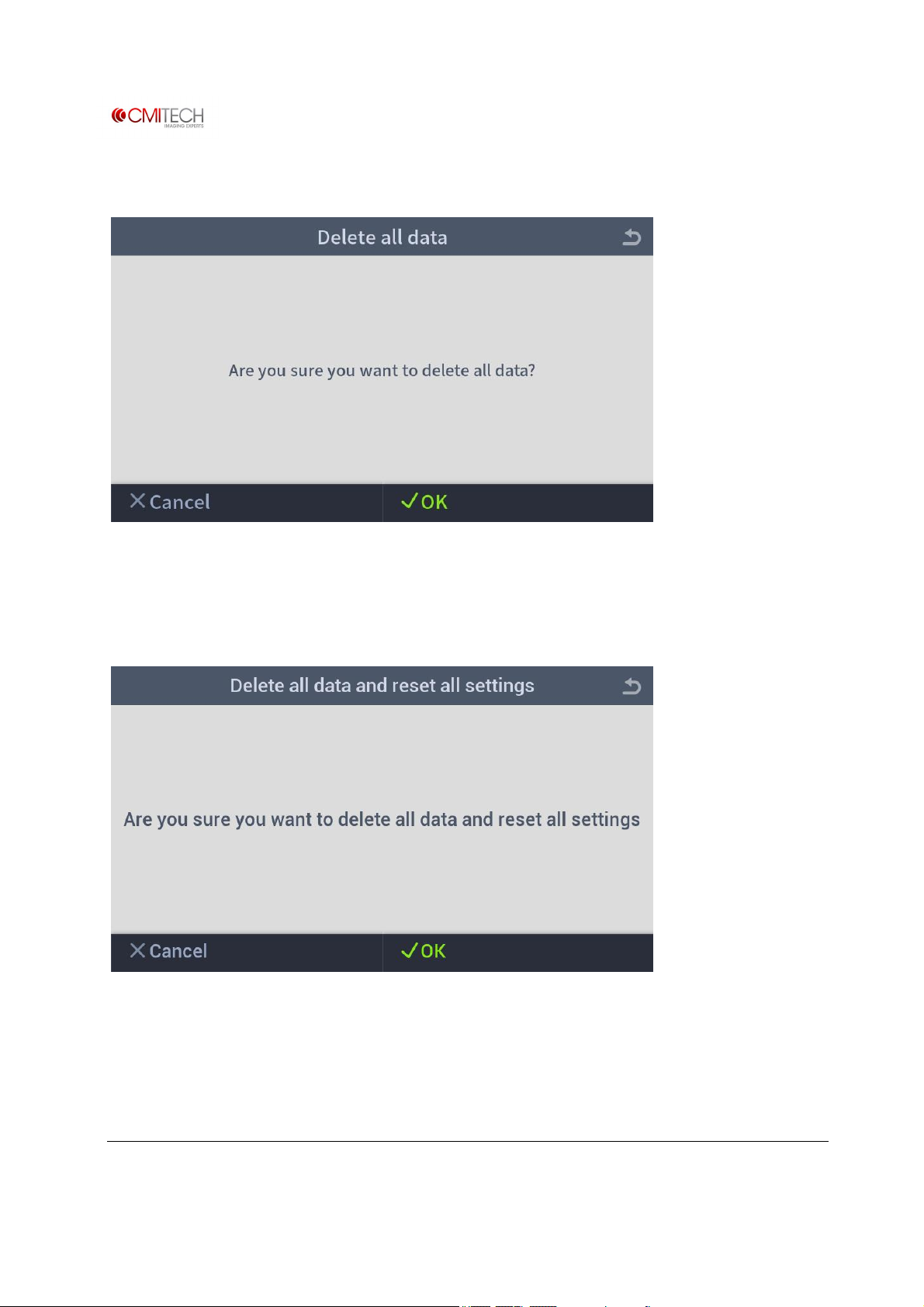
1.10.2.2 Reset à Factory Default à Delete All Data
1.10.2.3 Reset à Factory Default à Delete All Data and Reset All Settings
www.cmi-tech.com EF-45N User Manual, v0.1.1
Copyright 2016, all rights reserved July 2016
Page 40
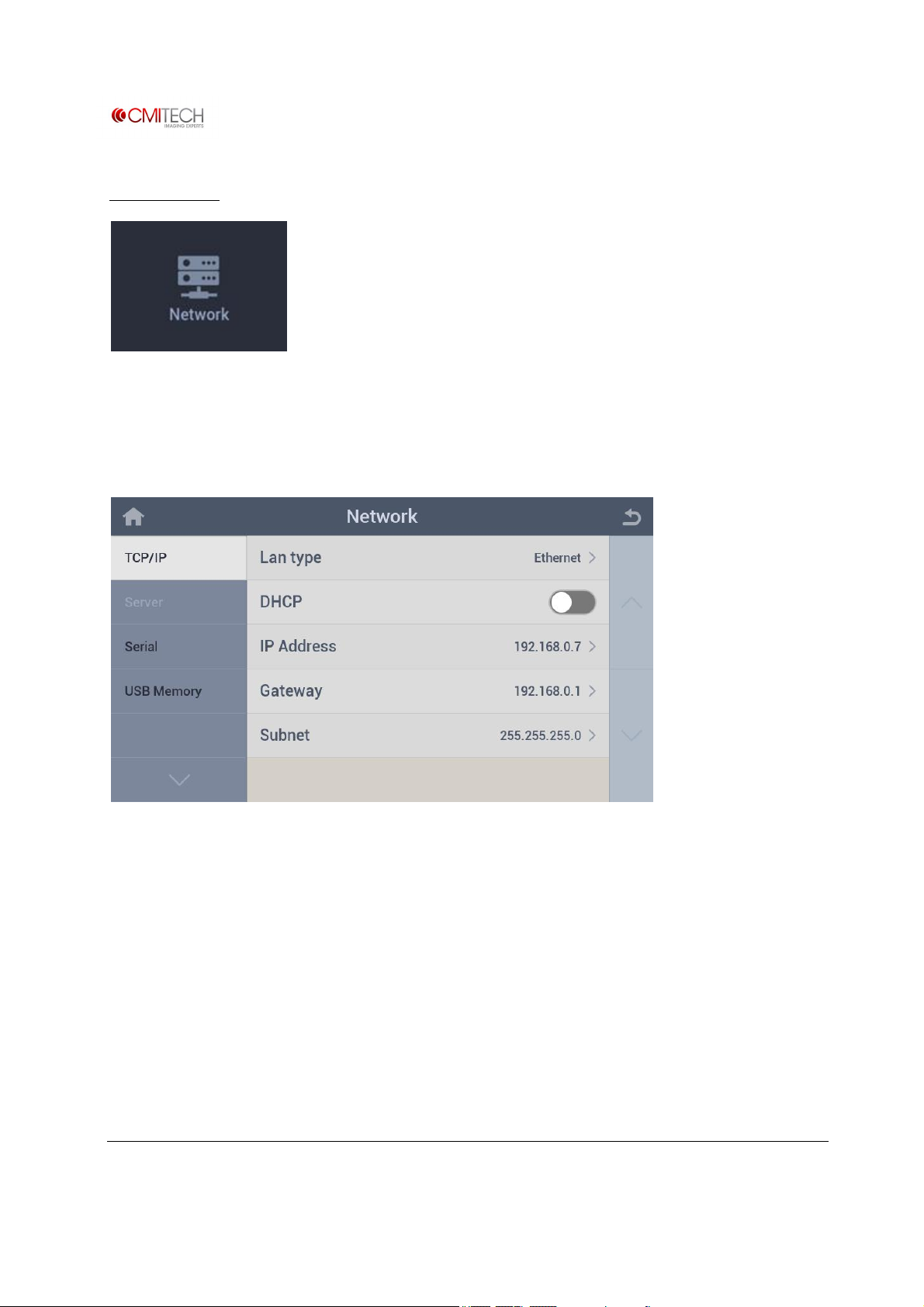
2 Network
Configure settings for IP and serial communication.
2.1 TCP/IP
LAN type Select a type of LAN
DHCP Select enable/disable DHCP mode
IP Address Set static IP address
Gateway Set static gateway IP address
Subnet Set static subnet mask
www.cmi-tech.com EF-45N User Manual, v0.1.1
Copyright 2016, all rights reserved July 2016
Page 41
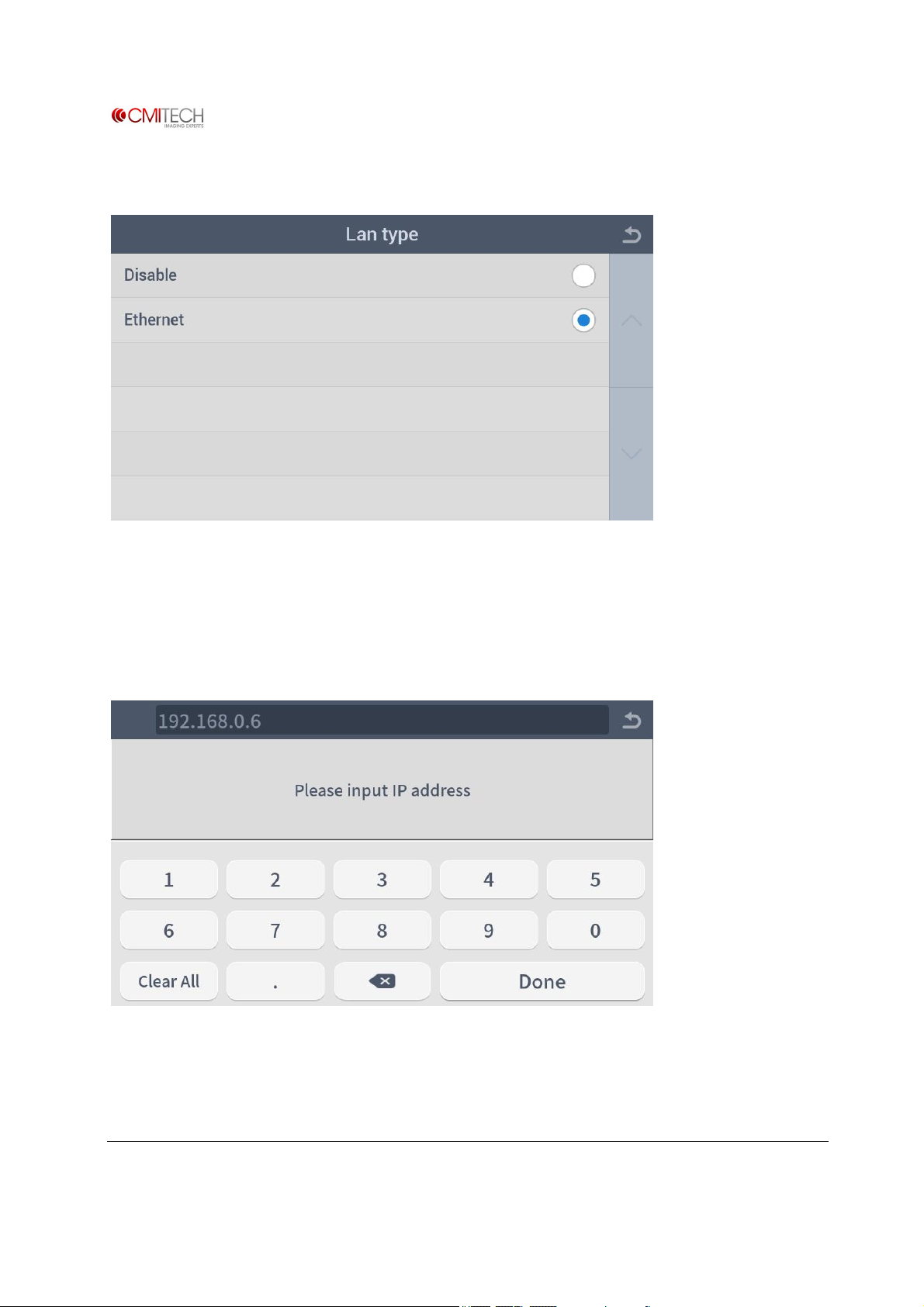
2.1.1 TCP/IP à LAN Type
Disable Disable LAN use
Ethernet Select Ethernet for LAN use
2.1.2 TCP/IP à IP Address
www.cmi-tech.com EF-45N User Manual, v0.1.1
Copyright 2016, all rights reserved July 2016
Page 42
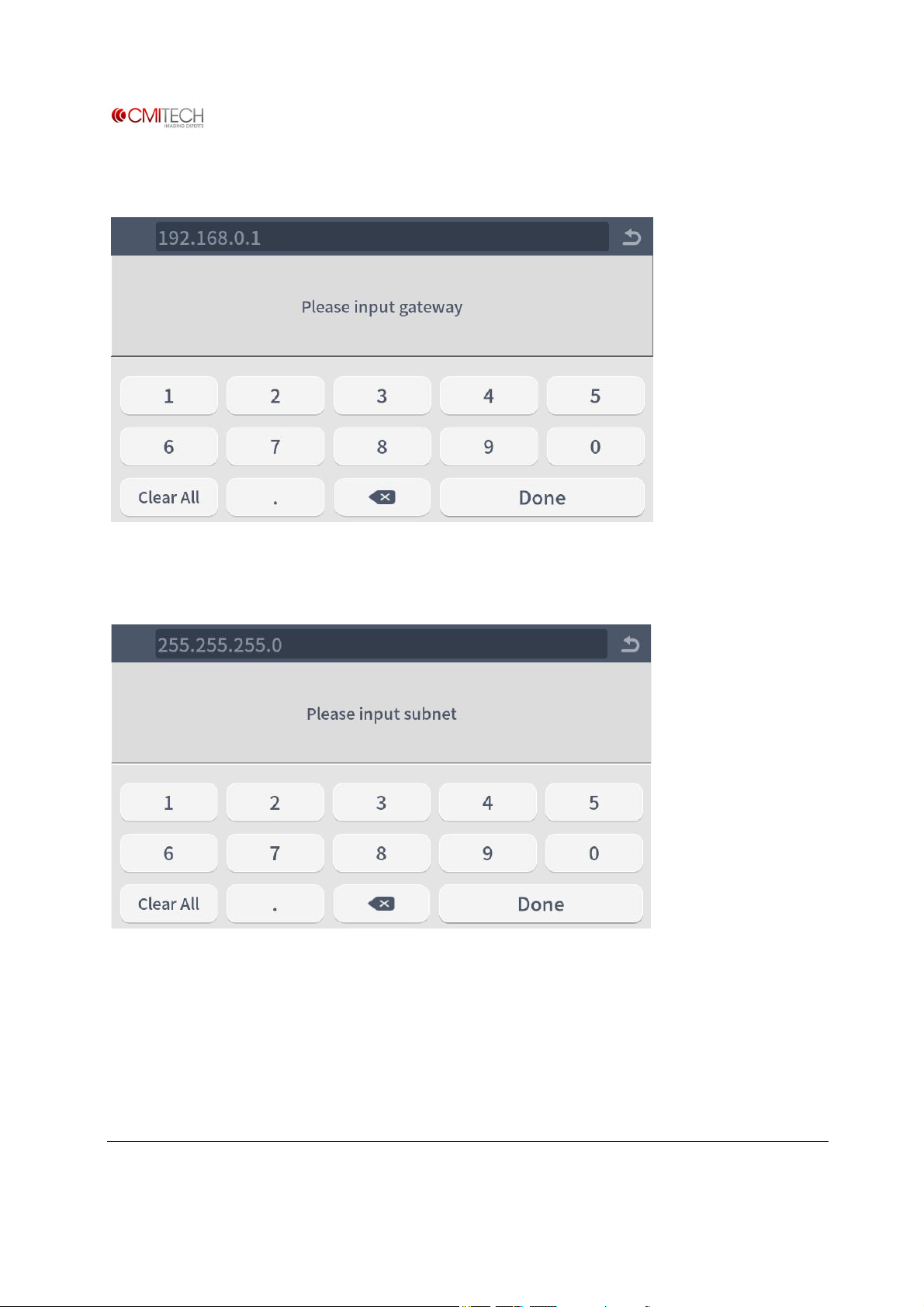
2.1.3 TCP/IP à Gateway
2.1.4 TCP/IP à Subnet
www.cmi-tech.com EF-45N User Manual, v0.1.1
Copyright 2016, all rights reserved July 2016
Page 43
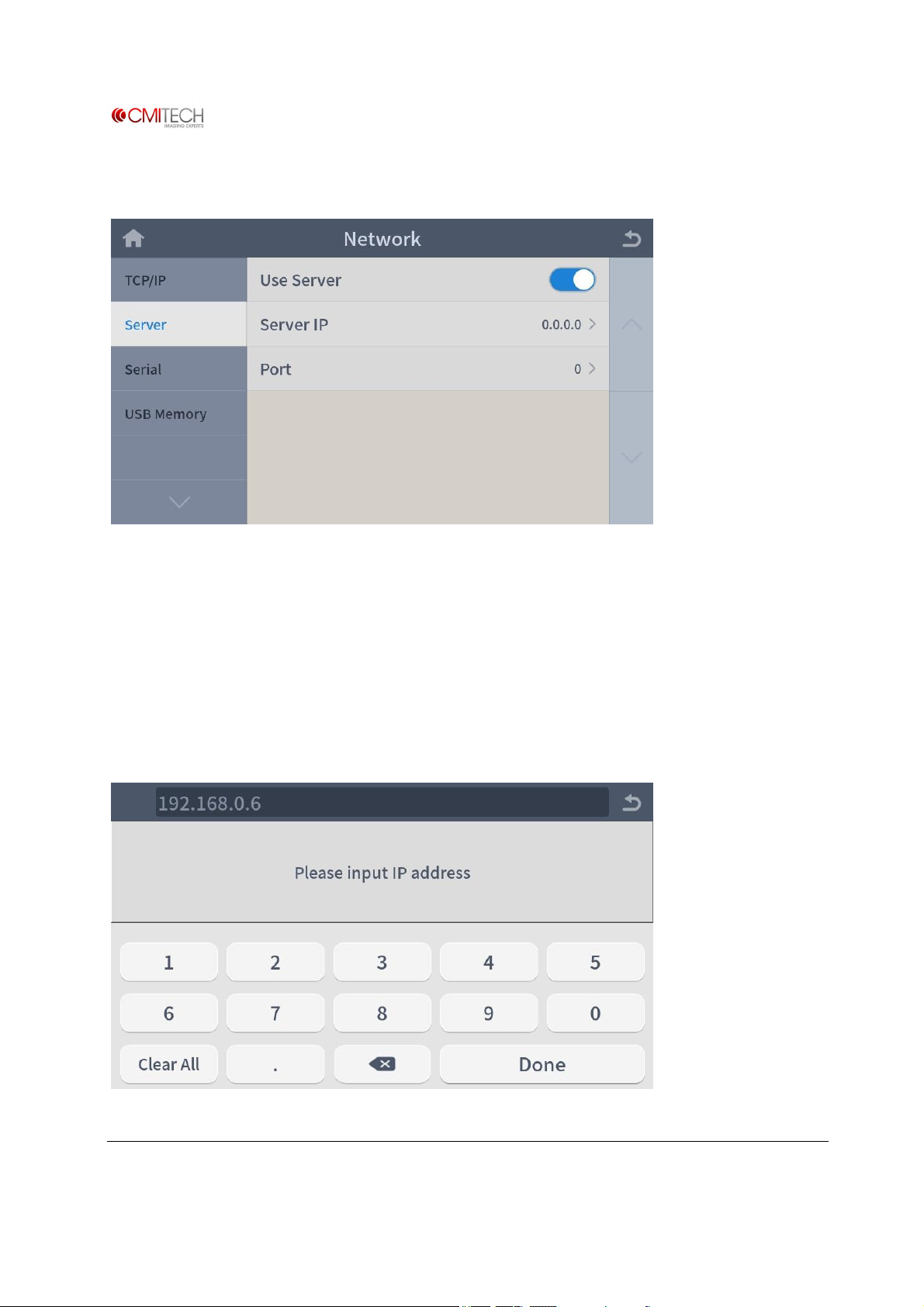
2.2 Server
(Currently settled server is CMID PC for time sync)
Use Server Select enable/disable for server use (Note: In construction)
Server IP Set IP address of server (Note: In construction)
Port (Note: To be eliminated)
2.2.1 Server à Server IP
www.cmi-tech.com EF-45N User Manual, v0.1.1
Copyright 2016, all rights reserved July 2016
Page 44
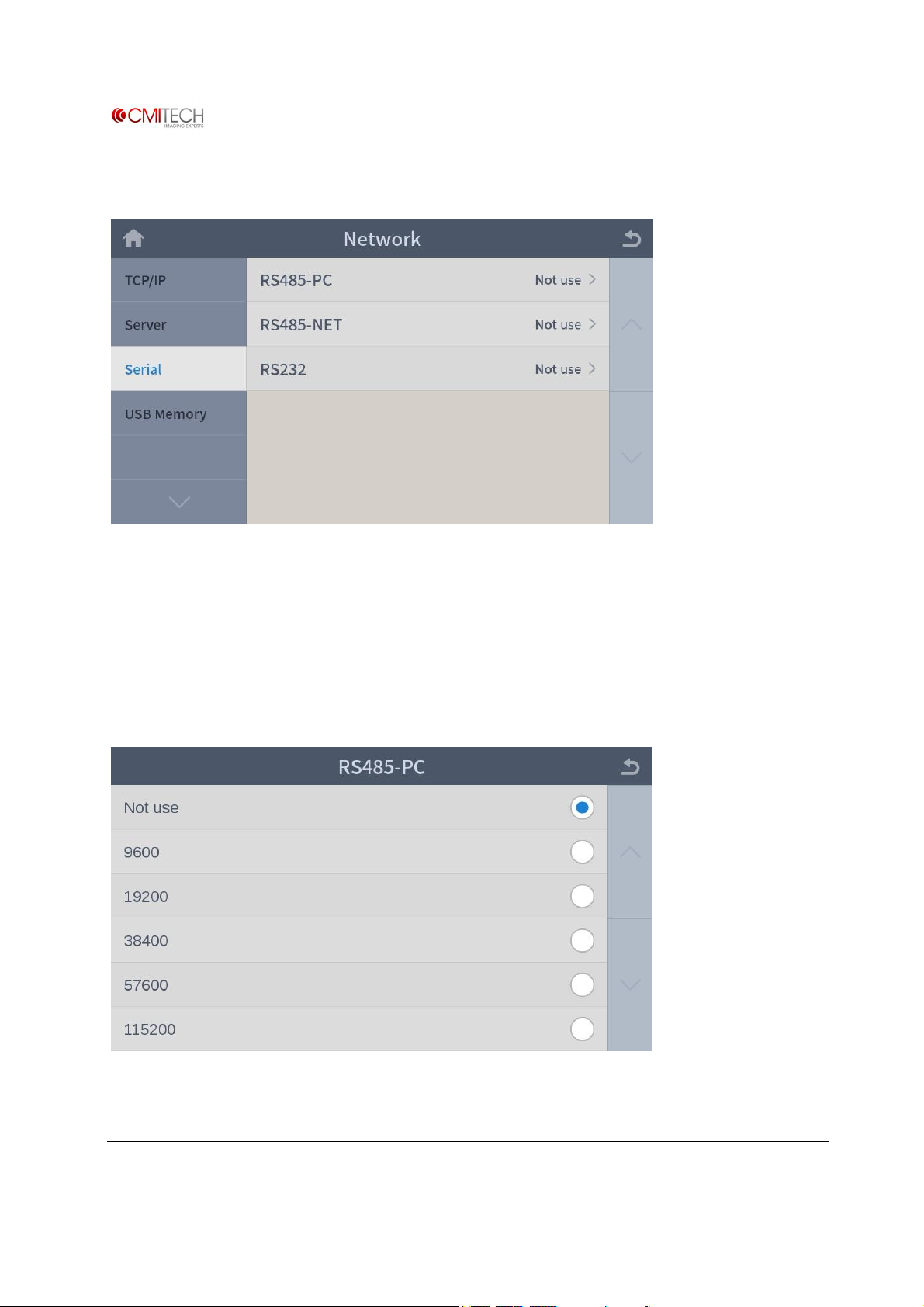
2.3 Serial
RS485-PC Select a baud rate for RS485 (note: in construction)
RS485-NET Select an operating mode for RS485 (note: in construction)
RS232 Select a baud rate for RS232 (note: in construction)
2.3.1 Serial à RS485-PC
www.cmi-tech.com EF-45N User Manual, v0.1.1
Copyright 2016, all rights reserved July 2016
Page 45
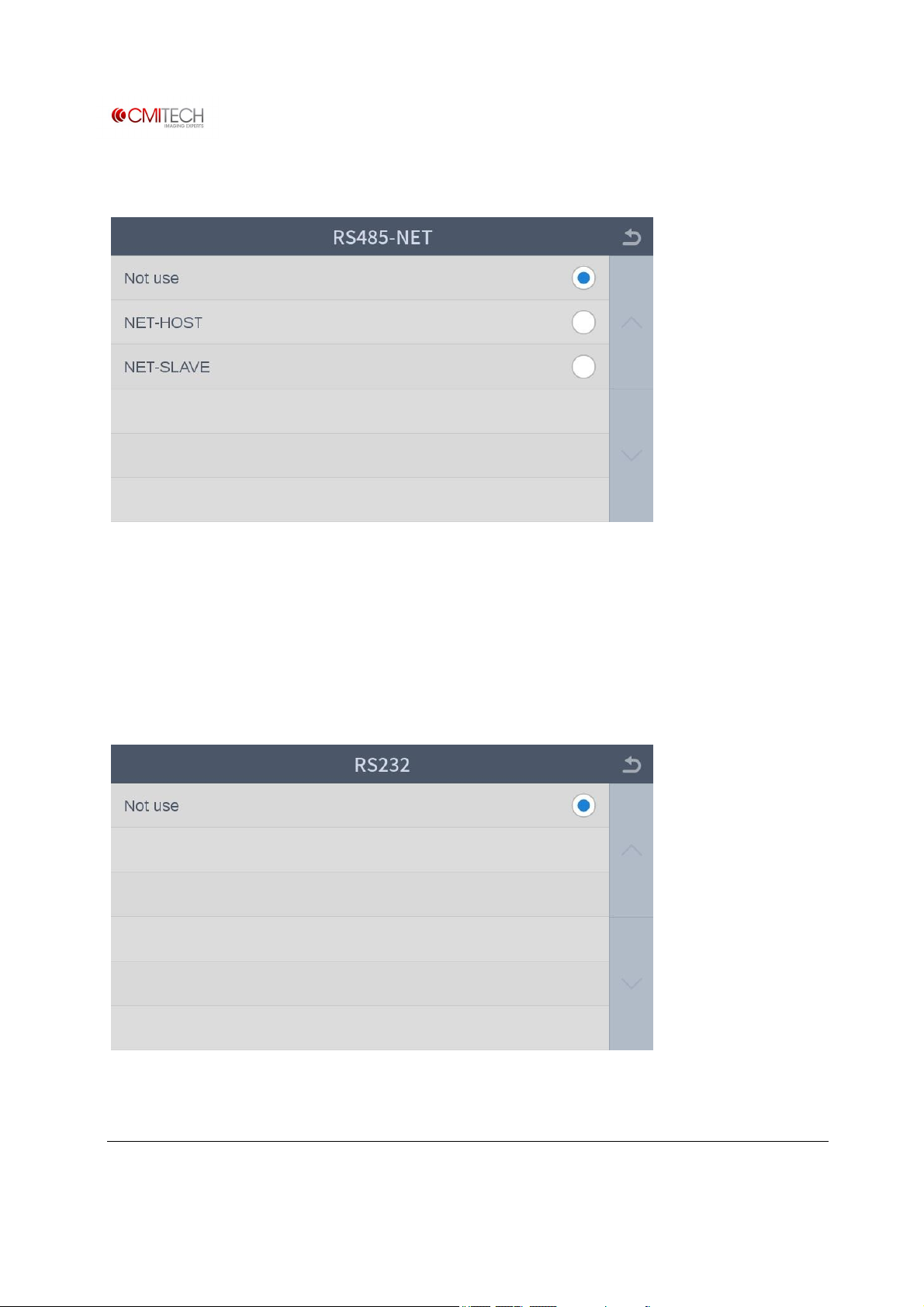
2.3.2 Serial à RS485-NET
Not use Disable RS485
NET-HOST Set RS485 operating mode as host
NET-SLAVE Set RS485 operating mode as slave
2.3.3 Serial à RS232
www.cmi-tech.com EF-45N User Manual, v0.1.1
Copyright 2016, all rights reserved July 2016
Page 46
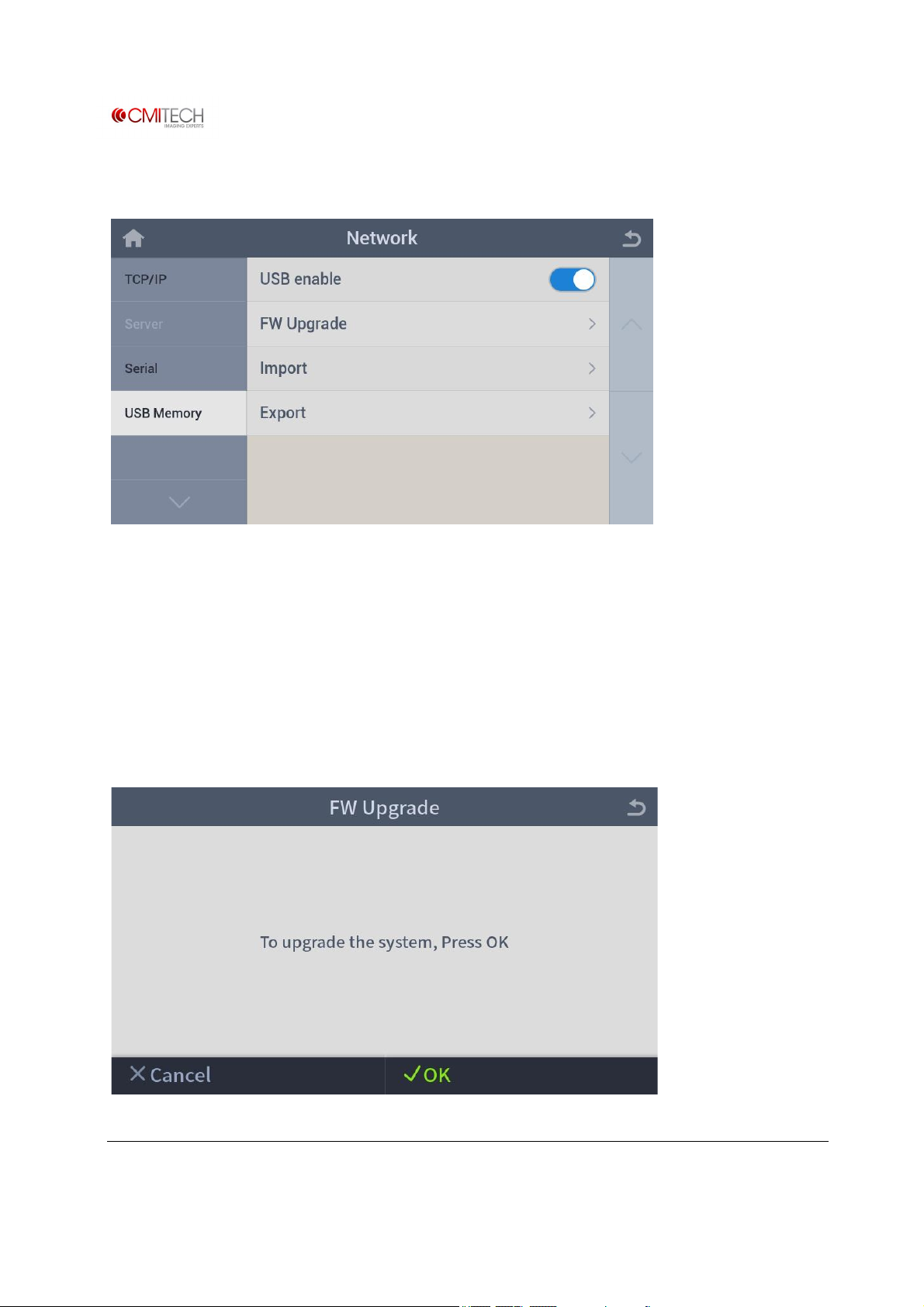
2.4 USB Memory
USB enable Select enable/disable for USB memory use
FW Upgrade Go into firmware (F/W) upgrade from USB memory
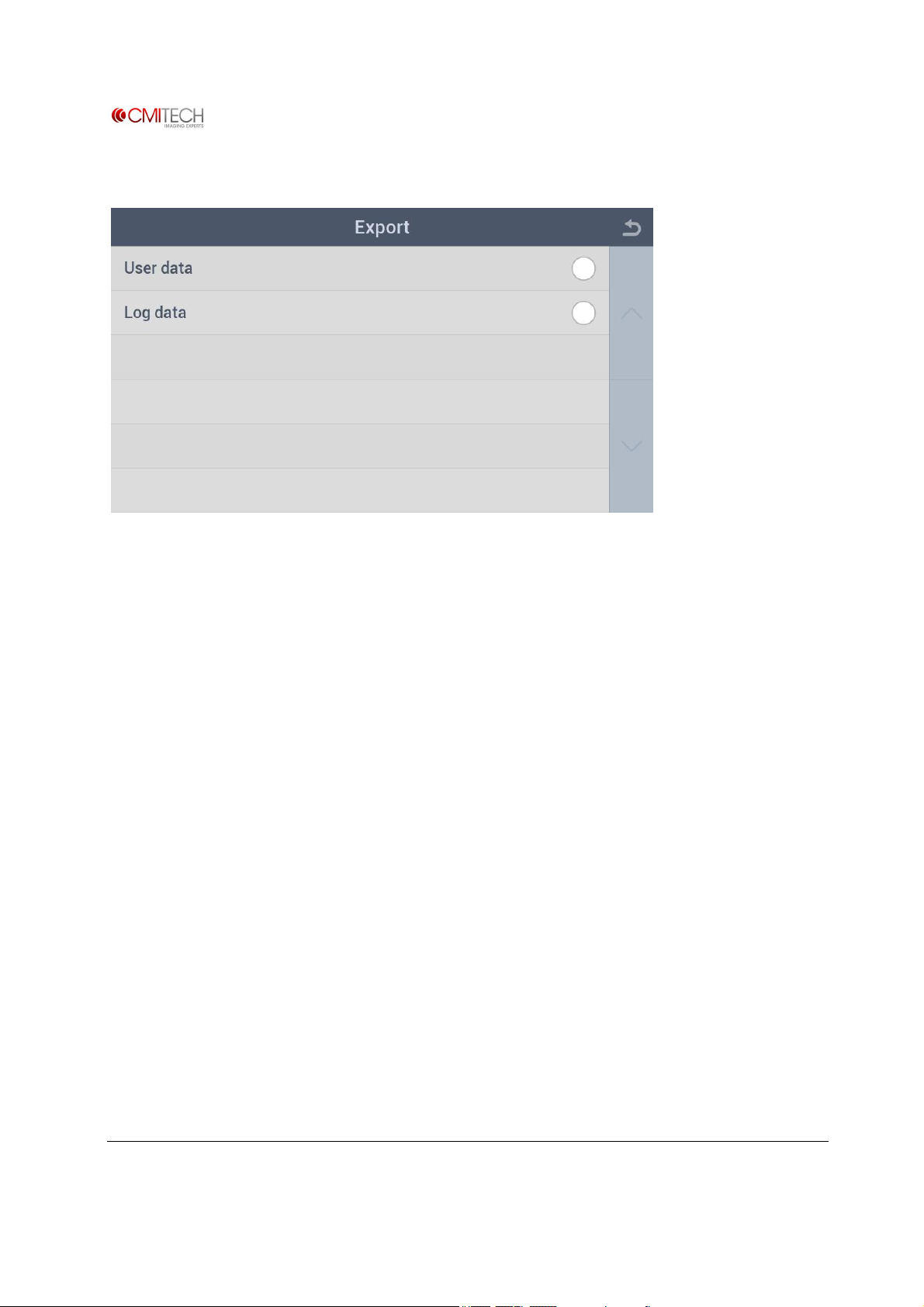
Import Go into backup data (user & log data) restore from USB memory
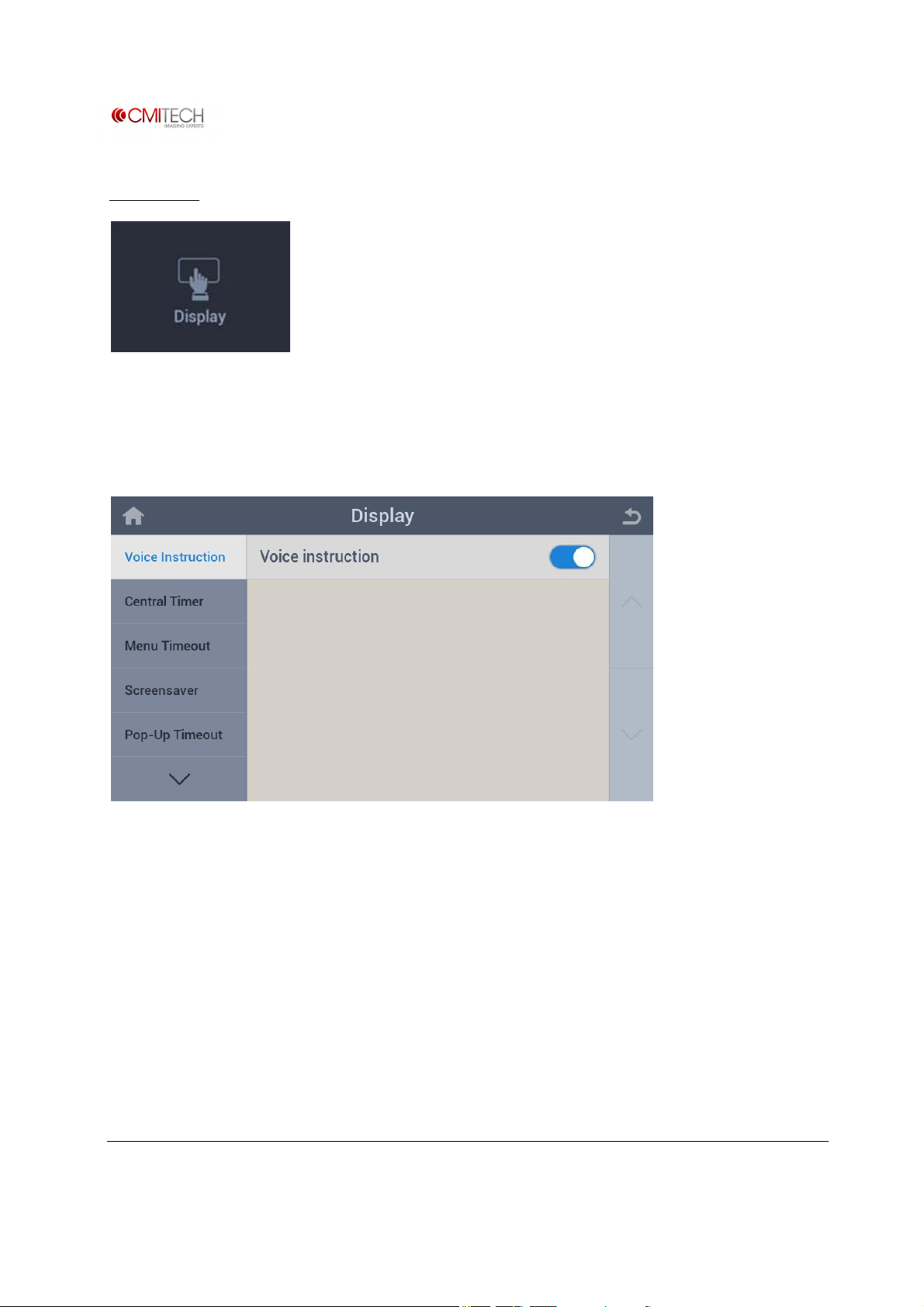
Export Go into backup data (user & log data) save to USB memory
2.4.1 USB Memory à FW Upgrade
www.cmi-tech.com EF-45N User Manual, v0.1.1
Copyright 2016, all rights reserved July 2016
Page 47
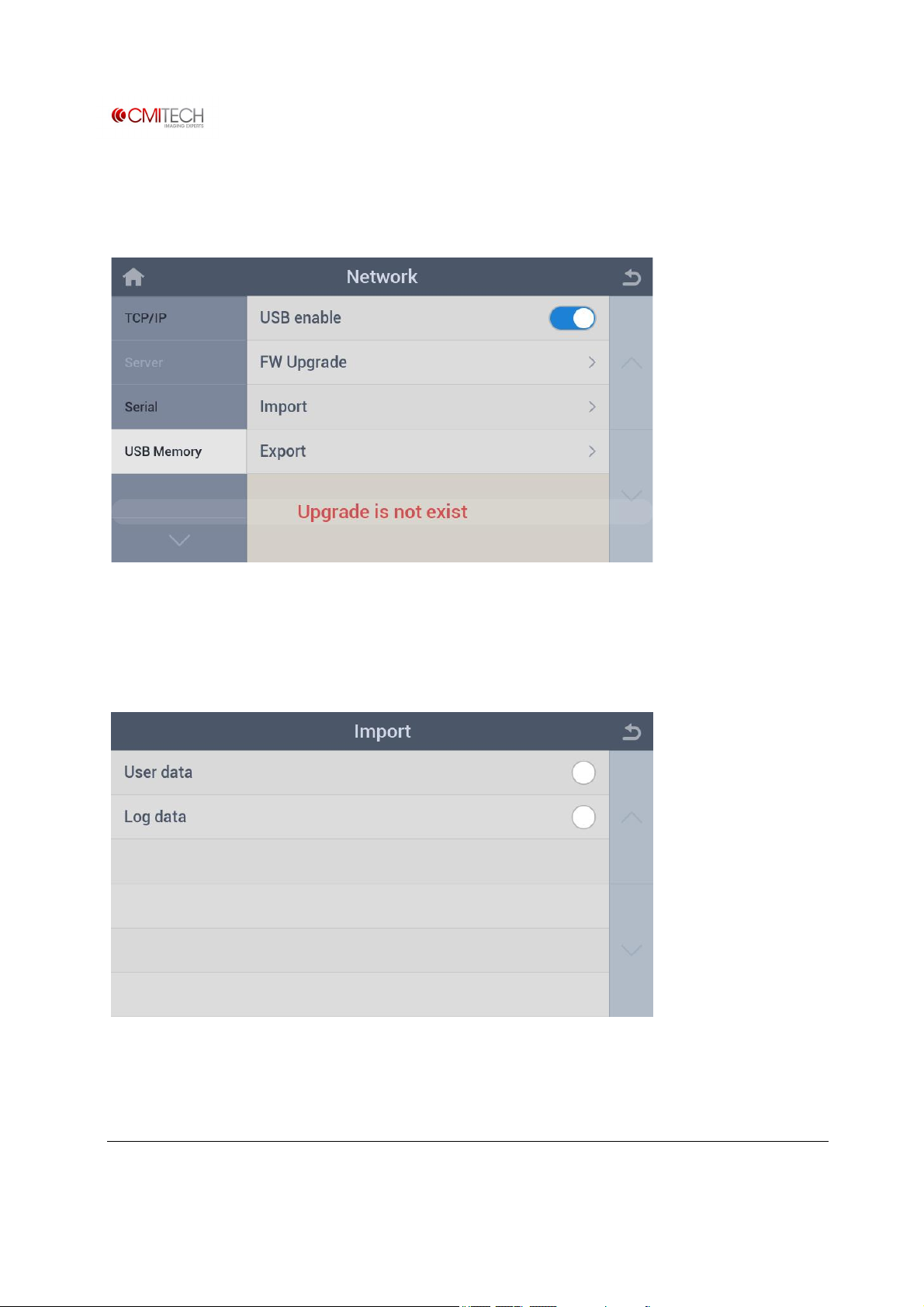
Upgrade F/W by tapping on √ OK button on the bottom right.
If the FW file (new firmware and operating library) does not exist in USB, message appears as
shown above.
2.4.2 USB Memory à Import
User data Restore user enroll data from USB memory
Log data Restore log data from USB memory
www.cmi-tech.com EF-45N User Manual, v0.1.1
Copyright 2016, all rights reserved July 2016
Page 48
2.4.3 USB Memory à Export
User data Backup user enroll data to USB memory
Log data Backup log data to USB memory
www.cmi-tech.com EF-45N User Manual, v0.1.1
Copyright 2016, all rights reserved July 2016
Page 49
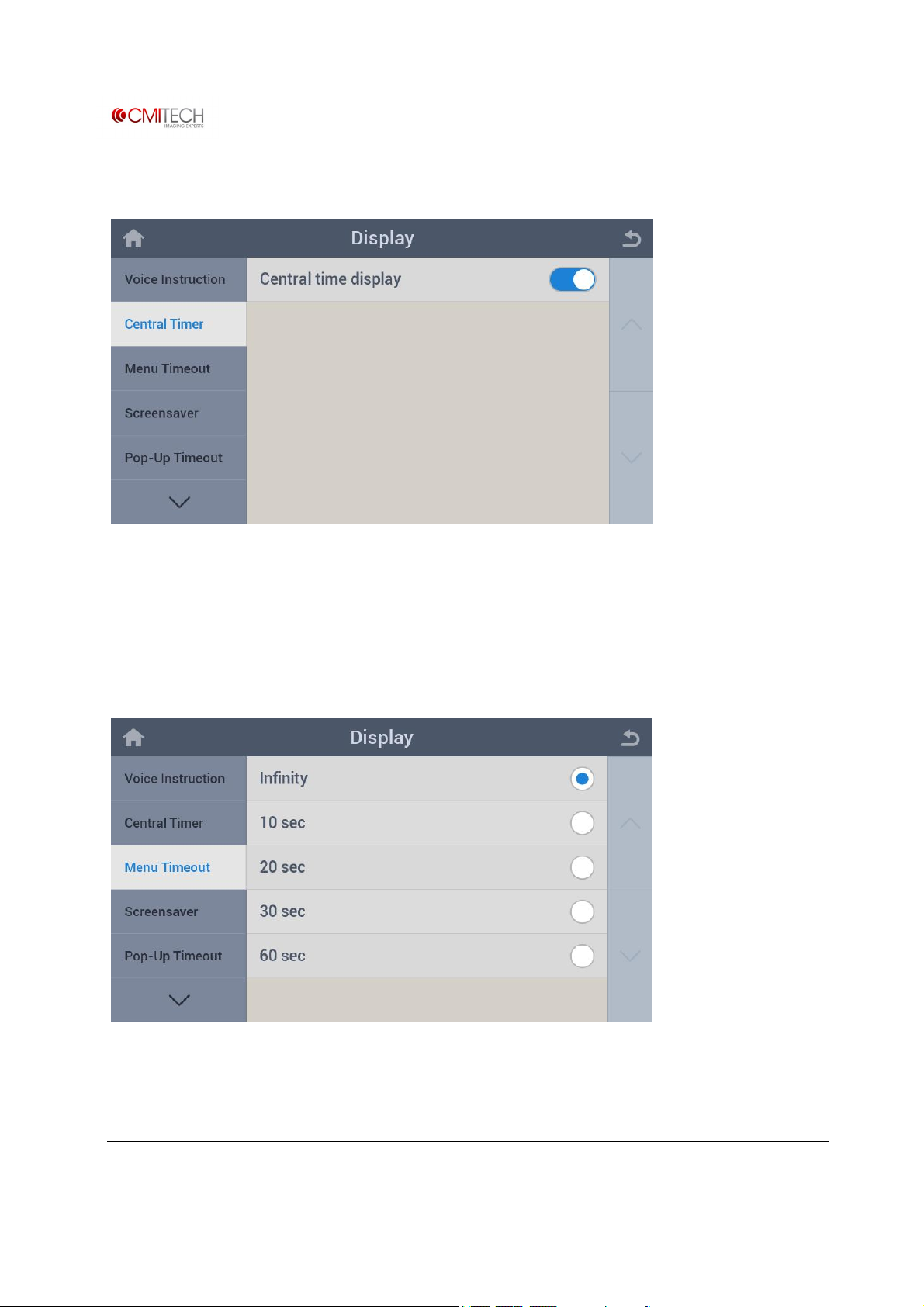
3 Display
Configure settings for screen display.
3.1 Voice Instructions
Voice Instruction Select enable/disable for voice guide positioning / instructions
www.cmi-tech.com EF-45N User Manual, v0.1.1
Copyright 2016, all rights reserved July 2016
Page 50
3.2 Central Timer
Central Timer Select enable/disable for clock display on the center of Launcher
application
3.3 Menu Timeout
Menu Timeout Set timeout for auto exit from menu display after leaving untouched
www.cmi-tech.com EF-45N User Manual, v0.1.1
Copyright 2016, all rights reserved July 2016
Page 51
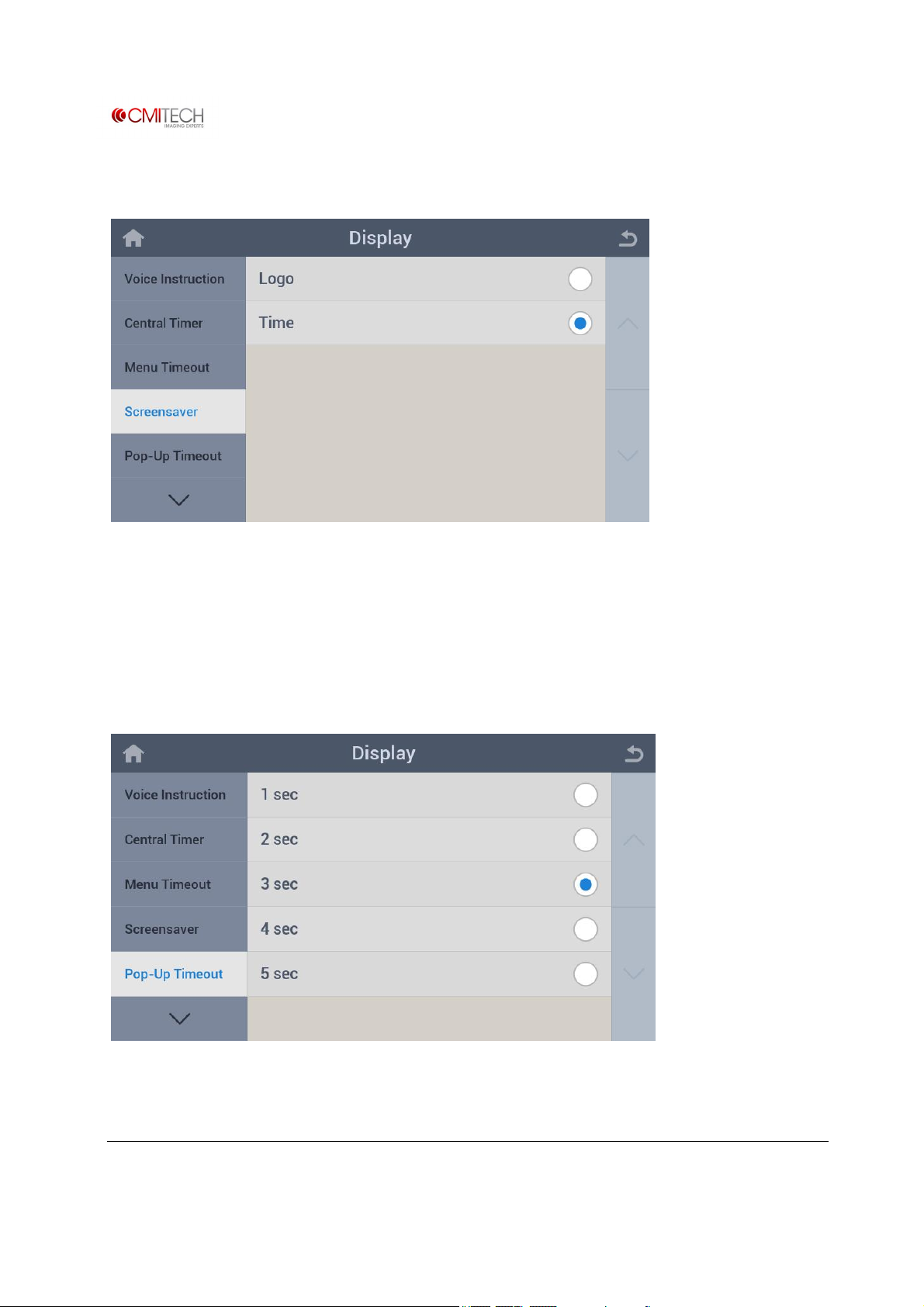
3.4 Screensaver
Logo Select logo display as screensaver
Time Select clock display as screensaver
3.5 Pop-Up Timeout
Pop-Up Timeout Set pop-up message window (recognition complete etc.) display
duration
www.cmi-tech.com EF-45N User Manual, v0.1.1
Copyright 2016, all rights reserved July 2016
Page 52
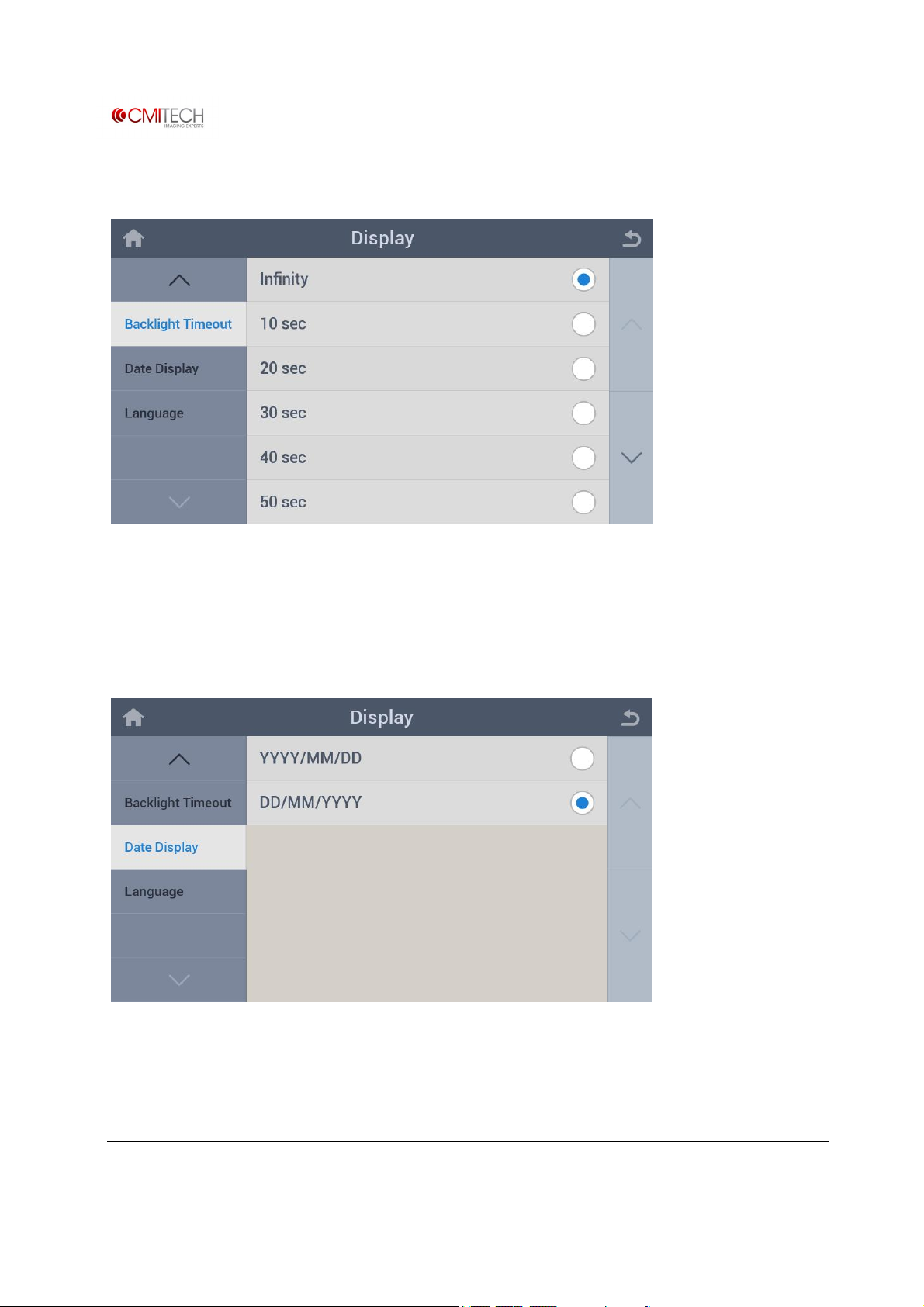
3.6 Backlight Timeout
Pop-Up Timeout Set timeout for auto off of LCD backlight after leaving unused
3.7 Date Display
YYYY/MM/DD Select year/month/day display mode
DD/MM/YYYY Select day/month/year display mode
www.cmi-tech.com EF-45N User Manual, v0.1.1
Copyright 2016, all rights reserved July 2016
Page 53
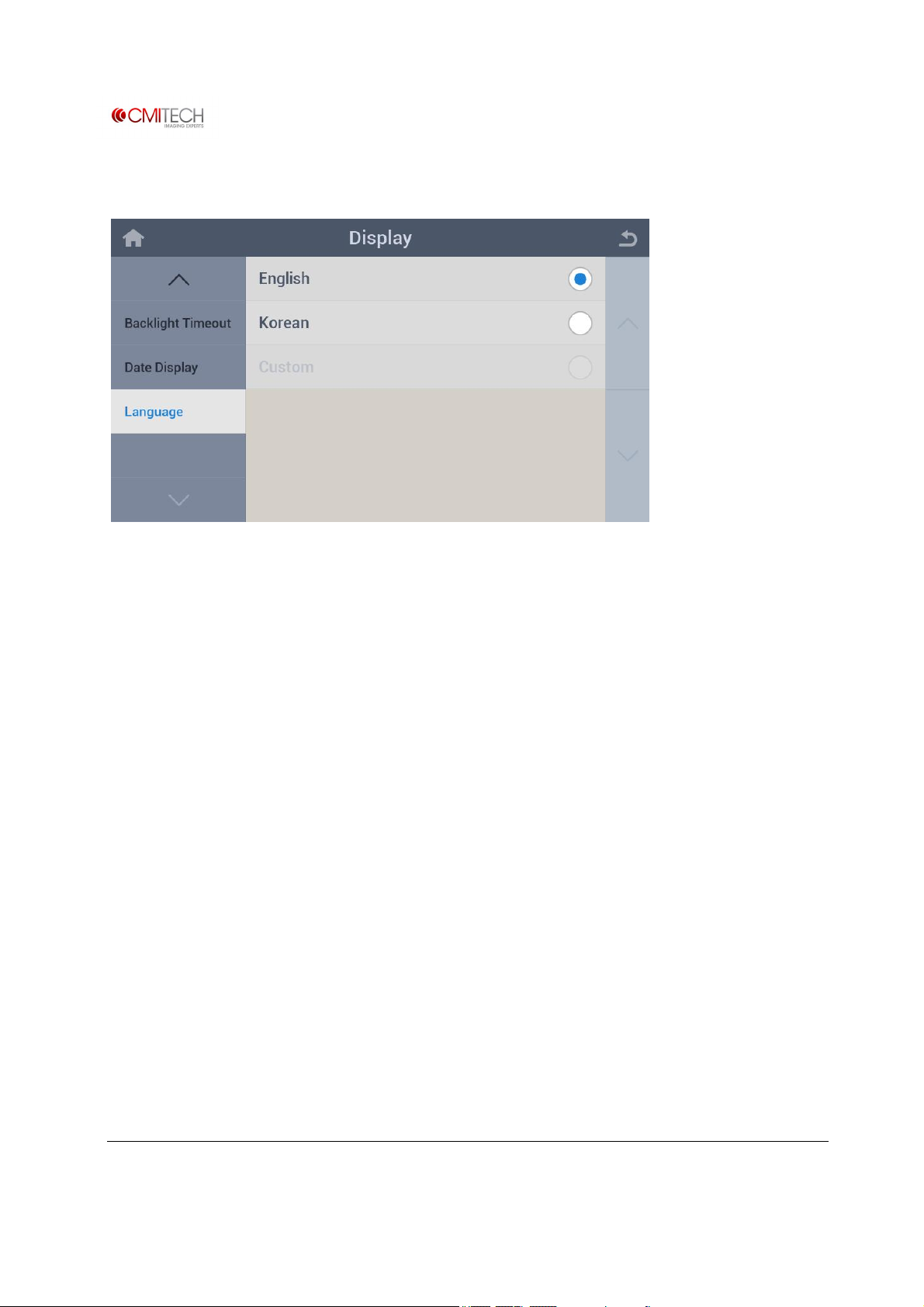
3.8 Language
Language Select a language to use (Note: In construction)
www.cmi-tech.com EF-45N User Manual, v0.1.1
Copyright 2016, all rights reserved July 2016
Page 54
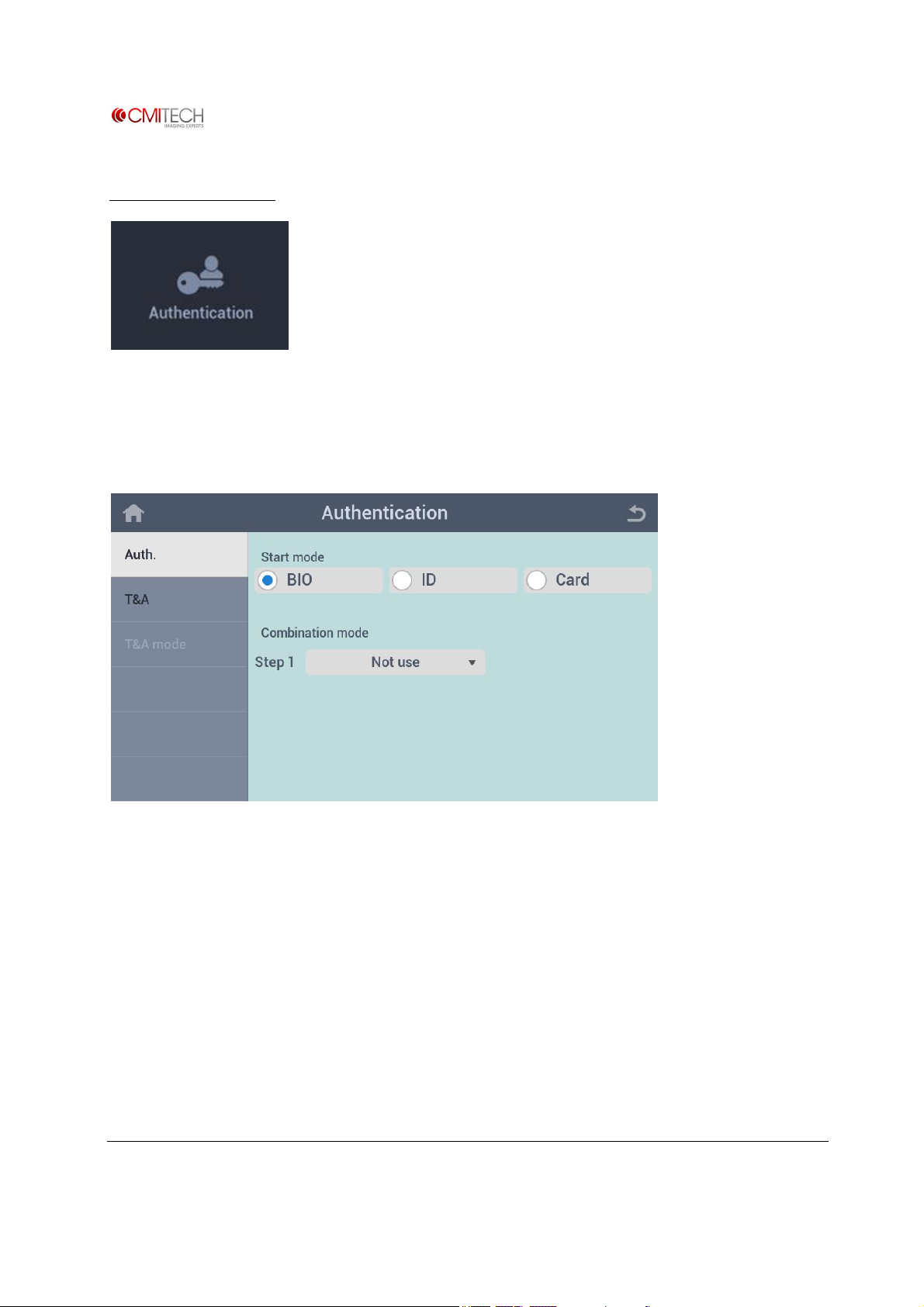
4 Authentication
Configure settings for authentication method and T&A.
4.1 Auth.
Start mode Select a basic (first) recognition method
Combination mode Select a combination (additional) recognition method if necessary
www.cmi-tech.com EF-45N User Manual, v0.1.1
Copyright 2016, all rights reserved July 2016
Page 55
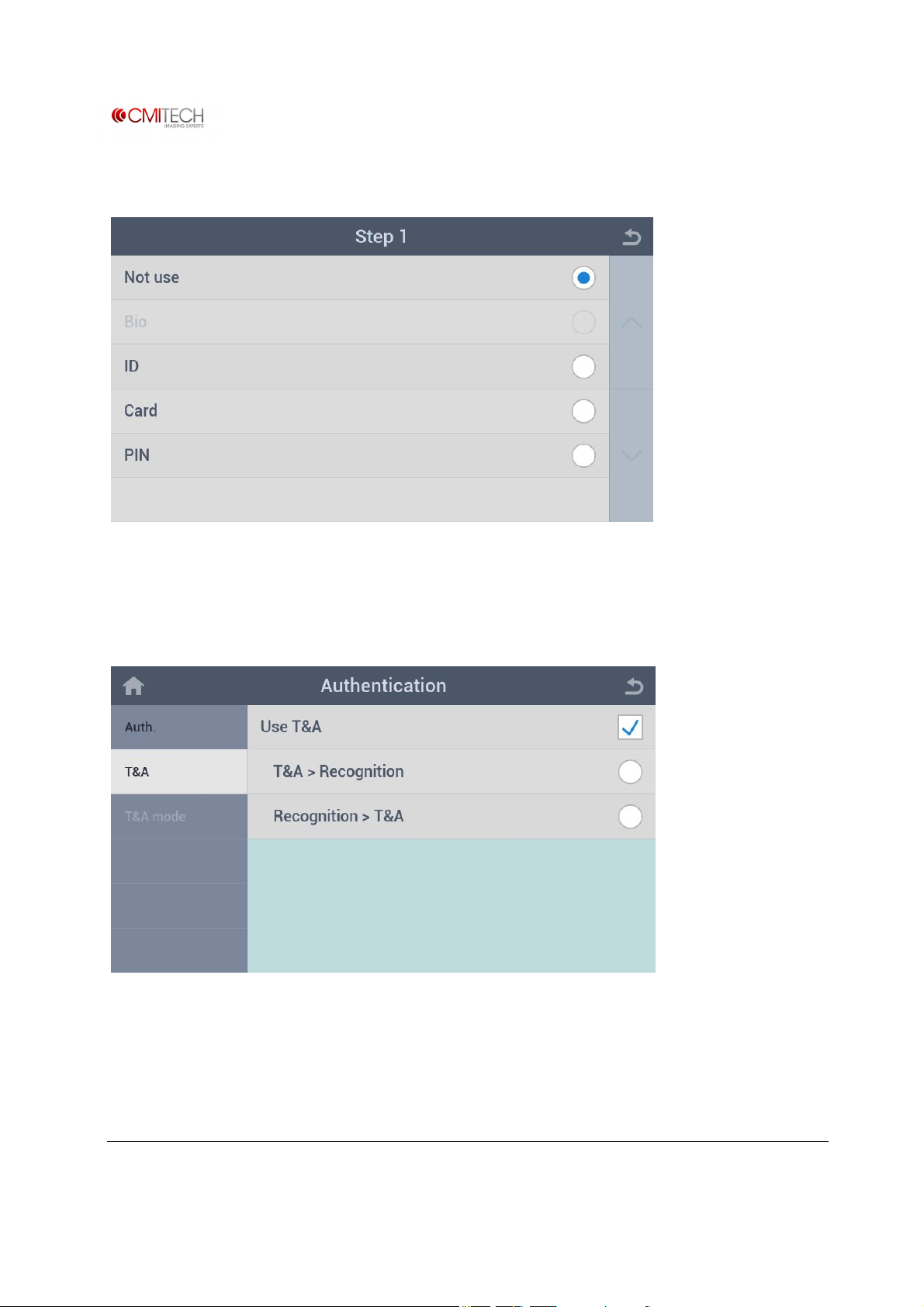
4.1.1 Auth. à Combination Mode (Step 1)
Select a combination (additional) recognition method.
4.2 T&A
Use T&A Select enable/disable for T&A usage mode (note: in construction)
T&A >Recognition Select T&A mode (Attendance etc.) first, then recognition
Recognition > T&A After recognition, then input T&A mode (Attendance etc.)
www.cmi-tech.com EF-45N User Manual, v0.1.1
Copyright 2016, all rights reserved July 2016
Page 56

4.3 T&A Mode
(Note: In construction)
www.cmi-tech.com EF-45N User Manual, v0.1.1
Copyright 2016, all rights reserved July 2016
Page 57
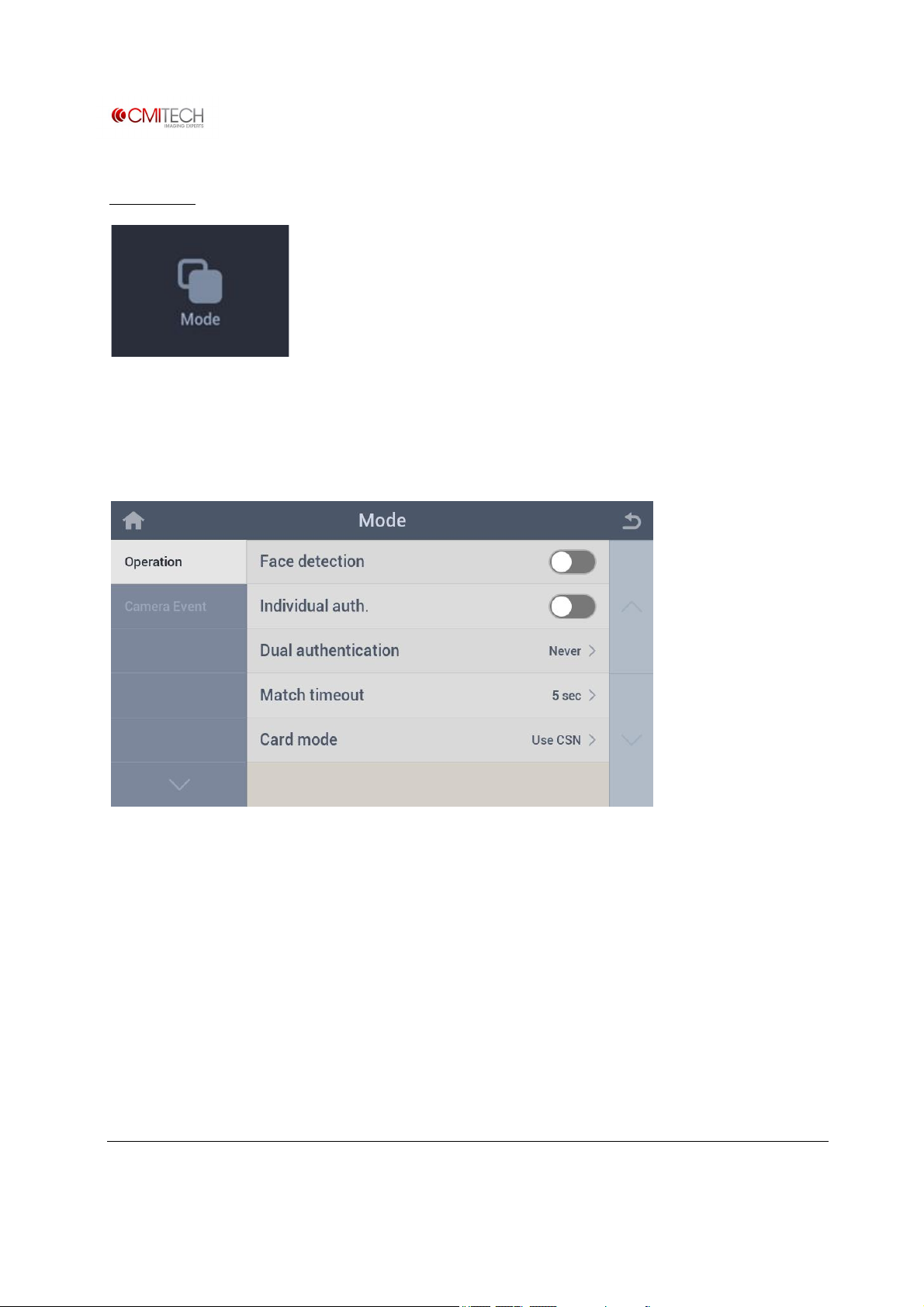
5 Mode
Configure settings for recognition operation.
5.1 Operation
Face detection Select enable/disable for face image saving at recognition (note: to
be eliminated)
Individual auth. Select enable/disable for permission of individual authentication
Dual authentication Select a dual authentication (simultaneous 2 persons) method (note:
in construction)
Match timeout Set a recognition trying timeout
Card mode Select use or not for CSN in RFID card (note: in construction)
www.cmi-tech.com EF-45N User Manual, v0.1.1
Copyright 2016, all rights reserved July 2016
Page 58
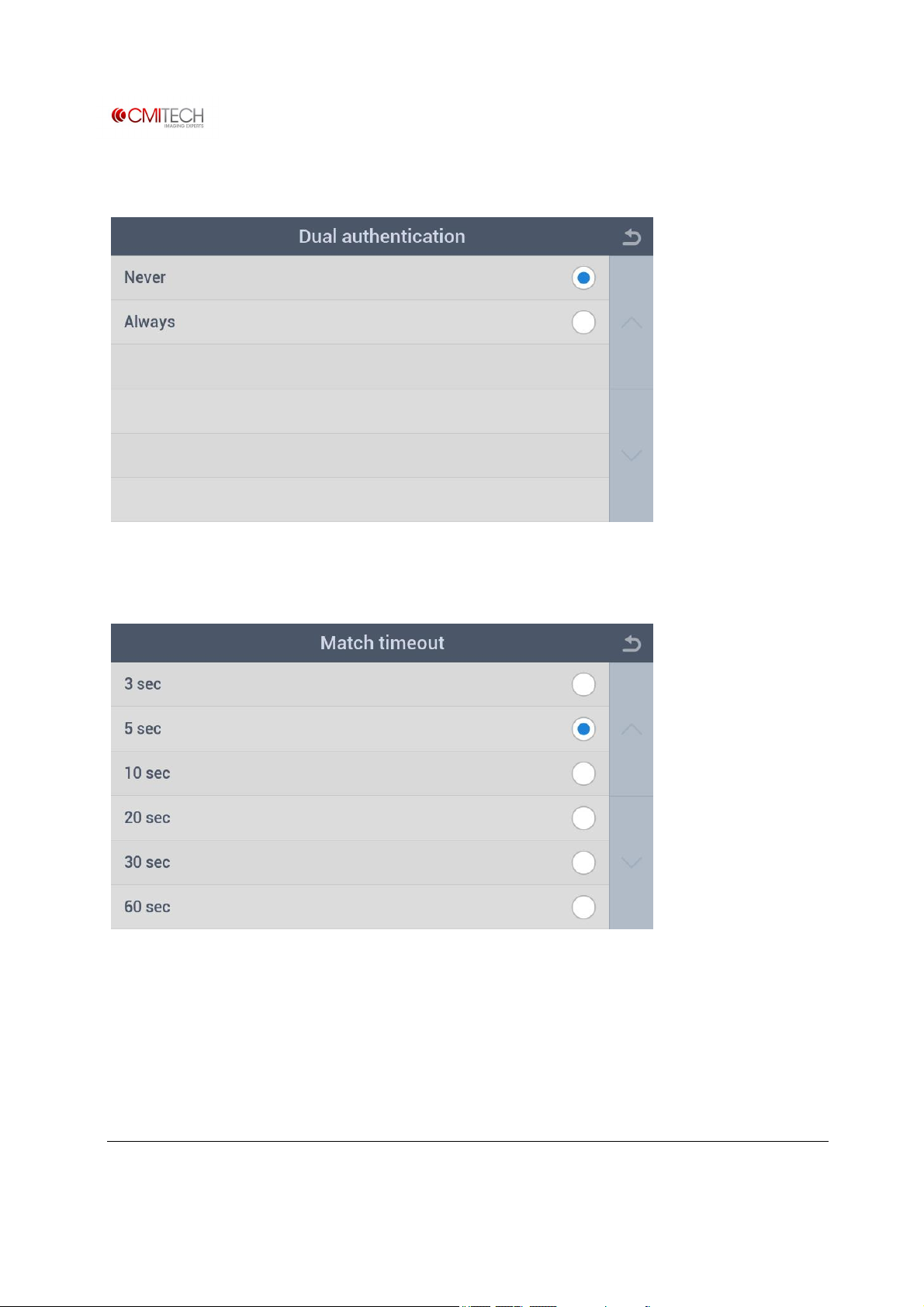
5.1.1 Operation à Dual Authentication
5.1.2 Operation à Match Timeout
www.cmi-tech.com EF-45N User Manual, v0.1.1
Copyright 2016, all rights reserved July 2016
Page 59
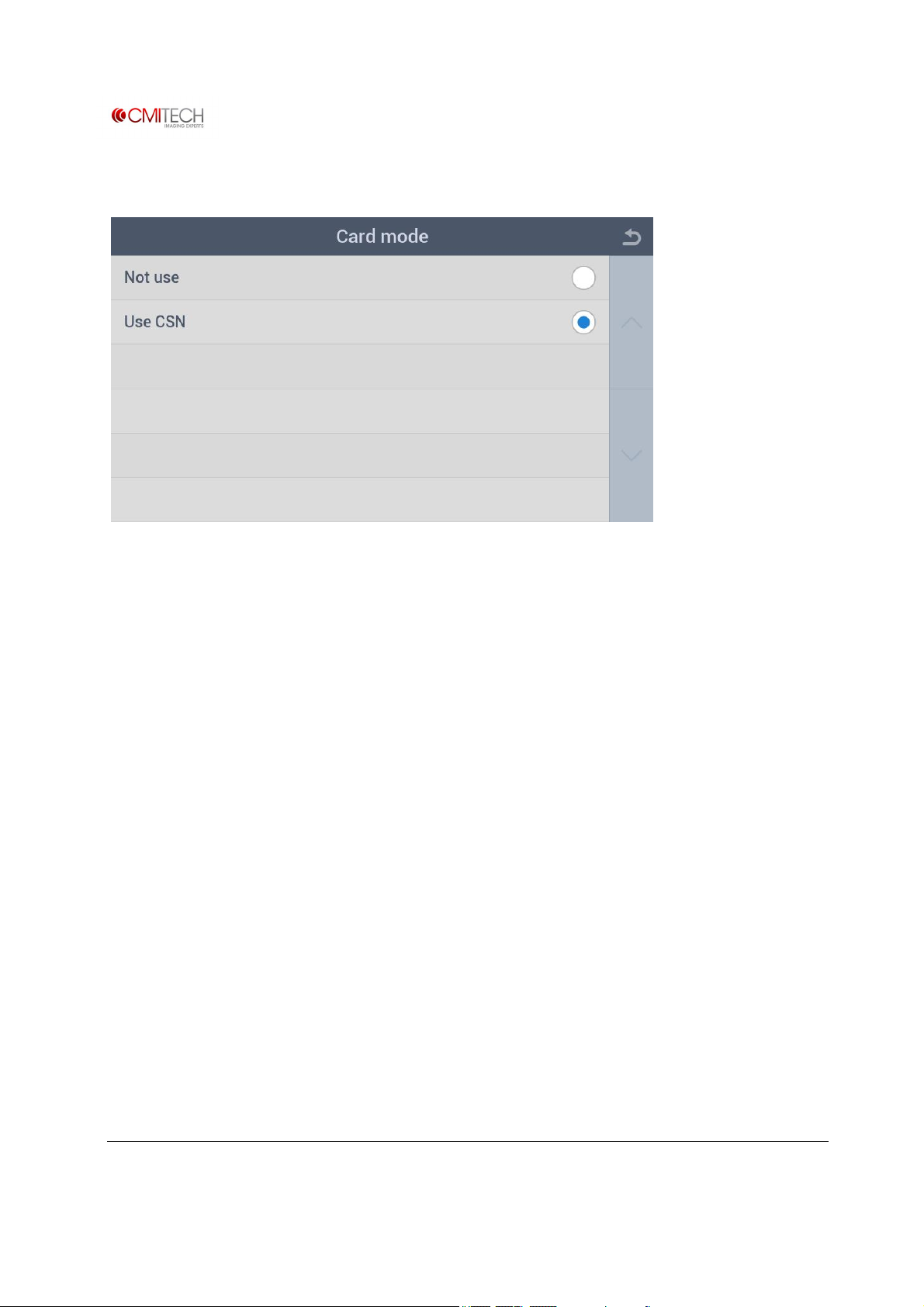
5.1.3 Operation à Card Mode
www.cmi-tech.com EF-45N User Manual, v0.1.1
Copyright 2016, all rights reserved July 2016
Page 60
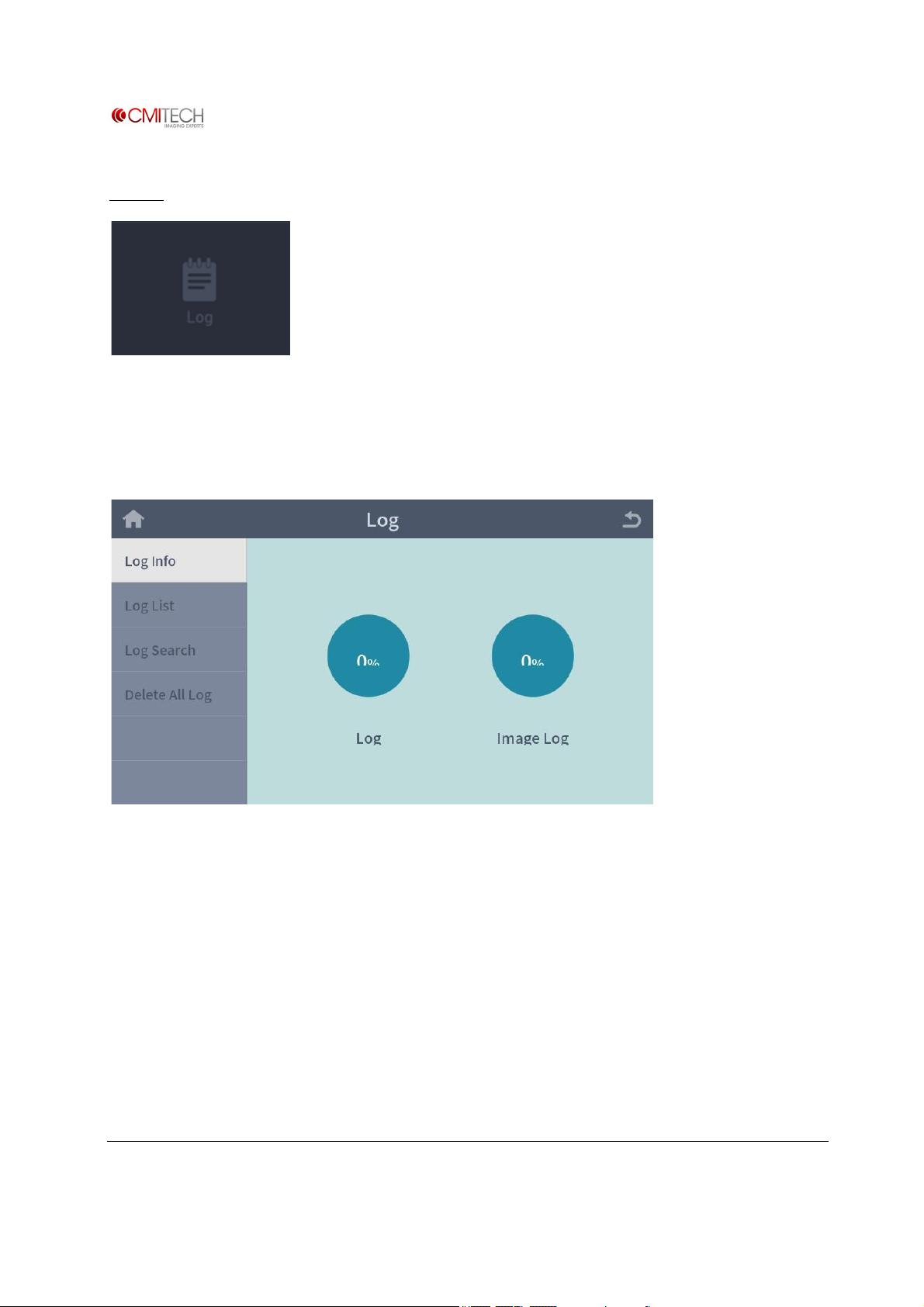
6 Log
View information of saved log and log search viewer.
6.1 Log Info
(Note: In construction)
www.cmi-tech.com EF-45N User Manual, v0.1.1
Copyright 2016, all rights reserved July 2016
Page 61
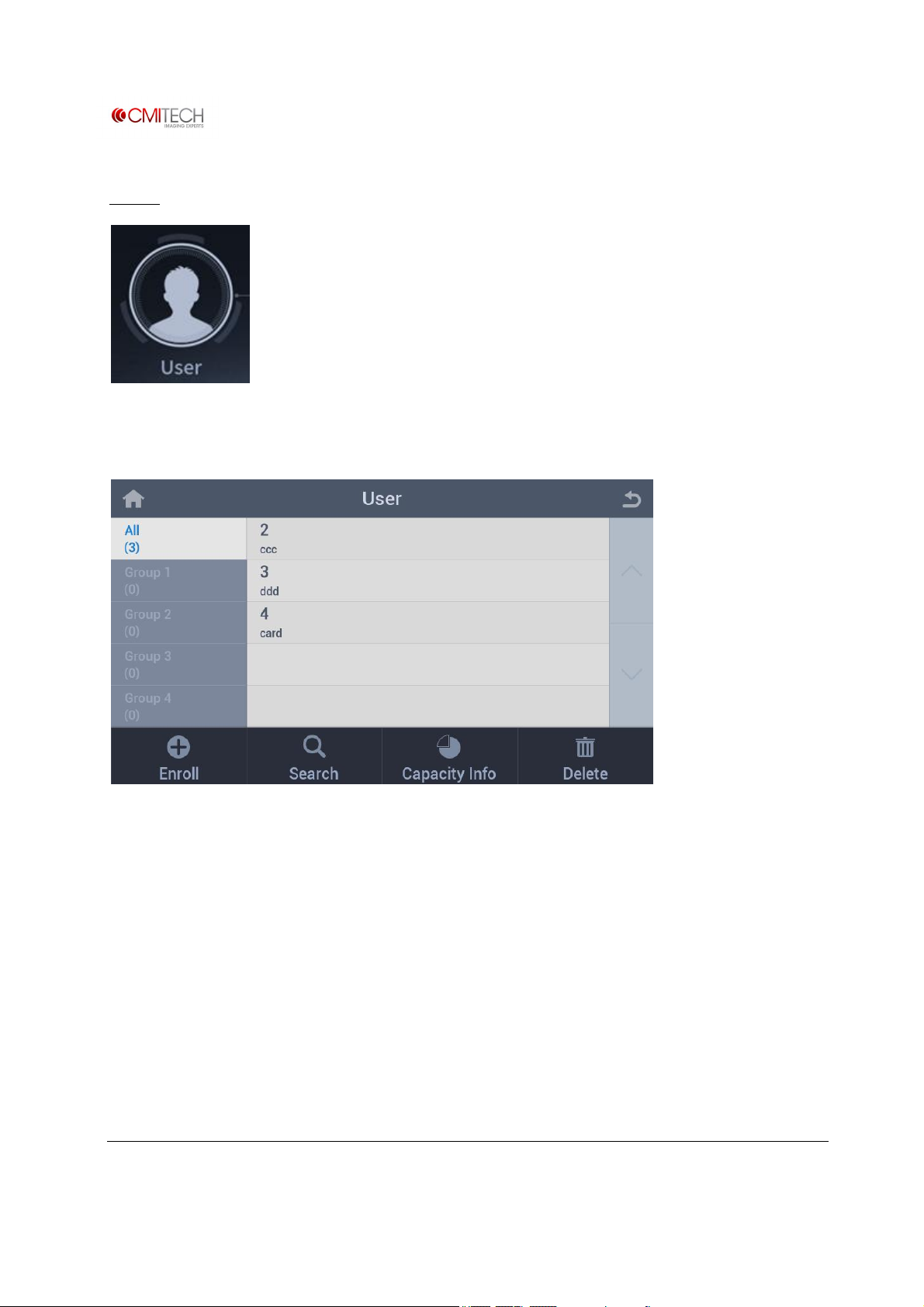
User
Tap the User icon in Home screen.
Displays the registered user lists in All and Group 1, 2, 3, 4
Enroll button Switch to enroll process
Search button Switch to search process
Capacity Info button Show the used memory percentage
Delete button Switch to delete process
www.cmi-tech.com EF-45N User Manual, v0.1.1
Copyright 2016, all rights reserved July 2016
Page 62
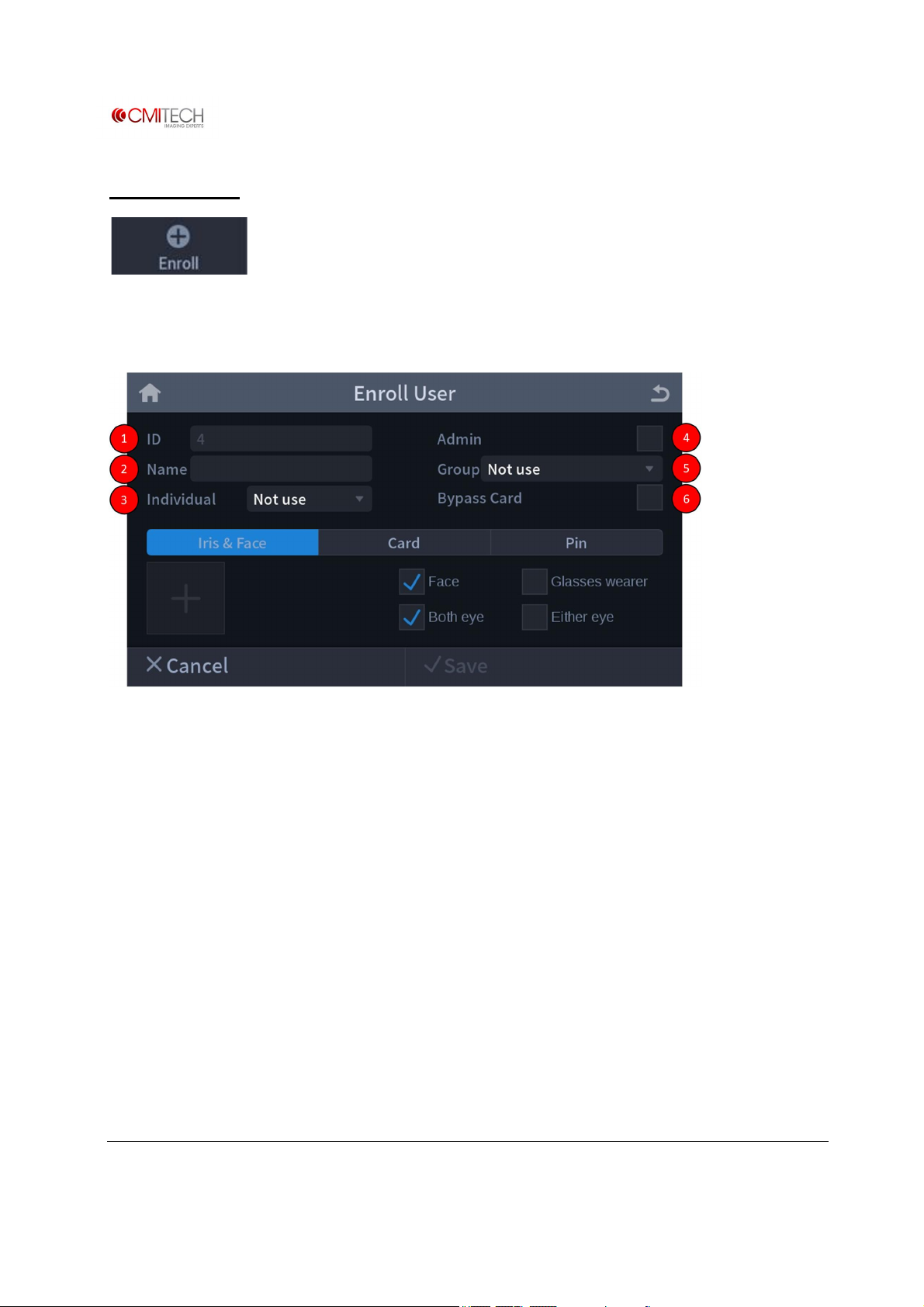
1 Enroll User
Tap the Enroll button to enroll a new user.
Enroll User Page
① ID: Created a user ID number automatically or input manually
② Name: Input user name manually
③ Individual: Set user individual authentication mode if necessary
④ Admin: Can make a user administrator or not
⑤ Group: Can make a user belong to a group
⑥ Bypass Card: Can register a user who holding bypass card (highest priority card)
www.cmi-tech.com EF-45N User Manual, v0.1.1
Copyright 2016, all rights reserved July 2016
Page 63
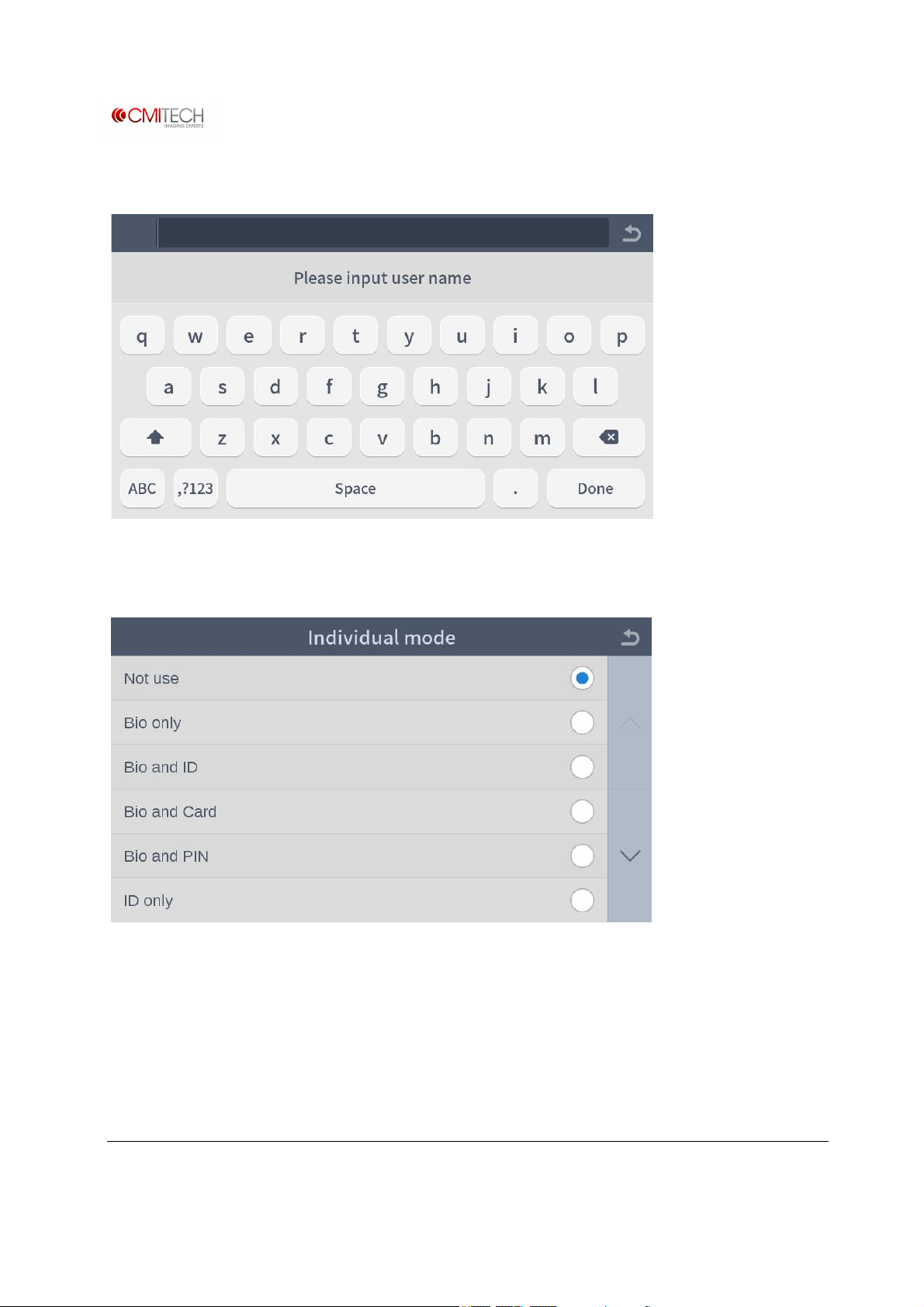
1.1 Name
1.2 Individual
Select an individual authentication mode.
www.cmi-tech.com EF-45N User Manual, v0.1.1
Copyright 2016, all rights reserved July 2016
Page 64
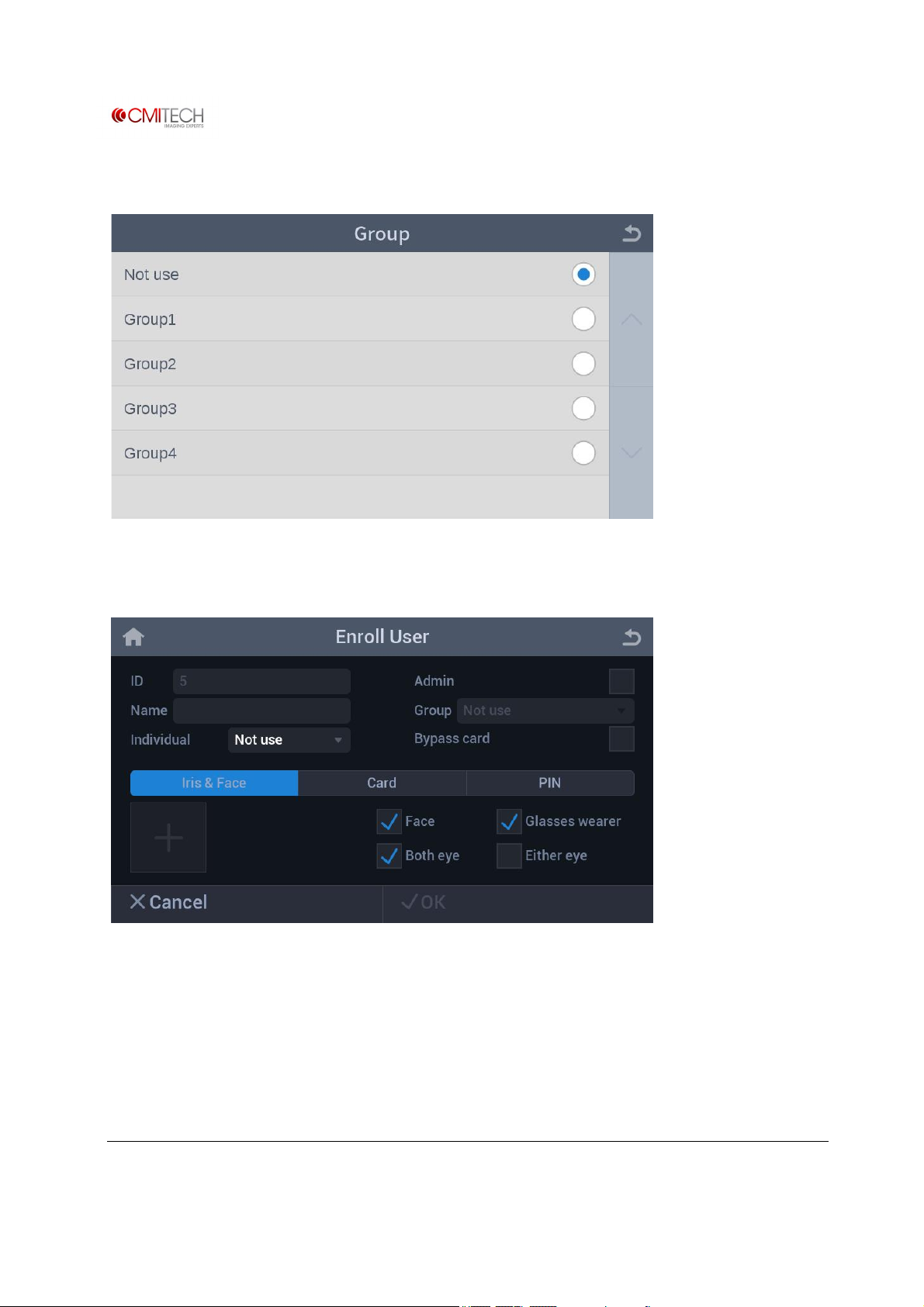
1.3 Group
1.4 Iris & Face Process
Iris & Face tab Selection changes tab to blue color
Bio select check boxes are shown
Face Select box for face image capture
Glasses wearer Select box for face taking off glasses additionally if necessary
www.cmi-tech.com EF-45N User Manual, v0.1.1
Copyright 2016, all rights reserved July 2016
Page 65
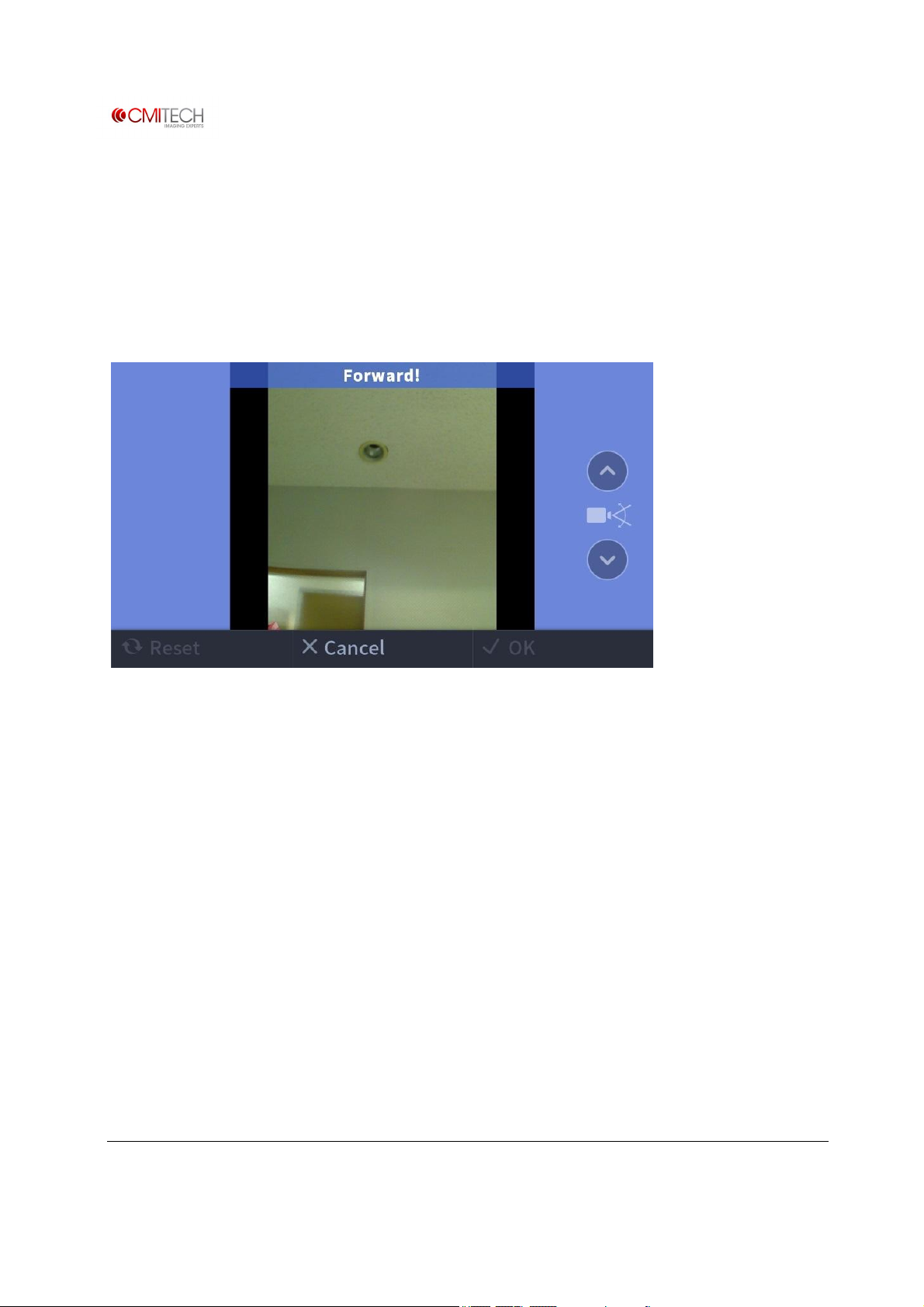
Both eye Select box for “both eye” Iris mode
Either eye Select box for “either eye” Iris mode
Start(+) button Switch to enroll process
1.4.1 Iris & Face Process à Face Capture
※ Note: Only operational if “Combined Face and Iris” mode is active
Color Overlay BLUE means too far
GREEN means OK
RED means too close.
Up/Down Arrow Can tilt camera manually if necessary (note: to be eliminated)
Switch to Iris Capture stage after good face image acquisition
www.cmi-tech.com EF-45N User Manual, v0.1.1
Copyright 2016, all rights reserved July 2016
Page 66
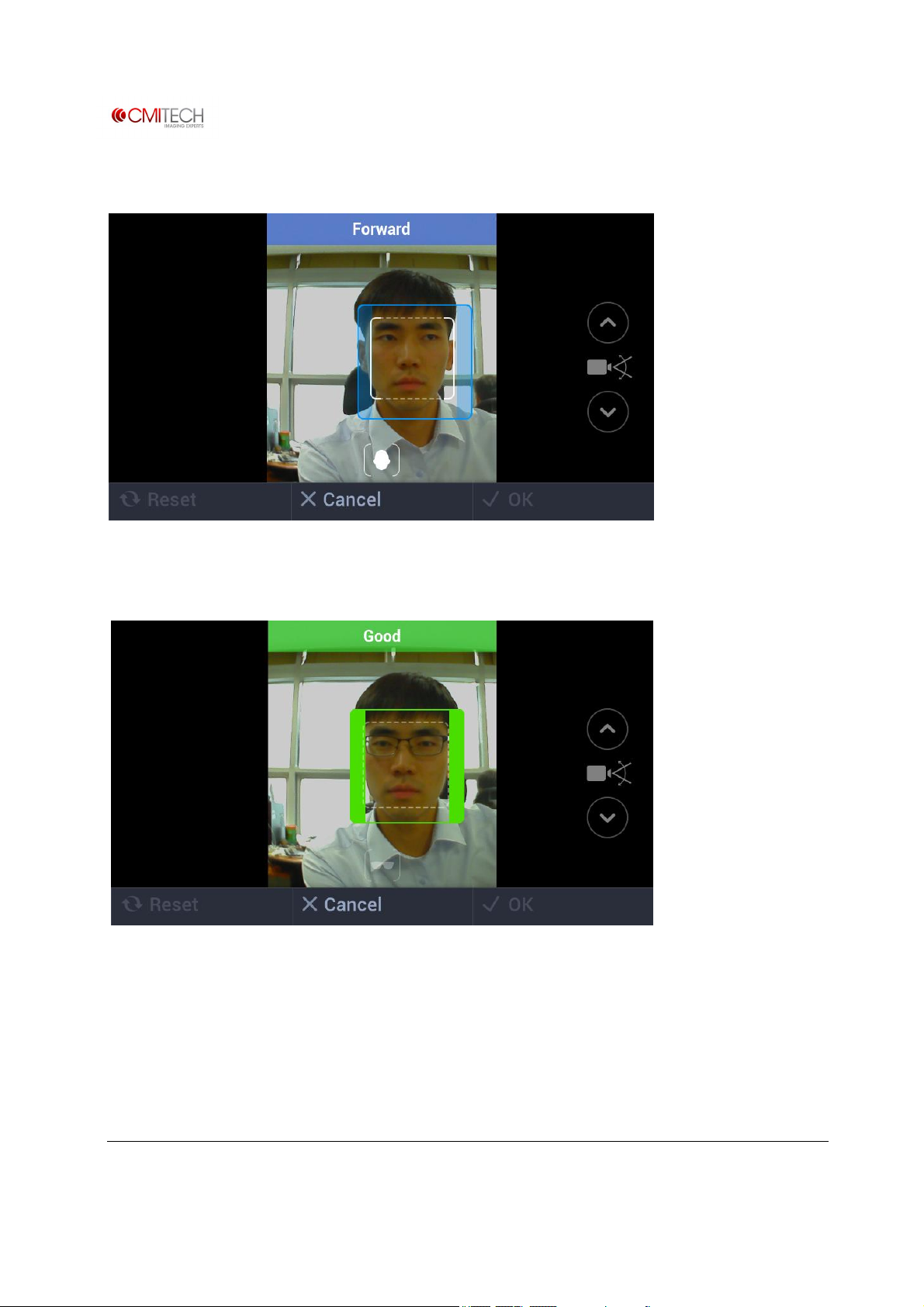
1.4.1.1 Iris & Face Process à Face Capture à Tracking Guide Box UI
Positioning box appears in order to guide subject.
Capture normal face images.
www.cmi-tech.com EF-45N User Manual, v0.1.1
Copyright 2016, all rights reserved July 2016
Page 67
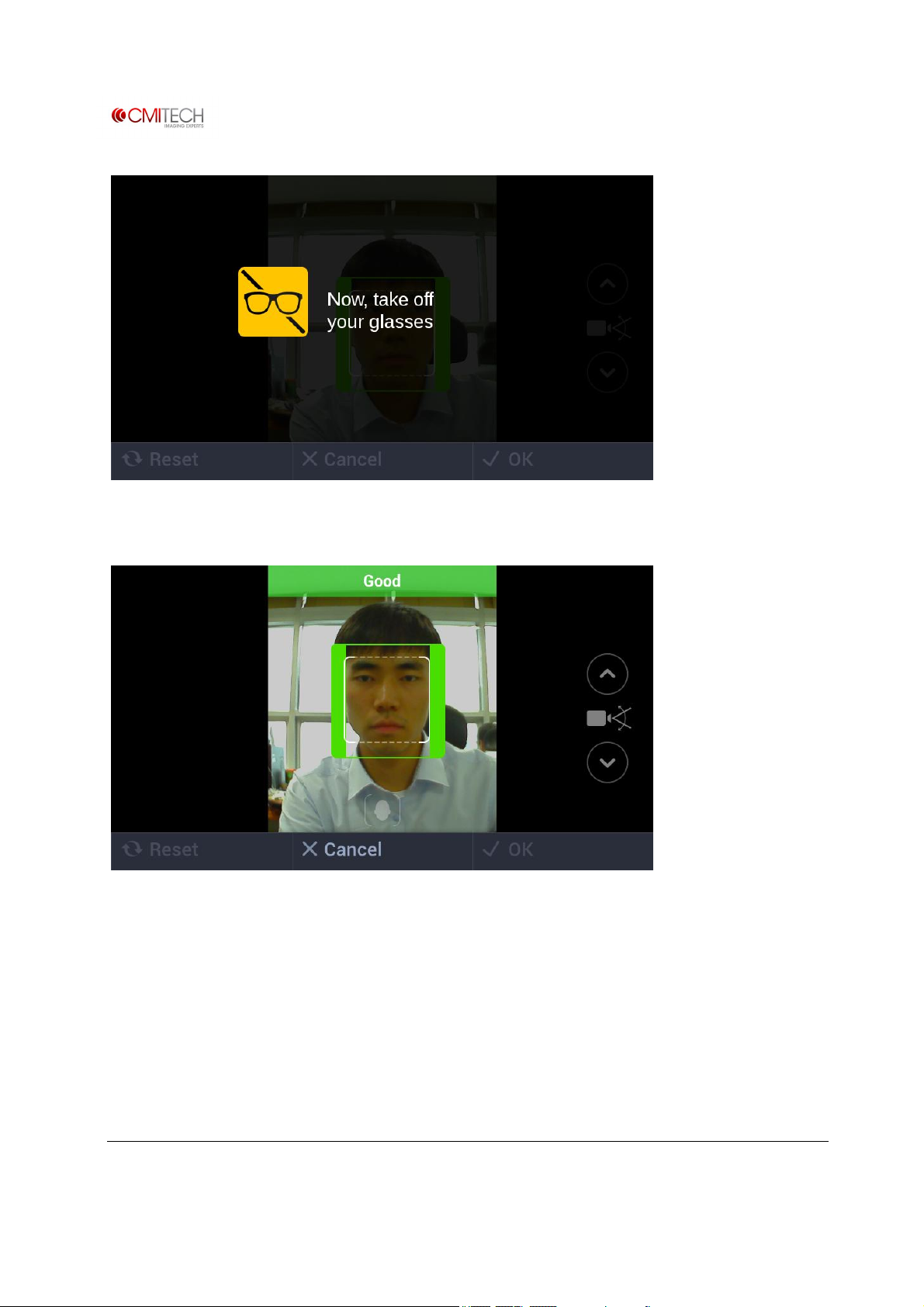
In case of selection of Glasses wearer check box, will be active for about 3 to 5 seconds.
Capture additional face images taken off glasses.
www.cmi-tech.com EF-45N User Manual, v0.1.1
Copyright 2016, all rights reserved July 2016
Page 68
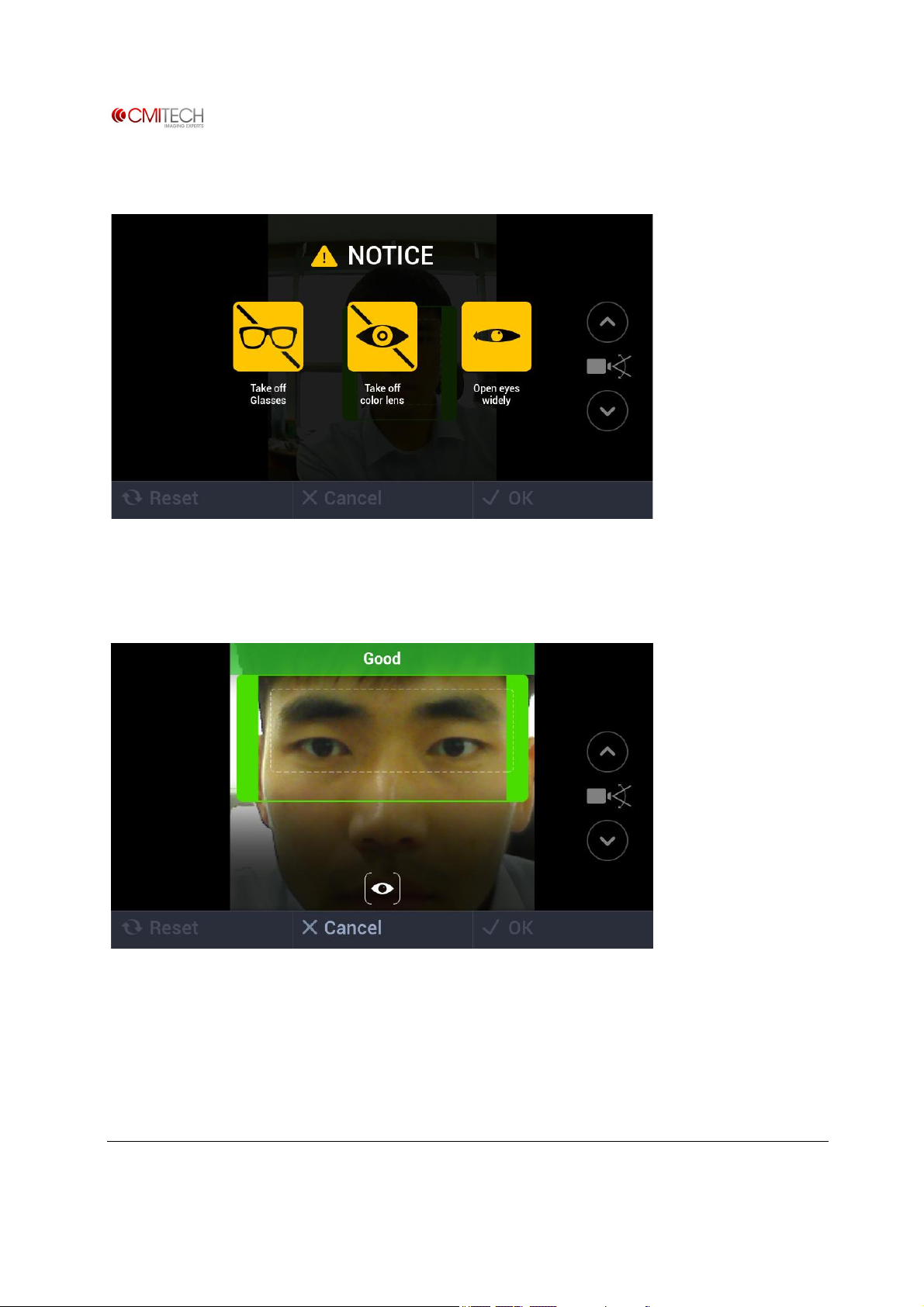
1.4.2 Iris & Face Process à Iris Capture
In case of Tracking Guide Box UI mode, display will be active for about 3 to 5 seconds.
1.4.2.1 Iris & Face Process à Iris Capture à Tracking Guide Box UI
Capture iris images.
www.cmi-tech.com EF-45N User Manual, v0.1.1
Copyright 2016, all rights reserved July 2016
Page 69
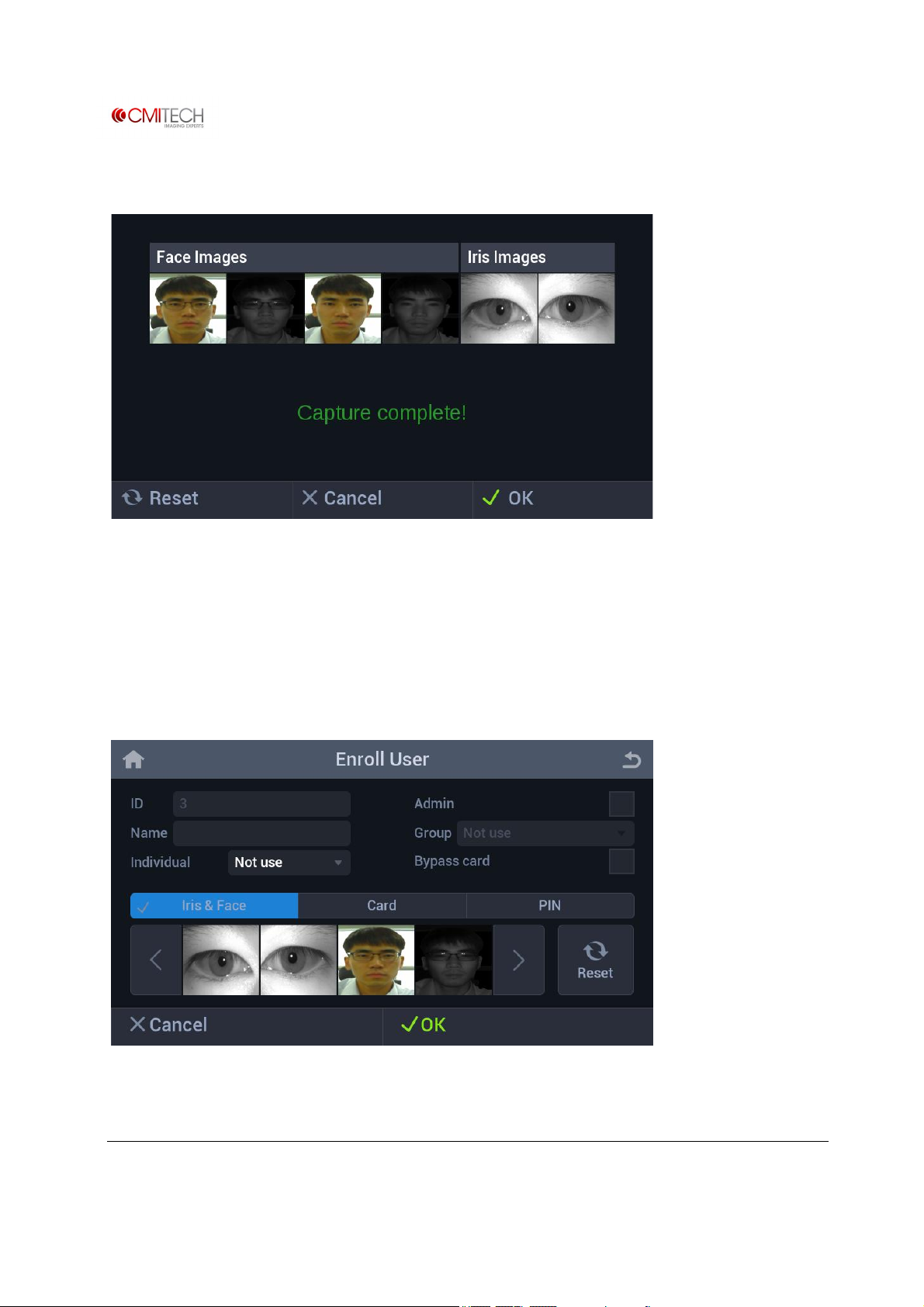
1.4.3 Iris & Face Process à Save Data / Complete Enrollment
Reset Return to face capture stage
Cancel Return to Enroll User screen
OK Move to next screen to complete enrollment
1.4.4 Iris & Face Process à Complete Enrollment
Cancel Return to User Main screen
www.cmi-tech.com EF-45N User Manual, v0.1.1
Copyright 2016, all rights reserved July 2016
Page 70
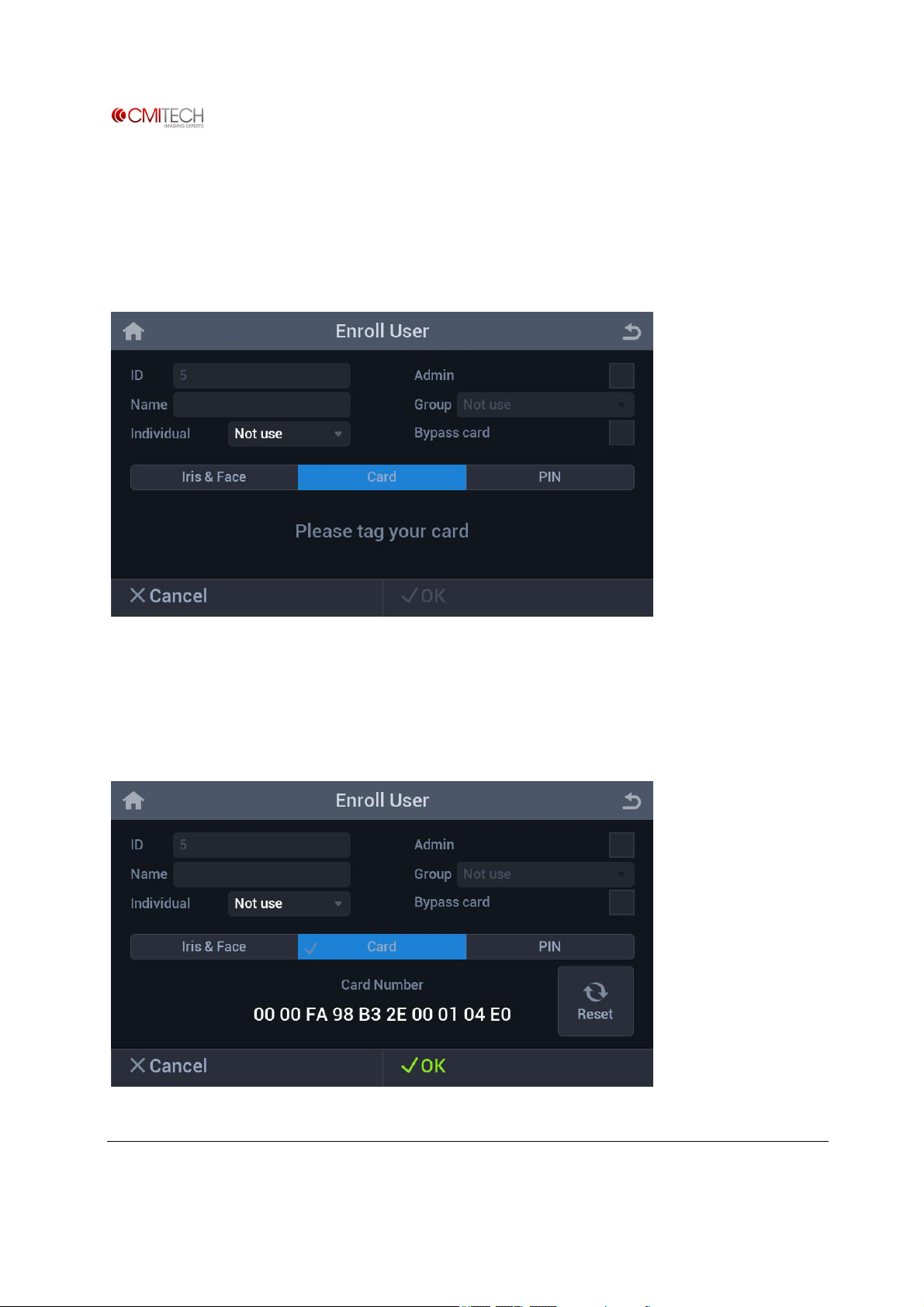
OK Save user data to complete biometrics Enrollment, then return to
User Main screen
1.5 Card
Card tab Selection changes tab to blue color
If "Please tag your card" message appears, touch front-bottom part of device with user card.
1.5.1 Card à Save Data
www.cmi-tech.com EF-45N User Manual, v0.1.1
Copyright 2016, all rights reserved July 2016
Page 71
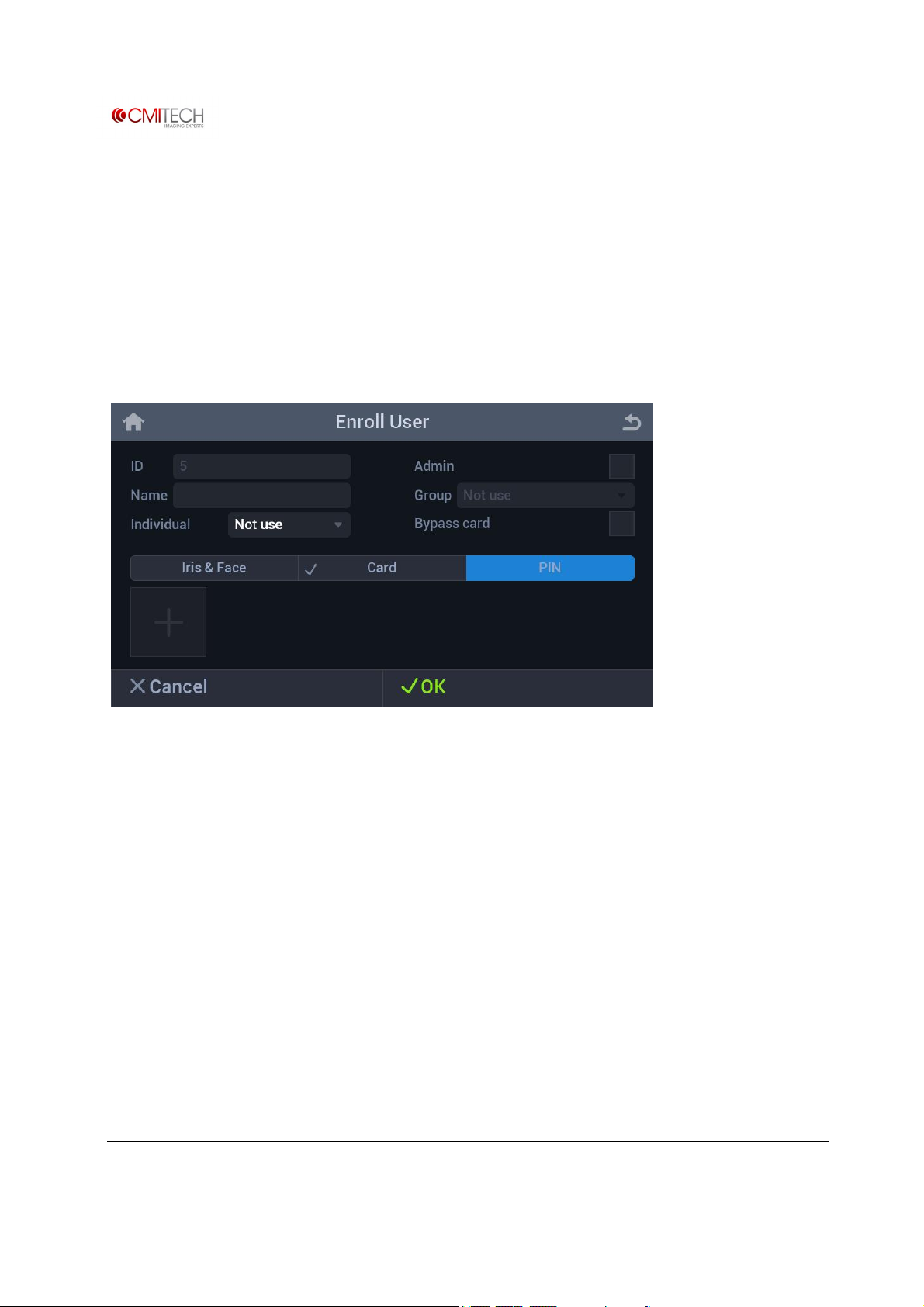
Card number is shown on tagging a card
Reset Clear card number and "Please tag your card" message is shown
Cancel Return to User Main screen
OK Save user data and return to User Main screen
1.6 Pin
PIN tab Selection changes tab to blue color
Start (+) button Switch to input screen
www.cmi-tech.com EF-45N User Manual, v0.1.1
Copyright 2016, all rights reserved July 2016
Page 72
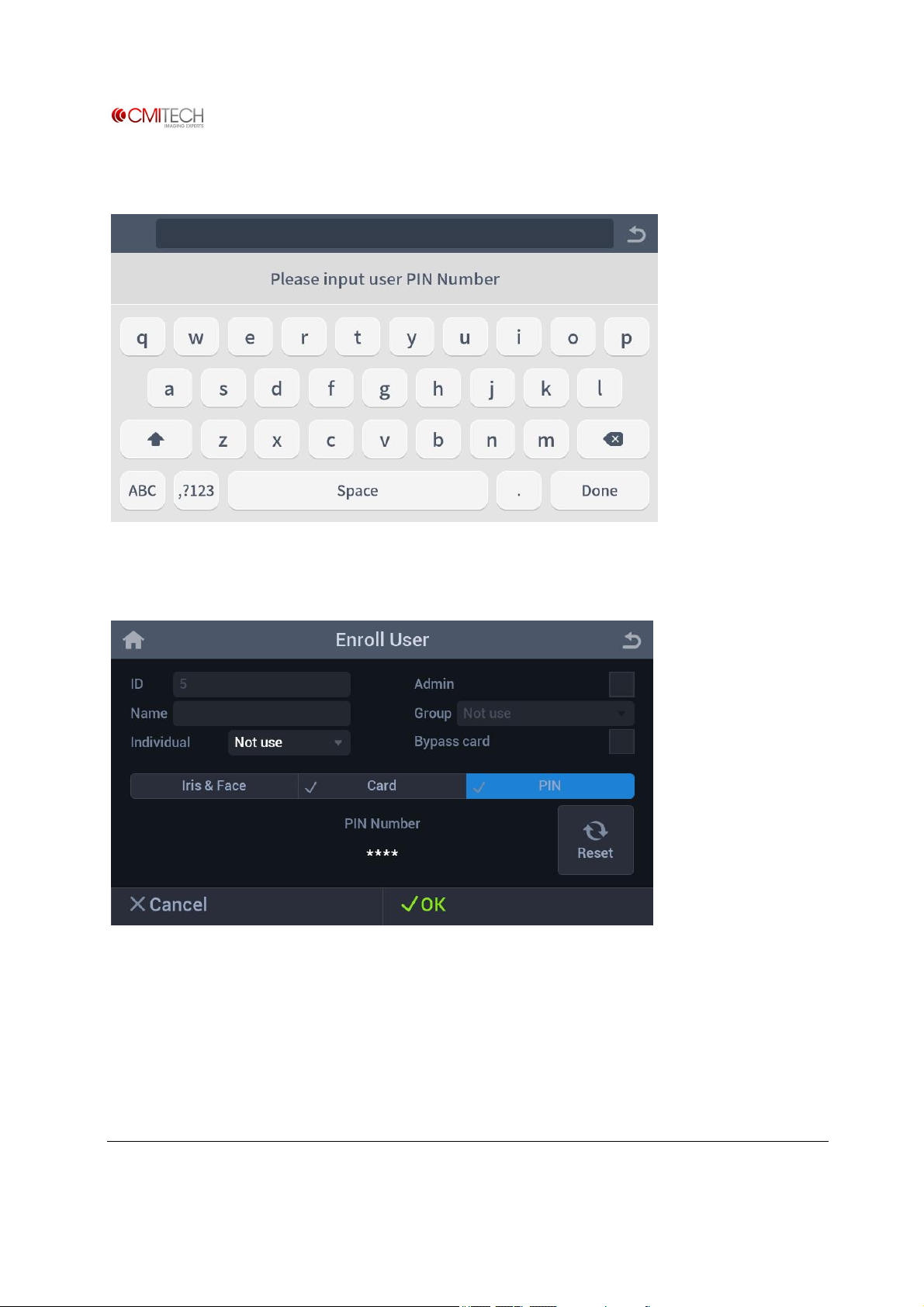
1.6.1 Pin à Input
1.6.2 Pin à Save Data
Pin number is shown as "*" character.
Reset Clear pin number and (+) button is shown
Cancel Return to User Main screen
OK Save user data to complete PIN enrollment / return to User Main
screen
www.cmi-tech.com EF-45N User Manual, v0.1.1
Copyright 2016, all rights reserved July 2016
Page 73
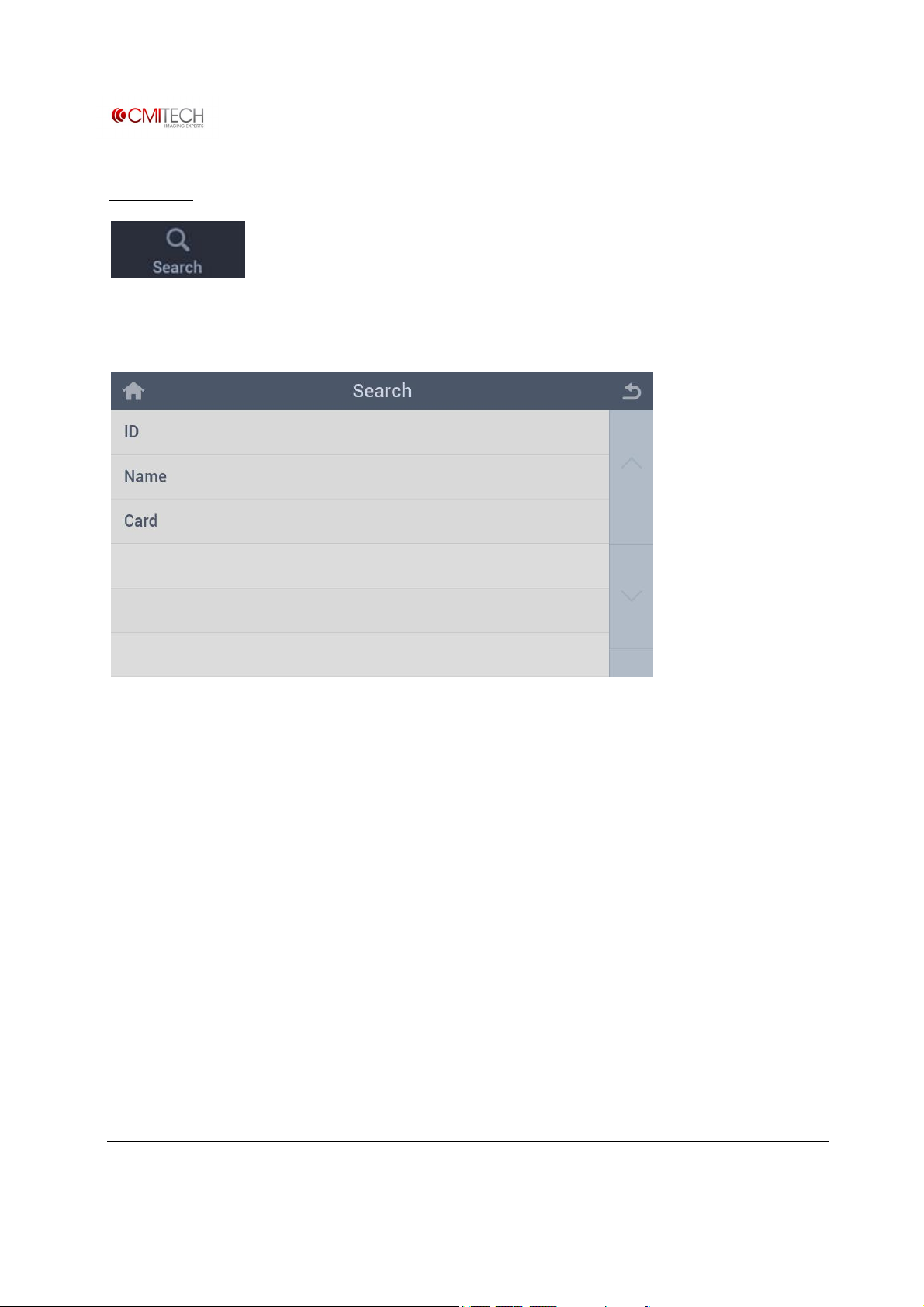
2 Search
Tap the Search icon to browse list of enrolled users.
(Note: In construction)
www.cmi-tech.com EF-45N User Manual, v0.1.1
Copyright 2016, all rights reserved July 2016
Page 74
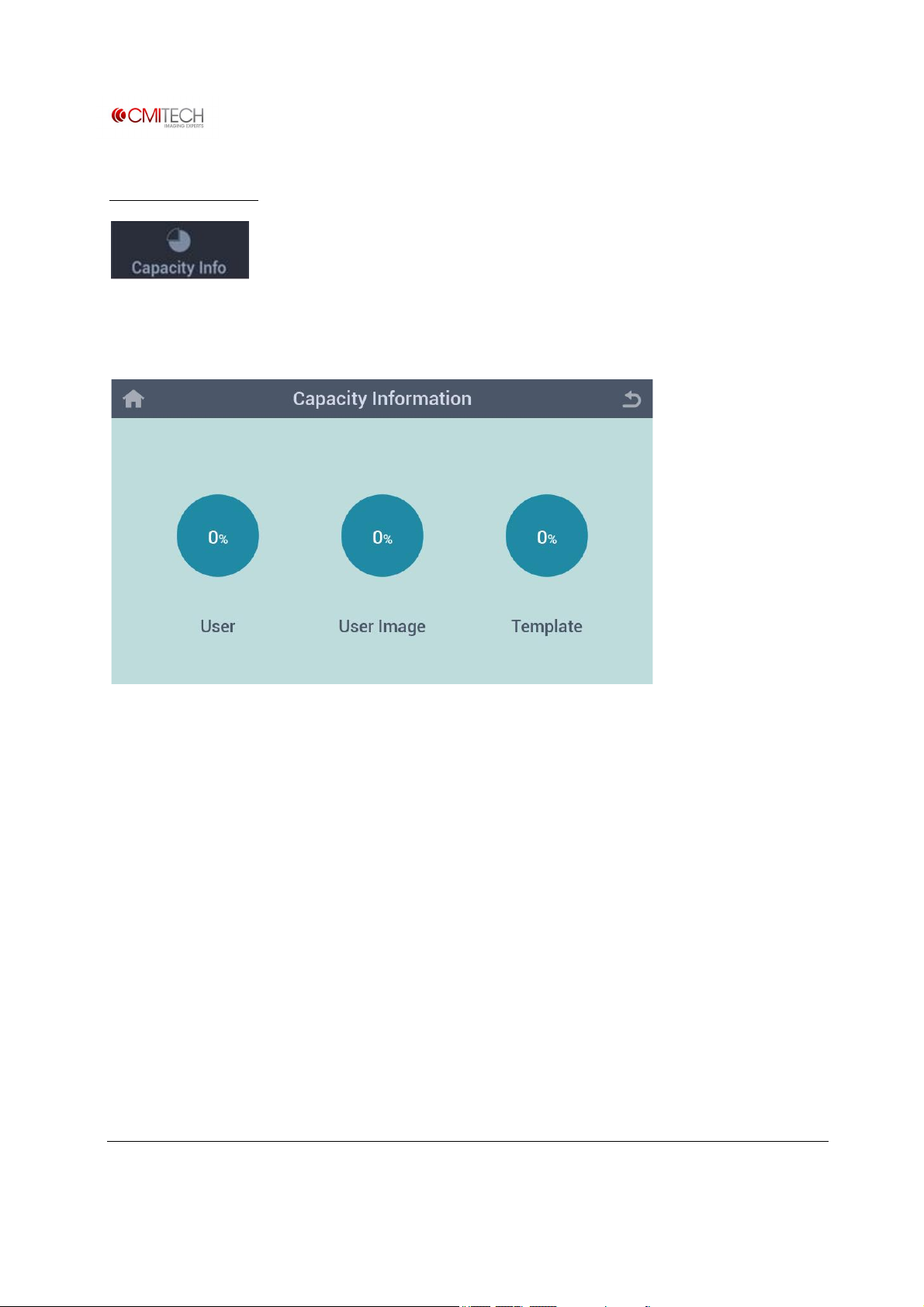
3 Capacity Info
Tap the Capacity Info icon to check storage space.
(Note: In construction)
www.cmi-tech.com EF-45N User Manual, v0.1.1
Copyright 2016, all rights reserved July 2016
Page 75
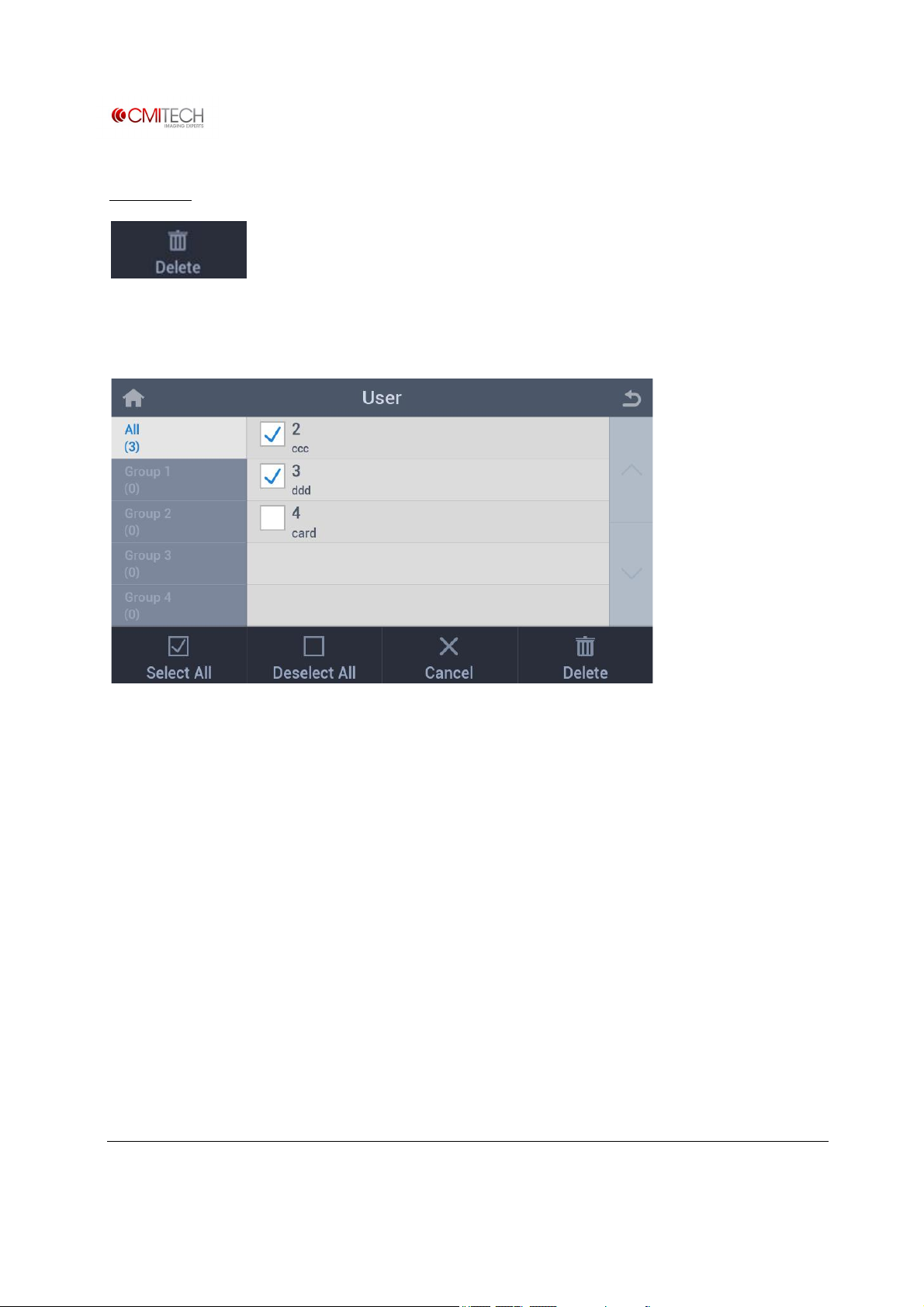
4 Delete
Delete information of enrolled user.
Select All Select all users
Deselect All Deselect all users
Cancel Return to User Main screen
Delete Delete selected user(s)
www.cmi-tech.com EF-45N User Manual, v0.1.1
Copyright 2016, all rights reserved July 2016
Page 76
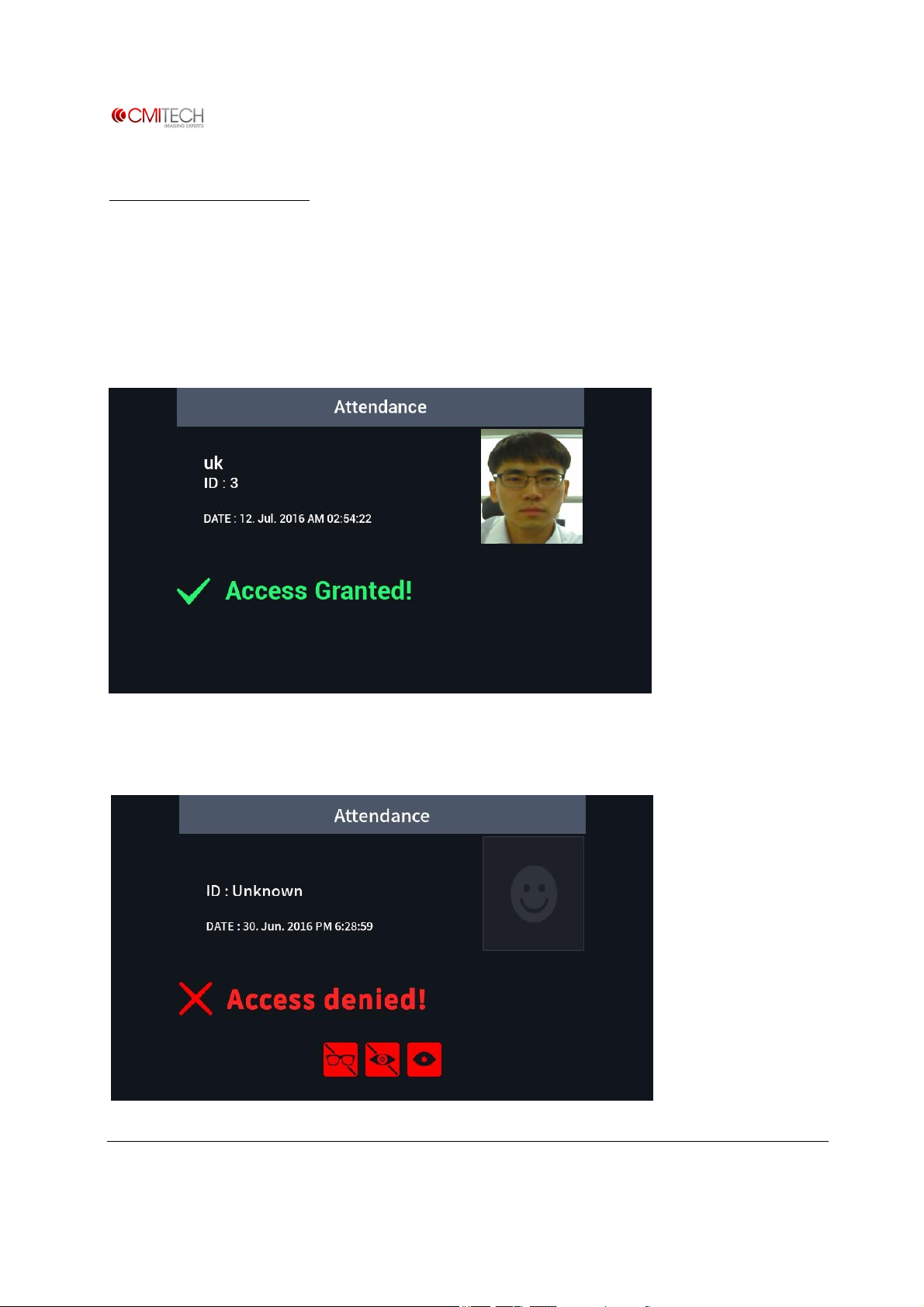
Recognition Process
1.1 Recognition Process
Recognition process is identical to the enrollment process.
1.2 Recognition / Authentication Success
1.3 Recognition / Authentication Failure
www.cmi-tech.com EF-45N User Manual, v0.1.1
Copyright 2016, all rights reserved July 2016
Page 77

When access is denied, warning icons can appear on the screen.
. Glasses: Device detects occlusion by glasses.
. Color Lens: Device detects colored lenses.
. Small Eye: Device cannot fully detect iris due to eyelid.
www.cmi-tech.com EF-45N User Manual, v0.1.1
Copyright 2016, all rights reserved July 2016
 Loading...