

Page 1
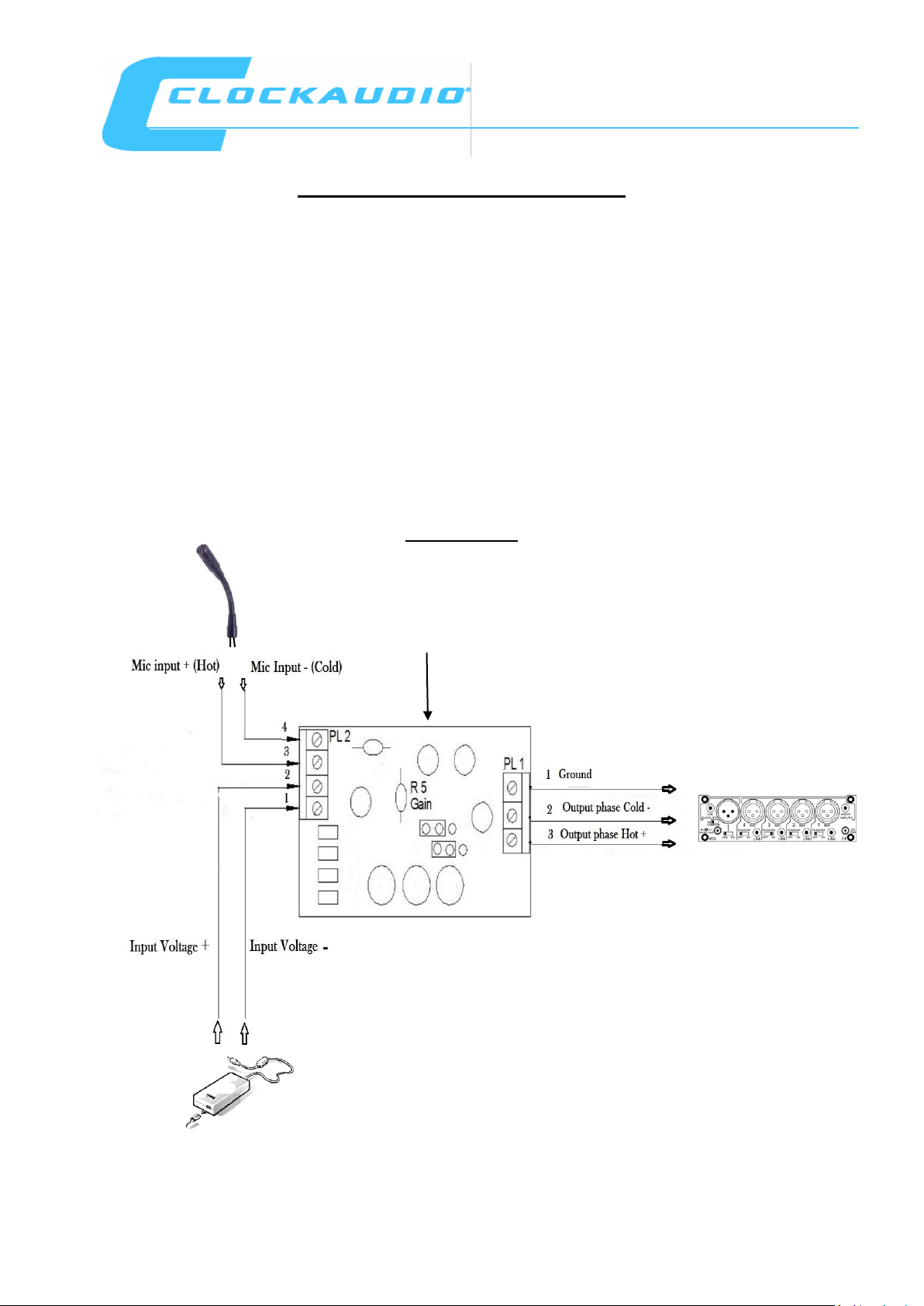
To Mixer Input
AC/DC power adaptor
(not supplied)
Line level Pre Amplifier CAP002
The CAP002 is designed for use with an electret condenser microphone. When connected it will boost
the microphone audio output to a level that can be used to connect to a typical auxiliary line level
input commonly found on amplifiers / mixers or recorders requiring 0.5 Volts RMS (refer to your
external equipment instruction manual).
Power requirements
An external 12V to 24 DC supply with 100mA capacity (not supplied) is required / available from most
high street electrical retail outlets. Some DC adaptors are supplied with a plug already attached these
will need to be removed. Important that you careful check to ensure correct +/- polarity of the 2 cables
when connecting to the CAP002 pin 1 and 2 of PL2 screw terminals.
Connections
Microphone
CAP002 BOARD
M
Page 2
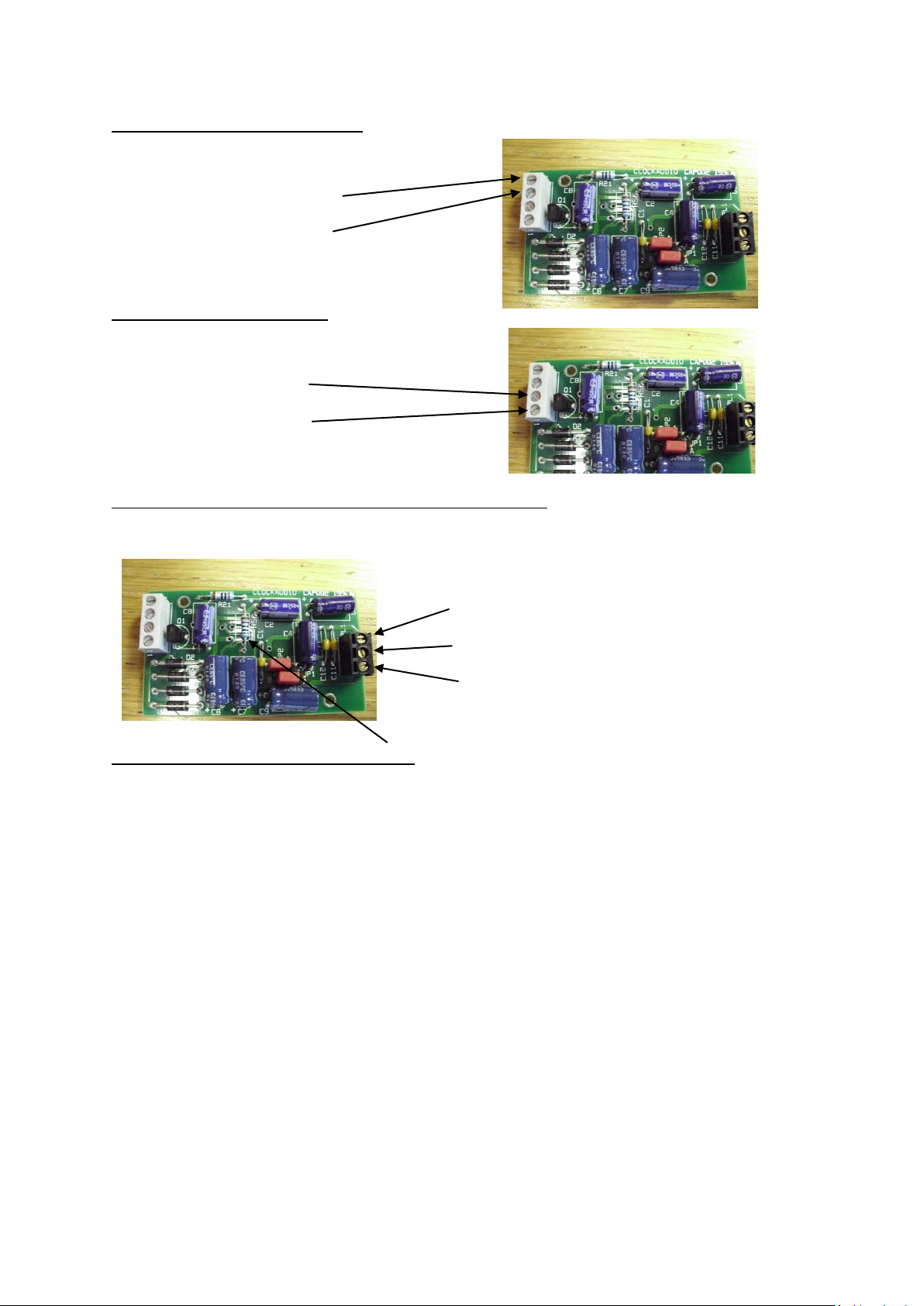
Microphone input Connections
Connect your microphone to the PL2 screw terminals:
Connect Phase cold (-) to pin 4.
Connect phase hot (+) to pin 3.
Power supply connections
Connect the supply to the PL2 screw terminals:
Connect (+) Voltage to pin 2.
Connect (-) Voltage to pin 1.
Audio output / Mixer / Auxiliary amplifier Connections
Connect your mixer input / Audio amplifier input to PL1 screw terminals:
Connect ground to pin 1.
Connect phase cold (-) to pin 2.
Connect phase hot (+) to pin 3.
Changing the audio output level (R5)
The audio output level from the CAP002 is preset to give optimal sound level with minimal distortion.
The audio output level can be increased by changing the value of a resistor mounted on the board
(R5 Gain) the values of resistance are shown below:
1K Ohm = Fitted as standard (0dB).
2K Ohm = +6dB more gain.
3.9K Ohm = +12dB more gain.
18.2K Ohm = +18dB more gain.
100K Ohm will give maximum output level.
Page 3
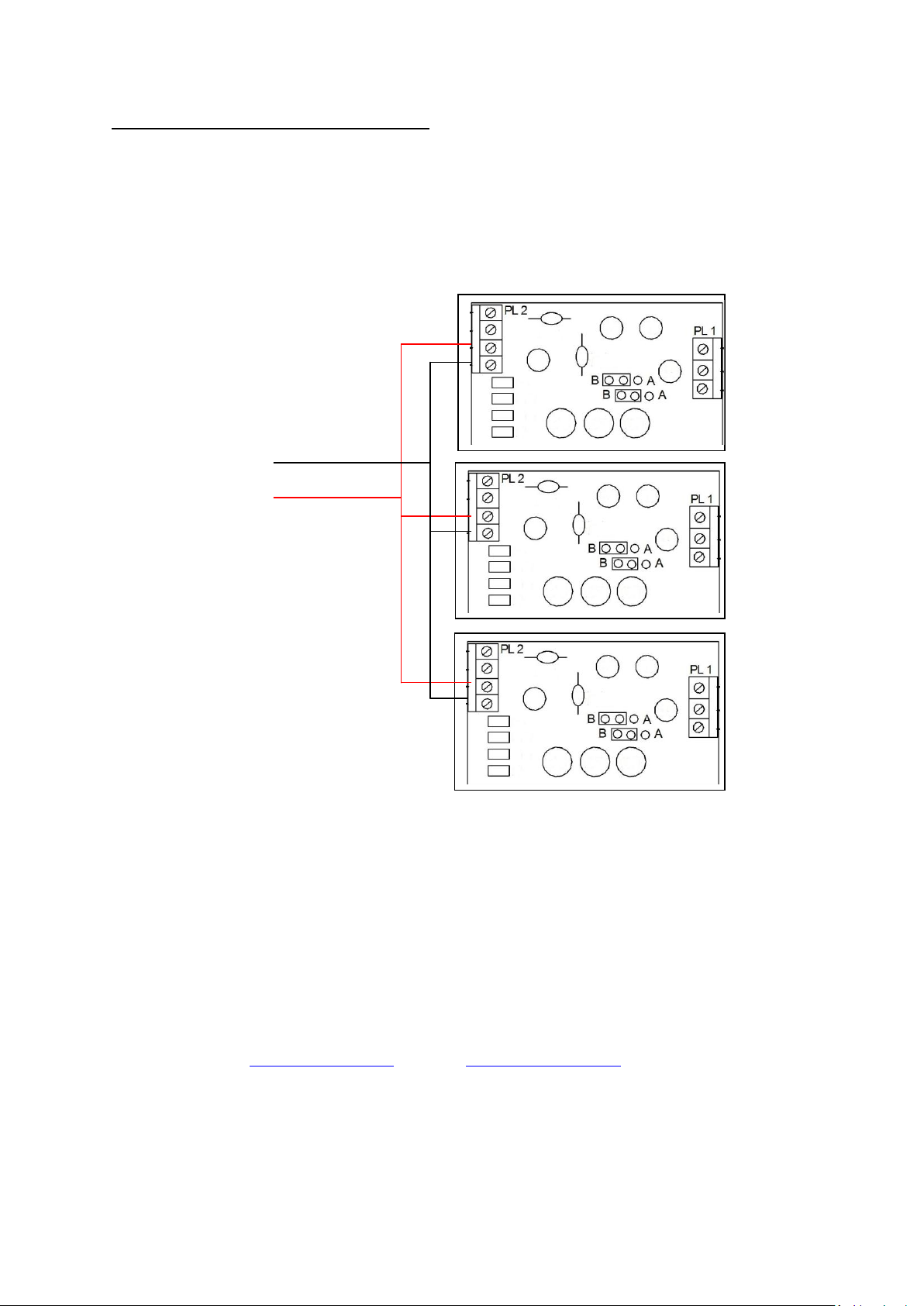
Multi power supply connections to CAP002
A single AC power adaptor can be used to power several CAP002 Line amplifiers. Simply parallel
connect the wires from your AC adaptor to each of the CAP002 DC + / - power input screw terminals
of PL2 making sure of correct polarity. See below diagram showing 3 CAP002 running of a single
supply:
DC Supply from AC adaptor
Negative -
Positive +
The Current taken by each CAP002 is very small approx 5mA. An AC power adaptor with 100mA
capability will be able to power up to 20 CAP002 circuits.
Clockaudio website www.clockaudio.com email: [email protected]
Sm30092011
 Loading...