

Page 1
ATC32U02 Basic Operation Guide
iGate™ Communicating Programmable Thermostat
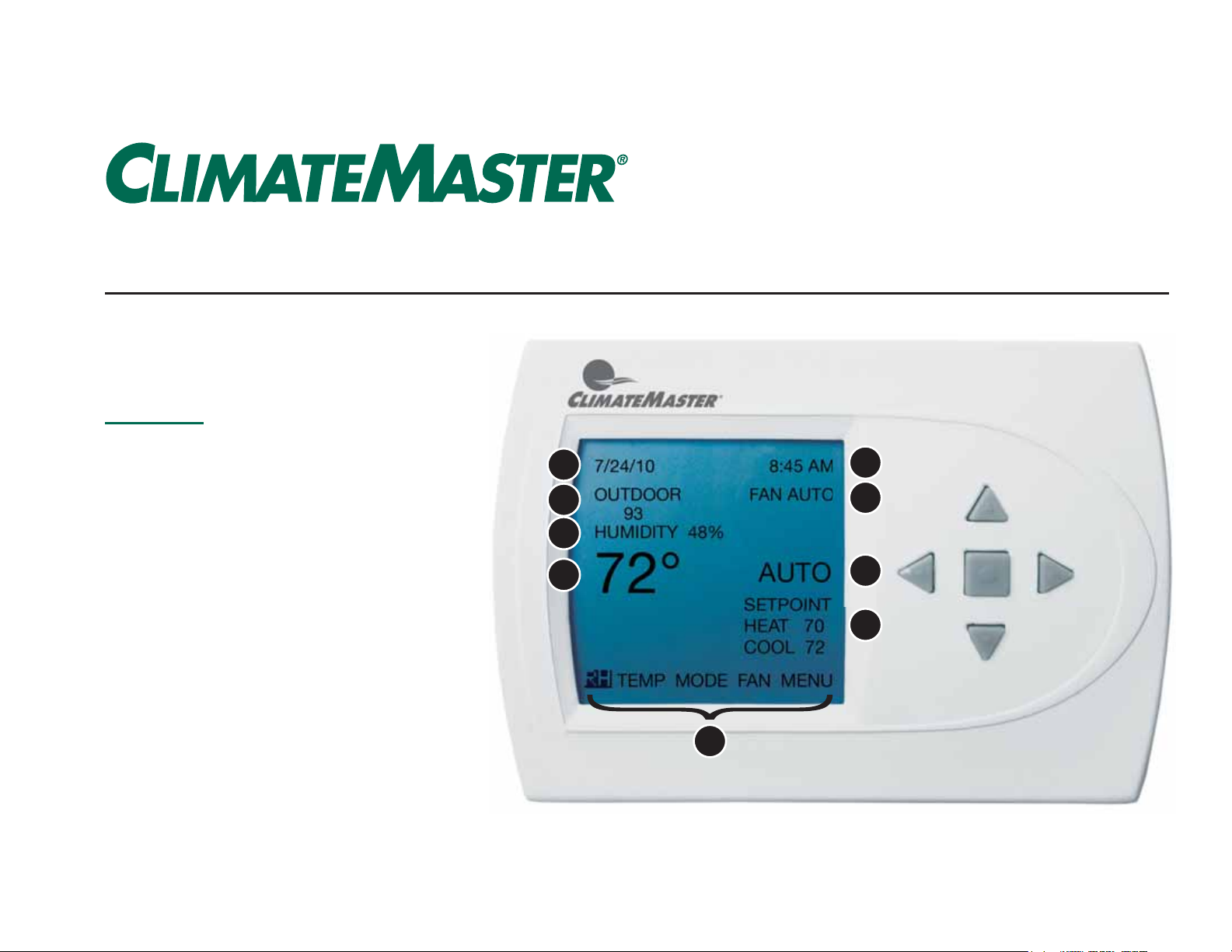
Display
1 Date
2 Outdoor Temperature (Optional)
3 Current Humidity Level
1
2
5
6
4 Indoor Temperature
5 Time
6 Fan Mode
7 Operating Mode
Off, Cool, Heat, Emergency Heat
8 Temperature Setpoints
9 User Options
3
4
7
{
8
9
Page 2
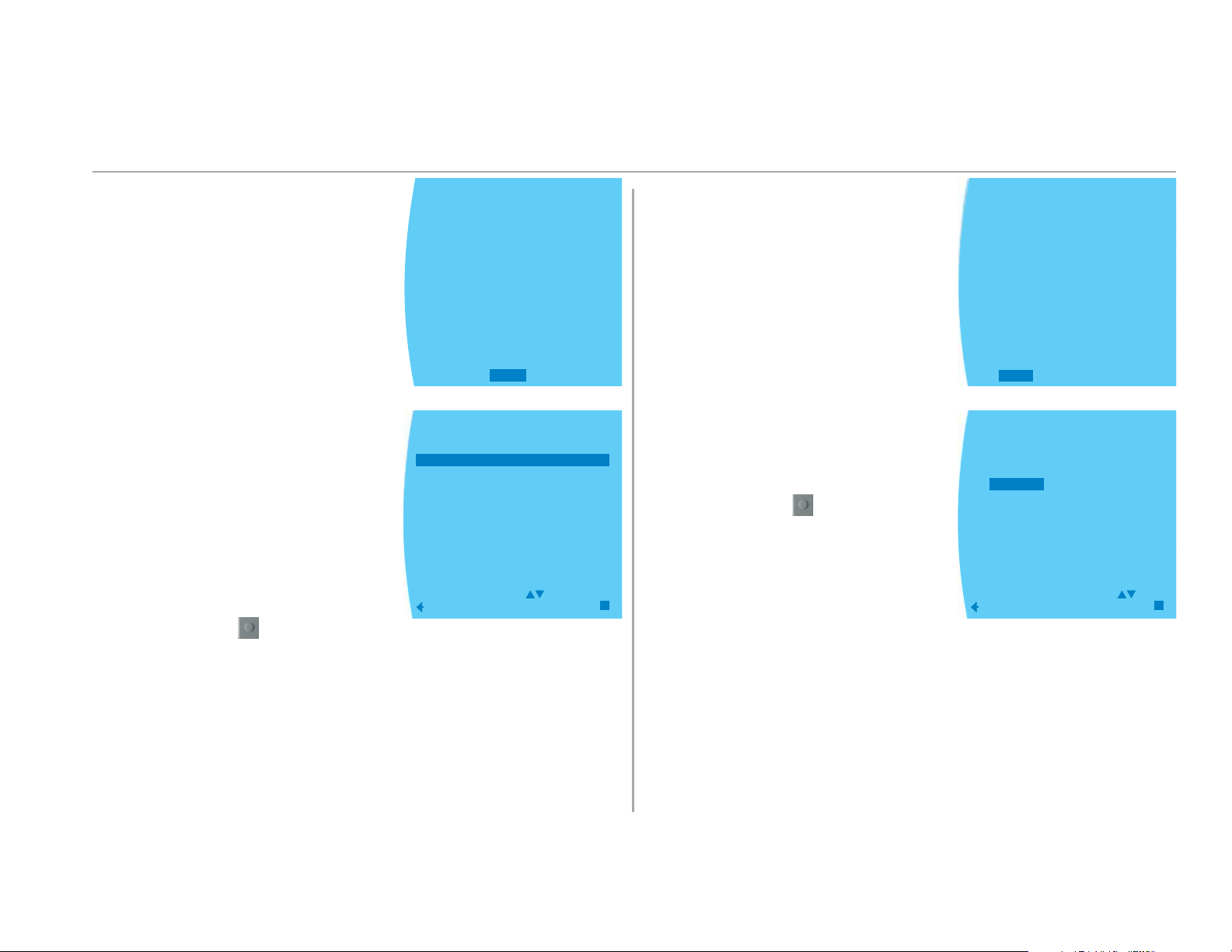
Select Mode
Change Temperature Setpoints
• From the main menu select Mode
Select one of the following:
• OFF - Turns unit off
• AUTO - Automatically cool or heat
based on setpoint
• COOL - Cool down to the cool set-
point temperature
• HEAT - Heat up to the heat setpoint
temperature
• EMERGENCY HEAT - Turn on backup
heating source to heat up to heat
setpoint temperature (optional)
Select enter button
to save settings
10/13/1 1 8:27 AM
FAN AUTO
RH 41%
HUMID ON
°
69
RH
TEMP
OPERATING MODE MENU
OFF
AUTO
COOL
HEAT
EMERGENCY
CHANGE
PREVIOUS
MODE
HEAT
MODE
AUTO
SETPOINT
HEAT 62
COOL 82
FAN
MENU
SAVE
Use left-right arrow keys to select TEMP
Use left-right arrow keys to select HEAT
or COOL
Once selected, use up-down arrow
keys to change temperature setpoint
(desired temperature)
Select enter button
to save settings
10/13/1 1 8:25 AM
FAN AUTO
RH 41%
HUMID ON
°
68
RH
TEMP
TEMPERATURE
UNTIL 5:00 PM
HEAT
AUTO
SETPOINT
HEAT 62
COOL 82
FAN
MODE
HOLD THIS
COOL
°
70
CHANGE
PREVIOUS
SET
74
TEMP
SAVE
MENU
°
1
Page 3
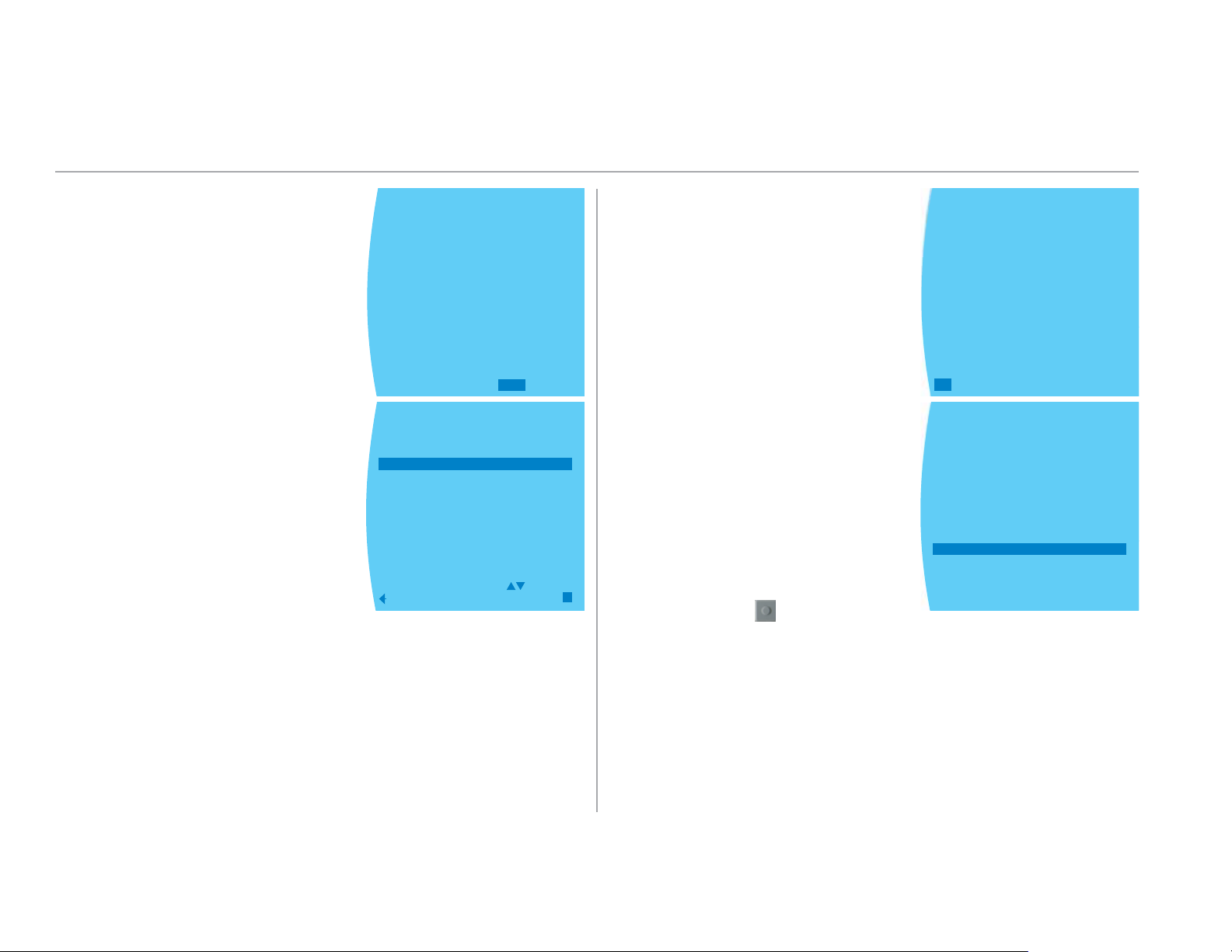
Select Fan Mode Select Humidity Level
Use left-right arrow keys to select FAN
Select one of the following:
• AUTO - Runs when the unit is heat-
ing/cooling
• CONTINUOUS ON - Runs all the
time, regardless if it is heating/
cooling
• PROGRAMMED FAN - Follows daily/
weekly schedule (see section on
daily/weekly schedule)
10/13/1 1 8:27 AM
FAN AUTO
RH 40%
°
69
RH
TEMP
FAN MENU
AUTO
CONTINUOUS ON
PROGRAMMED FAN
SELECT OPTION
PREVIOUS
MODE
HEAT
OFF
FAN
SAVE
MENU
Use left-right arrow keys to select RH
Select on of the following:
• HUMIDITY SETTING - Desired humid-
ity when trying to humidify the
space (in heating mode, for example; only if humidifi er is installed)
• DEHUMID SETTING (OPTIONAL) -
Desired humidity when trying to
remove humidity from the space (in
cooling mode, for example)
Select enter button
to save settings
10/12/11 5:22 PM
FAN AUTO
RH 38%
HUMID ON
°
70
TEMP
RH
HUMIDITY CONTROL
SETPOINT
HEAT 70
COOL 78
MODE
AUTO
MENU
FAN
%
42
HUMIDITY
HUMIDITY SETTING 40%
DEHUMID SETTING 60%
2
Page 4
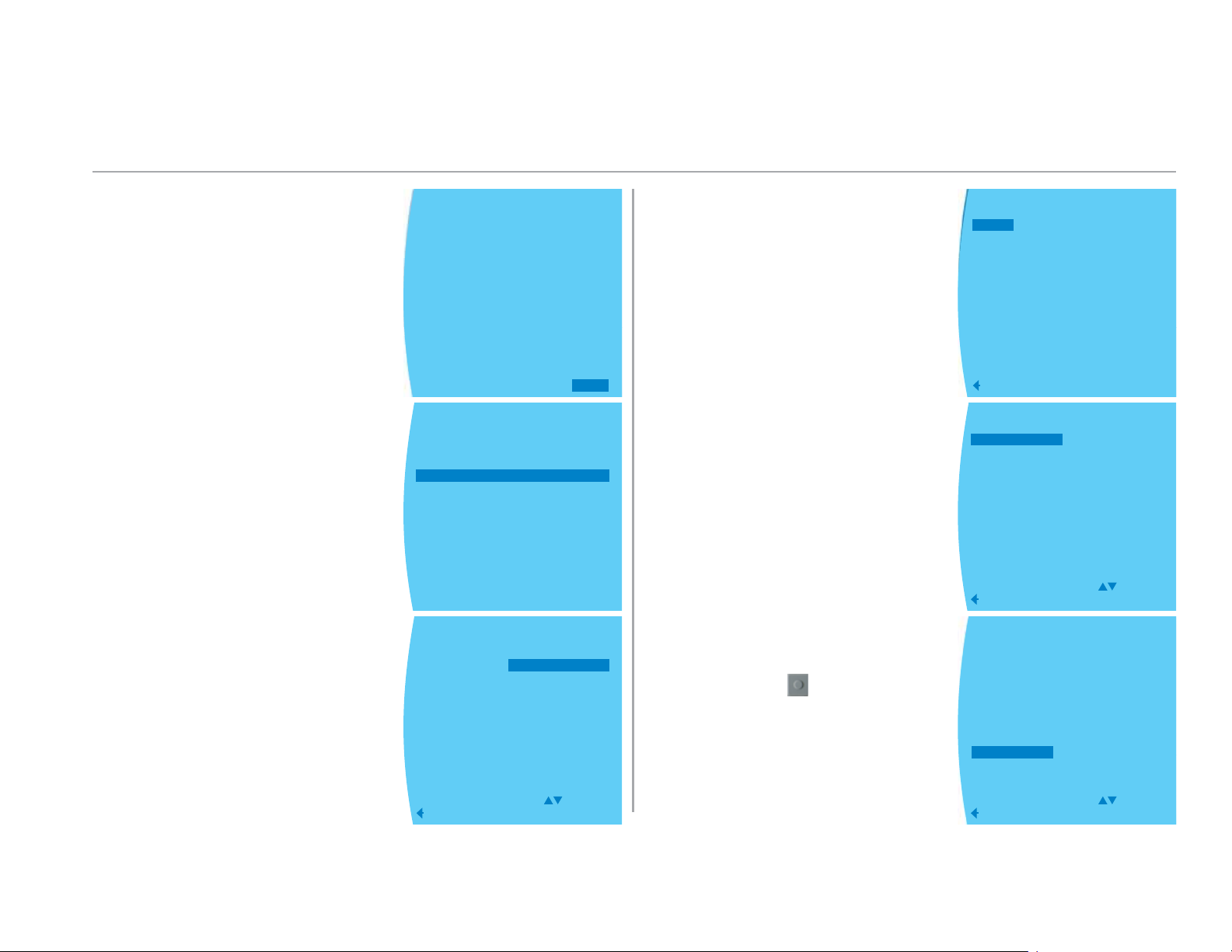
Program Daily/Weekly Schedule
Use left-right arrow keys to select MENU
Use up-down arrow keys to select
PROGRAM
Use up-down arrow keys to select DAY
10/13/11
RH 40%
8:27 AM
FAN AUTO
°
69
RH
TEMP
MAIN MENU
SET DATE AND TIME
HOLD
PROGRAM
FAN
MODE
SETTINGS
SECURITY LOCKOUT
PROGRAM MENU
COPY
TUESDAY
THURSDAY
SATURDAY
EVERY DAY
WEEKENDS
SELECT OPTION
PREVIOUS
OFF
FAN
MODE
MONDAY
WEDNESDAY
FRIDAY
SUNDAY
WEEKDAYS
MENU
Use left-right arrow keys to select
setpoints for cooling & heating
You can also select if you want the
unitʼs fan to run while heating/cooling, or continuous during that period
Select COPY to copy program from
one day to another
Use up-down arrow keys to select
day to copy FROM
Use up-down arrow keys to select
day/group of days to copy to
Select enter button
to save settings
MONDAY
WAKE HEAT COOL FAN
6:00 A 70 78 AUTO
LEAVE
8:00A 62 82 AUTO
RETURN
5:00P 70 78 AUTO
SLEEP
10:00P 62 82 AUTO
SAVE
PREVIOUS
PROGRAM MENU
COPY
TUESDAY
THURSDAY
SATURDAY
EVERY DAY
WEEKENDS
SELECT OPTION
PREVIOUS
COPY TO WHICH DAY?
MONDAY
WEDNESDAY
FRIDAY
SUNDAY
WEEKDAYS
SELECT OPTION
PREVIOUS
MONDAY
WEDNESDAY
FRIDAY
SUNDAY
WEEKDAYS
TUESDAY
THURSDAY
SATURDAY
EVERY DAY
WEEKENDS
3
Page 5
Main Menu
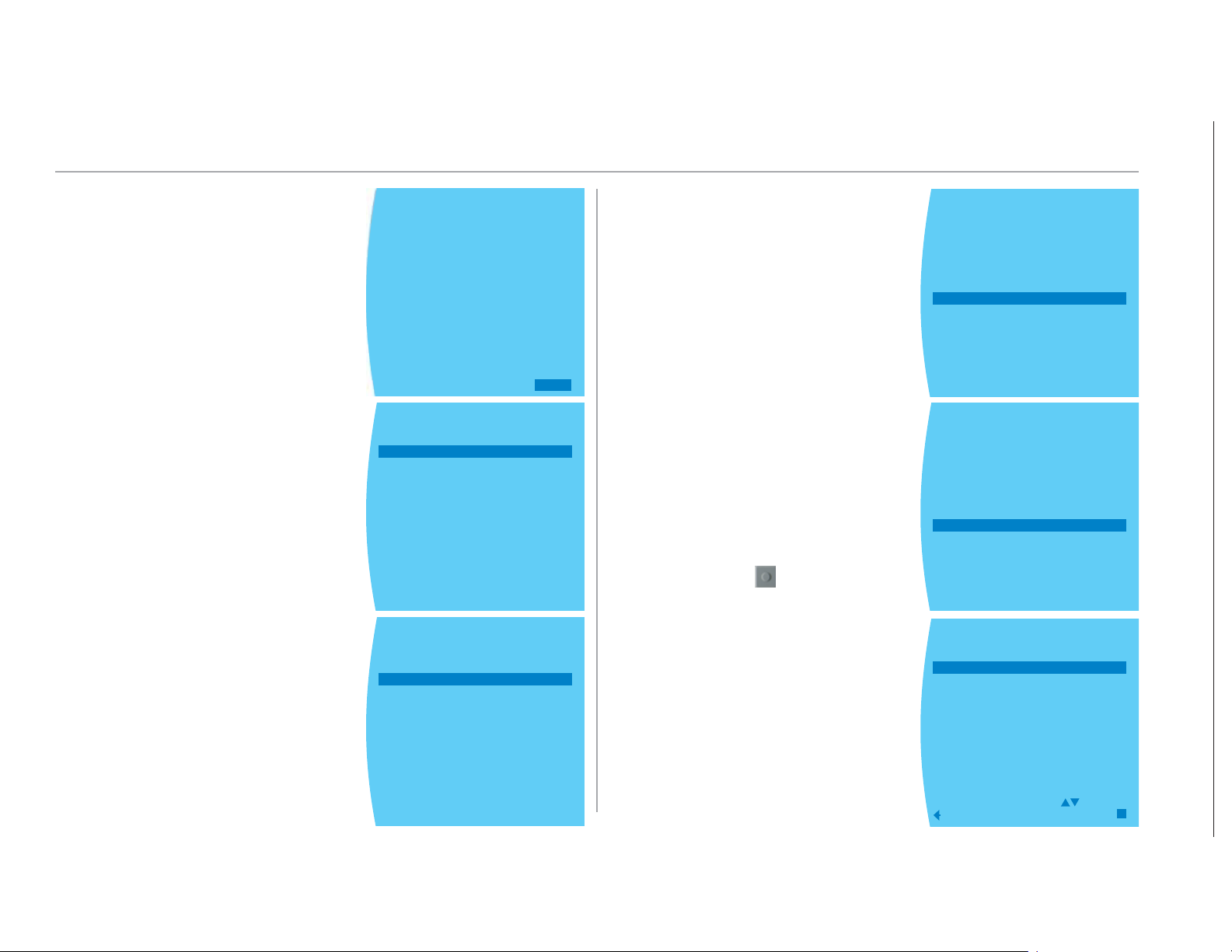
Use left-right arrow keys to select MENU
Select one of the following:
• SET DATE AND TIME
• HOLD - Over ride daily/weekly
schedule
- VACATION - Set hold temperatures
till certain day/time
- PERMANENT - Set hold temperatures
till cancelled
- CANCEL - Select CANCEL
OVERRIDE on main screen
10/13/11
RH 40%
8:27 AM
FAN AUTO
°
69
RH
TEMP
MAIN MENU
SET DATE AND TIME
HOLD
PROGRAM
FAN
MODE
SETTINGS
SECURITY LOCKOUT
MAIN MENU
SET DATE AND TIME
HOLD
PROGRAM
FAN
MODE
SETTINGS
SECURITY LOCKOUT
MODE
OFF
FAN
MENU
• SETTINGS - See document
97B0055N02 for more details
• SECURITY LOCKOUT
- TEMP ADJUST ONLY - Set pass
code to lockout any changes
EXCEPT changing temperature
setpoints
- TOTAL KEYPAD LOCKOUT - Set pass
code to lock out ANY changes
Select enter button
to save settings
MAIN MENU
SET DATE AND TIME
HOLD
PROGRAM
FAN
MODE
SETTINGS
SECURITY LOCKOUT
MAIN MENU
SET DATE AND TIME
HOLD
PROGRAM
FAN
MODE
SETTINGS
SECURITY LOCKOUT
SECURITY LOCKOUT
TEMP ADJUST ONLY
TOTAL KEYPAD LOCKOUT
SELECT OPTION
PREVIOUS
SAVE
4
Page 6
Change Filter
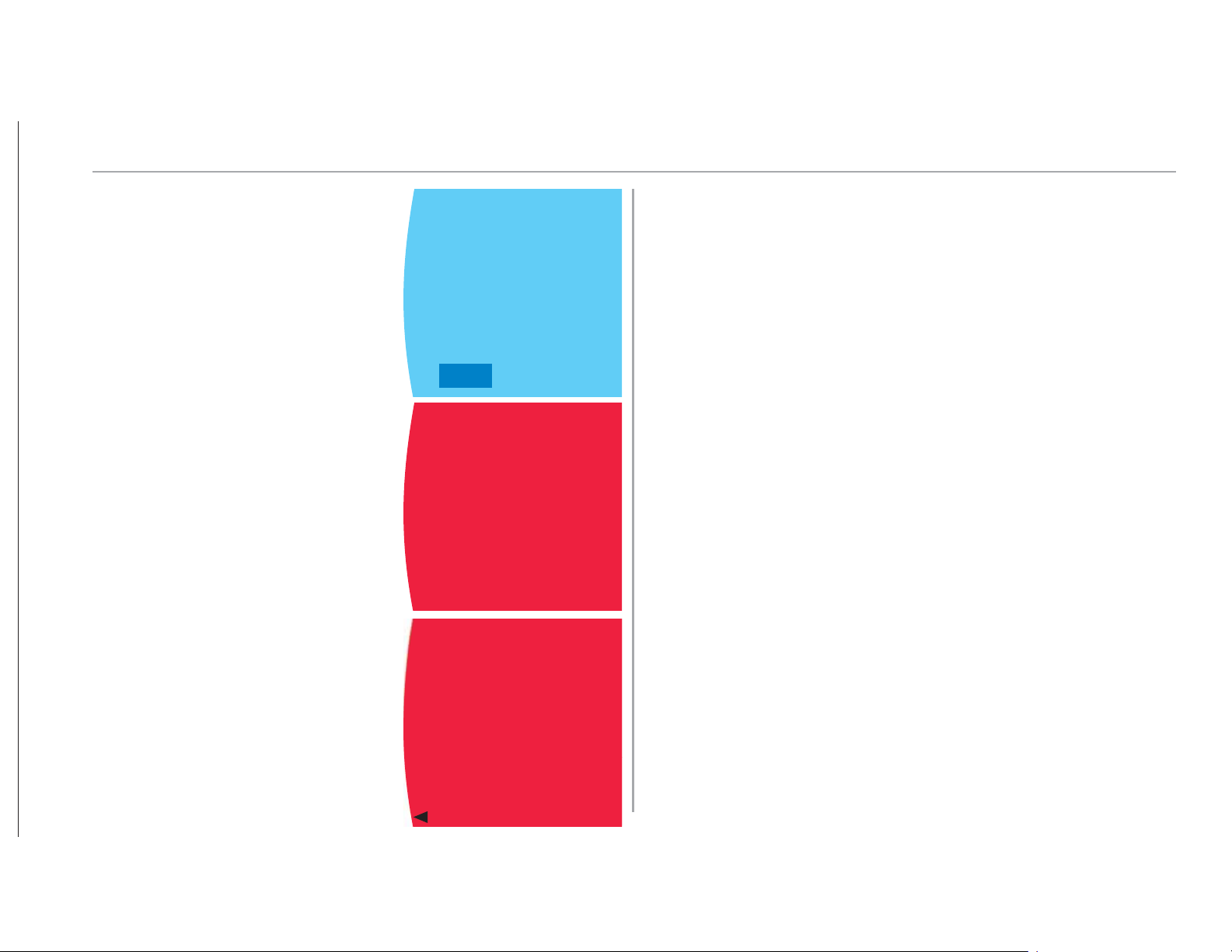
Choose CANCEL ALARM once the
fi lter is changed
Service Needed
Press any button for more information
The next screen will display the
model and serial number of your
ClimateMaster unit, the phone number
of your installing contractor, and
the fault code and a description of
the fault that triggered the Service
Needed screen
CHANGE AIR FILTER
FAN AUTO
RH 28%
°
69
CANCEL
RH ALARM
SERVICE
NEEDED
PRESS ANY BUTTON FOR
MORE INFORMATION
SERVICE
NEEDED
PHONE CONTRACTOR
CONTRACTOR NAME
CONTRACTOR PHONE
BRAND NAME
CLIMATEMASTER
MODEL NUMBER
123456789
SERIAL NUMBER
987654321
E# - FAULT NAME
RESET
OFF
MODE
FAN
MENU
5
Page 7

7300 S.W. 44th Street | Oklahoma City, OK 73179
ClimateMaster works continually to improve its products. As a result, the design and specifi cations of each product at the time for order may be changed
without notice and may not be as described herein. Please contact ClimateMaster’s Customer Service Department at 1-405-745-6000 for specifi c
information on the current design and spec i fi ca tions. Statements and other in for ma tion contained herein are not express warranties and do not form the basis
of any bargain between the parties, but are merely ClimateMaster’s opinion or com men da tion of its products.
The management system governing the manufacture of ClimateMaster’s products is ISO 9001:2008 certifi ed.
The ‘USGBC Member Logo’ is a trademark owned by the U.S. Green Building Council and is used by permission. The logo signifi es only that ClimateMaster , Inc. is
a USGBC member; USGBC does not review, certify, or endorse the products or services offered by its members.
We are a proud supporter of the Geothermal Exchange Organization - GEO. For more information visit geoexchange.org
ClimateMaster is a company of LSB Industries, New York Stock Exchange Symbol: LXU
97B0055N04 © ClimateMaster, Inc. 2011 Rev.: 2/13/14
Phone: 405-745-6000
|
Fax: 405-745-6058
|
climatemaster.com
|
geoexchange.org
ISO 9001:2008
Certified
Quality: First & Always
 Loading...