

Page 1
COLLABORATE® Live 600
Quick-Start Guide
Page 2
COLLABORATE LIVE 600
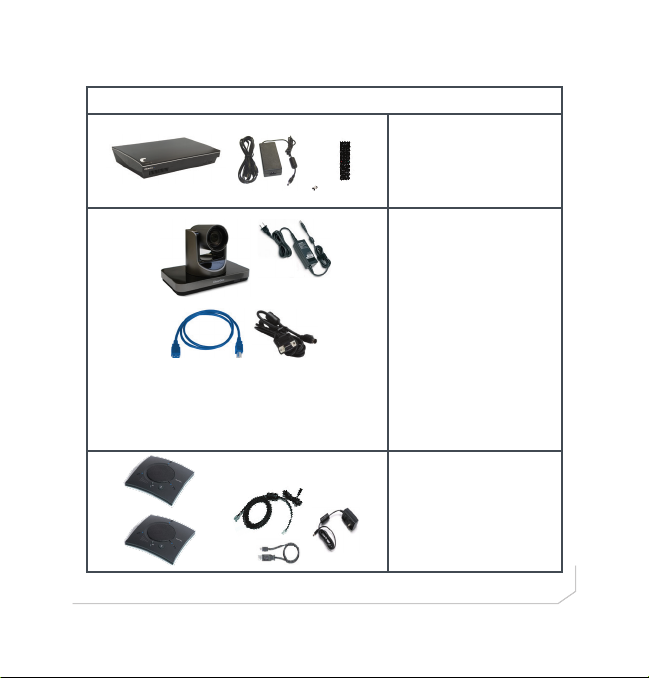
COMPONENTS INCLUDED
COLLABORATE Live 600
COLLABORATE Live 600
codec with power supply
and COLLABORATE
Remote control with
dongle
910-2100-003
UNITE 200 PTZ camera,
power supply, HDMI cable
and RS232 Serial Control
cable
Note: The remote control
inside the camera box
is only for any advanced
configuration in the camera,
if required.
For the camera’s control, use
the COLLABORATE Codec
Appliance’s remote control.
910-156-200-00
CHATAttach 150, cables
and power supply.
2
Page 3
QUICK-START GUIDE
MAKING THE CONNECTIONS
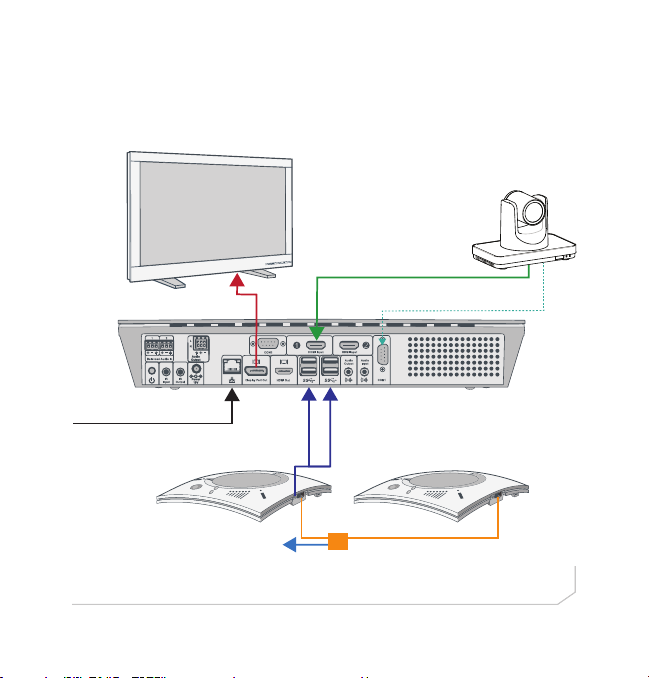
Connect the CHATAttach 150, the UNITE 200 camera, Ethernet, and
monitor(s) to the COLLABORATE Live 600 codec as shown.
1080p or 720p Digital Display
UNITE 200 Camera Video
Camera Serial Control
Ethernet Connection
Power Connection
USB Connection
CHATAttach 150
Attach Cable
Note: Audio and power connections not shown.
3
Page 4
COLLABORATE LIVE 600
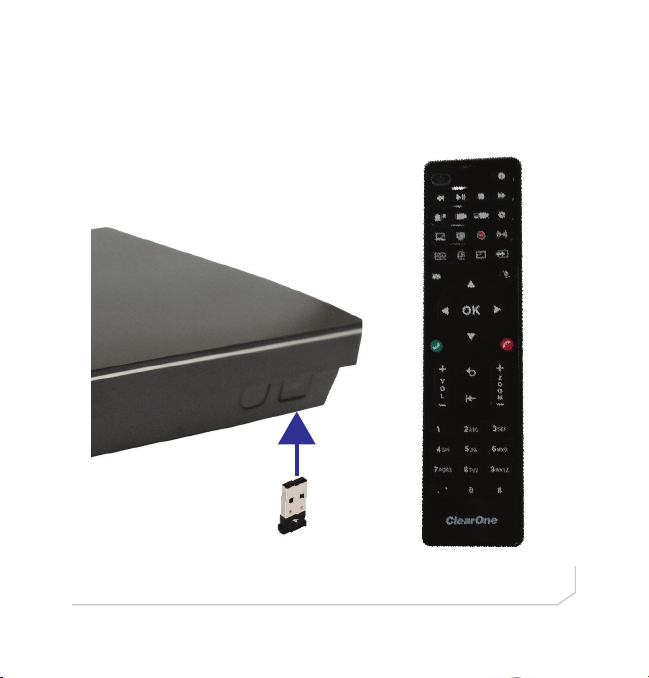
CONNECTING THE REMOTE CONTROL DONGLE
The Remote Control includes a dongle that plugs into the FRONT USB
port on the codec.
4
Page 5
QUICK-START GUIDE
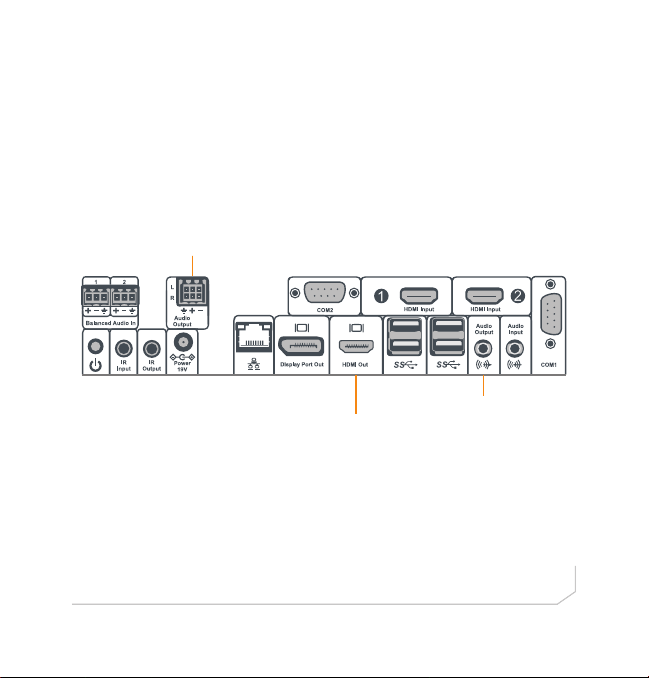
Balanced Audio Output
HDMI Combined Video
and Audio Output
Line Audio Output
AUDIO OUTPUT OPTIONS
There are three audio output options, accessed from the back of the
COLLABORATE Live 600, for connecting the audio.
1. Balanced Audio output to an amplifier that is connected to speakers
2. Line output to powered speakers
3. HDMI output to the primary monitor
5
Page 6
COLLABORATE LIVE 600
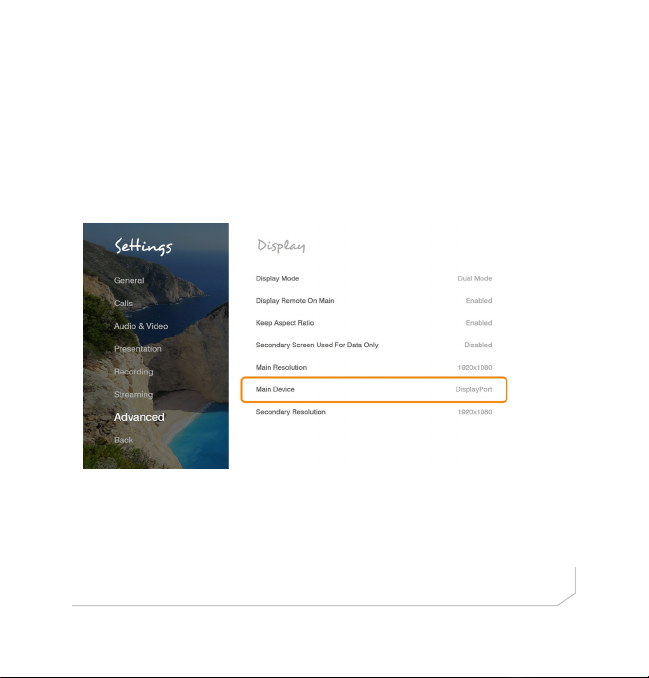
CONFIGURING DISPLAY SETTINGS
After all peripherals are connected to the unit, turn the unit on.
Once COLLABORATE Live is loaded – you will see your local camera
video on your screen.
Using the remote control, navigate to the display settings:
Settings > Advanced > Display
According to your monitor capabilities, set to the maximum supported
resolution. If 2 monitors are connected to the unit, the display mode is
automatically changed to dual mode and you can set both monitors’
resolutions.
6
Page 7
QUICK-START GUIDE
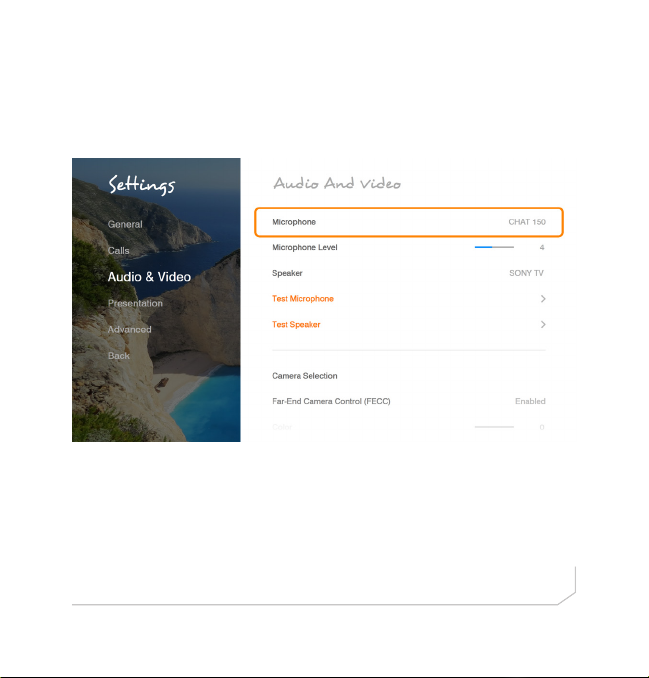
CONFIGURING AUDIO SETTINGS
The COLLABORATE Live 600 audio input is CHAT 150 and audio output
is set to the Balanced Audio Output.
Verify this in COLLABORATE Settings > Audio & Video
Note: It is recommended to use the CHATAttach 150.
7
Page 8
COLLABORATE LIVE 600
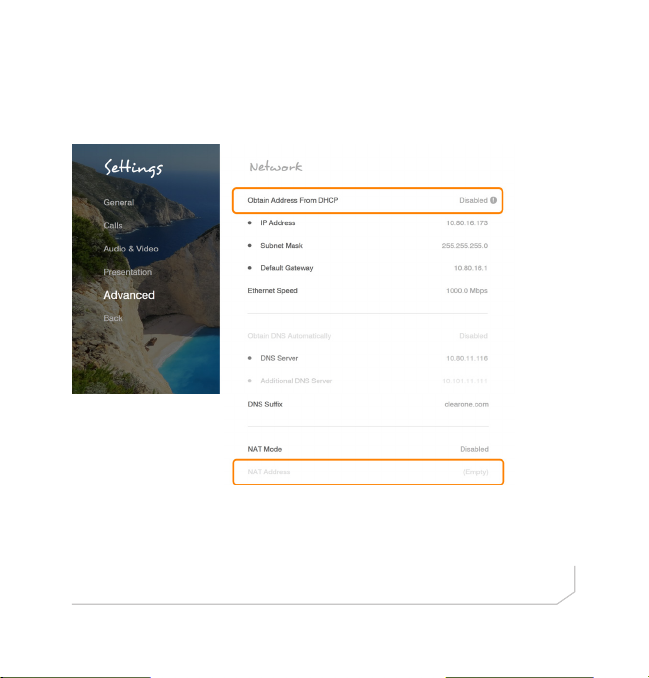
CONFIGURING NETWORK SETTINGS
Using your remote control, navigate into the network settings:
Settings > Advanced > Network
The COLLABORATE Live 600 obtains its IP automatically by default from
the DHCP server.
Set “Obtain Address From DHCP” to “Disabled” to manually configure
network settings.
8
Page 9

CLEARONE CONTACTS
QUICK-START GUIDE
Headquarters
5225 Wiley Post Way
Suite 500
Salt Lake City, UT 84116
US & Canada
Tel: 801.975.7200
TollFree: 800.945.7730
Fax: 801.303.5711
International
Tel: +1.801.975.7200
e-mail: [email protected]
© 2019 ClearOne, Inc. All rights reserved.
Information in this document is subject to change without notice. QSG-0072-001 Revision 1.0 February 2019
Sales
Tel: 801.975.7200
e-mail: [email protected]
TechSupport
Tel: 801.974.3760
e-mail: [email protected]
Website
www.clearone.com
9
 Loading...