

Page 1
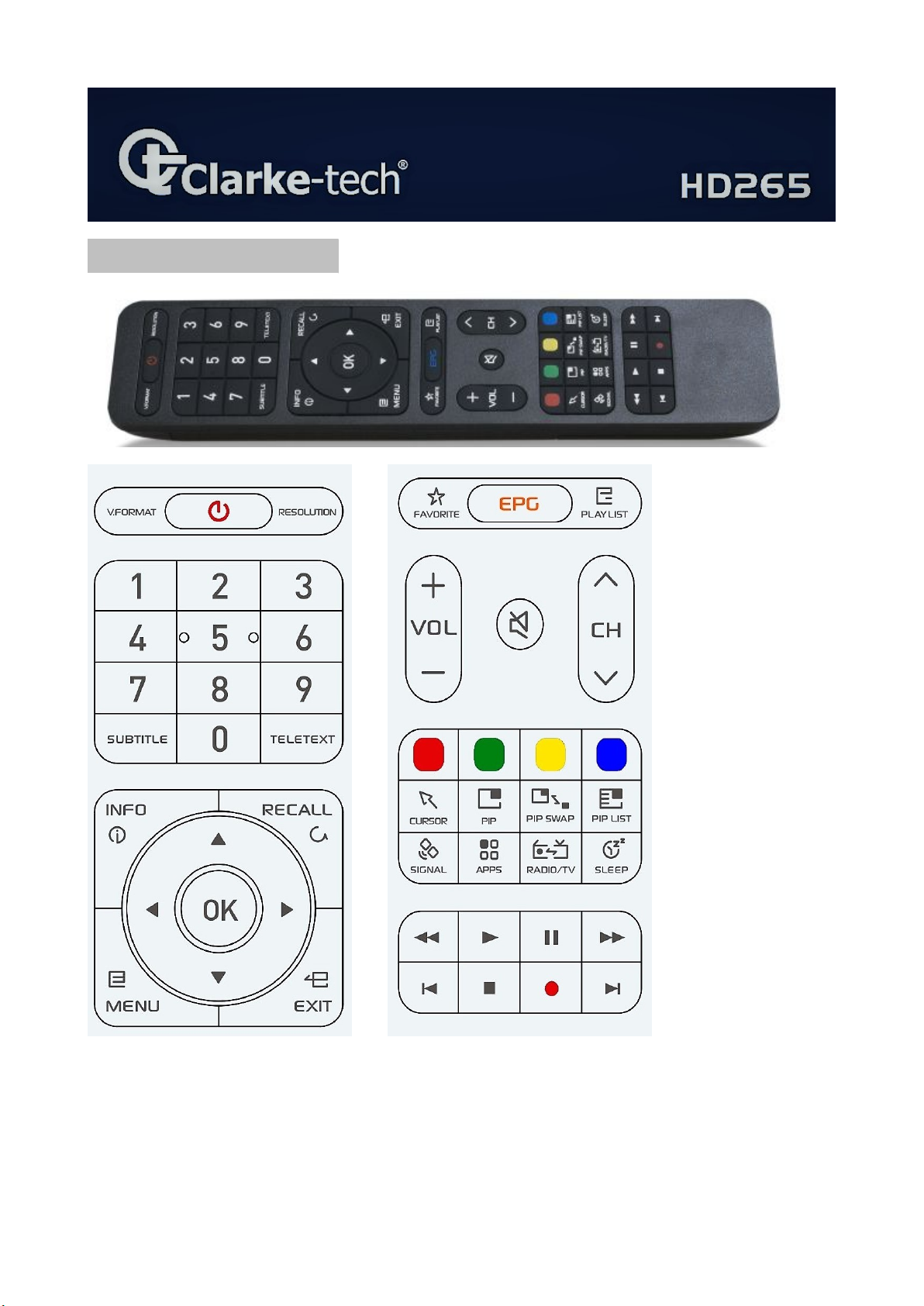
Remote Control...
Specifications + design are subject to change due to our policy of continual technical improvement !
Page 2
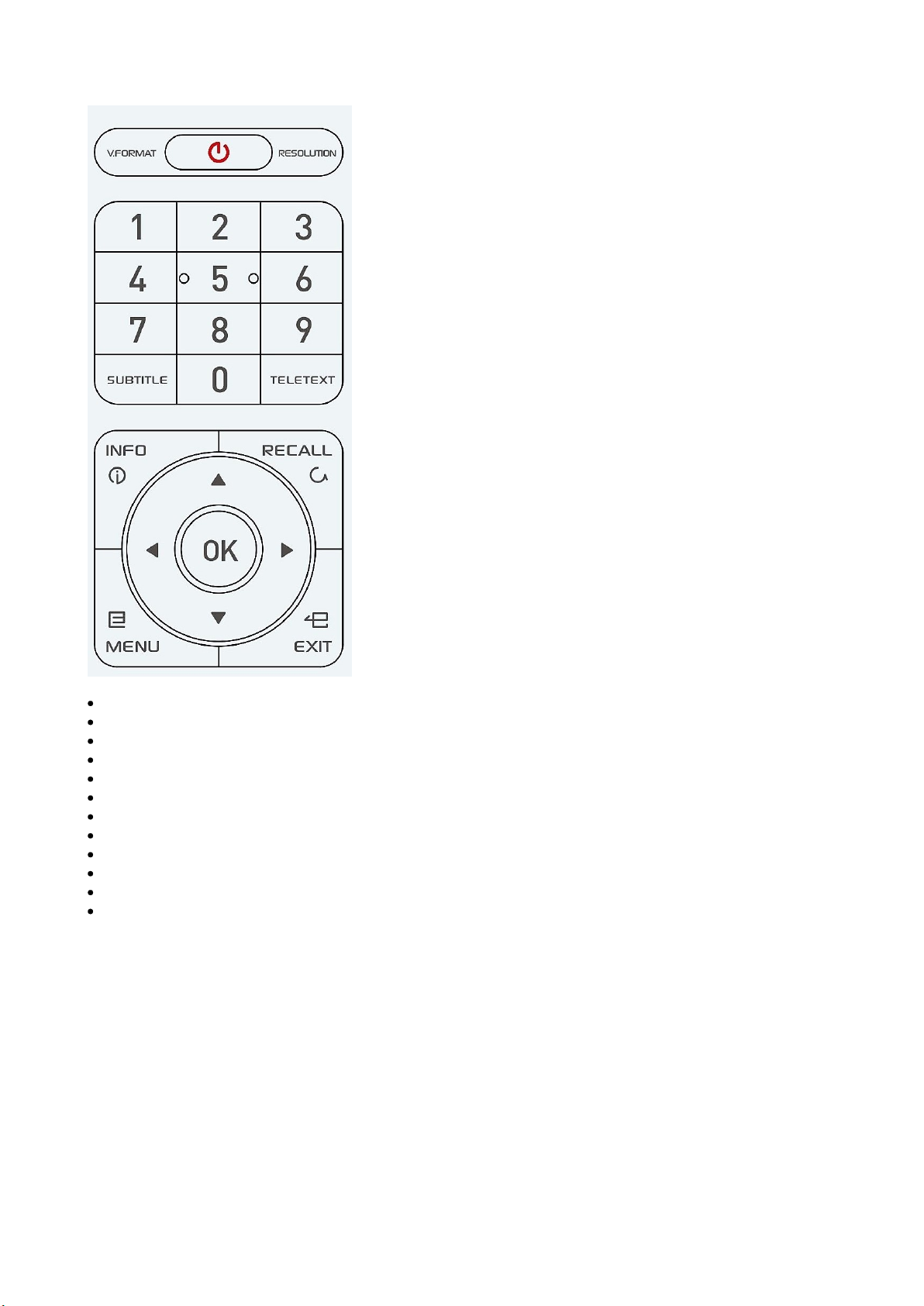
POWER: To turn the receiver On/Off
V.FORMAT: To switch a TV aspect ratio ... of video output
Resolution: To switch the resolution of video output
Numeric Keys (0-9): To enter numerical settings (such as channel numbers) directly
SUBTITLE: To turn closed captions on or off
TELETEXT: To show the teletext contents if teletext is transmitted
INFO: To show information about the current program. Press twice to show detail
RECALL: To move to the previous channel Used for special functions in menu mode
OK: To show the Channel List in non-menu mode and select an item or confirm in menu mode
Attow Up & Down & Left & Right: To switch channels in non-menu mode and move up/down in menu mode
MENU: To enter or exit the main menu
EXIT: To exit from the present menu and move to the previous menu
Specifications + design are subject to change due to our policy of continual technical improvement !
Page 3
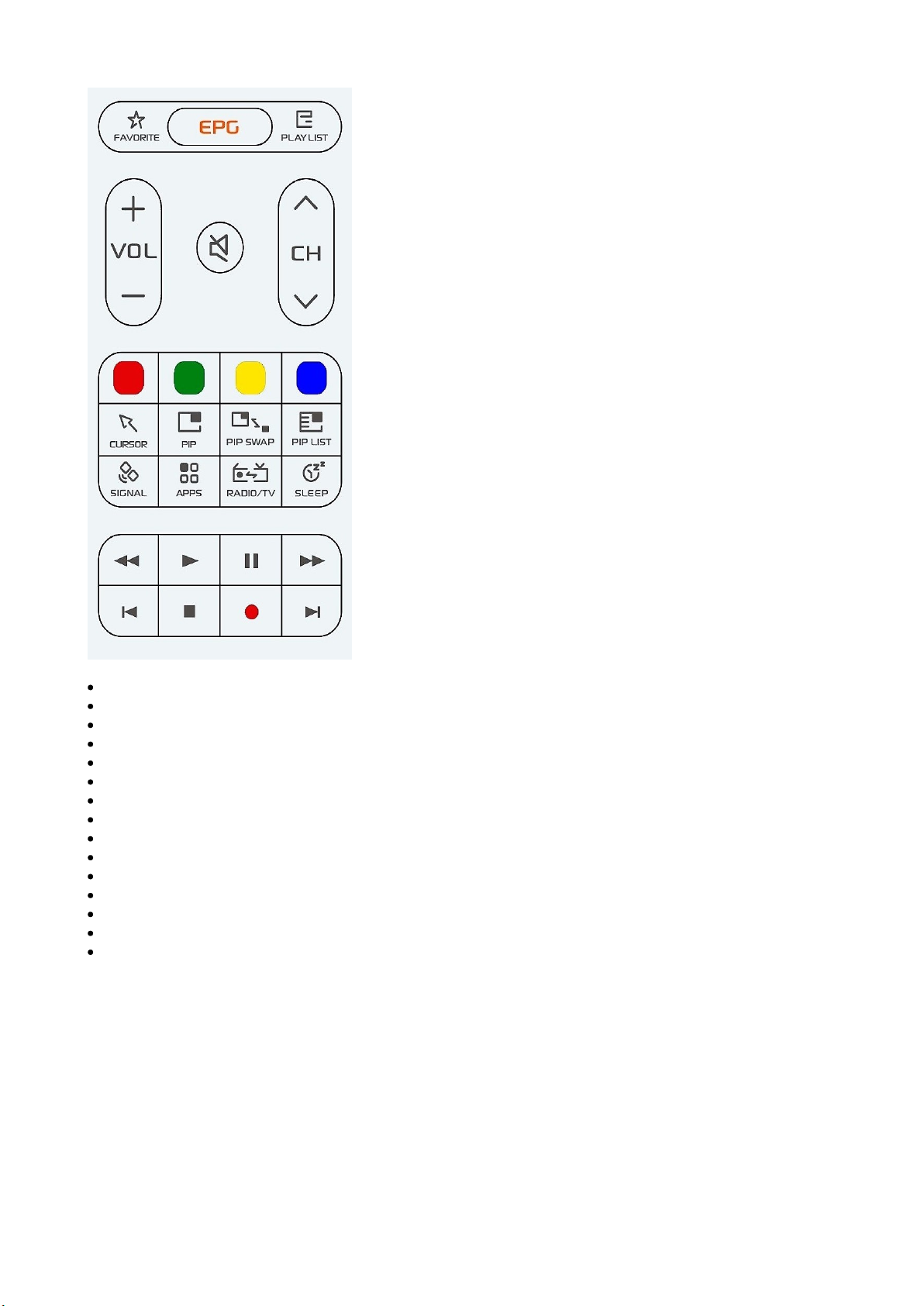
FAVORITE: To display the Favorite
EPG: To show the TV/Radio electronic program guide
PLAYLIST: To display the filelist
MUTE: To turn the sound On/Off
Vol Up & Down: To change the volume level in non-menu mode
CH Up & Down: To change the channel in non-menu mode
Color Key: Select the option such as to open features, yellow in Live mode, (audio tracj...)
Cursor: Cuesor On/Off Browser or Menu
PiP : On/Off /Splited Screen/ 2. channel in window
PiP SWAP: change between TV Screen <> Window
PiP LIST: only same TP , list of the second channel
SIGNAL : display Signal bar
APPS: open APPS menu
TV/RADIO: To switch between TV and Radio
SLEEP: To set the STB off after minutes
Note: Option/sub channel > :press & hold the “EPG” button , open sub channels window.
Optional
REW: Playback in rewind mode
Time Shift: Play Content
PLAY: Play Content
FWD: Playback in forward mode
REC: Start
STOP: Stop
NEXT & PREVIOUS
Specifications + design are subject to change due to our policy of continual technical improvement !
 Loading...