

Page 1
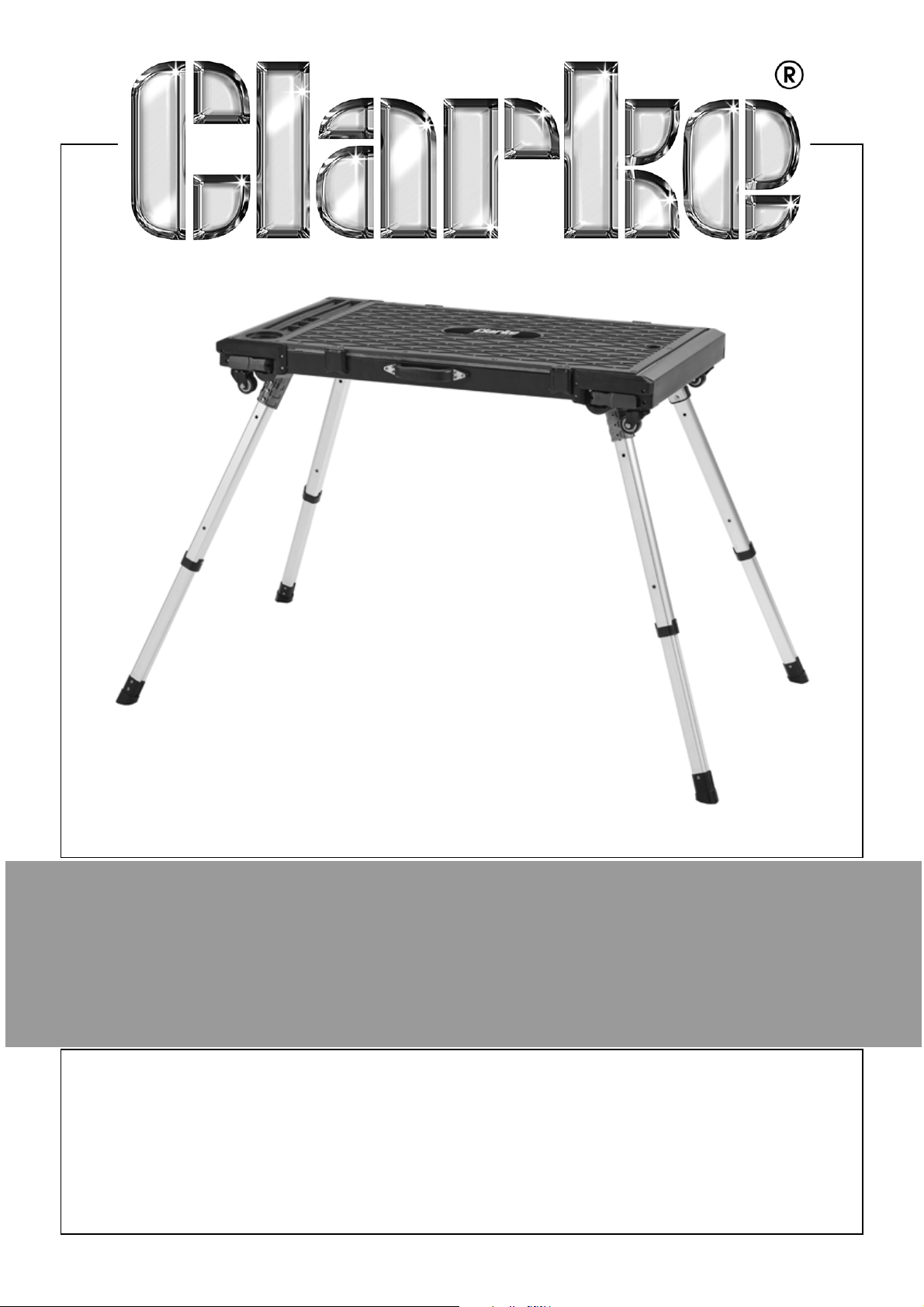
4 IN 1 WORKBENCH
MODEL NO: C4IN1WB
PART NO: 6501602
USER MANUAL
ORIGINAL INSTRUCTIONS DL0324
Page 2
INTRODUCTION
Thank you for purchasing this CLARKE 4 in 1 workbench.
Before attempting to use this product, please read this manual thoroughly and
follow the instructions carefully. In doing so you will ensure the safety of yourself
and that of others around you and you can look forward to your purchase
giving you long and satisfactory service.
Please keep these instructions in a safe place for future reference.
GUARANTEE
This product is guaranteed against faulty manufacture for a period of 12
months from the date of purchase. Please keep your receipt which will be
required as proof of purchase.
This guarantee is invalid if the product is found to have been abused or
tampered with in any way, or not used for the purpose for which it was
intended.
Faulty goods should be returned to their place of purchase. No product can
be returned to us without prior permission.
This guarantee does not effect your statutory rights.
ENVIRONMENTAL PROTECTION
DO NOT dispose of old products or damaged parts with general
household waste. All tools, accessories and packaging no longer
required should be sorted, taken to a recycling centre and
disposed of appropriately.
PRODUCT PROFILE
This workbench has 4 modes:
• Creeper Mode
• Dolly Mode
•Platform Mode
•Workbench Mode
2
Parts & Service: 020 8988 7400 / E-mail: [email protected] or [email protected]
Page 3
OVERVIEW
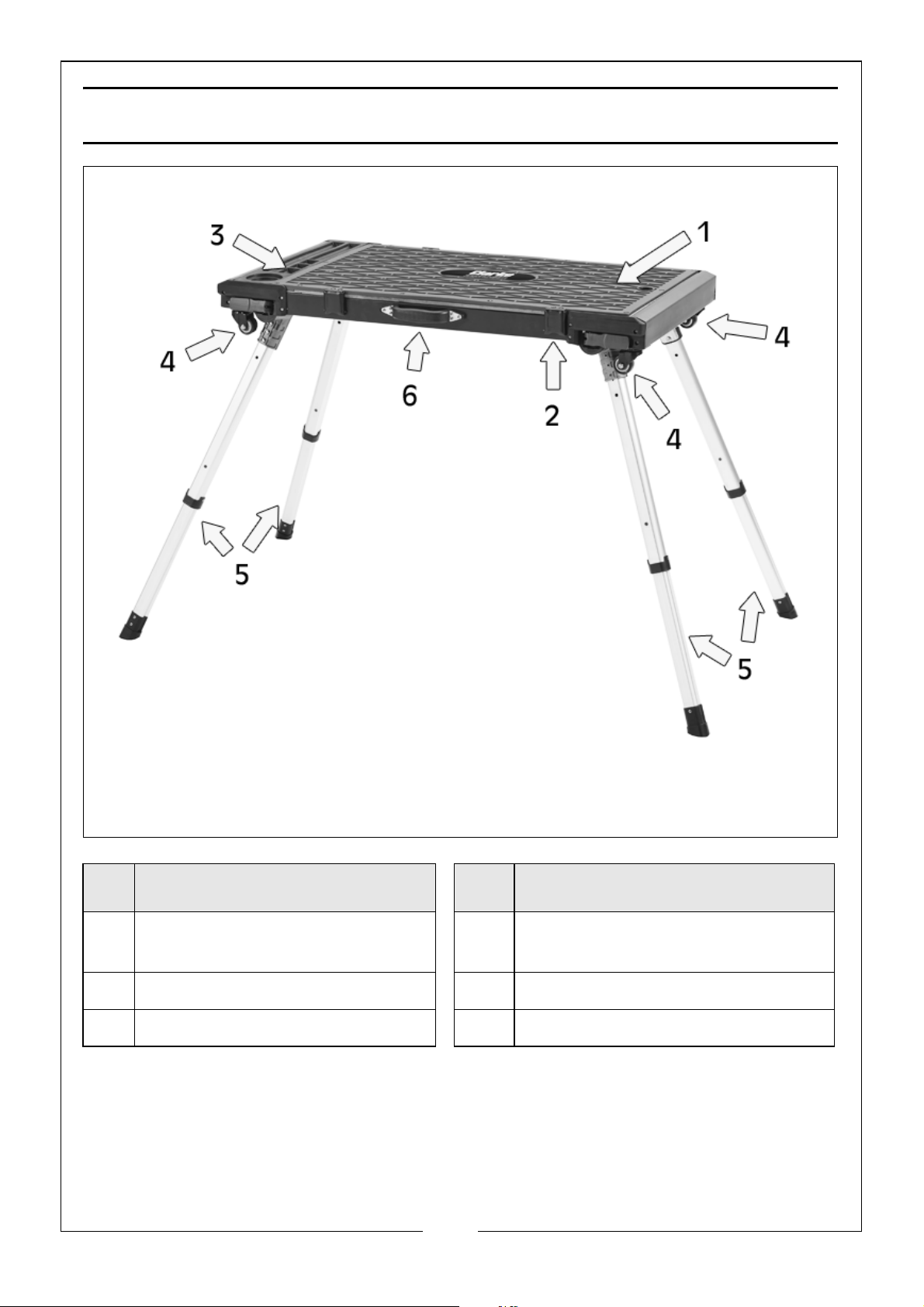
NO DESCRIPTION NO DESCRIPTION
1 Reversible Worktop
(Wooden or Anti-slip Surface)
2 Metal Worktop Clips (x4) 5 Folding Retractable Legs (x4)
3 Tools & Parts Organiser 6 Carrying Handle
Parts & Service: 020 8988 7400 / E-mail: [email protected] or [email protected]
4 38mm Diameter Wheels
(2 x Locked, 2 x Swivelling)
3
Page 4

SPECIFICATION
Product Description 4 in 1 Workbench
Part Number 6501602
Workbench Weight 13.65kg
Maximum Load Weight Creeper Mode: 120kg (264lb)
Dolly Mode: 120kg (264lb)
Platform Mode: 150kg (330lb)
Workbench Mode: 125kg (275lb)
Measurement (H x W x D) Creeper Mode: 120 x 955 x 520mm
Dolly Mode: 120 x 955 x 520mm
Platform Mode: 565 x 1160 x 615mm
Workbench Mode: 805 x 1345 x 715mm
Workbench/Platform Area 880mm x 470mm
SAFETY
1. Ensure that this user manual is read and understood by everybody that will
be using this workbench.
2. Take care when placing a load on to the workbench. It should be placed
gently so that the strain is taken up gradually.
3. NEVER exceed the maximum load weight (see specification section) for
each mode.
4. ALWAYS ensure you are working on a firm flat stable surface.
5. DO NOT mount/directly attach power tools on to the workbench.
6. NEVER stand on the workbench unless it is in the Platform mode.
7. When in Platform mode, stand in the centre of the platform to avoid the
chance of tipping over.
8. DO NOT use excessive force when extending or retracting the legs as this
may damage them.
9. When in Platform or Workbench mode, make sure the legs are locked into
position before use.
10. AV OI D storing the workbench outside or in humid environments.
4
Parts & Service: 020 8988 7400 / E-mail: [email protected] or [email protected]
Page 5
CREEPER MODE
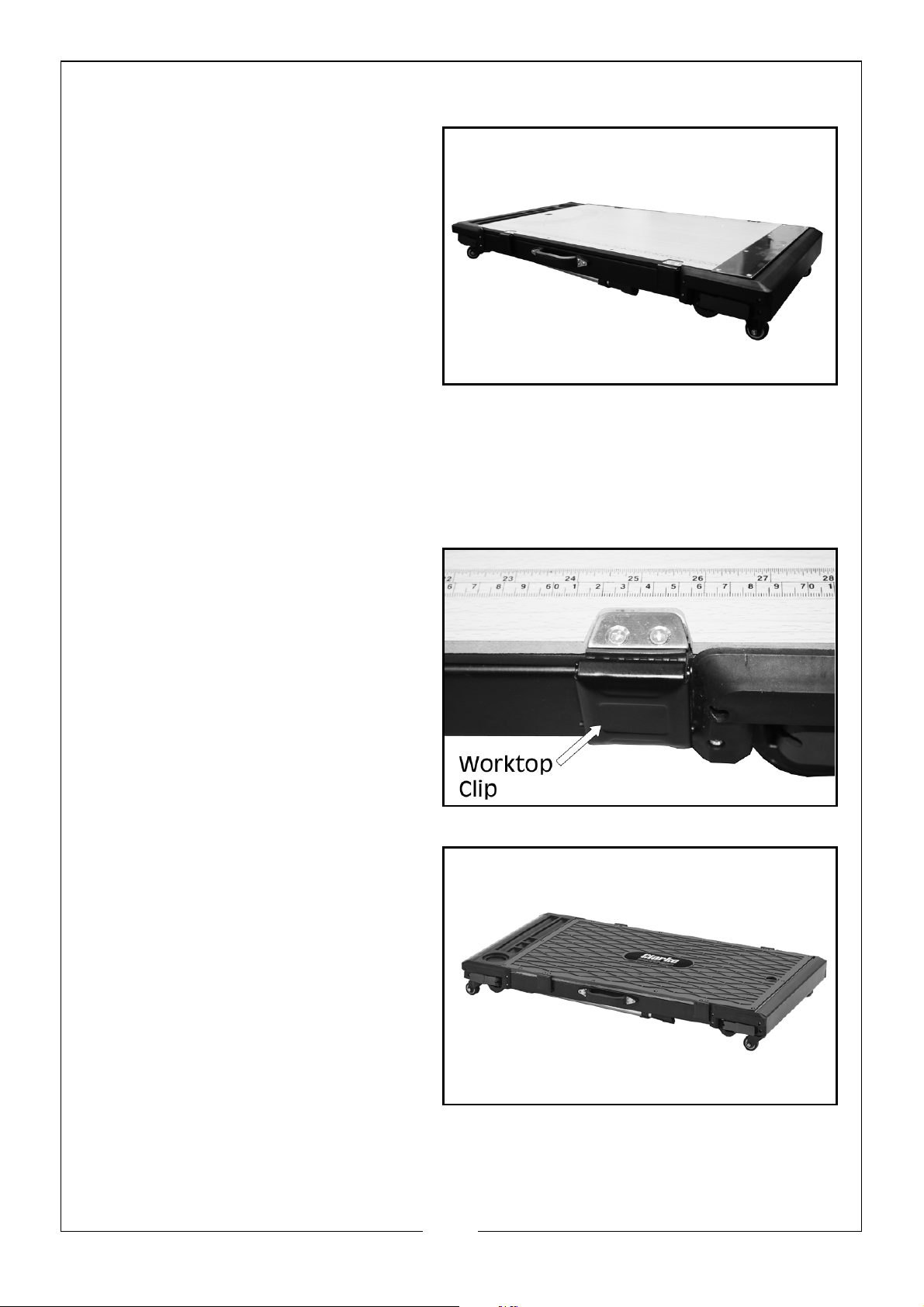
1. Use the creeper mode when
performing jobs in low profile
spaces.
2. The creeper mode has the
wooden worktop facing
upwards. This worktop has a
71cm (28inch) measure down
both sides and 180
o
scale
printed upon it.
3. The creeper mode is also used
to safely store the workbench.
NOTE: DO NOT step or stand on the workbench while in creeper mode.
NOTE: Maximum working load: 120kg (264lb)
DOLLY MODE
1. While in creeper mode, release
the 4 metal worktop clips on
the sides of the workbench.
2. Lift off the reversible worktop
and turn it over so the anti-slip
surface is facing upwards and
replace back on top of the
workbench.
3. Fasten the worktop clips back
onto the worktop.
NOTE: DO NOT step or stand on
the workbench while in
dolly mode.
NOTE: Maximum working load:120kg (264lb)
5
Parts & Service: 020 8988 7400 / E-mail: [email protected] or [email protected]
Page 6
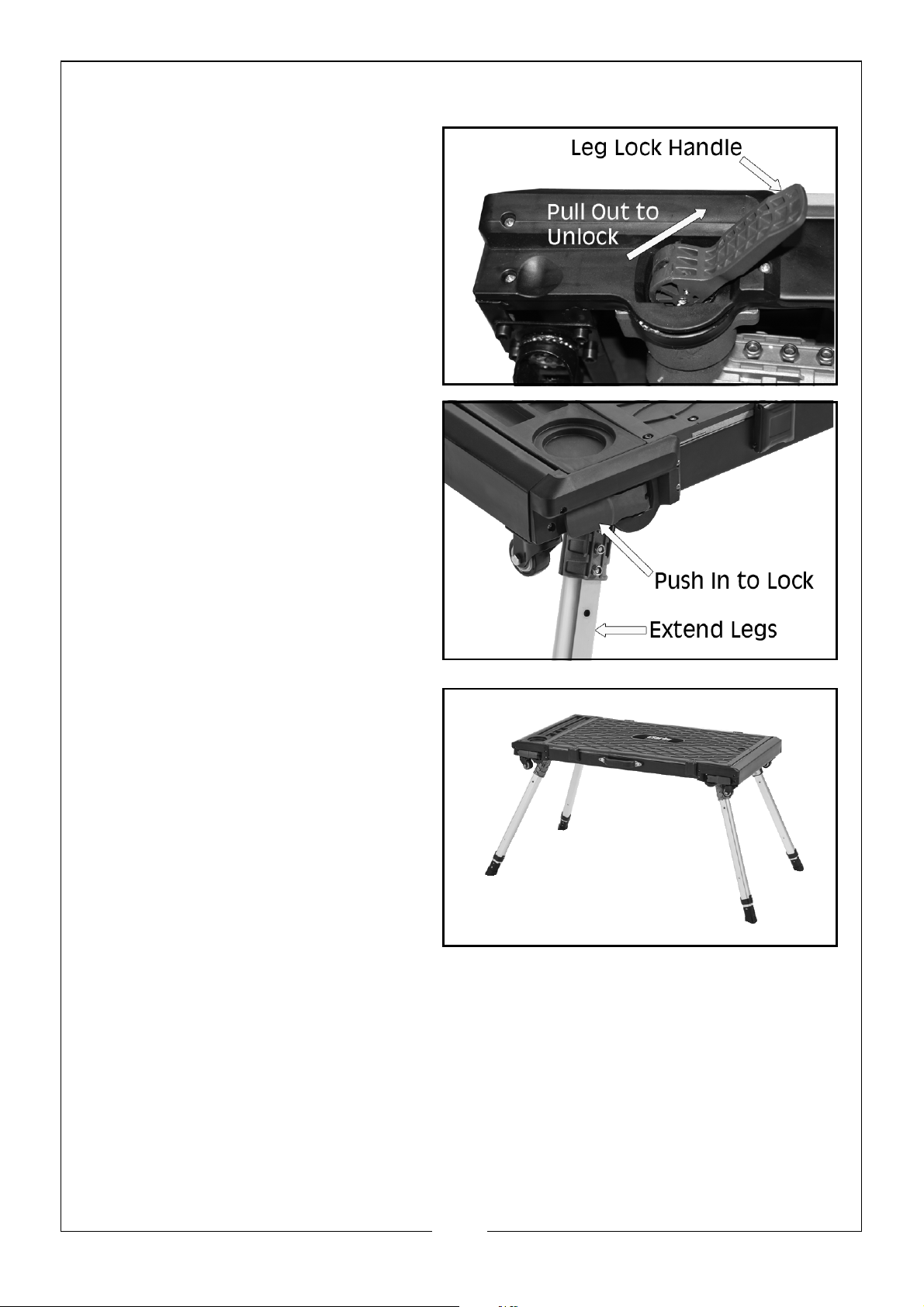
PLATFORM MODE
1. While in dolly mode, turn the
workbench over and release
the red leg lock handles on
each corner, by pulling them
out.
2. Extend the legs outward as far
as they go and push the leg
lock handles back into the
body of the workbench to lock
the legs in place.
NOTE: DO NOT use the
workbench if any of the
leg locking handles do
not lock back into place
once the legs have been
extended.
3. If you are going to use the
platform mode to stand on,
make sure that the worktop
anti-slip surface is facing
upwards, as in the dolly mode.
NOTE: When in Platform mode, stand in the centre of the platform to
avoid the chance of tipping over.
NOTE: Maximum working load: 150kg (330lb)
6
Parts & Service: 020 8988 7400 / E-mail: [email protected] or [email protected]
Page 7
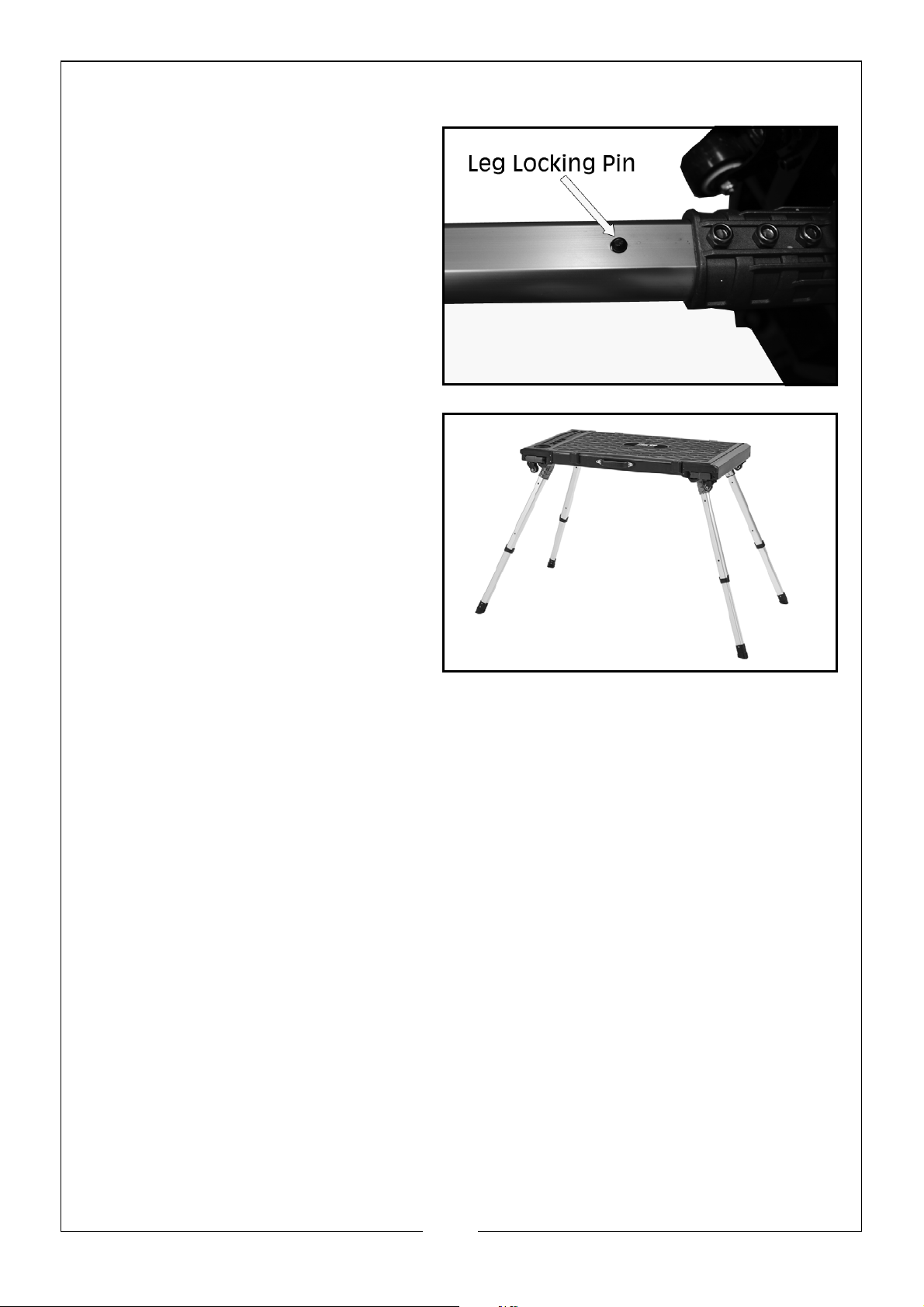
WORKBENCH MODE
1. From the platform mode, pinch
in the leg locking pins on both
sides of each leg.
2. Pull out the lower half of each
leg until the locking pin locks
into the lower hole in the leg.
3. In this mode, the worktop can
be used in either the non slip
(as shown) or wooden mode.
NOTE: DO NOT use the workbench if any of the leg locking handles do
not lock back into place once the legs have been extended, or if
the locking pins do not click into the lower leg holes.
NOTE: DO NOT step or stand on the workbench while in Workbench
mode.
NOTE: Maximum working load:125kg (275lb)
MAINTENANCE
1. When not in use, lower the table to the Creeper mode.
2. After each use, remove any accessories or tools and clean the table with
warm water and mild detergent.
3. Regularly check whether the casters are flexible and the legs work
correctly. If there are any movement problems or damage, DO NOT use.
7
Parts & Service: 020 8988 7400 / E-mail: [email protected] or [email protected]
Page 8

 Loading...