

Page 1
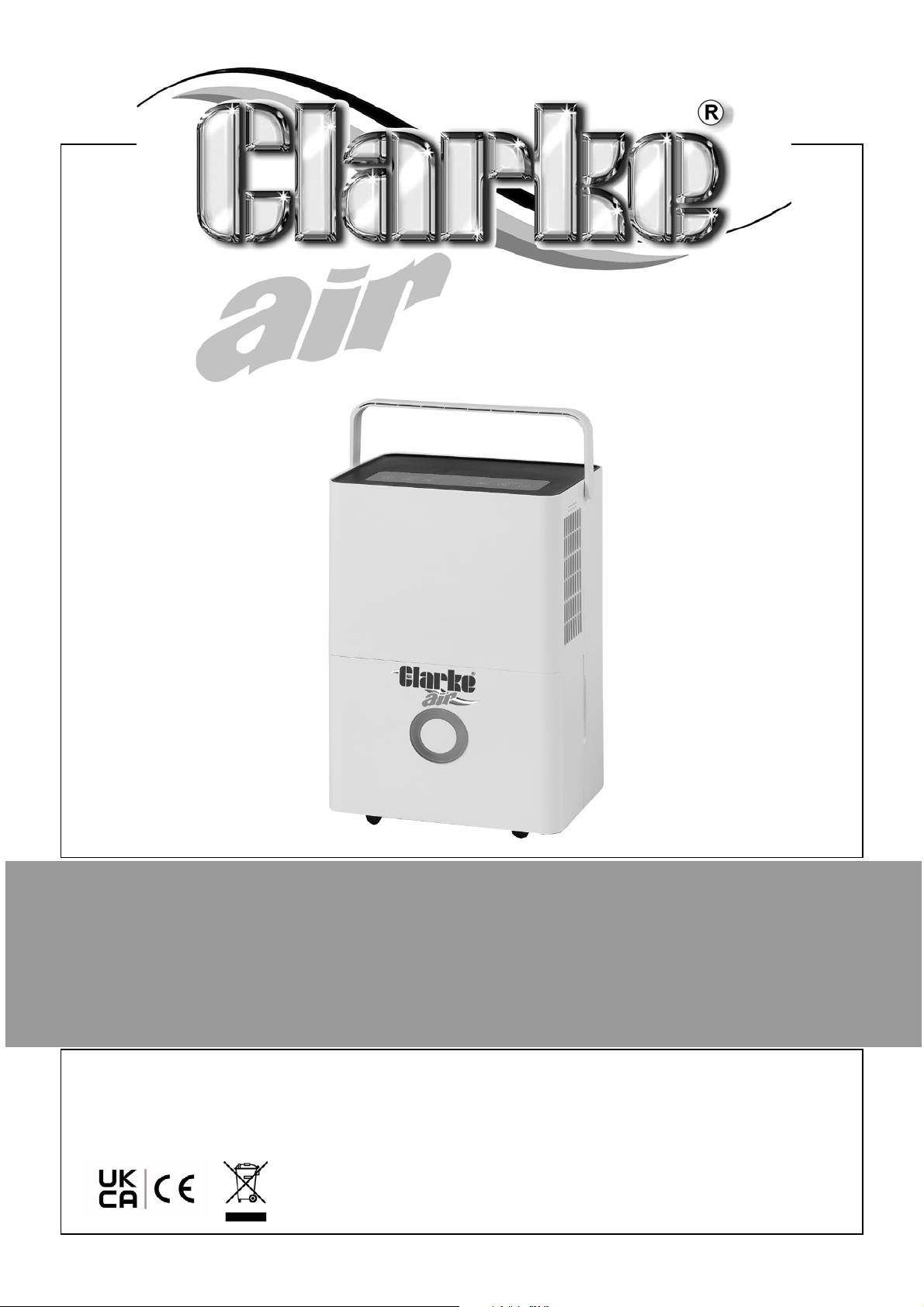
20 LITRE DEHUMIDIFIER (R290)
MODEL NO: DH20L
PART NO: 6470683
OPERATION & MAINTENANCE
INSTRUCTIONS
DL0921 REV3
Page 2
INTRODUCTION
Thank you for purchasing this CLARKE 20 Litre Dehumidifier.
Before attempting to use this product, please read this manual thoroughly and
follow the instructions carefully. In doing so you will ensure the safety of yourself
and that of others around you, and you can look forward to your purchase
giving you long and satisfactory service.
GUARANTEE
This product is guaranteed against faulty manufacture for a period of 12
months from the date of purchase. Please keep your receipt which will be
required as proof of purchase.
This guarantee is invalid if the product is found to have been abused or
tampered with in any way, or not used for the purpose for which it was
intended.
Faulty goods should be returned to their place of purchase, no product can
be returned to us without prior permission.
This guarantee does not effect your statutory rights.
ENVIRONMENTAL RECYCLING POLICY
Recycle unwanted materials instead of disposing of them as waste.
All unwanted accessories and packaging should be sorted and
taken to a recycling centre for disposal in a manner which is
compatible with the environment.
By purchasing this product, the customer is taking on the obligation
to deal with its safe disposal in accordance with the Waste Electrical
and Electronic Equipment regulations (WEEE).
In effect, this means that this product must not be disposed of with general
household waste. It must be disposed of according to the laws governing
Waste Electrical and Electronic Equipment (WEEE) at a recognised disposal
facility.
R290 is a refrigerant that complies with EEC environmental standards;
nonetheless, the refrigerant circuit on the machine should not be punctured.
At the end of its working life, consign the dehumidifier unit to a special
collection centre.
2
Parts & Service: 020 8988 7400 / E-mail: [email protected] or [email protected]
Page 3
ELECTRICAL CONNECTIONS
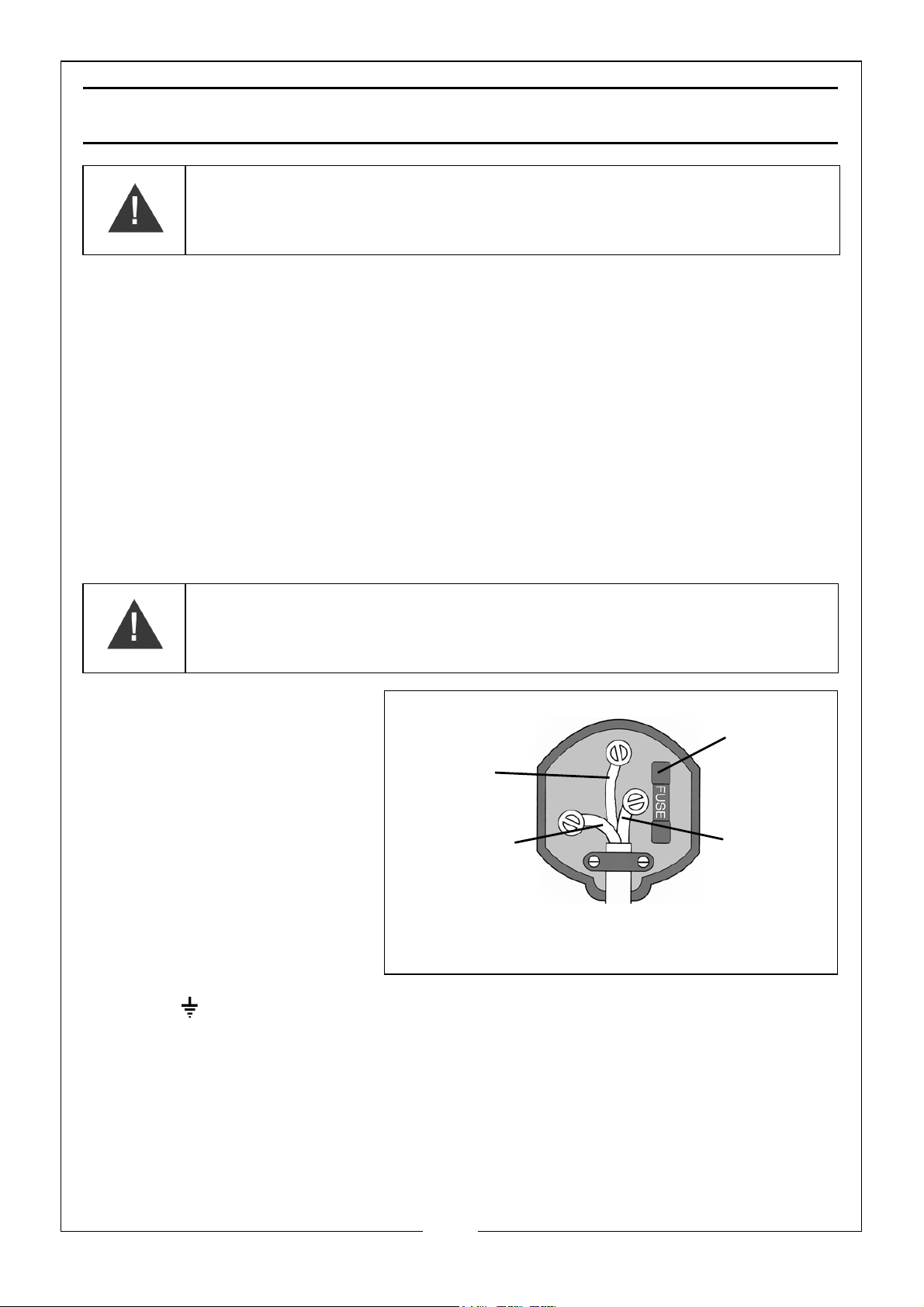
Plug must be BS1363/A approved.
Always fit
Ensure that the outer sheath of
Neutral
(Blue)
Live
(Brown)
Earth
(Green and
a 13 Amp
the cable is firmly held by the clamp
fuse.
Yellow)
WARNING! READ THESE ELECTRICAL SAFETY INSTRUCTIONS
THOROUGHLY BEFORE CONNECTING THE PRODUCT TO THE
MAINS SUPPLY.
Before switching the product on, make sure that the voltage of your electricity
supply is the same as that indicated on the rating plate. This product is
designed to operate on 230VAC 50Hz. Connecting it to any other power
source may cause damage.
This product may be fitted with a non-rewireable plug. If it is necessary to
change the fuse in the plug, the fuse cover must be refitted. If the fuse cover
becomes lost or damaged, the plug must not be used until a suitable
replacement is obtained.
If the plug has to be changed because it is not suitable for your socket, or due
to damage, it should be cut off and a replacement fitted, following the wiring
instructions shown below. The old plug must be disposed of safely, as insertion
we would emphasise the electrical hazard.
We strongly recommend that this machine is connected to the mains supply
via a Residual Current Device (RCD).
If in any doubt, consult a qualified electrician. DO NOT attempt any repairs
yourself.
WARNING: WIRES IN THE MAINS LEAD ARE COLOURED IN
ACCORDANCE WITH THE FOLLOWING CODE:
GREEN/YELLOW = EARTH, BLUE = NEUTRAL, BROWN = LIVE.
•The BLUE wire must be
connected to the
terminal marked N or
coloured black.
•The BROWN wire must
be connected to the
terminal marked L or
coloured red.
•The YELLOW AND
GREEN wire must be
connected to the
terminal marked E
or or coloured green.
3
Parts & Service: 020 8988 7400 / E-mail: [email protected] or [email protected]
Page 4
OVERVIEW
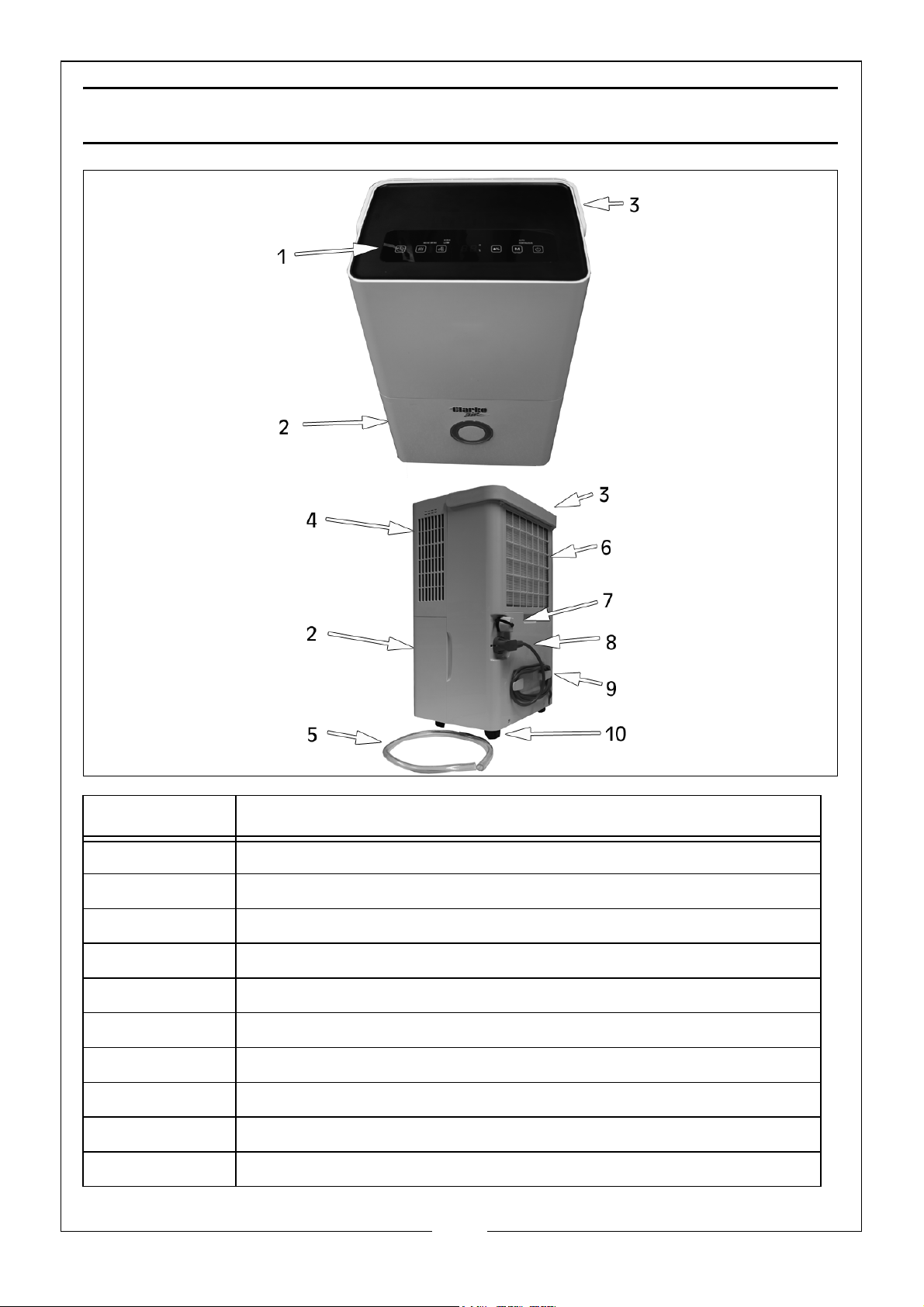
No. Description
1 Control Panel
2Water Tank
3 Fold Down Carrying Handle
4Air Outlet
59mm Drainage Pipe
6 Air Inlet and Filter
7 Water Drain Cap and Outlet
8 Power Cable & Plug Holder
9 Power Cable Storage Hooks
10 4 x Castor Wheel
4
Parts & Service: 020 8988 7400 / E-mail: [email protected] or [email protected]
Page 5
SAFETY WARNINGS
WARNING: IF THE SUPPLY CABLE IS DAMAGED, IT MUST BE REPLACED BY
THE MANUFACTURER, ITS SERVICE AGENT OR SIMILARLY QUALIFIED
PERSONS IN ORDER TO AVOID A HAZARD.
1. Please read these instructions carefully and retain for future reference.
2. Position the mains cable so that it cannot be inadvertently pulled or
pinched and where it does not cause a trip hazard.
3. This appliance is designed to dehumidify residential environments and
MUST NOT be used for other purposes.
4. If the appliance requires repair, always contact your CLARKE dealer.
ALWAYS insist on original spare parts. Repairs carried out by unauthorized
persons may be dangerous and invalidate the guarantee.
5. Children SHOULD NOT play with the appliance. Cleaning and user
maintenance SHOULD NOT be undertaken by children.
6. Before cleaning or maintenance operations, ALWAYS unplug the appliance
from the power supply.
7. DO NOT move the appliance by pulling the power cable.
8. DO NOT install the appliance in rooms containing gas, oil or fuel. DO NOT
install near sources of heat.
9. DO NOT use the appliance on inclined surfaces.
10. Keep the appliance at least 50 cm away from inflammable substances
(alcohol etc) or pressurised containers (e.g. aerosol cans).
11. DO NOT rest heavy or hot objects on top of the appliance.
12. ALWAYS transport the appliance upright. Remember to drain the tank
before moving the appliance. Wait at least 1 hour after transporting the
appliance before using it to allow the refrigerant gasses to settle.
13. DO NOT use the appliance outdoors.
14. DO NOT obstruct the air inlet or outlet.
5
Parts & Service: 020 8988 7400 / E-mail: [email protected] or [email protected]
Page 6
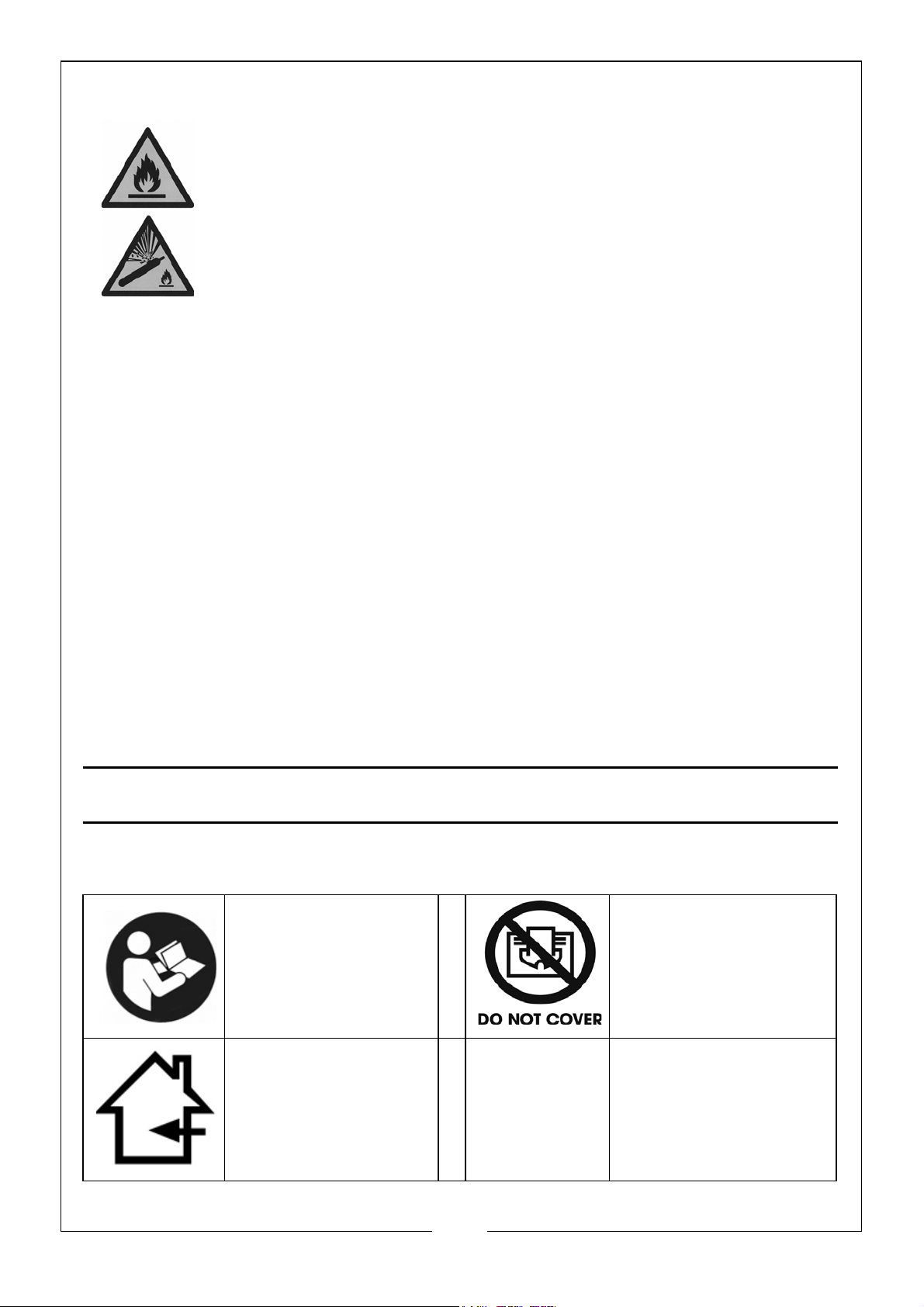
R290 REFRIGERANT GAS (HYDROCARBON PROPANE)
H220: Extremely Flammable Gas.
H280: Contains Gas Under Pressure, May Explode if Heated.
R290 refrigerant gas complies with European environmental
directives.
R290 has a low GWP (Global Warming Potential) of 3.
The dehumidifier contains approximately 52g of R290 refrigerant
gas. The refrigerant system MUST NOT be perforated or punctured.
• DO NOT use or store in an unventilated space with an area smaller than
4m² per unit. The room must be such as to prevent stagnation of possible
leaks of refrigerant gas as there could be a danger of fire or explosion
hazard should the refrigerant come into contact with electric heaters,
stoves or other sources of ignition.
• Refrigerant gas may be odourless.
• DO NOT use the product and contact the retailer for advice if damage
has occurred to the unit which may have compromised the refrigerant
system.
• Any repairs or maintenance must only be carried out on the unit by a
suitably qualified engineer. Before opening and servicing the unit, the
authorized engineer must be in possession of a copy of the
manufacturer's service manual and must follow the safety information
contained within it to ensure all hazards are minimized.
SAFETY SYMBOLS
Read the manual
and safety
instructions before
use
Indoor use only
Do not cover when
in use
6
Parts & Service: 020 8988 7400 / E-mail: [email protected] or [email protected]
Page 7
SET UP & POSITIONING THE DEHUMIDIFIER
WARNING: DO NOT USE OR STORE THE DEHUMIDIFIER NEAR A HEAT
SOURCE, AS THE UNIT CONTAINS PRESSURISED FLAMMABLE REFRIGERANT
GAS (R290-HYDROCARBON PROPANE)
• Empty any water that is in the water tank before every use.
• During the running of the dehumidifier, refrain from opening doors or
windows as much as possible.
• Position the dehumidifier close to a mains electrical supply socket.
• The appliance should be installed, operated and stored in a room with a
floor area larger than 4m²
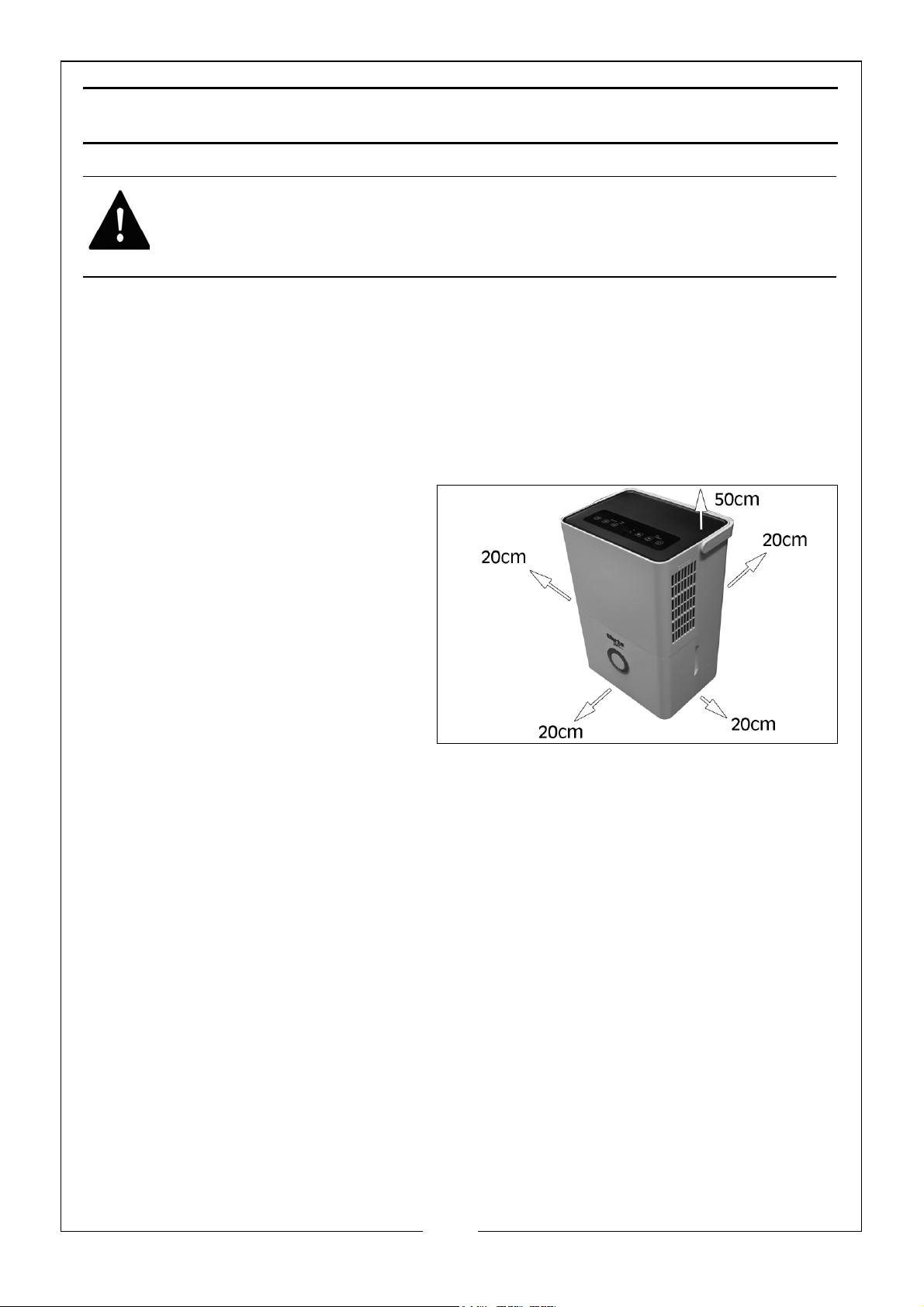
• Free space as indicated
must be left around the
dehumidifier, so as not to
block the air flow.
• Make sure that the power
cable is not placed where it
can be inadvertently pulled
or pinched and where it
does not cause a trip
hazard.
7
Parts & Service: 020 8988 7400 / E-mail: [email protected] or [email protected]
Page 8
OPERATION
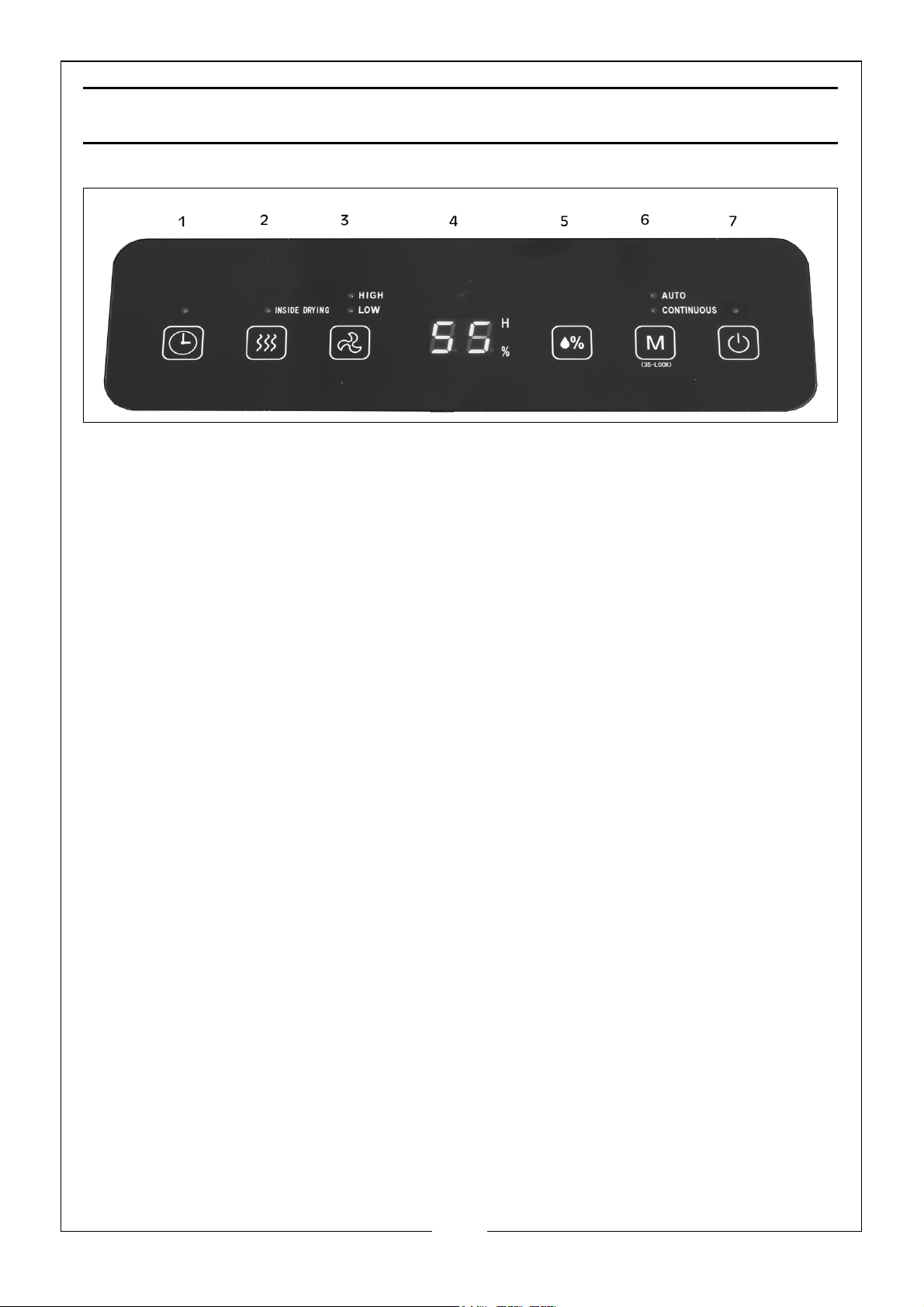
CONTROL PANEL
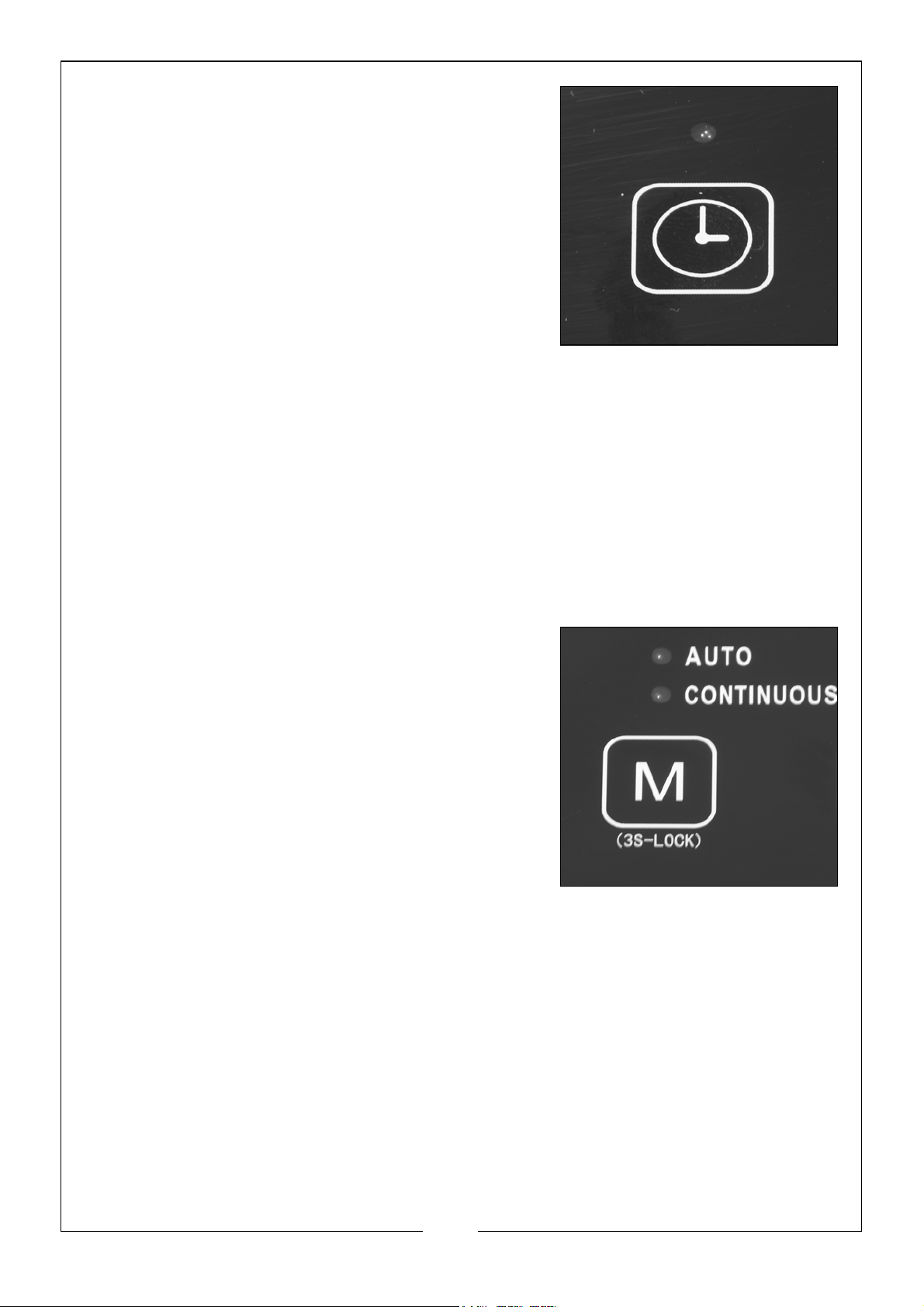
1 = TIMER (24HR SETUP)
Press this button to set the length of time the dehumidifier runs for (1-24 Hours)
via the LCD display. To cancel the timer, press the button twice once the timer
is set.
2 = DRYING
Press this button to start the dehumidifier drying procedure. This will prevent
mold inside the dehumidifier due to damp. The whole drying procedure takes
approximately 1 hour. Press the button again to cancel the drying procedure.
3 = AIR SPEED
Use this button to adjust the fan speed (High or Low).
4 = LCD DISPLAY - DISPLAYS HUMIDITY, TIME & ERRORS
This displays the room humidity. When set in AUTO mode, this will display the set
humidity in percentage of humidity.
5 = HUMIDITY SETTING
Press this button to display and change humidity range (30% - 80%). The
humidity setting is only valid in AUTO mode.
6 = MODE
During start up or timer start up, press this button to select AUTO, CONTINUOUS
or DRYING modes. The indicator light will correspond with the mode selected.
Long press (3 seconds) the button to select child lock mode, repeat the
procedure to cancel/turn off the child lock mode.
7 = ON/OFF
Press this button to turn the dehumidifier on or off.
8
Parts & Service: 020 8988 7400 / E-mail: [email protected] or [email protected]
Page 9
SELECT MODE
SETTING OF TIMER - OFF
• When the dehumidifier is running, press
the TIMER button to adjust the time from 1
hour to 24 hours, pressing once for each
hour. If the time exceeds 24 hours, the
count will reset to 1 hour and will start the
cycle again.
• At the start of the set time, the
dehumidifier will turn itself off
automatically.
SETTING OF TIMER - ON
• When the dehumidifier is in standby mode, press the TIMER button to
adjust the time from 1 hour to 24 hours, pressing once for each hour. If
the time exceeds 24 hours, the count will reset to 1 hour and will start the
cycle again.
• At the end of the set time, the dehumidifier will turn itself on
automatically.
AUTO MODE
• Press the MODE button and select AUTO,
if the room humidity is higher than the set
humidity or is between +5% or -5% of the
set humidity the compressor will start and
the fan will run at the set speed. If the
room humidity is lower than the set
humidity by -5% then the compressor will
stop but the fan will run at the set speed.
NOTE: The default set humidity value is 50%.
CONTINUOUS MODE
• Press the MODE button and select CONTINUOUS. No matter how high
the relative humidity in the room is, the compressor will start, the fan will
run at high speed and the air speed can be regulated via the AIR SPEED
button.
DEHUMIDIFIER DRYING MODE
NOTE: The whole procedure takes approximately 1 hour.
HOW TO START
• Press the DRYING button to start drying within the dehumidifier.
9
Parts & Service: 020 8988 7400 / E-mail: [email protected] or [email protected]
Page 10
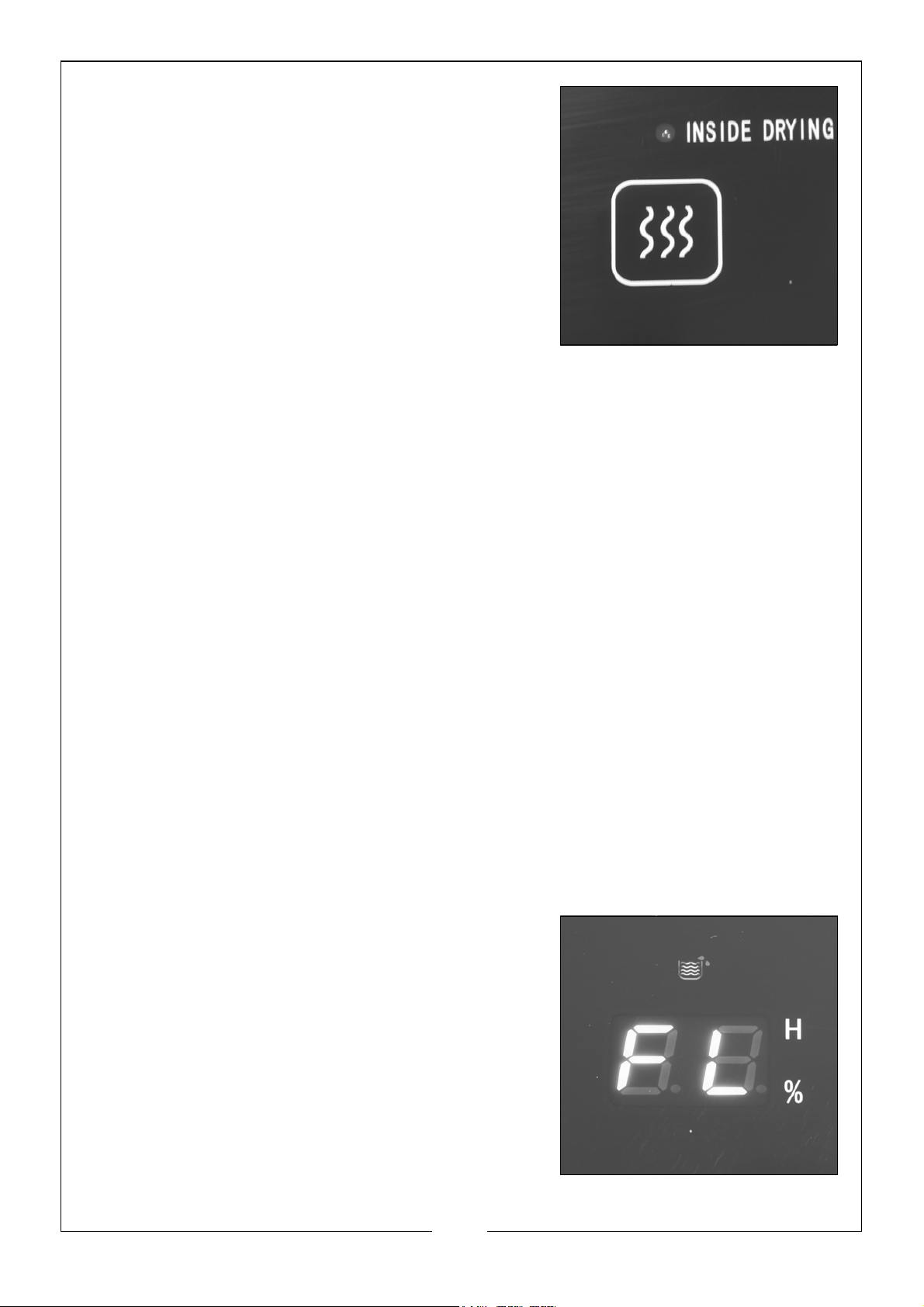
• The dehumidifier will start at high air
speed and release air continuously for 30
minutes.
• The dehumidifier will reduce to low air
speed and run for 20 minutes.
HOW TO STOP
• Press the DRYING button again to cancel
the drying procedure, which will return
the dehumidifier to the running state
before the start of the drying procedure.
• Or press the ON/OFF button to stop the drying procedure, which will
return the dehumidifier to the standby state.
CHILD LOCK
• Press and hold the MODE button for 3 seconds. This will enable the child
lock function. This will disable all the operational buttons on the Control
Panel.
• To unlock the child lock function, press and hold the MODE button for 3
seconds.
DRYING CLOTHES
Used to dry a carpet or small space or to dry wet clothes faster.
• Position the dehumidifier with the air inlet facing wet clothes/carpet,
leaving enough space as indicated on page 6.
AIR CLEAN
Used to filter the air.
• The filter must be fitted for the air cleaning function to work.
EMPTYING THE WATER TANK
1. When the full indicator on the panel
illuminates (FL) and the buzzer sounds 10
times, switch off and disconnect from the
mains supply.
2. Carefully remove the water tank by placing
your fingers in the depressions on either side
of the tank and pulling outwards.
3. Lift handle and remove cover.
4. Discard the water.
10
Parts & Service: 020 8988 7400 / E-mail: [email protected] or [email protected]
Page 11
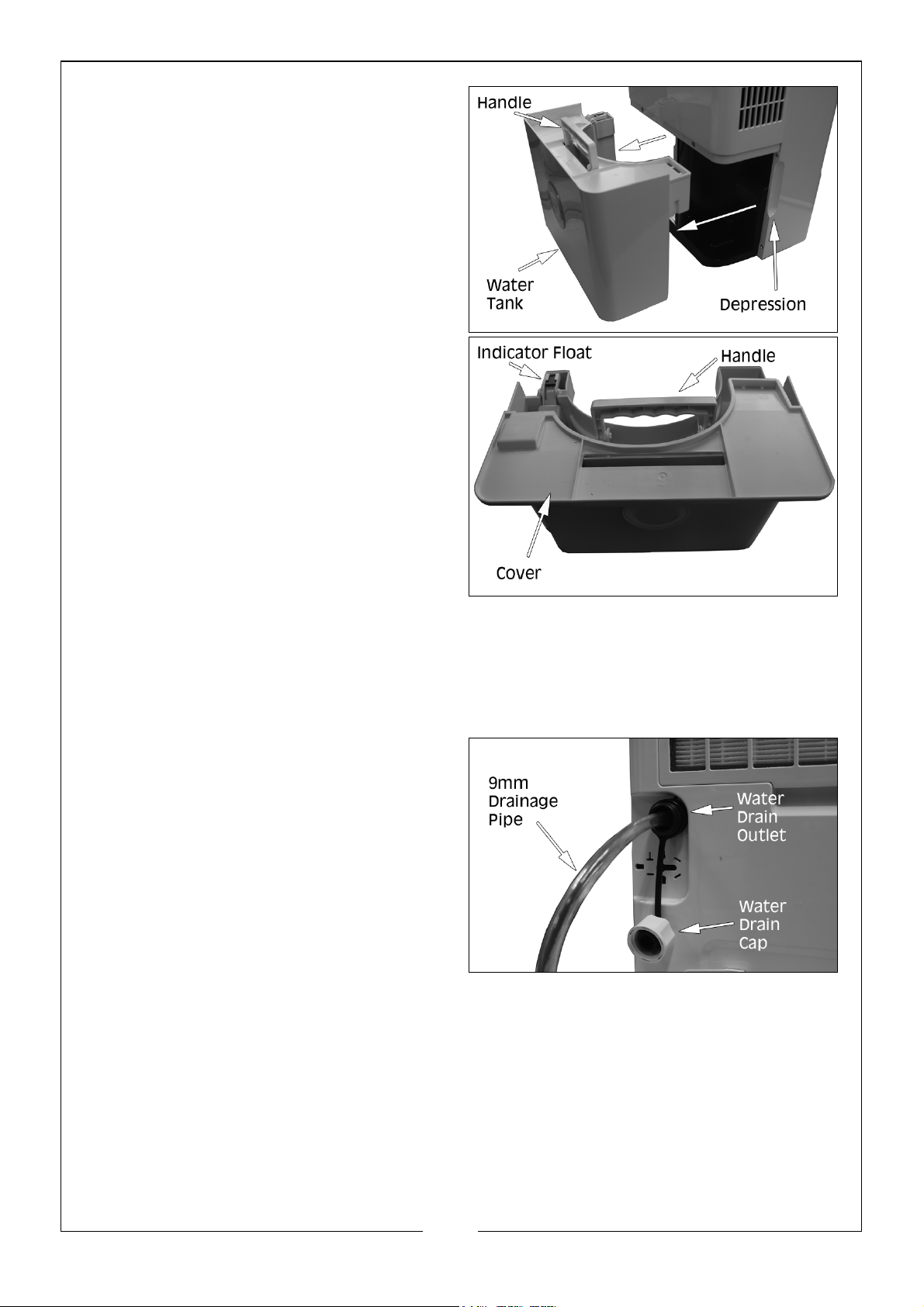
5. Before refitting the water tank,
check to confirm the indicator
float moves freely.
6. Replace cover and refit the water
tank.
NOTE: The unit will not operate
unless the water tank is fitted
correctly.
CONTINUOUS DRAINING
This function enables continuous dehumidifying without having to empty the
water tank.
PREPARATION FOR CONTINUOUS DRAINING:
1. Locate the water drain cap on
the rear of the machine and
unscrew.
2. Fit the drainage pipe supplied on
to the water drain outlet.
3. Always replace the drain cap
when not using the continuous
draining procedure.
NOTE: The pipe should have an
internal diameter of 9mm and an outer diameter of 12mm.
NOTE: Make sure that the drain pipe always runs downhill away from the
dehumidifier and the end should be a minimum of 10cm below
the water drain outlet.
NOTE: DO NOT submerge the end of the pipe in water, as this may cause
water to be drawn back up into the machine.
11
Parts & Service: 020 8988 7400 / E-mail: [email protected] or [email protected]
Page 12
MAINTENANCE
WARNING: ALWAYS UNPLUG THE DEHUMIDIFIER BEFORE PERFORMING
ANY CLEANING OR MAINTENANCE OPERATIONS.
CLEANING THE CABINET
• Use a soft damp cloth to clean the exterior.
• Never use harsh chemicals or abrasive cleaning agents as these may
damage the casing finish.
• Clean the water tank and its cover regularly to prevent mould build up.
CLEANING THE AIR FILTER
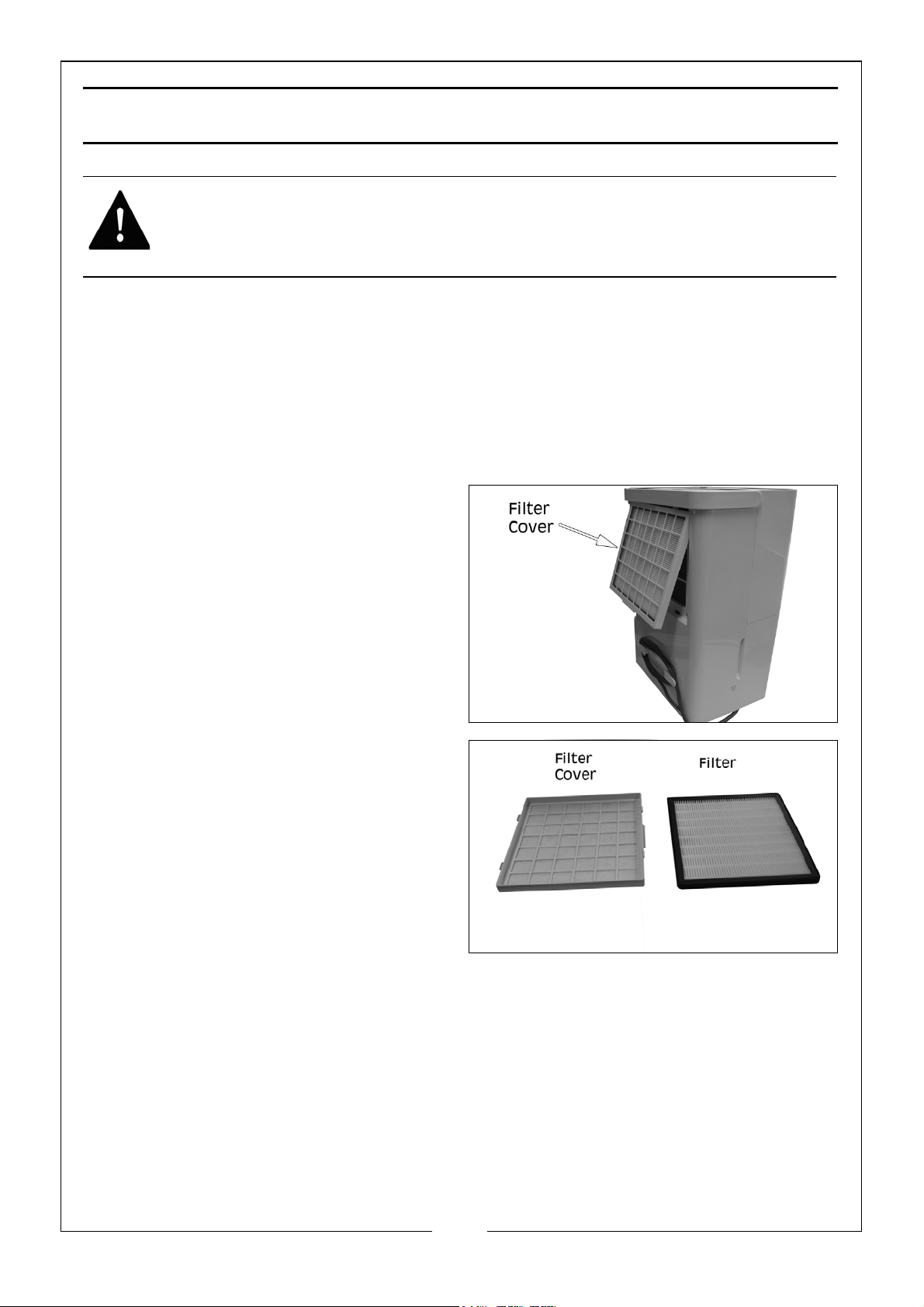
1. Pull the filter cover forwards, from
the bottom.
2. Remove the filter cover and lift
the filter out.
3. Wash the filter under running
water to remove any dust and
dirt.
4. Allow the filter to dry naturally.
5. Refitting is the reverse process.
The frequency depends on the
duration and the level of dust in the environment. If the machine is being used
regularly, it is recommended that you clean the filter every 2 weeks.
STORAGE
• Unplug from the mains socket and empty the tank.
• Clean and reinstall the filter.
• Cover the dehumidifier to prevent dust getting into the workings.
12
Parts & Service: 020 8988 7400 / E-mail: [email protected] or [email protected]
Page 13
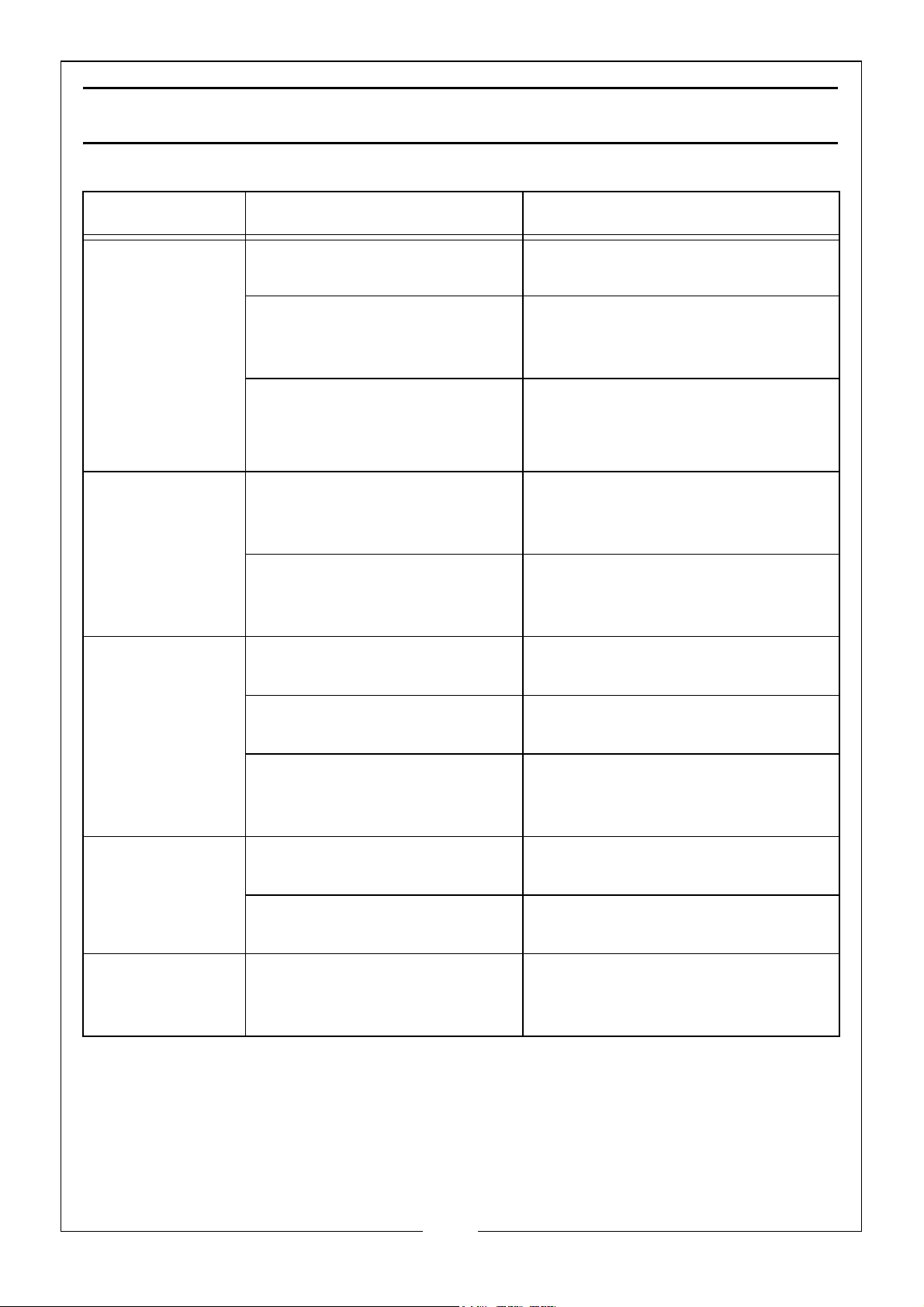
TROUBLESHOOTING
Cause Solution
No operation
Dehumidifier
function not
effective
Noise is
abnormal
during
operation
Plug fuse failure. Check fuse in plug and replace
if necessary.
Water tank is full or placed
incorrectly.
The ambient temperature is
lower than 5
than 32
Room temperature too
high, humidity too low.
Air filter blocked. Remove filter and clean, see
Dehumidifier is positioned
improperly.
Air filter blocked. Remove filter and clean, see
o
C or higher
o
C.
Check water tank and empty if
necessary and/or check water
tank positioning.
This machine will not operate
outside of these boundaries.
In dry conditions the
dehumidification ability will
reduce.
page 12.Remove any dirt or
obstruction from the air intake.
Check that dehumidifier is
placed on a flat level surface.
page 12.
Water Leak Connection of drainage
Frosting Occurs The ambient temperature is
There is a ‘tittering’ sound. This is the flow of the refrigerant,
pipe become loose.
Drainage system is
blocked.
low and the machine is
waiting for defrost.
which is a normal
phenomenon.
Check pipe connection.
Remove obstacle and
straighten out drainage pipe.
This is a normal phenomenon
and the dehumidifier has an
automatic defrost function.
13
Parts & Service: 020 8988 7400 / E-mail: [email protected] or [email protected]
Page 14
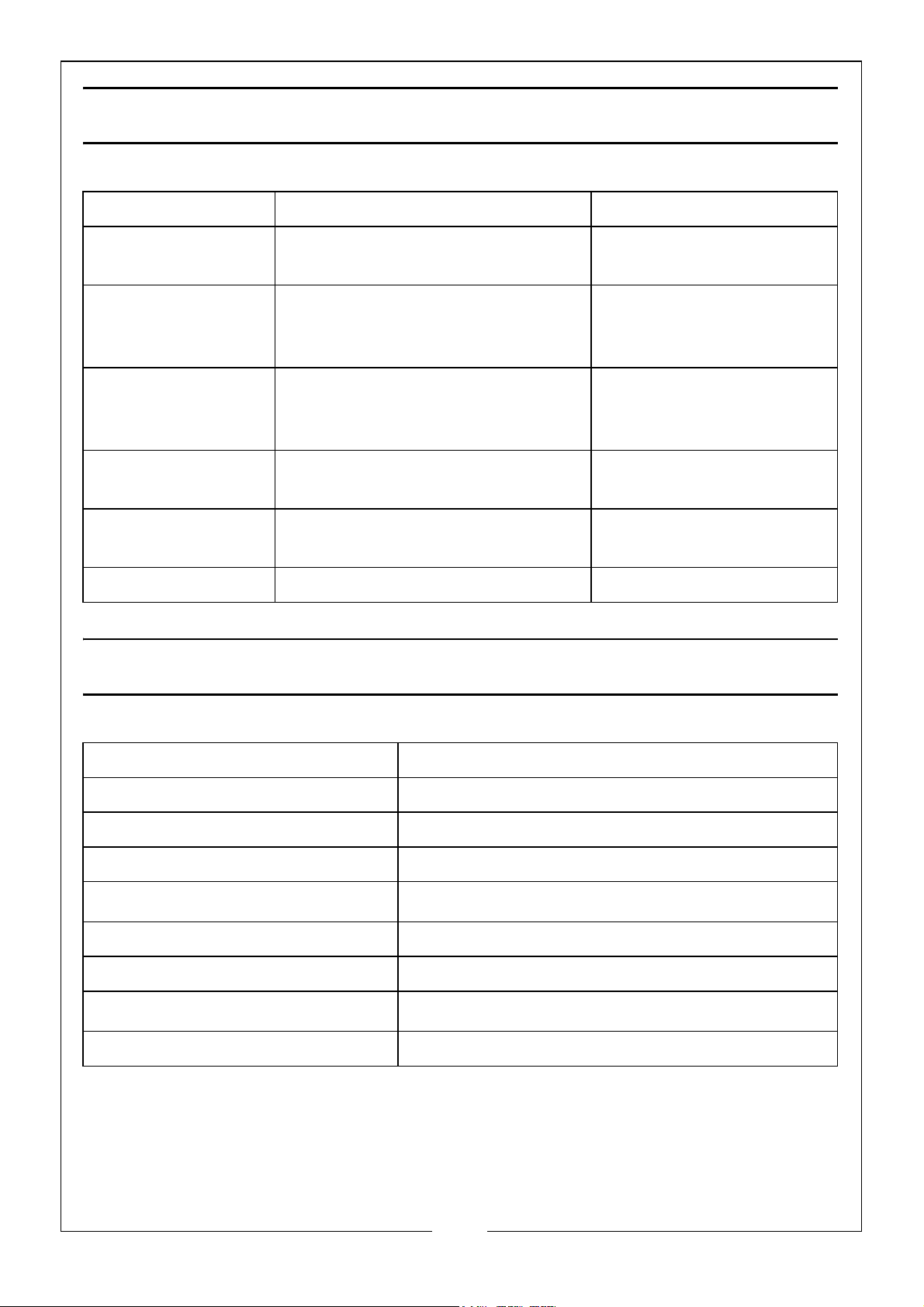
DISPLAY CODES
Display Code Instruction Action
FL Water Tank is Full. Empty Tank,
See Page 9
E1 Coil Sensor Detects Anomaly,
Contact Your CLARKE Dealer
for Assistance.
E2 Room Temperature Sensor
Detects Anomaly, Contact Your
CLARKE Dealer for Assistance.
P1 Unit is in Defrosting State
(Normal)
CL Unit is in Internal Drying State
(Normal).
LC Child Lock Function is Active. See Page 10
Empty Tank, See Page 9
Contact Your CLARKE
Dealer for Assistance.
Contact Your CLARKE
Dealer for Assistance.
Normal, No Action
Needed.
Normal, No Action
Needed.
TECHNICAL SPECIFICATION
Power source 230 Volts AC 50Hz
Unput Current @ Rated Load 2A
Dehumidifying Extraction rate 20 litres/day
Water tank capacity 4 Litres
Air Flow Rate
Dimensions (LxWxH) 325 mm x 240 mm x 510 mm
Weight 15 kg
Operation temperature
Refrigerant R290 (Hydrocarbon Propane)
160m
5
3
/h
o
C - 32oC
14
Parts & Service: 020 8988 7400 / E-mail: [email protected] or [email protected]
Page 15
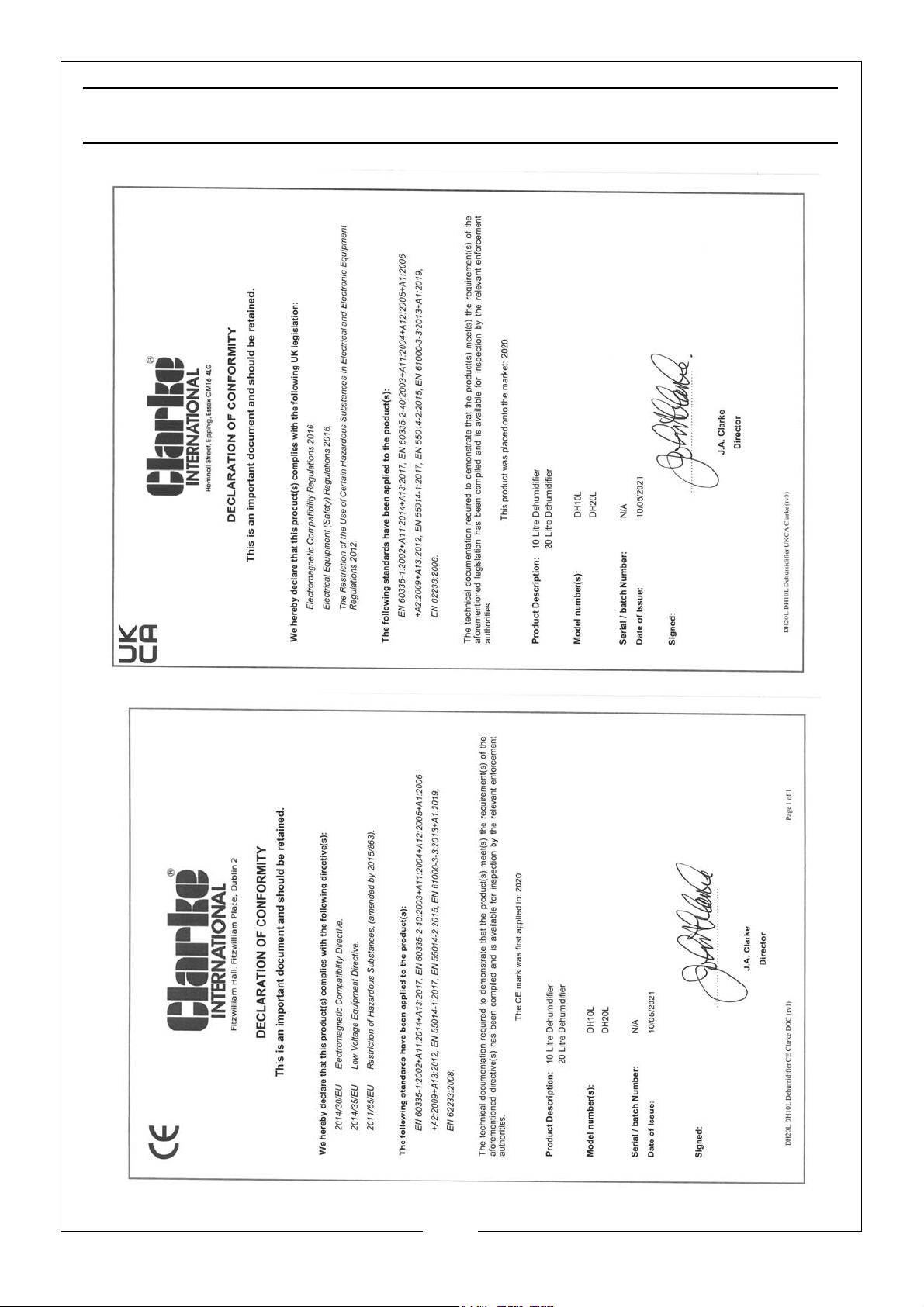
DECLARATION OF CONFORMITY
15
Parts & Service: 020 8988 7400 / E-mail: [email protected] or [email protected]
Page 16

 Loading...