

Page 1
©2005-2016 Cradlepoint. All Rights Reserved. | +1.855.813.3385 | cradlepoint.com
1
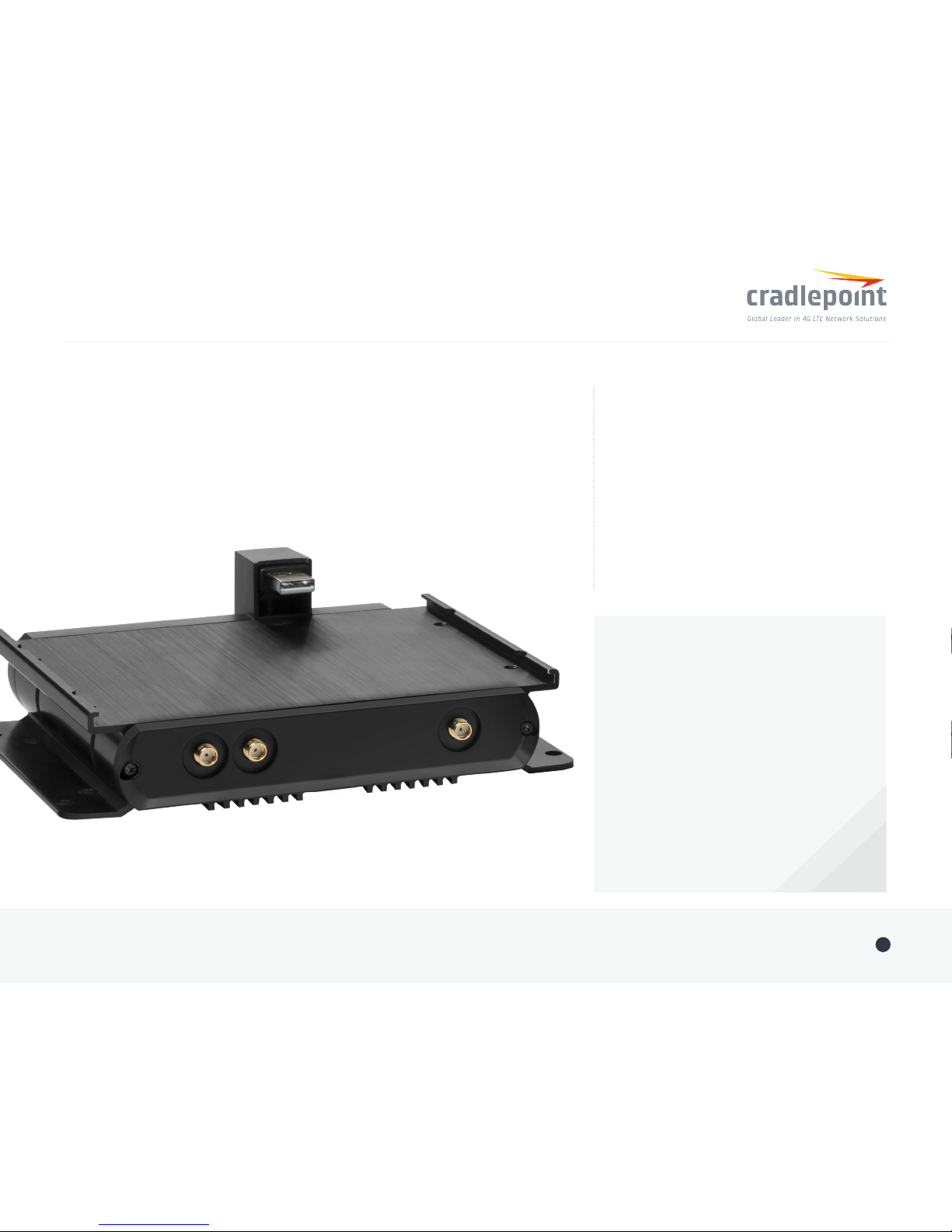
Quick Start Guide / COR IBR1100 Dual-Modem Dock
+ Software-dened radio
+ Multi-carrier support
+ FirstNet/Band 14 ready
+ Seamless integration with IBR1100 Series
+ Support for all Cradlepoint MC400
modems dock
Dual-Modem Dock Key Features:
COR IBR1100
Dual-Modem Dock
INCREASE AVAILABILITY. AUGMENT BANDWIDTH.
Go to cradlepoint.com/ibr1100-dock
to learn more.
THANK YOU FOR CHOOSING
CRADLEPOINT
Cradlepoint is the leading provider of secure
cloud-managed 3G/4G/LTE networking solutions
for the Distributed Enterprise with hundreds
or thousands of locations. Our broad family
of high-performance routers are designed for
deployment in mission-critical applications
that require 24x7 connectivity.
Always Connected. Always Protected.
Part Number: 170650-001
Page 2
INSTALLATION INSTRUCTIONS
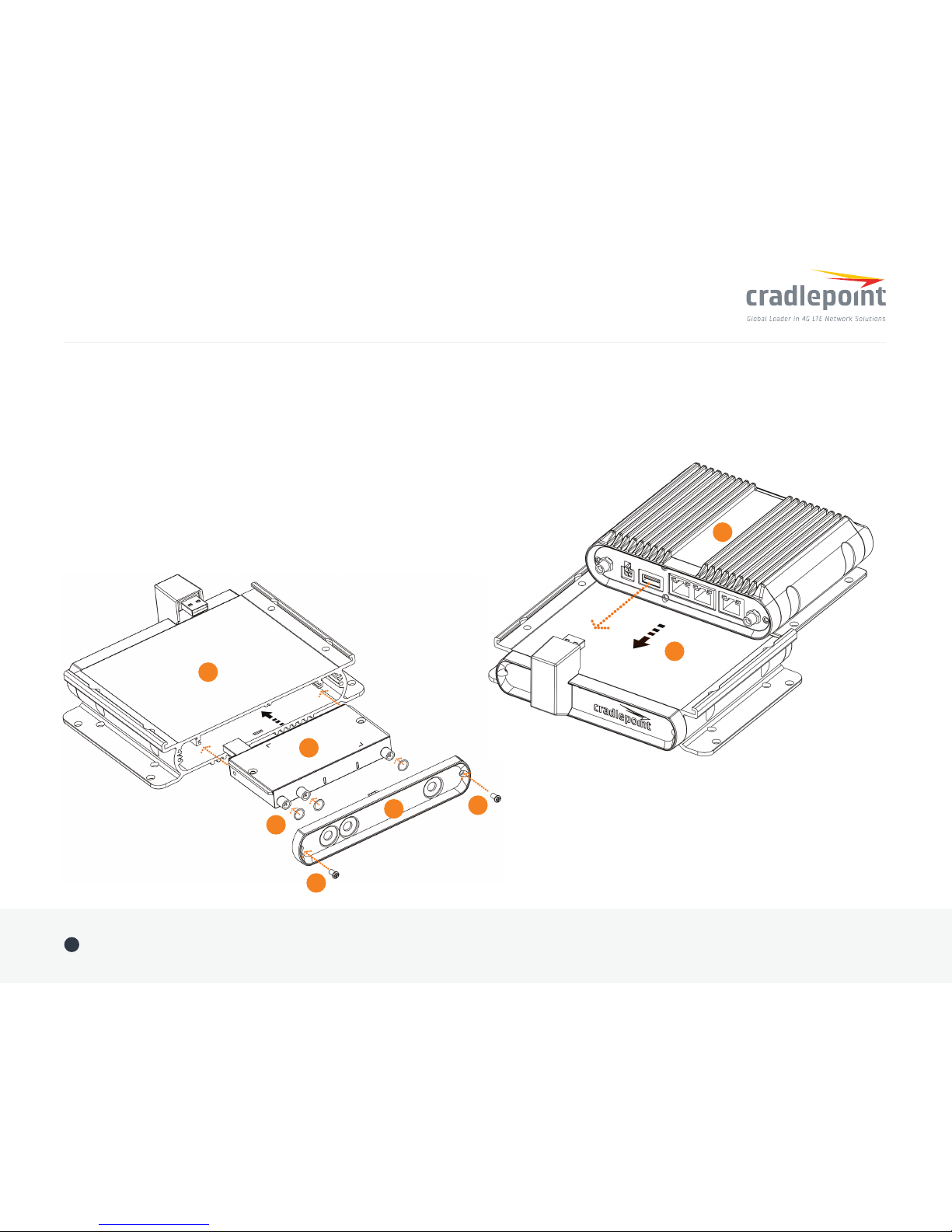
1. Remove modem door (D) from dock (A).
2. Insert activated SIM(s) into MC400 modem (B).
3. Optional for moisture/dust resistance. Place one o-ring (C) onto each
antenna connector.
4. Slide MC400 modem (B) into modem dock (A).
5. Attach modem door (D) using M3 screws (E).
6. With USB port of the IBR1100 facing the USB connector of the
IBR1100 dock, slide the mounting ange(s) of the router (F)
into the guide rails(s) of the dock (A).
Quick Start Guide / COR IBR1100 Dual-Modem Dock
©2005-2016 Cradlepoint. All Rights Reserved. | +1.855.813.3385 | cradlepoint.com
2
Figure 1
A
B
C
E
E
D
A
F
Figure 2
Page 3
Quick Start Guide / COR IBR1100 Dual-Modem Dock
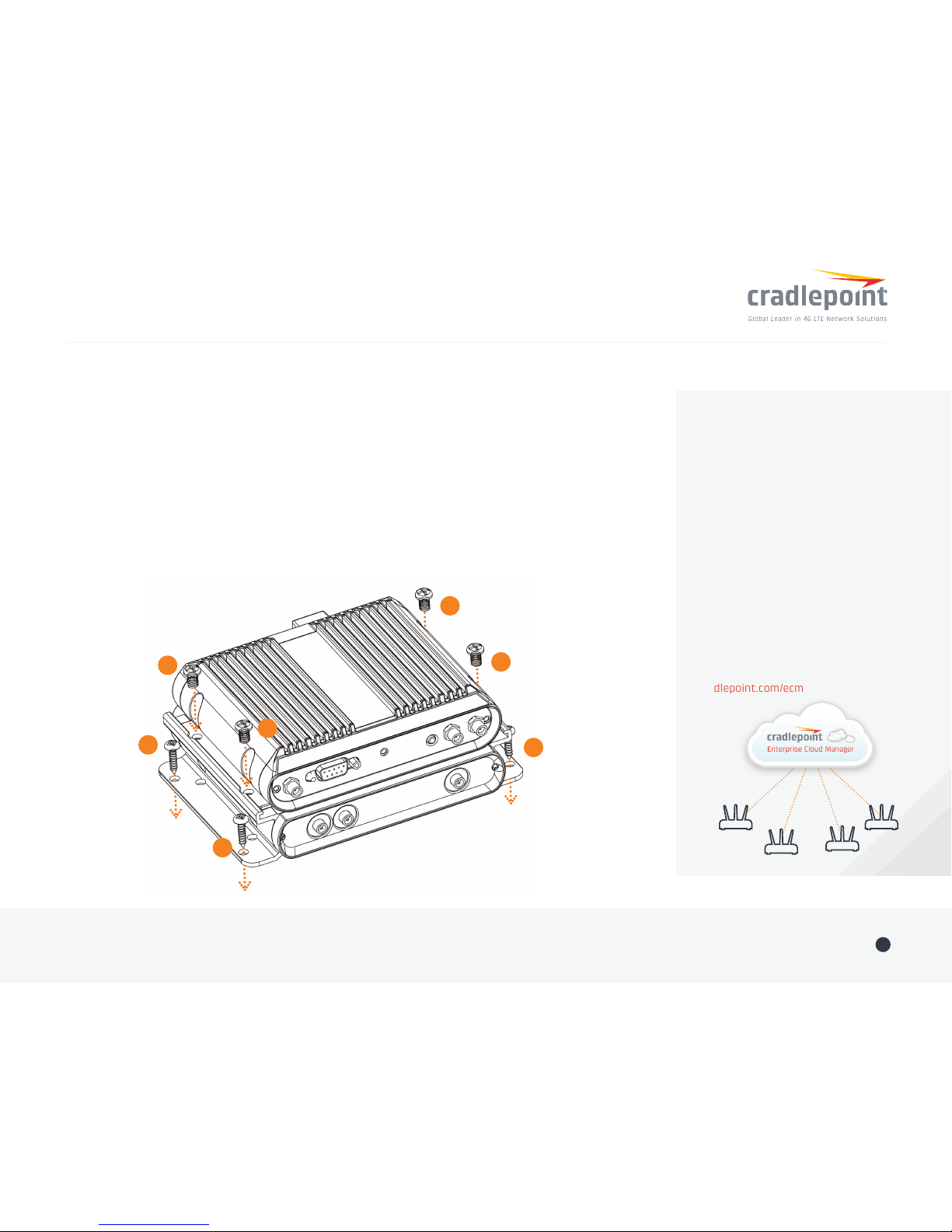
7. Fully seat USB connectors and align router/dock holes.
8. For new installations: Secure router to dock using four M5x8 screws (G), then secure dock to
mounting surface using four mounting screws (H) (not supplied). Skip to step 10. For high-vibration
environments, Cradlepoint recommends using thread locker.
9. For existing installations: Secure router to dock and mounting surface using four M5x40 screws (also
included). For high-vibration environments, Cradlepoint recommends using thread locker or nylon lock nut.
10. Attach included or accessory antennas.
NOTE: Do not place IBR1100/IBR1150 antennas and MC400 antennas immediately adjacent. Cradlepoint
recommends remotely attaching one or both sets of antennas.
©2005-2016 Cradlepoint. All Rights Reserved. | +1.855.813.3385 | cradlepoint.com
3
Part Number: 170650-001
Deploy and Manage the
Intelligent Network with
Cradlepoint Enterprise Cloud
Manager (ECM)
Cradlepoint’s network management
and application platform, Enterprise
Cloud Manager, integrates cloud
management with your Cradlepoint
devices to improve productivity,
increase reliability, reduce costs, and
enhance the intelligence of your
network and business operations.
To learn more and begin a free
30-day trial:
[email protected]
cradlepoint.com/ecm
G
G
G
G
H
H
H
Figure 3
 Loading...