

Page 1

EXHIBIT C
User Manual
Page 2
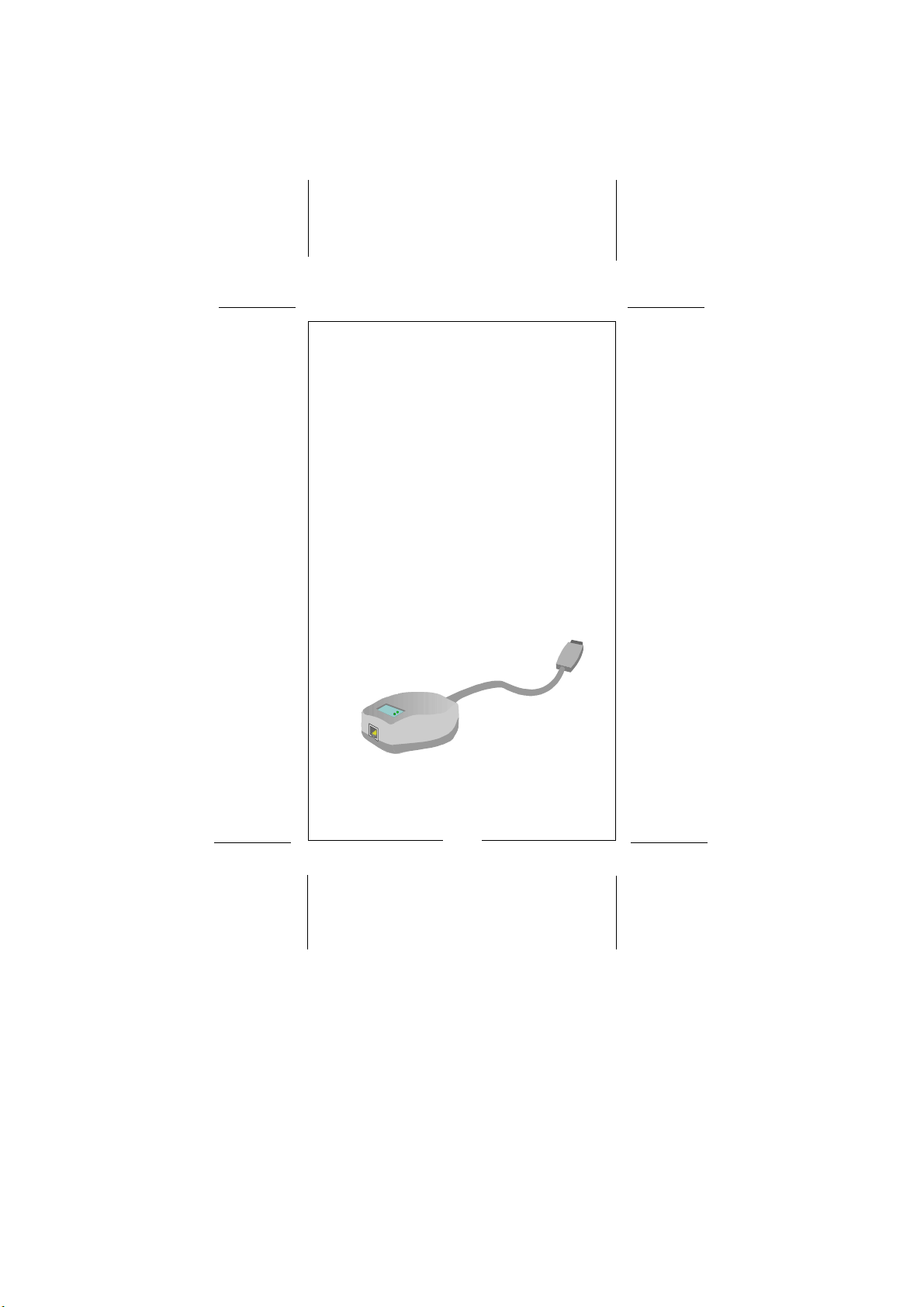
10/100Mbps Ethernet USB
Adapter
Installation Guide
WS-U002TX
Page 3
10/100Mbps Ethernet USB Adapter
FCC Compliance Statement
This device complies with Part 15 of the FCC rules.
Operation is subject to the following two conditions:
(1) this device may not cause harmful interference,
and (2) this device must accept any interference
received, including interference that may cause undesired operation.
NOTE
This equipment has been tested and found to comply with the limits for a Class B digital device, pursuant to Part 15 of the FCC rules. These limits are
designed to provide reasonable protection against
harmful interference in a residential installation. This
equipment generates, uses and can radiate radio frequency energy and, if not installed and used in accordance with the instructions, may cause harmful
interference to radio communications. However,
there is no guarantee that interference will not occur in a particular installation. If this equipment
does cause harmful interference to radio or television reception, which can be determined by turning
the equipment off and on, the user is encouraged to
try to correct the interference by one or more of
the following measures:
1
Page 4
10/100Mbps Ethernet USB Adapter
- Reorient or relocate the receiving antenna.
- Increase the separation between the
equipment and receiver.
- Connect the equipment into an outlet on a
circuit different from that to which the receiver is connected.
- Consult the dealer or an experienced radio /
TV technician for help.
CE Compliance Statement
We hereby certify that the USB adapter complies
with the EN 50081-1 and EN 50082-1 requirements.
NOTE:
EN 50081-1 standard : EN 55022 Class B
(CISPR-22 Class B )
EN 50082-1 standard : IEC 801-2
(Electrostatic Discharge)
: IEC 801-3
(Radiated Immunity)
: IEC 801-4
(Electrical Fast
Transient /Burst)
All registered trademarks are the property of their
respective owners.
2
Page 5
10/100Mbps Ethernet USB Adapter
CONTENTS
FCC Compliance Statement
CE Compliance Statement
Introduction
Summary of Features
Package Contents
LED Indicators
USB Cable
Network Driver
Installing the Adapter
Specifications
3
................... 1
................... 2
................... 4
................... 4
................... 5
................... 5
................... 6
................... 6
................... 7
................... 8
Page 6
10/100Mbps Ethernet USB Adapter
Section 1 Introduction
The 10/100Mbps Ethernet USB Adapter is designed
in a convenience way to connect your PC to the
10BASE-T or 100BASE-TX network via the USB
(Universal Serial Bus) interface. The device is equipped
with a Type-B receptacle for the connection to the
USB host or hub, and a RJ-45 receptacle to the
10BASE-T or 100BASE-TX Ethernet network. The
USB adapter can source an operating power from
the USB host or hub via a USB cable. Therefore, no
external power adapter is required.
In addition, this adapter is compliant with Windows
98 and above, the plug-and-play driver installation
lets user easily install this adapter to Windows operating system.
Summary of Features
* Compliant with the 10BASE-T and 100BASE-
TX specifications of the IEEE 802.3 standard
* Compliant with USB interface specification ver.
1.0/ 1.1 standard
* One (1) RJ-45 port provides connection for
10BASE-T or 100BASE-TX network connection
* One (1) Type-B receptacle provides connection
for USB host or hub
* No external power adapter is required
4
Page 7
10/100Mbps Ethernet USB Adapter
Package Contents
The package should contain the following items:
P USB adapter
P User's manual
P USB cable
P Driver diskette
If any item is missing or damaged, please contact
your dealer for replacement.
LED Indicators
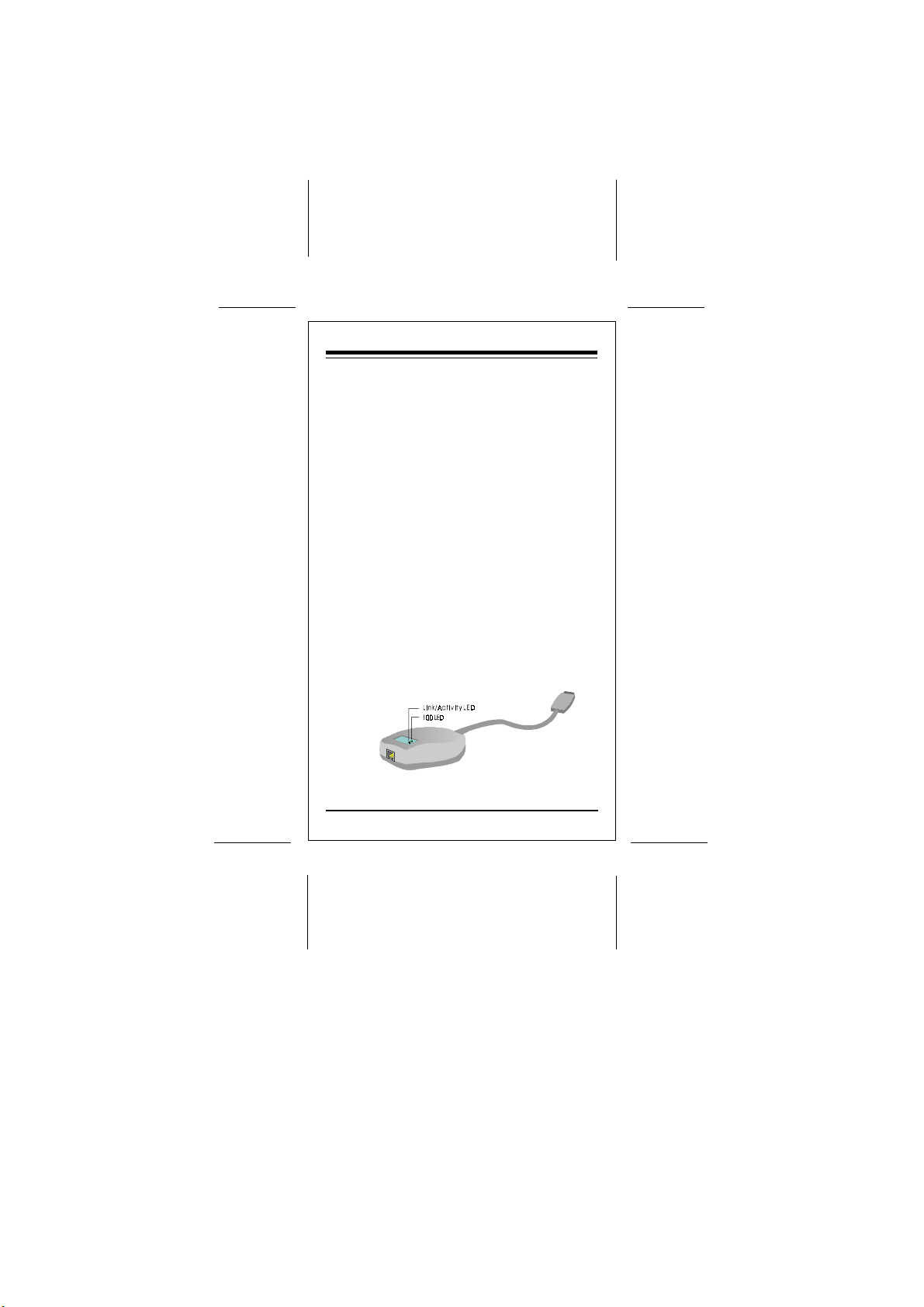
Your USB adapter provides the variety of informative LEDs on the up panel for easy viewing and
troubleshooting.
This section will help you understand the LED
indication, Figure 1-1 shows the outlook of the
adapter.
Figure 1-1 LED indicators of the adapter
5
Page 8
10/100Mbps Ethernet USB Adapter
LNK/ ACT LED
The green LED displays the link and activity
status. If a good link is established on the port,
this green LED will be continuously lit. When
data is transmitted the green LED will flash.
100 LED
The green LED displays the speed interface connection status. If a valid connection is detected
via the USB interface and the driver is initialized
properly, the green LED will be lit.
USB Cable
A USB cable , 64cm length totally,is equipped with a
standard receptacle at each end respectively.
Network Driver
The driver diskette contains different network driver
for different Network Operating Syetems. For more
information about the drive installation, refer to
README.TXT in the driver diskette.
6
Page 9
10/100Mbps Ethernet USB Adapter
Section 2 Installing the Adapter
The USB adapter is designed for Plug-and-Play
installation, performing the steps as below to
connect your USB adapter to the network.
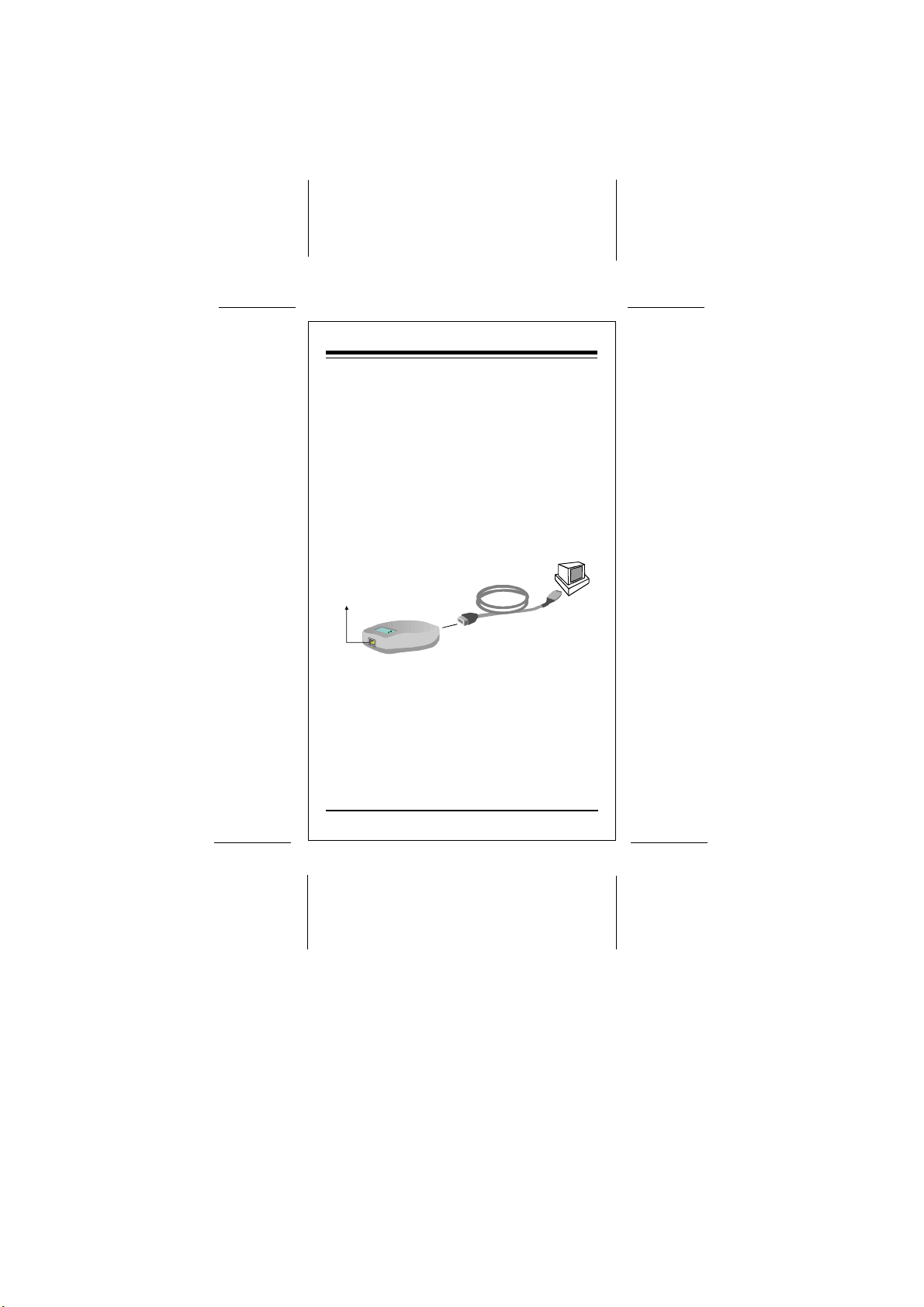
Step1 Connect the one end of the USB
cable to the Type-B receptacle of the
USB adapter, and connect the other
end (Type-A) to the PC's USB
interface port, ensuring the connectors
are fully engaged.
USB Cable
10 /100Mbps Network
USB Adapter
10BAES-T and 100BASE-TX Port
Figure 2-1 Installing the adapter to
Type-B
receptacle
PC
USB Port
Type-A
receptacle
a network application
Step2 Connecting UTP cable
Connect one end of a twisted-pair cable
to the USB adapter's RJ-45 port, and the
other end to an appropriate device with
a 10Mbps or 100Mbps Ethernet interface
.
7
Page 10
10/100Mbps Ethernet USB Adapter
Section 3 Specifications
IEEE 802.3 standards: 10BASE-T and 100BASE TX
USB standards: Ver. 1.0/1.1
Wiring Connector: RJ-45, Type-B receptacle
Weight: 50g (Adapter)
Dimensions: 78mm x 65mm x 29mm
Cable Length: 64 cm (w/ Connector)
Emission Compliance: FCC Part 15 Class B
Immunity Compliance:IEC 801-2
Power Consumption: 110mA, @5V (Max.)
Operating Temperature:0 to 55 degrees Centigrade
Operating Humidity: 10% to 90%, non-condensing
40g (Cable)
EN 55022 Class B
CISPR-22 Class B
(Electrostatic Discharge)
IEC 801-3
(Radiated Immunity)
IEC 801-4
(Electrical Fast Transient/Burst)
8
Page 11

 Loading...