

Page 1
SR208 Installation Guide
I
n
s
t
a
l
l
a
t
i
o
n
G
u
i
d
e
I
n
s
t
a
l
l
a
t
i
o
n
G
u
I
n
s
t
a
l
l
a
t
i
o
n
G
u
i
i
d
d
e
e
15-4103-01A
AAbboouutt tthhiiss MMaannuuaall
Intended User
This manual is designed and written for users of the SR208 chassis. Experience in
electronic or computer engineering is preferable.
IInnssttaallllaattiioonn GGuuiiddee
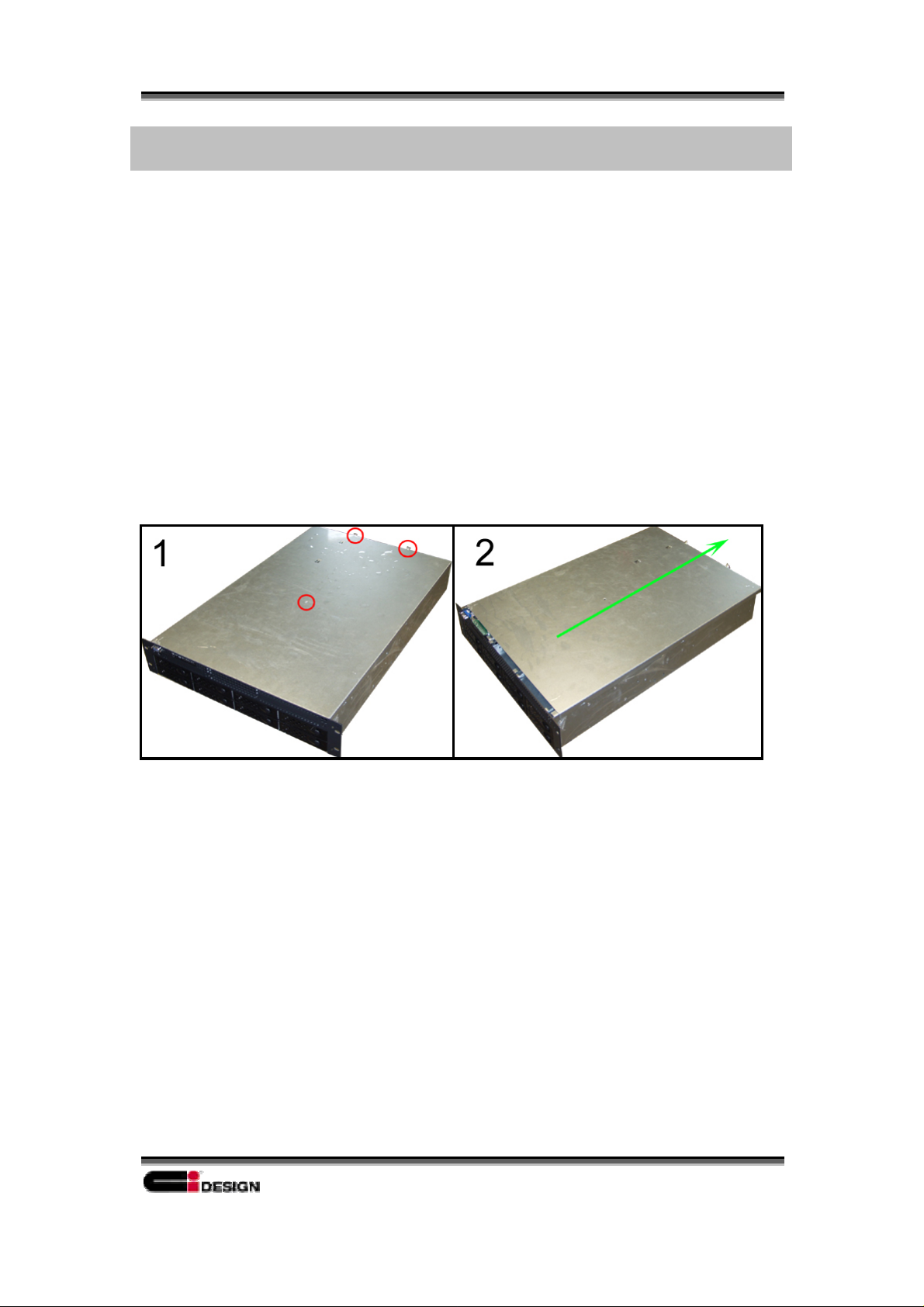
Remove the chassis from the packaging and slide open the top cover.
Removing the top cover:
1. Remove the screw and loosen the two thumbscrews in the back of the chassis.
2. Slide the cover and lift up to remove the cover.
1
Page 2
SR208 Installation Guide
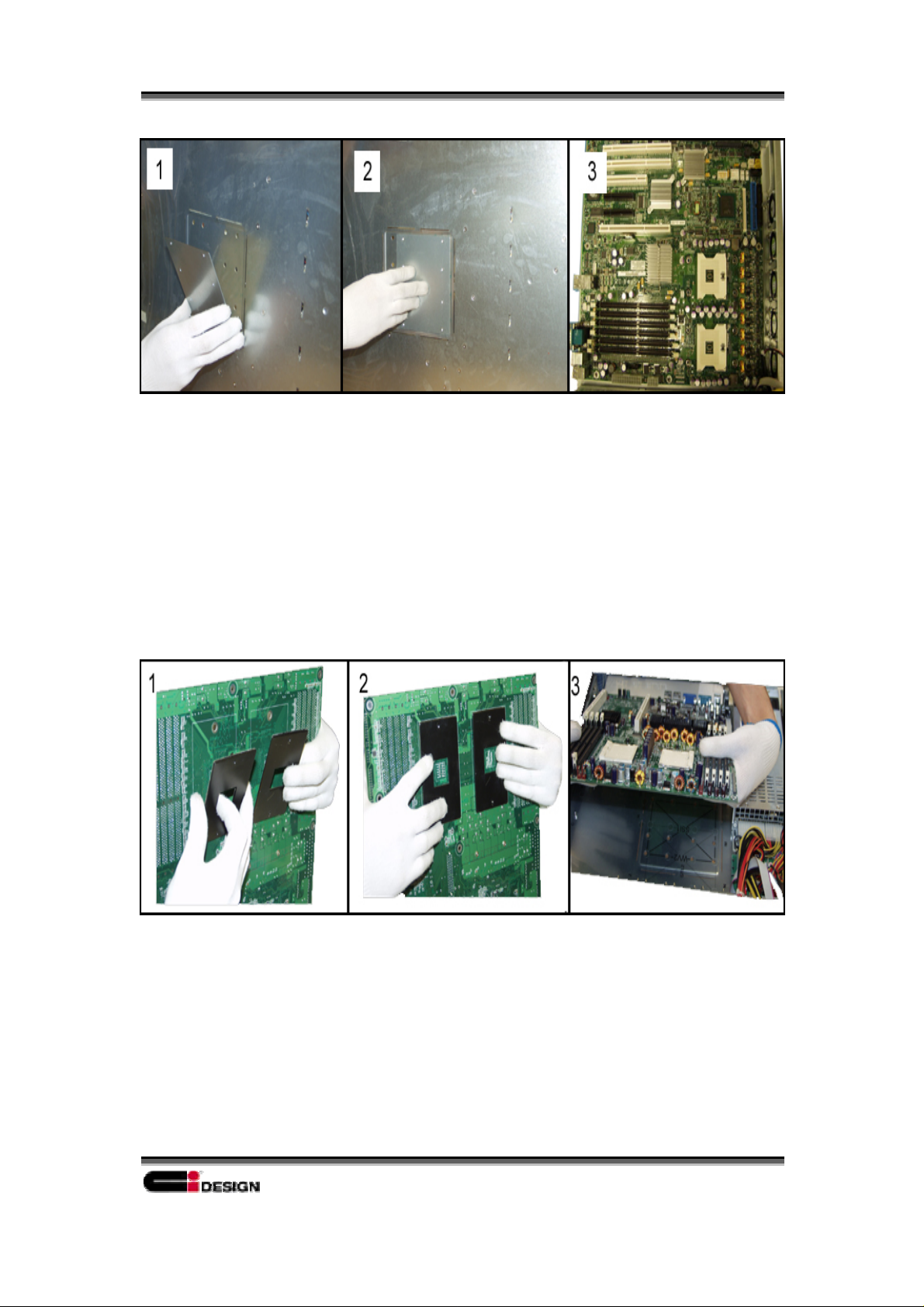
Mounting an Intel® Xeon™ server board:
1. Remove the adhesive from the mounting plate.
2. Securely fasten the plate onto the bottom of the chassis. (Match the holes that are
appropriate to the motherboard you are using.)
3. Mount the motherboard inside the chassis so that the plate is aligned with the
CPU heatsink holes.
Mounting an AMD® Opte ron™ server board:
1. Remove the adhesive from the mounting plates.
2. Securely fasten the plates onto the board.
3. Place the server board down into the chassis.
2
Page 3
SR208 Installation Guide
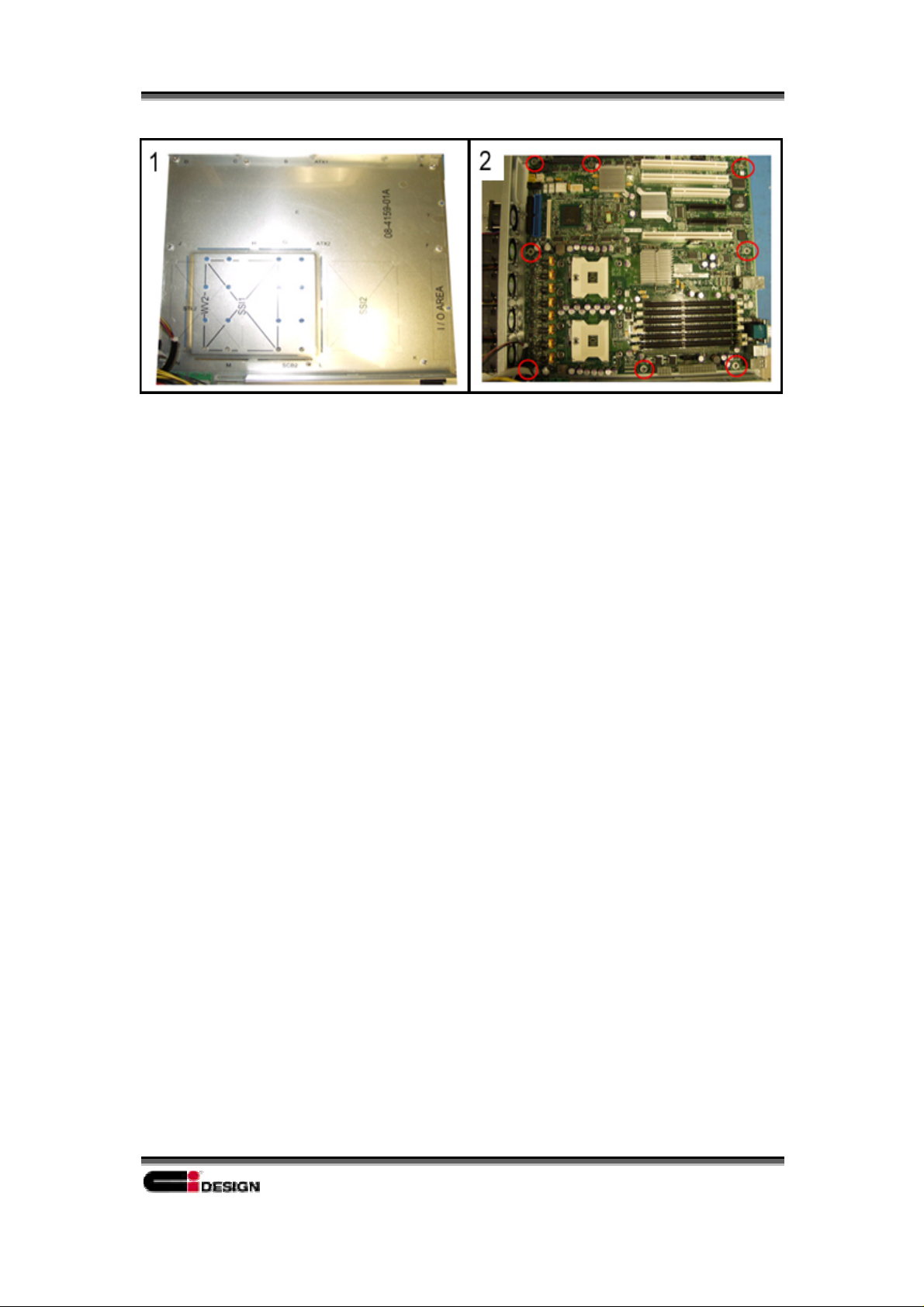
Mounting the motherboard onto the chassis:
1. Inside view of the chassis after removing the cover.
2. Mounting the motherboard and inserting the screws marked by the red circles.
3
Page 4

Contact Us
SR208 Installation Guide
NNoorrtthh AAmmeerriiccaa
Ci Design
E-mail: [email protected]
Web Site: http://www.cidesign.com
Toll free number: 1-800-576-5487
e
EEuurrooppe
Ci Europe
E-mail: [email protected]
Web Site: http://www.ci-designeurope.nl
Tel: 31 (0)46 477 0640
4
 Loading...