

Cherry GENTIX JM-03, GENTIX JM-0300, GENTIX JM-03-2, GENTIX JM-03-0 Operating Manual [en, de, it, fr, es +2]
Page 1
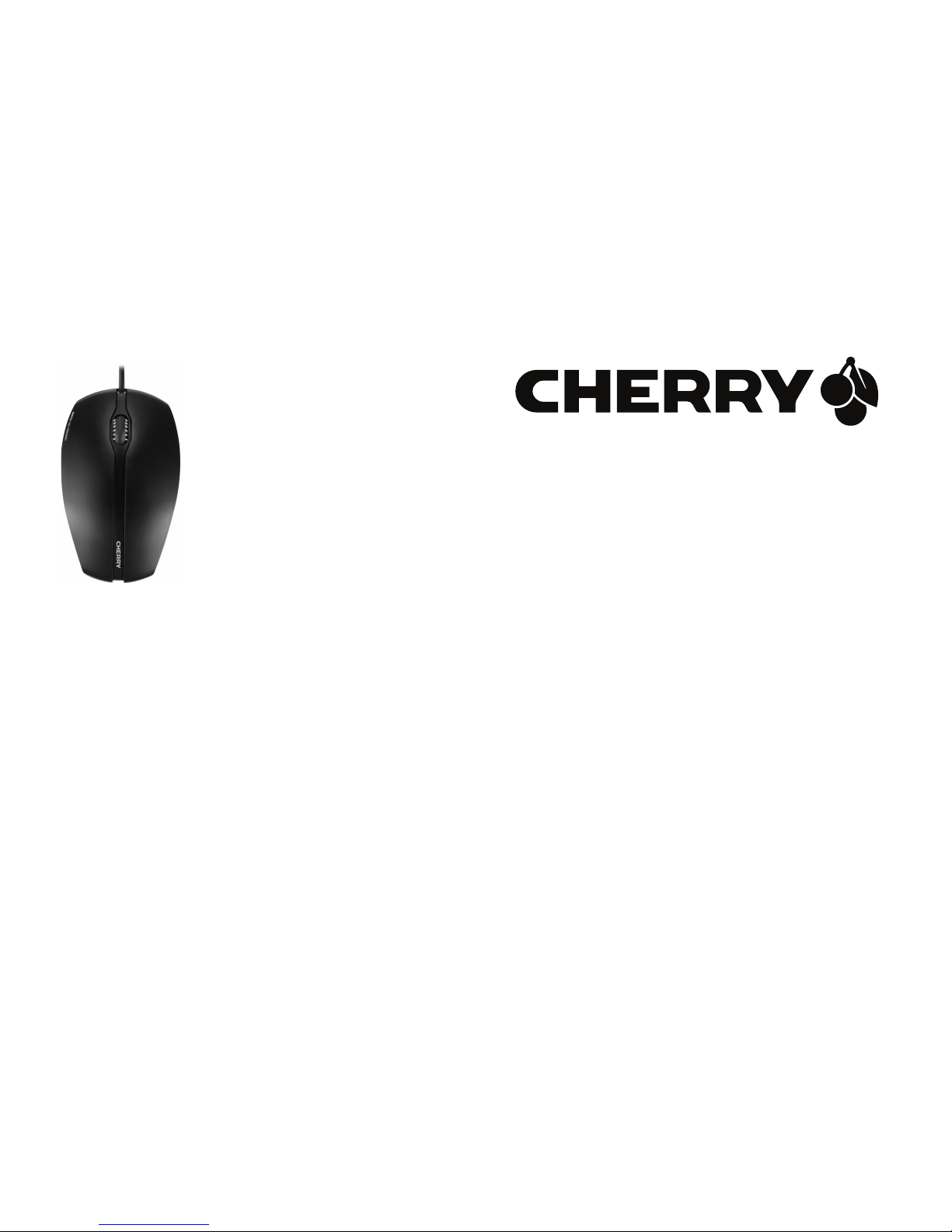
CHERRY GENTIX
Corded Mouse
6440563-02 DE, US, FR, ES, IT, NL, PT, CN, Okt 2012 (JM-0300 = Mod. JM-03, JM-03-)
Bedienungsanleitung.....................2
Operating Manual...........................4
Mode d’emploi................................6
Manual de instrucciones................8
Istruzione d'uso............................10
Gebruikshandleiding....................12
Instruções de utilização...............14
操作手冊
.......................................16
Page 2

2
1 Maus an den PC
anschließen
• Stecken Sie die Maus am USB-Anschluss
des PCs/Notebooks an.
2 Mausuntergrund
Eine helle, strukturierte Fläche als Mausuntergrund steigert die Effektivität der Maus und
gewährleistet eine optimale Bewegungserkennung.
Eine spiegelnde Fläche ist als Mausuntergrund nicht geeignet.
3 Entsorgung
Entsorgen Sie das Altgerät über eine
Sammelstelle für elektronischen
Abfall oder Ihren Händler.
4 Technische Daten
5Kontakt
ZF Friedrichshafen AG
Electronic Systems
Cherrystraße
91275 Auerbach
Internet: www.cherry.de
E-Mail: [email protected]
Bezeichnung Wert
Versorgungsspannung 4,3 ... 5,3 V SELV
Stromaufnahme Max. 100 mA
Lagertemperatur –15 °C ... +60 °C
Betriebstemperatur 0 °C ... +40 °C
DE
Page 3

3
Telefon – Vertrieb:
+49 (0) 180 5 243779* (0180 5 CHERRY*)
Telefon – Technischer Support:
+49 (0) 180 5 919108*
(*14 Cent/Min. aus dem deutschen Festnetz,
abweichende Preise für Anrufe aus Mobilfunknetzen möglich.)
6 Allgemeiner
Anwenderhinweis
Technische Änderungen, die dem Fortschritt
dienen, behalten wir uns vor. Unsachgemäße
Behandlung und Lagerung können zu Störungen und Schäden am Produkt führen.
Die Gewährleistung erlischt komplett, sofern
unautorisierte Änderungen am Produkt
durchgeführt worden sind. Führen Sie eigenmächtig keine Reparaturen durch und öffnen
Sie das Produkt nicht. Die vorliegende Anleitung ist nur gültig für das mitgelieferte Produkt.
7 Gewährleistung
Es gilt die gesetzliche Gewährleistung. Bitte
wenden Sie sich an Ihren Händler oder Vertragspartner. Nähere Informationen zur
Gewährleistung finden Sie unter
www.cherry.de
DE
Page 4

4
1 Connecting mouse to the
PC
• Connect the mouse to the USB port of the
PC/laptop.
2 Surface under the mouse
A bright, structured surface under the mouse
increases the efficiency of the mouse and
ensures optimum detection of movement.
A reflective surface is not suitable for use
under the mouse.
3 Disposal
Dispose of the old unit via a collecting point for electronic scrap or via
your dealer.
4 Technical data
5Contact
ZF Friedrichshafen AG
Electronic Systems
Cherrystraße
91275 Auerbach, Germany
Internet: www.cherry.de
E-mail: [email protected]
Designation Value
Supply voltage 4.3 ... 5.3 V SELV
Current consumption Max. 100 mA
Storage temperature –15 °C ... +60 °C
Operating temperature 0 °C ... +40 °C
US
Page 5

5
6 General user information
We reserve the right to make technical modifications which serve the development of our
products. Improper use and storage can lead
to faults and damage to the product.
The warranty expires completely once unauthorized modifications to the product have
been carried out. Do not carry out any unauthorized repairs and do not open up the product. These instructions are only valid for the
supplied product.
7 Warranty
The statutory warranty applies. Please contact your specialist dealer or contractual partner. You can find more information on the
warranty under www.cherry.de.
8 For UL
For use with Listed Personal Computers only!
US
Page 6

6
1 Raccorder la souris
• Raccordez la souris via la connexion USB
du PC/portable.
2 Surface pour la souris
L'utilisation de la souris sur une surface
claire, structurée augmente son effectivité et
garantit une détection optimale des mouvements.
Une surface réfléchissante ne convient pas
pour la souris.
3 Elimination
Eliminer l’appareil usé via un point
de collecte pour déchets électroniques ou via le point de vente.
4 Caractéristiques
techniques
Désignation Valeur
Alimentation 4,3 ... 5,3 V SELV
Consommation de
courant
Max. 100 mA
Température de
stockage
–15 °C ... +60 °C
Température de
fonctionnement
0 °C ... +40 °C
FR
Page 7

7
5Contact
ZF Friedrichshafen AG
Electronic Systems
Cherrystraße
91275 Auerbach
Allemagne
Internet: www.cherry.de
E-mail: [email protected]
6 Notice générale
d'utilisation
Sous réserve de modifications techniques. Un
traitement et un stockage non conformes
peuvent entraîner des dysfonctionnements et
des dommages du produit.
La garantie devient complètement caduque si
des modifications non-autorisées sont effectuées sur le produit. N'effectuez aucune répa-
ration de votre propre chef et n'ouvrez pas le
produit. La présente notice est valable uniquement pour le produit avec lequel elle est
fournie.
7 Garantie
La garantie légale s'applique. Veuillez contacter votre revendeur ou votre partenaire contractuel. Pour tout complément d'information
concernant la garantie, veuillez consulter
notre site www.cherry.de.
FR
Page 8

8
1 Conectar ratón al PC
• Conecte el ratón a la conexión USB del PC/
Notebook.
2 Base del ratón
Una superficie clara y estructurada como
base del ratón aumenta la efectividad del
ratón y garantiza una óptima detección de
movimientos.
Una superficie reflectante no es adecuada
como base del ratón.
3 Eliminación
Elimine el aparato usado a través de
un puesto de recogida de residuos
electrónicos o a través de su distribuidor.
4 Datos técnicos
Denominación Valor
Suministro de tensión 4,3 ... 5,3 V SELV
Consumo de corriente Max. 100 mA
Temperatura de
almacenamiento
–15 °C ... +60 °C
Temperatura de
funcionamiento
0 °C ... +40 °C
ES
Page 9

9
5 Contacto
ZF Friedrichshafen AG
Electronic Systems
Cherrystraße
91275 Auerbach
Alemania
Internet: www.cherry.de
Correo electrónico: [email protected]
6 Indicacines generales
para el usuario
Nos reservamos el derecho de realizar modificaciones técnicas destinadas a la mejora del
producto. Un manejo o almacenamiento
inadecuados pueden provocar averías o desperfectos en el producto.
La garantía pierde su validez tan pronto como
se introduzcan modificaciones no autorizadas. No lleve a cabo ninguna reparación por
su cuenta ni abra el producto. Las presentes
instrucciones solo rigen para el producto
suministrado.
7 Garantía
Rige la garantía legal. Póngase en contacto
con su distribuidor o parte contratante.
Encontrará más información acerca de la
garantía en
www.cherry.de
ES
Page 10

10
1 Collegare il mouse al PC
• Collegare il mouse alla porta USB del PC/
notebook.
2 Sfondo mouse
Uno sfondo costituito da una superficie chiara
strutturata aumenta l'efficacia del mouse e
garantisce un'individuazione ottimale del
movimento.
Una superficie riflettente non è indicata come
sfondo del mouse.
3 Smaltimento
Smaltire il vecchio apparecchio
rivolgendosi ad un punto di raccolta per rifiuti elettronici oppure
al proprio concessionario.
4 Dati tecnici
5 Contatti
ZF Friedrichshafen AG
Electronic Systems
Cherrystraße
91275 Auerbach, Germania
Internet: www.cherry.de
E-Mail: [email protected]
Denominazione Valore
Tensione di
alimentazione
4,3 ... 5,3 V SELV
Corrente assorbita Max. 100 mA
Temperatura di
magazzinaggio
–15 °C ... +60 °C
Temperatura d'esercizio 0 °C ... +40 °C
IT
Page 11

11
6 Indicazione generale per
l'utente
Ci riserviamo il diritto di effettuare modifiche
tecniche che consentano un miglioramento
del prodotto. Un uso e uno stoccaggio del prodotto non appropriati possono causare guasti
e danni al prodotto.
La garanzia decade completamente qualora
sul prodotto siano state apportate modifiche
non autorizzate. Non effettuare riparazioni in
modo arbitrario e non aprire il prodotto. Il
presente manuale vale solo per il prodotto in
dotazione.
7 Garanzia
L'apparecchio è coperto dalla garanzia legale.
Per qualsiasi informazione, contattare il proprio rivenditore o parte contraente. Ulteriori
informazioni sulla garanzia sono riportate
all'indirizzo www.cherry.de
IT
Page 12

12
1 Muis op de pc aansluiten
• Sluit de muis op USB-aansluiting van de pc/
notebook aan.
2 Muisondergrond
Door een licht, gestructureerd oppervlak als
muisondergrond wordt de effectiviteit van de
muis vergroot en wordt een optimale bewegingsherkenning gegarandeerd.
Een spiegelend oppervlak is niet geschikt als
muisondergrond.
3 Afvalverwerking
Breng het oude apparaat naar een
inzamelingspunt voor elektronisch afval of naar de verkoper van
het apparaat.
4 Technische gegevens
5Contact
ZF Friedrichshafen AG
Electronic Systems
Cherrystraße
91275 Auerbach
Duitsland
Internet: www.cherry.de
E-mail: [email protected]
Aanduiding Waarde
Voedingsspanning 4,3 ... 5,3 V SELV
Stroomverbruik Max. 100 mA
Opslagtemperatuur –15 °C ... +60 °C
Bedrijfstemperatuur 0 °C ... +40 °C
NL
Page 13

13
6 Algemene gebruikerstip
Technische wijzigingen, die voor de verbetering dienen, behouden wij ons voor. Verkeerde behandeling en opslag kunnen tot
storingen en schade aan het product leiden.
De garantie vervalt volledig, als er ongeautoriseerde wijzigingen aan het product zijn uitgevoerd. Voer geen eigenmachtige reparaties uit
en open het product niet. Deze gebruiksaanwijzing is alleen geldig voor het meegeleverde
product.
7 Garantie
De wettelijke garantie is van toepassing.
Neem contact op met uw handelaar of verdragspartner. Nadere informatie over de
garantie vindt u op www.cherry.de
NL
Page 14

14
1 Ligar o rato ao PC
• Encaixe o rato na ligação USB do PC/portátil.
2 Base do rato
Uma superfície clara e estruturada como base
do rato aumenta a sua eficácia e garante uma
detecção optimizada dos movimentos.
Uma superfície reflectora não é adequada
como base do rato.
3 Eliminação
Elimine o aparelho usado através
de um centro de recolha para lixo
electrónico ou através de um
comerciante.
4 Dados técnicos
Designação Valor
Tensão de alimentação 4,3 ... 5,3 V SELV
Consumo de energia Max. 100 mA
Temperatura de
armazenamento
–15 °C ... +60 °C
Temperatura
operacional
0 °C ... +40 °C
PT
Page 15

15
5 Contacto
ZF Friedrichshafen AG
Electronic Systems
Cherrystraße
91275 Auerbach
Alemanha
Internet: www.cherry.de
E-mail: [email protected]
6 Nota geral para o
operador
Reservamos-nos alterações técnicas que sirvam para o progresso. Tratamento ou armazenamento inadequado podem causar avarias
e danos no produto.
A garantia expira totalmente assim que sejam
efectuadas alterações não autorizadas no produto. Não faça reparações por iniciativa pró-
pria e não abra o produto. Este manual
apenas é válido para o produto juntamente
fornecido.
7 Garantia
Concede-se a garantia determinada na lei.
Consulte o seu revendedor ou representante
autorizado. Para mais informações sobre a
garantia, consulte a www.cherry.de
PT
Page 16

16
1 連接滑鼠
• 將 USB 接頭插入電腦中的任何 USB 插孔。
2 滑鼠墊
具有亮色紋理表面的滑鼠墊可以節約能源、提
高滑鼠工作效率並確保最佳的移動識別。
反射表面不適於製成滑鼠墊。
3 棄置
透過電子廢料回收點或您的經銷商棄
置舊裝置。
4 技術資料
5 聯絡方式
ZF Friedrichshafen AG
Electronic Systems
Cherrystraße
91275 Auerbach
Germany
網際網路:www.cherry.de
電子郵件:[email protected]
指定 值
供電電壓 4.3 ... 5.3 V SELV
耗電量 最高: 100 mA
存放溫度 –15 °C ... +60 °C
操作溫度 0 °C ... +40 °C
CN
Page 17

17
6 一般建議
我們保留由於科技發展而進行技術更改的權
利。 操作和存放不當會導致產品故障和損壞。
如未經授權更改產品,則全部保固權利失效。
請勿自行進行維修,並且勿打開產品。 本說明
只適用於隨附的產品。
7 保固
適用法定保固。 請連絡您的專業經銷商或合約
夥伴。 您可在 www.cherry.de 下找到保固的詳
細資訊。
CN
Page 18

18
User Guide about Hazardous
Materials (People's Republic
of China Electronic Industry
Standard SJ/T11364-2006)
[ 关于有害物质的用户说明
( 中华人民共和国电子工业标
准 SJ/T11364-2006)]
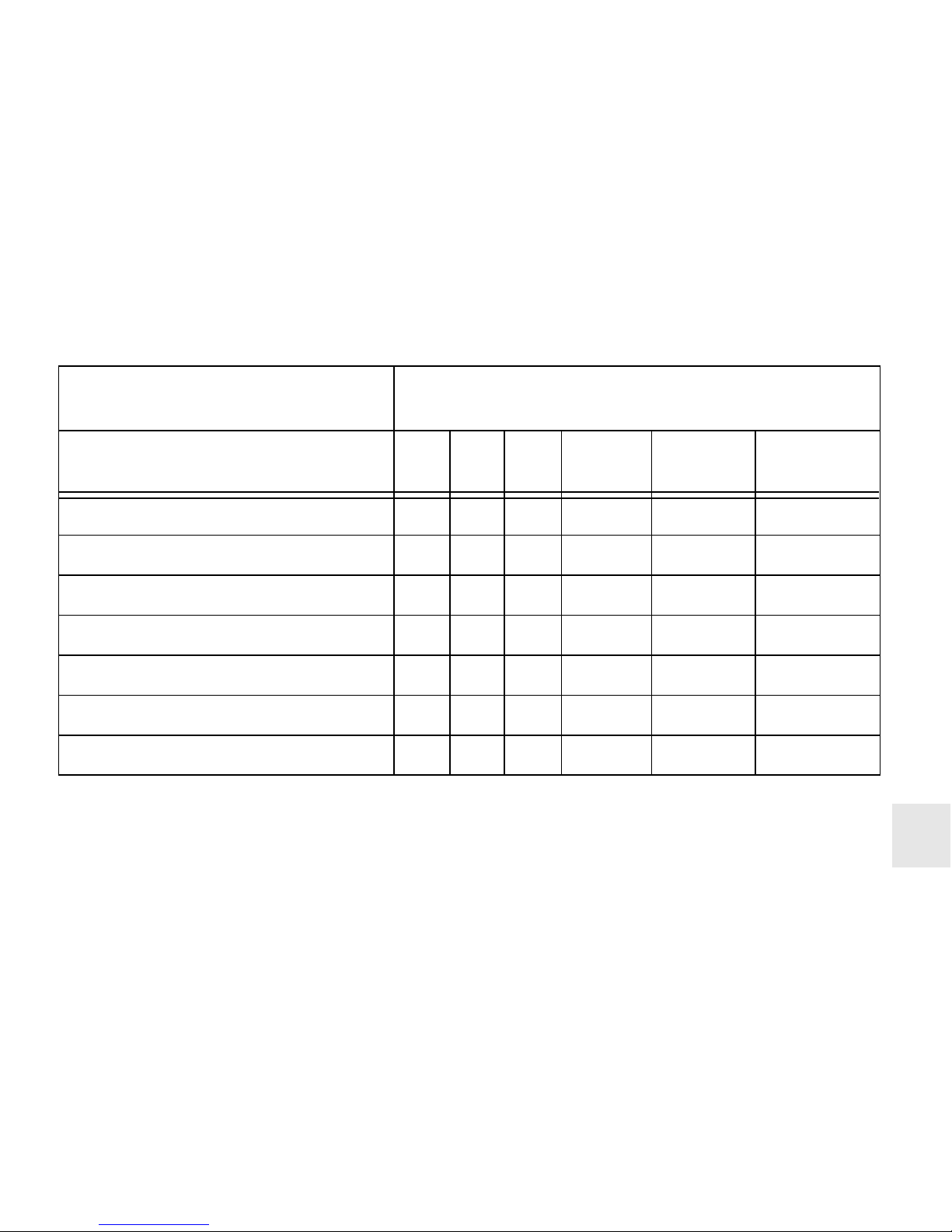
0: Indicates that the concentration of the
hazardous substance in all homogeneous
materials in the parts is below the relevant
threshold of the SJ/T11363-2006 standard.
[
表示该有害物质在该部件所有均质材料中的含
量均在 SJ/T11363-2006 标准规定的限量以下。
]
X: Indicates that the concentration of the
hazardous substance of at least one of all
homogeneous materials in the parts is above
the relevant threshold of the
SJ/T11363-2006 standard.
[
表示该有害物质至少在该部件的某一均质材料
中的含量超过 SJ/T11363-2006 标准规定的限
量。
]
CN
Page 19
19
Toxic and hazardous materials or elements
[
有毒有害物质或元素
]
Part name
[
部件名称
]
Pb
[铅]
Hg
[汞]
Cd
[镉]
Cr6+
[
六价
铬
]
PBB
[
多溴
联苯
]
PBDE
[
多溴二
苯醚
]
PCB's/flex circuits [PCB/ 挠性电路
]
000 0 0 0
Electronic components [ 电子元器件
]
X00 0 0 0
Solder paste [ 锡膏
]
000 0 0 0
Cable [ 缆线
]
000 0 0 0
Plastic parts [ 塑料部件
]
000 0 0 0
Metal parts [ 金属部件
]
000 0 0 0
Rubber parts [ 橡胶部件
]
000 0 0 0
CN
 Loading...