

Page 1
Quick Reference Guide
Page 2
Funfetti™ QRG EN
2
About This Guide
The Funfetti™ Quick Reference Guide (QRG) contains information about
the
product’s connection, mounting, and operation.
Disclaimer
The information and specifications contained in this QRG are subject to
change without notice.
Safety Notes
These Safety Notes include important safety information about installation,
usage, and maintenance.
• Always connect this product to a grounded circuit to avoid the risk of
electrocution.
• Always disconnect from the power source before cleaning this product.
• Never disconnect this product from power cord by pulling or tugging on
the cord.
• If mounting this product overhead, always secure it to a fastening device
using a safety cable.
• Do not mount this product on or near a flammable surface.
• Never aim the cannon at people or animals.
• Never look directly into the cannon.
• Make sure the voltage of the outlet to which you are connecting is within
the range stated on the decal or rear panel of the product.
• This product is for indoor use only! (IP20) To prevent risk of fire or
shock, do not expose this product to rain or moisture.
•
Always install this product in a location with adequate ventilation, at least
20 in (50 cm) from adjacent surfaces.
• Be sure that no ventilation slots on the unit’s housing are blocked.
• Do not intentionally obstruct the air vents or leave machine unattended.
• Never connect this product to a dimmer.
• Never carry this product from the power cord.
• The maximum ambient temperature is 104 °F (40
°C). Do not operate this
product at higher temperatures.
• In the event of a serious operating problem, stop using the unit
immediately.
• Never try to repair this product. Repairs performed by unauthorized
technicians can lead to damage or malfunction. Please contact the nearest
authorized technical assistance center.
• To eliminate u
nnecessary wear and improve its lifespan, during periods of
non-use completely disconnect the product from the power via the
breaker or by unplugging it.
Contact
• From outside the U.S., UK, Ireland, or Mexico, contact the distributor of
record to request support or return a product.
• From inside the U.S., UK, Ireland, or Mexico, use the information in
Contact Us at the end of this QRG.
Page 3

Funfetti™ QRG EN
3
What Is
Included
• Funfetti™
• FC-W Wireless Receiver
• FC-W Wireless Transmitter
• Power Cord
• Warranty Card
• Quick Reference Guide
To Begin
Carefully unpack the Funfetti™
and check that all the parts are in the
package, and are in good condition.
If the box, or any of the contents, appear damaged from shipping, or show
signs of mishandling, save all packaging and file a claim with the carrier
immediately. Do not notify Chauvet
. Failure to report damage to the carrier
immediately, or failure to have
all packaging available for inspection, could
invalidate your claim.
For other issues, such as missing components or parts, damage not related to
shipping, or concealed damage, file a claim with Chauvet
within 7 days of
delivery. For information on contacting Chauvet, see the Contact Us
section
of this QRG.
Description
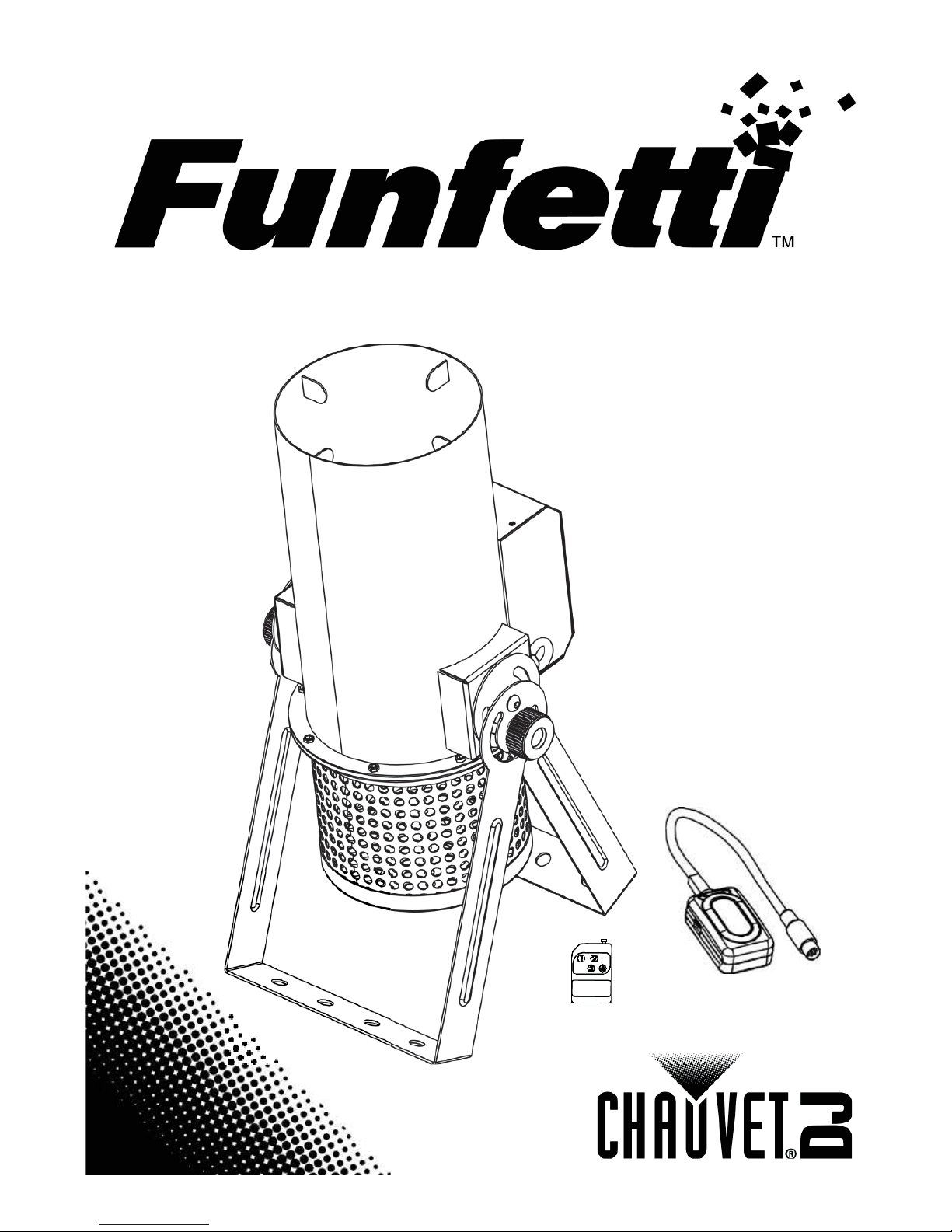
The Funfetti™ is an electric confetti launcher, perfect for concerts, parties,
or special events.
Featuring DMX or wireless remote control, this simple to
set up launcher requires no CO2and comes with a double-bracketed
yoke for
easy floor standing or hanging. Fits nicely in the CHS-
50 VIP Gear Bag by
Chauvet.
Page 4
Funfetti™ QRG EN
4
Overview
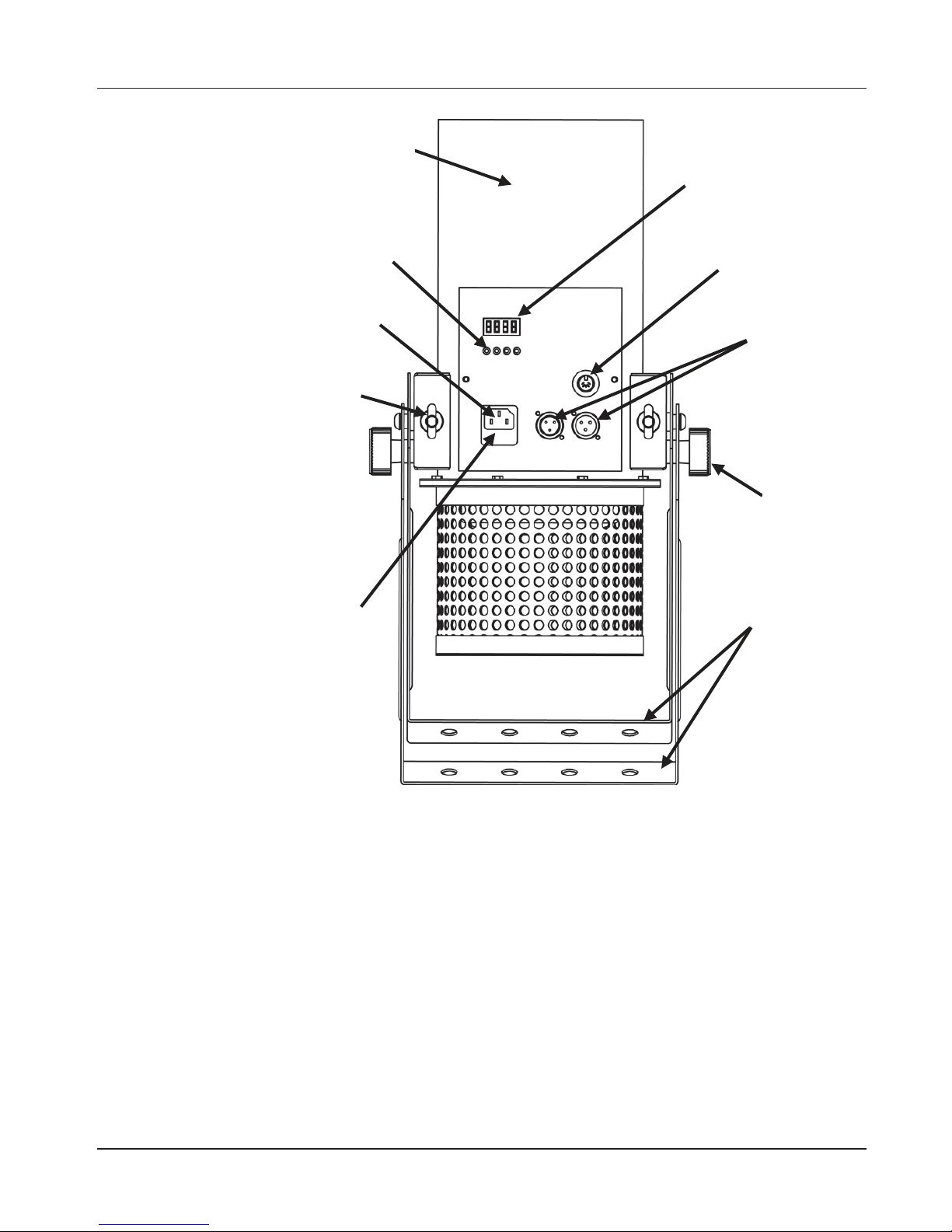
Mounting Bracket
Power In
Menu Buttons
Fuse holder
Tilt
Adjustment
Wireless
Remote Port
DMX In/Out
LED Display
Safety Loop x2
Main Tube
Page 5
Funfetti™ QRG EN
5
Mounting
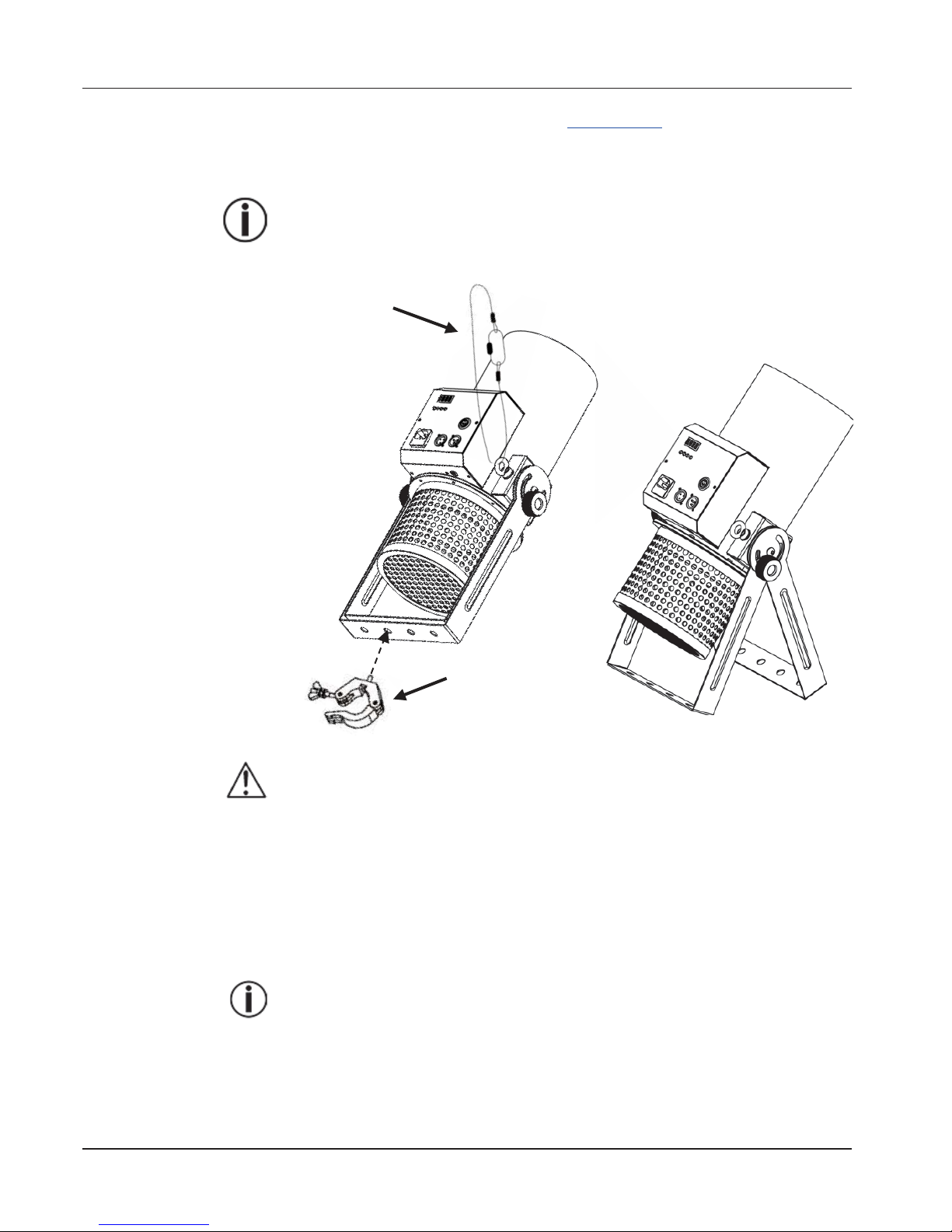
Before mounting this product, read the Safety Notes. Place launcher
on a flat,
level surface using the double brackets provided
or use a clamp to mount to
truss systems (such as TRUSST®). Always use at least one safety cable
to
secure to rigging.
Ensure that the launcher is not shooting directly into anyone’s face or
above heavy traffic areas.
Mounting Diagram
When mounting overhead, be sure to point Funfetti™ at an
upward
angle to keep the confetti from pouring out prior to launching.
AC Power
This product has a voltage-specific power supply that can work with an input
voltage of 120 VAC, 60 Hz or 230 VAC, 50 Hz.
Fuse Replacement
1. Disconnect the product from power.
2. Wedge the tip of a flat-head screwdriver into the slot of the fuse holder.
3. Pry the safety cap out of the housing.
4. Remove the blown fuse from the clip on the front of the safety cap and
replace with a fuse of the exact same type and rating.
5. Re-insert the fuse holder and reconnect power.
Disconnect the product from power before replacing the fuse.
Floor Mounting
Safety Cable
(such as CH-05
from Chauvet)
Mounting Clamp
(such as the CLP-15N
clamp from Chauvet)
Overhead Mounting
Page 6
Funfetti™ QRG EN
6
Operation
1. Fill the main tube with Funfetti™ refills (FRC, FRM, and FRU, sold
separately).
Note: The use of CHAUVET® Funfetti™ refills, specially
manufactured for use with Funfetti™ launchers, is recommended.
The standard tank capacity is: 0.5 lb (0.25 kg) for FRC and FRU;
1 lb (0.45 kg) for FRM.
2. Plug into a suitable power outlet.
3. Turn on the Funfetti™ by one of the following:
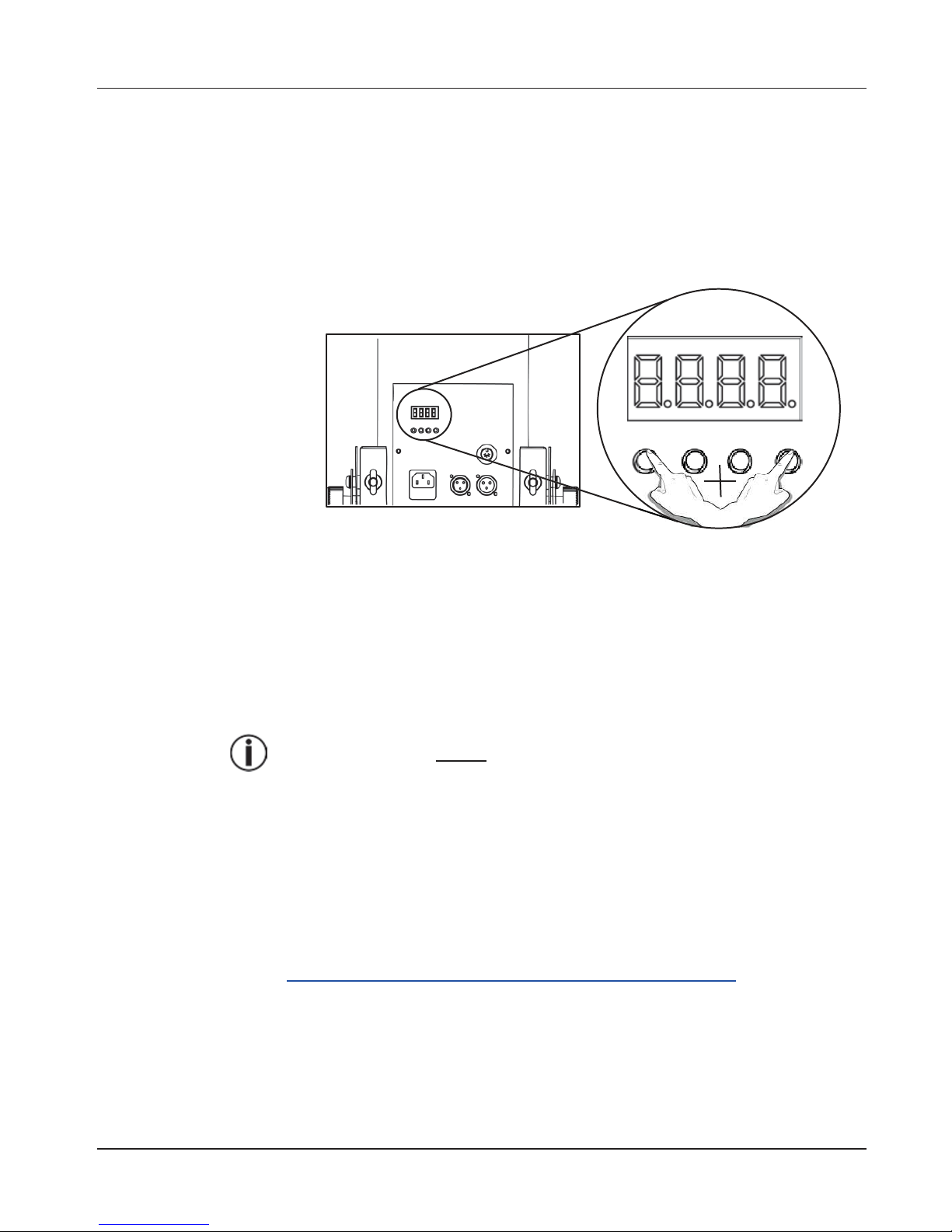
• Pressing the <MENU> and <ENTER> buttons at the same time.
• Using DMX activation.
• Pressing the button assigned to CH-1 on the FC-W wireless remote
control.
Note: To refill the Funfetti™ launcher, turn off the launcher and
add more Funfetti™ refill to the main tube.
Control from the
Display
Press the <MENU> and <ENTER> buttons at the same time
. This will
activate the Funfetti™ blower fan immediately. Press buttons again
to shut
off.
• The display will show d 1 while in this standalone mode.
• Set your DMX before loading Funfetti™ refills.
• The fan will blast confetti up to 30 ft (9 m) and run for 25 seconds.
FC-W Wireless
Remote Control
To trigger the Funfetti™ using the FC-W wireless remote control,
plug in the
product and do the following:
1. Plug the wireless receiver into the Wireless Remote
port on the side of the
Funfetti™.
2. On the wireless transmitter, press the button assigned to CH-1 (1–4) and
the Funfetti™ fan turns on.
For more information on the FC-
W or to download instructions, go to
http://www.chauvetlighting.com/product-manuals-literature/.
Page 7
Funfetti™ QRG EN
7
DMX Linking
The Funfetti™ works with a DMX controller. Information about configuring
Funfetti™ for DMX operation is in the
User Manual, which is available from
the Chauvet website http://www.chauvetlighting.com/product-manuals-
literature/. Information about DMX is in the DMX Primer, which is available
from the Chauvet website http://www.chauvetlighting.com/downloads.
Starting Address
To ensure full access to all channels in each DMX mode, the highest
recommended DMX address for this product is 512.
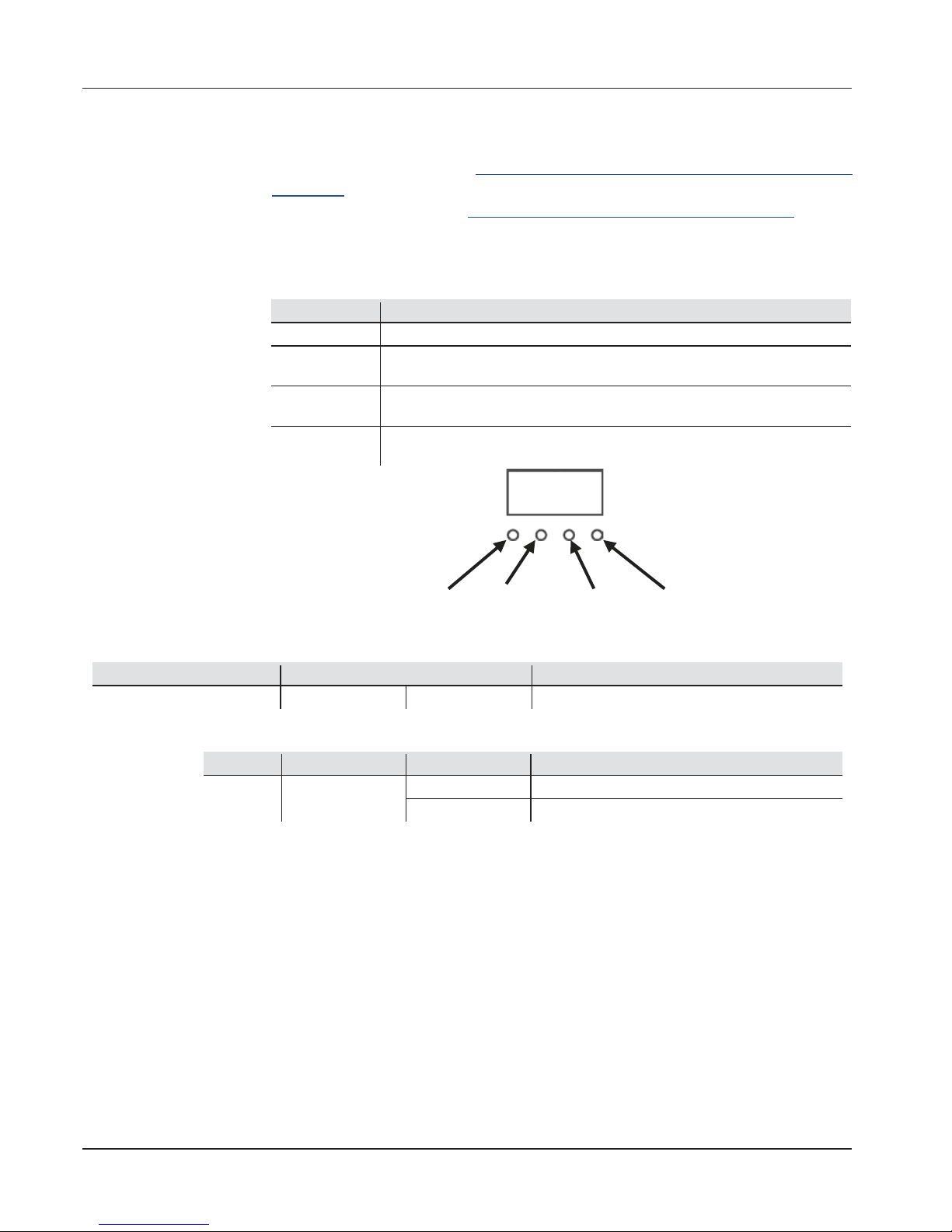
Control Panel
Description
Button
Function
<MENU>
Exits from the current menu or function
<UP>
Navigates upwards through the menu list or increases the numeric value
when in a function
<DOWN>
Navigates downwards through the menu list or decreases the numeric
value when in a function
<ENTER>
Enables the currently displayed menu or sets the currently selected
value into the selected function
Menu Map
Main Function
Programming Levels
Description
DMX Address
Addr
d 1–512
Sets the DMX address
DMX Assignments
1 Channel
Channel
Function
Value
Setting
1 Off/On
000ó009
Off
010ó255
On
<MENU> <UP> <DOWN> <ENTER>
Page 8

Funfetti™ QRG EN
8
Technical Specifications
Dimensions
and Weight
Length
Width
Height
Weight
11.2 in (284 mm)
9 in (228 mm)
21.8 in (553 mm)
13.6 lb (6.2 kg)
Note: Dimensions in inches rounded to the nearest decimal digit.
Tank Capacity
Standard Confetti (FRC)
Mirror Confetti (FRM)
UV Confetti (FRU)
0.5 lb (0.25 kg)
1.0 lb (0.45 kg)
0.5 lb (0.25 kg)
Parameters
Launch Duration
Throw Distance
Coverage Area
25 Seconds
30 ft (9 m)
540 ft2(50 m2)
Power
Power Supply Type
Range
Voltage Selection
Voltage specific 120 VAC, 60 Hz
or
230 VAC, 50 Hz
Fixed voltage
Parameter
120 V, 60 Hz
230 V, 50 Hz
Consumption
1,380 W
1,430 W
Operating current
12 A
7 A
Fuse
F 15 A, 250 V
F 7 A, 250 V
Power I/O
US/Canada
UK/Worldwide
Power Cord plug
Edison (US)
Local plug
DMX
I/O Connectors
Connector Type
Channel Range
3-pin XLR
Sockets
1
Thermal
Maximum External
Temp.
Cooling
104 °F (40 °C)
Fan-Assisted Convection
Ordering
Product Name
Item Code
UPC Number
Funfetti™
(120 V) 05070918
(120 V) 781462212667
(230 V) 05070933
(230 V) 781462212810
 Loading...