

Page 1
Quick RefeRence Guide
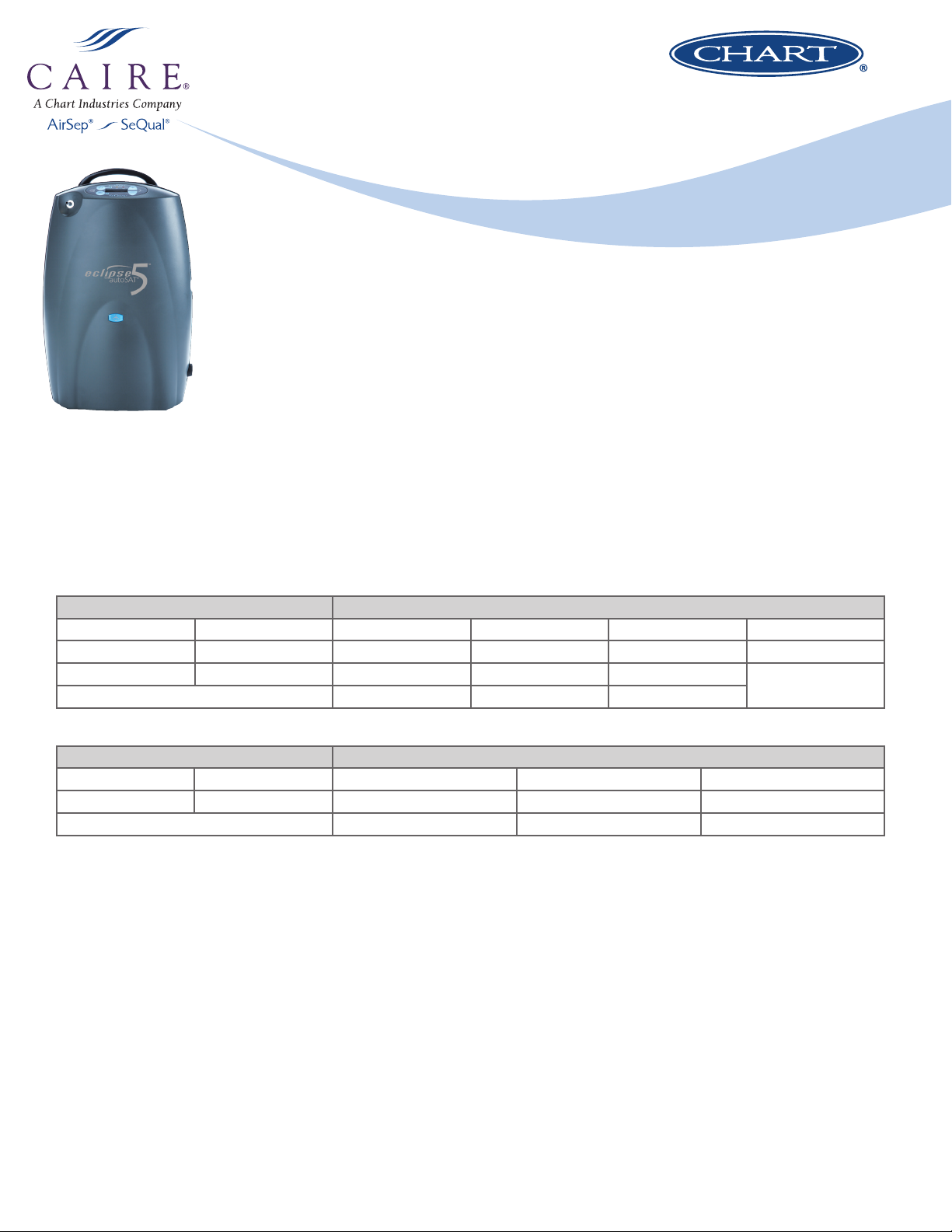
Eclipse 5
Transportable Oxygen Concentrator with autoSAT
™
®
Eclipse 5 New Features
• NEW: All continuous flow and pulse flow settings available while operating on DC power
• NEW:
• NEW: Next generation internal components enhance unit reliability
Battery cartridge will re-charge when unit is connected to DC power for all continuous flow settings up to 2.0 LPM and all pulse flow settings 1 to 9
Weight
Eclipse 5 Only: 15.0 lb (6.8 kg); Eclipse 5 w/ Battery Installed: 18.4 lb (8.4 kg)
Flow Rates
Continuous Flow Pulse Flow
0.5 LPM 2.0 LPM 1.0 (16 mL) 3.0 (48 mL) 5.0 (80 mL) 8.0 (160 mL)
1.0 LPM 2.5 LPM 1.5 (24 mL) 3.5 (56 mL) 5.5 (88 mL) 9.0 (192 mL)
1.5 LPM 3.0 LPM 2.0 (32 mL) 4.0 (64 mL) 6.0 (96 mL)
2.5 (40 mL) 4.5 (72 mL) 7.0 (128 mL)
Battery Life
Continuous Flow Pulse Flow
0.5 LPM – 4.4 Hours 2.0 LPM – 2.0 Hours 1.0 (16 mL) – 5.4 Hours 4.0 (64 mL) – 4.0 Hours 7.0 (128 mL) – 2.5 Hours
1.0 LPM – 3.7 Hours 3.0 LPM – 1.3 Hours 2.0 (32 mL) – 5.1 Hours 5.0 (80 mL) – 3.7 Hours 8.0 (160 mL) – 2.0 Hours
3.0 (48 mL) – 4.9 Hours 6.0 (96 mL) – 3.5 Hours 9.0 (192 mL) – 1.7 Hours
NOTE: Pulse flow times are calculated based on 12BPM. Higher breath rates will decrease battery times on pulse mode only.
Recharge Time
1. The typical time to recharge the battery inside the Eclipse on AC or
DC power is between 2 - 5 hours, dependent upon the flow setting.
The battery may be re-charged while the Eclipse is either ON or OFF.
2. The battery will recharge using the optional desktop charger in
approximately 3 hours.
3. It is acceptable to leave the Eclipse plugged into AC power at all
times while it is OFF. Note that while the unit remains plugged in
and OFF, the internal fan may continue to run while the battery is
charging and produce a faint humming noise.
On/Off
Press and hold the ON/OFF button (top left Blue Button) for two seconds
to power on the Eclipse 5. Upon power up, the audible alarm should
sound for 3 seconds, and all three lights on above the display screen
should illuminate. It is normal for the yellow and/or red lights may remain
on for up to 5 minutes during warm-up. Once warm-up is complete, only
the green light should be on.
Press and hold the ON/OFF button for two seconds to power off the
Eclipse 5.
Changing Flow Mode
Battery Gauge
The Eclipse 5 has a battery status gauge on the right side of the display
screen. Each of the 5 horizontal gray bars represents approximately 20%
of the total battery charge. When a battery is being charged, the indicator
bars will blink in a waterfall-type fashion. If a battery is not installed, or
is improperly installed, the battery status gauge will not appear on the
screen.
Press the flow mode button (bottom left blue button) to toggle between
pulse and continuous flow. The light adjacent to the button will illuminate
when in pulse mode and will blink with each breath detection and
delivery. If the unit is in pulse mode but does not detect a breath, it will
switch to continuous mode.
Page 2
Oxygen Concentration
Note:
**Alarm Codes are accessed by pressing the no-smoking icon once when the unit is in an alarm state. When this button is pressed, the screen will display a 3
digit alarm code “ALRM = xxx” for 10 seconds. This is an extremely useful troubleshooting tool.
The Eclipse 5 is designed to produce 90% oxygen (-3%, +5.5%) at all
continuous and pulse flow settings.
AC Power Supply
1. The Eclipse 5 will run at all flow rates and recharge a battery while
connected to AC power.
2. Each AC Power supply has a removable cord. If the AC power
supply is plugged into and receiving power from a wall outlet, a
green LED light on the power supply brick will illuminate.
3. If the AC Power Supply is properly connected to the Eclipse 5, the
external power light on the far right side of the control panel will
illuminate green.
4. The Eclipse AC Power supply is rated for 100-240VAC and 5060Hz. When traveling, the power supply will automatically adjust
to the specific voltage for each country. If needed, you may use
outlet adapters that can be purchased from CAIRE or from a local
electronics store.
DC Power Supply
1. Each Eclipse 5 comes with a DC power supply that will allow the
unit to be powered from an automotive-style power outlet.
2. The Eclipse can operate at all flow settings while using DC power.
3. The Eclipse battery will recharge while in use and connected to DC
power at 2.0 LPM or lower, and at all pulse flow settings. There is
not sufficient power to run the Eclipse and recharge the battery on
DC power at 2.5 LPM and 3.0 LPM settings.
4. If the DC power supply is plugged into and receiving power from a
DC outlet, and the power supply is properly plugged into the side of
the Eclipse, a green LED on the power supply brick will illuminate.
5. If the DC Power Supply is properly connected to the Eclipse 5, the
external power light on the far right side of the control panel will
illuminate green. The Eclipse DC power supply is rated between
11.5-16 VDC.
6. It is suggested to always have a motor vehicle cranked and running
before inserting the DC power supply into the accessory outlet.
Maintenance
1. The Air Intake filter must be removed and cleaned by the patient at
least once weekly. The air intake filter is located on the upper rear
of the Eclipse 5 and can be removed and cleaned with soap and
water. Allow to dry thoroughly before re-installing the filter.
2. The power cartridge (battery) must be calibrated once monthly.
Battery calibration consists of fully discharging the battery to zero
and re-charging fully from an empty state. The patient can still
breathe off of the Eclipse while the battery is being calibrated. This
procedure ensures the longest possible battery durations.
3. The Eclipse 5 should run for a minimum of 2 hours each month. This
helps to ensure and prolong the life of the Eclipse 5.
4. Annual Preventative Maintenance should be performed by the
equipment provider. This should be done a minimum of once
per year, regardless of the hours of operation. Preventative
Maintenance consists of:
a. Replace the Air Intake Filter
b. Replace the Compressor Filter
c. Replace the HEPA Filter
d. Replace the 9V Battery
Step-by-step instructions for all of these maintenance procedures can be
found in the Provider Technical Manual.
Nasal Cannula and Tubing
The Eclipse 5 uses a standard nasal cannula. Tubing length should not
exceed 50 ft (15.2 m) on a continuous flow setting, or 7 ft (2.1 m) on a
pulse flow setting or when using a humidifier bottle on continuous flow.
Humidifier Bottle
A humidifier bottle may be used with the Eclipse on CONTINUOUS FLOW
SETTINGS ONLY, and ONLY WHEN THE UNIT IS STATIONARY. If the unit is
to be transported or moved, the humidifier bottle MUST be removed.
Hour Meter
The Eclipse 5 hour meter is accessible through the provider menu. Press
the “no smoking” icon on the left side of the display panel until the
screen reads “HRS xxxxx”.
Alarm/Light Indicators
Condition Green Light Yellow Light Red Light Audible Alarm Alarm Code*
Low Battery ON FLASHING OFF 2 Beeps 010
Warm (Hot) Battery ON FLASHING OFF 1 Beep 002
Low 9V Battery OFF OFF OFF 3 Beeps @ Start-up Concentration < 85% OFF FLASHING OFF - 008
Concentration < 70% OFF OFF FLASHING 3 Beeps 004
Flow Rate Error/Blocked Flow OFF FLASHING OFF 1 Beep 020
Cannot Charge Battery Dependent on Eclipse Power ON OFF OFF 001
Battery Communication Error Dependent on Eclipse Power FLASHING OFF 1 Beep 100
No Breath Detected ON OFF OFF OFF 200
FAIL Codes and Power Loss Alarm
FAIL codes will display on the screen if the Eclipse 5 undergoes a system malfunction. When a FAIL code is displayed, the unit will stop running and
the red light will be illuminated. To clear this code, remove the battery and any external power source, wait 5-10 seconds, re-install the power, and
re-start the Eclipse. If the FAIL code occurs again, contact technical support.
If the Eclipse 5 experiences a power loss (via battery or external power) the red light will illuminate and the audible buzzer will sound. The screen may
display *******. To clear this alarm, it may be necessary to remove the battery cartridge and disconnect external power from the Eclipse. Re-connect
to external power or install a charged battery to re-start the machine.
Para mas Información por favor contáctenos:
Customer Service Line: Toll Free # 1-800-591-3409
www.oxigenopoc.com
visita nuestras tiendas en:
Asesor: Tel. Cel.:
CAIRE Inc. reserves the right to discontinue its products, or change the prices, materials, equipment, quality,
descriptions, specifications and/or processes to its products at any time without prior notice and with no further
obligation or consequence. All rights not expressly stated herein are reserved by us, as applicable.
Copyright © 2014 Chart Industries ML-CONC0053 A
 Loading...