

Page 1
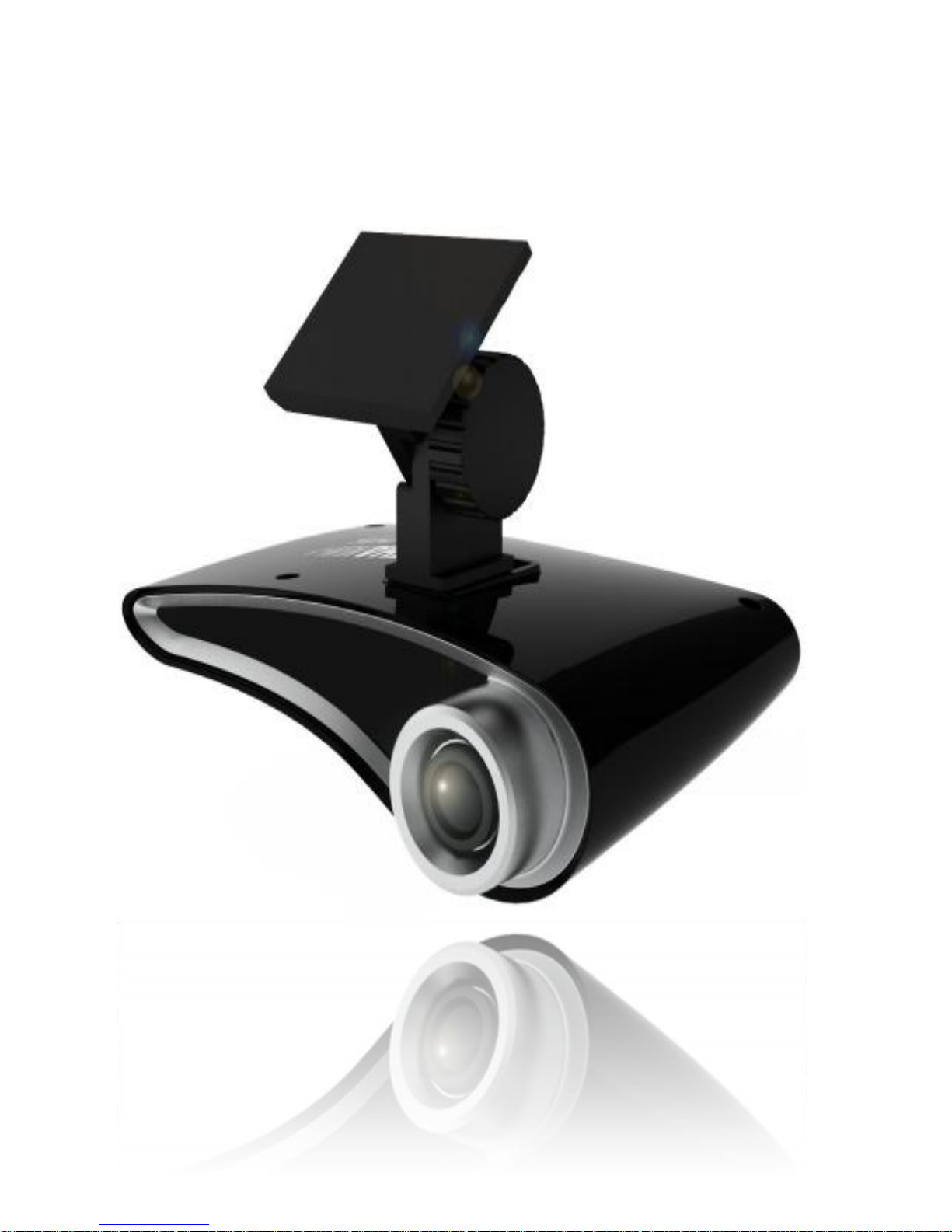
User Manual
Page 2

1
CHANUN -Ⅰ
User Manual
1. Greeting
Cautions related with the product
2. Preparation
Components of the product
Name of each part
File copy
3. Main Function
Power ON/OFF
Install Procedure
① Caution of Install
② Install Method
Product working
4. Other Information
A/S service
Compensation of the damage of the customer
Quality of product
Product Warranty
1. Greeting
Thank you for purchasing Our Product
We will support best product and best quality to customers.
If read this manual, you will surely decrease uncomfortable situation,
because this manual have Information of product and attention.
Caution
All copyrights of this User Manual is reserved by Semisolution
and prohibit to distribute partial or full of this User Manual.
Semisolution observes all the related law about the product.
Page 3

2
Data , picture , spec & function stated in this User Manual can
be changed without notice.
EMC Registration
This product has certified EMC registration and possible to use
whole area
Cautions related with the product
.
• Do not drop or put any metals and flammable substances
inside the product.
• Do not put a heavy thing on the product.
• Do not keep the product in a place where has high
humidity, much dirt, or soot.
• Do not get the product wet with rain (water), drinks,
chemicals, cosmetics and so on.
• Use a soft cloth or towel in polishing the surface of the
product.
• Do not use chemicals or detergent for cleansing the
product due to deteriorating the quality of the exterior and
to getting the surface discolored.
• Keep the product away from a place where is exposed
directly to the sun or has a high temperature with a
heating apparatus.
• Do not let the product fall and make a strong impact
Page 4

3
(trembling) on the product.
• Do not put a sort of magnet beside the product.
• Never ever disassemble, repair, and modify the product at
your disposal
• Do not store the product at too hot or too cold area. It may
cause transformation, damage or malfunction.
• If SD Card is removed during the Power on, it may
cause damage of SD Card and the product.
• Use rated voltage for the product. If not, it may cause
fire or damage.(include the direct connection on fuse box)
• Do not control the product during driving.
• When attaching the product in the car, Please checked
the product is not Drop.
• Hold to use in the circumstance where static electricity is
occurred.
• Stop to use immediately and call A/S center when smoke
is flowed from the product or abnormal phenomena is
appeared from the product
•
Some parts of the saved image of the product could be
damaged and may not have legal effect.
Page 5
4
2. Preparation
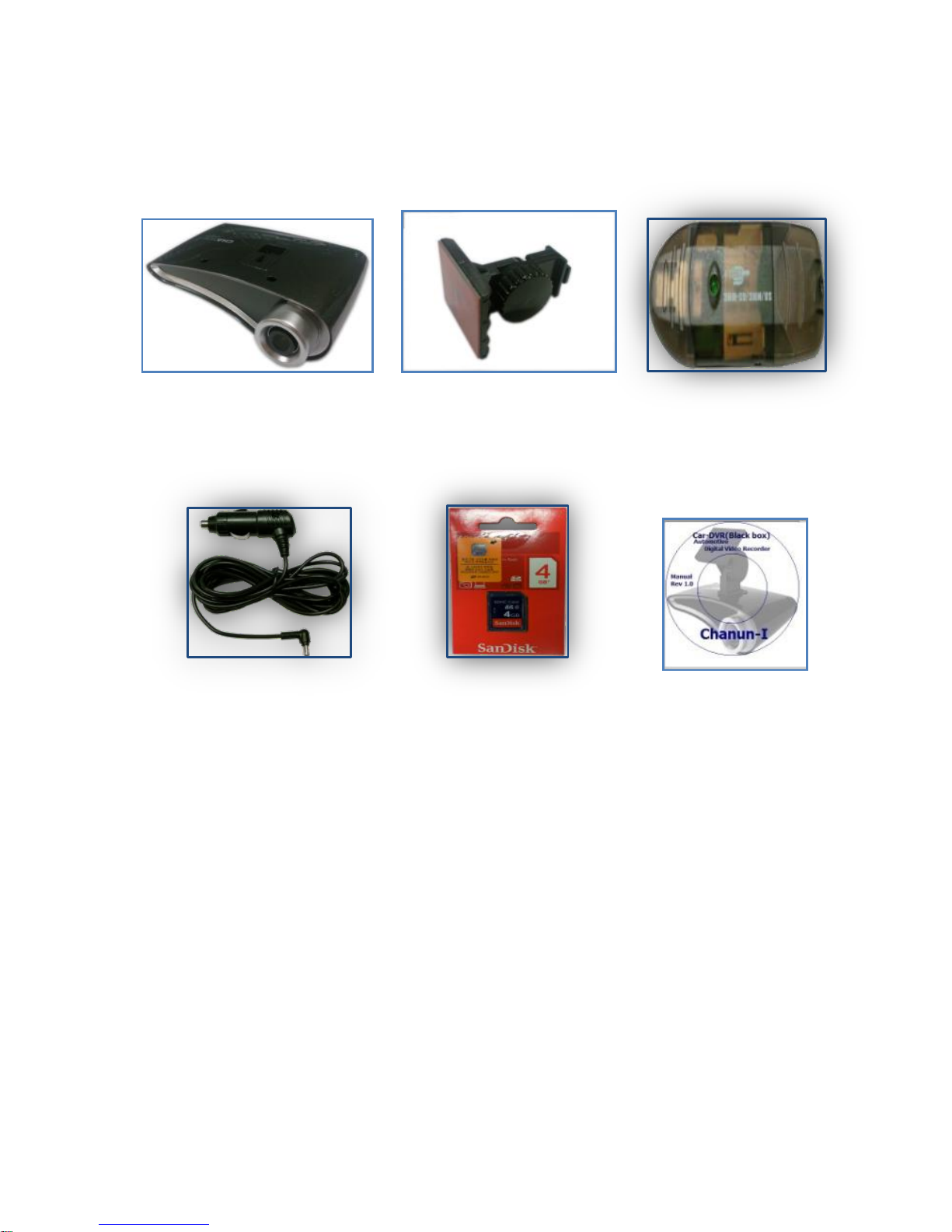
Components of the Product
Body Cradle SD-Reader
Power Cable SD-Card Manual CD
Page 6
5
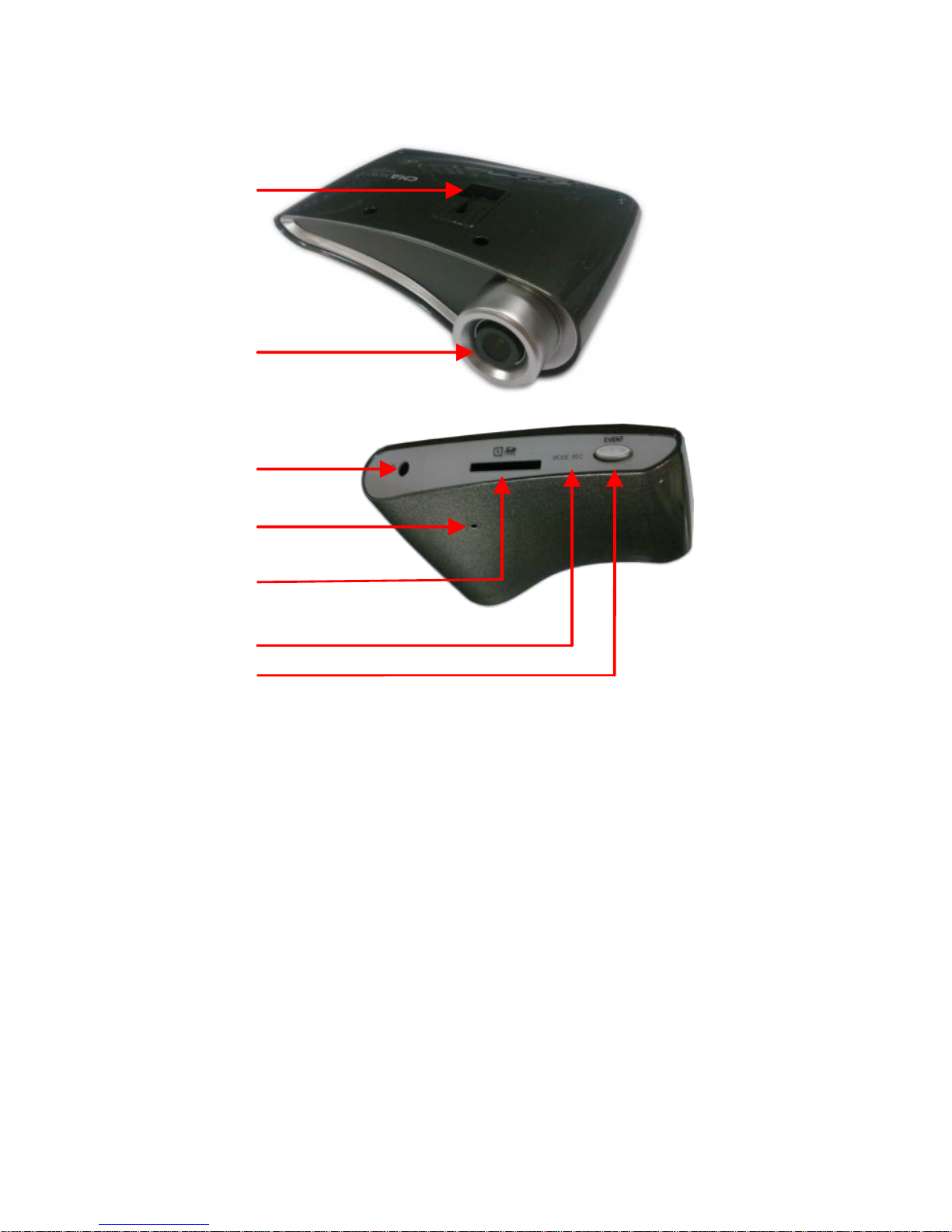
Name of each part
①
②
③
④
⑤
⑥
⑦
① (Cradle Part)
② (Camera Lens)
③ (DC-Jack 12V~24V)
④ (MIC)
⑤ (SD-Card Slot)
⑥ (REC ,Mode Indicate LED)
⑦ (Event REC Button)
Page 7

6
※ Caution
• Power must be turned off when SD-Card is removed.
(Root cause of Damage of SD-Card)
• Please remove SD-Card and re-insert , when Mode/REC lamp
flickers constantly or turn off.
• Recommend SD-Card of the supported components
No guarantee SD-Card of other product.
• If want to copy and save the recorded date, Please save other
Disk. Because SD-Card have limit time of recoding.
(Disclaim all the responsibility about erased data)
• When Inserting the SD-Card, Please check direction it.
If opposite SD-Card make damage of Product.
• Please format SD-Card periodically to ensure the save reliability
of the products and in exchange for one year.
• Using SD-Card to this product should not use with other product.
File copy
① Please Remove SD-Card from the product after Turn off.
② Please Insert SD-Card to SD-Card Reader
③ It is automatically recognized at PC when it is connected
and save files to PC
④ Please using “Safe Remove ”, when Removes SD-
Reader.
Page 8

7
3. Main function.
Power on/off
① No additional Power supply, Just connect it to the Car’s
Cigar-Jack
② Check the light state of MODE/REC
(If it light gone out, please checking the product)
※ Caution.
• Before Connect the Power, Check the SD-card equipped or not.
• Please Check the specification and normal state of SD-Card.
Page 9
8
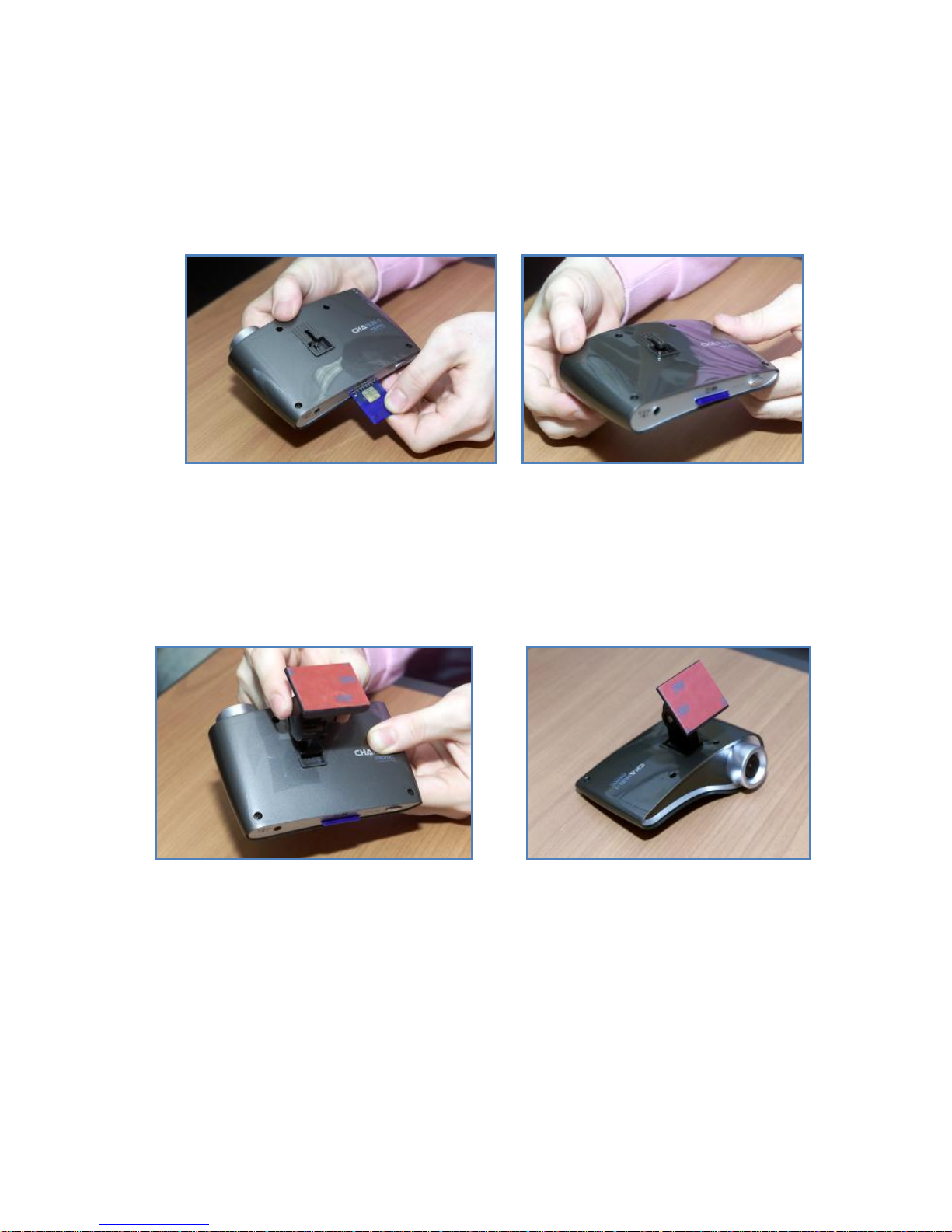
Installation Methods.
① Check the composed Products
② Insert SD-CARD
※ Caution.
• Insert checked specification and direction of SD-card.
③ Connect the Body and Cradle
※ Caution
• Clean the Cradle’s surface, due to the debris it would be
detached or damaged.
Page 10

9
• Tighten up a screw.
• Check the Products is horizontal or not. (Angle and direction)
④ Connect the Power
⑤ Arrange the power cable
※ Caution
• To avoid driving problem, arrange the power cable.
and when used to disassemble arbitrarily then the problem can
be occured on saved image.
① Keep the ignition key on and check the status of power
supply
② Wait about 30 seconds for stable power of vehicle,
③ Check whether SD-Card is inserted or not
④ Start a car
⑤ After a few seconds, Check the light state of
“MODE/REC”
⑥ When starts the recording after turn the "Green" lamp
off then Green lamp will be flickerd.
⑦ All function of product is normal
Page 11

10
▣ Procedure of Update
① After download “CHANUN-I_sample_Update.tar” file to
PC, copy the file to SD-Card
② Decompress of download file
③ Making the update folder from decompression file
④ SD-Card inserts CHANUN-I and Power On
⑤ After Update & Rebooting start record of normal
※ Caution
Please Don’t Turn off during the Update in 2 Minute
Information of Customer Service & A/S
① A/S Center : Semisolution Inc. Suite 2005
Heungdeok U-Tower 1029
Yeongdeok-dong, Giheung-gu, Yongin-si,
Gyeonggi-do, KOREA
② Telephone Number
☎ 031-627-5331
You can check A/S and A/S Center location.
Page 12

11
③ Working Hours
Mon. ~ Fri.: 09:00 ~ 18:00
The center is closed on Saturdays, Sundays, and
legal/special holidays.
. Services Provided
The problem caused by modifying the product arbitrarily
will be charged.
Before sending a device for a repair service, Please
remove all the accessories.
For all hardware products manufactured by our company,
when the problem is caused by the product itself in
warranty period, the service will be provided free of
charge according to the warranty provision and
regulations on the consumer damage compensations.
The amount of the cost for the service is decided
according to the repair service cost standards of our
company. For the exact expense information, please ask
our customer center.
The delivery cost will be on our company if the problem
happens within the date of purchase and in warranty
period, we pay only for the dispatching cost.
Page 13

12
● Repair Service, Charged/Free of Charge
● Sale of various kinds of accessories
● Please remove all the accessories.
Warranty
All the products manufactured by Semisolution are the
ones manufactured under strict quality control and
inspection processes
When this product goes out of order seriously caused by
functional defects under the normal use of a customer
within 10 days from the date of purchase, we will replace
it with the new one or give a full refund on your
purchasing.
① Warranty Period
Main Body : 1year
All Accessories(Consumables): 3 Months and 6
Months (According to the date written in the
Warranty)
Holding Period of Repaired Parts: 5 Years from
the releasing date of the concerned model
Contents of Warranty
● When the problem occurs under the normal use of customer during
the warranty period, we will repair the product free of charge and
provide the proper service tangibly and intangibly in accordance
with the regulations for customer damage compensation by items
Page 14

13
proclaimed by the Ministry of Finance and Economy. However, if
occurs the problem due to remodeling arbitrarily. we don't have any
civil / penal responsibility.
● All the components except for the main body are consumables.
(If all required components of the product are fully equipped in
company’s formal box)
● In case of following instances, we may charge at a reasonable
price for the service even during the warranty period or the service
cannot be provided occasionally even if the service is to be paid.
1) Problems caused by mistake/shock/carelessness/soaking in using
the product
2) In case of disassembling or altering the product at discretion
3) Problems caused by natural disasters like fire, earthquake,
flooding etc.
4) In case that the troubled product was not serviced by another
company, not by our service center
5) In case that the product is not one that covered by warranty
• Based on the Monopoly Regulation and Fair Trade Act,
Indemnification rule of consumer harmless and
authoritative interpretation of Consumer Protection Board,
Product Replacement shall be enforced when there is
proper reason arisen. The Product Replacement shall
only be available to same product model and 1:1
exchange.
Page 15
14
(Impossible to replace with similar model)
• Object for the Product Replacement is that has A/S
History with over 3times failure mode at same symptom
during the A/S period.
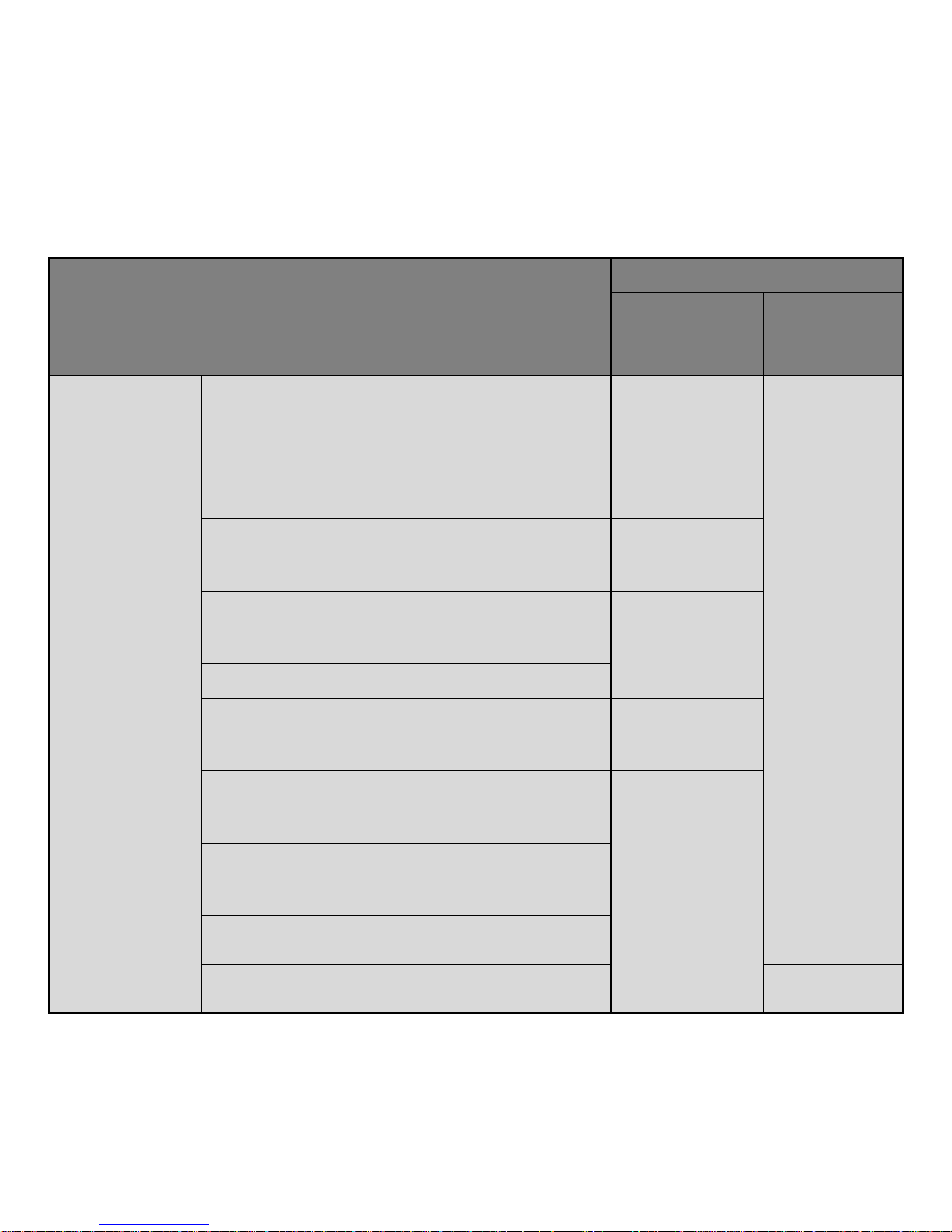
Types of Customer Damage
Compensations
Warranty
Period
After
Warranty
Period
Problems
caused by
the product’s
functional
defects
under the
normal use
(Within the
holding
period of the
part)
In case of the product needed important
repair within 10 days from the date of
purchase
Replacement
of the
product or
full refund on
purchase
price
In case of the major parts needed repair
within 1 month from the date of purchase
Replacement
of the
product
In case of the replaced product needed
important repair within 1 month from the
date of eplacement
Refund
In case that replacement is impossible
In case that problem happens
Free of
charge repair
service
In case that the problem happens again
even after repairing the same problem
(fourth time)
Replacement
of the
product or
full refund on
purchase
price
In case that the problem happens again
even after repairing 4 times with different
respective problems (fifth time)
In case that repair is impossible
In case that repair is impossible due to
not having parts required for repair
Refund
with 10%
Page 16
15
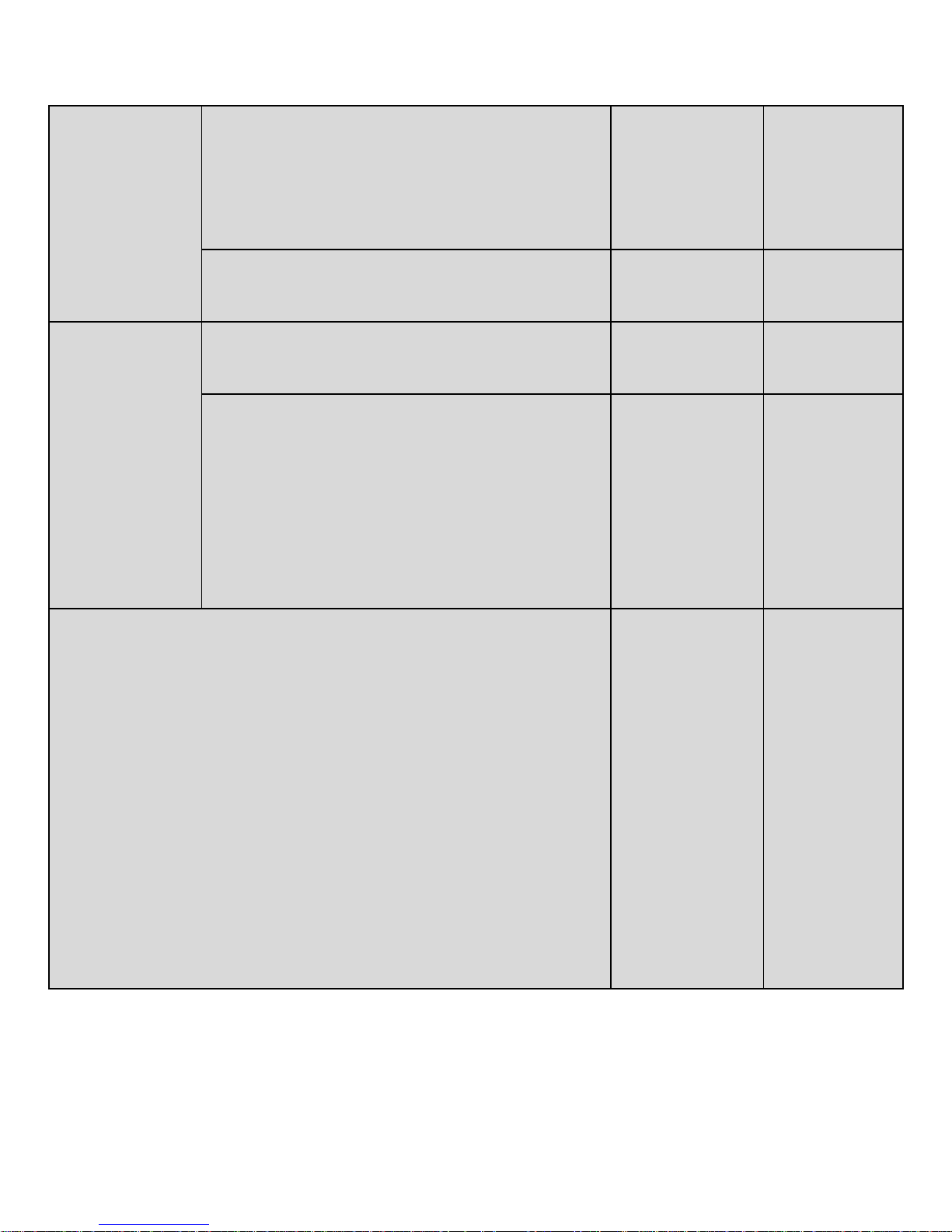
In case that the company lose the
product requested for repair
added
amount to
the amount
depreciated
from fixed
price
In case of problem caused during the
delivery and in the installing process of
product
Replacement
of the
product
Problems
caused by
customer’s
carelessness
In case that repair is possible
Charged
repair
service
Charged
repair
service
In case that repair is impossible due to
not having parts required for repair
Replacement
of theproduct
after
receiving
amount
equivalent to
the amount
required for
repair
♦In case of problem caused by natural disasters (fire, sea
wind, gas explosion, storm, flood, lightning etc.)
♦In case of problems caused by power trouble and
defects of connection instrument
♦In case that problems caused by repairing by another
person other than engineer of Ins Mobile
♦You should read the manual as we charge if you request
the service.
♦In case of explanation of the product’s function to
customer and brief repair without disassembly: first time free charge, from second time – charged for service
♦In case of replacing consumable parts worn away with
normal use
♦In case of problems caused by external factors not by
the product itself
Charged
repair
service
Charged
repair
service
Page 17
16
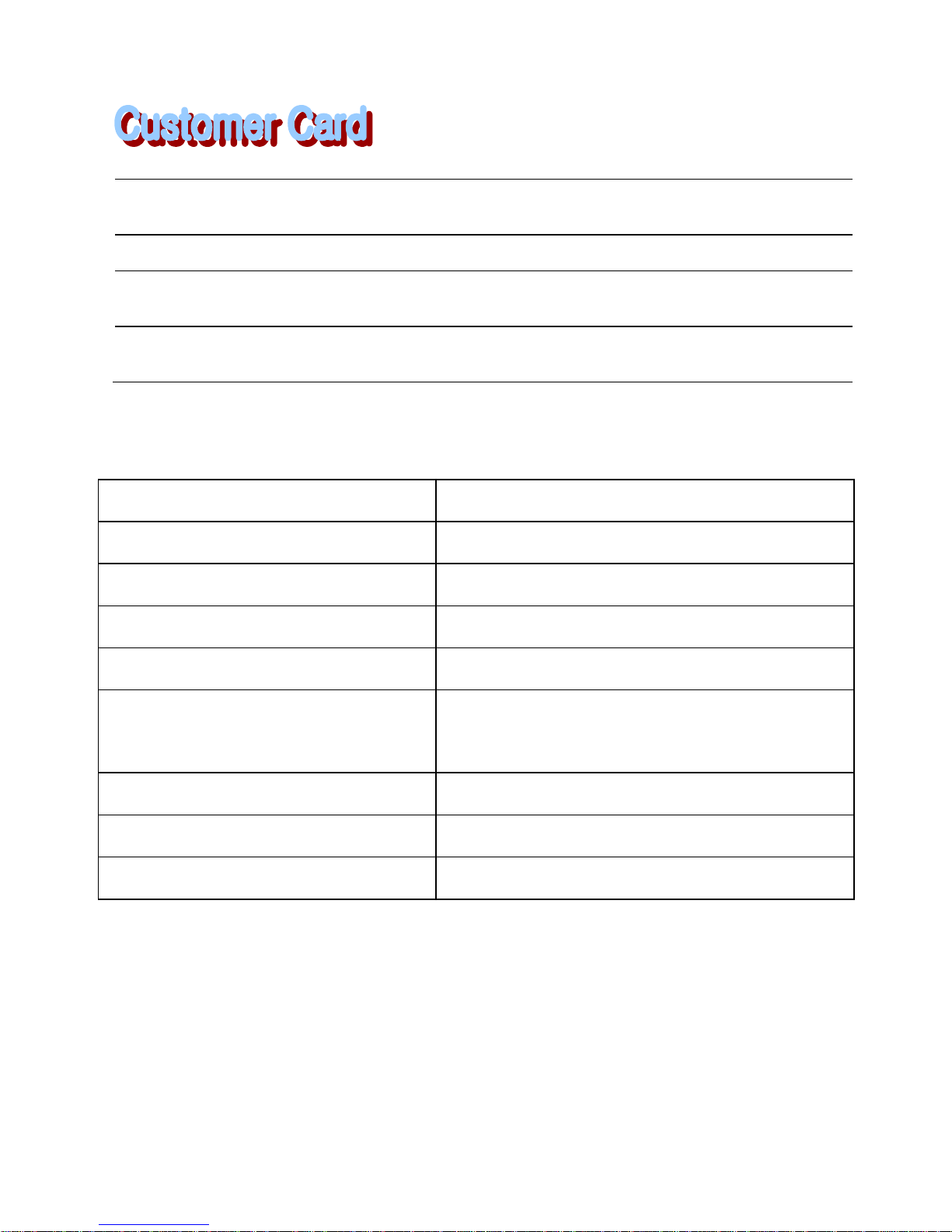
Spec
Camera
VGA CMOS Sensor
Lens(Angle Of View)
120 Degrees
Recording Resolution
Max 640 x 480 @30fps
Video CODEC
H.264 / MPEG4 / MJPEG
Accelerometer
3D G- Sensor
Data Storage(Default)
SDHC 4GB9(30fps@8Hour)
Max SDHC 32GB
Audio
ADPCM Mono MIC
Display
2LED
Power Consumption
12V ~24V / 2W
Product Name :
Model Name :
Date of Purchase :
Customer’s Name:
Tel: Address:
Agency Name:
Tel: Address:
Page 18
17
certification
※ Caution
The Chanun is the registered trademark of
Semisolution.
All copyrights of this User Manual is reserved
by Semisolution and prohibit to distribute partial
or full of this User Manual.
 Loading...