

Page 1
Digital Measuring Wheel
CTDIGMWHLA
Quick Start Guide
Before using this product, the lock on the handle needs to be unlocked so that you can adjust it
to the right height. To lock the handle in place, retrack the kick and, then switch the power on.
The measuring wheel can then be put into place, and measuring can start once the display
shows 0.0m.
If you want to delete the measured data, press the CLR button. If you want to return to a certain
position that has already been measured, return the digital counter back to the position you
require.
Do's and Don'ts
• This product is intended for measuring level surfaces.
• Please walk in a straight line to ensure accuracy.
• Using this tool on uneven surfaces will reduce accuracy.
• This tool is not intended for use in the rain.
• If the display becomes dim, this means it is time to replace the batteries.
Please use a screwdriver to open the battery compartment, then replace batteries.
• Do not store this unit for a prolonged period of time with the batteries still in the unit.
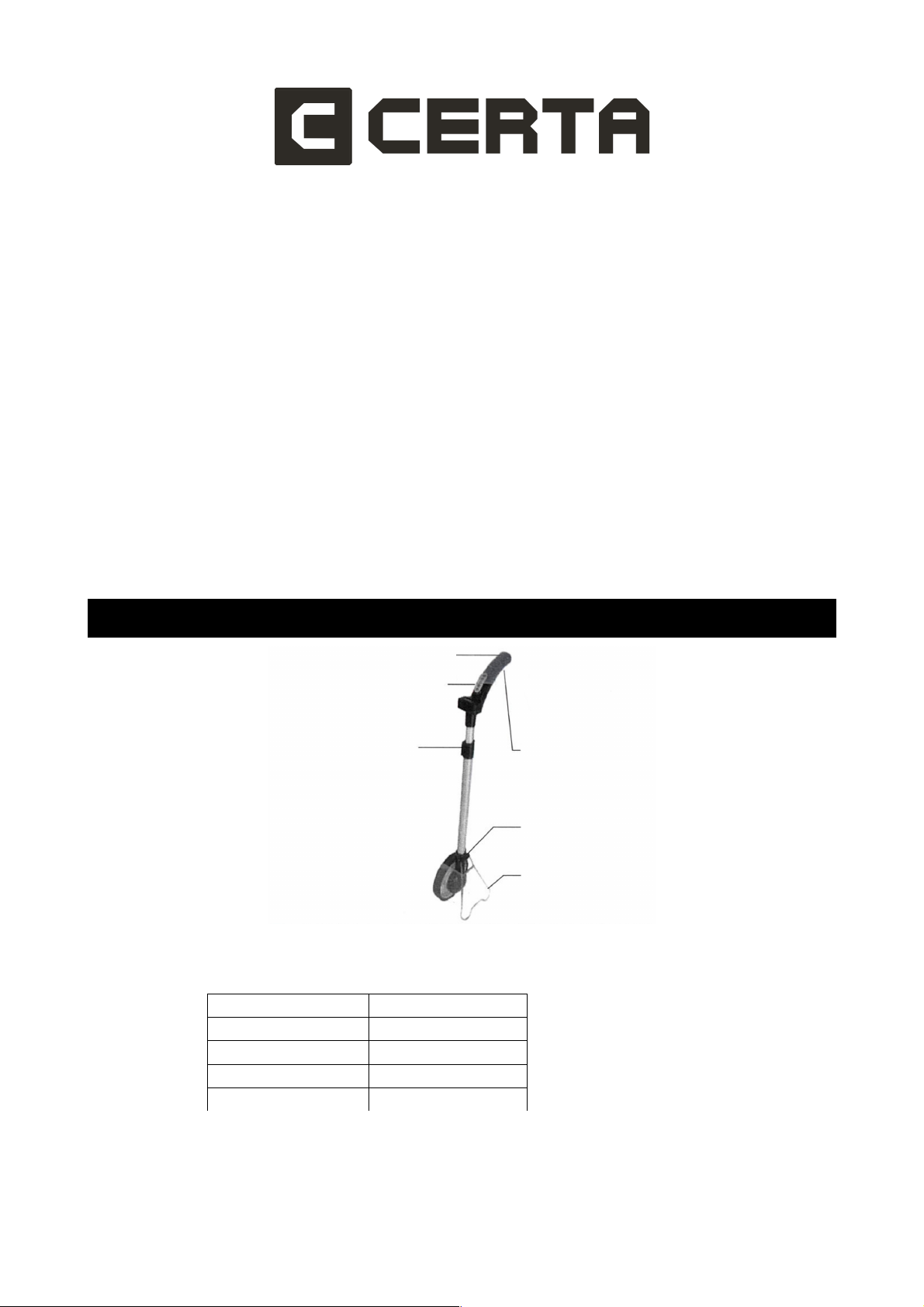
Product Layout
Technical Specs
Max. Measuring range: 99999.9m / 99999.9'
Accuracy: +/- 0.3%
Min. Display: 0.1m
Power: 3V (2xAAA, LR03)
Working Temperature: -10°C ~ 45°C
Handle
Data Display Pad
Handle Lock
Battery Cover
Measuring Wheel
Kick Stand
Page 2
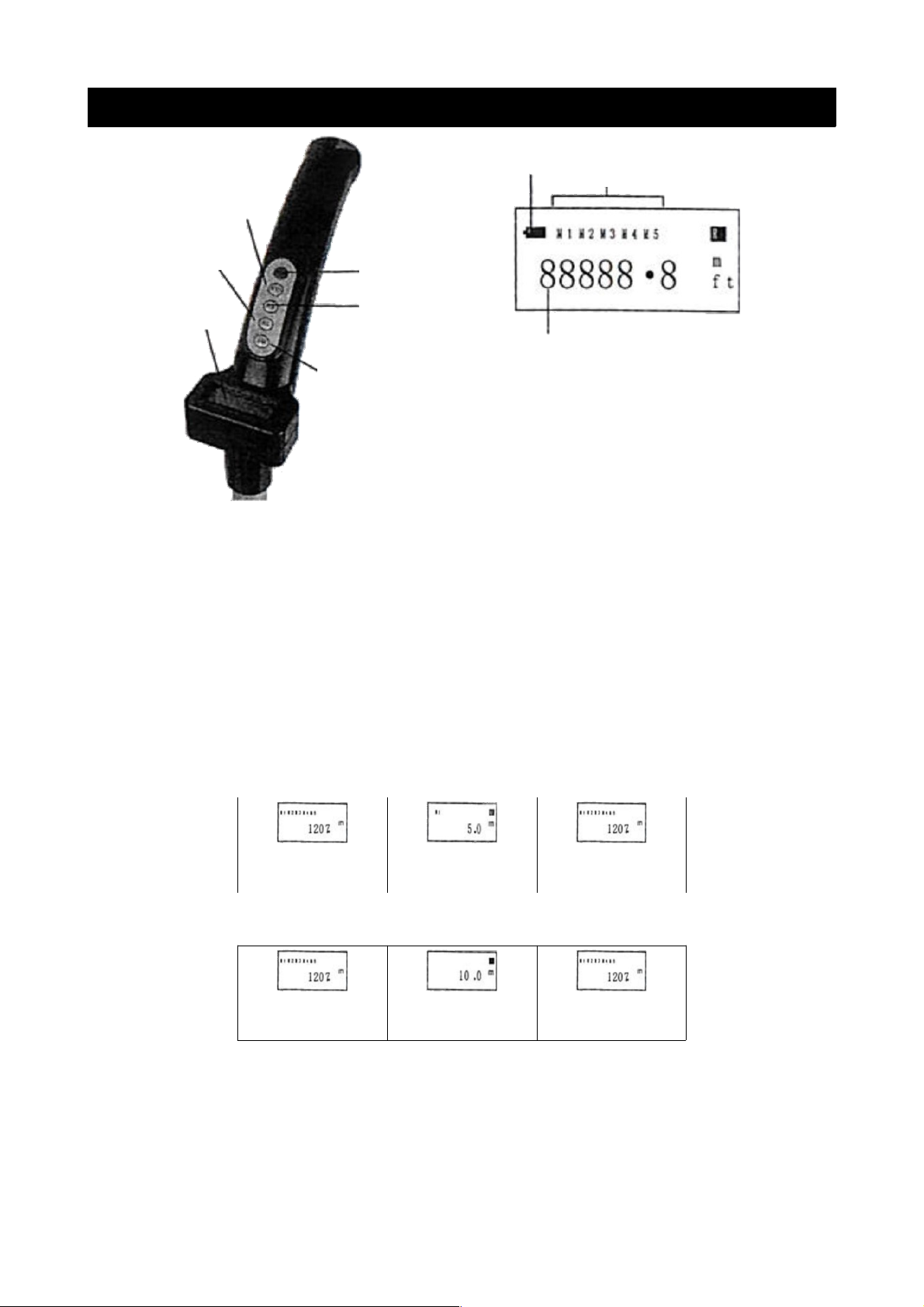
Handle-Button and Operation
• ON/OFF: Power Switch
• SM: Store data. When pressed, the data on the display will be stored. Up to five records
can be stored at a time, and will be displayed as M1, M2, M3, M4 and M5.
• RM: Recall data. If you store 5 metres at M1 and 10 metres at M2, but the current
measurement is at 120.7m, pressing RM once will display the data for M1 and "R" will
appear in the top right corner. After 2 seconds, it will revert back to the current
measurement (see table 1 below). If you press the RM button twice, it will display the
data for M2 for 2 seconds, then will revert back to the current measurement (see table 2,
below).
• CLR: Delete current data. When pressed, it will delete the data currently measured.
Table 1
Current Data Press RM Once After 2 seconds
Table 2
Current Data Press RM Twice After 2 seconds
CLR: Delete Data
SM: Store Data
Digital Display
ON/OFF: Power Switch
RM: Recall Data
Displayed Data:
Converts between Metric
and Imperial System
Power
Stored Data
Measurement
Metric System
Imperial System
 Loading...