

Page 1
SMARTPHONE ENABLED
DIGITAL OTOSCOPE
INSTRUCTIONS FOR USE
Thank you for p urchasing the CellS cope Oto™ for use as
a smartph one-enabled di gital otoscope. Pleas e read these
instruct ions carefully to ensu re safe oper ation.
PRODUCT DESCRIPTION
The CellS cope Oto System consist s of a smartphone ca se, optical otoscope a ttachment and mo bile
app for ima ge/video capture. I t enables users to pe rform and track otosc opic exams over time.
The CellS cope Oto device uses the fo llowing componen ts:
1. A specia lly designed iPho ne® 5/5s/SE case (for eve ryday use) and iPhone 6/6s c onnector.
2. The o ptical otoscope (Oto) attach ment compatible wit h the supplied phon e case.
3. A stora ge container for the o ptical attachme nt and tips.
4. Appropr iately sized tips that att ach to the Oto during an exa m.
5. A user-su pplied Apple iPh one 5/5s or 6/6s operati ng with iOS 8.4 or later. NOTE : the iPhone 6,
6s, 5, 5 s, or SE must be purc hased separately. Cel lScope Oto device is not c ompatible with the
iPhone 6 s Plus, iPhone 6 Plu s, 5c, iPhone 4s , iPhone 4, iPh one 3GS or iPhone 3 .
6. A mobile a pplication used to co llect, view, save and tra nsmit otoscopic exam dat a to the secure
CellScop e web app. There are two a pplications that c an be used for image/v ideo capture and
transmission:
Seymour: S nap photos of all your fa mily’s health conce rns and record them in o ne place.
Send ear a nd other photos to our on -call doctors for a n evaluation in just 2 ho urs.
Available fo r download at www.cel lscope.com/getsey mour
CellScope: Clin icians may use the Cel lScope companion a pp with the Oto device
in the clinic . Save magnified ima ges of the tympanic m embrane to share wit h patients
to engage th em in their treatment p lan. Available for dow nload at www.cells cope.com/
download
7. A web ap p to enable review of ear exa m information record ed on the mobile appl ication. Access
the user po rtal at www.cellscope.com. NOTE: the CellSc ope web app is suppo rted on the following
web browser s: Google Chrome o n OS X and Windows 7, Int ernet Explo rer 8 on Wi ndows 7 and Firefox
on OS X.
PACKAGE CONTENTS
• CellScop e iPhone 5/5s/SE co mpatible case
• CellScop e iPhone 6/6s compati ble connector
• Optical oto scope (Oto) attachment (with in suation bulb por t,
see Compatible Insuation Accessories)
• Storage cont ainer for optical at tachment and tip s
• Lanyard to att ach to the storage cas e
• 2 infant-sized re usable tips (2.5 mm diameter)
• 2 standard-sized reusable tips (4.25mm diameter)
• Quick Sta rt Guide
• Instructions for Use
ADDITIONAL ITEM FOR DOWNLOAD
One of two mo bile apps can be used f or image capture:
Seymour: S nap photos of all your fa mily’s health conce rns and record them in o ne
place. Se nd ear and other photo s to our on-call doc tors for an evaluation i n just 2 hours.
Available fo r download at www.cel lscope.com/getsey mour
CellScope: Clinicians m ay use the CellScope co mpanion app with the O to device
in the clini c. Save magnified im ages of the tympani c membrane to share wit h patients
to engage th em in their treatment p lan. Available for do wnload at www.cells cope.com/
download
Follow the ste ps within either app or v isit www.cellscop e.com/register to crea te an account. You
may proceed to l ogin to the correspon ding companion ap p, if a username and lo gin were previously
provided. Contact CellScope support with any questions.
ACCESSORIES REQUIRED BUT NOT SUPPLIED
Compatib le iPhone (5, 5s, S E, 6, or 6s) with iOS 9 or later (Avai lable for purchase f rom Apple
Retailer s. See a list of author ized retailers at http: //www.app le.com/buy/)
COMPATIBLE INSUFFLATION ACCESSORIES
The Oto atta chment is capabl e of insuation for the p urpose of pneumati c otoscopy.
The followi ng products are com patible with the Oto:
• Welch Allyn® O toscope Insuatio n Bulb (21504)
• Welch Allyn Ma croView Otoscope Insu ation Bulb (2380 4)
INTENDED USE
The CellS cope Oto is intended fo r inspection of the ex ternal ear canal an d eardrum
under mag nification using a n external illumina tion source.
STORAGE AND HANDLING
Store the devic e in the provided conta iner at a temperature b etween -20º and 45 º C (-4º to 113º F )
and humid ity between 5 and 95 % (non-condensin g). Avoid contact with dus t during use or storag e.
MAINTENANCE
No preventat ive maintenance is req uired. To prevent cross-co ntamination bet ween patients, cl ean the
reusabl e tips in between each ex am using the cleani ng instructions b elow. Any modificatio n or repair
of this device i s strictly prohibite d.
CLEANING INSTRUCTIONS
The Oto atta chment can be cle aned with a dry, non-s cratching, lint-fre e microfiber cloth . The
attachm ent and case can be d isinfected with a clo th dampened with al cohol. Only use EPA-a pproved
disinfec tant. Use of improp er cleaning solu tions or methods may d amage the device. T he attachment
should not b e submerged in liq uid. Care shoul d also be taken not to scr atch the lens of the otosco pe
attachm ent. Failure to clean th e device may cause blu rry images.
The reusa ble tips should be dis infected after ea ch use. Submerge t he tip in rubbing alco hol (minimum
70% isopropy l alcohol) for 20 minu tes. Wipe clean of any exc ess debris. Dry o the tip and store for
future use.
SET UP INSTRUCTIONS
1. Download the appro priate mobile app for t he intended use
• Seymour fo r home use of the Oto can b e downloaded here: w ww.cellscope.co m/get
seymour
• CellScop e for Clinician use of th e Oto can be download ed here: www.cellsc ope.com/
download
2. Attach the case to t he iPhone. To attach, s lide the case onto your i Phone.
3. Connect the O to attachment and sl ide into place.
4. Place a tip on the end of Oto at tachment and twi st lightly to firmly atta ch it.
5. Launch the mob ile application an d login using your use rname and passwor d.
6. Begin an exam and fol low the instruction s within the app to store or sh are the image or vide o.
NOTE: A small in fo button on the bottom ri ght of important scre ens will display a help ove rlay.
For answer s to Frequently Asked Qu estions and Troublesh ooting Tips,
visit www.cellscope.com/support
MOBILE APP OPERATING INSTRUCTIONS
1. To start an ea r exam, select Lef t or Right to indicate the e ar that you will be record ing first.
2. Start the reco rding.
3. Gently inser t the appropriately size d tip into the patient ’s ear canal and find th e eardrum.
4. Once you have captured a vi ew of the eardrum on the i Phone screen, en d the recording. Note :
there is no re quired video lengt h.
5. Repea t steps 2-4 for the other ea r.
6. Follow th e instructions with in the app to add additio nal information an d save the exam.
7. When the exam is co mplete, detach the Oto f rom the case and store s afely. Clean the reusa ble
tip for futur e use.
IMPORTANT: Alway s use the mobile app whil e connected to the inter net to ensure correc t operation.
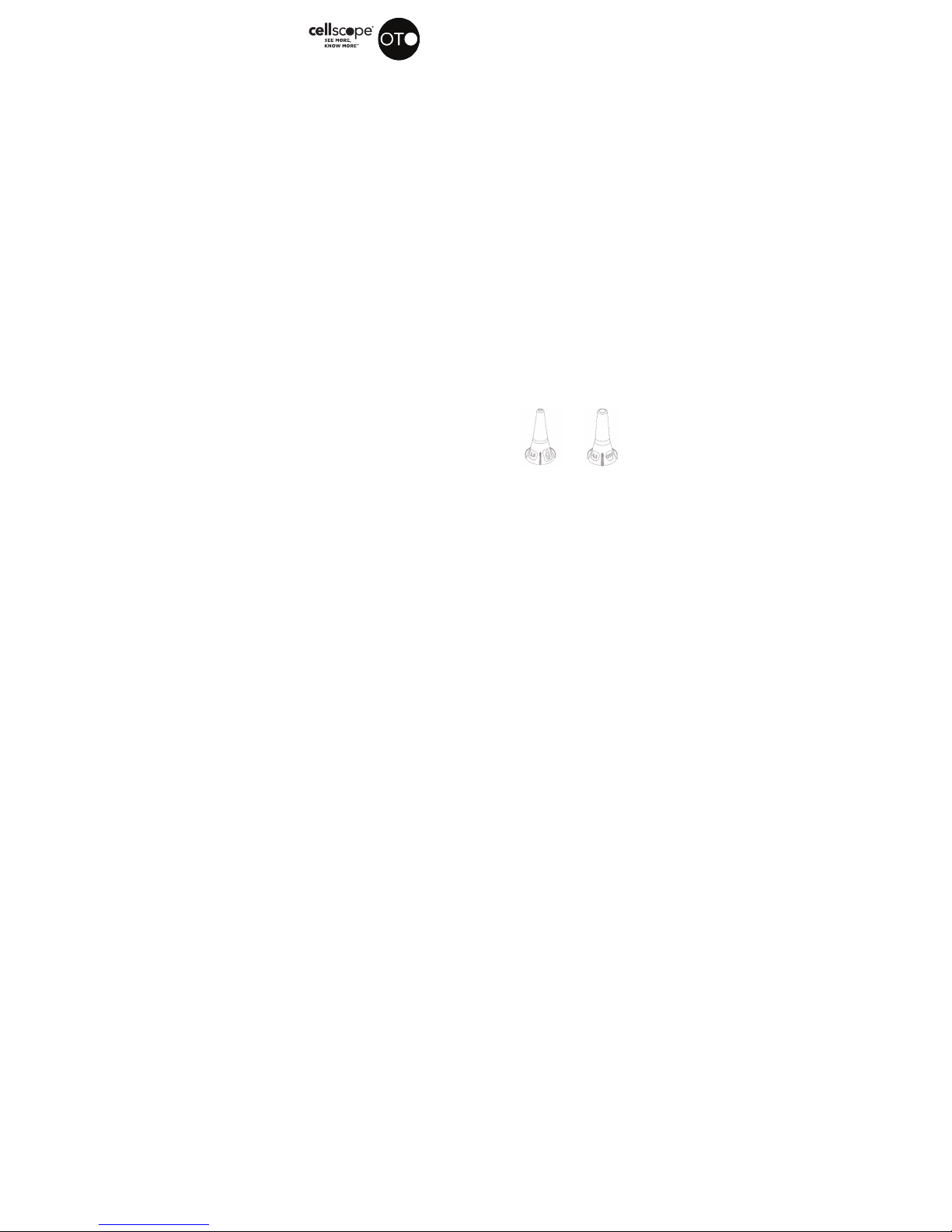
Infant-sized tip Standard-sized tip
Page 2

CONDUC TING AN EAR EXAM
The followi ng instructions ar e guidelines for con ducting an ear exam o n a child. If one metho d does
not work with you r child, try one of the o ther two methods. B efore trying this on yo ur child, try on
an adult for p ractice. You will then ge t a feel for how far the devic e needs to be inserte d into the
canal in or der to correctly capt ure a view of the eardrum .
FOR BABIE S UNDER 1 YEAR OF AG E:
1. Lay the child on her ba ck or on a blanket on the flo or.
2. It may be helpful to h ave a second adult hold t he child’s legs or bo dy to prevent sudden
movement during the exam.
3. Gently press the c hild’s head to one sid e.
4. Gently pull the outer fl ap of the ear (called the pi nna) DOWNWARD and BACKWAR D to
straighte n the ear canal.
5. Insert a infan t-sized tip an d look at the iPhone sc reen to see inside the c anal. Note: Look for the
logo of a baby to id entify the infant-sized t ip.
6. Aim towards the darkes t area as this indicate s a deeper area of the c anal where the eardr um is
found.
FOR CHILD REN AGES 1 TO 3:
1. Distract the child w ith a toy or game.
2. It may be helpful to h ave a second adult hold t he child’s head in an u pright position dur ing the
exam to prevent th em from moving sudde nly.
3. Gently press the c hild’s head to one sid e.
4. Gently pull the outer fl ap of the ear DOWNWARD an d BACKWARD to straighte n the ear canal.
5. Aim towards the dar kest area as this indic ates a deeper area of th e canal where the ear drum is
found.
FOR ADULTS AN D CHILDREN OVER AG E 3:
1. Sit your child in a comfor table place and as k your child to stay as still a s possible.
2. It’s helpful f or the child to be in an upri ght position during t he exam.
3. Gently pull the o uter flap of the aecte d ear UPWARD and BACK WARD to strai ghten the ear
canal.
4. Insert the tip and lo ok at the iPhone scre en to see inside the can al.
5. Aim towards the dar kest area as this indic ates a deeper area of th e canal where the ear drum is
found.
Video tutor ials (which include sa mple images of the ea rdrum are available fo r viewing within the
mobile ap p and on the web at www.cellscope.com/support/videos
CONTRAINDICATIONS
This device m ay only be used for inspe ction of the externa l ear canal and eard rum. Do not use for
any purpos e other than an otoscopi c exam to avoid injury or dam age to the device. If you ca n see
somethin g stuck in the ear cana l, do not insert the oto scope.
GENERAL SAFETY PRECAUTIONS:
CAUTION : This device is not desi gned or intended to p rovide a diagnosis of ea r infections or
other ailm ents of the ear. This devic e should not be used as a b asis for starting o r modifying
treatment w ithout independ ent confirmation by m edical examinatio n. Do not attempt
self-diagnosis or s elf-treatment based o n the recording resul ts and analysis. S elf-diagnosis or
self-treatment may lea d to deterioration of your h ealth.
CAUTION : Proper care and h andling is essen tial for satisfac tory performa nce of the Oto device.
Examine th e device thorough ly before and after u se. If any damage or i rregularities a re found,
do not use the d evice.
• To avoid injury, do not p lace Oto attachme nt directly agains t skin or other object s. Light emitted
from the Oto may b e intense enough to in crease surface tem perature or cause d amage to
object s or living beings.
• Use approp riate tips for the age an d anatomy of the patient to avoi d possible discomfo rt.
• Patients s hould always consult th eir physician if they noti ce changes in their h ealth,
regardle ss of ear exam results.
• To avoid cross-cont amination betwee n patients, do not re use the same tip withou t disinfecting it
prior to use. S ee Cleaning Inst ructions.
• Do not use the d evice with any objects p lugged into the iPho ne Lightning® con nector,
the headp hone jack or other no n-standard area s of the iPhone.
• Do not use in th e presence of flamma ble anesthetics , drugs or pressurize d oxygen (such as in a
hyperbar ic chamber, ultraviol et sterilizer or oxyge n tent).
• Do not place o ther equipment ad jacent to the phone an d device during use.
• Store out of rea ch of infants, smal l children, or anyone i ncapable of using t he device properly.
• Do not use the d evice anywhere that us age of the iPhone is no t permitted. The Oto w as not
tested for im munity to electrom agnetic disturba nces and may not func tion correctly in an
environment where electromagnetic disturbances generated by other equipment are present.
• Do not use the d evice in conjunctio n with water, or in a wet environme nt.
Review instructions
for use.
The CellS cope Oto is
a type BF ap plied part.
Batch Code
Catalog Number
SYMBOL GLOSSARY
-20º C
(-4º F )
45º C
(113º F)
5%
95%
CELLSCO PE OTO MODEL NUM BER: FG1455 TECH NICAL DESCRIP TION
Optical Oto Attachment
Dimensio ns: 1.4” x 0.7” x 1 .0”
(34.2 mm x 18.9mm x 25 .5mm)
Weight: 0. 25oz (7g)
Magnific ation Factor: 4.14x
CellScope Case (iPhone 5/5s/SE)
Dimensio ns: 5.0” x 2.5 ” x 0.5”
(128mm x 6 3.7mm x 11.85 mm)
Weight: 0.9 0oz (25.5g)
CellScope Case (iPhone 6/6s)
Dimensio ns: 1.1’’ x 2. 8’’ x 0.7’’
(28.6 mm x 70 .0 mm x 17.2 mm)
Weight: 0. 25 oz (7g)
Storage Container with Specula Attachment
Dimensio ns: 1.7” x 1.1” x 4 .2”
(43.3mm x 27.7mm x 105.5mm)
Weight: 1.05oz (30g)
CellScope Infant Specula
Dimensio ns: 1.3” x 0.7 ” x 0.7”
(33.0m m x 18.0mm x 18 .0mm)
Weight: 0.02oz (0 .6g)
CellScope Standard Specula
Dimensio ns: 1.3” x 0.7 ” x 0.7”
(33.0m m x 18.0mm x 18 .0mm)
Weight: 0.02oz (0 .6g)
www.cellscope.com | facebo ok.com/cellscope | @CellScope
For support, visit www.cellscope.com/support or email us at suppo rt@cellscope .com
LB1193 Rev. F May, 20 16
WARRANTY
CellScope provides a limited wa rranty for the Cel lScope Oto produ ct.
Please vis it www.cellscope.com/warranty for a full descriptio n of the warranty.
IM PORTA NT
Report a ny injury or adverse eve nt to a physician immedi ately. For general or pro duct related
comment s, questions, co ncerns or experien ces, please contac t CellScope, In c. directly.
CellScope, Inc.
530 Howard S t. Suite 300
San Franci sco, CA 94105
[email protected]
(888) 930-6 490
CellScop e is a registered trade mark owned by CellSco pe, Inc. Other pa rties’ trademark s or
registere d trademarks are the p roperty of their re spective owners and s hould be treated as such .
U.S. an d Foreign Patent infor mation is available on line at www.cellscope.com/legal
 Loading...