

Page 1

1
User’s Manual
Dear customer:
Thank you for choosing this mobile phone. This mobile phone
incorporates the latest world advanced functions, enabling simple
and convenient operation, satisfying your special requirements.
The mobile phone supports T-FLASH (memory) card and Dual
SIM standby. It integrates the following available functions:
SMS, MP3, Camera, FM radio, and Calendar, enabling you
arranging your work, study and life freely; with long standby
duration, as well as Alarm and Calculator, your communication
will be easier and smoother; powerful File manager allows you
managing the files conveniently. In addition, the chord ringtone
allows you selecting music to set as ringtone; the personalized
appearance also can satisfy your selection.
Page 2
2
Note: User’s Manual is just to guide the user about the
functionality of the phone. Some functions may vary due to
modifications and up gradations of software or due to print
mistake.
Contents
Page 3
3
Keys functions ............................................................................................................................. 3
Call .............................................................................................................................................. 4
Messages ..................................................................................................................................... 4
Aliguli ......................................................................................................................................... 5
Phonebook ................................................................................................................................... 5
Call history .................................................................................................................................. 5
Multimedia .................................................................................................................................. 5
Tools ............................................................................................................................................ 7
Settings ........................................................................................................................................ 7
Service ......................................................................................................................................... 8
SAR (Specific Absorption Rate) ................................................................................................. 8
SAFETY PRECAUTIONS ......................................................................................................... 9
ROHS Declaration .................................................................................................................... 10
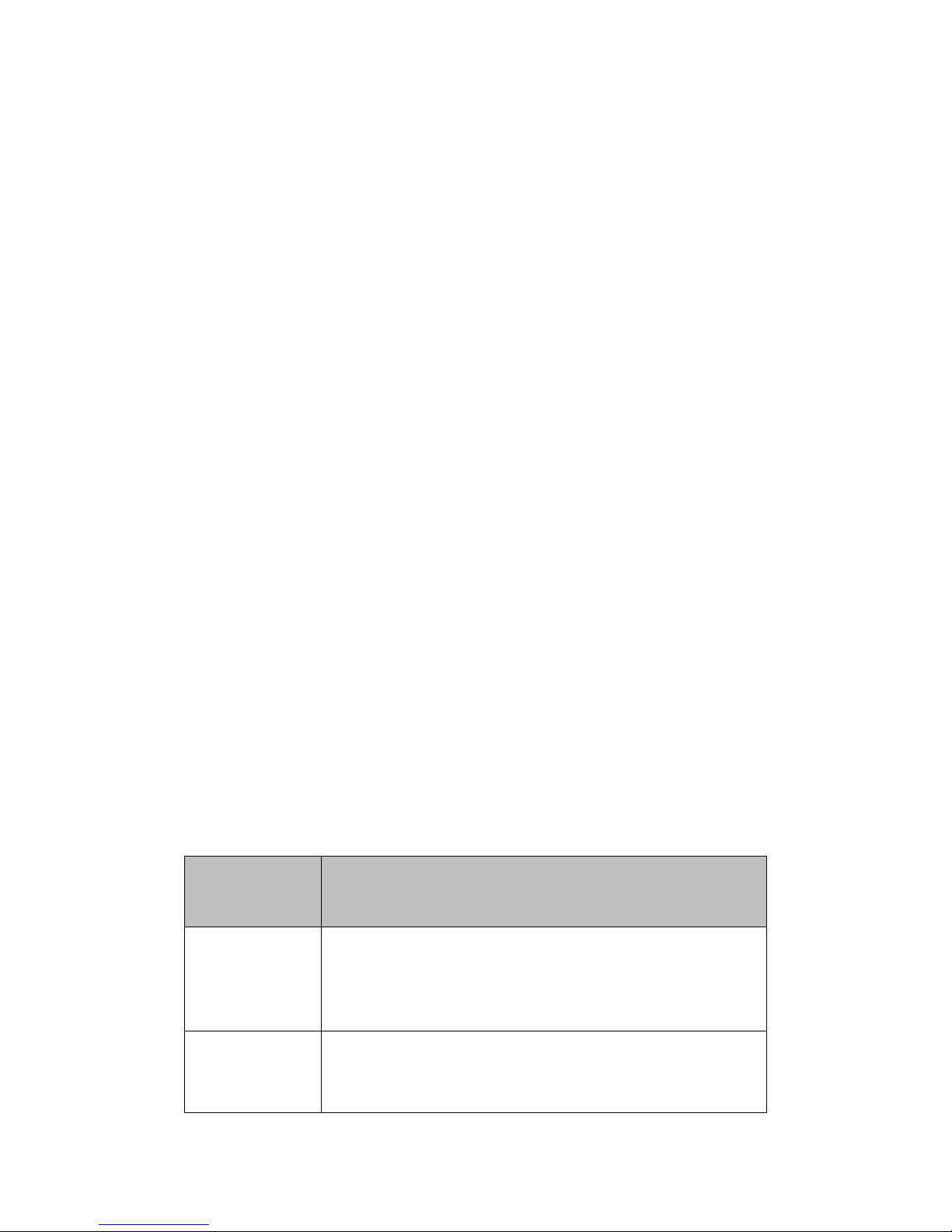
Keys functions
Keys
Functions
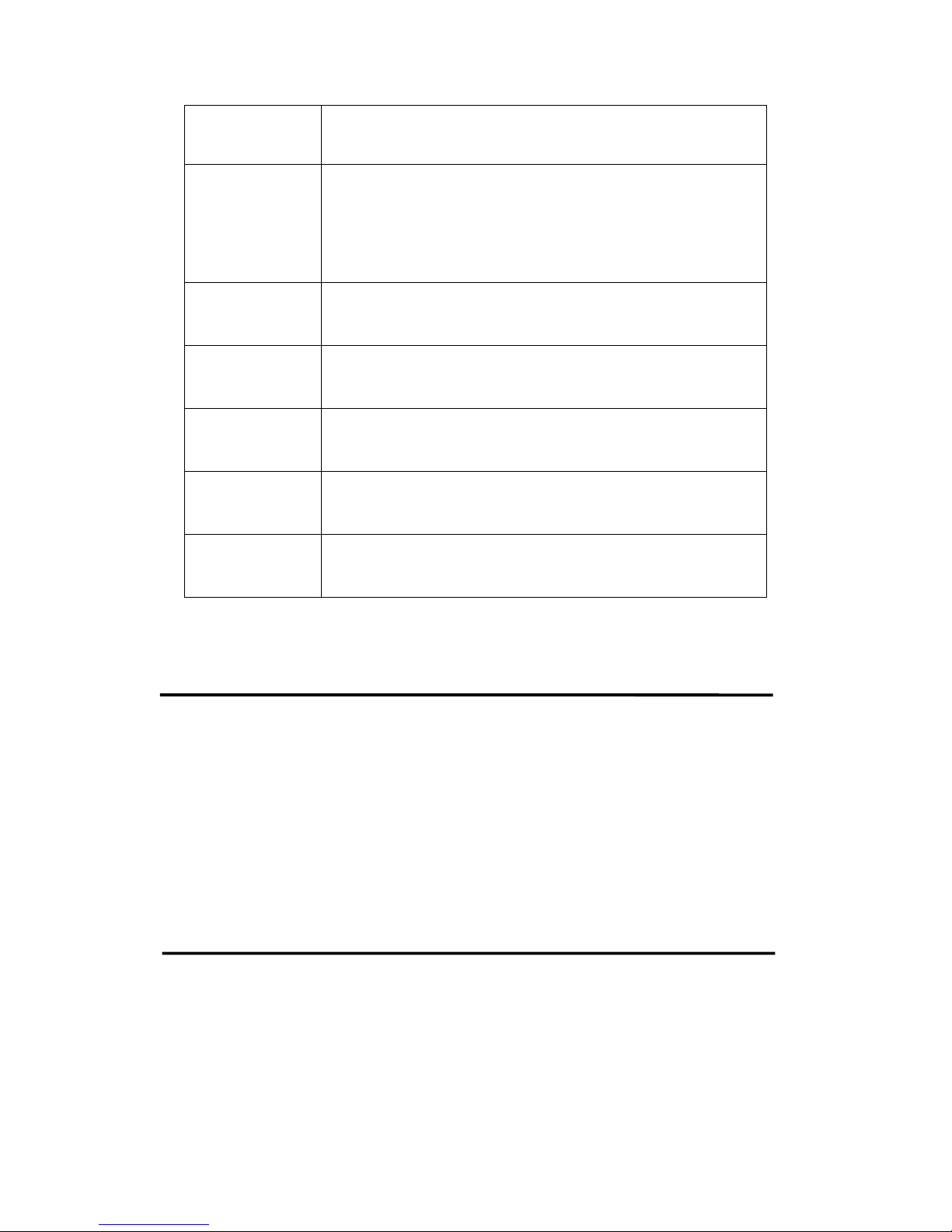
Left soft key
Press this key to confirm the function you choose;
Press this key to call out;
Press to pick up phone when there is an incoming call;
Press to enter call logs under standby mode.
Right soft key
Press this key to go back to previous menu;
Press this key to reject a call.
Power Off: Long press to power off under standby mode;
Page 4
4
Power On: Long press to power on if the phone is power off;
Press this key to go back to standby screen.
UP&DOWN keys
Press these to scroll the options when browsing a function list. In
edit state, press these keys to navigate. Under standby mode, press
UP key to enter the specified function page. You can also
customize direction keys to match the desired functions.
Number keys
Dial numbers under standby mode and enter numbers and
characters in editing mode.
* key
Under standby mode, press * key twice to display “+” to call
international numbers;”P” and “W” to call extension numbers.
# key
Under standby mode, press and hold this key to switch between
general mode and silent mode.
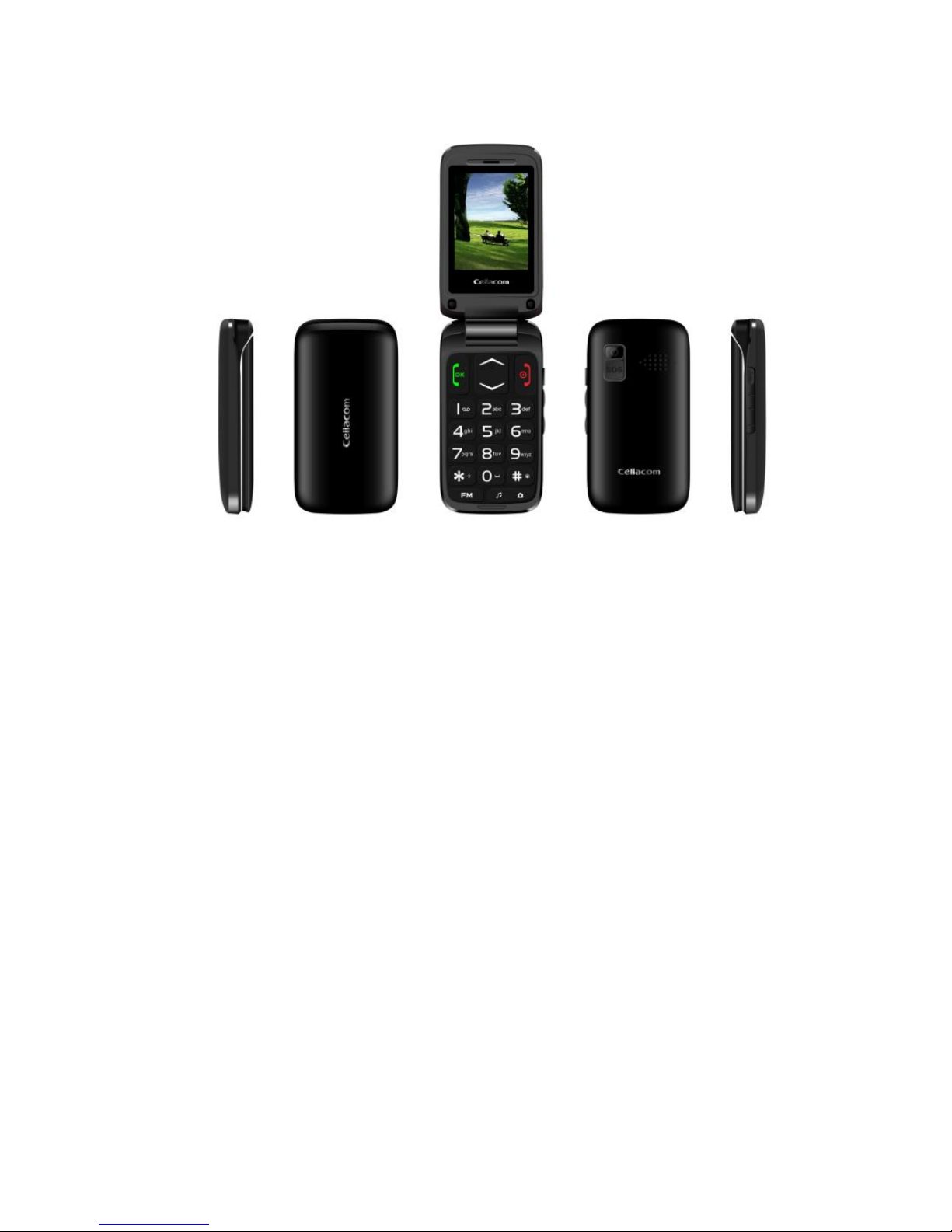
SOS key
Long press this key to have a SOS call.
Camera&FM
key
Press left of this key to enter the Camera page and press right of
this key to enter the FM page.
Call
Under standby interface, input a phone number and press the Call key to
make a call by SIM1/SIM2. To end or reject a receiving call, press the
End key.
Messages
Enter this menu, you can view: Write message, Inbox, Drafts,
Outbox, Sent messages, Voicemail server and SMS settings. The
capacity of messages is due to maximum storage capacity built in
Page 5

5
mobile phone and external SIM cards. And you can check the
memory status of the SIM cards or mobile phone.
Aliguli
Third party software, need user to add
Phonebook
Phone contact can store up to 100 phone numbers, while SIM cards
contact capacity depends on the network operator, please consult the local
operator.
Call history
In the main menu, you can view missed calls/dialed calls/received calls/all
calls/delete call logs . You can also press call key to enter call logs.
Multimedia
◆ Camera
Camera supports photographing function .you can take pictures
with the embedded camera and adjust the camera settings. The
camera lens is in the rear side of the mobile phone and the screen
is the viewfinder window. The pictures are taken in JPG format.
Page 6

6
After downloading to PC, please view with appropriate software.
If the mobile phone memory is insufficient, please delete certain
pictures or other files in “File manager”.
◆ Image viewer
With this function, you can select any picture and press left soft
key to perform the following operations: View, Send, Use as,
Rename, Delete, Storage and Image information.
◆ Audio player
Enter Audio player. Press left soft key to enter options: Play, Add,
Remove, Remove all and Settings.
◆ Sound recorder
Enter Sound recorder. press left soft key and you can do: New
record, List and Settings.
◆ FM radio
To use the FM Radio, you can perform the followings operations
as your need: Channel list, Manual input, Auto search, Settings
and Exit.
Page 7

7
Tools
This function provides different kinds of services including
Calendar, Alarm, Calculator, File manager and Bluetooth. It is
convenient and good for you to arrange your life orderly every
day and make your life become lively and beautiful.
Settings
Tone settings:In this menu, you can perform the followings
operations as your need:Alert type; Ring type; Ringtone;
Ringtone volume; Message; Keypad; Keytone volume;
Power on; Power off; cover open; cover close.
Phone settings: In this menu, you can perform: Time and
date; Language; Pref.input method; Display ;Flight mode;
Misc. Settings. Mobile phone supports two system
languages: English and Chinese. The default language is
Chinese.
SOS setting:In this menu,you can perform: Status; SOS
number; SOS Message. Allow you to have a setting of
SOS.
Page 8

8
Security settings: To protect personal privacy, you can set
the SIM1/SIM2 security,Phone security.
Network settings: You can set network in settings menu.
Dual SIM settings: Due to dual SIM cards phone design,
user can set SIM card by ‘Dual SIM settings’, Such as Dual
SIM open, Only SIM1 open, Only SIM2 open.
Call settings: allow you to have a setting of SIM1/SIM2
and Answer mode.
Restore factory settings: To reset the factory setting, please
input the password ‘1122’.
Service
Allow you to have a view of the SIM toolkit.This toolkit depends
on the network operator.
SAR (Specific Absorption Rate)
Your device conforms to the Indian guidelines for exposure to
radio waves. The limits are given in terms of a unit referred to as
the Specific Absorption Rate (SAR), which is a measure of the
amount of radio frequency energy absorbed by the body when
using a mobile phone.
Page 9

9
Here are the SAR Values
SAFETY PRECAUTIONS
Please read the following safety guidelines before using the
device.
1. Do not use the phone while you are driving.
2. Do not place magnetic storage media near your phone.
Radiation from the phone may erase the information stored on
them.
3. Keep your phone and its accessories away from children.
4. Mobile phones can interfere with the functioning of medical
devices such as hearing aids or pacemakers.
5. People having active medical implants should keep their cell
phone at least 15 cm away from the implant.
6. Permanent hearing loss may occur if you use earphones or
headphones at high volume.
Page 10

10
7. Use a wireless hands-free system (headphone/ headset) with a
low power Bluetooth emitter.
8. Make sure the cell phone has a low SAR.
ROHS Declaration
Declaration of Conformity with the requirements of the e-waste
Management Rules, 2011 (adopted by Notification S.O.1035 (E)
of Ministry of Environment and Forests)
The Product is in conformity with the requirements of Rule 13 of
the e-waste Rules. The content of hazardous substance with the
exemption of the applications listed in SCHEDULE II of the
e-waste Rules:
1. Lead (Pb) – not over 0.1% by weight;
2. Cadmium (Cd) – not over 0.01% by weight;
3. Mercury (Hg) – not over 0.1% by weight;
4. Hexavalent chromium (Cr6+) – not over 0.1% by weight;
5. Polybrominated biphenyls (PBBs) – not over 0.1% by weight;
6. Polybrominated diphenyl ethers (PBDEs) – not over 0.1% by
weight.
Page 11

11
FCC RF EXPOSURE INFORMATION:
WARNING!! Read this information before using your phone
In August 1986 the Federal Communications Commission (FCC) of the United
States with its action in Report and Outer FCC 96-326 adopted an updated
safety standard for human exposure to radio frequency (RF) electromagnetic
energy emitted by FCC regulated transmitters. Those guidelines are consistent
with the safety standard previously set by both U.S. and international standards
bodies. The design of this phone complies with the FCC guidelines and these
international standards. Use only the supplied or an approved antenna.
Unauthorized antennas modifications, or attachments could impair call quality,
damage the phone, or result in violation of FCC regulations. Do not use the
phone with a damaged antenna. If a damaged antenna comes into contact with
the skin, a minor burn may result. Please contact your local dealer for
replacement antenna.
BODY-WORN OPERATION:
This device was tested for typical body-worn operations with the back/front of
the phone kept 0.5cm from the body. To comply with FCC RF exposure
requirements, a minimum separation distance of 0.5cm must be maintained
between the user's body and the back/front of the phone, including the antenna.
Third-party belt-clips, holsters and similar accessories containing metallic
components shall not be used. Body-worn accessories
that cannot maintain 0.5cm separation distance between the user’s body and
the back/front of the phone, and have not been tested for typical body-worn
operations may not comply with FCC RF exposure limits and should be
avoided.
For more information about RF exposure, please visit the FCC website at
www.fcc.gov
Your wireless handheld portable telephone is a low power radio transmitter and
receiver. When it is ON, it receives and also sends out radio frequency (RF)
Page 12

12
signals. In August, 1996, the Federal Communications Commissions (FCC)
adopted RF exposure guidelines with safety levels for hand-held wireless
phones. Those guidelines are consistent with the safety standards previously
set by both U.S. and international standards bodies:
<ANSIC95.1> (1992) / <NCRP Report 86> (1986) / <ICNIRP>
(1999)
Those standards were based on comprehensive and periodic evaluations of the
relevant scientific literature. For example, over 120 scientists, engineers, and
physicians from universities, government health agencies, and industry
reviewed the available body of research to develop the ANSI Standard (C95.1).
Nevertheless, we recommend that you use a hands-free kit with your phone
(such as an earpiece or headset) to avoid potential exposure to RF energy. The
design of your phone complies with the FCC guidelines (and those standards).
Use only the supplied or an approved replacement antenna. Unauthorized
antennas, modifications, or attachments could damage the phone and may
violate FCC regulations.
NORMAL POSITION:
Hold the phone as you would any other telephone with the antenna pointed up
and over your shoulder.
RF Exposure Information:
Page 13

13
This product is compliance to FCC RF Exposure requirements and refers to
FCC website https://apps.fcc.gov/oetcf/eas/reports/GenericSearch.cfm
search for FCC ID: 2AF6M3396993M236 to gain further information include
SAR Values.
This device complies with part 15 of the FCC rules. Operation is subject to the
following two conditions:
(1) this device may not cause harmful interference, and
(2) this device must accept any interference received, including interference
that may cause undesired operation.
NOTE: The manufacturer is not responsible for any radio or TV interference
caused by unauthorized modifications to this equipment. Such modifications
could void the user’s authority to operate the equipment.
NOTE: This equipment has been tested and found to comply with the limits for
a Class B digital device, pursuant to part 15 of the FCC Rules. These limits are
designed to provide reasonable protection against harmful interference in a
residential installation. This equipment generates uses and can radiate radio
frequency energy and, if not installed and used in accordance with the
instructions, may cause harmful interference to radio communications.
However, there is no guarantee that interference will not occur in a particular
installation. If this equipment does cause harmful interference to radio or
television reception, which can be determined by turning the equipment off and
on, the user is encouraged to try to correct the interference by one or more of
the following measures:
- Reorient or relocate the receiving antenna.
- Increase the separation between the equipment and receiver.
Page 14

14
-Connect the equipment into an outlet on a circuit different from that to which
the receiver is connected.
-Consult the dealer or an experienced radio/TV technician for help
Do not use the device with the environment which below minimum -10℃ or
over maximum 50℃, the device may not work.
Changes or modifications to this unit not expressly approved by the party
responsible for compliance could void the user’s authority to operate the
equipment.
 Loading...