

Page 1
7
Cel-Fi WAVE
6
Tips & Tricks
For more information, visit: www.cel-.com
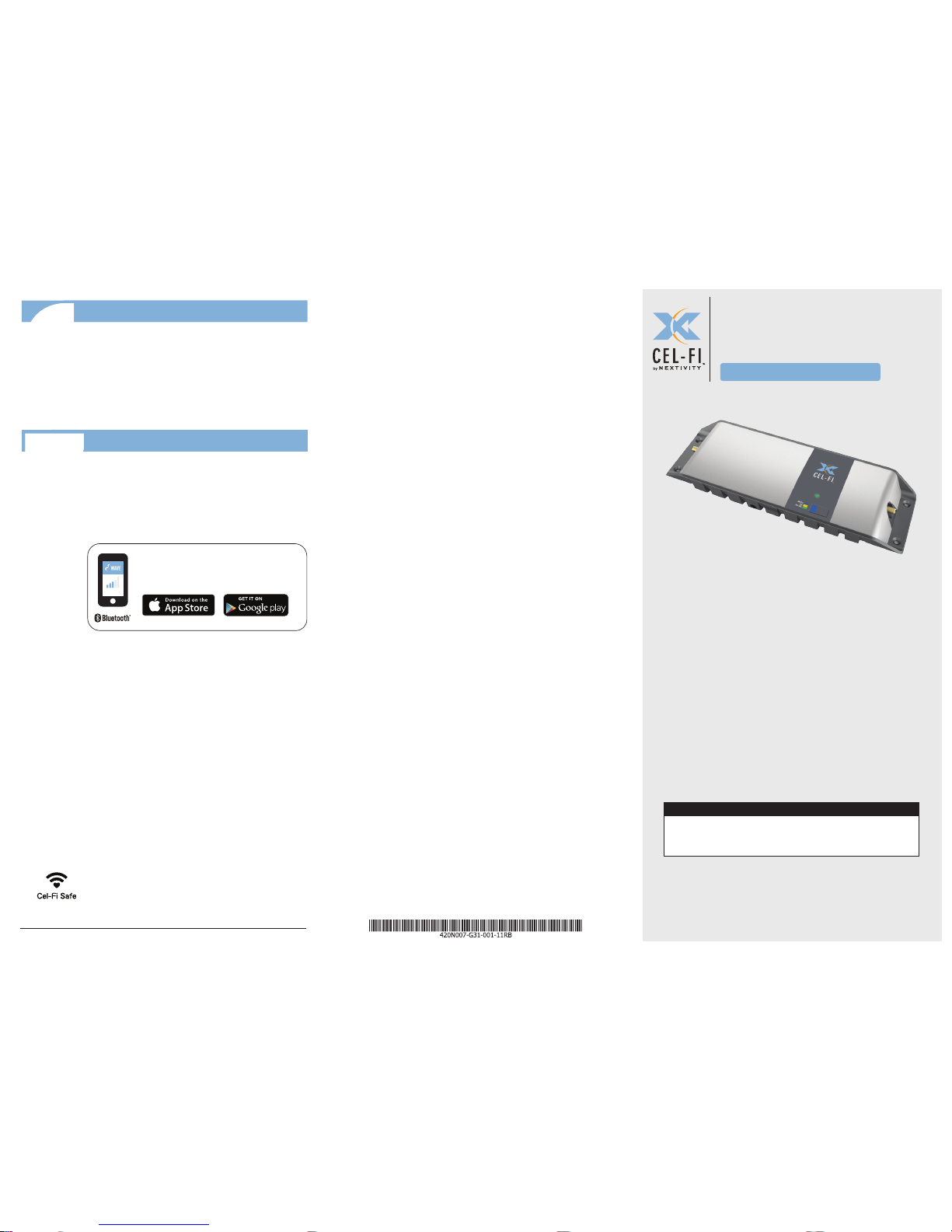
Cel-Fi GO Mobile
Quick Start Guide
Smart Signal Booster
™
Cel-Fi GO Mobile is an evolved cellular smart
signal booster design that can amplify cellular
signals up to 70dB. Connect a single Donor
Antenna to receive the macro-network signals,
and then a single indoor Service Antenna
where you need service, and Cel‑Fi GO will do
the rest automatically.
IN THE BOX
• Quick Start Guide • Smart Signal Booster
• Power Supply • Legal Insert
Copyright © 2017 by Nextivity, Inc, U.S. Patents pending. All rights reserved.
The Nextivity and Cel-Fi logos are registered trademarks of Nextivity Inc. All
other trademarks or registered trademarks listed belong to their respective
owners. Designed by Nextivity Inc in California.
qsg_GO-Mobile-Eng_17-0525
• Keep Donor and Service Antennas separated/isolated
from each other for best performance
• For best performance, the cable between the Outdoor
Antenna and GO unit should be as short as possible
• Use sealant if any connections are exposed to
elements
For more Cel‑Fi GO features, go to App Store or Google
play and download the mobile Cel‑Fi WAVE app.
(NOTE: If you do not have a compatible
smartphone, go to
cel-.com/wave to download the Desktop app.)
NETWORK STRENGTH
The Cel-Fi WAVE app can help you
optimize your system’s performance.
Cel-Fi GO Mobile Smart Signal Booster
www.cel-.com
Page 2
Install Service Antenna
2
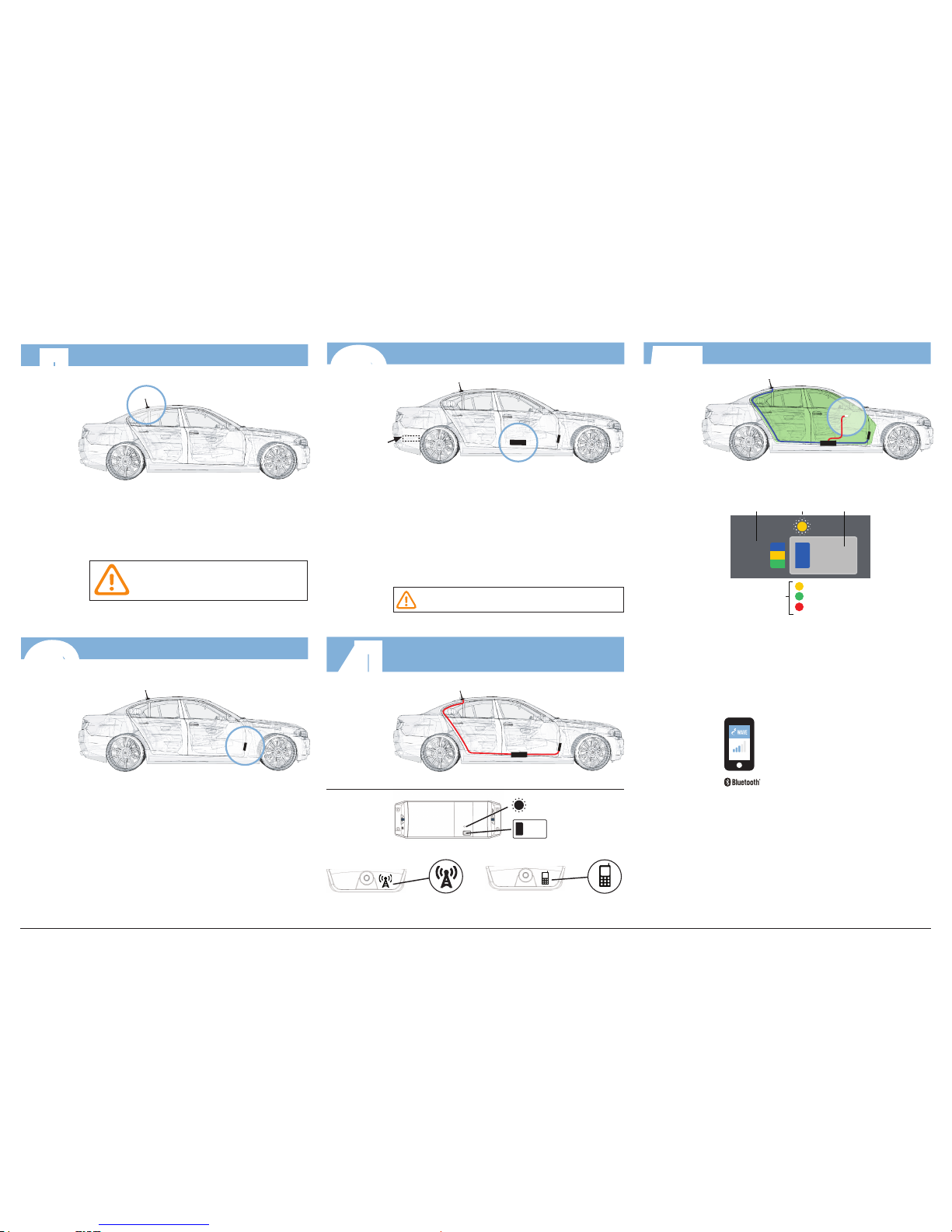
For best performance make sure
there is 50cm of metal around the
base of the antenna.
Mount your Donor Antenna on the exterior of the vehicle,
towards the rear, according to its design, and the type of
vehicle it’s being used with. Make sure you consider the
cable connection to the Cel‑Fi GO unit with your location
choice.
Install Service Antenna in the cab, towards the front,
where coverage is needed. Ideally, there should be
substantial material, like the metal of the roof, between
the Donor and Service Antennas, to improve isolation.
DONOR ANTENNA (Not Included)
Install Donor Antenna
I
SERVICE ANTENNA
(Not Included)
DONOR ANTENNA
Cel-Fi GO Mobile Installation
3
Mount Cel-Fi GO
Find a good mounting location in your vehicle. Location
should have airow and be secure from contact with external
objects.
Make sure the unit is within cable range of the 12V power
supply on your vehicle.
Best to make sure all cable lengths support the intended
mounting location BEFORE permanent mounting.
DO NOT plug in at this time.
CEL-FI GO
OPTIONAL
LOCATION
DONOR ANTENNA
CEL-FI GO
SERVICE
ANTENNA
4
Connect Donor & Service Antennas
to the Cel-Fi GO Unit
LEFT SIDE: Service Antenna
Connector
RIGHT SIDE: Donor Antenna
Connector
DONOR ANTENNA
CEL-FI GO
TOP VIEW
STATUS
INDICATOR
MODE
SERVICE
ANTENNA
5
Plug in Cel-Fi GO & Select Mode
Press the MODE button on the unit to select
desired scanning mode. Status Indicator will blink
during the setup process, and may take a few
minutes to complete.
(OPTIONAL: use your smartphone
to select mode. Download the Cel‑Fi
WAVE app, and follow the on-screen
instructions.)
(*NOTE: if Error, go to troubleshooting
at cel-.com/support)
AUTO
3G
4G LTE
MODE
SELECT
BUTTON
MODE
STATUS
INDICATOR
Boosting 3G
Boosting 4G LTE
Error*
STATUS
INDICATOR
12V POWER SUPPLY
DONOR ANTENNA
CEL-FI GO
SERVICE
ANTENNA
Cel-Fi GO Mobile Smart Signal Booster www.cel-.com
NETWORK STRENGTH
 Loading...