

Page 1
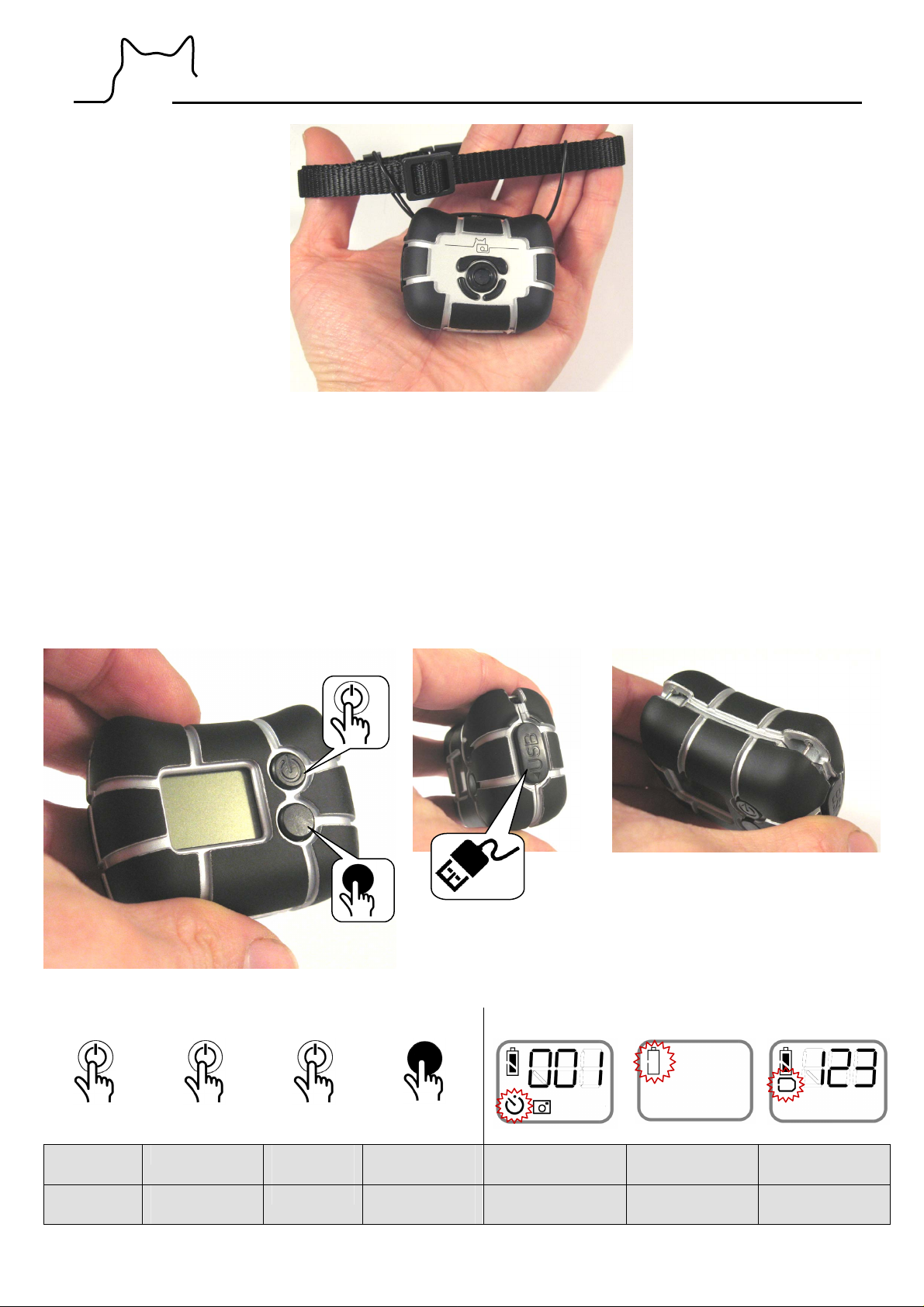
CatCam® v3 – Quick Start Manual
The CatCam
®
is a small digital camera that is worn on the collar of an animal (in particular cats or other free
ranging pets) to get deep insights of his life. It takes automatically pictures or video clips in an adjustable time
sequence/interval. This makes it also suitable for general surveillance tasks or time laps photography. If the
automatic function is disabled the camera works as a regular mini digital camera.
Recording capacity is approx. 1000-2000 pictures per battery charge. Image resolution is 2048 x 1536 pixels.
Interval time is adjustable from 2 seconds to 8 hours.
Please note that the camera is not water proof.
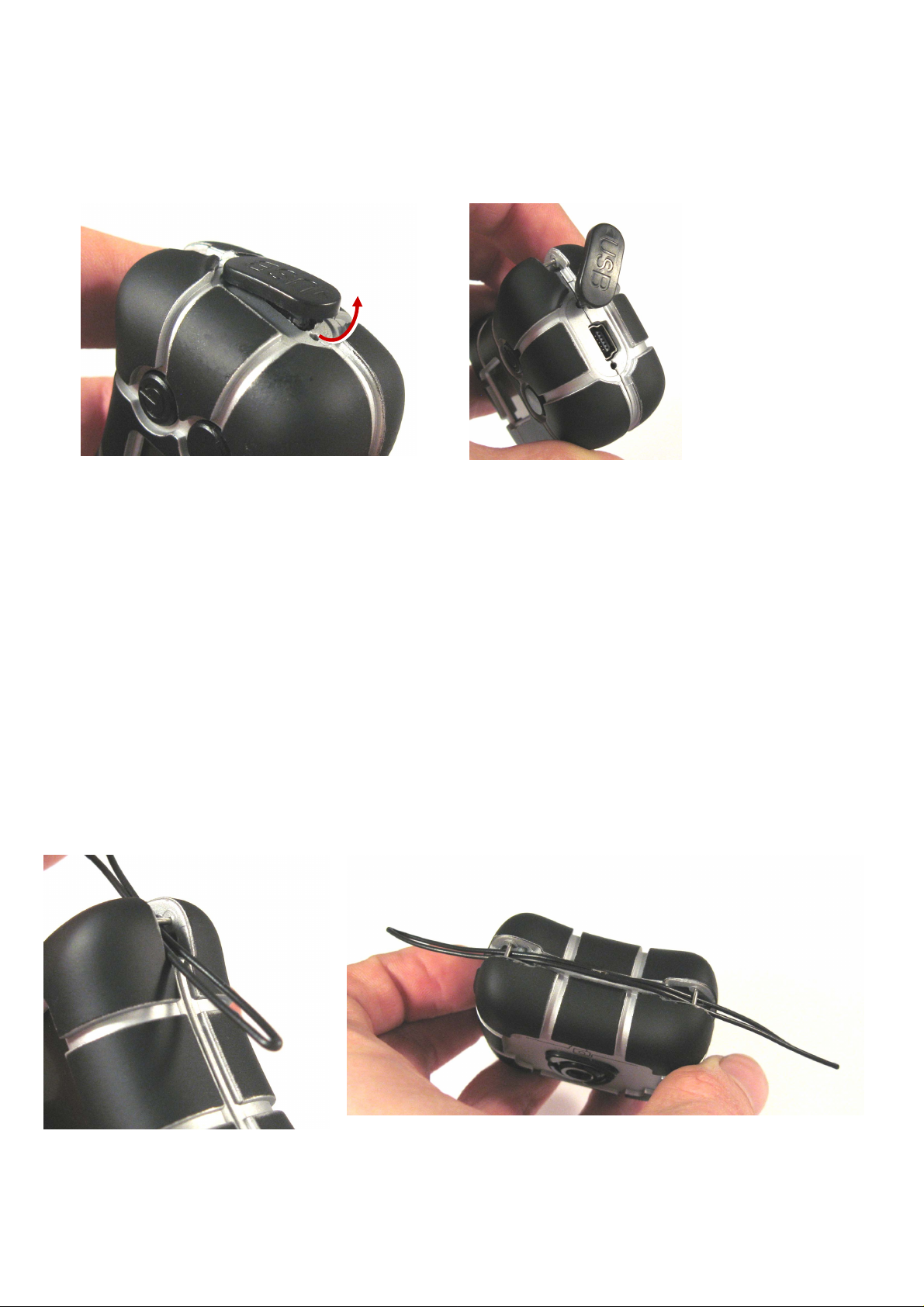
1. Camera overview
2 Seconds
Camera
ON
Stop auto-
3 Seconds
Camera OFF Select
matic mode
Button actions Display
½ Second
Take
mode
picture/video
Toggle
Automatic
recording mode
Battery empty Memory full
settings
Page 2
2. Charging and Data Transfer
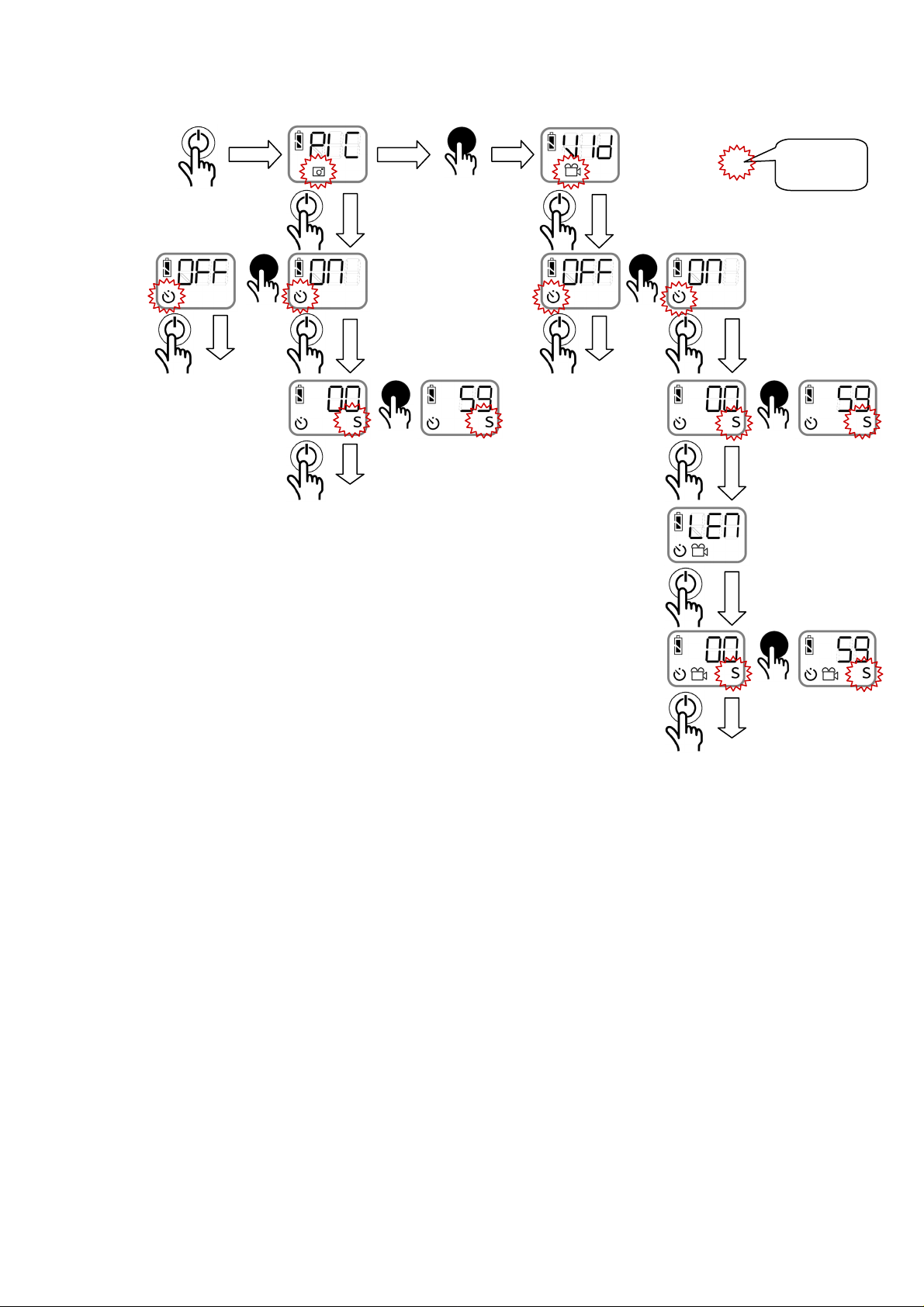
Charging and data exchange is by means of USB. To connect the camera to the USB interface the cover must
be removed. First pull the lower end up until it disengages, then rotate the cover to the side to have access to
the interface. See images.
The camera is supplied by an integrated rechargeable Lithium-Polymer battery. Charging of the camera takes
about 3 hours.
After removing the USB cable make sure that you put the USB interface cover back in place to keep out dirt.
In order to avoid problems make sure that your computer does not go into standby while charging the camera.
Your camera may lock-up, see troubleshooting section.
3. Automatic Mode
To put the camera in automatic mode you need to turn the interval mode on (see chapter “Configuration”).
When turning the camera OFF, the automatic mode will start and record video clips or images in the defined
time interval until the camera is stopped with the ON/OFF button.
4. Collar Attachment
The camera has a lug on either side on the enclosure where hooks can get attached or a holding strap is fed
through as shown in the pictures. This allows securing the camera on a collar.
Page 3
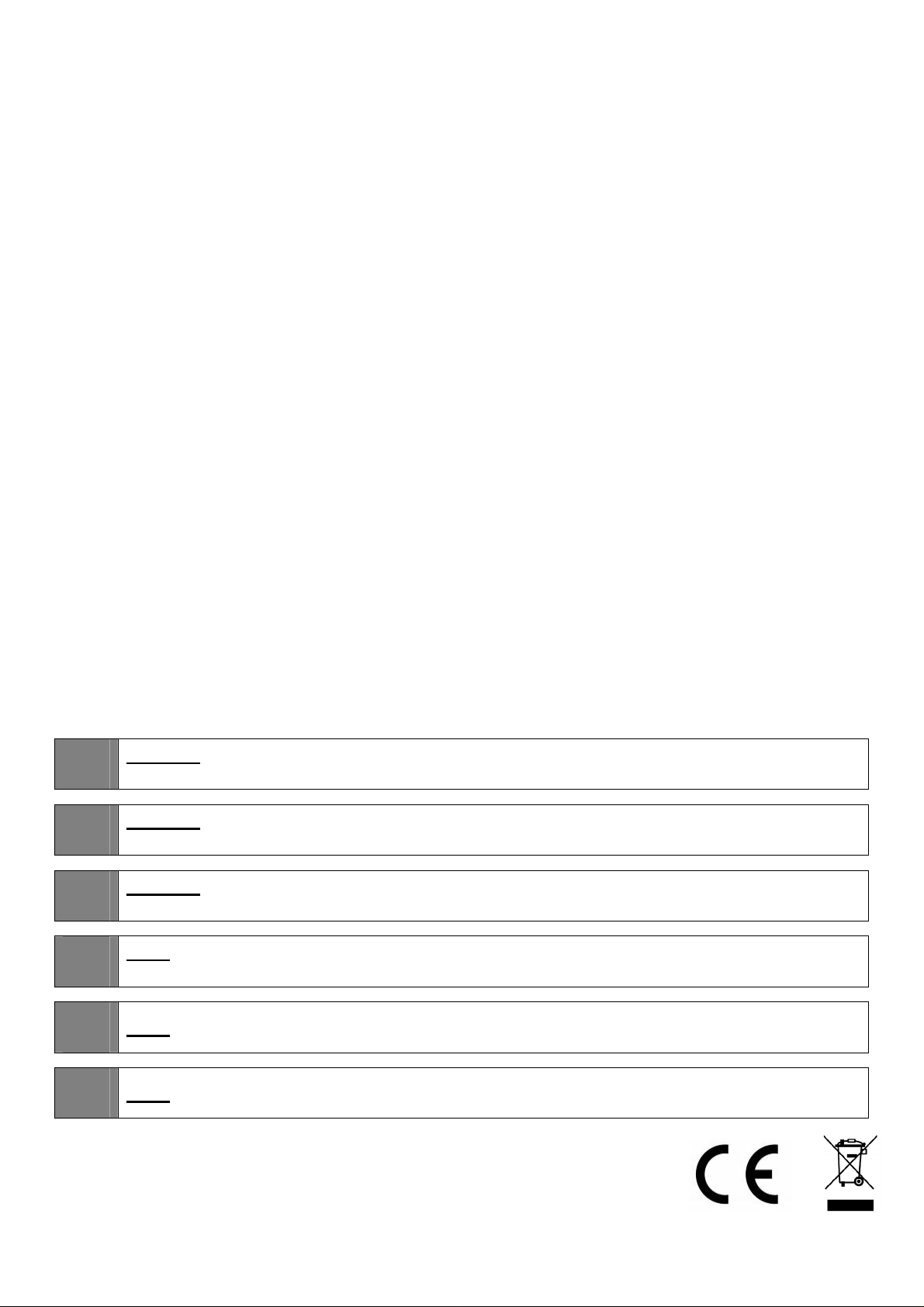
5. Configuration
Select mode
(picture / video)
= Symbol
flashes
Select automatic
mode (on/off)
Set interval
time* (seconds,
minutes, hours)
Set video clip
length
Set recording
length (seconds,
minutes)
Back to main
END
END
END
END
* the time between two photos/video recordings. A setting to start with is 30 seconds for animals, for time lapse
photography the max. time is 8 hours.
6. Advanced Configuration
Files required for advanced configuration are available in the support area of www.mr-lee.com.
6.1 Setting Time
The camera internal time can be set so that the image creation time is correct.
Copy the file “TIME.ini” to the root directory of the camera. The time will be set when you turn on the camera.
File is deleted after the read operation to avoid reading it again next time the camera is turned on.
TIME.ini can be edited in a text editor, following strictly the format in the file. The following content will set the
date to Dec. 22, 2012 and the time to 11:27am:
[2012-12-22]//Date
[11:27:00]//Time
Page 4
6.2 Hot Pixel Calibration
To avoid hot (dead) pixels a camera calibration can be performed. Follow the step-by-step instructions:
1. Copy file “calibration.ena” to the root directory of the camera
2. Turn ON the camera. Cover the lens completely with a black cloth. The image sensor needs to be
in complete darkness.
3. Press Trigger button, "CAL" will show on the LCD screen.
4. Wait until the camera turns off automatically after the process.
7. Troubleshooting
Camera locked-up (does not react to buttons, display on) after charging with a computer: Remove camera
from the USB and let sit for a day until battery drained empty. Charge again and make sure your computer
does not go to standby.
Images noisy or hot pixels: do calibration procedure as shown in section 6.2
8. Support
You can get in contact with the technical support by sending a mail to [email protected]
The manual is updated from time to time. You will find the latest version together with software files in the
Support section at www.mr-lee.com
If you want to know more about the CatCam history, background and Mr. Lee we welcome you to visit the
project website www.mr-lee-catcam.de.
9. Safety Notes
Warning: This camera is not suitable for children. It is not a toy. If the camera is pulled apart
!
!
!
!
small parts may break loose and get swallowed. Danger of suffocation !
Warning: This camera is not suitable for larger animals like dogs which tend to chew and
swallow non-food things. The animal may get hurt.
Warning: Do not expose camera to temperatures above 60°C / 140°F. The rechargeable battery
may overheat and catch fire.
Note: Please use safety collar with emergency release function to avoid strangulation of the
animal.
!
!
Catcam is a registered trademark.
Note: Please observe possible local privacy laws before using the device.
Note: To prevent battery damage store device charged and recharge every 6 months.
 Loading...