

Page 1
2
Page 2

3
PRECAUTIONS................................................4
PREFACE..............................................................6
NAMES AND FUNCTIONS.....................6
INSTALLATIONS...........................................8
OPERA T IONS..................................................1 1
1. General Weighing...........................................11
2. W eighing with T are........................................11
ERROR MESSAGE......................................13
SPECIFICA TIONS........................................13
CONTENTS
Page 3
4
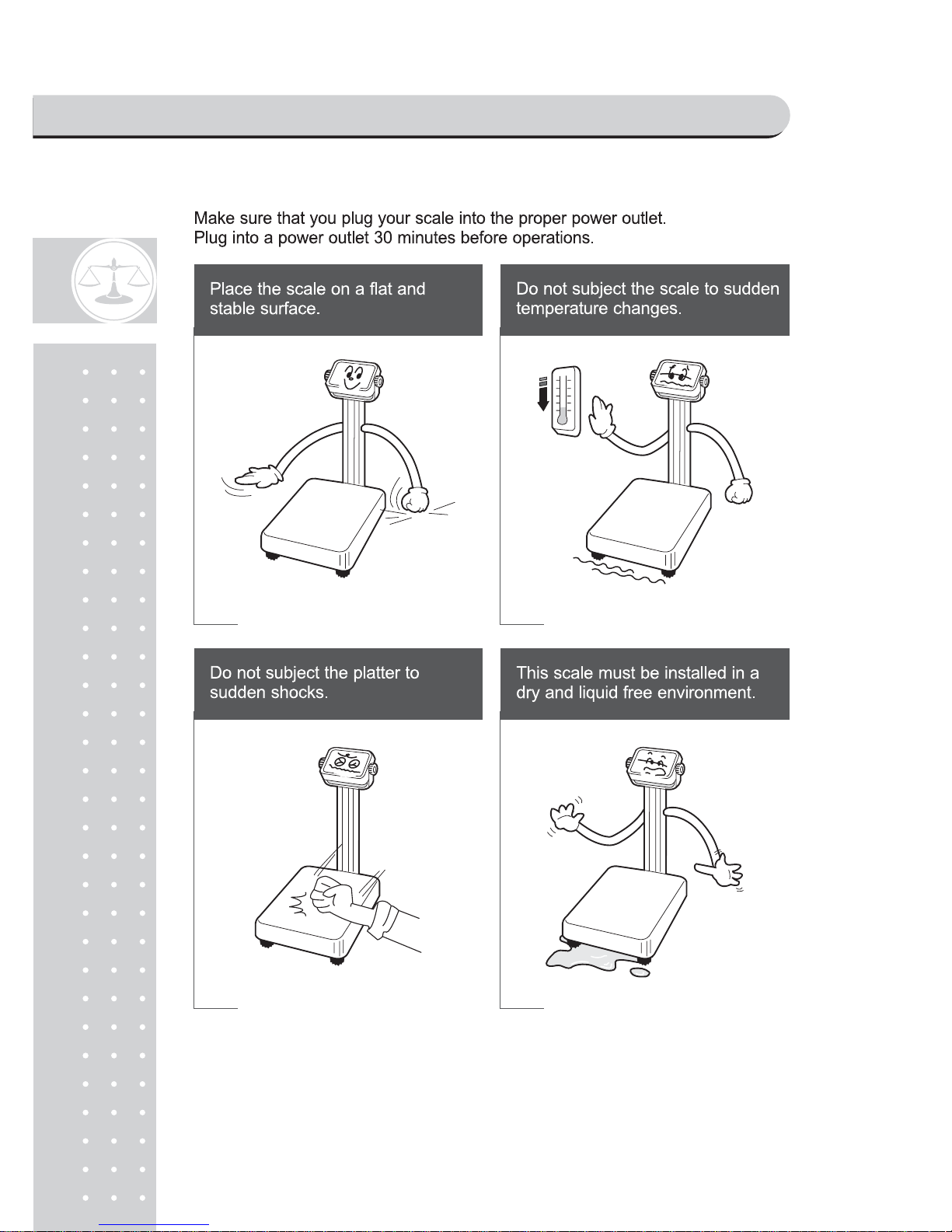
PRECAUTIONS
Page 4
5
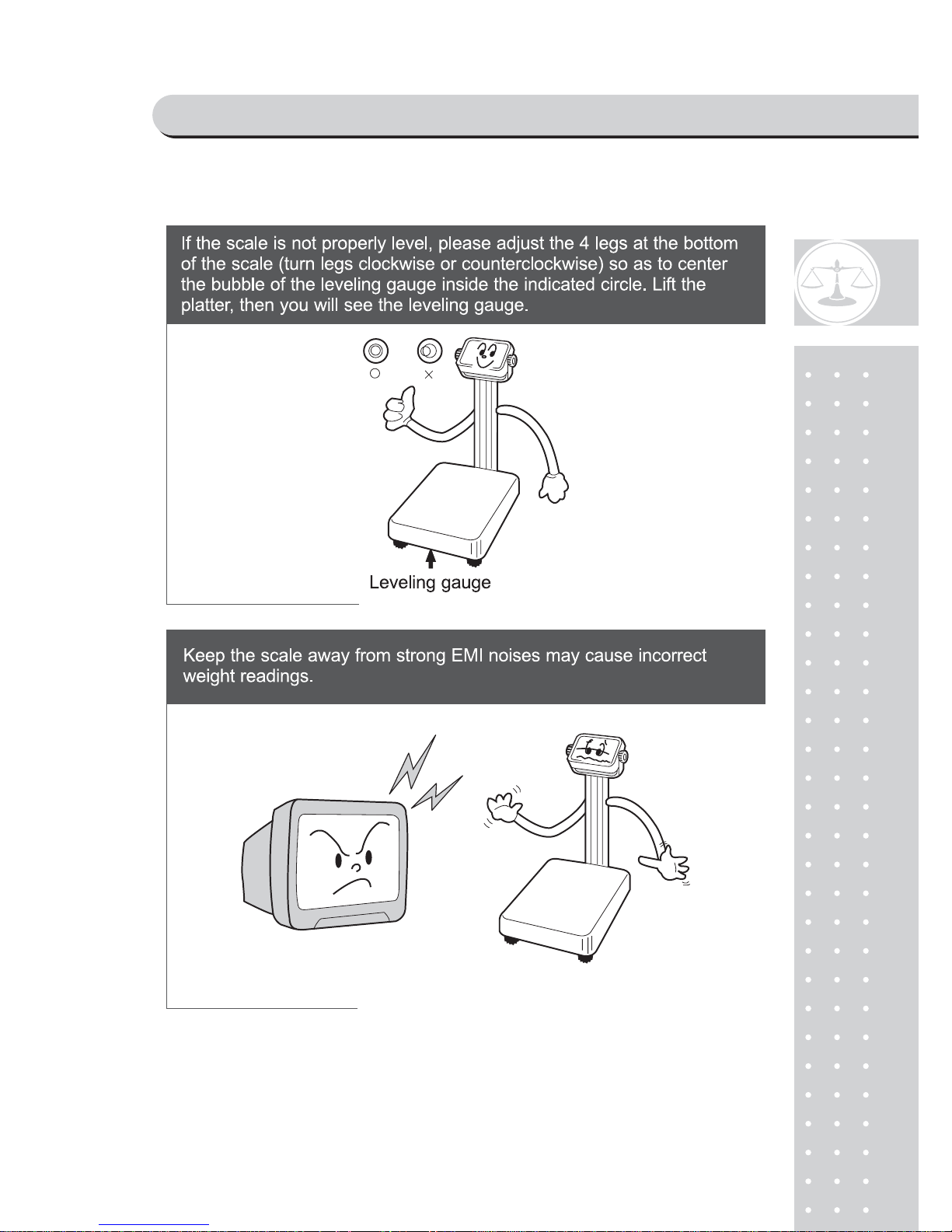
PRECAUTIONS
Page 5
6
PREF ACE
Thank you for purchasing our CAS ND-300 Series.
These series have been designed with CAS reliability, under rigid quality control
and with outstanding performance. Your specialty departments can enjoy these
high quality reliable CAS products.
We believe that your needs will be satisfied and you will have reliability.
This manual will help you with proper operation and care of the ND-300 Series.
Please keep this handy for future reference.
NAMES AND FUNCTIONS
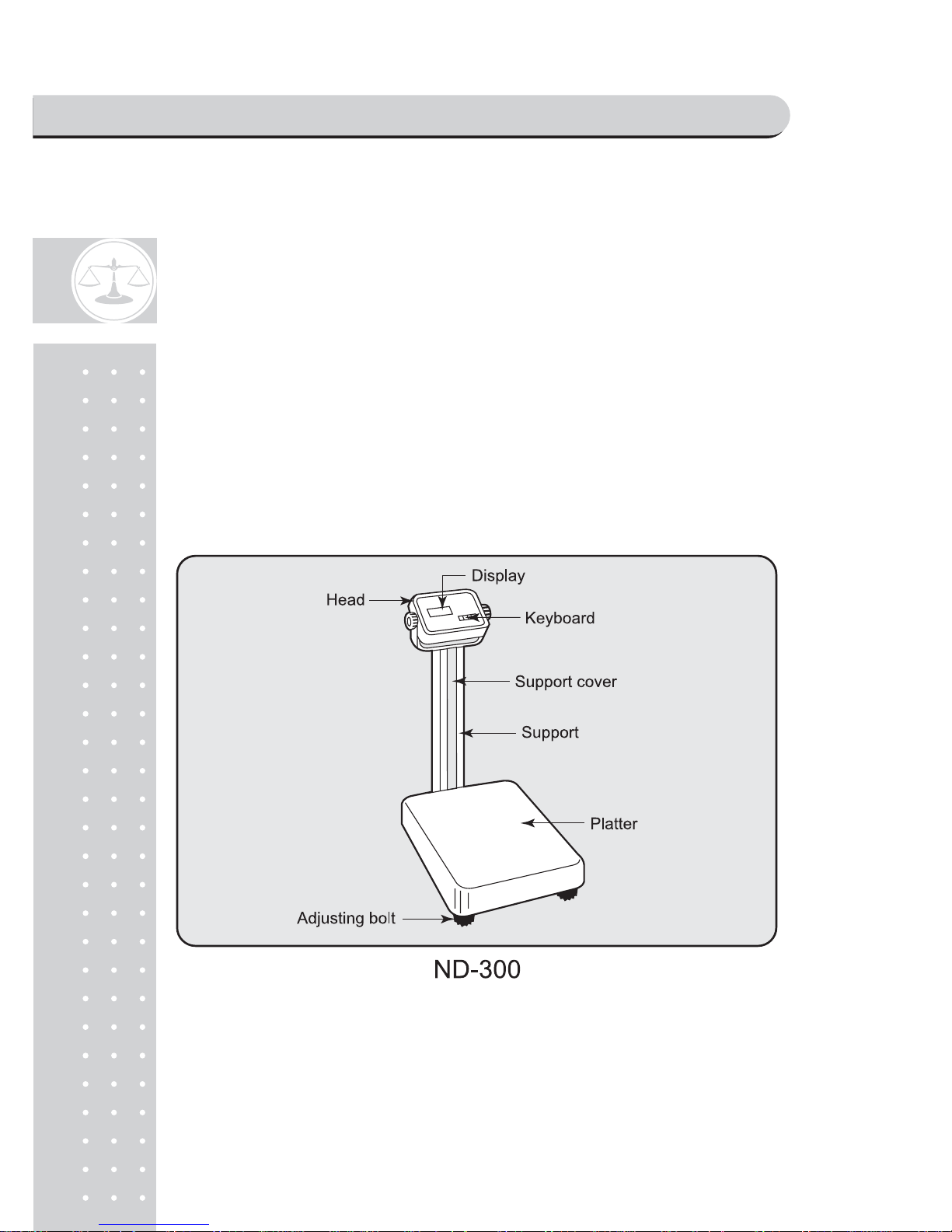
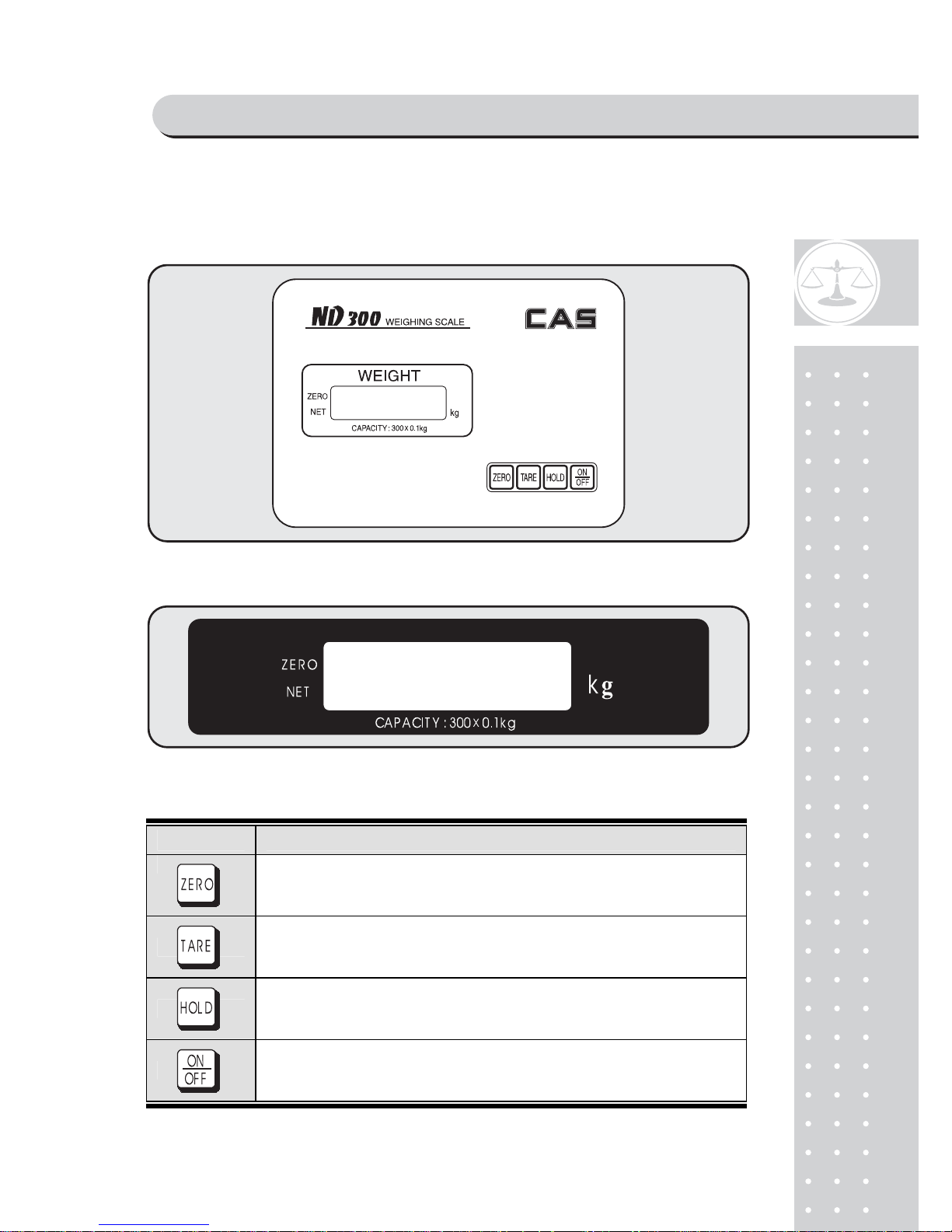
OVERALL VIEW
PREF ACE & NAMES AND FUNCTIONS
Page 6
7
DISPLA Y AND KEYBOARD
■ ND-300
■ ND-300E, ND-300H
■ KEY FUNCTIONS
KEYS FUNCTIONS
Used to correct the zero po int.
Used to enter a tare weight.
Used to cancel a tare weight.
When the weight is not stable, the display shows the average weight.
Turns on or off the display .
PREF ACE & NAMES AND FUNCTIONS
Page 7
8
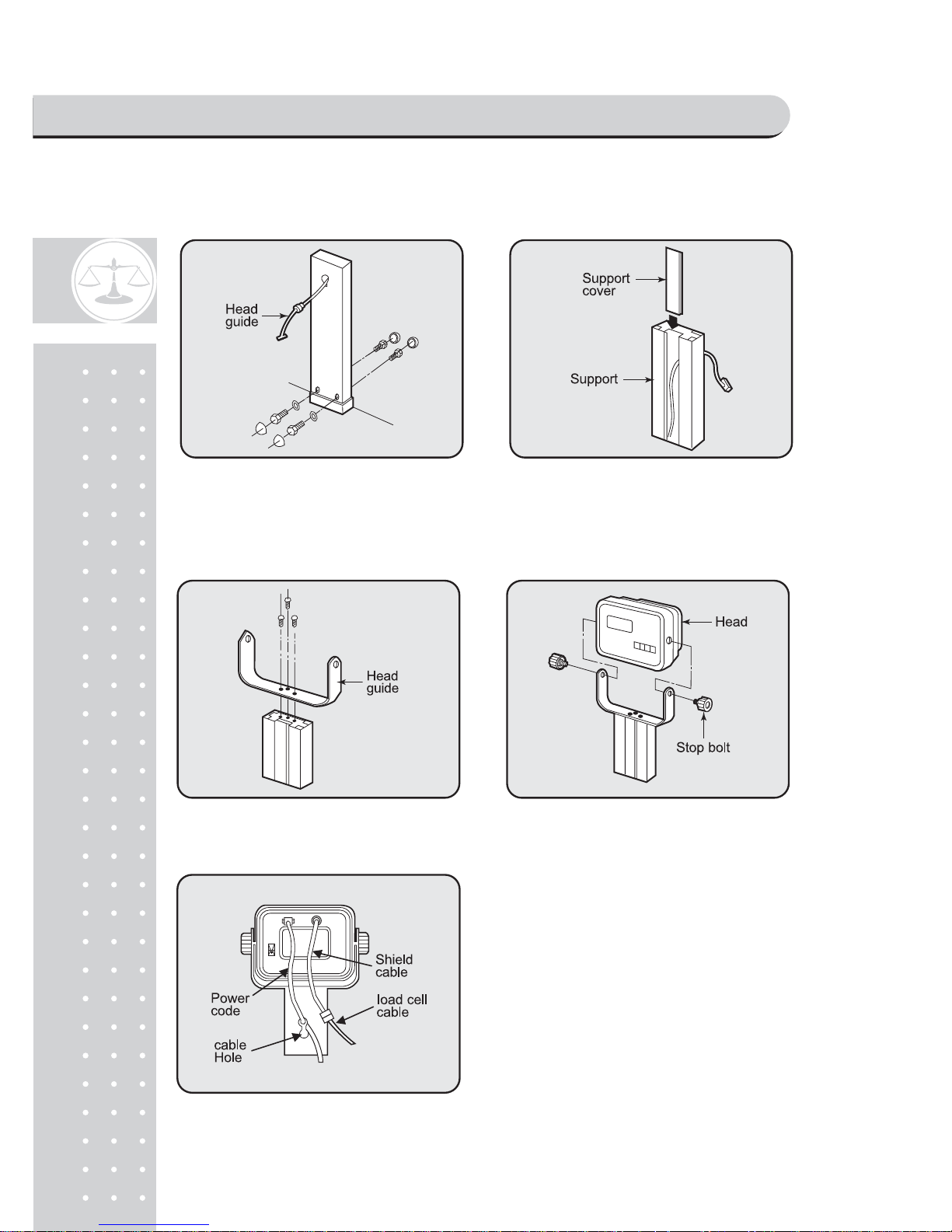
ND-300
1. Fix with bolts and nuts after inserting the load
cell cable to support pole. and then please fix
the ground wire with a bolt and fix the bolt hat
up it.
2. Please insert support cover into the support
pole.
3. Please fix the head guide with bolt. 4. Please connect head part to Head guide
and fix it with Stop bolt.
5. Please insert to support cable hole after
connecting the load cell cable and shield
cab Stick the power code to the back of
the Head part.
INSTALLATIONS
Page 8
9
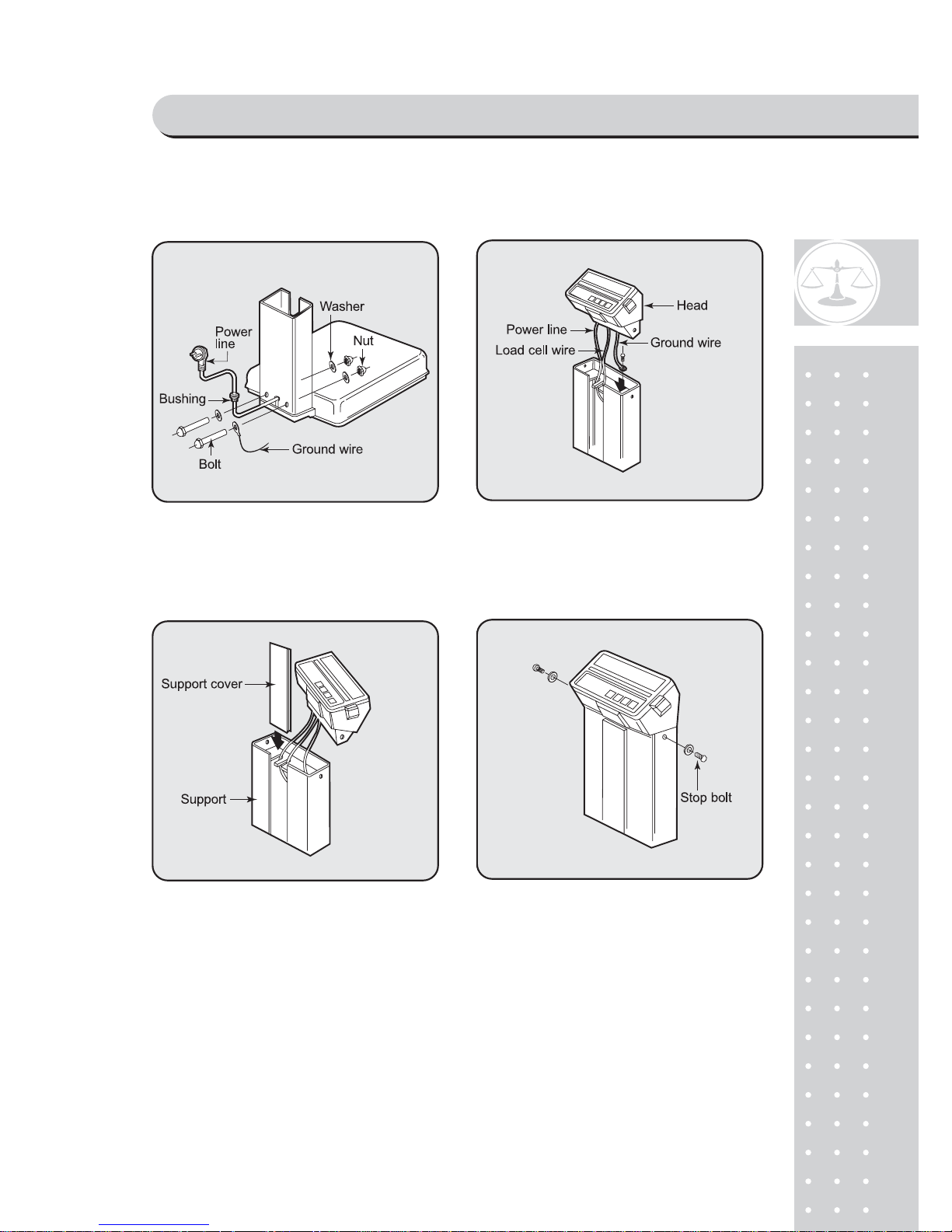
ND-300H
1. Insert the power line into the support.
Fasten with bolts and nuts.
2. Fix a ground wire with bolt then arrange the
power line and loadcell line.
3. Attach the support cover to the support. 4. Attach the head to the support then fasten with
stop bolt.
INST ALLATIONS
Page 9
10
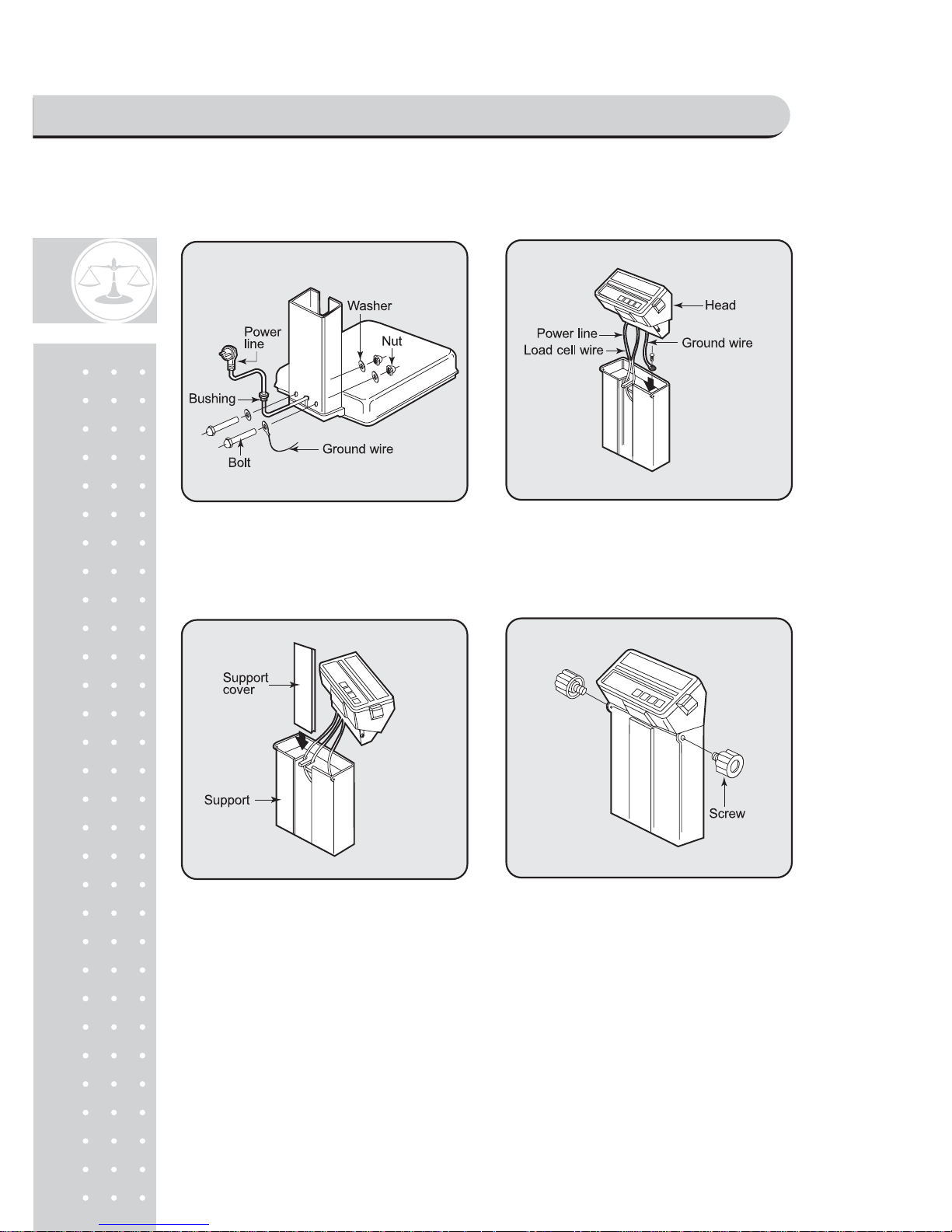
ND-300E
1. Insert the power line into the support.
Fasten with bolts and nuts.
2. Fix a ground wire with bolt then arrange the
power line and loadcell line.
3. Attach the support cover to the support. 4. Attach the head to the support then fasten with
screw.
INSTALLATIONS
Page 10
11
OPERA TIONS
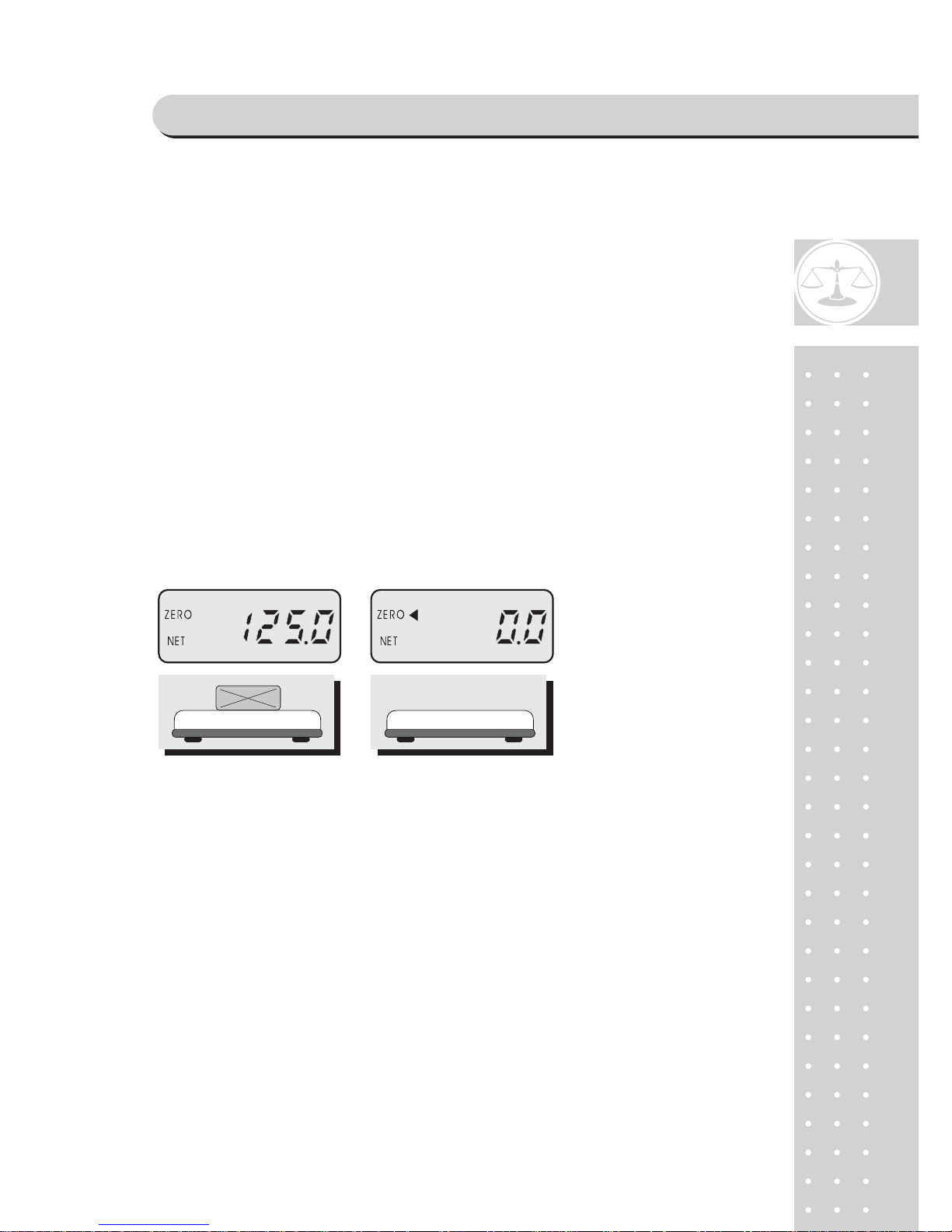
■ When you turn on the power switch, the scale will count "00000" to "99999",
then the scale will read "0.0" on the display. This is called the ZERO state.
If the scale is not ZERO state though there is nothing on the platter, press the
ZERO key.
■ If the weight is not stable, press the HOLD key. Then you will see the
average weight.
■ The display indicates if the scale is at ZERO or if there is a TARE entered into
the scale by way of a ZERO and NET lamps.
1. General Weighing
■ Wait until the display shows zero.
① Place a commodity on
the platter.
② Remove the commodity
from the platter.
N▶ OTE: The symbol represents the lamp on the display above.◀
OPERA TIONS
Page 11
12
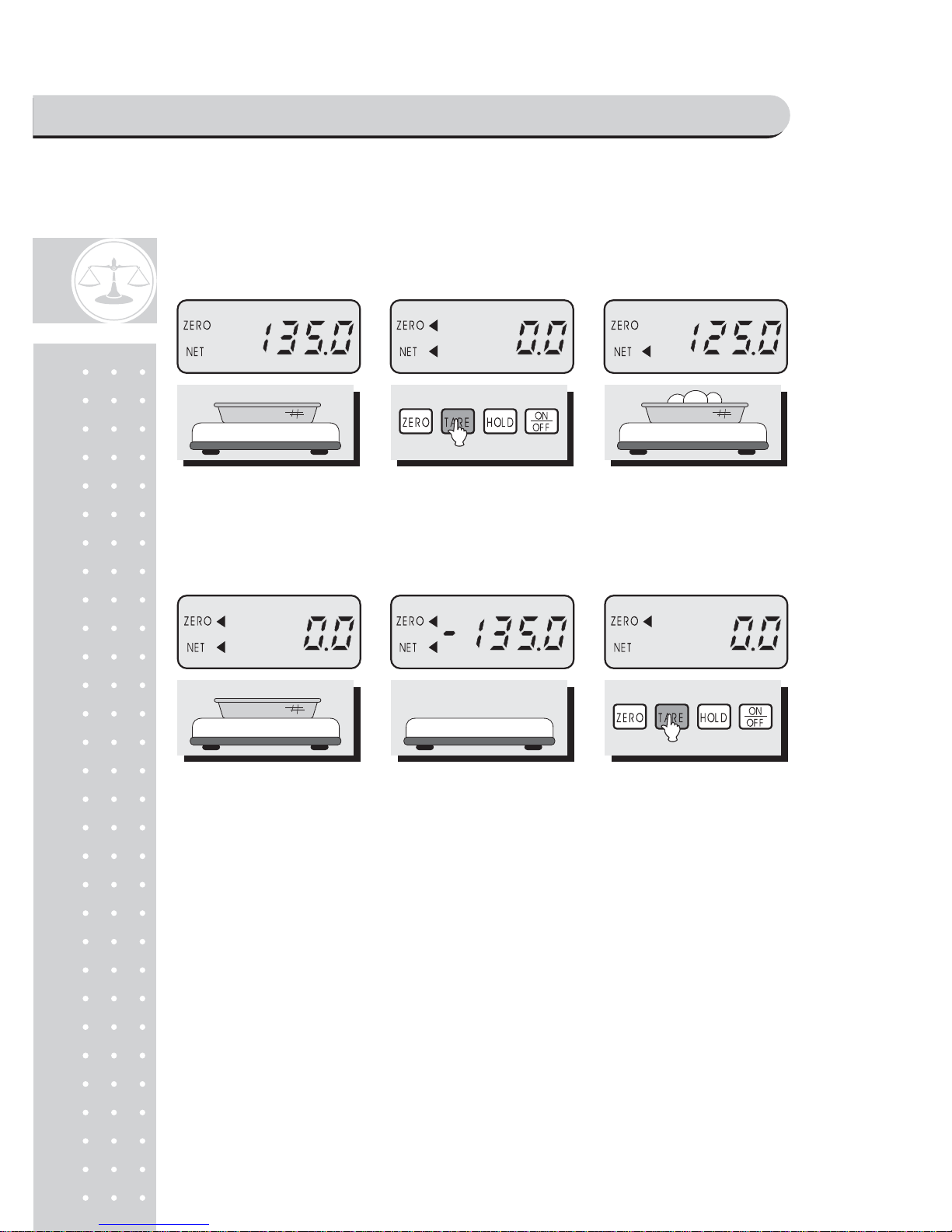
2. Weighing with T a re
■ Tare is the weight of a container being used for a commodity.
■ The TARE key subtracts the weight of the container.
① Place a container on
the platter.
② Press the TARE key. ③ Place a commodity in the
container, then you will see the
net weight of the commodity.
④ Remove the commodity
from the platter.
You can weigh another
commodity with this
container.
⑤ If you want to quit weighing
with this container, remove
the container from the platter.
Then you will see the weight
of the container with "-".
⑥ Press the TARE key.
OPERA TIONS
Page 12
13
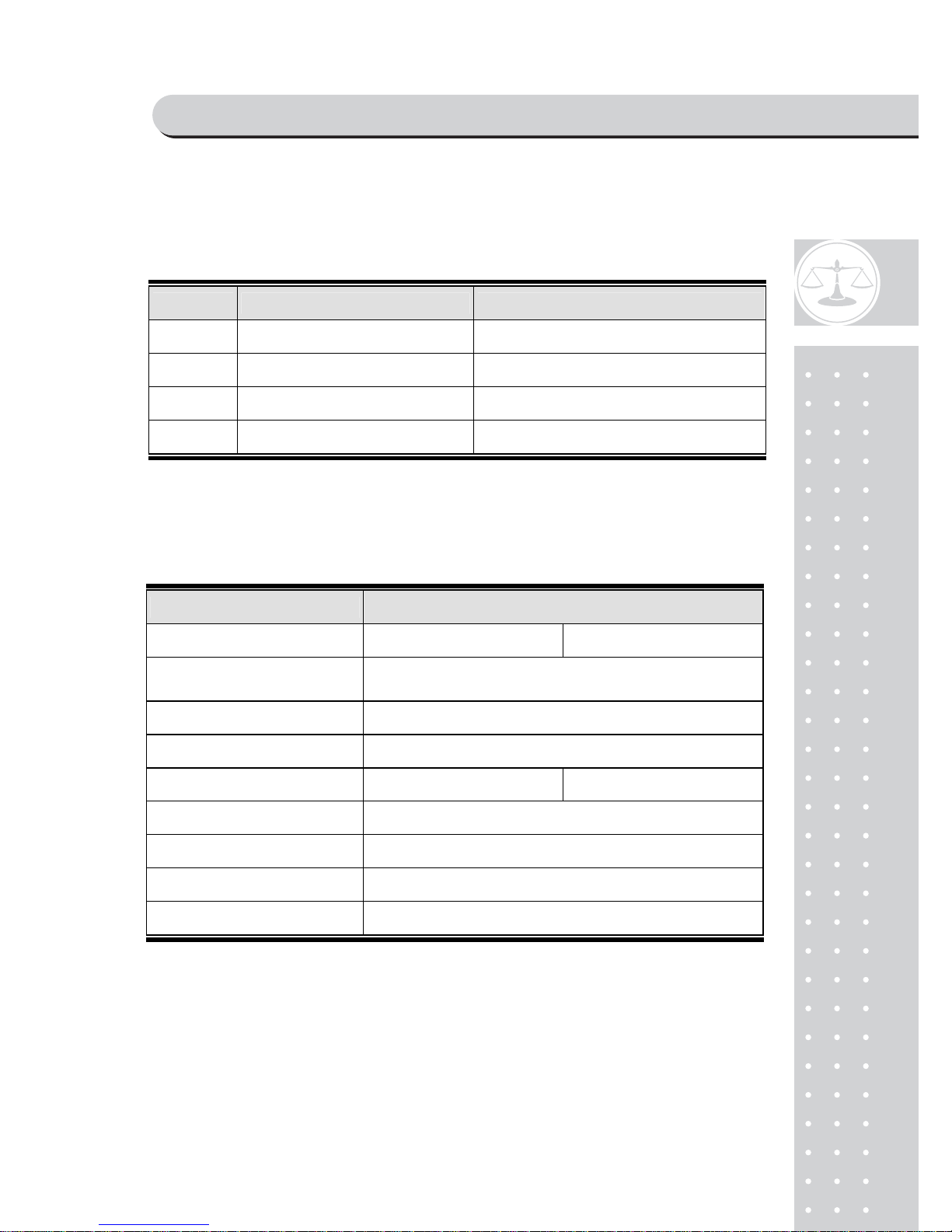
ERROR MESSAGE
To help the customer's understanding, this scale warns the error messages properly.
ERROR REASONS SOLUTIONS
Err 1 An error of the initial ZERO range Set the platter empty
Err 10 Failure of the analog module Call your CAS dealer
Err 1 1 Failure of the digital module Call your CAS dealer
Err 1 2 Condition codes are broken Call your CAS dealer for span calibration
SPECIFICA TIONS
MODEL ND-300, ND-300H, ND-300E
CAP ACITY 150 x 0.02, 0.05kg 300 x 0.05, 0.1kg
DISPLAY : WEIGHT
V acuum Fluorescent Display
5 DIGIT
MEASUREMENT TYPE LOAD CELL TYPE
DISPLAY DESIGNA TORS ZERO and NET
MAXIMUM TARE -99.95kg 300kg
POWER SOURCE Refer to Spec Plate
POWER CONSUMPTION APPROX. 10W
TEMPERATURE RANGE - 10°C ~ + 40°C
PRO DUC T S IZ E (m m) 716(W) x 456(D) x 840(H)
*NOTE : Specifications are subject to change for improvement without notice
ERROR MESSAGE & SPECIFICATIONS
Page 13

1
4
MEMO
Page 14

15
MEMO
Page 15

16
 Loading...