

Page 1
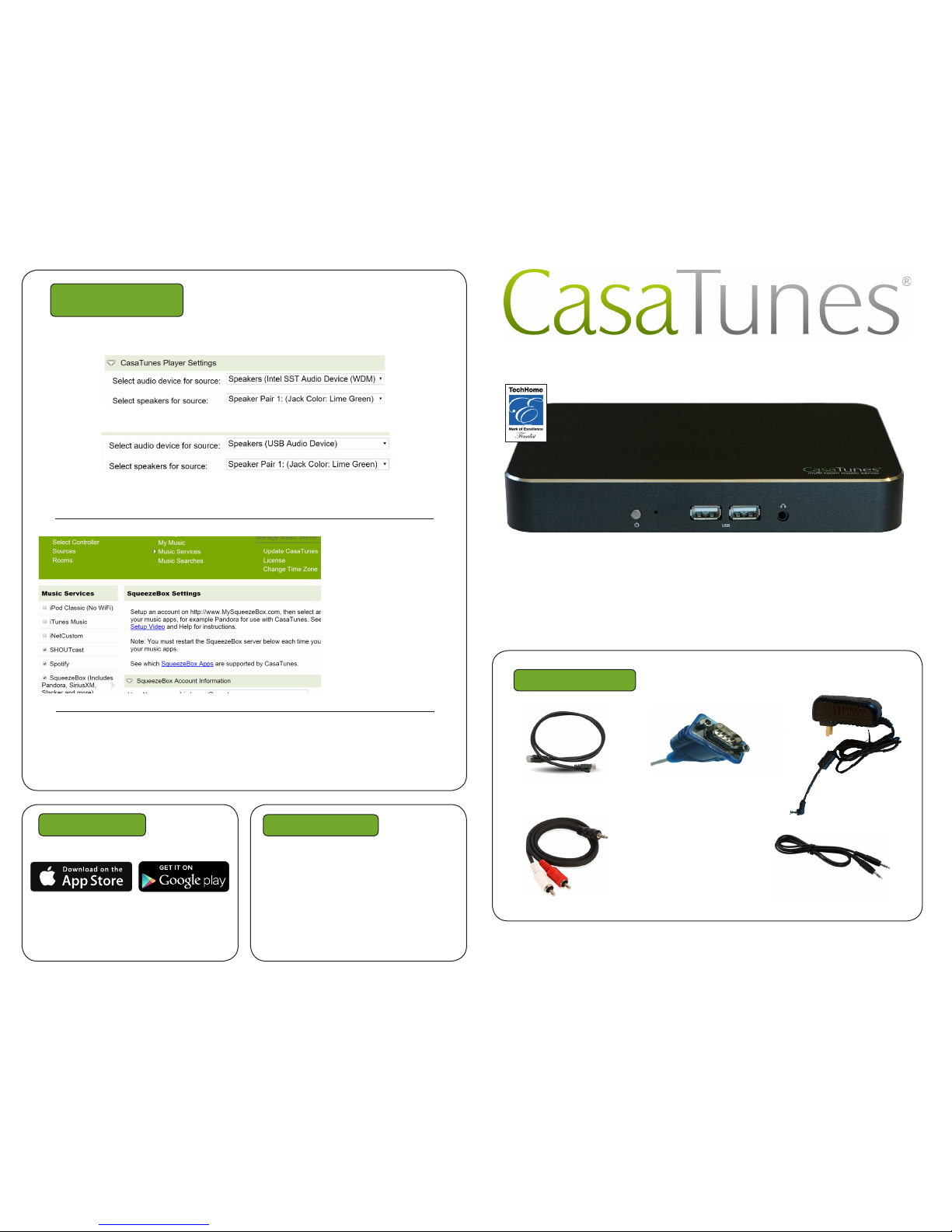
For any distribution system source input that CasaTunes supplies a music stream, pick
CasaTunes Media Player as the Source type and configure the first stream as shown:
Configure the second stream (CT-2 only) as shown.
For other source inputs, select a source type from the pull down menu or choose
“Unsupported Source”.
Included Items
Audio Cables
Qty 1 (CT-1) or 2
(CT-2) each type
Power Adapter
Qty 1
Enable all of the music
services you are interested in.
Some music services
require setting up
SqueezeBox. Follow the
directions in CasaSetup.
Some music services require paid accounts, as
noted in CasaSetup.
Now, name all of your sources and rooms and set your Time Zone and Update settings.
Check Hide box for any Sources or Rooms not used. Click on Advanced Settings and
use the Project Information page to create a backup of the project.
Quick Start Guide: CasaTunes CT-1&2
Need Help?
Control
Use our control apps.
OR
Go to http://CasaServer/CasaTunes on any
PC, or http://CasaServer.local/CasaTunes
on any Mac connected to the network
Check out the videos at
http://www.YouTube.com/CasaTunes
Check out our Tech Notes at
http://www.CasaTunes.com/guides
For live help, email us at
[email protected] or phone us at
888-855-2272
Network Cable Qty 1
Serial Cable Qty 1
Use this guide only when using CasaTunes to
stream to and control audio distribution systems.
CasaTunes Setup
(Cont)
3.5mm to 3.5mm
3.5mm to RCA
Page 2
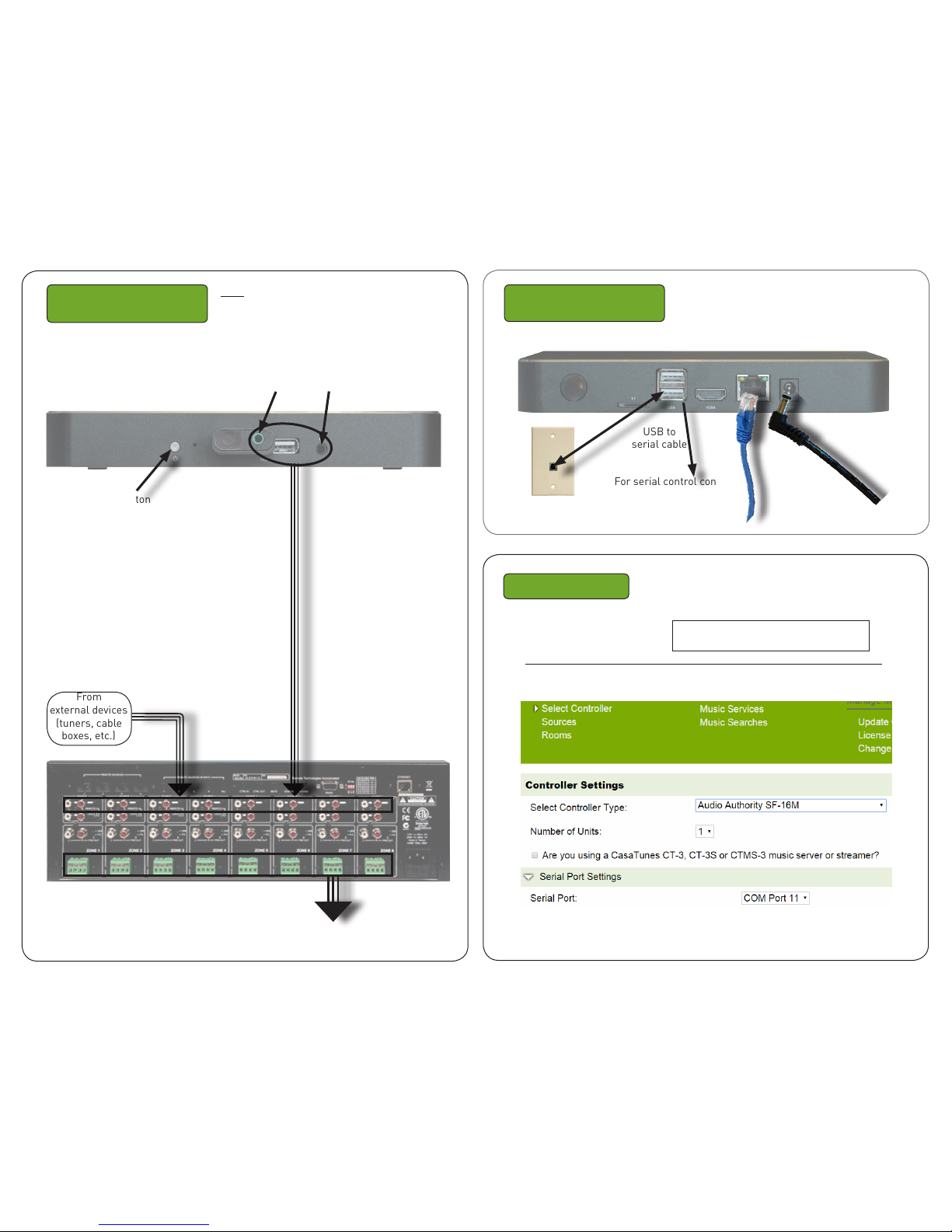
Connect CasaTunes
to distribution system
Connect to LAN
and Power
Network Cable
CasaTunes Setup
Open any browser on the
LAN and go to CasaSetup:
Audio outputs:
2nd 1st
CT-2 CT-1&2
Turn on the system at this time.
PC: http://CasaServer/CasaSetup
Mac: http://CasaServer.local/CasaSetup
Use CasaSetup to pick the audio distribution system from the “Select Controller
Type” pull down. Select IP or Serial and put in the correct parameters.
After clicking on Save, the Sources and Rooms refer to the source inputs and zone
outputs of the distribution system you are controlling. (continued on back page).
From
external devices
(tuners, cable
boxes, etc.)
Power
Cable
Keypad Hub (Opt)
Used with opt. Keypads
For serial control connect
serial end to audio
distribution system
USB to
serial cable
Power Button
Use Audio Cables to
connect stream outputs
to distribution system’s
RCA or 3.5mm inputs
To Speakers
RTI AD-8X used as an example
Note: A detailed CasaTunes Technical Reference
and Installation Guide can be found at www.
CasaTunes.com/guides, under Owner’s Manuals
 Loading...