

Page 1
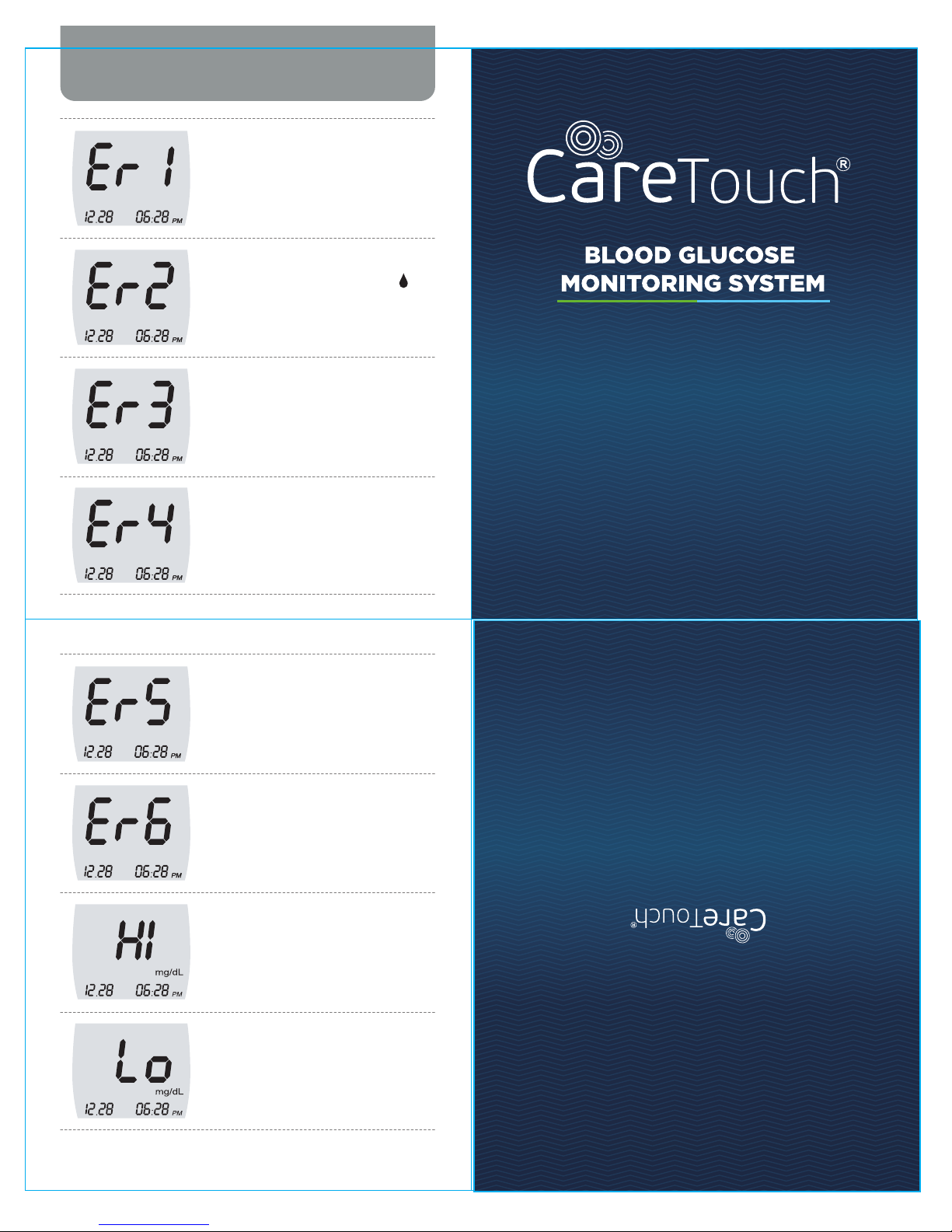
Test strip is used or damaged.
Replace the new test strip.
Blood sample was applied to the test
strip before the blood symbol ( )
appeared on the Screen.
Temperature is too hot or too cold for
the system to work properly.
The Blood sample is not filled enough
for measurement because of abnormally
high viscosity or insufficient volume.
Screen Messages and Troubleshooting
Quick Reference
Manual
You put the wrong strip.
Please check if you are using the proper
strip for the meter.
This error appears when meter itself
finds out internal problems.
Please contact the sales representatives.
When the test result is higher than
600mg/dL, the screen will show the 'Hi'
mark. It indicates that the value of your
blood glucose is too high.
When the test result is lower than
20mg/dL, the screen will show the 'Lo'
mark. It indicates that the value of your
blood glucose is too low.
Page 2
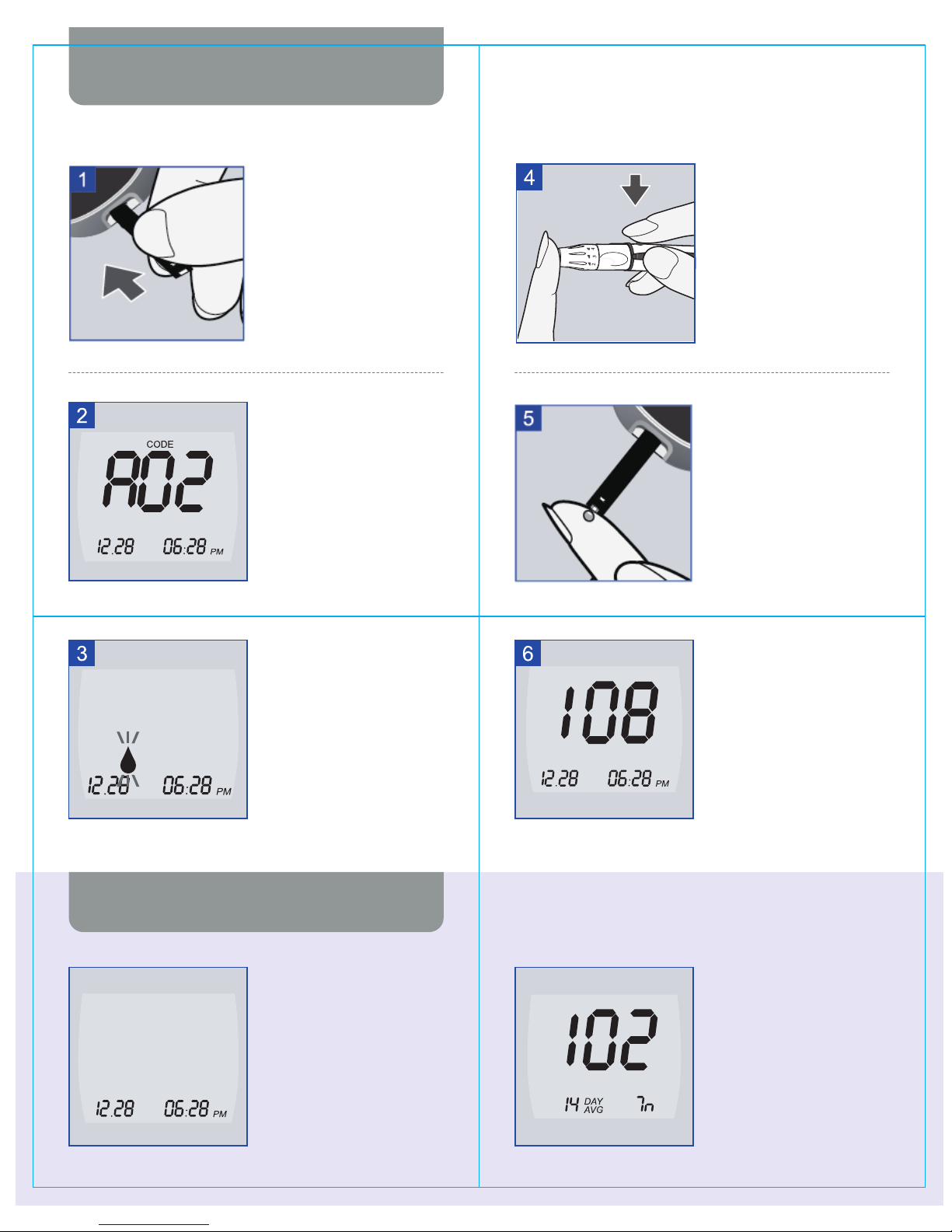
Insert the three black lines at
the end of the test strip into
the meter's strip slot until
meter beeps.
Make sure the code on the
screen matches the code
number on the test strip vial.
If it does not, please do not use
test strips and contact the
Customer Service at
1866.890.8500
When the flashing blood
symbol appears, the meter is
ready for you to apply blood to
the test strip.
Monitoring Blood Glucose
Reviewing the Results
Before testing, wash your hands
with soap and water and dry
thoroughly. Use your lancing
device to obtain a blood drop.
Touch the blood drop to the
front edge of the test strip
sample channel. The blood is
drawn into the test strip
automatically. Continue to touch
the blood drop at the edge of
the test strip sample channel
until you hear the beeper.
After beeper sound,
your blood test result will appear
in 5 seconds.
Discard the used test strip.
Begin with the meter off condition.
Press the 'M' button to turn the
meter on.
Your last 14days average result
will be displayed.
Press the 'C' button then the
meter will display your most
recent result. If you press 'M'
button then the meter will turn off.
mg/dL
mg/dL
mg/dL
 Loading...