

Page 1
User Manual
______________________________________________________________
GalaTee
Braille Keyboard
Page 2

Table of Contents
1: Introduction page 3
2: Description of the device page 3
3: How to use page 4
4: Safety Instructions page 4
5: Appendix – Braille Key Input page 4
6: Safety Instructions page 6
7: Cleaning the Device page 6
8: Technical Data page 6
9: Guarantee and Service page 7
10: Legal Notice on the Disposal of Electronic Devices page 7
10.1: Disposal of used Electronic Devices page 7
10.2: Recycling Batteries page 7
11: Symbols used page 8
12: Manufacturer page 8
2
Page 3
1: Introduction
This easy-to-use Braille keyboard will substitute the common keyboard of your
PC with only 17 keys. Galatee is a very versatile and handy allrounder, that will
guarantee a fast and efficient operation of your computer! Plug and Play! Use
the included USB-cable to connect Galatee to your PC. Galatee operates with
all well-established USB versions. The Braille keyboard is ready to use
immediately, time-consuming driver setups are no longer necessary. Galatee
will not only win you over with its elegant design, but also with its ergonomically
shaped keys, which support a slightly angular and therefore more comfortable
and less tense hand posture. The keystroke is extremely smooth and the
rubber surface of every single key combines good grip.
Consult instructions before use! Do not operate GalaTee
without reading the instruction manual. Get acquainted with
the device and all the accessories. Keep the instruction for
reference reading and pass it on with the device.
2: Description of the device
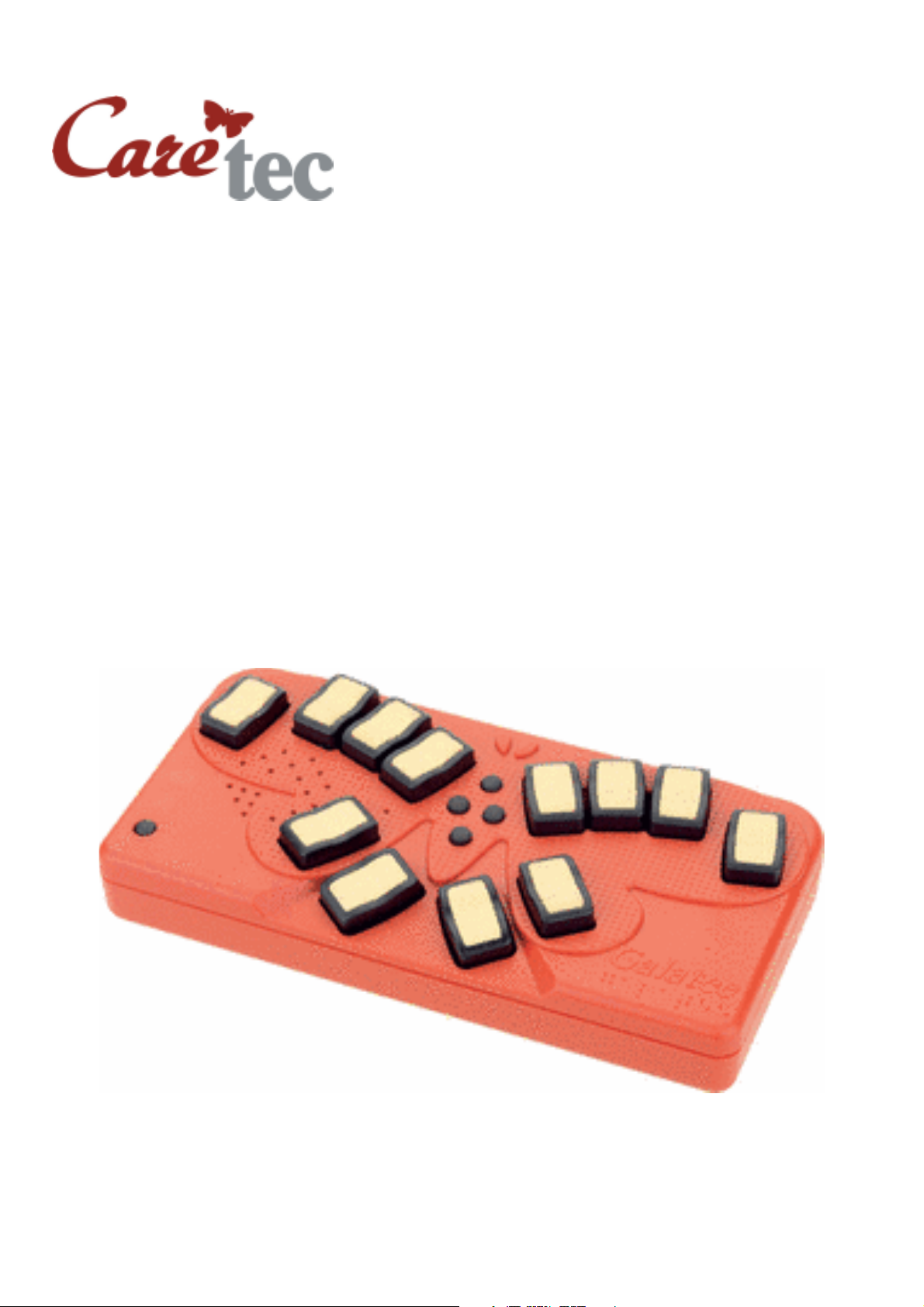
To become familiar with the device, place it in front of you so that the keys are
on top and the ergonomically designed 8 keys for the Braille input are facing
away from you.
Starting from the center these keys have the following functions: on the left side
you will find Braille key 1, 2 and 3 plus the backspace key (the outermost key
on the left side). On the right side you will find Braille key 4, 5 and 6 plus the
Enter key (the outermost key on the right side).
Right bellow the Braille keys, you will find another 4 keys. From left to right,
these 4 keys have the following functions:
Backspace / Space Key / Space Key / Enter Key
Right between the Braille key 1 and the Braille key 4, you will find 4 small,
round keys. These are the cursor keys (cursor up, down, right and left). On the
left hand corner of the GalaTee, you will find another small round key, which
enables you to set the right version of your keyboard (see next chapter).
3
Page 4

3: How to use
Plug and play! The GalaTee comes with a USB cable. The USB plug of the
GalaTee is located on the backside in the left hand corder. Plug the USB cable
into this outlet and connect it with a free USB interface at your computer.
GalaTee operates with all well-established USB versions, as well as Linux. The
Braille keyboard is ready to use immediately without installing any driver
software.
After connecting the GalaTee to your computer, you have to adjust the
GalaTee to the keyboard version set on your PC. If so far, you were using the
British keyboard version, the GalaTee must be adjusted accordingly. To set the
British version, press the small round key in the left hand corner and the
cursor-up and cursor-left keys. To set the US version, press the small round
key in the left hand corner and the cursor-down and cursor-right keys.
4: Safety Instructions
− Do not expose the device to water, extreme humidity, dust or dirt.
− GalaTee should not be used used under extreme temperature conditions,
but only within the ideal operating temperature of 10° and +40° Celsius.
− In case of damage send the device back to the distributor or producer.
− Make sure that GalaTee is not used as a kids toy..
5: Appendix – Braille Key Input
Braille Keys Letter Description
1 A A as in Alpha
1-2 B B as in Beta
1-2-3 L L as in Lima
1-2-3-4 P P as in Papa
1-2-3-4-5 Q Q as in Quebec
1-2-3-4-5-6 = Equals
1-2-3-4-6 & Ampersand
1-2-3-5 R R as in Romeo
1-2-3-5-6 ( Left Parenthesis
1-2-3-6 V V as in Victor
1-2-4 F F as in Foxtrot
1-2-4-5 G G as in Golf
1-2-4-5-6 ] Right square bracket
1-2-4-6 $ Dollar sign
4
Page 5

1-2-5 H H as in Hotel
1-2-5-6 \ Backslash
1-2-6 < Less than
1-3 K K as in Kilo
1-3-4 M M as in Mike
1-3-4-5 N N as in November
1-3-4-5-6 Y Y as in Yankee
1-3-4-6 X X as in Xray
1-3-5 O O as is Oscar
1-3-5-6 Z Z as in Zulu
1-3-6 U U as in Uniform
1-4 C C as in Charlie
1-4-5 D D as in Delta
1-4-5-6 ? Question Mark
1-4-6 % Per Cent Sign
1-5 E E as in Echo
1-5-6
:
Colon
1-6 * Asterisk
2 1 Number one
2-3 2 Number two
2-3-4 S S as in Sierra
2-3-4-5 T T as in Tango
2-3-4-5-6 ) Right Parenthesis
2-3-4-6 ! Exclamation Mark
2-3-5 6 Number six
2-3-5-6 7 Number sever
2-3-6 8 Number eight
2-4 I I as in India
2-4-5 J J as in Juliet
2-4-5-6 W W as in Whisky
2-4-6 [ Left square bracket
2-5 3 Number three
2-5-6 4 Number four
2-6 5 Number five
3 ' Single Quote
3-4 / Forward Slash
3-4-5 > Greater than
3-4-5-6 # Hash or Pound
3-4-6 + Plus sign
3-5 9 Number 9
3-5-6 0 Number 0
3-6 - Dash or Hyphen
5
Page 6
4 @ At Sign
4-5 ^ Circumflex
4-5-6 _ Underscore
4-6 . Period or full stop
5 " Double Quotes
5-6 ; Semi-Colon
6 , Comma
6: Safety Instructions
Do not expose the device to extreme humidity, heat, cold, dust or dirt.
When exposed to splash water, wipe the device off. If water enters the device,
remove the batteries and make sure the device is dry.
When not using the device for a longer period, remove the batteries, so they
can not damage the device by leaking.
Make sure the batteries are inserted in the correct way.
7: Cleaning the Device
To clean the device, use a lightly moistened cloth only!
Caution: No liquid should enter the device! Avoid strong
acid or scrubbing cleansers. Do not scrub the surface with
rough sponges, as they could damage the case of the
device.
8: Technical Data
Connection:
Dimensions:
USB-PC-Anschluss
210 x 105 x 35 mm
Weight:
Power Supply:
Operating Temperature:
Included in Delivery:
ca. 287 Gramm
über USB-PC-Kabel
5 – 40 °C
Braillekeyboard GalaTee, USB cable
Printed user manual
6
Page 7
9: Guarantee and Service
From the date of purchase, we issue to the original purchaser of this product a
guarantee of:
− twenty-four (24) months on the device itself,
− twelve (12) months on the accessories (e.g. power supply, earphones
etc.),
− six (6) months on wear parts (e.g. battery, case etc.)
Please note that we do not issue any guarantee on batteries!
During the guarantee periods mentioned above, the product will be either
repaired or replaced free of charge. In no event shall CareTec be liable for
indirect, special or consequential damages. The exposure of the device to
liquids, strong electromagnetic fields, heat as well as dropping the device or
opening the case causes immediate loss of guarantee. In case of problems
please contact CareTec or your local distributor before returning the device
without any apparent reason. We will then inform you about the necessary
procedures. The device may only be opened by authorized technicians!
CareTec reserves the right to make any changes or improvements to its
products without further notice.
10: Legal Notice on the Disposal of Electronic Devices
10.1: Disposal of used Electronic Devices
This product must be disposed of separately from household
waste at specially designated collection and recycling points.
For further information please contact your local authorities.
10.2: Recycling Batteries
Batteries must not be disposed of in household waste. As a
consumer you are legaly obligated to bring your old batteries
to public collecting points (in your community or any shop
that provides these batteries).
Pb-Cd-Hg These signs can be found on contaminant-laden batteries.
Pb = containing lead
Cd = containing cadmium
Hg = containing mercury
7
Page 8
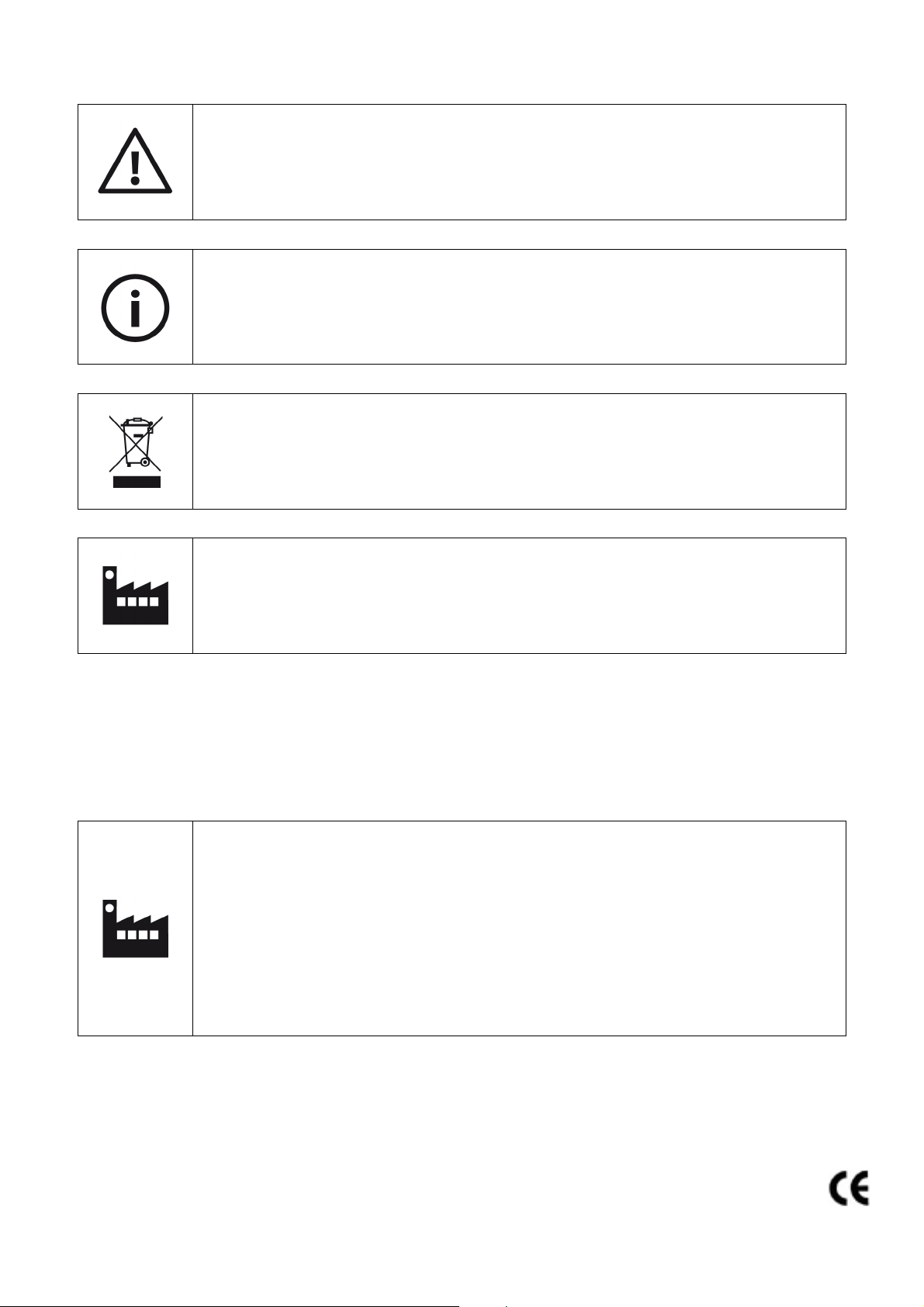
11: Symbols used
Caution
Note
Dispose of separately from household waste
Manufacturer
12: Manufacturer
CareTec GmbH, Stubenbastei 1, A-1010 Vienna, Austria
is the manufacturer of this product.
Phone (+43 1) 513 80 81 0
Fax (+43 1) 513 80 81 9
E-mail: [email protected]
Web: www.caretec.at
GalaTee 08/2011
8
 Loading...