

Page 1
Take down the SW-version and
HW-version of the interface boxes,
and store this manual for support
purposes.
HW______________
SW______________
OBD-REN-R
CAB-REN-R
OBD-REN-R
Rear-view camera OBD-coder
compatible with Renault / Dacia
Media Nav system
For connection of a rear-view camera on the Media Nav unit, it is necessary to enable the
head-unit’s rear-view camera input, which can be done with the OBD-REN-R coder.
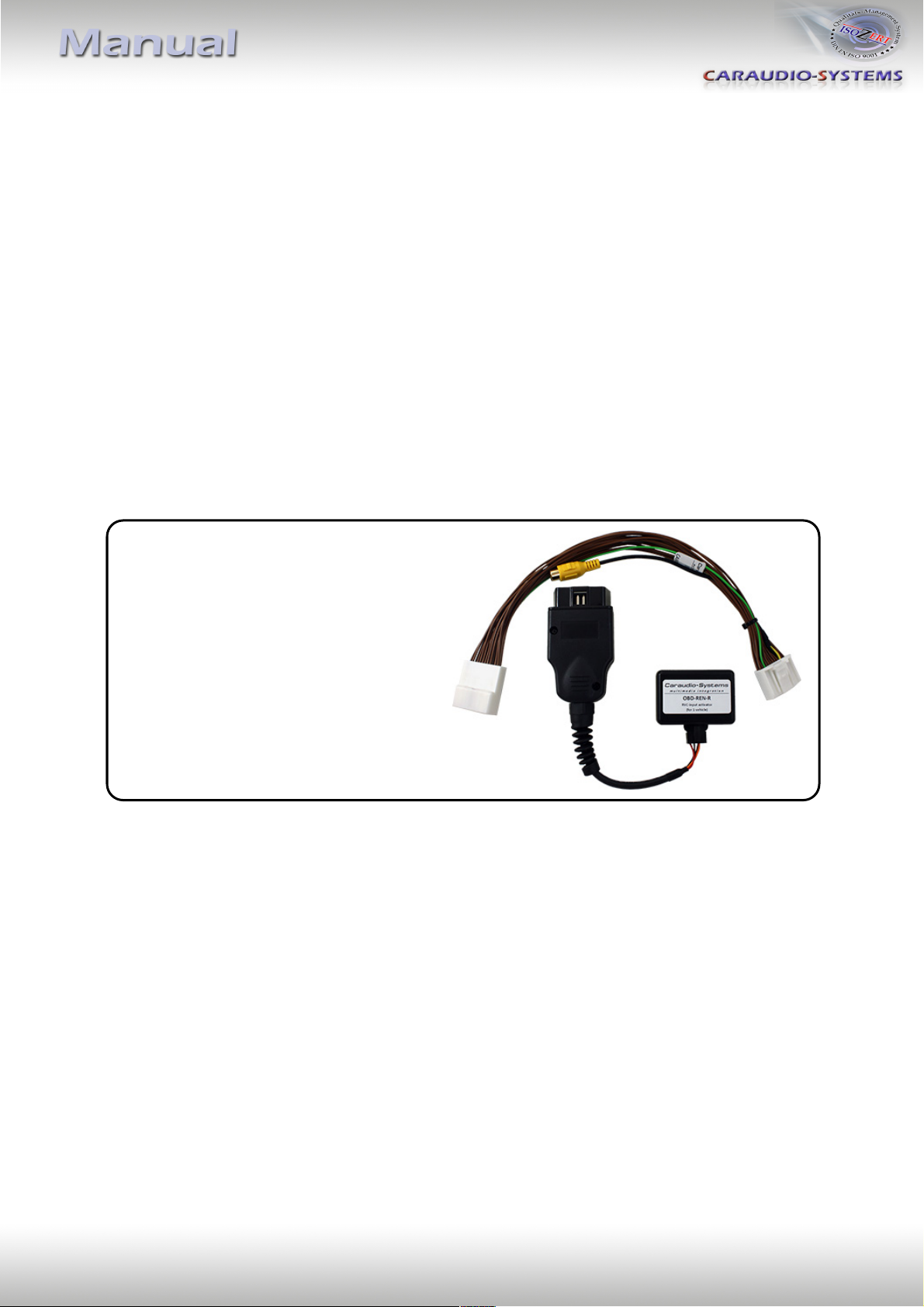
Delivery contents
Legal Information
Changes/updates of the vehicle’s software can cause malfunctions of the interface. We
offer free software-updates for our interfaces for one year after purchase. To receive a free
update, the interface must be sent in at own cost. Labor cost for and other expenses
involved with the software-updates will not be refunded.
Version 10.10.2018 OBD-REN-R
Page 2
Requirements
Vehicle Renault: Captur, Kwid, Duster, Duster Oroch
Dacia: Logan, Sandero, Duster
Navigation Media Nav
Limitations
After-market rear-view Only compatible with NTSC-cameras
1 2 3
4
Check compatibility of vehicle and accessories
Installation
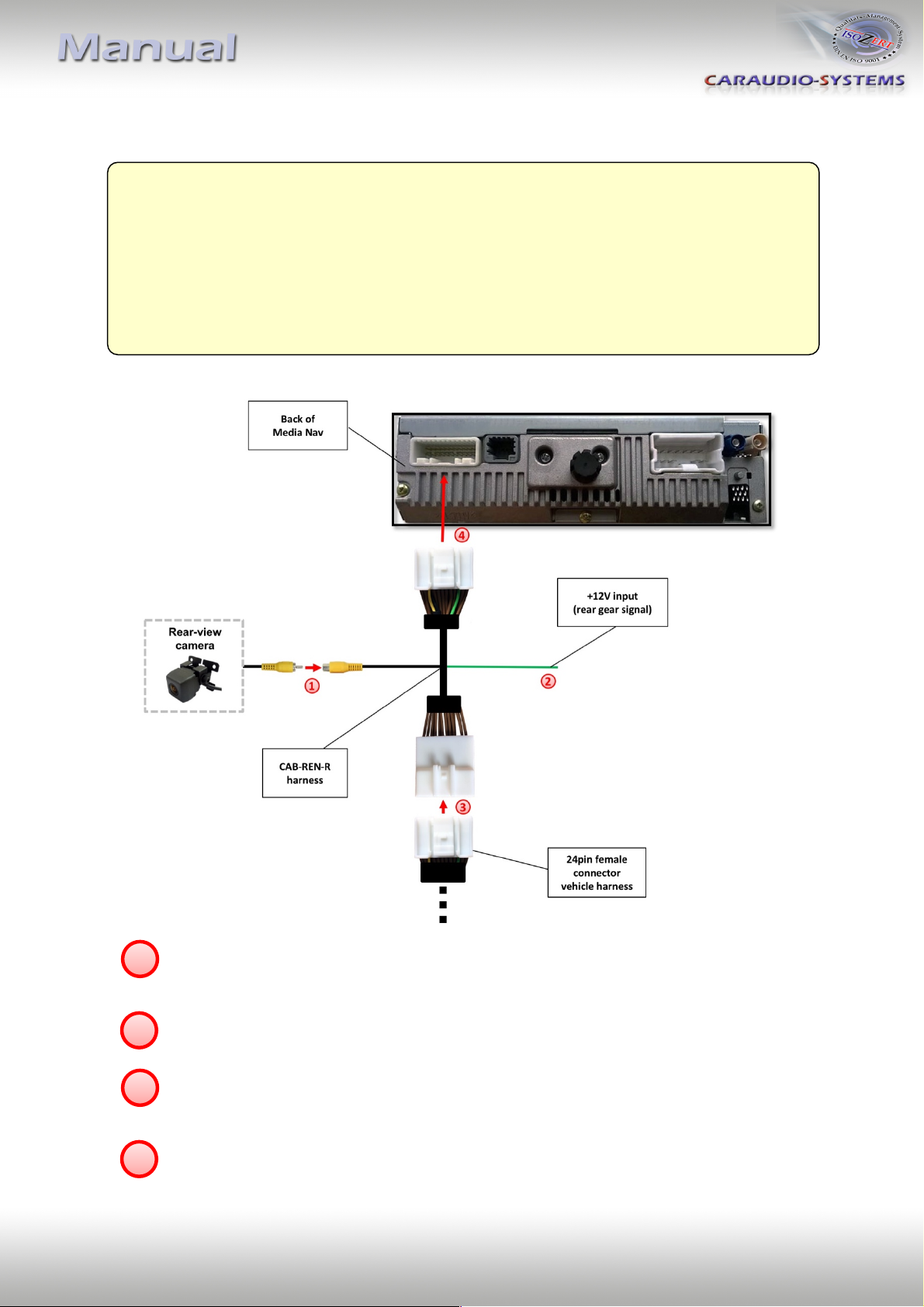
Connect the video RCA of the after-market rear-view camera to the female RCA
connector of the CAB-REN-R harness.
- Connect the green cable of harness CAB-REN-R to +12V reverse gear light signal.
Remove the female 24pin connector of the vehicle harness from the rear of the head
unit and connect it to the male 24pin connector of harness CAB-REN-R.
Version 10.10.2018 OBD-REN-R
- Connect female 24pin connector of harness CAB-REN-R to the male 24pin connector
of the head unit.
Page 3
LED
Status
Explication
Blue
Flashes
Coding process is running
Green
Lights
Coding procedure successfully completed
Red
Lights
Remove coding procedure successfully completed
Flashes
Coding process failed / license violation
Green + Red
Lights
CAN Communication Error! - Abort of the diagnostic session
Camera coding
1. Locate OBD-port and remove cover
2. Turn on ignition
3. Wait until the head-unit has booted
4. Plug coder into OBD-port
5. Leave coder for about 30 seconds in OBD-port
6. Remove coder from the OBD-port
To reverse the coding repeat steps 1.-6.
After the first use on a vehicle, the coder OBD-REN-R is personalized to this vehicle and can
be used unlimited times to code or reverse coding on this vehicle.
LED information:
Technical Support
Caraudio-Systems Vertriebs GmbH
manufacturer/distribution
Rheinhorststr. 22
Legal disclaimer: Mentioned company and trademarks, as well as product names/codes are registered
trademarks ® of their corresponding legal owners.
D-67071 Ludwigshafen am Rhein
phone +49 621 95344170
email [email protected]
Version 10.10.2018 OBD-REN-R
 Loading...