

Page 1
1
G01/G02 Personal/Pet GPS Tracker
User Manual
1. Insert 2G GSM SIM Card (Nano Size) with GPRS data service
activated. Please charge device 3 hours before using.
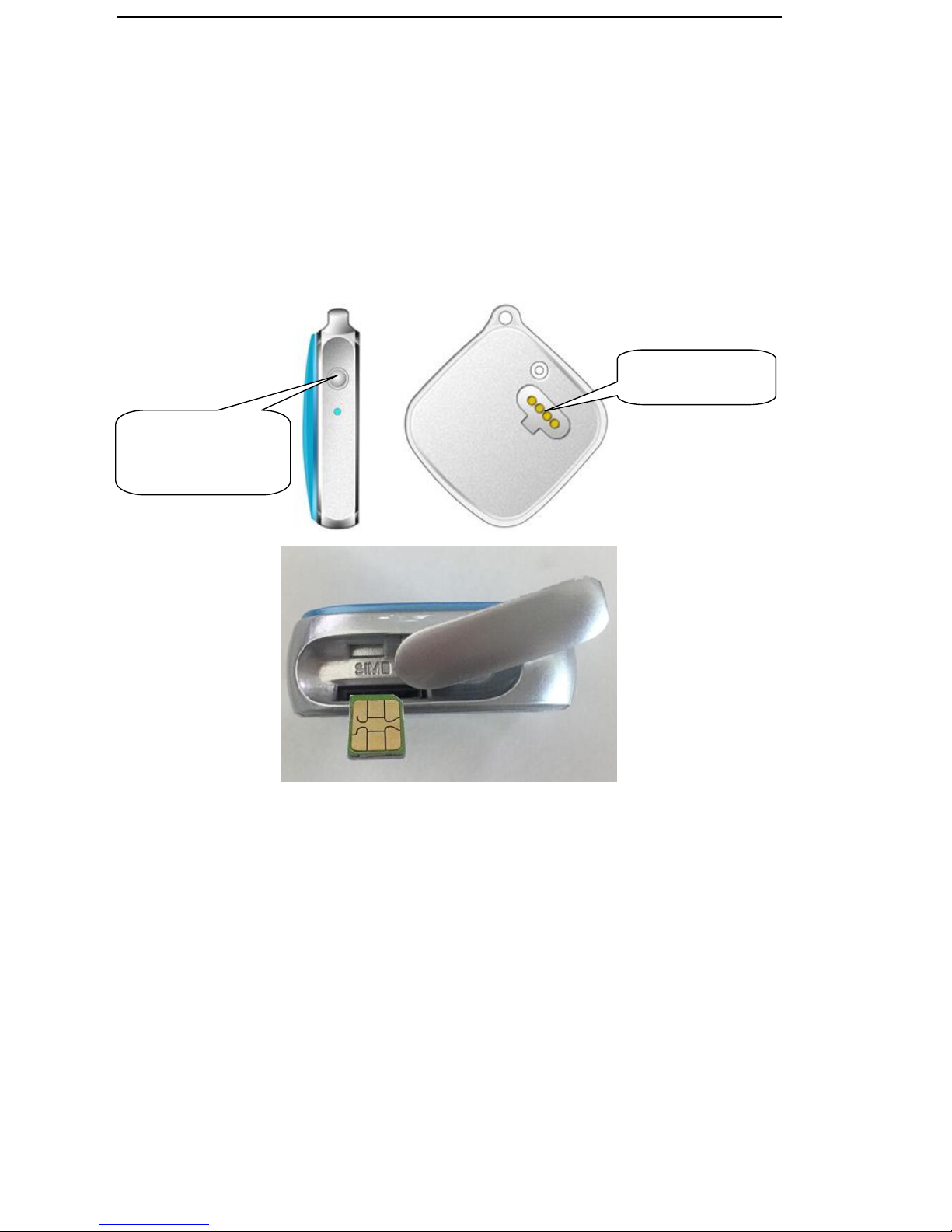
2. Button & Indicator
●Long pressing button to power on device; Indicator will show off after
read SIM card;
●Long pressing 3s until indicator flash one time can send SOS alarm to
center number;
●Long pressing more than 6s until indicator off to power off device.
Charging port
Long press button
to power on/off
device
Page 2
2
3. Command List
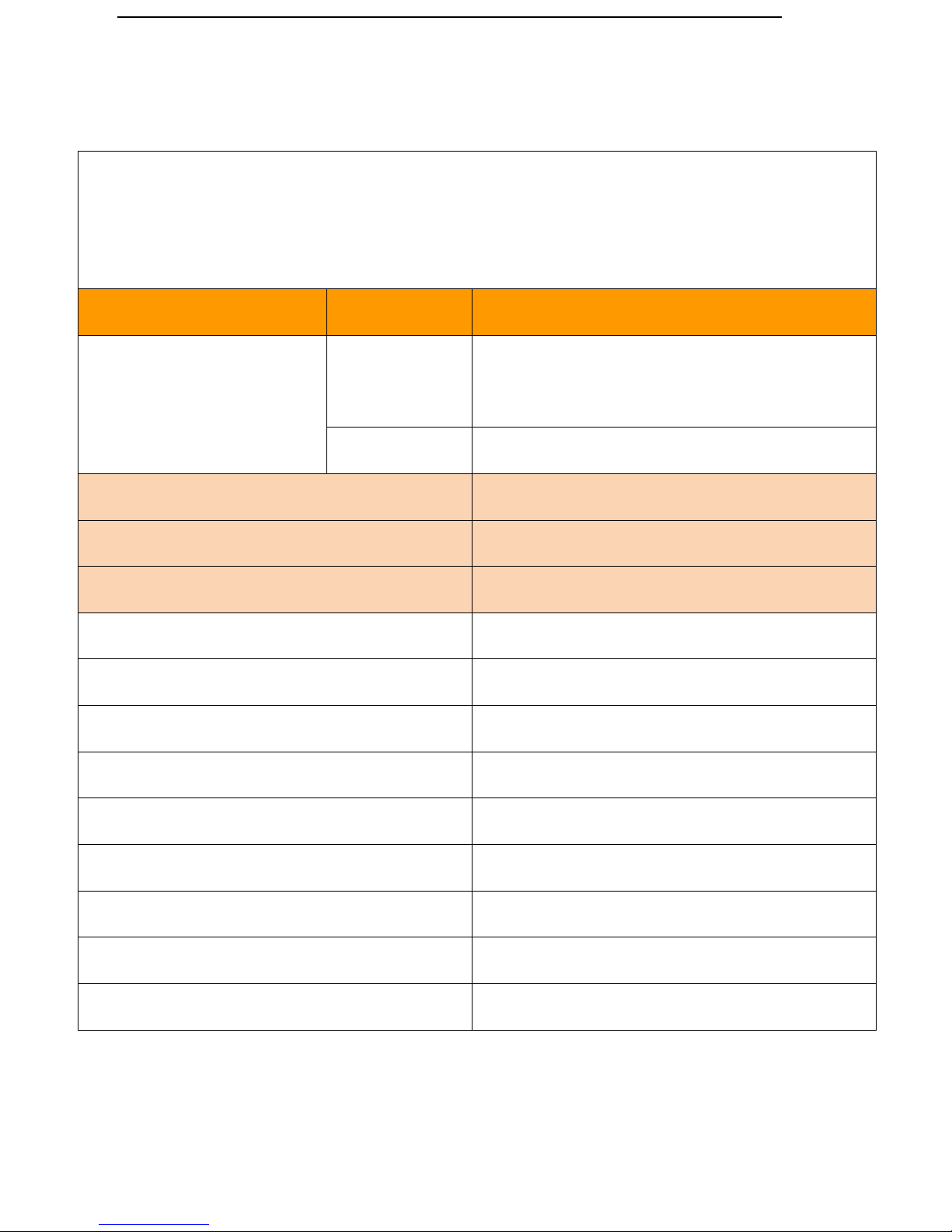
Default password 123456, use mobile phone to send SMS as below to tracker’s phone
number, don’t type “+” “space”. Each command must reply “ configure OK” means
succeed. Check APN website http://bigfun.tripod.co.uk/
Function
Format
SMS Command
Step 1 Set APN
Format
apn123456+space+localApn+space+ApnName
+space+ApnPassword
Eg.send SMS
apn123456 tim.br tim tim
Device Default GPS mode last 12 hours
wkmd123456+space+2
Open LBS mode last 3 days
wkmd123456+space+1
Open Real time GPS mode last 6 hours
wkmd123456+space+0
Set center number to receive alarm
centernum123456+space+user phone number
Cancel center number
centernum123456
Check device parameter status
check123456
Voice listen mode (Personal use)
monitor123456
Recover tracker Mode
tracker123456
Activate Low battery alarm
lowbat123456+space+1
Cancel Low battery
lowbat123456+space+0
Initialize factory setup (No need use)
begin123456
Set IP Port (No need use)
adminip123456+space+IP+space+port
Page 3

3
4. GPS Tracking System www.secumore1818.com
Website: www.secumore1818.com
Default IMEI as user name, password: 123456.
Searching name “secumore” to download APP from playstore.
Attentions before login GPS Software:
●Make sure you configured APN SMS as command list
●For first using put device outdoor to get acquire signal to show
location on map (icon on map will show colored icon)
●Gray color means device never get GPS signal/SIM card has no
GPRS data service/wrong configured APN (won’t show correct
location)
●GPS only update location at every 10mins(accuracy 10m). If device
indoor, map icon will show “LBS” status (accuracy100-1000meters)
If need Accurate location, move to outdoor; Indoor is not accurate
locating.
Page 4
4
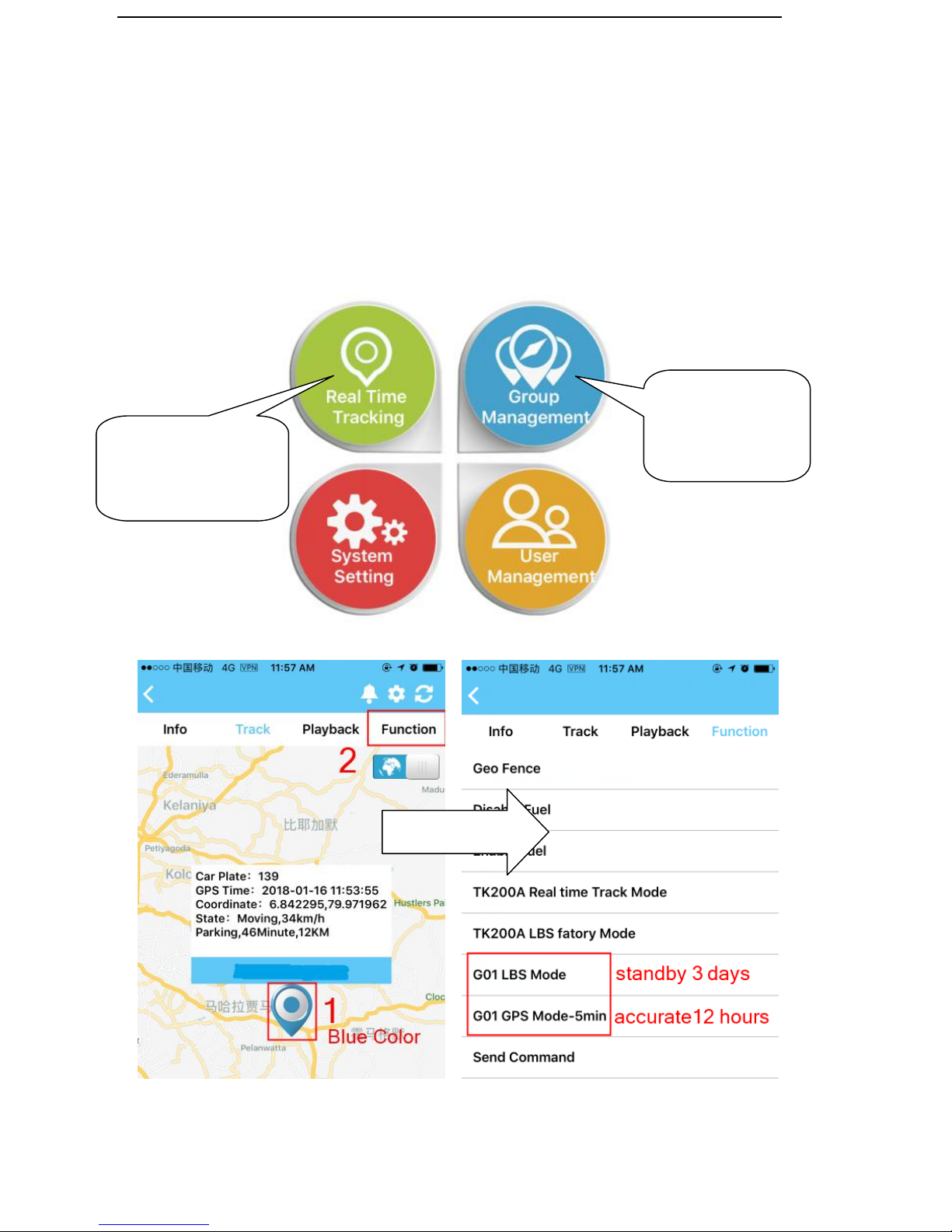
5. Device already defaults GPS mode, user can change to
LBS/GPS mode on GPS software as below steps:
[G01 LBS mode] 3 days standby but not accurate tracking
[G01 GPS mode]12 hours but accurate tracking
For more than
2 units using
For end user with
1 unit device
 Loading...