

Page 1
Cor por ate
Systems
Page 2

CORPORATE SYSTEMS
Color has long been known to add value to all forms of
communications that stimulate your business’ success–
from engaging and holding your clients’ attention, to
delivering professional-looking and persuasive messages.
You need a solution that can bring high-quality, highspeed color to your enterprise, while streamlining costs
and improving overall efficiency.
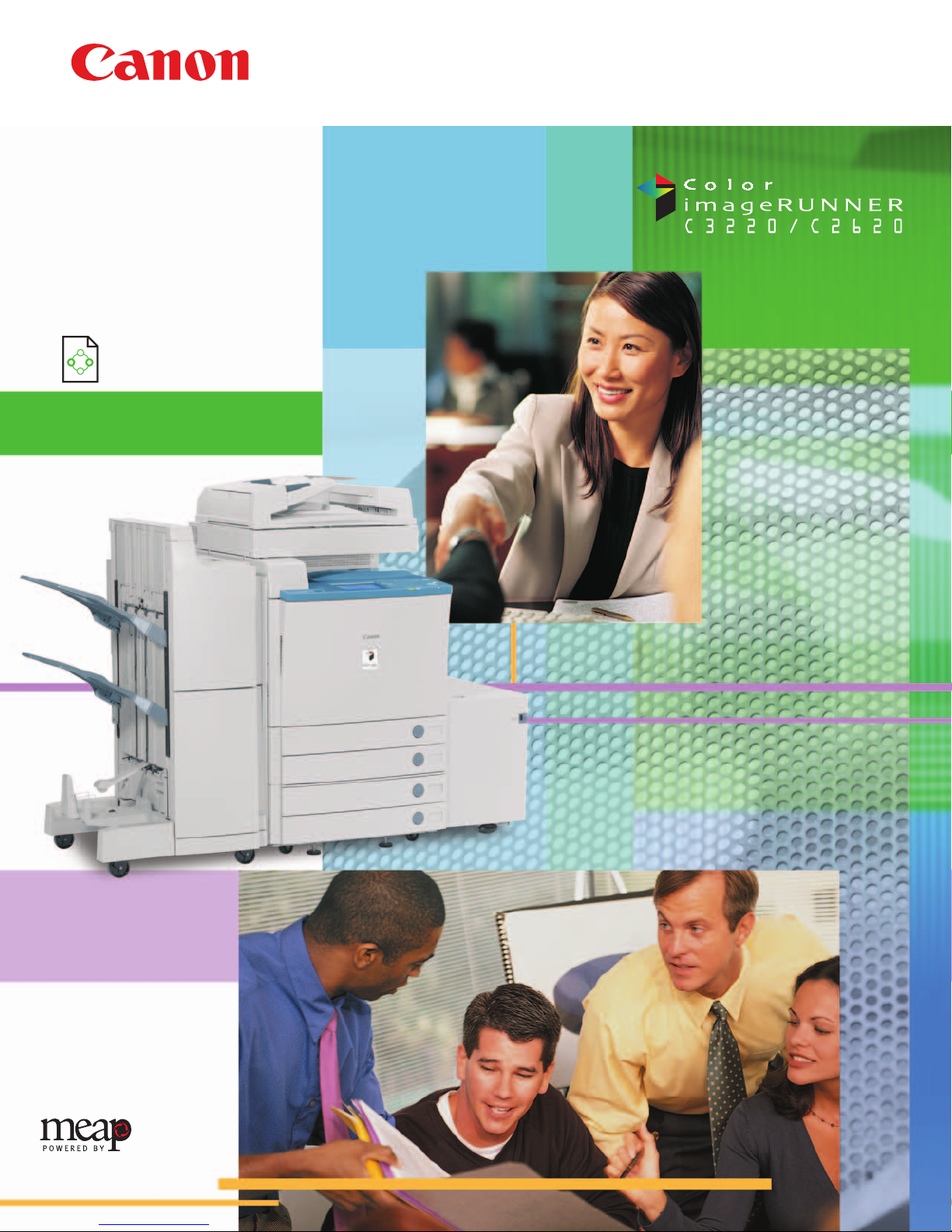
This is the inspiration for the Color imageRUNNER C3220
and Color imageRUNNER C2620 models. Incorporating
Canon’s MEAP
®
(Multifunctional Embedded Application Platform) development architecture, the
Color imageRUNNER C3220/C2620 devices offer the
unique ability to embed diverse and customizable
applications that integrate into every aspect of your
business workflow, along with a complete suite of color
multifunctional capabilities.
The Canon Color imageRUNNER C3220/C2620 put the
brilliance of color document creation, distribution, and
management where it belongs–in your hands.
A NEW ERA IN OFFICE PRODUCTIVITY
AND COMMUNICATIONS HAS
ARRIVED.
The Canon Color imageRUNNER®C3220
and the Color imageRUNNER
®
C2620
devices are here. Powerful, color
multifunction office solutions with the
unique ability to adapt to your specific
business applications.
Page 3
Toner
Wax
The Color imageRUNNER C3220/C2620 models are
designed to seamlessly integrate into your existing
environment as a dynamic central hub for total office
automation and management of your most valuable
resources—critical business information, ideas, and
knowledge. In one space-saving device, the system can
support advanced digital copying and Mail Box features,
network printing and scanning functions, plus the ability
to easily distribute information across a diverse digital
landscape.
Capturing every detail of your originals with precision,
the Color imageRUNNER C3220/C2620 devices can scan
color pages at true 600 x 600 dpi resolution. Four-drum,
single-pass engine technology drives output at speeds of
up to 32 and 26 pages per minute (letter), respectively,
for both color and black-and-white documents. Rapid
“stackless” duplexing adds to overall productivity, while
reducing paper costs.
At last, you can deliver accurate, consistent color when
you want, throughout your entire enterprise. Canon’s
oil-free S-Toners, complete with an extended color gamut,
produce eye-catching color with just a touch of gloss.
Superior printing resolution is achieved, reaching up to
2400-dpi equivalent x 600 dpi with 256-color gradation.
Extensive document handling options, finishing
capabilities, and support for a variety of media allow
you to create exciting, attention-grabbing documents
in-house, at reduced costs.
Best of all, users and administrators are provided the
necessary tools for quick, intuitive operation of all
features, whether it be at the device, through a large,
full-color touch-screen interface panel, or a desktop
through device drivers and utilities supplied by Canon.
REVOLUTIONIZING THE WAY YOU WORK.
The Canon Color imageRUNNER C3220/C2620
devices deliver excellence in every facet of your
communications.
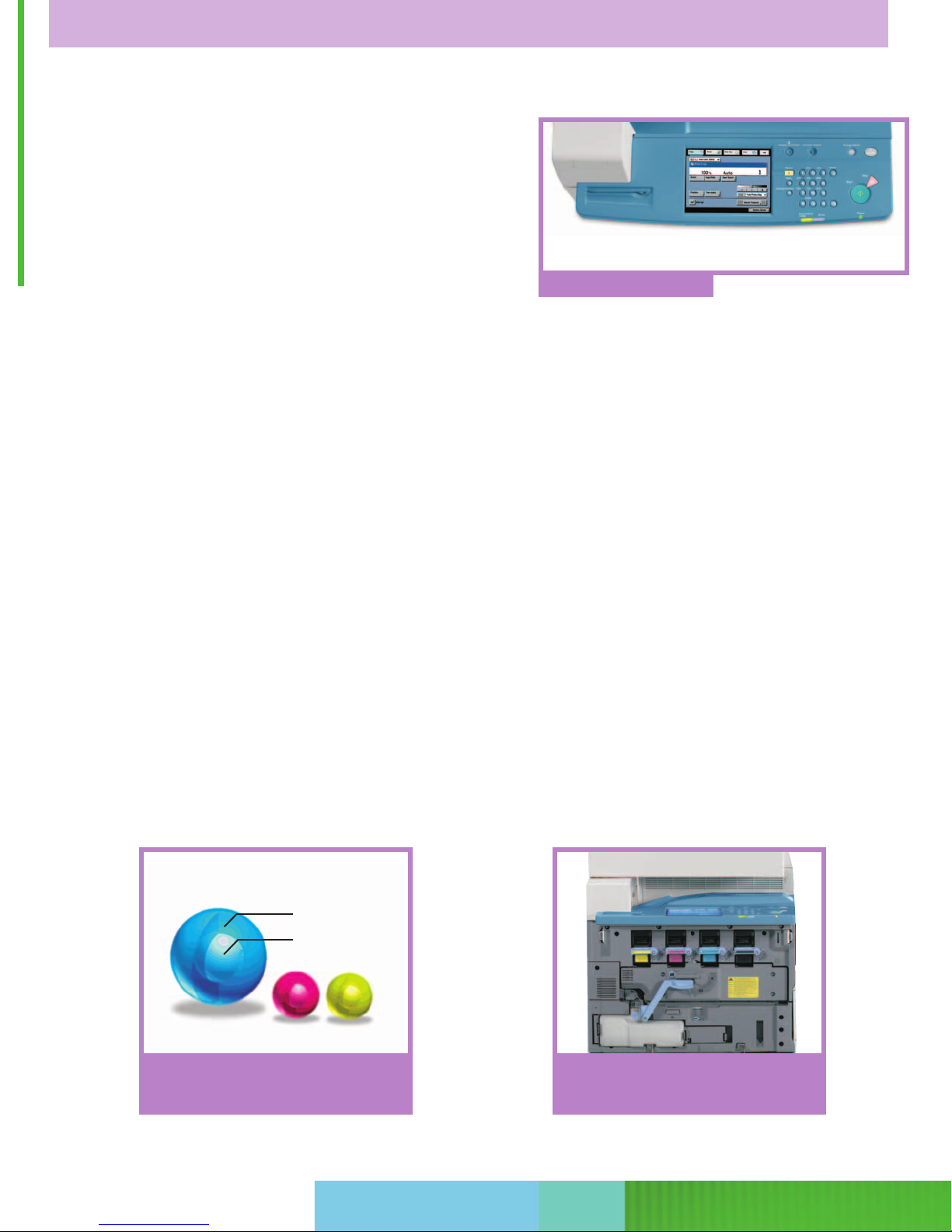
The space-saving design of the four-drum, singlepass engine contributes to a compact footprint
and easy maintenance.
Canon’s S-Toner consists of a wax inner layer and
polymer outer layer. The result is smooth images
that replicate reality.
User-Friendly Control Panel
Page 4

Color Solutions for Every Business Need
The Color imageRUNNER C3220/C2620 devices offer a
choice of print controller options ideally suited for environments that need to incorporate color into everyday work.
The Canon Color Network Multi-PDL Printer Kit-A2
delivers color printing capabilities best-suited for general
office use, with support for PCL 5c and PostScript
®
3
™
emulation, and Canon’s proprietary Ultra Fast Rendering*
(UFR) technology for high-speed performance. Organizations with higher bandwidth requirements may choose
the imagePASS-C2** controller, which features its own
hardware dedicated to printing applications. This option
provides support for genuine Adobe
®
PostScript 3 and
PCL 5c, as well as the value-added capabilities of EFI’s
Command WorkStation
™
utilities.
A New Echelon in Color imageRUNNER Connectivity
When configured with the optional ColorPASS-Z3000**
L
controller, the Color imageRUNNER C3220 can support
even the most demanding graphic-intensive applications.
Seamlessly integrating high-speed processing power with
advanced color management tools, now you can realize
high-speed printing with lower running costs for all types
of in-house document production in your organization.
ADVANCED TECHNOLOGY FOR YOUR HIGH-VALUE COLOR DOCUMENT NEEDS.
The Color imageRUNNER C3220/C2620 devices have been engineered to deliver exceptional
printing performance and flexibility for any environment.
PCL 5c Page Setup
ColorPASS-Z3000
L
* Available for Windows 98/2000/XP/Me operating systems.
** Check with your Authorized Canon Dealer for availability.
L
Color imageRUNNER C2620 does not support the
ColorPASS-Z3000.
Page 5
Canon PDF High Compression Mode
How Can I Make My Business Stand Out?
Everyone knows high-quality, professional-looking documents
give you added influence. Important documents that you’d
normally outsource can now be produced in-house. This saves
you time and money, while also increasing your flexibility when
it comes to those critical, last-minute updates or changes.
Will I Be Able To Distribute Color Data Quickly
and Efficiently?
Color image data can consume huge amounts of memory,
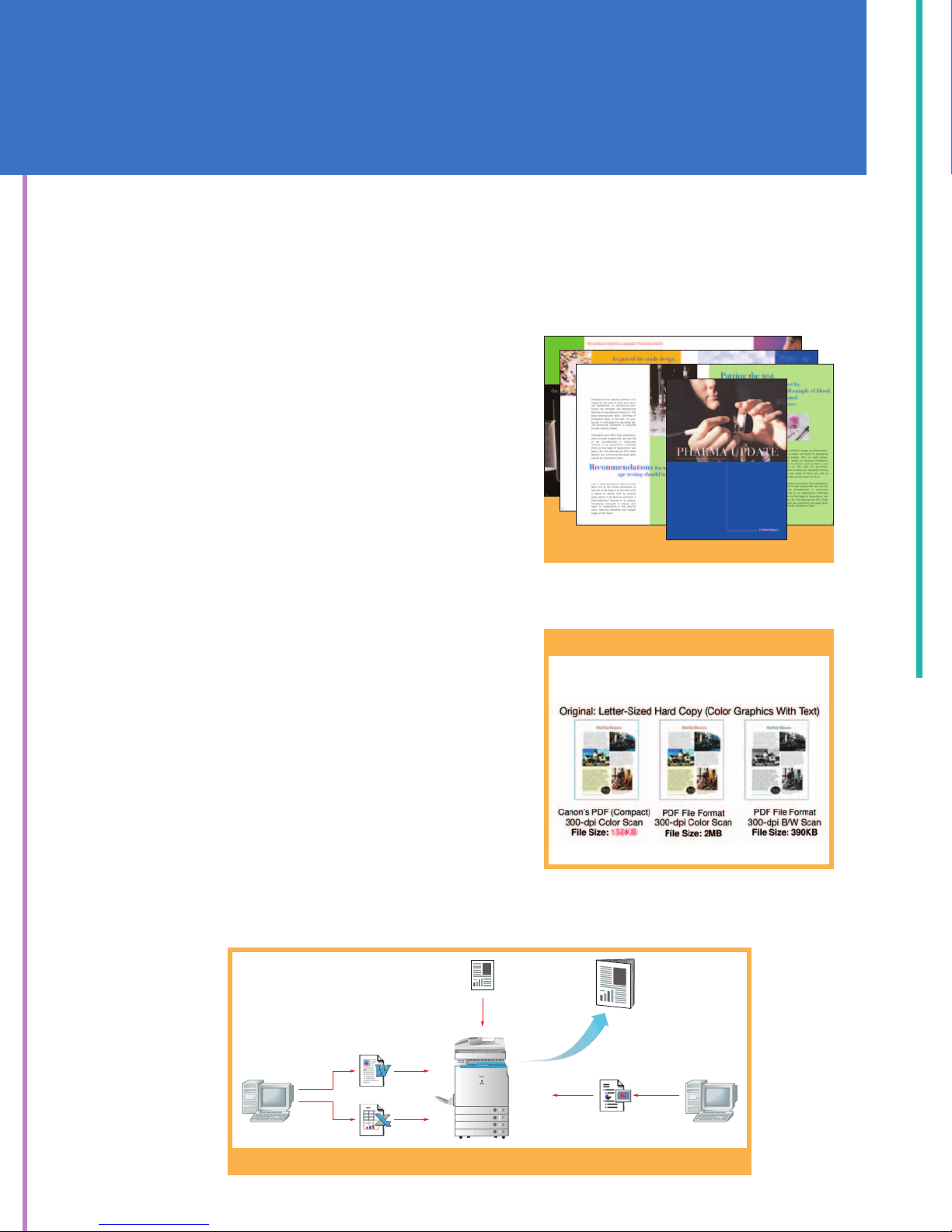
resulting in network bottlenecks. That’s why Canon incorporated a special color file compression feature for the
Color imageRUNNER C3220/C2620 devices, allowing you to
distribute color data enterprise-wide and worldwide, without
overburdening your network. The end result is a general office
environment where working with color documents becomes
the norm.
How Can I Integrate Hard-Copy and Electronic Information?
The Color imageRUNNER C3220/C2620 systems can skillfully
handle both business media. Existing hard copies can be
scanned for copying or distribution and easily merged with
electronic documents. And both color and black-and-white
output are delivered at fast speeds of up to 32/26 pages per
minute, respectively, to help keep pace with your business.
The Color imageRUNNER C3220/C2620 devices bring fresh color and a professional finish
to your work. They open up an exciting range of new opportunities so you can execute more
sophisticated projects with ease.
Merge scanned images with documents from various applications to create one document.
UNLOCK THE UNLIMITED COLOR APPLICATIONS IN YOUR
ORGANIZATION AND EXPERIENCE THE ADVANTAGES.
Color Booklets
File Size Comparison
Word
Excel
Original
Final Merged
Document
PowerPoint
Page 6
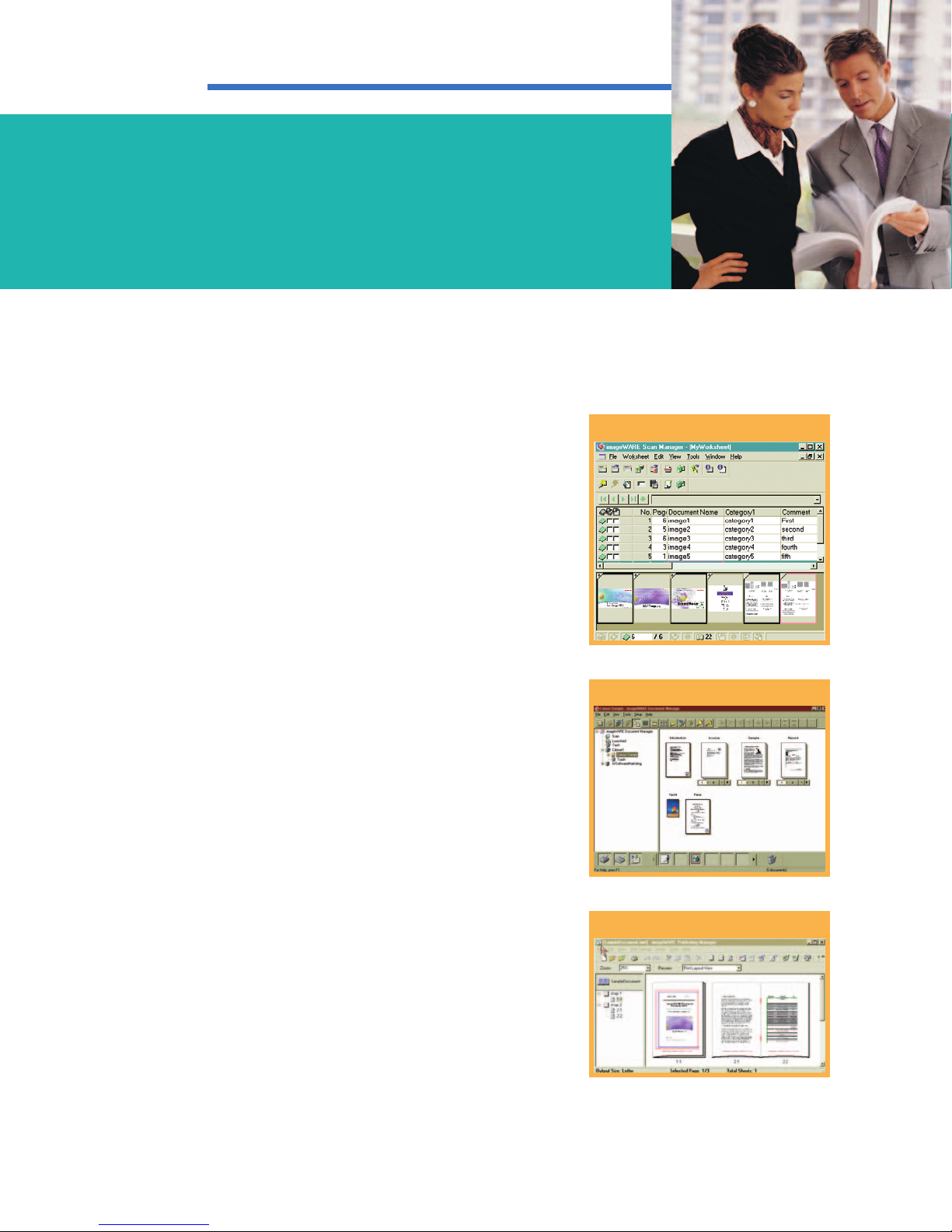
Integrate the Color imageRUNNER C3220/C2620 devices with Canon’s imageWARE™Office SuiteLfor
a comprehensive color information system to capture, manage, distribute, and publish your data.
Reduce Labor-Intensive Scanning Costs
Link the powerful scanning capabilities of the Canon
Color imageRUNNER C3220/C2620 devices and the
scanning and automatic indexing capabilities of Canon’s
optional imageWARE Scan Manager to capture and convert high volumes of documents into digital data, quickly
and easily. Advanced image capture and data recognition
help improve the accuracy and usefulness of digitized,
computer-based information. As a result, manual labor
costs related to scanning and document indexing can
be greatly reduced.
Organize All Your Important Information
Integrate Canon’s optional imageWARE Document
Manager software with the Color imageRUNNER C3220
and Color imageRUNNER C2620 devices to create a
central information database repository in your workgroup
or entire enterprise. The software has a client-server
architecture that can grow with your business. And it’s
designed to reduce or replace traditional hard-copy
document storage methods in general office environments, supporting applications for retrieval, archival,
and records management.
Document Creation Made Simple
Combine the Color imageRUNNER C3220/C2620 devices
with Canon’s optional imageWARE Publishing Manager for
a fast, affordable in-house color publishing system. Now
you can create professional-quality booklets, catalogs,
brochures, and more with sophisticated finishing features
in-house, right from your desktop.
L
All imageWARE applications are optional and sold separately. For
more information, please check with your local Authorized Canon
Dealer.
imageWARE Publishing Manager
imageWARE Scan Manager
imageWARE Document Manager
A SMARTER WAY TO WORK IS AVAILABLE
IN COLOR.
Page 7
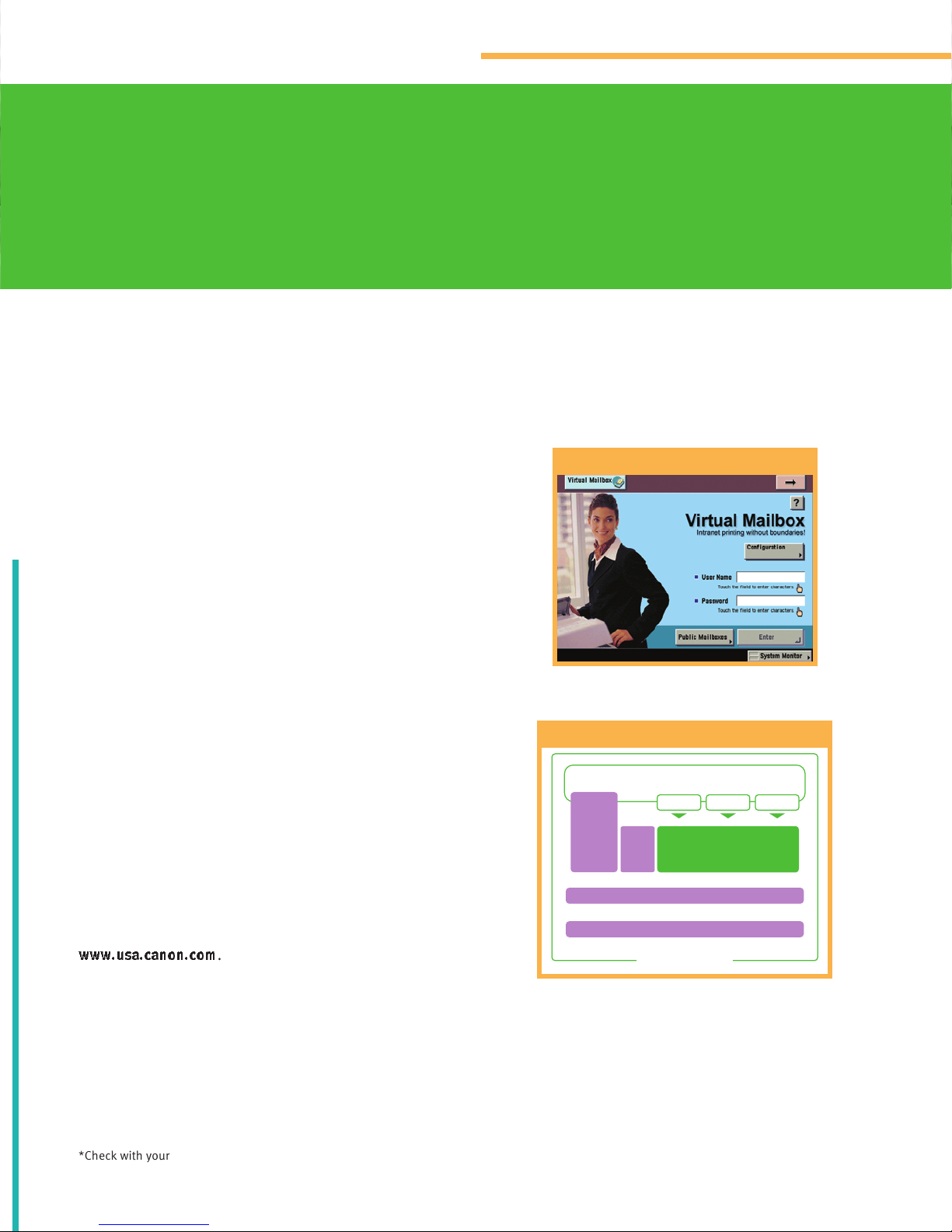
Canon introduces MEAP—an embedded platform for building
smart, integrated, and customized solutions.
Tailor Your System to Work the Way You Want
Canon is set to transform the way you work. For the first
time ever, your business needs come before anything
else. Through consultation, a personalized platform
can be developed to fulfill your precise applications,
providing unparalleled workflow benefits that are both
affordable and highly effective.
Java-Based Open Platform Offering Unlimited Uses
Canon’s MEAP (Multifunctional Embedded
Application Platform) architecture is based on
familiar Java standards and presents highly flexible
possibilities. With Canon’s MEAP technology running
inside a Color imageRUNNER C3220/C2620 device, additional applications can be easily installed and integrated,
making it possible to control and manage any aspect
of document workflow. The result is ultimate and total
integration of your business needs.
Take full advantage of an open, customizable architecture
for the best fit in your enterprise at every level. To learn
more about Canon’s development platform, contact your
local Authorized Canon Dealer or visit Canon’s Web site at
www.usa.canon.com
.
*Check with your local Authorized Canon Dealer for availability.
Virtual Mailbox*
MEAP Development Architecture Structure Chart
YOUR BUSINESS IS UNIQUE. YOUR OFFICE EQUIPMENT
SHOULD BE, TOO.
Single User-Interface
Java
Customized
App
Standard
Device
Functions
App 1 App 2
CPCA
Operating System
Device Hardware
MEAP Structure
Page 8
A SYSTEM THAT CAN INTEGRATE THE
BEST IS THE BETTER CHOICE.
Solutions developed by Canon’s own in-house expertise
and from noted third-party alliance partners fall into the
following categories:
Document Output Management and Accounting:
Solutions that monitor, track, and manage the delivery
of documents such as print management and job
accounting applications.
Enterprise Printing and Network Device Management:
Solutions that enable IT administrators to monitor and
control devices within a networked environment.
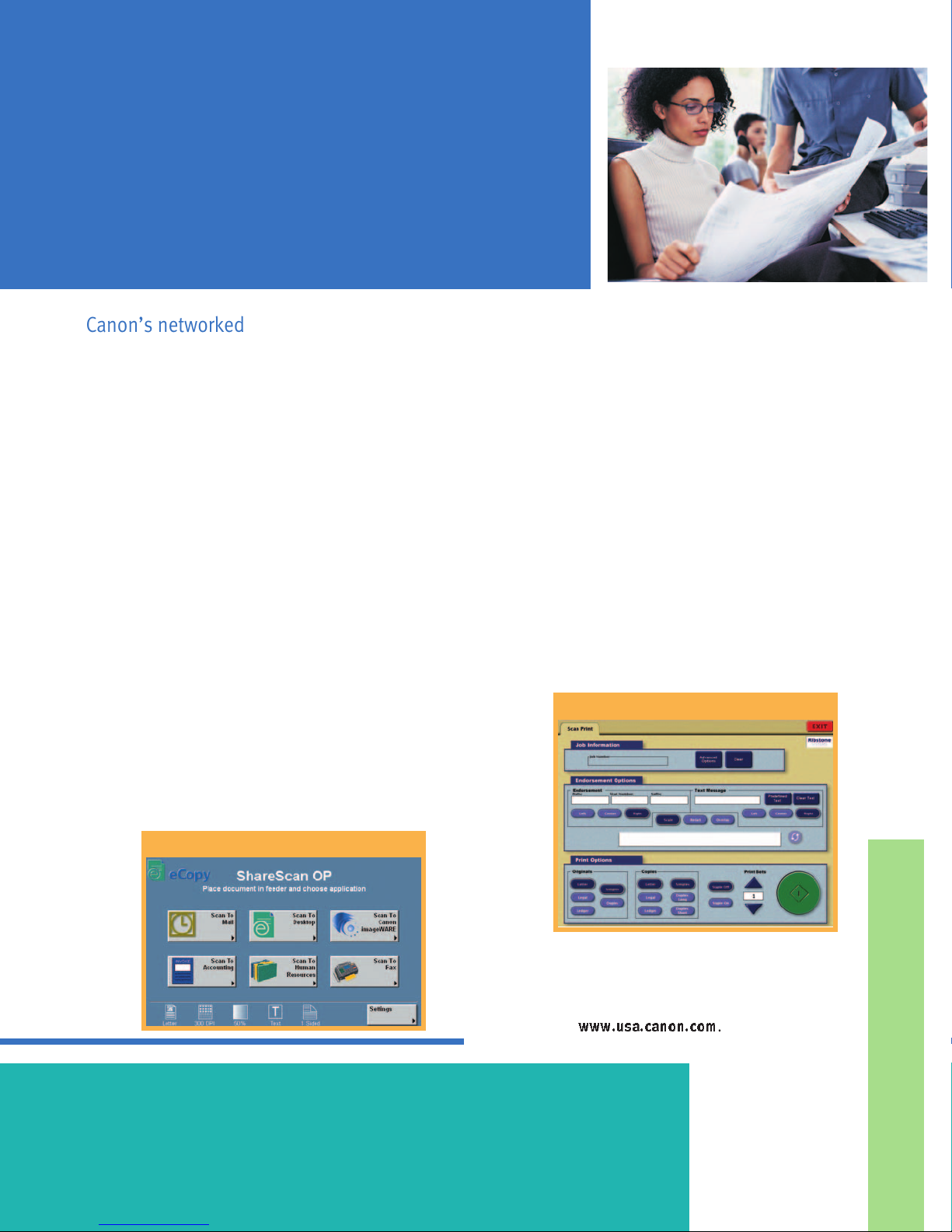
Document Distribution and Management: Solutions, such
as eCopy ShareScan
™
Open Platform (OP), that assist in
enterprise-wide document distribution/management and
integration with popular workflow applications.
Section 508 Solutions: Solutions that have been
designed to make electronic and information technology
products accessible to people with disabilities.
Security: Solutions that provide comprehensive security
capabilities for imageRUNNER devices, including network
and print security and data overwrite protection.
Industry-Specific Solutions: Canon’s solutions that are
geared to meet the unique needs and workflow requirements of customers within a particular vertical market.
To learn more about these and additional solutions,
contact your Authorized Canon Dealer or visit Canon’s
Web site at
www.usa.canon.com
.
Canon’s networked office devices are designed to take full advantage of compelling
software and enabling technologies in order to meet specific customer needs.
eCopy ShareScan OP
Ribstone Systems
Page 9
COMMUNICATE IN COLOR, QUICKLY AND BRILLIANTLY.
Instantly distribute all your critical business information
in color and increase your competitive advantage.
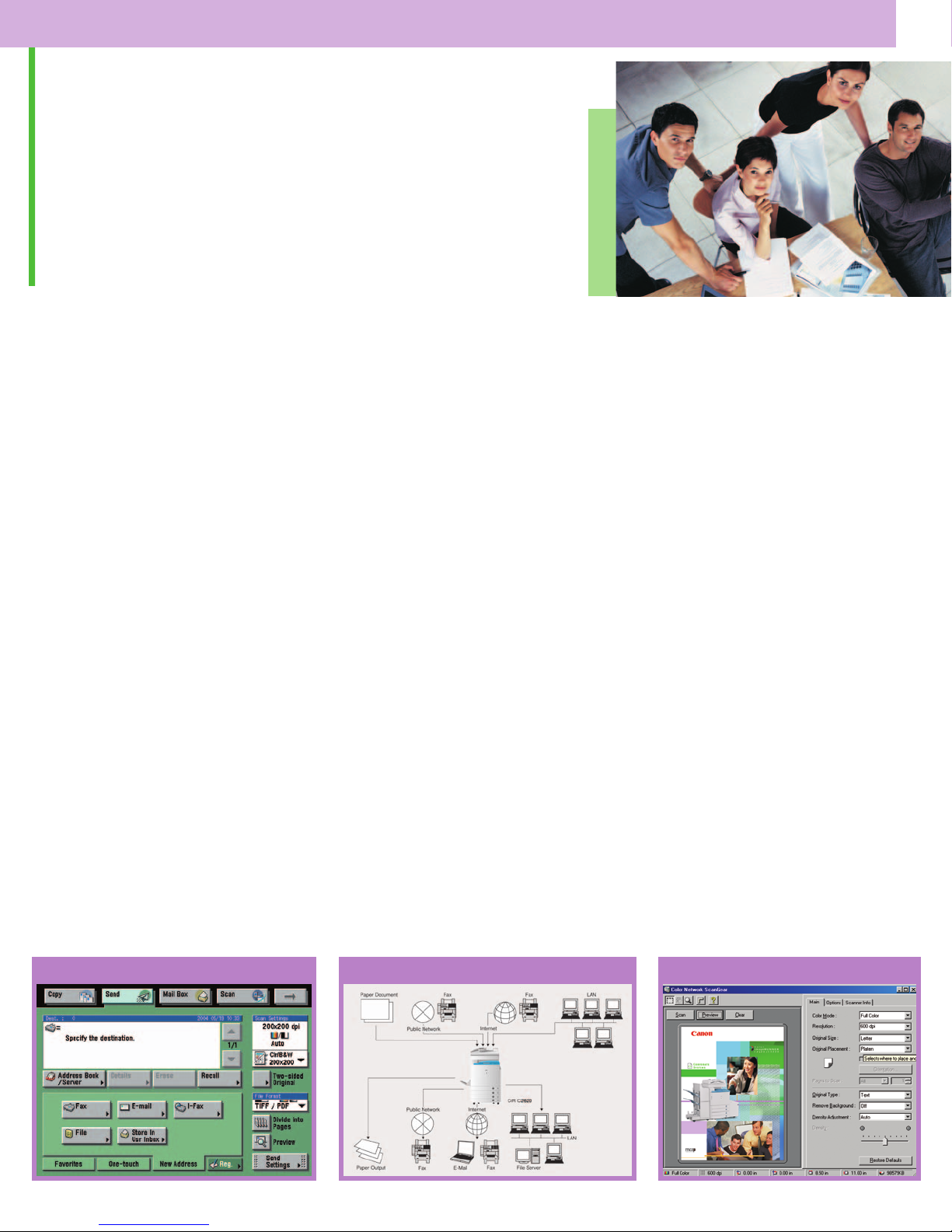
Document Distribution with Color Universal Send
™
With their optional Color Universal Send technology, the
Canon Color imageRUNNER C3220/C2620 devices allow
workgroup users to distribute information to multiple
destinations, including individual or groups of e-mail
and Internet fax (I-fax) addresses, an internal Mail Box,
network or host folders and files, and document management applications such as Canon’s optional imageWARE
™
Document Manager. Canon’s unique color file compression mode is available so heavy file sizes won’t congest
your network. This eliminates the expense and administrative burdens associated with printing, filing, and forwarding documents through conventional methods.
Optional Super G3
Fax capabilities allow you to transform
the device into a powerful fax machine. With advanced
job forwarding features, incoming data can be routed to
other destinations, ensuring that you are never out of
reach from important information.
Protect Your Documents with PDF Encryption
Canon’s new Universal Send PDF Encryption Kit-A1
enables you to set a password to a PDF file as well as
limit file edit, open, or print when received by a user
for enhanced security.
Color Network Scanning is a Snap
Canon’s Color Network ScanGear
is a user-friendly,
TWAIN-compliant scanning utility that can be used with
any 32-bit TWAIN-compliant software application to pull
scanned images from the device over a network to a
destination PC. Scanned images can then be manipulated
at the user’s workstation and incorporated into other
documents as needed.
Approximate 3-second-per-page fax transmission time based on
ITU-T No. 1 Chart (JBIG, Standard Mode) at 33.6 Kbps modem speed
when transmitting to another V-34 machine. The Public Switched
Telephone Network (PSTN) currently supports 28.8 Kbps modem
speeds or lower, depending on telephone line conditions.
Ships standard with all Color imageRUNNER C3220/C2620 print
controller options.
Color Universal Send Main Menu
Color Network ScanGearColor imageRUNNER C3220/C2620 Connectivity
Page 10
WORKFLOW MANAGEMENT MADE EASY.
The Color imageRUNNER C3220/C2620 devices offer a comprehensive set of features that help
facilitate efficient document workflow and device management across your entire enterprise.
Hard-Copy Reproduction and Storage
Canon has equipped these Color imageRUNNER models
with a number of digitally enabled color copying and Mail
Box functions that enhance workflow. Now you can take
advantage of the system’s color document manipulation
features for accurate reproduction or modification of hardcopy images.
Control and Manage Resources Anywhere
The Color imageRUNNER C3220/C2620 devices, like all
Canon networked systems, offer all the tools that aid
administrators with installing, accessing, managing, and
protecting vast fleets of network-connected devices.
Authentication features such as Department ID Mode
provide the ability to track or limit access to the device to
those users assigned valid IDs and passwords. What’s
more, Simple Device Login (SDL) and Single Sign-on (SSO)
features allow users to enter personal IDs and passwords
to gain system access.
Canon device management utilities, some of which are
offered as part of the standard feature or available as
optional upgrades, are embodied with the Canon NetSpot
®
Suite, Remote UI™utility, Key Switch Unit-A2, and the
Canon Print Server Appliance (PSA).
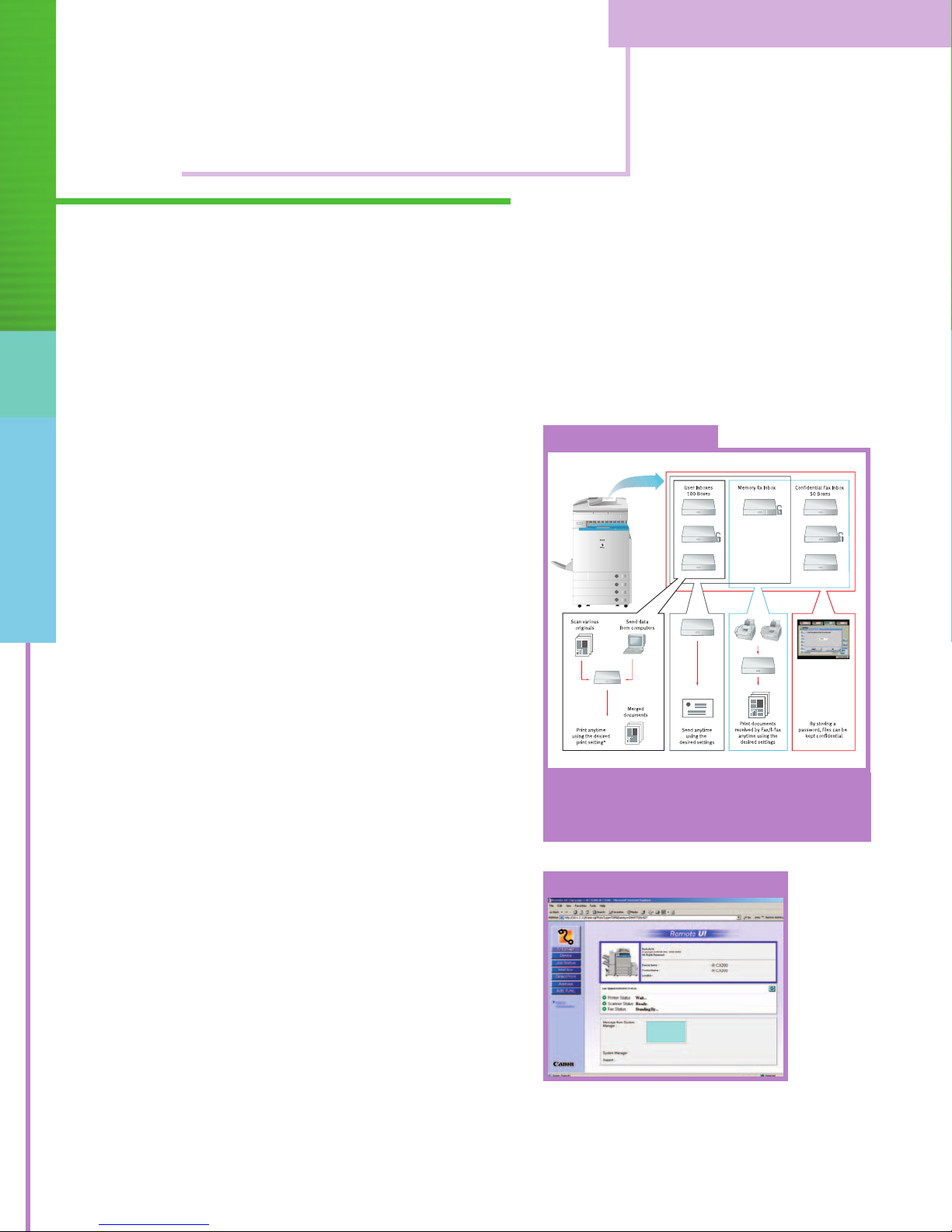
Remote UI
Mail Box Functionality
L
Some functions are not available when printing documents that are sent from a computer.
The Color imageRUNNER C3220/C2620 support value-
added Mail Box functions that may serve as your centralized
system for information-sharing, on-site document storage,
and print-on-demand applications.
Page 11
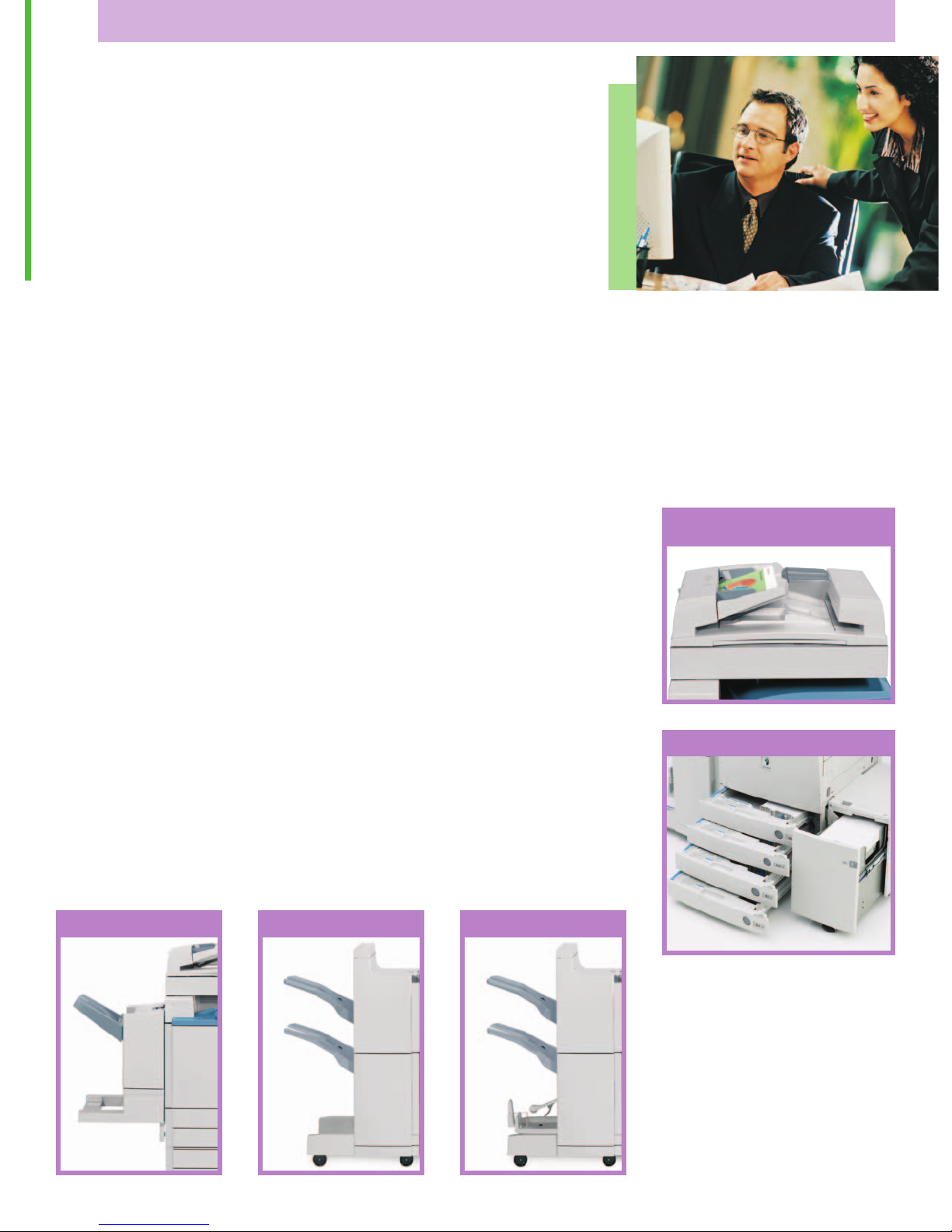
Automate Your Business
The Color imageRUNNER C3220/C2620 devices can
reduce paper-handling chores and increase productivity
in every aspect of your work. An optional Duplexing
Automatic Document Feeder (DADF-K1) makes quick work
of feeding multipaged one- or two-sided originals so
you’re free to do other important tasks.
For uninterrupted operation in high-volume environments,
these systems can accommodate up to 5,000 sheets of
online paper capacity with support for large paper sizes,
heavy paper weights, and a wide variety of specialty
stocks.
There’s a choice of three output options to fit every need
and budget so you can produce your key documents in
color–and in-house–at reduced costs. From simple collating and stapling to advanced saddle-stitched booklets,
the Color imageRUNNER C3220/C2620 systems automate
every step of the document-finishing process.
Image of a Leader
As the leading producer of network-connected multifunction devices in the industry, Canon continues to set new
standards for quality, performance, and reliability. That’s
why you can trust Canon to provide you with solutions to
make your department more productive and any business
more competitive.
ADVANCED DOCUMENT HANDLING AND
FINISHING SUPPORT.
The Color imageRUNNER C3220/C2620 devices have the
flexibility to meet–and exceed–your toughest demands.
Duplexing Automatic
Document Feeder (DADF-K1)
Paper Sources
Saddle Finisher-N2
Finisher-N1Finisher-M1
Page 12
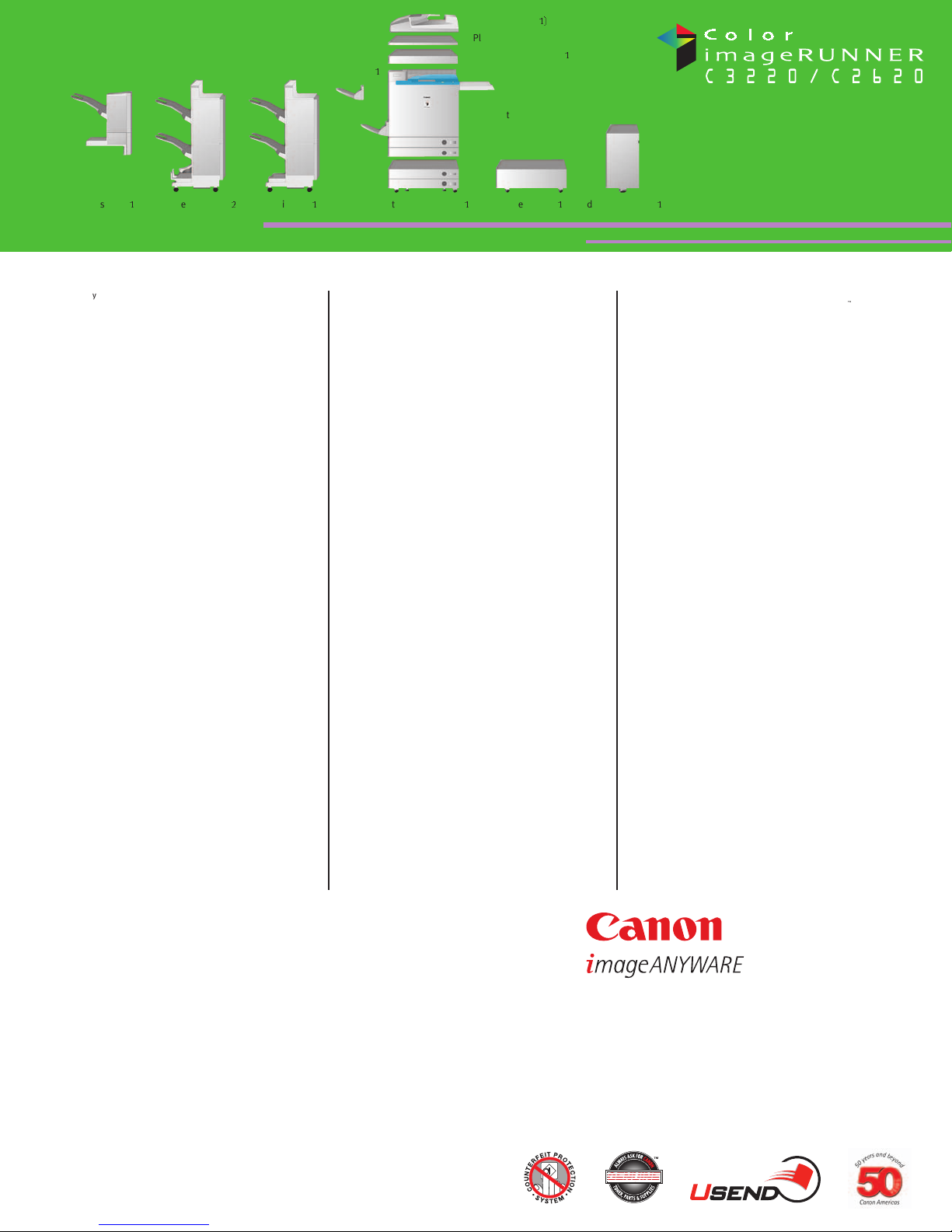
Color imageRUNNER C3220/C2620 Specifications
0058W638
1205R-C3220/C2620-30M-PIS
printed on recycled
paper in the u.s.a.
E
Adobe and PostScript are registered trademarks of Adobe Systems Incorporated in the United
States and/or other countries. Command WorkStation is a registered trademark of Electronics for
Imaging, Inc. in the U.S. Patent and Trademark Office and/or certain other foreign jurisdictions.
eCopy ShareScan is a trademark of eCopy, Inc. CANON, IMAGERUNNER, MEAP, and NETSPOT are
registered trademarks, and the GENUINE logo and UNIVERSAL SEND are trademarks of Canon Inc.
in the United States and may also be registered trademarks or trademarks in other countries.
REMOTE UI is a trademark of Canon U.S.A., Inc. IMAGEWARE is a registered trademark of Canon
U.S.A., Inc. in the United States and is a trademark of Canon Inc. in certain other countries.
IMAGEANYWARE is a trademark of Canon. All referenced product names and other marks are trademarks of their respective owners.
All specifications are subject to change without notice.
©2005 Canon U.S.A., Inc. All rights reserved.
Federal Law prohibits copying of certain documents. Violators may be subject to penalties. We suggest that you check with your own legal counsel. Canon U.S.A., Inc. and Canon Canada, Inc. intend
to cooperate with Law Enforcement Agencies in connection with claims of unauthorized copying.
Feeder (DADF-K
1)
Platen Cover Type G
Color Image Reader-C
1
Side Paper Deck-P
1
Finisher-N
1
Finisher-M
1
Saddle Finisher-N
2
Cassette Feeding Unit-X1Plain Pedestal-C
1
Main Unit
Copy Tray Unit-H
1
Technology: Laser Electrostatic Transfer System
Developing System: Dry Dual Component Developing
System
Acceptable Originals: Sheets, Books, 3-Dimensional
Objects (Up to 4.4 lb./2kg)
Max. Original Size: 11" x 17" (Ledger)
Copy/Print Sizes
Cassette-Feeding: Executive, Statement-R, Letter-R,
Letter, Legal, 11" x 17", 12" x18"
Optional Paper Deck: Letter
Stack Bypass: 3-5/16" x 5-7/8" to 12-5/8" x 18"
(100mm x 148mm to
320mm x 457mm)
Magnification
Standard Mode: 100%
Preset Reduction: 25%, 50%, 64%, 73%, 78%
Preset Enlargement: 121%, 129%, 200%, 400%
Zoom Mode: 25% - 400% (in 1% Increments)
Copy/Print Speeds (Letter)
C3220: Up to 32 ppm (Color and B/W)
C2620: Up to 26 ppm (Color and B/W)
First-Copy Time: 13.1 Seconds (Color)
9.8 Seconds (B/W)
Warm-Up Time: 6 Minutes Max. After
Powering On (68˚F/20˚C)
6 Minutes From Sleep Mode (Approx.)
30 Seconds From Low-Power Mode
Image Server Memory: 1GB RAM + 40GB HDD
Resolution
Scanning: 600 x 600 dpi
Printing: Up to 2400-dpi Equivalent x 600 dpi
Halftone: 256 Gradations
Copy Exposure: Automatic or Manual (9 Levels)
Paper-Feeding
Standard: Dual 550-Sheet Paper Cassettes
(1,100 Sheets; 20 lb. Bond/80gsm)
Stack Bypass
(100 Sheets; 20 lb. Bond)
Optional: Dual 550-Sheet Paper Cassettes
(1,100 Sheets; 20 lb. Bond)
Paper Deck
(2,700 Sheets; 20 lb. Bond)
Acceptable Paper Weights
Cassettes: 17 lb. Bond to 110 lb. Index
(64gsm - 209gsm) and Transparency
Stack Bypass: 17 lb. Bond to 140 lb. Index
(64gsm - 253gsm) and Transparency
Duplexing: Standard Automatic
Trayless Duplexing
Max. Mail Boxes Supported: 100
Max. Copy Reservation: 5
Multiple Copies: 1 to 999
Network Interface: 10/100Base-T (RJ-45)
Optional Send Functions
Sending Methods: E-Mail, I-Fax, Super G3 Fax,
File Server (IPX, FT P, SMB), Mail Box
Address Book Capacity: 1,800
File Format: B/W: TIFF, MTIFF, PDF
Color: JPEG, PDF, PDF(Compact)
Sending Sizes: Statement to 11" x 17"
Power Source: 120V AC, 60Hz, 15A
Dimensions (H x W x D)
(Printer and Reader): 31-1/2" x 24-3/8" x 31"
(799mm x 620mm x 786mm)
Weight (Printer and Reader): Approx. 277 lb. (126kg)
Accessories
Duplexing Automatic Document Feeder-K1*
Acceptable Originals: Statement to 11" x 17"
Acceptable Paper Weights: 14 lb. to 28 lb. Bond
(52gsm to 105gsm)
Tray Capacity: Statement, Letter-R,
Letter (30 Sheets/20 lb. Bond),
Legal, 11" x 17"
(15 Sheets/20 lb. Bond)
Cassette Feeding Unit-X1 (Optional)
Paper Capacity: Dual 550-Sheet Paper Cassettes
(1,100 Sheets/20 lb. Bond)
Acceptable Paper Sizes: Executive, Statement-R, Letter-R,
Letter, Legal, 11" x 17", 12" x18"
Acceptable Paper Weights: 17 lb. Bond to 110 lb. Index
Side Paper Deck-P1 (Optional)
Paper Deck Capacity: 2,700 Sheets (20 lb. Bond)
Paper Size: Letter
Acceptable Paper Weights: 17 lb. Bond to 110 lb. Index
Finisher-M1 (Optional)**
Number of Trays: 1 Tray
Tray Capacity
No Collating, Collate,
and Group Mode: 1,000 Sheets
(Statement-R, Letter-R, Letter)
500 Sheets/30 Sets
(Legal, 11" x 17", 12" x 18")
Staple Mode (Corner): 30 Sets
(Letter-R, Letter, Legal, 11" x 17")
Max. Stapling Capacity: 30 Sheets (Letter-R, Letter)
20 Sheets (Legal)
15 Sheets (11" x 17")
Acceptable Paper Weights: 17 lb. Bond to 140 lb. Index
Finisher-N1** and Saddle Finisher-N2** (Optional)
Number of Trays: 2 Trays
Tray Capacity
No Collating, Collate,
and Group Mode: 1,000 Sheets (Statement-R, Letter)
500 Sheets (Letter-R, Legal,
11" x 17", 12" x 18")
300 Sheets (Mixed Sizes)
Staple Mode: 750 Sheets/30 Sets (Letter)
500 Sheets/30 Sets
(Letter-R, Legal, 11" x 17")
150 Sheets/30 Sets (Mixed Sizes)
Max. Stapling Capacity: 50 Sheets (Letter)
30 Sheets (Letter-R, Legal, 11" x 17";
17 lb. to 20 lb. Bond)
Acceptable Paper Weights: 17 lb. Bond to 140 lb. Index
Available Staple Size
Corner Stapling: Letter-R, Letter, Legal, 11" x 17"
Double Stapling: Letter, 11" x 17"
Saddle-Stitching
Acceptable Paper Sizes: Letter-R, 11" x 17"
Capacity/Tray: 1 to 5 Sheets: 25 Sets
6 to 10 Sheets: 15 Sets
11 to 15 Sheets: 10 Sets
Max. Stapling Capacity/Set: 15 Sheets
Folding: V-Fold
Color Network Multi-PDL Printer Kit-A2 (Optional)
Type: Embedded Print Controller
Processor: Canon Custom Processor–Shared
RAM: 1GB–Shared
Hard Disk: 40GB–Shared
PDL Support: UFR, PCL 5c, PostScript
®3™
Emulation, PDF 1.3
Interface Connections
Standard: 10/100Base-T (RJ-45)
Optional: Token Ring (Token Ring Network
Interface Adaptor iN-TR2), USB FullSpeed (USB Interface Board-A3)
(1.1 Equivalent)
imagePASS-C2
L
(Optional)
Type: External (Back-mount) Print Controller
Processor: Intel
®
Mobile Celeron M 1.2GHz
RAM: 256MB Standard, 512MB Max.
Hard Disk: 80GB
PDL Support: PCL 5c, Adobe PostScript 3
Optional Accessories: Densitometer ED-100
Impose v2.6
Secure Erase v1.0
Interface Connections: 10/100/1000Base-T (RJ-45)
ColorPASS-Z3000
Type: External Stand-Alone Controller
Processor: Intel Pentium 4 2.4GHz
RAM: 256MB Standard, 512MB Max.
Hard Disk: 60GB
PDL Support: Genuine Adobe PostScript 3
Optional Accessories: Advanced Controller Interface Kit
Graphic Arts Feature Set
Enhanced DocBuilder Pro v2.2
Densitometer ED-100
Interface Connection: 10/100/1000Base-T
Other Optional Accessories and Utilities
• Color Image Reader-C1*
LL
• imageRUNNER Security Kit-A1P
• imageRUNNER Copy Control Interface Cable
• FL Cassette-X1
• Braille Label Kit-A1
• USB Application Interface Board-C1
• Color Universal Send Kit-A2P
• Color Universal Send Kit-A2P for C2620
• Universal Send PDF Encryption Kit-A1
I
• Key Switch Unit-A2
• Platen Cover Type G*
• Card Reader-D1
• Card Sets
• imageWARE Suite
• NetSpot Suite
•eCopySuite
• Super G3 Fax Board-M2
• Resolution Switching Board-A2
• Plain Pedestal-C1
• Copy Tray Unit-H1
* Either the DADF-K1 or the Platen Cover Type G is required for copy function.
** Requires either the Cassette Feeding Unit-X1or the Plain Pedestal-C1 for
installation.
ColorPASS-Z3000is only compatible with the Color imageRUNNER C3220. Please
reference the ColorPASS-Z3000 specification sheet for additional information.
Requires Resolution Switching Board-A2.
L
Please call your Authorized Canon Dealer for availability.
LL
Option for Color imageRUNNER C3220 printer model only.
I
Requires Color Universal Send Kit-A2P.
For more information, please contact your Authorized Canon Dealer.
1-800-OK-CANON
www.usa.canon.com
Canon U.S.A., Inc.
One Canon Plaza
Lake Success, NY 11042
 Loading...