

Page 1
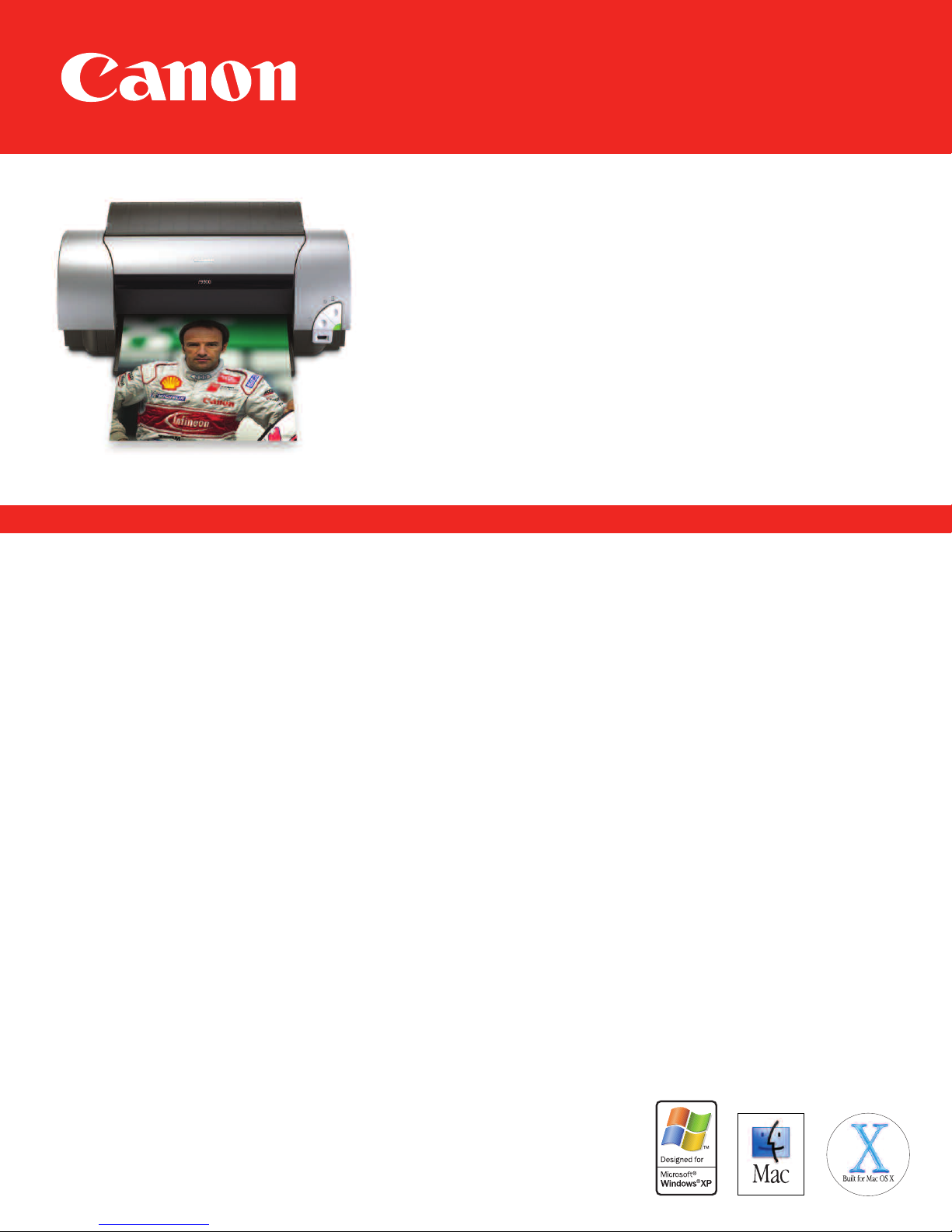
9900
i
Photo Printer
For Your Next Big Idea.
• 6,144 nozzles for exceptional speed
• 8 color ChromaPLUS ink system for expanded color gamut
• 2 picoliter droplets for virtually grain-free photos up to 13" x 19"
• 8 individual ink tanks help reduce waste
and can save you money
Photo by: Regis Lefebure
digital cameras and DV camcorders
Bigger just got better.
• Direct photo printing from PictBridge-compatible
The i9900 Photo Printer is a high-end large format machine whose remarkable output can rival that of a professional processing
lab. It’s capable of producing edge-to-edge true borderless prints, from 4" x 6" up to a breathtaking 13" x 19" size, with the look
and feel of a traditional photograph. Think of it: you can take a digital picture, set your printing parameters and be holding an
amazing 13" x 19" poster-size borderless print in under 6 minutes*. For true printing freedom you can even connect a Bubble Jet
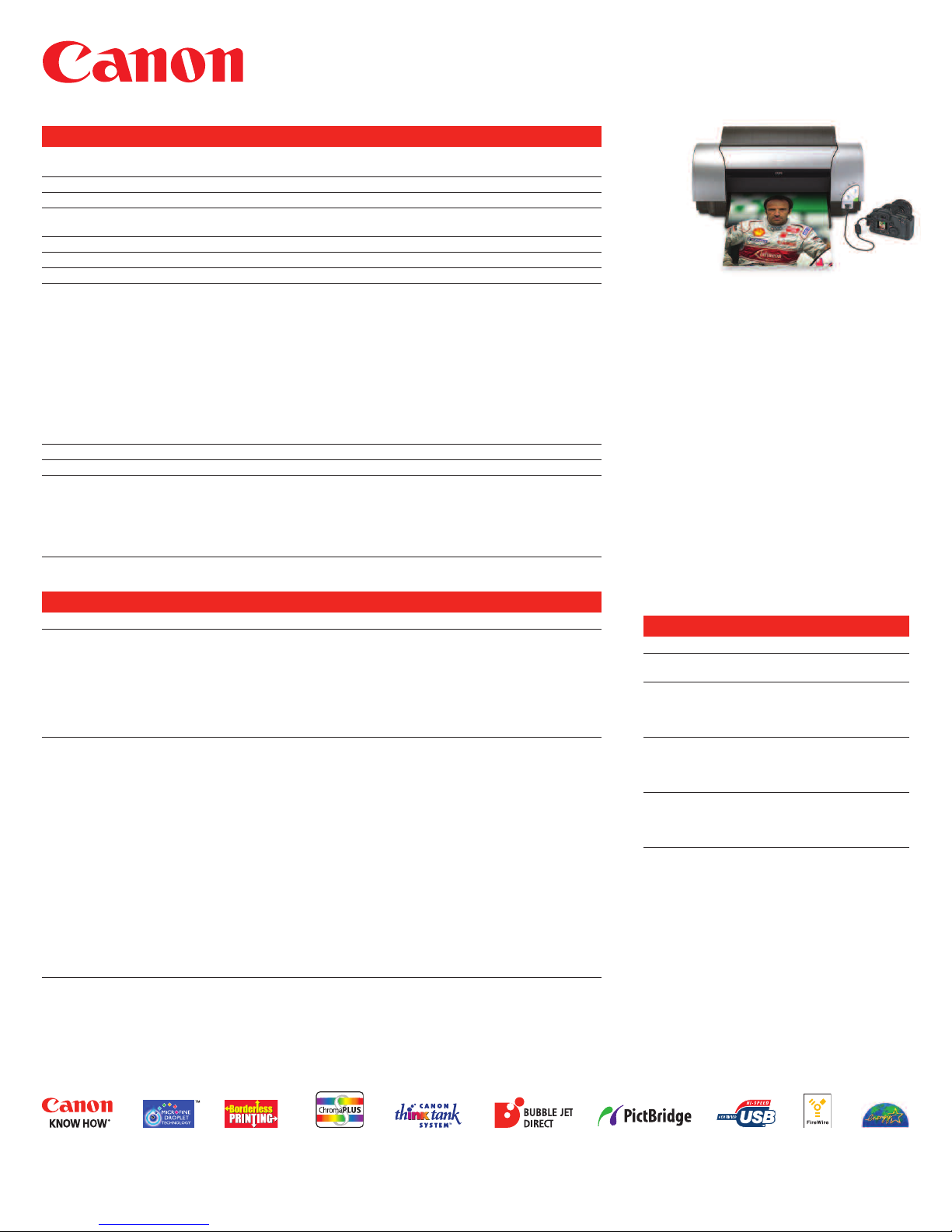
Direct** or PictBridge-compatible** digital camera or DV camcorder to the
and print photos—without a computer.
i9900 printer’s conveniently located Direct Print Port
Higher resolution—it’s all in the details.
The i9900 Photo Printer features advanced MicroFine Droplet Technology™, which combines revolutionary techniques in ink
droplet size and quality with accurate ink application and composition, for spectacular photo results. Its newly developed, highdensity print head contains an unmatched 6,144 precisely machined nozzles, delivering approximately 11 million droplets per
square inch. Providing the exceptional quality demanded by serious photographers, the
tion of up to 4800 x 2400 dpi*** and delivers ultra-fine 2 picoliter droplets that reveal precise details in photographs that many
other large-format printers just can’t duplicate. The quality of your photos will truly impress family and friends, while the speed
at which they print will truly impress you. Edge-to-edge borderless 4" x 6" photos can be produced in about 38 seconds* or print
your 8.5" x 11" photo enlargements in about 50 seconds*. The
a FireWire and USB 2.0 Hi-Speed interface for the fastest photo transfers possible
i9900’s performance is further advanced with the addition of both
i9900 Photo Printer achieves a resolu-
†
.
An 8 color ink system broadens your spectrum.
The i9900 Photo Printer features the 8 color ChromaPLUS ink system designed to extend your color reproduction range signifi-
cantly and reproduce colors that before now could only be printed professionally. The addition of red and green ink tanks will
make it possible to print richer images with improved brilliancy and more true-to-life colors. The Canon Think Tank System™
featuring individual ink tanks combined with an intelligent ink management system lets you replace only the color that runs out,
rather than an entire multi-ink cartridge containing unused ink, reducing printing costs
when ink levels are low, so you can drop in a new tank and avoid running out of ink unexpectedly.
* Photo print speed based on default printer driver mode using Canon Photo Paper Pro. Print speed will vary based on
system configuration, software, document complexity, print mode and page coverage.
** For a listing of select Canon digital cameras and DV camcorders featuring Bubble Jet Direct or PictBridge direct printing technology,
www.usa.canon.com/consumer/directprint. To determine if a non-Canon brand camera or camcorder is PictBridge-compatible please
visit
consult the manufacturer.
*** Resolution may vary based on printer driver setting. Maximum resolution of 4800 x 1200 dpi used at the bottom edge of the page.
† FireWire compatible with Mac OS only. USB Interface supports both Mac and Windows
requires Windows XP (Service Pack 1), Windows 2000 (Service Pack4) or Mac OS X v 10.2.7 to 10.3.x. See
for updated compatibility.
†† Will vary based on composition of images/documents printed.
®
OS. Built-in USB 2.0 Hi-Speed Interface
www.canontechsupport.com
††
. A unique low-ink sensor alerts you
Page 2
Technical Information*
Color Photo 4" x 6" Borderless—approximately 38 seconds
Print Speed** 8" x 10"—approximately 50 seconds
Number of Nozzles 6,144 nozzles (768 x 8 colors—C, M, Y, Bk, PC, PM, R, G)
Print Resolution (up to) Color: 4800 x 2400 dpi***
OS Compatibility Windows®XP/Me/2000/98 and Mac®OS (8.6 to 9.x), Mac OS X version 10.2.1
to 10.3.x. See www.canontechsupport.com for updated compatibility.
Standard Interfaces
†
USB 2.0, USB 2.0 Hi-Speed, Firewire, DirectPrint Port (cables not included)
Buffer/RAM 80KB
Paper Sizes Letter, Legal, 4" x 6", 5" x 7", 11" x 17", 13" x 19", U.S. #10 envelopes
Paper Handling Built-in sheet feeder—100 sheets @ paper weight 17 lb.
Envelopes—10
High Resolution Paper (8.5" x 11")—80 sheets
High Resolution Paper (11" x 17," 13" x 19")—20 sheets
Matte Photo Paper (8.5" x 11")—10 sheets
Photo Paper Plus Glossy For Borderless Printing (4" x 6")—20 sheets
Photo Paper Plus Glossy (5" x 7")—10 sheets
Photo Paper Plus Glossy (8.5" x 11")—10 sheets
Photo Paper Pro (4" x 6")—20 sheets
Photo Paper Pro For Borderless Printing (4" x 6")—20 sheets
Photo Paper Pro (8.5" x 11")—10 sheets
Transparencies (8.5" x 11")—30 sheets
Noise Level (approx.) 37 dB(A) in quiet mode
Power Source 120V AC, 60Hz
Software Included
††
CD-ROM including Printer Driver, Setup Software and User’s Guide, Electronic
User’s Guide, Photo Application Guide, e-registration, Easy-PhotoPrint2.0/
Easy-PhotoPrint Plus (Windows/Mac), PhotoRecord®(Windows),
ZoomBrowser EX (Windows), ImageBrowser (Mac), PhotoStitch (Windows/Mac),
Easy-WebPrint (Windows, requires Microsoft®Internet Explorer version 5.5,
version 6.0 recommended)
Warranty
†††
1-year limited warranty with InstantExchange program.
1-year toll-free technical phone support.
Ordering Information
Printer i9900 Photo Printer 8580A001
Ink Tanks BCI-6Bk Black 4705A003
Canon Specialty Papers High Resolution Paper (8.5" x 11"/100 sheets) 1033A011
BCI-6C Cyan 4706A003
BCI-6M Magenta 4707A003
BCI-6Y Yellow 4708A003
BCI-6PC Photo Cyan 4709A003
BCI-6PM Photo Magenta 4710A003
BCI-6R Red 8891A003
BCI-6G Green 9473A003
High Resolution Paper (11" x 17"/100 sheets) CST-6059-000
High Resolution Paper (13" x 19"/20 sheets) 1033A013
Matte Photo Paper (8.5" x 11"/10 sheets) 7981A004
Photo Paper Plus Glossy For Borderless Printing 7980A007
(4" x 6"/20 sheets)
Photo Paper Plus Glossy For Borderless Printing 7980A012
(4" x 6"/50 sheets)
Photo Paper Plus Glossy For Borderless Printing 7980A022
(4" x 6"/120 sheets)
Photo Paper Plus Glossy (5" x 7"/20 sheets) 7980A019
Photo Paper Plus Glossy (8.5" x 11"/20 sheets) 7980A006
Photo Paper Pro For Borderless Printing (4" x 6"/20 sheets) 1029A014
Photo Paper Pro (4" x 6"/75 sheets) 1029A027
Photo Paper Pro (8.5" x 11"/15 sheets) 1029A004
Photo Paper Pro (8.5" x 11"/30 sheets) 1029A028
Photo Paper Pro (13" x 19"/20 sheets) 1029A009
Transparencies (8.5" x 11"/50 sheets) 1043A004
i9900
Photo Printer
Camera purchased
Photo by: Regis Lefebure
For More Information Visit
www.usa.canon.com/consumer
For the name of the nearest dealer, call:
1-800-OK-CANON
Canon U.S.A., Inc.
One Canon Plaza
Lake Success, NY 11042
1-800-OK-CANON
Canon Canada, Inc.
6390 Dixie Road, Mississauga
Ontario L5T 1P7, Canada
1-800-OK-CANON
Canon Latin America, Inc.
703 Waterford Way, Suite 400
Miami, FL 33126
1-305-260-7400
* Specifications are subject to change without notice.
** Photo print speed based on default printer driver mode using
Canon Photo Paper Pro. Print speeds willvary depending on
system configuration, software, document complexity, print
mode and page coverage.
*** Resolution may vary based on printer driver settings. Maximum
resolution of 4800 x 1200 dpi used at the bottom edge of the page.
† FireWire compatible with Mac OS only. USB Interface supports both
Mac and Windows
Windows XP (Service Pack1), Windows 2000 (Service Pack4) or
Mac OS X v 10.2.7 to 10.3.x. See
updated compatibility.
†† System requirements vary by application. ImageBrowser,
Easy-PhotoPrint 2.0/Easy-PhotoPrint Plus and PhotoStitch
are not supported on Mac OS 8.6.
††† Warranty programs are subject to certain conditions and
restrictions. See
®
OS. Built-in USB 2.0 Hi-Speed Interface requires
www.canontechsupport.com for
www.canontechsupport.com for details.
separately.
©2004 Canon U.S.A., Inc. Canon, Canon Know How, BCI and PhotoRecord are registered trademarks and MicroFine Droplet Technology and the MicroFine Droplet Technology logo are trademarks of Canon Inc. Microsoft,
Windows and the Windows logo are trademarks or registered trademarks of Microsoft Corporation in the United States and/or other countries. Mac and the Mac logo are trademarks of Apple Computer, Inc., registered in
the U.S. and other countries. The “Built for Mac OSX” graphic is a trademark ofApple Computer, Inc., used under license. FireWire and the Firewire symbol are trademarks of Apple Computer, Inc., registered in the U.S.
and other countries. The FireWire logo is a trademark of Apple Computer, Inc. The USB-IF logos are trademarks of UniversalSerial Bus Implementers Forum, Inc. All other productand brand names are trademarks of their
respective owners. As an ENERGY STAR
®
partner, Canon U.S.A., Inc. has determined that this productmeets the ENERGY STAR®guidelines for energy efficiency.
CIG-C496-0104
0041W928
 Loading...