

Page 1
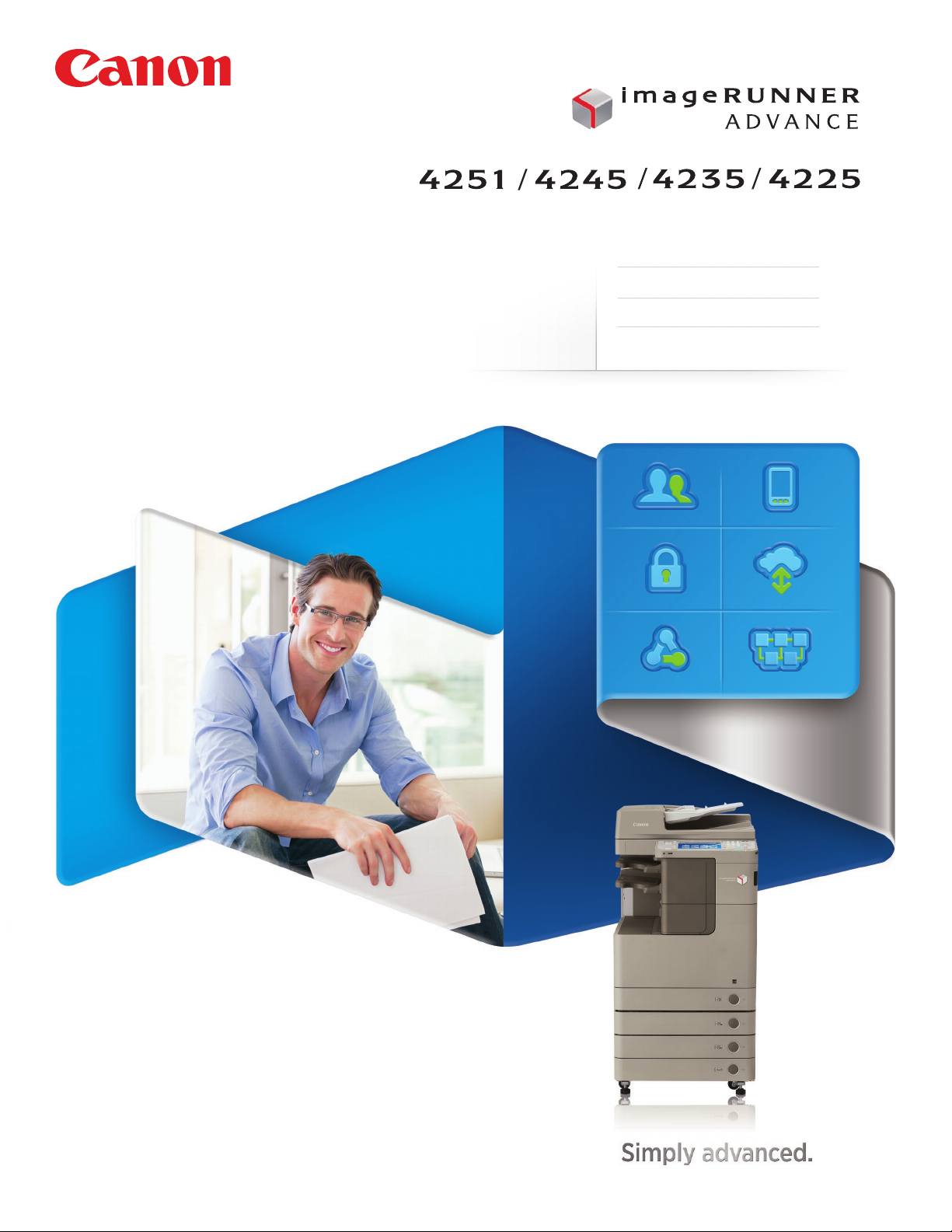
multifunction printer
compact design
Oce
Solutions
black-and-white copy/print
color scan
Page 2

Standard Features
Copy/Print/Send/Store
Black-and-White Copy/Print
Color Scan and Send
Print up to 51 ppm (Letter)
Up to 1200 x 1200 dpi
Up to 11" x 17"
4,980-sheet maximum capacity
Scan up to 51 ipm
Flexible in-line finishing options
Scan directly to Microsoft® PowerPoint®
and Searchable PDF formats
Designed for
Busy workgroups that demand
outstanding versatility in a
compact space
Hard Disk Drive Lock and Erase, IPsec
2
Page 3
Simply advanced.
The imageRUNNER ADVANCE 4200 Series will propel your business to new levels
of performance. A beautifully compact communications hub, it seamlessly
integrates business processes and streamlines tasks to achieve impressive eciency.
From every point of view, these models are simply advanced.
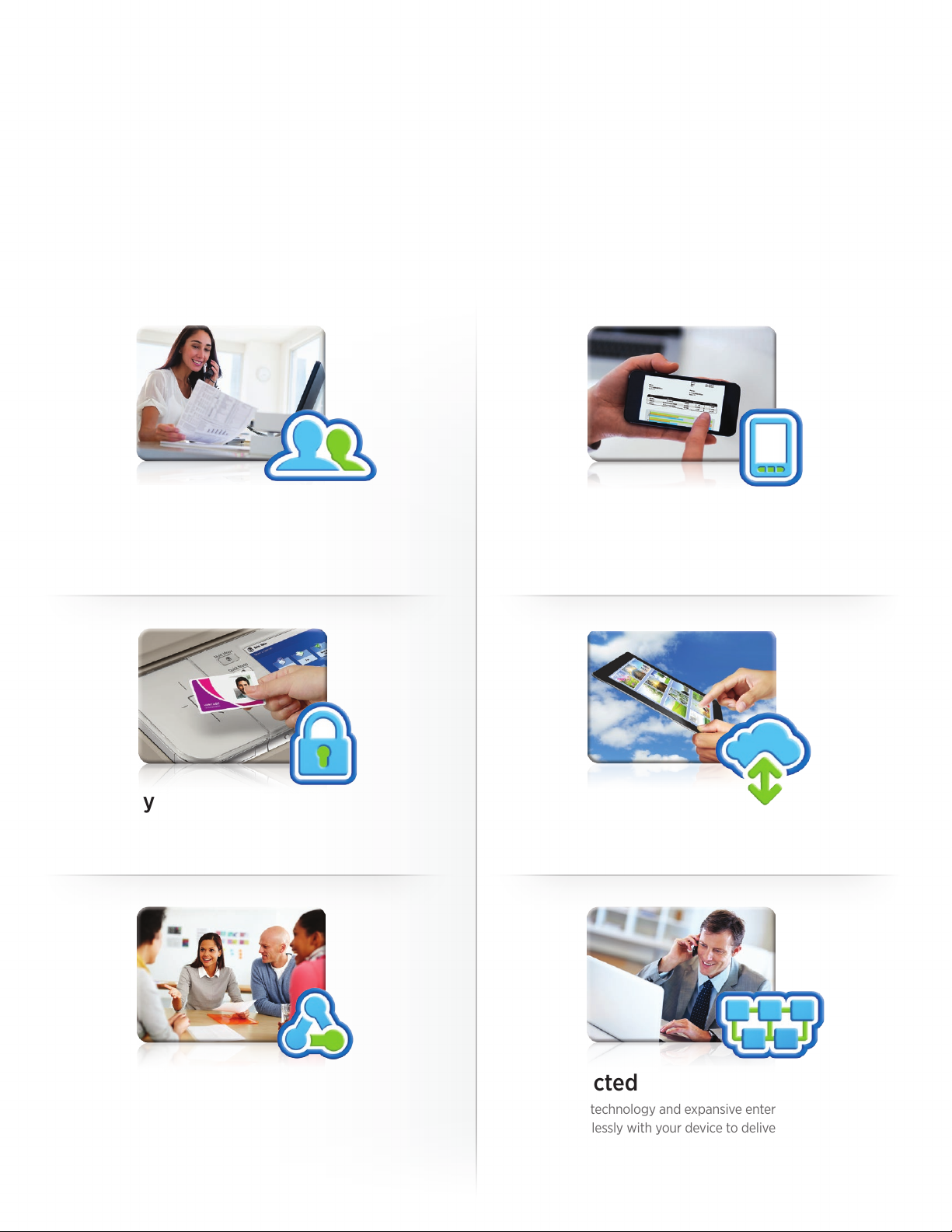
People-Centric
An exceptionally intuitive, simple-to-use interface puts
access to all functions right at your fingertips, whether
at the device or at your desktop.
Security
Multilayered solutions help safeguard confidential
information and support security compliance.
Mobile
Even on the go, you’re in control. Print from a laptop, tablet,
or smartphone to an imageRUNNER ADVANCE system.
Cloud-Enabled
A touch of a button on the user interface lets you access,
scan to, or print directly from certain cloud applications.
Collaborative
Work better together! Your teams will have the ability
to access and leverage the capabilities of other connected
imageRUNNER ADVANCE devices on your network.
Connected
Advanced technology and expansive enterprise applications
work seamlessly with your device to deliver exceptional results.
3
Page 4

Advanced Design
People-centric.
Business-focused.
The imageRUNNER ADVANCE 4200 Series redefines productivity. Users accomplish
tasks quickly and eectively. Applications are easily customized to enhance workflow.
And flexible finishing options promise cost-eective, professional-quality documents.
A smart, intuitive interface
The imageRUNNER ADVANCE 4200 Series
empowers users. With an impressive range
of customizable, simple-to-use, streamlined
features, these models help everyone work
smarter and faster. A large, 8.4", full-color,
high-resolution TFT screen lets users easily
view all information.
Two menus
Press the Main Menu key for
instant access to businessready functions. Use the
Quick Menu to power
productivity by combining
and accessing routine tasks
at the touch of a button.
4
Customizable
Organize the on-screen
buttons to fit the way you
work by determining their
number, size, and layout.
Even display your own
logo or special graphic
as a screen background.
Web-ready
The optional Web browser
lets you go online directly
from the device control
panel. Just enter a URL
to browse pages. Easily
output online PDFs.
Handy tutorials
Quickly access simple,
step-by-step instructions
right on the user interface.
Page 5
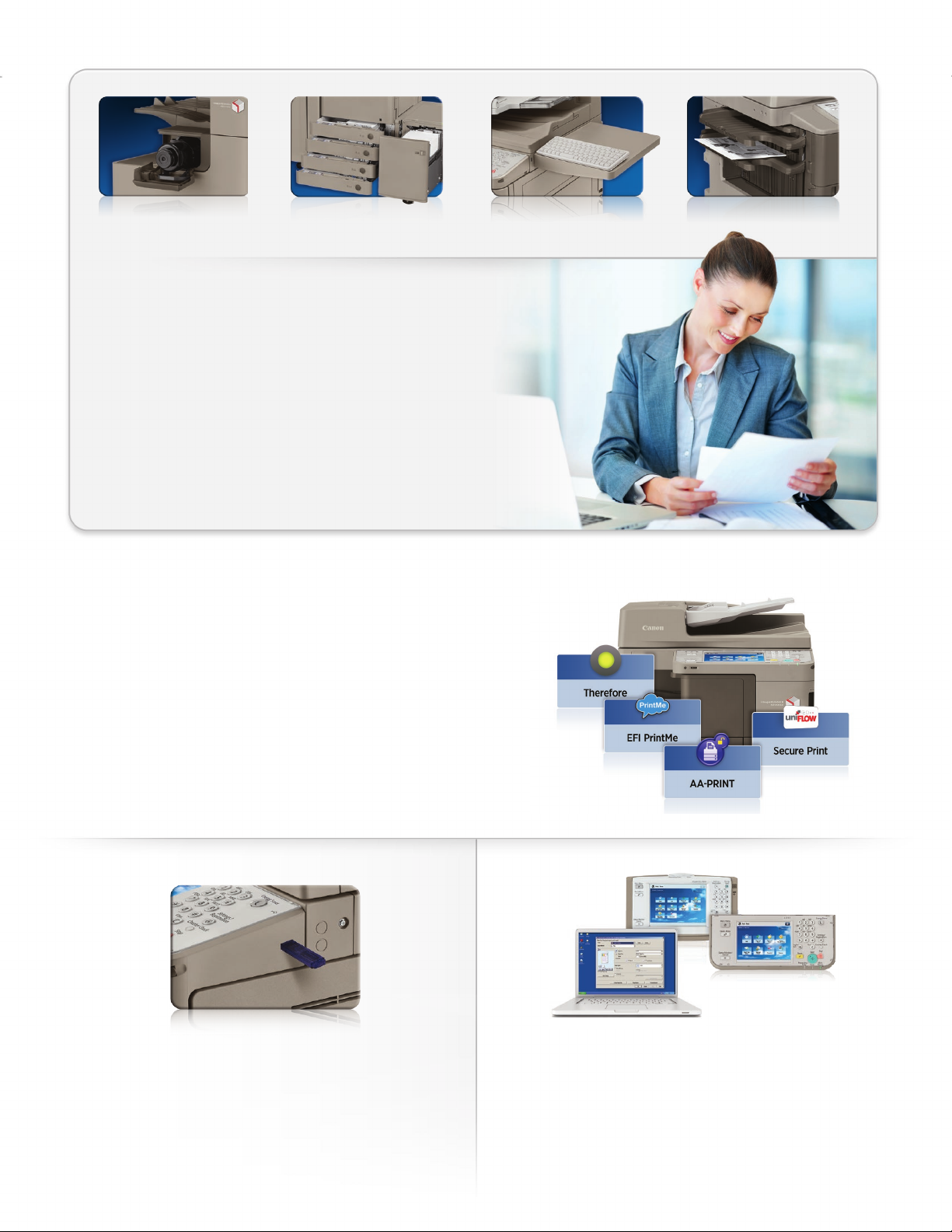
Designed for ease
Even with its compact size, the imageRUNNER ADVANCE 4200
Series is big on ease of use, including quick-to-replace toner
bottles, paper drawers that spring open at the touch of a button,
and an optional USB keyboard.
Designed to fit
The imageRUNNER ADVANCE 4200 Series gives you professional-
quality output—all within a space-saving footprint. Smartly
designed, the models oer an optional internal finisher—and even
hole-punching capabilities—while maintaining a compact design.
Engineered for adaptability
These intelligent systems will help you achieve your goals today
and in the future. With the ability to smoothly integrate hardware
and software solutions, the imageRUNNER ADVANCE 4200 Series
lets you personalize applications to meet your organization’s
changing needs. And it’s highly flexible, so you can easily add to,
or update, your system with the quick deployment of settings
and applications across your enterprise.
USB KeyboardEasy Toner Access One-button Paper Access
Inner Finisher with Hole-Punching
Walk-up convenience
Easily scan to, or print from, a USB thumb drive. Browse
folders and rename files. Even expand connectivity
options to include memory media, such as an SD card
or CompactFlash card.
A consistent experience
No matter which imageRUNNER ADVANCE device you use,
you’ll enjoy a consistent, simple-to-use experience. All models
in the Series use the same interface and print driver.
5
Page 6
Advanced Workflow
Seamless connections.
Next-generation eciency.
Imaging and enterprise applications seamlessly integrate. Cloud printing and mobility
solutions oer the freedom to work anywhere. Complicated tasks are streamlined and
simplified. The imageRUNNER ADVANCE 4200 Series—a truly advanced way to work.
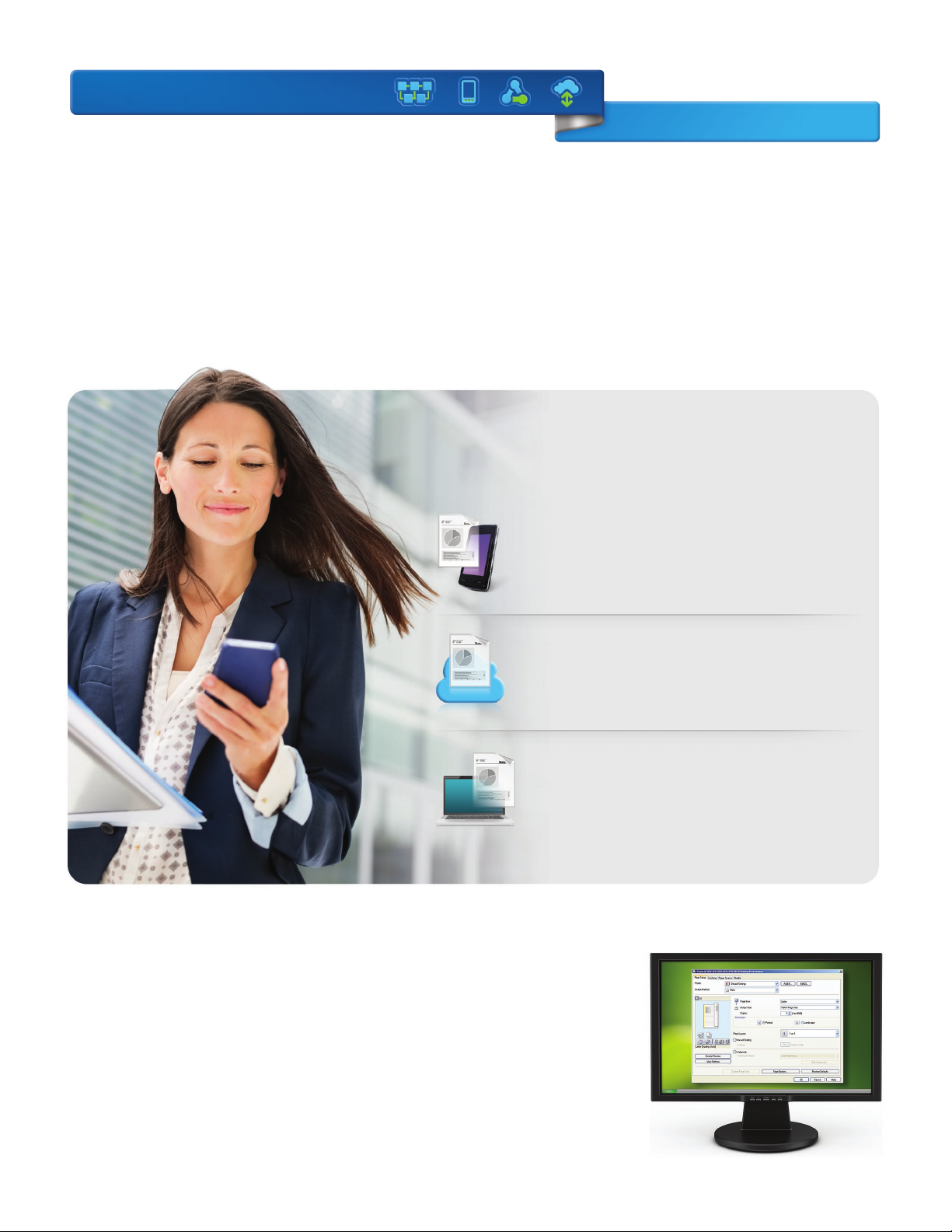
On the go
In an increasingly mobile world, people need the ability to work remotely
while maintaining their productivity. Now Canon delivers advanced
solutions that keep work flowing eortlessly from wherever you are.
Mobile Devices
Print and scan from your laptop, tablet, and smartphone.*
Just log-in at an imageRUNNER ADVANCE device to
retrieve your job.
Extensive Print Solutions
Print Options
Canon’s proprietary UFR II print technology
is standard with these models. Options
including Adobe® PostScript® 3TM and
PCL 5e/6 are also supported.
Cloud Portal
Gain quick access to cloud-based applications right from
your Canon imageRUNNER ADVANCE device. Simply log
in to access or send documents directly from the cloud.
Advanced Anywhere Print
Print to a connected imageRUNNER ADVANCE system.
Then conveniently and securely log in at any supported
device on the network to view and retrieve your print job
with this serverless solution.
* Check for supported devices.
Control
Canon’s Driver Configuration Tool allows
you to set specific defaults and custom
profiles. You can also control costs with
features such as default duplex printing
as well as enhance security by forcing
secure print.
6
Page 7
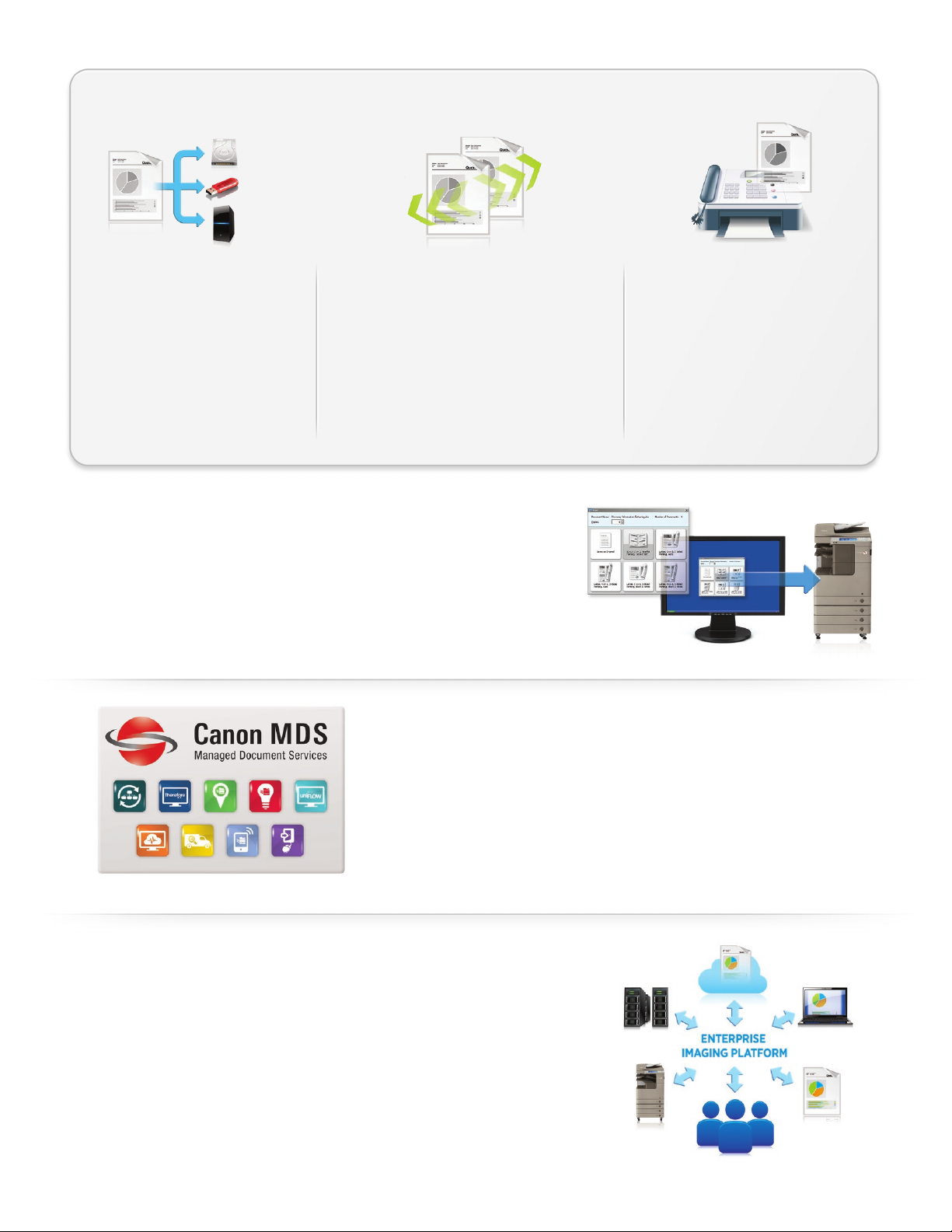
Easy collaboration
Scan and store documents
Designed to streamline workflow,
these models let you readily save,
store, and access scanned documents from multiple locations. Store
them in built-in spaces, such as Mail
Box and Advanced Box, or external
spaces, such as memory media or
another networked location.
Distribute documents
Distribute scanned documents to multiple
destinations, such as e-mail and fax addresses
and network folders, all in a single step. Now
you can scan and convert both black-and-white
and color documents directly into Microsoft®
PowerPoint‰ or a Searchable PDF format.
Universal Send supports an expanded range
of file formats, including High-Compression
PDF/XPS and Encrypted PDF.
Right from your PC
Enjoy even greater control and convenience right from your PC. Use the
imageRUNNER ADVANCE Quick Printing Tool to print, fax, preview, and
convert files to PDFs, as well as monitor the status of your system—all
without even opening an application. The imageRUNNER ADVANCE
Desktop solution lets you manage and prepare documents, combine
multiple formats, preview files, and select the finishing functions.
Fax documents
These models support up to four fax
lines, work with your VoIP network,
and have the ability to share the fax
function of another networked
imageRUNNER ADVANCE model. The
Job Forwarding feature automatically
routes incoming faxes to other
systems, users, or destinations.
Real managed document services
MDS (Managed Document Services)—expert, ongoing optimization of your
total document environment—can boost productivity and help deliver big
savings. These models are designed from the start to tap into powerful
MDS tools and services that track usage, improve printing behavior, identify
excessive printing, eciently manage information and processes, and more.
Canon’s software solutions and professional services leverage MDS to take
your business to the next level.
Streamline your workflow
Canon’s middleware technology links enterprise applications, such as
Oracle® and SAP®, with Customer Relationship Management systems
such as Salesforce.com®. The streamlined workflow automates complex
business processes and oers easy access to information, saving both
time and money.
7
Page 8
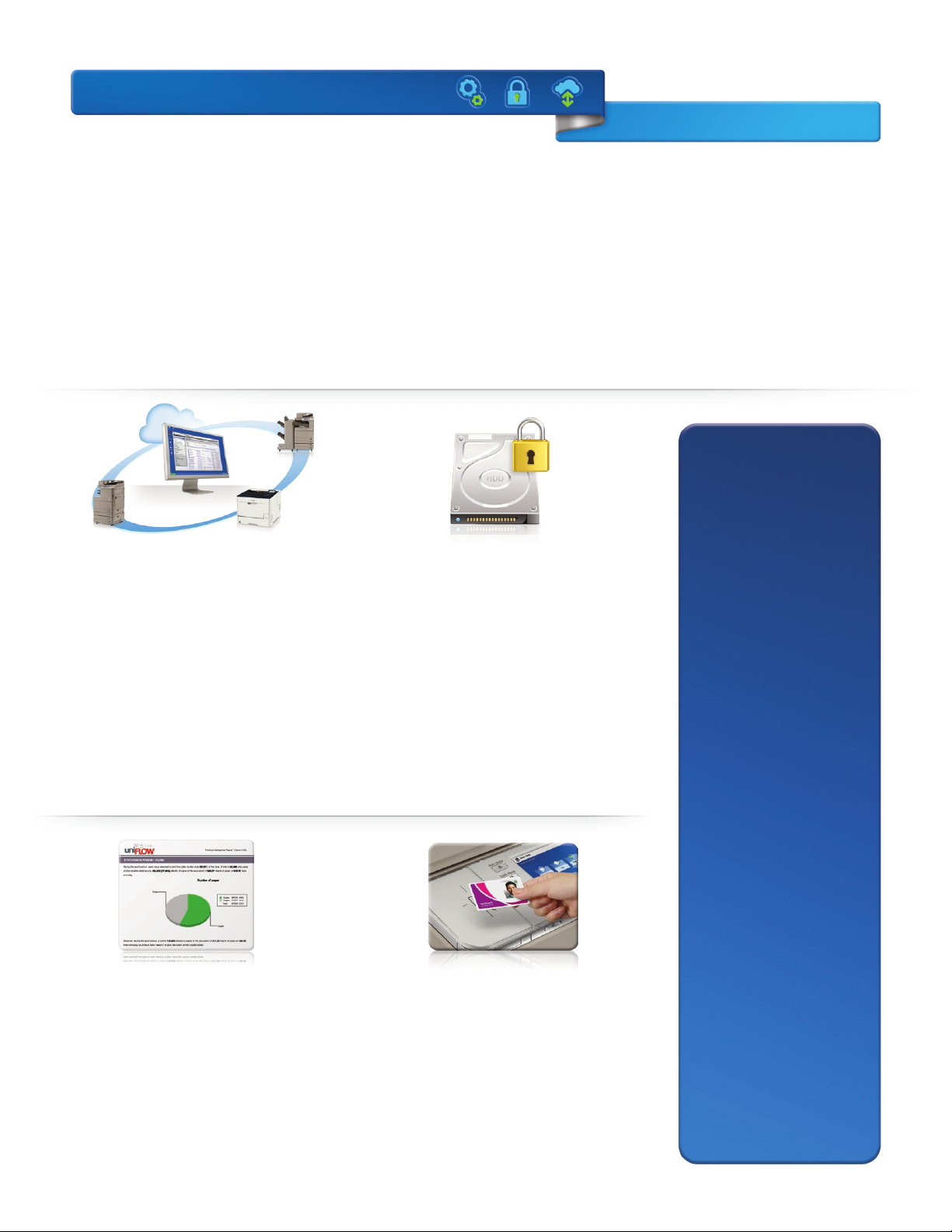
Advanced Control
Robust security.
Centralized management.
In today’s networked world, you need greater control over your resources and data.
The imageRUNNER ADVANCE 4200 Series delivers just that with the ability to configure
a system, help safeguard information, and track resources, all right at your fingertips.
Security Features
Document Security
• Document Scan Lock and Tracking
• Adobe LiveCycle® Rights Management
ES2.5 Integration
• Encrypted Secured Print
• Watermark/Secure Watermark
• Copy Set Numbering
Powerful command
Canon’s device management tools keep
you in charge at every step, right from
your desktop or through the cloud. Easily
install and replace devices, migrate settings
and data to new ones, and distribute applications and settings across your network.
Monitor a single device with the Remote
User Interface or an entire fleet with the
imageWARE Enterprise Console. You can
even receive alerts when supplies or service
are needed.
Maximize resources
These systems oer advanced tools to help
you track, manage, and influence user
behavior. Solutions such as uniFLOW
analyze output, encourage double-sided
printing, and allocate costs by department,
project, or client. You can also route jobs
to the most cost-eective device.
Safeguard data
From installation to retirement, this Series
oers multilayered solutions to help
safeguard information and support security
compliance. HDD Erase, a standard feature,
removes latent images after each task to
help safeguard your information during
use and at end of life. A security chip with
tamper-resistant hardware helps protect
passwords and encryption keys. IPsec
provides security for data as it traverses
the network.
Secure authentication
With the need to keep data secure,
Universal Login Manager and AA-Print
provide a serverless environment where
users can print from anywhere within the
network to any supported device via log-in
authentication. This helps prevent printed
documents from being left unattended.
• Encrypted PDF
• Digital Signature PDF
• Fax Forwarding
• Fax Destination Conrmation
Mail Server Security
• POP Authentication before SMTP
• SMTP Authentication
Network Security
• IP/MAC Address Filtering
– Port Filtering
• SSL Encryption
• Network Application On/O
• USB Port On/O
• Destination Restriction
• IPsec
• IEEE 802.1X (Wire/Wireless)
Device Security
• IEEE 2600.1 Certication*
Data Security
• HDD Lock
• Trusted Platform Module
• HDD Data Erase and Initialize
• HDD Data Erase Scheduler
• HDD Encryption
• Advanced Box Security
• Mail Box Password Protection
• Job Log Conceal
• Removable Hard Disk Drive
Logging/Auditing Security
• imageWARE Secure Audit Manager
Express
Authentication
• Department ID/Control Card Systems
• Device Level Log-in (SSO-H)
• Access Management System (AMS)
• Function Level Log-in via AMS
• Authorized Send
• Common Access Card (AA-CAC)
• Universal Login Manager
Note: Some features may be optional.
8
* Not available at time of launch.
Page 9
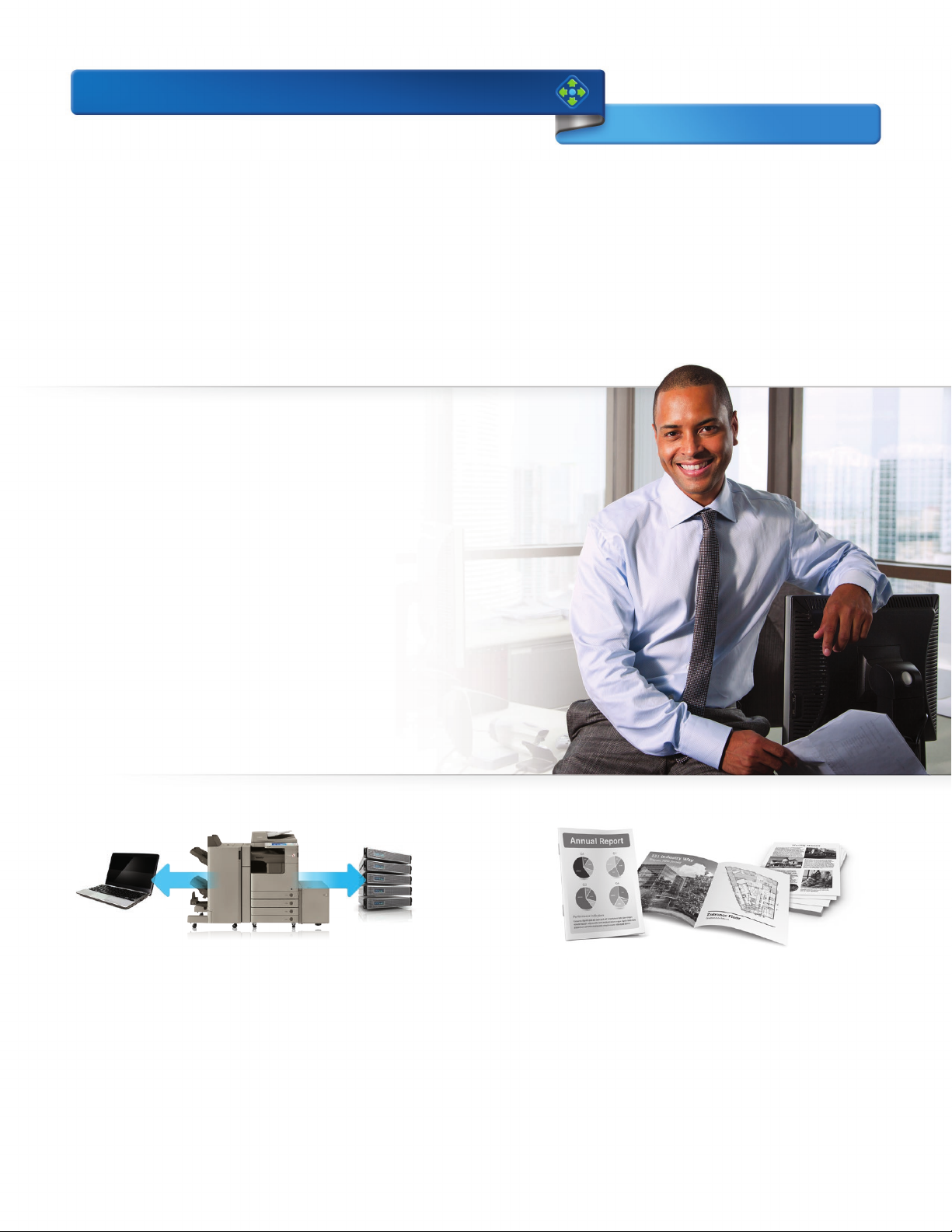
Advanced Performance
Professional quality.
Outstanding reliability.
Give your business a real competitive edge with the imageRUNNER ADVANCE 4200
Series. True multitasking power keeps work moving. Custom workflow solutions
streamline processes. And professional-quality documents are reliably produced.
Powerful operation
Keep work moving at the speed your business demands. These
models have two dedicated processors that work together to
accomplish multiple tasks simultaneously. Quick Startup mode
minimizes warm-up time, so devices start up promptly.
Lots of uptime
With the imageRUNNER ADVANCE 4200 Series models, you’ll
enjoy ongoing productivity. Status notifications keep you ahead
of the game, and toner and paper can be replaced on the fly.
If the correct paper size or stock for a job is unavailable, the
system can begin the next job, without delay, to help maximize
uptime. If a misfeed occurs while you’re scanning, work keeps
moving forward without needing to restart from the misfeed
location. And easy access to the latest technology and upgrades
keeps these models operating at peak performance.
Targeted, integrated solutions
With productivity paramount, the imageRUNNER ADVANCE
4200 Series oers the ability to personalize the way your
company gathers, organizes, and disseminates information.
Canon’s innovative MEAP® platform lets you develop custom
solutions to meet specific workflow needs. And new levels
of connector and link support enhance communication with
existing systems as well as those you may acquire in the future.
Standout results
Make a great impression with professional-quality reports,
manuals, newsletters, and contracts. The imageRUNNER
ADVANCE 4200 Series gives you the ability to generate
high-quality documents in-house. Produce crisp black-andwhite images and finish documents easily, all while enjoying
outstanding convenience and impressive cost savings.
9
Page 10
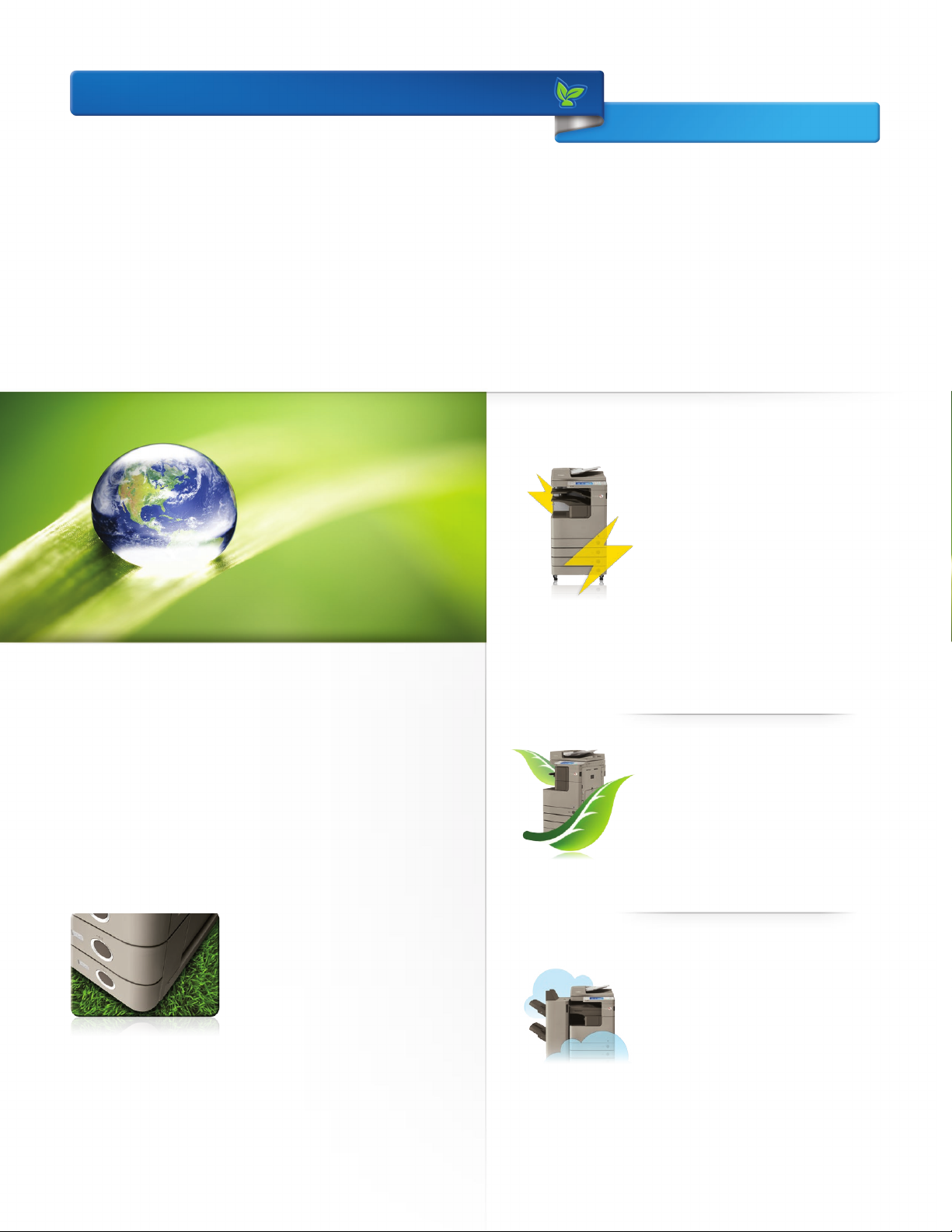
Advanced Responsibility
Strong commitment.
Eco-conscious solutions.
The imageRUNNER ADVANCE 4200 Series incorporates innovative, eco-conscious
features that keep your business operating eciently while helping to reduce
your environmental footprint.
A clear strategy
Greater energy eciency
From the inside out, the imageRUNNER
ADVANCE 4200 Series is designed
for high-energy eciency and stellar
performance. The combination of
Canon’s fusing technologies and toner
helps lower overall energy consumption
by minimizing power requirements and
reducing energy use during warm-up
and standby modes. With advanced
technologies present in each model,
the Series also meets ENERGY STAR®
A responsible way to work
Canon knows that the world and the workplace need a greener
workflow, and the imageRUNNER ADVANCE 4200 Series, rated
EPEAT® Silver, delivers just that. Now you can seamlessly share
and distribute digital documents as well as preview files to make
changes prior to printing, all of which help to reduce the use of
paper and toner. Print drivers are defaulted to duplex documents
to encourage two-sided printing and reduce waste. And with
Secure Print, documents are sent to a device but not printed until a
password is entered, further contributing to paper waste reduction.
standards.
Minimize environmental impact
All suppliers are required to meet
Canon’s stringent Green Procurement
policy and environmental terms. This
helps the company exceed the toughest
global standards set by the EU RoHS
Directive, which restricts the use of
certain hazardous substances.
10
Eco-conscious design
Canon is making a dierence through
creative, ecological thinking. These
imageRUNNER ADVANCE models
employ certain components that
are made with recycled plastic from
retired products. And, Canon’s
innovative green technologies also
include bio-based plastic, a plantderived compound that replaces
certain petroleum-based plastic parts.
Reduction of CO2 emissions
Through its Life Cycle Assessment
System, Canon has lowered CO2
emissions by focusing on each stage
of the product life cycle, including
manufacturing, energy use, and
logistics. These products are designed
to be the smallest and lightest in their
class, with less packaging to help make
transportation more ecient.
Page 11
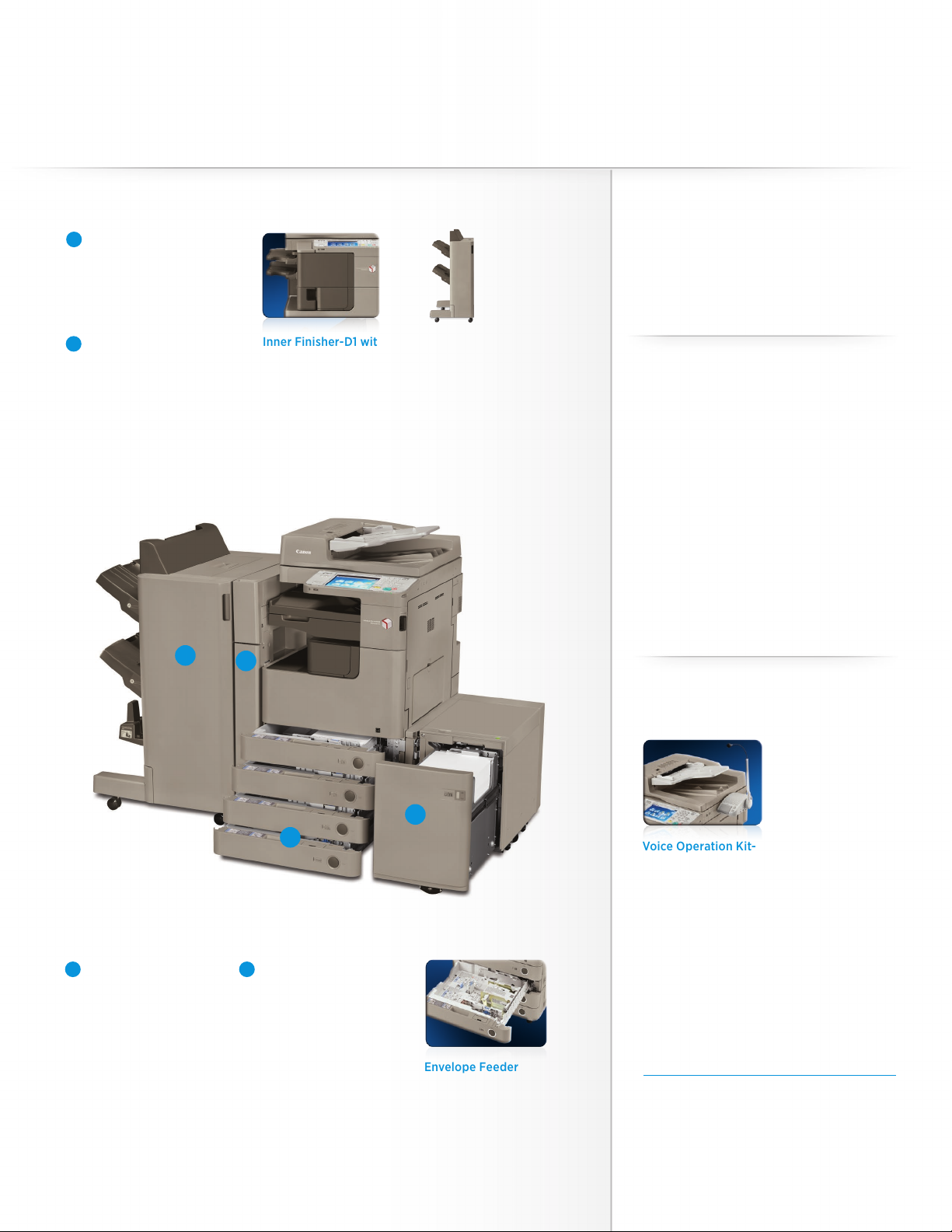
imageRUNNER ADVANCE 4251/4245/4235/4225
Designed for outstanding versatility
Finishing Options
A
Booklet Finisher-G1
• 2-tray, 3,000-sheet capacity
• Corner and double stapling,
up to 50 sheets
• Booklet-making,
up to 16 sheets
Exter nal 2 /3-Hole
B
Puncher-B2*
• 2- and 3-hole punching
Inner Finisher-D1 with
2/3-Hole Puncher-A1
and Optional
Inner Finisher
Additional Tray-A1
• 600-sheet capacity**
• 2- and 3-hole punching
• Corner and double
stapling, up to 50 sheets
Staple Finisher-G1
• 2-tray, 3,000-sheet capacity
• Corner and double stapling
up to 50 sheets
Other Finishing Options:
Inner 2-way Tray-H1
Printer Options
PCL Printer Kit-AY1
PS Printer Kit-AY1
Direct Print Kit (for P DF/ XPS)-H1
***
Security Options
Universal Send Security Feature Set-D1
Universal Send Digital User
Signature Kit-C1
Encrypted Secure Print-D1
Removable HDD Kit-AJ1
Secure Watermark-B1
Document Scan Lock Kit-B1
HDD Data Encryption and Mirroring Kit-C4
HDD Data Erase Scheduler
iR-ADV Security Kit-K1 for IEEE 2600.1
Common Criteria Certification†
A
B
Paper Feeding Options
C
Casse tte Fe eding
Unit-AF1
• 550-sheet x 2-cassette
capacity
• 16 lb. Bond to 34 lb. Cover
• Supports up to 11" x 17"
D
Paper Deck
Unit-B2
• 2,700-sheet capacity
• 16 lb. Bond to 34 lb. Bond
• Supports letter-sized paper
Accessibility Options
Remote Operators’ Software Kit-B1
D
C
Envelope Feeder
Attachment-D1
• 50-sheet capacity
• Supports COM10 No.10,
Monarch, DL, ISO -B5
Voice Operation Kit-C2
Voice Guidance Kit-F2
Braille Label Kit-F1
ADF Access Handle-A1
* Requires Staple Finisher-G 1 or Booklet Finisher-G1.
** 1000 -sheet capacity when Inner Fini sher Additional
Tray-A1 is not attached.
*** U FR II stan dard.
† Not availab le at time of launch.
Note: For additional options and specifications,
please refer to the back page.
11
11
Page 12
Main Unit
Operation Panel: 8.4" SVGA Full-Color TFT Screen
Memory
Standard: 1.25GB RAM
Maximum: 1.75GB RAM
Hard Disk Drive
Standard: 160GB
Maximum: 1TB
Network Interface Connection
Standard: 10/100/1000Base-TX
Optional: Wireless LAN
Other Interface
Standard: USB 2.0 (Host) x2, USB 2.0 (Device)
Optional: Device Port [USB 2.0 (Host) x 2],
Copy/Print Speed (Letter)
4251: Up to 51 ppm
4245: Up to 45 ppm
4235: Up to 35 ppm
4225: Up to 25 ppm
First-Copy-Out Time (Letter)
4251: 3.7 Seconds
4245/4235: 3.8 Seconds
4225: 5.2 Seconds
Paper Sources (20 lb. Bond)
Standard: Dual 550-sheet Paper Cassettes,
Maximum: 4,980 Sheets
Output Paper Capacity (20 lb. Bond)
Standard: 250 Sheets (Inner Tray)
Maximum: 3,100 Sheets (w/Staple Finisher or Booklet Finisher)
Output Paper Sizes
Cassette 1: Legal, Letter, Letter-R, Statement-R, Executive,
Cassettes
2/3/4:
Bypass: 11" x 17", Legal, Letter, Letter-R, Statement-R,
Acceptable Paper Weights
Cassettes: 16 lb. Bond to 34 lb. Bond (60 to 128g/m2)
Bypass: 14 lb. Bond to 80 lb. Index (52 to 220g/m2)
Warm-up Time
From
Power On: 30 Seconds
From
Sleep Mode: 10 Seconds
Quick Startup
Mode:
Power Requirements/Plug
120V AC, 60Hz (10.4A/NEMA 5-15P)
Dimensions (H x W x D)
4251/4245: 35-1/2" x 22-1/4" x 27-7/8" (909mm x 565mm x 708mm)*
4235/4225: 30-3/8" x 22-1/4" x 27-5/8" (771mm x 565mm x 700mm)
Copy Control Interface
80-sheet Stack Bypass
Custom Size (5-1/2" x 7-1/8" to 11-3/4" x 15-3/8")
11" x 17", Legal, Letter, Letter-R, Statement-R,
Executive, Custom Size (5-1/2" x 7-1/8" to
11-3/4" x 17")
Executive, Custom Size (3-7/8" x 5-7/8" to
11-3/4" x 17")
7 Seconds†
Installation Space (W x D)
(when the Multi-Purpose Tray is extended)
4251/4245: 34-1/2" x 27-7/8" (876mm x 708mm)*
4235/4225: 34-1/2" x 27-5/8" (876mm x 700mm)
Weight (Includes consumables)
4251/4245: Approx. 172 lb. (77.9kg)*
4235/4225: Approx. 154 lb. (70kg)
Toner (Estimated Yield @ 6% Coverage)
4251/4245: 34,200 Images
4235/4225: 30,200 Images
Document Feeder
Scan Method
Duplexing Automatic Document Feeder
(Standard on 4251/4245; Optional on 4235/4225)
Acceptable Originals
Paper Size: 11" x 17", Legal, Letter, Letter-R, Statement
Scan Speed (BW/Color; Letter)
Simplex: 51/51 ipm (300 dpi)
Paper Capacity (20 lb. Bond)
100 Sheets
51/30 ipm (600 dpi)**
Print Specifications
Engine Resolution: 1200 x 1200 dpi
PDL Support
Standard: UFR II
Optional: PCL 5e/6, PCL 6, Adobe PS 3
Print Driver Supported OS
UFR II, PCL 5e/6, Adobe PS 3:
Windows® (XP/Windows Vista®/7/8), Windows Server
(2003/2008/ 2008 R2/SBS 2011/2012), Windows Terminal
Servers, Microsoft® Clustering Server, Citrix, Macintosh®
(OS X 10.5.8 or later, UFR II and PS 3 only), VMware, SAP
(PS and PCL Only)
Direct Print Support
Standard: TIFF, JPEG
Optional: PDF, EPS,*** XPS†
Universal Send Specifications
Sending Method
E-Mail, I-Fax, File Server (FTP, SMB, WebDAV), Mail Box,
Super G3 Fax (Optional), IP Fax (VoIP) (Optional)
Communication Protocol
File: FTP (TCP/IP), SMB (TCP/IP), WebDAV
E-mail/I-Fax: SMTP, POP3, I-FAX (Simple, Full)
File Format
Standard: TIFF, JPEG, PDF, PDF/XPS (Compact),
Optional: PDF (Trace & Smooth), PDF (Encrypted),
PDF (Apply Policy), PDF (Optimize for Web),
PDF/A-1b, XPS, PDF/XPS (OCR), OOXML (.pptx)
PDF/XPS (Digital Signature)
Fax Specifications
Maximum Number of Connection Lines: 4
Modem Speed
Super G3: 33.6 Kbps
G3: 14.4 Kbps
Compression Method: MH, MR, MMR, JBIG
Sending/Recording Size: Statement to 11" x 17"
Store Specifications
Mail Box (Number supported)
100 User Inboxes, 1 Memory RX Inbox,
50 Confidential Fax Inboxes
Advanced Box
Available
Disk Space:
Communication
Protocol: SMB or WebDAV
Supported
Client PC: Windows® (Windows 2000/XP/Windows Vista®/7)
Memory Media
Standard: USB Memory
Optional: SD, SDHC, CompactFlash®, Memory Stick,
Approx. 15GB (Standard HDD)
Approx. 629GB (1TB HDD)
Microdrive
Security Specifications
Standard
Department ID Management, Single Sign On-H, Access
Management System (Device and Function Level Log-in),
Secured Print, Trusted Platform Module, User Access Control
of Advanced Box, Mail Box Password Protection, IPV6, Restricting
Features (Restricting the Send Function, Restricting New
Addresses on Address Book), SSL Encrypted Communication,
SNMPv1/v3, MAC/IP Address Port Filtering, SMTP Authentication,
POP Authentication before SMTP, HDD Initialize (up to 9x),
HDD Erase (Up to 3x), HDD Lock, IPsec, Adobe LiveCycle® Rights
Management ES2.5 Integration
† If “Quick Startup Settings for Main Power” is set to ON, it takes seven seconds
until the key operation on the touch-panel display is available after turning on
the main power, and 10 seconds until the start button function is available.
* Includes DADF.
** Standard color scan support is for 100 dpi and 300 dpi. Up to 600-dpi
scanning requires Additional Memory Type A (512MB).
*** EPS can be printed directly only from the Remote User Interface.
† XPS cannot be printed directly from the Web Access Software.
NOTE: Some accessories require additional equipment or may be prerequisites
for other options. Some accessories cannot be installed simultaneously. Check
with your Canon Authorized Dealer for details.
As an ENERGY STAR® Partner, Canon U.S.A., Inc. has qualified these models as meeting the ENERGY STAR energy efficiency criteria through an EPA
recognized certification body. ENERGY STAR and the ENERGY STAR mark are registered U.S. marks. Canon, imageRUNNER, MEAP, and the GENUINE
logo are registered trademarks of Canon Inc. in the United States and may also be registered trademarks or trademarks in other countries.
imageWARE is a registered trademark of Canon U.S.A., Inc. in the United States and is a trademark of Canon Inc. in certain other countries.
All other referenced product names and marks are trademarks of their respective owners and hereby acknowledged. Specifications and
availability subject to change without notice. Products are not manufactured for outdoor use; depiction of such is for artistic purposes only.
Products shown with optional accessories. All printer output images are simulated. Canon U.S.A. does not provide legal counsel or regulatory
compliance consultancy, including without limitations, Sarbanes Oxley, HIPAA, GLBA, Check 21 or the USA Patriot Act. Each customer must
have its own qualified counsel determine the advisability of a particular solution as it relates to regulatory and statutory compliance. Not
responsible for typographical errors.
©2014 Canon U.S.A., Inc. All rights reserved.
0179W984
1214-4200SRS-PDF-IH
1-800-OK-CANON
www.usa.canon.com
Canon U.S.A., Inc.
One Canon Park
Melville, NY 11747
 Loading...