

Page 1
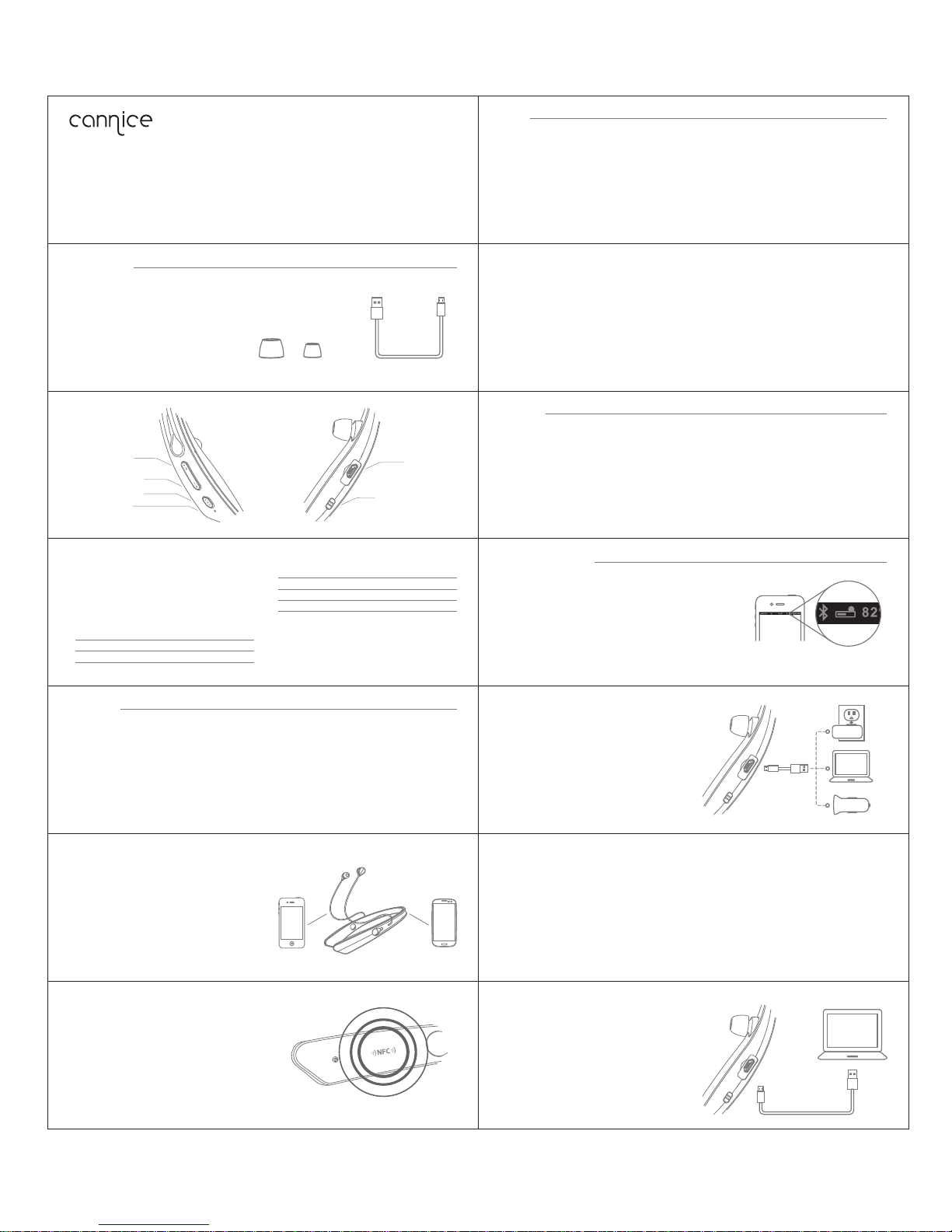
Bluetooth headset
FCC ID:2AAIH-MS02
m
uses2 INS TR UCTIO N
Call
Answer a call
Press the Multifunction button once.
End a call
Press the Multifunction button once.
Reject a call
Press and hold the Multifunction button for about 2
seconds.
Redial the last call
Double-press the Multifunction button in standby
mode. The mobile phone will redial the last call
number.
MIC mute on/off
Press the Volume button "-" for about 2 seconds to
mute on/off.
Start here
Following items are included
Product overview
Volume + / Trackback
Volume - / Trackforward
Multifunction button
Status indicator
Basic operation
Volume adjust
Press the Volume button "+" or "-" to turn volume up
or down, you hear "beep" voice prompts once reach
the maximum or minimum.
LED indicator and voice prompts
Instruction
Power on
Power off
Pairing
LED status
Stays blue for 2 seconds
Stays red for 2 seconds
Flashes red and blue alternately
Voice prompts & Alerts
Power on
Power off
Pairing
Pairing
Pair one phone
● Turn on Bluetooth headset, press and hold the
Multifunction button for about 5 seconds, the LED
indicator flashes red and blue alternately. Voice
prompts "Pairing".
● Activate Bluetooth on your phone and set it to
search for new devices.
Ear c aps
LED status
Instruction
Flashes blue twice every 5 seconds
Standby
Incoming call
Flashes blue continuously
Battery low
Flashes red twice every 5 seconds
Charging Red while charging
Blue fully charged
● Select "Muses2" . If you phone asks, enter 0000
(four zeros) for the passcode or accept the
connection. The LED indicator stops flashing red
and blue once successfully paired. Voice prompts
"Connection successful".
USB c able
Turn on / off
Charge port
Voice prompts & Alerts
Connection successful
Vibration alerts
Battery low
/
Switch between the Headset and phone
Press the Volume button "+" for about 2 seconds
during a call, the call will be switched to the mobile
phone, redo this operation again, the call will be
switched back to the Headset.
Voi ce dial ( Need ph one sup port)
Press the Volume button "+" and "-" in standby
mode, wait for phone prompt and then tell the
phone to dial the name of a stored contact.
Music
(Ne ed medi a playe r suppo rt)
Music play / pause
Press Multifunction button to play / pause music.
Trackback
Press the Volume button "+" for 2 seconds to skip
track back.
More features
Battery Indicator
When the Headset is connected to a device with iOS
system, a battery indicator will appear at the upper
right of the system, indicating battery status of the
Headset.
Charging
Your new Headset has enough power to pair and
make a few calls.
When battery is low, you will hear the voice prompt "
Battery low ". It takes 2.5 hours to fully charge the
Headset. While charging, the battery indicator light is
red, the indicator light stays blue once charging is
complete.
End current call and answer new call
When a new call rings during a call, press the
Multifunction button to answer new call and end
current call simultaneously.
On hold current call and answer new call
When a new call rings during a call, hold the
Multifunction button for 2 seconds to hold current
call and answer new call. To switch between held
call and active call, Hold the multifunction button for
2 seconds.
Trackforward
Press the Volume button "-" for 2 seconds to skip
track forward.
Switch Music and Call
When a call rings during a music playing, the music
automatically pauses to allow you to answer or
ignore the call. Once the call is ignored or ends, the
music is resumed.
Pair another phone
Multipoint technology enables you to pair another
phone and take a call from either.
To pair with another mobile phone, follow the steps
for “Pair One Phone”. After pairing successfully,
restart the Headset to connect to 2 paired mobile
phone automatically.
NFC Pairing
Turn on Bluetooth headset, after 5 seconds, hold an
NFC device against the NFC zone of the Headset. The
LED indicator flashes red and blue, you hear voice
prompts "Pairing", the LED indicator stops flashing red
and blue once successfully paired, you hear voice
prompts "Connection successful".
NFC detection area
Power off
Switch the power button to Off position to turn off the
Headset. (Note: Power off the Headset to save power
when not in use.)
Hardware reset
Turn on Bluetooth headset, press and hold the
Multifunction button, connect the Headset to a USB
charger, hardware reset is done. (Note: The Headset
automatically power off, please switch the power button to
off then on to power on the Headset)
Clear paired list
Turn on the Headset, connect it to a USB charger of
USB, press and hold the Volume button "+" and "-"
simultaneously for about 5 seconds, LED flashes 5
times, paired list is cleared. (Note: The Headset
automatically enter pairing mode when power on the
first time after clear paired list)
Page 2

This device complies with part 15 of the FCC rules. Operation is subject to the following
two conditions:
(1) this device may not cause harmful interference, and
(2) this device must accept any interference received, including interference that
may cause undesired operation.
Changes or modifications to this unit not expressly approved by the party responsible for
compliance could void the user’s authority to operate the equipment.
 Loading...