

Page 1

WIRELESSSPORTS
EARPHONE
forcallsandm usi c
E1 I NSTRUCTIO N
Page 2
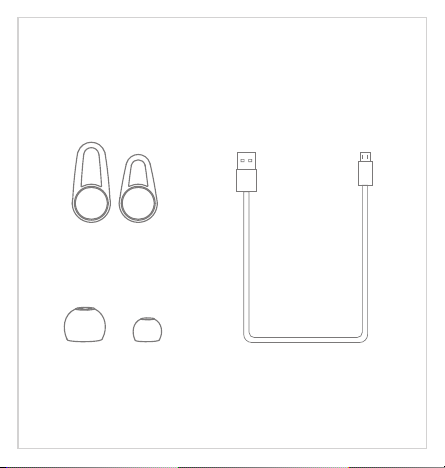
Start here
Follo wing it ems are i ncluded
Ear hoo ks
Ear cus hio ns
USB cab le
Page 3
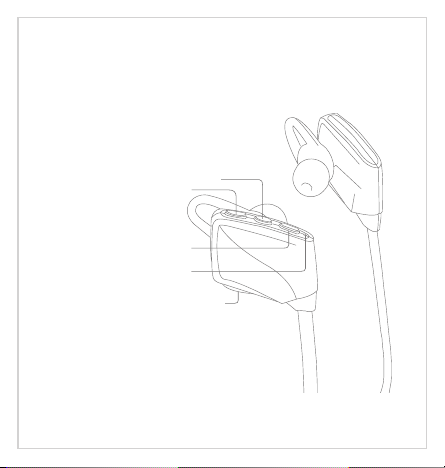
Produ ct overview
1
2
3
4
5
1. Multifunction button
2. Volume - / Track back
3. Volume + / Track forward
4. LED indicator
5. Charge jack
Page 4
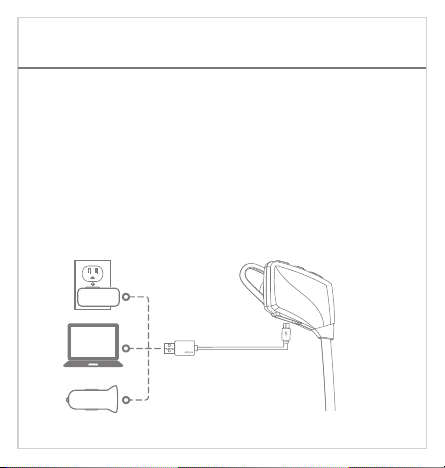
Charg ing
Your new earphone has enough power to pair and make a few
calls.It takes 2 hours to fully charge the earphone; while charging,
the battery indicator light is red, the indicator light flashes blue
once charging is complete.
Note: The lifetime of the battery will be significantly reduced if
your earphone is left uncharged for a long period. We recommend
that you recharge your earphone at least once a month.
Page 5

Pairing
Pair on e phone
Not e: When t he earp hone an d phone h ave bee n paire d once,
the y will au tomat icall y conne ct when t he earp hone is o n and
Blu etoot h is acti vated o n the pho ne.
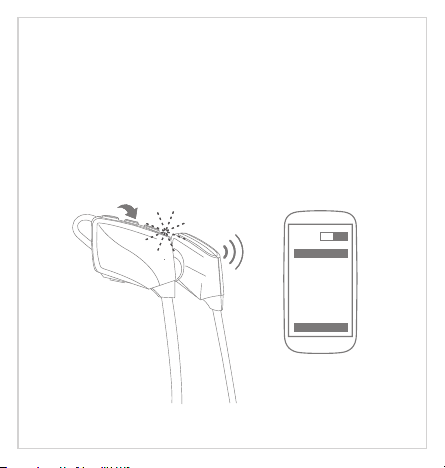
1.Make sure the earphone is turned off and within 1 meter of your
phone, press and hold the Multifunction button until the LED
indicator flashes red and blue alternately (About 7 seconds), then
release Multifunction button.
2.Activate on your phone (See below for more details).Bluetooth
iPhone
a.On your phone, open the menu.Settings
b.Select . If Bluetooth is off, turn it on. Bluetooth
The iPhone will search for new devices automatically.
Android phone
a.On your phone, open the menu.Settings
b.Select (For old Android phone, is found in the Bluetooth Bluetooth
Devices if your phone does not automatically search for new devices.
). If Bluetooth is off, turn it on. Select Wireless & Networks Search for
Page 6
Win dows Ph one 8
a. On yo ur phon e, open t he men u.Set tings
b. Sel ect . If Bl uetoo th is off , turn it o n.Blu etoot h
The P hone wi ll sear ch for ne w devic es auto matic ally.
ON
Bluetooth
E1
Searc h
Page 7
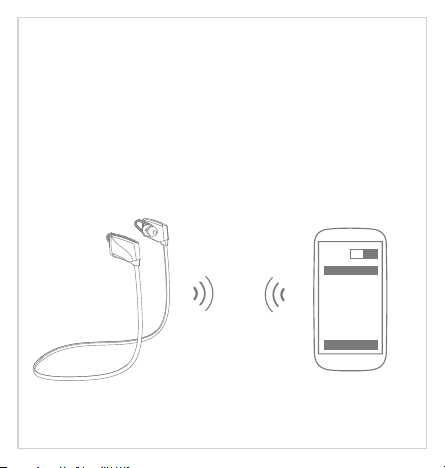
3. Select "E1". If your phone asks, enter 0000 (four zeros) for the
Passcode or accept the connection. The LED indicator stops flashing
red and blue once successfully paired, you hear "Connection successful".
Some phone list an option to "Play through earphone", select to use the
earphones.
ON
Bluetooth
E1
Searc h
Page 8
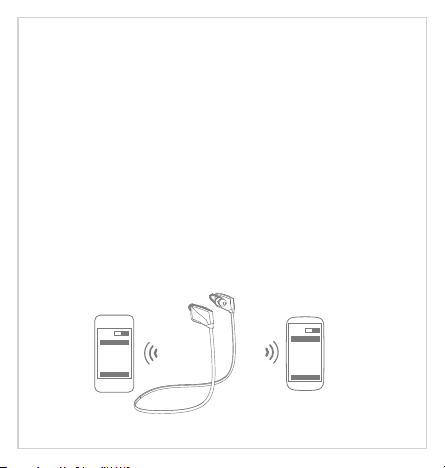
Pair an other phone
Multipoint technology enables you to pair another phone and take a
call from either.
To pair with another mobile phone, follow the steps for "Pair one
phone". After pairing successfully, restart the earphone to connect
to 2 paired mobile phone automatically.
Cal ling sw itch
Whe n the fir st phon e call ri ngs, pr ess the M ultif uncti on butt on
onc e to answ er the ca ll, if th e secon ds call r ings at t his mom ent,
you c an answ er the se cond ph one by do uble cl ick Mul tifun ction
but ton, an d on hold t he firs t phone c all.
ON
ON
Bluet ooth
E1
Connect
Blueto oth
E1
Connect
Page 9

Call
Answer a call
Press the Multifunction button or Volume "+" or Volume "-"
once.
Reject a call
Press and hold the Multifunction button for about 2 seconds.
End a call
Press the Multifunction button once.
End current call and answer new call
When a new call rings during a call, press the Multifunction
button once to answer new call and end current call
simultaneously.
On hold current call and answer new call
When a new call rings during a call, Double the Multifunction
button to hold current call and answer new call.
Reject t he ne w cal l hold the current call
During the call there is a new call, press the multifunction
button to reject a new call, keeping the active call.
Page 10

Mute on/off
Press the Volume "-" for about 2 seconds to mute on/off.
Switch between the earphone and phone
Press the multifunction button for about 2 seconds during a
call, the call will be switched to the mobile phone, redo this
operation again, the call will be switched to the earphone.
Redial the last call
Double-press the Multifunction button in standby mode. The
mobile phone will redial the last call number.
Voice di al (N eed pho ne supp ort)
In standby mode Press the Multifunction button about 2
seconds,wait for phone prompt and then tell the phone to
dial the name of a stored contact.
Page 11

Music
(Ne ed medi a playe r suppo rt).
Music pl ay / pa use
Press Multifunction button once to play / pause music. (Some
phones may require you to start a media player first) .
Track ba ck/ for ward
Press the Volume "-" for 2 seconds once to skip track backward,
press Volume "+" for 2 seconds once to skip track forward.
Switch M usi c and C all
When a call rings during a music playing, the music automatically
pauses to allow you to answer or ignore the call. Once the call is
ignored or ends, the music is resumed.
Page 12

Basic operation
Status indicator
Instruction
Power on
Power off
Standby
Pairing
Incoming call
Battery low
Charging
Volume up/down
Power on
Press and hold Multifunction button for about 3 seconds. The
earphone says "power on" and the LED flashes blue once.
Power off
Press and hold Multifunction button for about 5 seconds. The
earphone says "power off" and the LED flashes red once.
Tip s: When t he dist ance be tween t he earp hone an d phone i s beyon d
eff ectiv e range , earph one dis conne cts wit h phone . Earph one wil l
pow er off au tomat icall y once no a ctive f or 10 min utes.
LED status
Stay blue about one second
Stay red about two second
Blink blue once every 5 seconds
Flashes red and blue alternately
Flashes blue quickly
Blink red
Stays on red while charging
Stays on blue after fully charged
Press the volume"+" to turn volume up
Press the volume"-" to turn volume down
Voice prompts
Power on
Power off
/
Pairing
Toot
Battery low
/
Page 13

Tur n on voic e promp ts: ent er pair ing mod e: Pres s the vol ume "+"
but ton for 3 s econd s, the bl ue LED li ghts fl ash 3 tim es;
Tur n off voi ce prom pts: en ter pai ring mo de: Pre ss the vo lume" -"
but ton for 3 s econd s, the re d LED lig hts fla sh 3 time s.
Clear paired list
Make sure the earphone is turned off, press and hold the Multifunction
button until the LED indicator flashes red and blue alternately (About 7
seconds), then release Multifunction button. Press volume "+" and
volume "-" button at the same time until LED flashes blue, then LED
flashes red and blue alternately, the paired list was cleared, the
earphone will enter pairing mode after power on next time.
Hard reset
If the earphone cannot be turned on even when fully charged or does
not respond during use, follow the instructions below to reset it.
1.While pressing and holding the multifunction button, connect the
earphoneto your PC’s USB port or a USB power adapter with the
charging cable.
2.Keep pressing and holding the Multifunction button until the
earphone turns on. The earphone is now reset.
Page 14

Safety and care
Using earphone at high to moderate volumes for extended periods
of time will result in permanent hearing damage .It is advised you
keep volume levels moderate to low at all times for your safety.
Do not use while driving a car, cycling, operating machinery, or
performing other activities that require hearing surrounding sounds.
Do not use earphone in thunderstorm weather, the earphone may
not work properly in the condition, and increase the risk of being hit
by lightning .
Earphone may not work properly under high temperature or high
humidity conditions.
Do not use any corrosive cleaner/oil to clean the earphone.
If the earphone comes in contact with liquids, quickly wipe away .If
submersed in water, do not turn the earphone on until completely dried.
Tips:liquid submersion voids the warranty.
Keep the earphone and packaging out of reach of children .
 Loading...