

Page 1
Barcode Scanner
This device complies with part 15 of the FCC
Rules. Operation is subject to the following two
condition: (1) This device may not cause harmful
interface, and (2) This device must accept any
interface received, including Interface that may
cause undesired o
p
eration.
This equipment has been tested and found comply with
the limits for a Class A digital device, pursuant to part 15
of the FCC Rules. These limits are designed to provide
reasonable protection against harmful interface when
the equipment is operated in a commercial environment.
This equipment generates, uses, and can radiate radio
frequency energy and, if not installed and used in
accordance with the instruction manual, may cause
harmful interface to radio communications. Operation of
this equipment in a residential area is likely to cause
harmful interface in which case the user will be required
to correct the interface at his own expense.
O
peration Manua
l
Page 2
1 Index
Installation............................................2
Comment..............................................3
Frequency Question............................7
Interface................................................9
Keyboard..............................................10
RS-232C................................................ 12
Wand Emulation .................................. 14
OCIA......................................................15
System Control....................................16
UPC-A ...................................................19
UPC-E ................................................... 20
EAN-13.................................................. 21
EAN-8....................................................22
Code-39 ................................................ 23
Interleaved 2 of 5.................................24
Industrial 2 of 5....................................25
Matrix 2 of 5..........................................26
Codabar/NW7.......................................27
Code-128 .............................................. 29
Code-93 ................................................ 30
Code-11.................................................31
MSI/Plessey.......................................... 32
Preamble/Postamble...........................33
Appendix..............................................34
ASCII Code Table.................................35
Hexdecimal/Decimal Table .................36
Installation 2
Installation
1) First of all, you must make sure that the power is
disconnected form your equipment before connecting
the scanner. Beside, you also have to check the
cable connector of the scanner match your
equipment interface correctly.
2) Boot up your computer after connecting the scanner
with your equipment, the scanner will make a long
music and light the LED, above scanner to indicate a
successful power on. Trigger the button, the scan
line in front of scanner will active. Now you can start
to set programming optimal usage.
Recommened Steps
When the required settings have been configured,
all settings are stored in non volatile memory of scanner
after reading EXIT label. There are recommended steps
as follows.
1) Set right interface of scanner for your host at
9.
First time, you may ignore it unless you want to
change the scanner into other interface usage.
2) Set interface protocol to optimize of scanner with
your host.
3) Set system control of scanner, such as specific
adjustments, indicator, scanning mode, code ID and
code name transmission which you prefer usage in
system Control at
16.
4) Set code option of scanner for your usage. You must
make sure to enable the symbology first, then
Min./Max. code length, code ID, checksum and
truncate digits are also convered.
5) Set string format of the scanner, such as preamble,
postamble, prefix, suffix, for your application at
33.
Page 3

3 Comment
Numeric Key Position
This function is only available for IBM PC/AT, PS/2,IBM
5576 series personal computers and compatible
machines. The case of Keypad selected enables
numeric output as keypad output (Num Lock On).
Function Key Emulation
This function is only available for IBM computer
compatible machines. When the function is enabled, the
ASCII code values that are between 1 to 1BH will be
changed all characters (which can be used for the
RS-232 communication protocol) to the Function Keys
in the transmitted data. The conversion process
includes Preamble/Postamble, Prefix/Suffix codes
programmed.
Keyboard Simulation
All of the PCs will be check each devices (include
keyboard interface) by themselves while the host
computers power ON. If the feature is enabled, it can
pass the keyboard installation checking by host
computer while power ON. It is recommended to
program the function to enable without keyboard
installation.
Caps Lock
The Print-Case is related with "Caps Lock" status.
When Upper case is select and "Caps Lock On" or
Lower case is select and "Caps Lock Off" the output
style accord with on the character case.
Case Conversion
This function of selected can force to output all
characters converter to the same case (upper or lower).
Inter-Char. Delay (Set value)
It is a time delay between data characters output. An
Inter-Character Delay Timer ranges from 0 - 99 ms can
be used to match various host computer or terminal
response time. Adjust this timer and try out the shortest
delay time that until works properly.
Transmit Delay (Set value)
It is a time delay between barcode data output. The
feature will be used for shorter barcode data output or
multi-field scanning.
Comment 4
Response Delay (Set value)
The time out is a pre-defined delay time for serial
communication of scanner to wait for handshaking,
acknowledgment or non-acknowledgment from the host
computer. When the time out occurs, the scanner will
issue 5 warning beeps. The feature is particularly useful
for some applications in which the host computer takes
a longer time to respond with a matchable signal.
Code-39 Emulation
The feature is able to translate all barcode symbols (as
the scanner can support as standard Code-39 Wand
emulation output for your decoder device.
Power-on Auto Trigger
The feature can auto trigger the bottom of scanner to
activate the light source after the successful start beep.
Field Control
The scanner can read-out many sets of barcode data
on the same scanning line in the same time if
Multi-Field of Field Control were selected. The direction
of read-out code is from left to right even different type
symbol code.
Double Confirm
The feature should be depended on the symbol and
quality of barcodes reading. If the enabled to be
selected, the scanner will require many times
successful decoding to valid-data the barcode data. The
value of confirms time can be set by Double Confirm
Times function, and the more confirm times the more
inhibitive miss-reading code. Therefore you select a
higher value then read-out speed reducing.
Code Name Transmission
The feature is useful to show unknown barcode symbol,
which include the readable barcode symbol of scanner.
When the enable is selected, the symbol code name
will be shown before the code data.
Code ID Position
The code ID can be transmitted before or after the code
data by this selected when Code ID Transmit enabled.
Normally, the position is before the code data.
Page 4

Comment 5 Comment 6
ISBN/ISSN Translation
Code Length Transmission
The ISBN (International Standard Book Number) and
ISSN (International Standard Serial Number) are two
kinds of barcode bookend label. The ISBN is a 10 digits
with leading "978" and the ISSN is a 8 digits with
leading "977" of the "EAN-13" symbol code.
The length of data characters can be transmitted before
the code data when the enable is selected. The total
length is a number of barcode data except Truncate
Leading/Ending Digits. The Code Length has two digits.
Double Confirm Times (Set value)
This feature should be selected according to the symbol
and the quality of barcodes being read. The value of
time is successful decoding to validate the barcode data
times. When the more value is set, the more slowly
reading speed and the more higher data security.
Min./Max. Code Length (Set value)
A Min. and Max. length ranging form 1 to 48 can be set to
qualify data entry. (Return to default value if it is set to be "0".)
The length is defined to be the actual barcode data length sent.
Label with length exceeds these limits will be rejected. Make
sure that the Minimum length setting is no greater than the Max.
length setting, or all the labels of the symbol will not be read. In
particular, you can set the same value for both Min. and Max.
reading length to force the fixed length barcode decoded. The
values of setting can not effect in some fixed length labels of
symbol (i.e. UPC/EAN/JAN call WPC).
Add-on Lock with WPC
The ADD-ON barcode is the supplemental code and often
present the 2 or 5 supplement digits with WPC. The feature will
force output the ADD-ON code together in reading WPC with
ADD-ON symbol barcode if ADD-ON Lock is enabled. Therefore
it can not read the WPC barcode without ADD-ON. It is
recommended to program the ADD-ON to be enabled while the
ADD-ON code must be read out.
Expansion
The expansion of function is used only for UPC-E and
EAN-8 code reading, It can extend to 13-digit with
leading "0" numeric system when the feature is
enabled.
Truncate Leading Zeroes
The leading "0" digits of barcode data characters can be
truncated when the function is enabled. The feature is
used only for WPC code reading.
Truncate Leading/Ending Digits (Set value)
The leading or ending digits of barcode data characters
can be truncated when the values of settings are not
zero. It will be read nothing else only beep when the
Truncate value is more than barcode data digits or the
value of Truncate Leading is overlap with the Ending.
The maximum value of Truncate digits is 15.
Code ID (Set value)
A Code ID is a character that used to represent the
symbol begins decoded upon succeeding reading. The
code ID is prefixed to the data begins or tail transmitted
if the feature is selected. There are some labels of
symbol (i.e. UPCE and EAN-8) include 2 Code IDs.
Code-32 (Italian Pharmac.) Format
The Code -32 symbol is an another version of Code-32
that is a barcode data from digit 0 to 9. The leading A is
an optional character that can be allowed to transmit or
not.
Preamble/Postamble Transmission (Set value)
There are two characters (Data0 and Data1) could be
programmed for both Preamble and Postamble data
(include the Function Key Emulation). They can be
automatically appended to the data transmitted when
each barcode is decoded.
Prefix/Suffix Transmission (Set value)
Up to 15 characters could be programmed for both
Prefix and Suffix data. The Prefix data programmed will
be placed after Preamble data and before the barcode
data, and the Suffix data programmed will be placed
after the barcode data and before the postamble data.
Page 5
7 Frequent Question
Q: Why scanner block the keyboard operation?
A: Check the cable connection with your equipment, or
re-plug in calbe with your reader. Then turn power on
again.
Q: If scanner has a good read beep but nothing
transferring after read a label.
A: Using the
Setting List at 9 to show what current
setting of scanner is, or reset to Default, (or select
right Interface default if scanner has been changed
into another interface used), then re-program
scanner again.
Q: If scanner needs to read single digit code.
A: Refer to Min. code length of code option and set it to
be "01" for single code readable.
Q: If scanner isn't able to discriminate an unknown
label, but read manual very well.
A: Refer to Code Name Transmission at
17 to set
Enable, read a barcode label, then you will know
what symbology is read. Beside, it maybe need to
verify checksum. Refer to verify checksum of code
option and set Enable.
Q: If scanner transfers character very slow or loses
some characters on screen in keyboard interface
after reading a label.
A: You may set caps lock to be Alt+Keypad at
10 to
transmit scan code. Otherwise, it maybe mis-match
of transmission rate. Therefore, you can adjust an
appropriate Inter-char. Delay to match your
equipment. See 11.
(
Please contact with your dealer if scanner dose not
work properly.
Frequent Question 8
Q: If scanner dosen't need an Enter character
addition after each barcode label transmission.
A: Refer to postamble transmission at
33, then set
Disable.
Q: If scanner want to read a label as function key
for your apprication.
A: Refer to function key simulation at
11 and set
Enable, then scanner can transmit a code as
function key. It is used for keyboard interface only.
Beside, you must make sure that a label is encoded
as function key, and its ASCII code is from 00
16
to
1F
16.
Please refer to ASCII code table at 35.
Q: Could I change scanner into different type
interface directly?
A: You can change factory interface default nto other
type interface. By plug-in different cable, program
scanner and set right interface to exit, then the
scanner will be change into different type interface.
However, you must make sure what cable you need.
Q: How to set Specific Adjustments functions?
A: For example1: Set code 39 Min. code length at 35
to be "01" for signal code readable.
Min. code length (00-48) range form 0 up to 48 digits.
PROGRAMÖMin. Code LengthÖ0Ö1ÖSETÖEXIT
For example2: Set keyboard Inter-char. Delay at
11 to be "10" for match your equipment.
Inter-char. Delay (00-99*1ms) range from 0 to 99 ms.
PROGRAMÖInter-char. DelayÖ1Ö0ÖSETÖEXIT
For example3: Set Code ID of UPC-A at
19 to be
"A" for ASCII code.
PROGRAMÖCode IDÖ4Ö1ÖSETÖEXIT
Page 6
9 Interface
*/$%PRG*
PROGRAM
*/$%C00*
Keyboard
*/$%C01*
RS-232C
*/$%C02*
Wand Emulation (Option)
*/$%C03*
OCIA (Option)
*/$%C04*
Spare
*/$%DEF*
Default
*/$%VER*
Version Date
*/$%LST*
Setting List (Option)
*/$%ESC*
Abort
(
All of factory default settings are indicated by ''.
Keyboard Wedge 10
EXIT
*/$%EXT*
Keyboard Type
*DFA*
*DFB*
IBM AT,PS/2
DFA
DFB
IBM XT
*DFC*
*DFD*
Macintosh ADB.
DFC
DFD
IBM PS/2 25,30
*DFE*
*DFF*
NEC 9801
DFE
DFF
IBM PS/2 55
*DFG*
*DFH*
IBM 5550
DFG
DFH
KT-106
*DFI*
*DFJ*
IBM 5576
DFI
DFJ
Spare0
*DFK*
*DFL*
Spare1
DFK
DFL
Spare2
Keyboard Speed
*CZA*
*CZB*
Low
CZA
CZB
Medium
*CZC*
*CZD*
High
CZC
CZD
Turbo
Caps Lock
*DDA*
*DDB*
Uppercase
DDA
DDB
Lowercase
*DDC*
Alt+Keypad
DDD
Page 7
11 Keyboard Wedge
Numeric Key Position
*DAA*
*DAB*
Alphabetic-key
DAA
DAB
Keypad
Function Key Simulation
*DBA*
*DBB*
Disable
DBA
DBB
Enable
Keyboard Layout
*DGA*
*DGB*
USA (US)
DGA
DGB
Belgium (BE)
*DGC*
*DGD*
Danish(DK)
DGC
DGD
France (FR)
*DGE*
*DGF*
Germany(GR)
DGE
DGF
Italian (IT)
*DGG*
*DGH*
Portuguese (PO)
DGG
DGH
Spanish (SP)
*DGI*
*DGJ*
Swedish (SV)
DGI
DGJ
Switzerland (SF)
*DGK*
*DGL*
UK (UK)
DGK
DGL
Spare
Specific Adjustments
*BAL*
*BAM*
Inter-char. Delay (00-99*1ms)
BAL
BAM
Transmit Delay (00-99*10ms)
RS-232C 12
EXIT
*/$%EXT*
Handshaking Protocol
*DLA*
*DLB*
None
DLA
DLB
RTS/CTS
*DLC*
*DLD*
CTS/RTS
DLC
DLD
Scanner Ready
*DLE*
*DLF*
Data Ready
DLE
DLF
X-on/X-off
*DLG*
*DLH*
STX/ETX
DLG
DLH
CTS Trigger
Baud Rate
*DHA*
*DHB*
38400
DHA
DHB
19200
*DHC*
*DHD*
9600
DHC
DHD
4800
*DHE*
*DHF*
2400
DHE
DHF
1200
Data Parity
*DKA*
*DKC*
None
DKA
DKC
Even
*DKD*
*DKE*
Odd
DKD
DKE
Spac e
*DKF*
Mark
DKF
*/$%PRG*
PROGRAM
Page 8
13 RS-232C
*/$%PRG*
PROGRAM
Data Length
*DJA*
*DJB*
7 Bits
DJA
DJB
8 Bits
Stop Length
*DIA*
*DIB*
One Bit
DIA
DIB
Two Bits
Specific Adjustments
*BAL*
*BAM*
Inter-char. Delay (00-99*1ms)
BAL
BAM
Transmit Delay (00-99*10ms)
*BAN*
Response Delay (00-99*100ms)
BAN
Wand Emulation 14
EXIT
*/$%EXT*
Active Level
*DMA*
*DMB*
Bar High
DMA
DMB
Space High
Normal Level
*DNA*
*DNB*
Low
DNA
DNB
High
Output Speed
*DOA*
*DOB*
Low
DOA
DOB
Medium
*DOC*
*DOD*
High
DOC
DOD
Turbo
Narrow/Wide Ratio
*DQA*
*DQB*
1:2
DQA
DQB
1:2.5
*DQC*
*DQD*
1:3
DQC
DQD
1:3.5
Code-39 Simulation
*DRA*
*DRB*
Disable
DRA
DRB
Enable
Specific Adjustments
*BAL*
*BAM*
Margin Delay (00-99*10ms)
BAL
BAM
Transmit Delay (00-99*10ms)
(
Wand is not available for U.V. light model scanner.
Page 9
15 OCIA
*/$%PRG*
PROGRAM
Protocol Type
*DSA*
*DSB*
NCR
DSA
DSB
DTS
*DSC*
*DSD*
ASCII
DSC
DSD
NCR+ASCII
*DSE*
DTS+ASCII
DSE
Data Parity
*DTA*
*DTB*
Even
DTA
DTB
Odd
*DTC*
*DTD*
Space
DTC
DTD
Mark
Specific Adjustments
*BAM*
Transmit Delay (00-99*10ms)
BAM
System Control 16
EXIT
*/$%EXT*
Power-on Music
*CBA*
*CBB*
Disable
CBA
CBB
Enable
Power-on Auto Trigger
*CCA*
*CCB*
Disable
CCA
CCB
Enable
Good-read LED
*CDA*
*CDB*
Disable
CDA
CDB
Enable
Good-read Beep
*CEA*
*CEB*
Disable
CEA
CEB
Enable
Double Confirm
*CSA*
*CSB*
Disable
CSA
CSB
Enable
Field Control
*CRA*
*CRB*
Disable
CRA
CRB
Enable
Inter-char. Gap
*CGA*
*CGB*
Disable
CGA
CGB
Enable
Case Conversion
*CTA*
*CTC*
Disable
CTA
CTC
Uppercase
*CTD*
Lowercase
CTD
Page 10
17 System Control
*/$%PRG*
PROGRAM
Scanning Mode
*CAB*
*CAC*
Good-read Off
CAB
CAC
Momentary
*CAD*
*CAE*
Alternate
CAD
CAE
Timeout Off
*CAF*
*CAG*
Timeout Flash
CAF
CAG
Continue
*CAA*
*CAI*
Tes t Only
CAA
CAI
Spare
Code ID Transmission
*IBA*
*IBB*
Disable
IBA
IBB
Enable
Code ID Position
*ICA*
*ICB*
Before Code data
ICA
ICB
After Code Data
Length Transmission
*IKA*
*IKB*
Disable
IKA
IKB
Enable
Code Name Transmission
*IJA*
*IJB*
Disable
IJA
IJB
Enable
System Control 18
EXIT
*/$%EXT*
Money Testing
*IOA*
*IOB*
None
IOA
IOB
Right Bottom
*IOC*
Left Bottom
IOC
Specific Adjustments
*BAC*
*BAE*
Beep Loudness (01-10)
BAC
BAE
Beep Duration(01-99*10ms)
*BAF*
*BAG*
Stand-by Time (01-99*1s)
BAF
BAG
Active Time (10-99*10ms)
*BAH*
*BAI*
Sleep Time (10-99*10ms)
BAH
BAI
Good-read Delay (10-99*10ms)
*BAK*
*BAJ*
Add-on Waiting Time (01-99*10ms)
BAK
BAJ
Double Confirm Times (01-99)
(
Money testing is only for UV light model scanner.
Page 11
19 UPC-A
*/$%PRG*
PROGRAM
Code Read
*DVA*
*DVB*
Disable
DVA
DVB
Enable
Add-on Read
*DWA*
*DWB*
Disable
DWA
DWB
Add-on 2 Only
*DWC*
*DWD*
Add-on 5 Only
DWC
DWD
Add-on 2+5
Truncate Leading Zero
*DZA*
*DZB*
Disable
DZA
DZB
Enable
Check Digit Transmission
*EAA*
*EAB*
Disable
EAA
EAB
Enable
Specific Adjustments
*BAO*
*BAP*
Truncate Leading (00-15)
BAO
BAP
Truncate Ending (00-15)
*AAA*
Code ID (ASCII)
AAA
UPC-E 20
Code Read
*ECA*
*ECB*
Disable
ECA
ECB
Enable
Add-on Read
*EDA*
*EDB*
Disable
EDA
EDB
Add-on 2 Only
*EDC*
*EDD*
Add-on 5 Only
EDC
EDD
Add-on 2+ 5
Truncate Leading Zero
*EHA*
*EHB*
Disable
EHA
EHB
Enable
Expansion
*EFA*
*EFB*
Disable
EFA
EFB
Enable
Check Digit Transmission
*EIA*
*EIB*
Disable
EIA
EIB
Enable
Specific Adjustments
*BAQ*
*BAR*
Truncate Leading (00-15)
BAQ
BAR
Truncate Ending (00-15)
*AAB*
*AAC*
Code ID0 (ASCII)
AAB
AAC
Code ID1 (ASCII)
EXIT
*/$%EXT*
Page 12
21 EAN-13
*/$%PRG*
PROGRAM
Code Read
*EKA*
*EKB*
Disable
EKA
EKB
Enable
Add-on Read
*ELA*
*ELB*
Disable
ELA
ELB
Add-on 2 Only
*ELC*
*ELD*
Add-on 5 Only
ELC
ELD
Add-on 2+5
Truncate Leading Zero
*EPA*
*EPB*
Disable
EPA
EPB
Enable
ISBN/ISSN Conversion
*ENA*
*ENB*
Disable
ENA
ENB
Enable
Check Digit Transmission
*EQA*
*EQB*
Disable
EQA
EQB
Enable
Specific Adjustments
*BAS*
*BAT*
Truncate Leading (00-15)
BAS
BAT
Truncate Ending (00-15)
*AAD*
Code ID0 (ASCII)
AAD
EAN-8 22
Code Read
*ESA*
*ESB*
Disable
ESA
ESB
Enable
Add-on Read
*ETA*
*ETB*
Disable
ETA
ETB
Add-on 2 Only
*ETC*
*ETD*
Add-on 5 Only
ETC
ETD
Add-on 2+5
Truncate Leading Zero
*EXA*
*EXB*
Disable
EXA
EXB
Enable
Expansion
*EVA*
*EVB*
Disable
EVA
EVB
Enable
Check Digit Transmission
*EYA*
*EYB*
Disable
EYA
EYB
Enable
Specific Adjustments
*BAU*
*BAV*
Truncate Leading (00-15)
BAU
BAV
Truncate Ending (00-15)
*AAE*
*AAF*
Code ID0 (ASCII)
AAE
AAF
Code ID1 (ASCII)
EXIT
*/$%EXT*
Page 13
23 Code-39
*/$%PRG*
PROGRAM
Code Read
*FAA*
*FAB*
Disable
FAA
FAB
Enable
Format
*FBA*
*FBB*
Standard
FBA
FBB
Full ASCII
Code-32 Translation
*FCA*
*FCC*
Disable
FCA
FCC
Without Leading 'A'
*FCD*
With Leading 'A'
FCD
Start/End Transmission
*FFA*
*FFB*
Disable
FFA
FFB
Enable
Checksum Verification
*FGA*
*FGB*
Disable
FGA
FGB
Enable
Checksum Transmission
*FHA*
*FHB*
Disable
FHA
FHB
Enable
Specific Adjustments
*BAY*
*BAZ*
Truncate Leading (00-15)
BAY
BAZ
Truncate Ending (00-15)
*BAW*
*BAX*
Min. Code Length (00-48)
BAW
BAX
Max. Code Length (00-48)
*AAG*
Code ID (ASCII)
AAG
Interleaved 2 of 5 24
Code Read
*FKA*
*FKB*
Disable
FKA
FKB
Enable
Format
*FLA*
*FLB*
Standard
FLA
FLB
Odd S-code
Checksum Verification
*FNA*
*FNB*
Disable
FNA
FNB
Enable
Checksum Transmission
*FOA*
*FOB*
Disable
FOA
FOB
Enable
Specific Adjustments
*BBC*
*BBD*
Truncate Leading (00-15)
BBC
BBD
Truncate Ending (00-15)
*BBA*
*BBB*
Min. Code Length (00-48)
BBA
BBB
Max. Code Length (00-48)
*AAH*
Code ID (ASCII)
AAH
EXIT
*/$%EXT*
Page 14
25 Industrial 2 of 5
*/$%PRG*
PROGRAM
Code Read
*FQA*
*FQB*
Disable
FQA
FQB
Enable
Checksum Verification
*FSA*
*FSB*
Disable
FSA
FSB
Enable
Checksum Transmission
*FTA*
*FTB*
Disable
FTA
FTB
Enable
Specific Adjustments
*BBG*
*BBH*
Truncate Leading (00-15)
BBG
BBH
Truncate Ending (00-15)
*BBE*
*BBF*
Min. Code Length (00-48)
BBE
BBF
Max. Code Length (00-48)
*AAI*
Code ID (ASCII)
AAI
Matrix 2 of 5 26
Code Read
*FVA*
*FVB*
Disable
FVA
FVB
Enable
Checksum Verification
*FXA*
*FXB*
Disable
FXA
FXB
Enable
Checksum Transmission
*FYA*
*FYB*
Disable
FYA
FYB
Enable
Specific Adjustments
*BBK*
*BBL*
Truncate Leading (00-15)
BBK
BBL
Truncate Ending (00-15)
*BBI*
*BBJ*
Min. Code Length (00-48)
BBI
BBJ
Max. Code Length (00-48)
*AAJ*
Code ID (ASCII)
AAJ
EXIT
*/$%EXT*
Page 15
27 Codabar/NW7
*/$%PRG*
PROGRAM
Code Read
*GFA*
*GFB*
Disable
GFA
GFB
Enable
Start/End Symbol Type
*GGA*
*GGB*
ABCD/ABCD
GGA
GGB
abcd/abcd
*GGC*
*GGD*
ABCD/TN*E
GGC
GGD
abcd/tn*e
Same Start/End Pair
*GHA*
*GHB*
Disable
GHA
GHB
Enable
Start/End Transmission
*GIA*
*GIB*
Disable
GIA
GIB
Enable
Checksum Verification
*GJA*
*GJB*
Disable
GJA
GJB
Enable
Checksum Transmission
*GKA*
*GKB*
Disable
GKA
GKB
Enable
Codabar/NW7 28
Specific Adjustments
*BBS*
*BBT*
Truncate Leading (00-15)
BBS
BBT
Truncate Ending (00-15)
*BBQ*
*BBR*
Min. Code Length (00-48)
BBQ
BBR
Max. Code Length (00-48)
*AAL*
Code ID (ASCII)
AAL
EXIT
*/$%EXT*
Page 16
29 Code-128
*/$%PRG*
PROGRAM
Code Read
*GMA*
*GMB*
Disable
GMA
GMB
Enable
Format
*CNA*
*GNB*
Standard
GNA
GNB
UCC/EAN-128
Checksum Verification
*GQA*
*GQB*
Disable
GQA
GQB
Enable
Checksum Transmission
*GRA*
*GRB*
Disable
GRA
GRB
Enable
Specific Adjustments
*BBW*
*BBX*
Truncate Leading (00-15)
BBW
BBX
Truncate Ending (00-15)
*BBU*
*BBV*
Min. Code Length (00-48)
BBU
BBV
Min. Code Length (00-48)
*AAM*
*ABK*
Code ID (ASCII)
AAM
ABK
Concatenation Code (ASCII)
Code-93 30
Code Read
*GTA*
*GTB*
Disable
GTA
GTB
Enable
Checksum Verification
*GWA*
*GWC*
Disable
GWA
GWC
One Digit
*GWD*
Two Digits
GWD
Checksum Transmission
*GXA*
*GXB*
Disable
GXA
GXB
Enable
Specific Adjustments
*BCA*
*BCB*
Truncate Leading (00-15)
BCA
BCB
Truncate Ending (00-15)
*AAN*
Code ID (ASCII)
AAN
EXIT
*/$%EXT*
Page 17
31 Code-11
*/$%PRG*
PROGRAM
Code Read
*GZA*
*GZB*
Disable
GZA
GZB
Enable
Checksum Verification
*HBA*
*HBC*
Disable
HBA
HBC
One Digit
*HBD*
Two Digits
HBD
Checksum Transmission
*HCA*
*HCB*
Disable
HCA
HCB
Enable
Specific Adjustments
*BCE*
*BCF*
Truncate Leading (00-15)
BCE
BCF
Truncate Ending (00-15)
*AAO*
Code ID (ASCII)
AAO
MSI/Plessey 32
Code Read
*HEA*
*HEB*
Disable
HEA
HEB
Enable
Checksum Verification
*HGA*
*HGB*
Disable
HGA
HGB
Mod 10
*HGC*
*HGD*
Mod 10/10
HGC
HGD
Mod 11/10
Checksum Transmission
*HHA*
*HHB*
Disable
HHA
HHB
Enable
Specific Adjustments
*BCI*
*BCJ*
Truncate Leading (00-15)
BCI
BCJ
Truncate Ending (00-15)
*AAP*
Code ID (ASCII)
AAP
EXIT
*/$%EXT*
Page 18
33 Preamble/Postamble
*/$%PRG*
PROGRAM
Preamble Transmission
*IEA*
*IEB*
Disable
IEA
IEB
Enable
Preamble Data
*AAZ*
*ABA*
Data0 (ASCII)
AAZ
ABA
Data1 (ASCII)
Postamble Transmission
*IFA*
*IFB*
Disable
IFA
IFB
Enable
Postamble Data
*ABB*
*ABC*
Data0 (ASCII)
ABB
ABC
Data1 (ASCII)
Prefix Transmission
*IGA*
*IGB*
Disable
IGA
IGB
Enable
*IMA*
Clear All Data
IMA
Prefix Data
*ABF*
15 Bytes Data (ASCII)
ABF
Suffix Transmission
*IHA*
*IHB*
Disable
IHA
IHB
Enable
*INA*
Clear All Data
INA
Suffix Data
*ABG*
15 Bytes Data (ASCII)
ABG
Appendix 34
EXIT
*/$%EXT*
Page 19
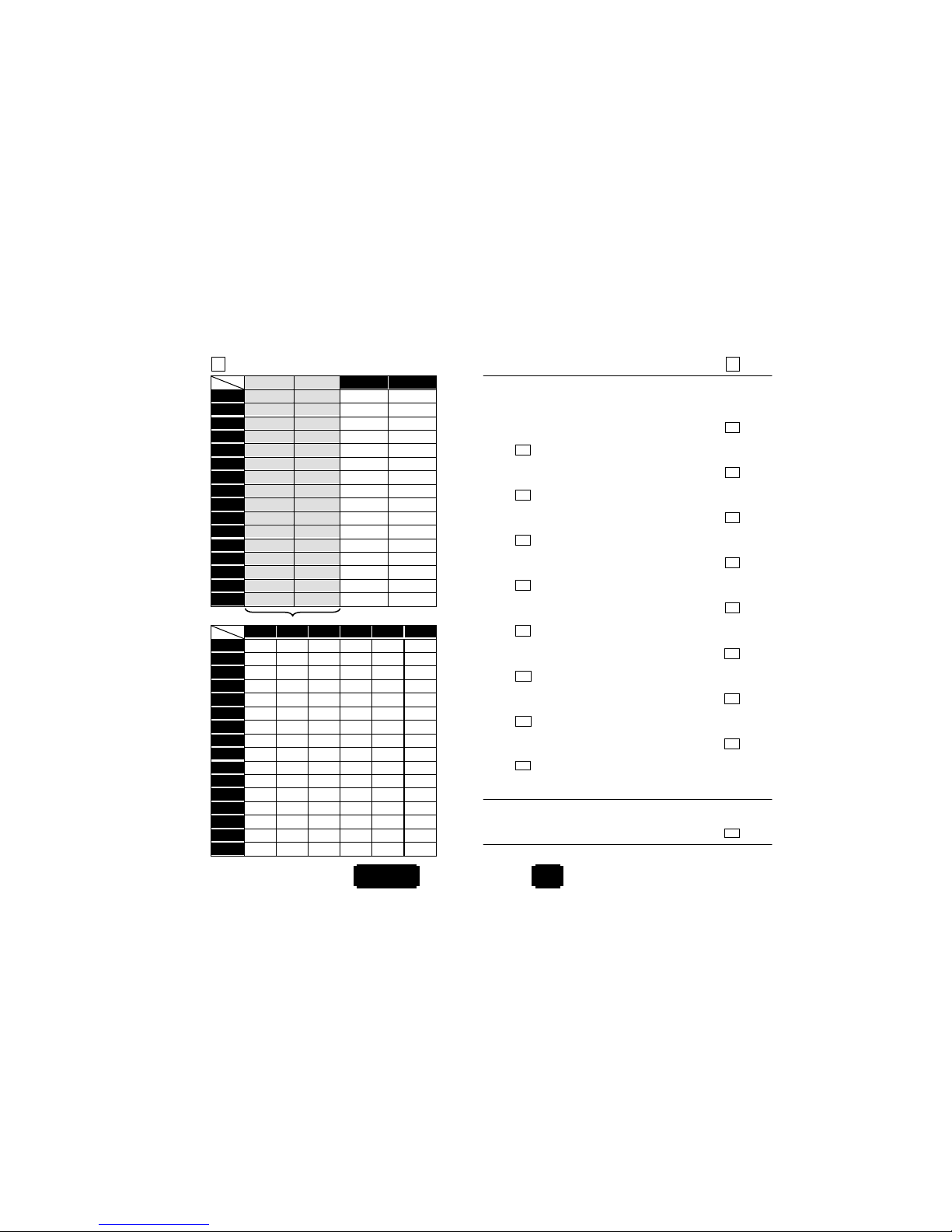
35 ASCII Code Table
*/$%PRG*
PROGRAM
L
H
0 1 0 1
0 Null NUL DLE
1 Up F1 SOH DC1
2 Down F2 STX DC2
3 Left F3 ETX DC3
4 Right F4 EOT DC4
5 PgUp F5 ENQ NAK
6 PgDn F6
A
CK SYN
7 F7 BEL ETB
8 Bs F8 BS CAN
9 Tab F9 HT EM
A
F10 LF SUM
B Esc
V
T ESC
C F11 FF FS
D Enter F12 CR GS
E Insert Ctrl+ SO RS
F Delete
A
lt+ SI US
For keyboard wedge only.
L
H2 3 4 5 6 7
0 SP 0 @ P ` p
1 ! 1
A
Qaq
2 “ 2 B R b r
3 # 3 C S c s
4 $ 4 D T d t
5 % 5 E U e u
6 & 6 F
Vfv
7 ‘ 7 G W g w
8 ( 8 H
X
hx
9 ) 9 I
Yiy
A
* : J Z
j
z
B + ; K [ k {
C , < L
\
l|
D - = M ] m }
E . > N ^ n ~
F / ?O_oELD
Hexdecimal/Decimal Table 36
*%00*
*%01*
0
%00
%01
1
*%02*
*%03*
2
%02
%03
3
*%04*
*%05*
4
%04
%05
5
*%06*
*%07*
6
%06
%07
7
*%08*
*%09*
8
%08
%09
9
*%0A*
*%0B*
A
%0A
%0B
B
*%0C*
*%0D*
C
%0C
%0D
D
*%0E*
*%0F*
E
%0E
%0F
F
*%OK*
Set
%0K
EXIT
*/$%EXT*
 Loading...