

Page 1
OWNER’S
CAMCRUISER® VENDING CARTS
MANUAL
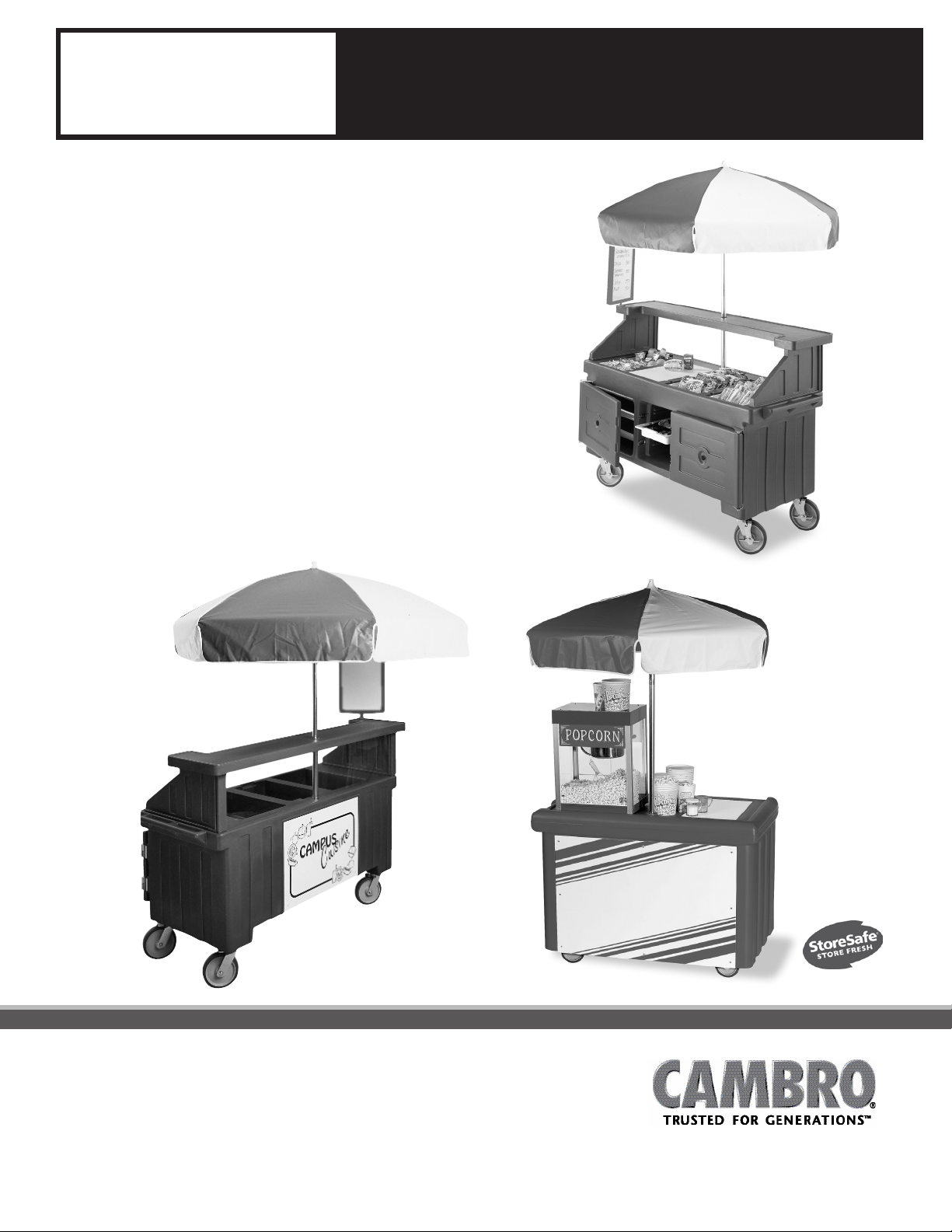
This owner’s manual applies to all variations of
the following Camcruiser Vending Cart Models:
CVC72
CVC724
CVC55
Congratulations on the purchase of your new Camcruiser
Vending Cart. This Owner’s Manuals provides you with a step
by step guide to assembling, and maintaining a Camcruiser
Vending Cart. If you have any further questions, please do
not hesitate to contact us, visit our website at
www.cambro.com or call our Customer Service Dept.
CVC724
CVC72
CVC55
www.cambro.com
Page 2
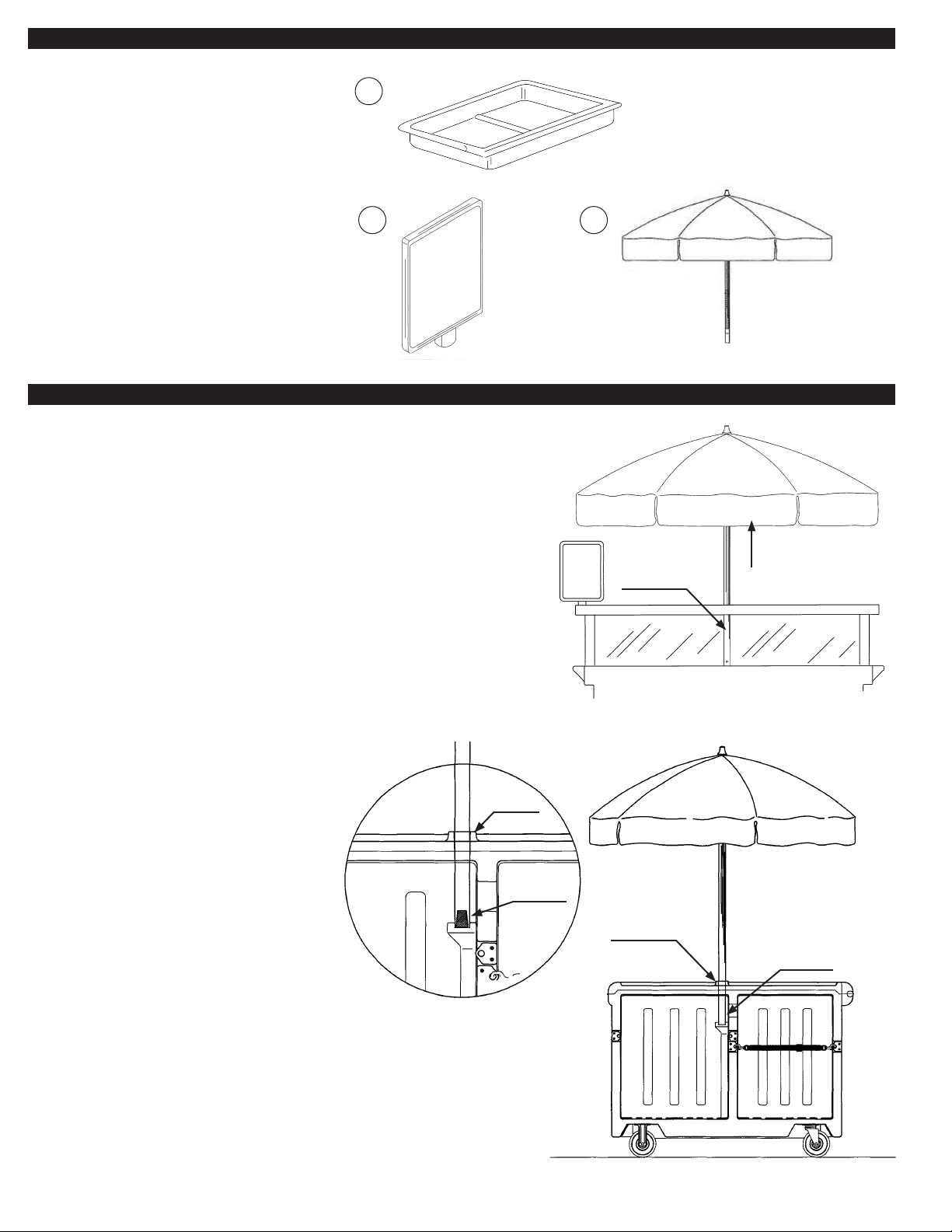
I. Part List
Only Applies to CVC72 and CVC724.
1. One drawer.
1.
2. One menu board.
Applies to CVC55, CVC72 and CVC724.
3. U
mbrella.
2.
II. Assembly Instructions
A. VINYL UMBRELLA
Before opening the umbrella, turn it
upside down and shake out all of the folds.
When packed at the factory, your umbrella was specially folded and rolled to insure against
freight damage. "Shake out" is required for rst use only.
To Place Umbrella on Cart (Applies to CVC72 and CVC724):
1. Let umbrella pole slowly drop onto center support pole until
button snaps into locations hole.
To Place Umbrella on Cart (Applies to CVC55):
1. Lower umbrella pole through mount hole onto aluminum locator mount.
3.
Umbrella
Support Pole
Umbrella
To Remove Umbrella:
1. Depress the retractable button on the umbrella pole.
2. Twist the umbrella pole 1/4 turn to disengage the button.
3. From front of cart reach up the umbrella pole and depress
the umbrella latch to lower the umbrella.
4. When the umbrella is lowered, lift the umbrella
pole out of the base pole.
To Store:
1. Umbrella should be clean and dry.
CVC72 and CVC724 Carts
Mount Hole
Aluminum
Pole Locator
Mount Hole
Aluminum
Pole Locator
Shown with optional
Retainer Strap (730STP)
Operators Side
2
CVC55 Cart
Page 3
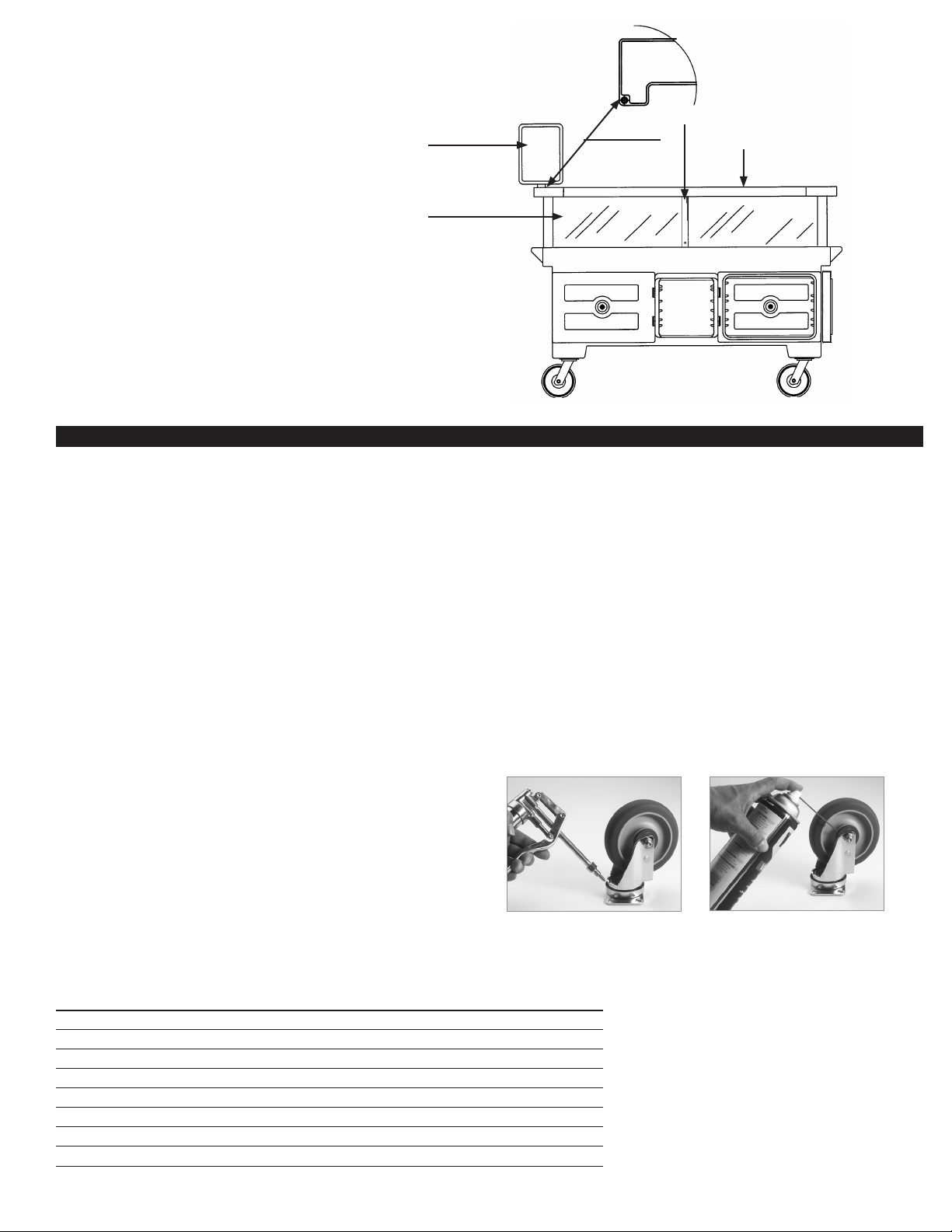
B. MENU BOARD (Only applies to CVC72 and CVC724.)
To Place Menu Board on Cart:
1. Place the base stem located on the bottom of the menu board frame
into the hole located on the outside corner of the counter top.
Menu Board
2. Adjust the menu board by turning the frame to the desired position.
To Remove Menu Board:
1. Lift menu board off of the counter top hole.
Clear Food Shield
To Use:
1. Write on glossy white side only. (Wrong side is marked)
2. Use only water soluble markers.
3. Erase marked board with a clean dry cloth or a damp,
soapy cloth, if marks persist.
III. Maintenance and Cleaning
The Cambro Camcruiser Vending Cart should be cleaned regularly.
Additionally, it should be cleaned before using if it has been idle for 5 days or more.
Mount Hole for
Menu Board
Umbrella Support Pole
Top Shelf
Camcrusier Cart Body/Display-Serving Shelf/Holding Compartments
Steam clean or wash with warm soapy water and a soft plastic or bristle brush. NEVER use a metal brush or abrasive cleaner.
Scrub with brush, and rinse thoroughly with clean water. If staining occurs, any standard de-stainer such as Ecolab’s “Dip It” should be used.
Clear Plastic Sneeze Guard Shield
Wash the clear plastic shield with warm soapy water. Rinse thoroughly. Dry with soft cloth or soft paper towel.
NEVER use alcohol, i.e. Windex, abrasives, any type of solvent or acetone
Alcohol based cleaners will cause the shield to crack.
Vinyl Umbrella
Spray rinse with water from a hose. Wash with mild detergent and use a sponge or soft brush to remove debris.
Metal Umbrella Pole and Support Pole
Clean frame/uprights with a damp cloth and mild soap. Apply car wax to poles to prevent oxidation.
CASTERS
Caster maintenance should be performed after every cleaning.
1. Grease swivel raceway of caster using a lubricant such as Lubriplate #930-AA,
Keystone #84EPXLT multi-purpose grease or equivalent. Apply grease using a
grease gun with a needle nose adapter or a tube-type applicator such as
Sta-lube Moly-graph Assembly Lube (Fig.6). These can be obtained at most
auto parts stores.
2. Use a light oil such as WD-40 on the hub (Fig.7). Check caster for damage
and test caster spin and swivel rotation before returning to service.
Fig. 6 Fig. 7
OPTIONAL ACCESSORIES
CODE DESCRIPTION FITS OVERALL DIMENSIONS L x W x H
CB1220 Cutting Board CVC724, CVC55 21" x 131⁄8" x 1⁄2"
1200DIV ThermoBarrier CVC724, CVC72 207⁄8" x 131⁄8" x 13⁄8"
CP1220 Full GN Camchiller CVC724, CVC55 2013⁄16" x 127⁄8" x 11⁄2"
CP1210
1
⁄2 GN Camchiller CVC724, CVC55 103⁄8" x 123⁄4" x 11⁄2"
CP814 Camchiller CVC724, CVC72 14" x 8" x 11⁄2"
DIV12 Divider Bar CVC724, CVC55 123⁄4" L
WCR1220 Well Cover CVC724, CVC55 21" x 13" x 2"
730STP Retainer Strap CVC55 —
DIV12 Case Pack: 3 Retainer Strap Case Pack: 2 Case Pack: 1- All Others
3
Page 4

IV. Replacement Parts
Please visit www.cambro.com for a complete list of replacement parts.
The model number of the Cambro Camcruiser® is required to determine the correct replacement part.
TO ORDER REPLACEMENT PARTS:
• Call Cambro Customer Service at 800 833 3003 or
• Call International 714 848 1555
• Fax your order to 714 842 3430 or
• Call your local Cambro Representative or Distributor
V. Warranty
Cambro warrants to the original buyer that if a product proves defective:
1. Within 1 year from the date of manufacture, Cambro will replace the product free of charge; or,
2. After 1 year and up to 2 years from the date of manufacture, Cambro will grant a credit of 2/3 off replacement product; or,
3. After 2 years and up to 3 years from the date of manufacture, Cambro will grant a credit of 1/3 of the original price towards a replacement product.
Telephone 714 848 1555 Toll Free 800 854 7631 Customer Service 800 833 3003
© Cambro Manufacturing Company 5801 Skylab Road, Huntington Beach, California 92647-2056
Printed in USA 02/20
UMCVC REV A
D022003 Camcruiser MN
 Loading...