

Page 1
TruLink™
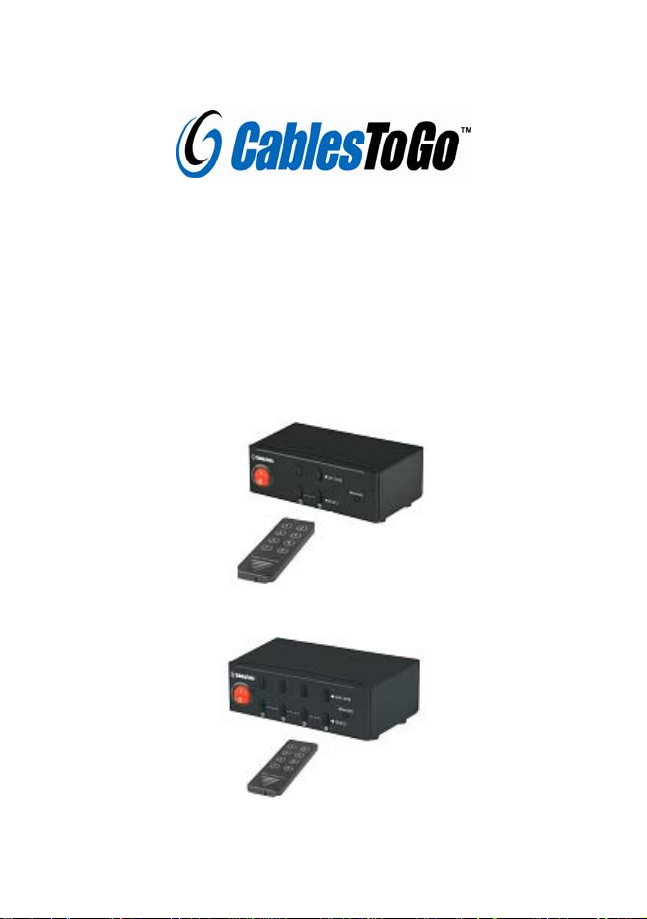
2/4-Port Audio Video Splitter / Extender
User Manual
#39962
#39963
Page 2

Introduction
The TruLink™ Video Switcher/Extender will display two or four
computer’s video outputs to one monitor or projector. Daisy-chain more
than one switcher to expand the number of computers you can connect.
With the built-in video signal enhancement, you can place the monitor
up to 210 feet away while maintaining your video quality . No software
is required and PC selection is easy. Switch between computers via
push buttons or use the infrared remote control for PC selection from up
to 6 feet away. From use in test bench facilities, data centers and help
desks, classrooms, and multi-media centers, the TruLink Video
Switcher/Extender delivers both performance and value.
Features:
• Display video output from two or four computers on a single
monitor or projector
• PC selection via push buttons or IR remote control
• IR remote control allows you to switch outputs from up to 6
feet away
1
Page 3

• Daisy-chain switches to expand the number of computers
connected
• Built-in video signal enhancement allows monitor to be
placed up to 210 feet away
• Supports video resolutions up to 2048x1536
• Suitable for VGA, SVGA, XGA, SXGA, UXGA, and Multisync
monitors
• Maximum bandwidth of 450MHz
• Input connectors: 2 or 4x HD15 Male
• Output connectors: 1x HD15 Female
Package Contents:
z TruLink™ 2 or 4-Port UXGA Monitor Switcher/Extender
z Infrared Remote Control
z 5V/1A DC Power Adapter
z User Manual
2
Page 4
Application
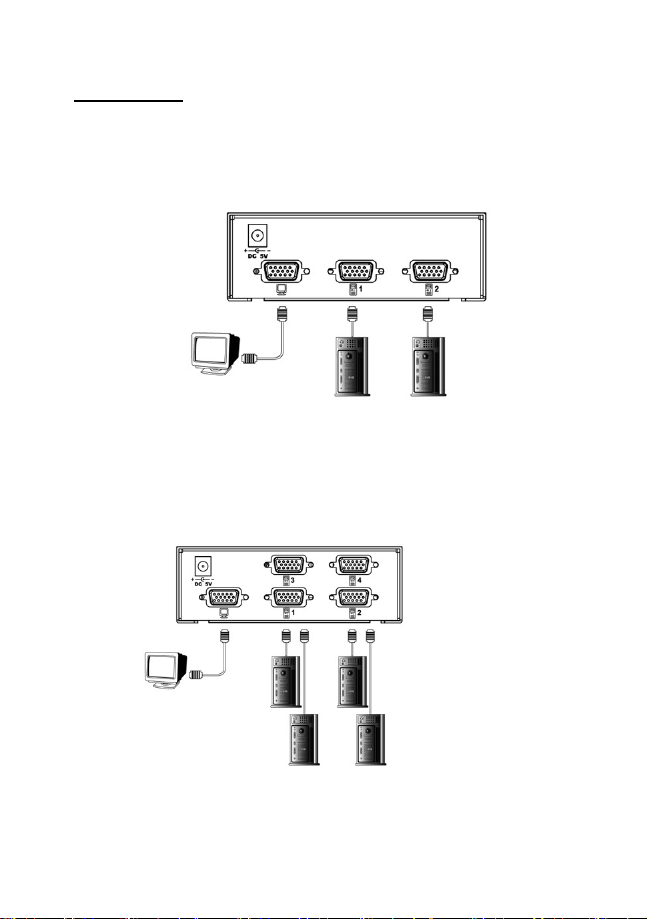
2-port Video Selector- #39962
4-port video Selector- #39963
3
Page 5

Connecting the Device
1. Use an HD15 male to male cable to connect your monitor or
projector to the HD15 female port with the picture of a monitor
under it.
2. Use HD15 male to female cables to connect your computers to
the HD15 male ports labeled 1-2 or 1-4.
3. Connect the power adapter to the port labeled DC 5V and
connect the adapter to a power outlet.
4. Use the push buttons on the front of the device or the IR remote
control to switch the video signal sent to your monitor or
projector.
5. The LED above the push button on the front of the device will
light green to indicate which computer is selected.
6. Turn the on/off the device and your monitor by switching on/off
the red toggle switch on the front of the device.
1501 W ebster Str eet
Dayton, Ohio 45404
4
Page 6
www.cablestogo.com
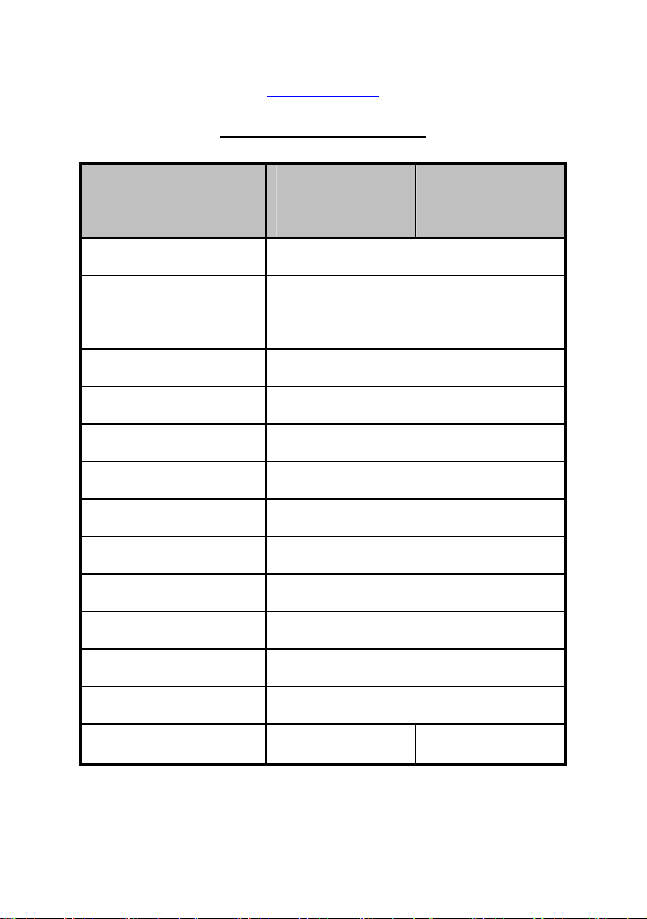
Product Specification
Function
Type Video Selector
Cable Distance
(Selector to Monitor)
Signal T ype VGA, SVGA, XGA, Multi sync
PC selection By push button and Infrared remote control
Video Output Connectors 1 x HDB-15 Female
Operating Temperature 0-40 degrees (Celsius)
Storage Temperature -20~60 degrees (Celsius)
Humidity 0-80% RH, Non-condensing
Housing Metal
DC Power Adapter 5V
Max. Resolution 2048x1536
Bandwidth(-3db) 450MHz
Video Input Connector s 2x HDB-15 Male 4x HDB-15 Male
2-Port
(Part #39962)
65 meters (max.)
4-Port
(Part #39963)
5
Page 7

6
 Loading...