

Page 1
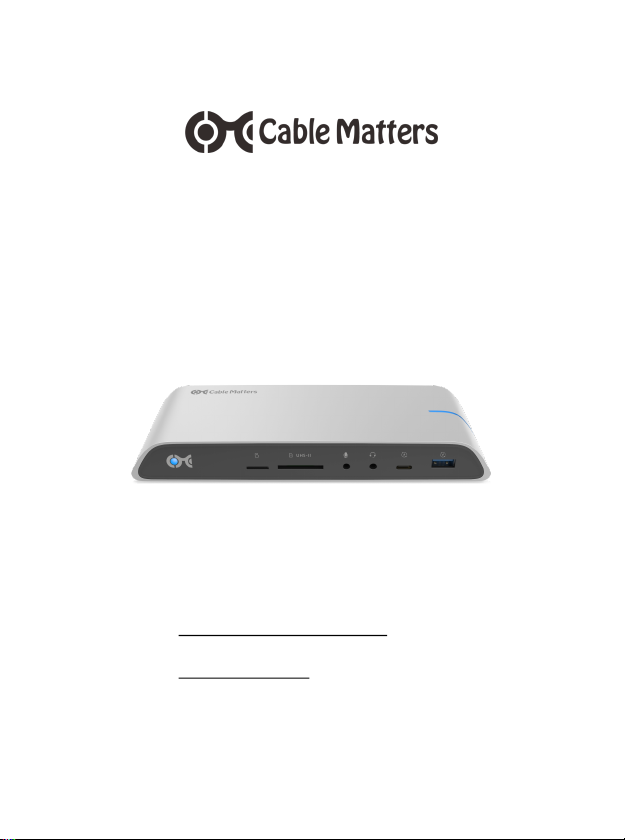
USB-C™ Docking Station with
Dual 4K Displays 80W PD
for Windows computers
Model 201053
User Manual
• Locate instructions and driver information at:
www.cablematters.com/dl/201053
• Locate troubleshooting information at:
kb.cablematters.com (search for 201053)
Page 2

Table of Contents
1. INTRODUCTION .................................................................... 1
1.1 Introduction
1.2 Copyright and Trademarks
1.3 FCC Compliance Statement
2. PRODUCT OVERVIEW
2.1 Package Contents
2.2 USB-C Docking Features .......................................... 2
2.3 System Requirements
3. CONNECTION AND OPERATING INSTRUCTIONS ............ 3
3.1 Installation Checklist
3.2 Panel Diagrams ......................................................... 4
3.3 Connecting the USB-C Docking Station .................... 5
3.4 Dynamic Bandwidth Switch ....................................... 6
3.5 Connecting Dual HDMI Displays ............................... 7
3.6 Connecting to an Ethernet Network ........................... 8
3.7 Connecting a USB-A Peripheral Device
3.8 Connecting a USB-C Peripheral Device .................... 9
3.9 Connecting an SD Memory Card
3.10 Connecting Audio Devices ..................................... 10
3.11 Troubleshooting Tips ............................................. 11
4. TECHNICAL SPECIFICATIONS .......................................... 12
5. WARRANTY AND SUPPORT
5.1 Customer Support and Contact Information
5.2 Warranty Information
5.3 Limitations of Liability
www.cablematters.com
USB-C™ Docking Station with Dual 4K Displays & 80W PD
Page 3

www.cablematters.com
1
USB-C™ Docking Station with Dual 4K Displays & 80W PD
1. INTRODUCTION
1.1 Introduction
Thank you for your purchase from Cable Matters® Inc., the ‘Reliable Connectivity’
company. This User Manual provides an overview of the features and installation of the
USB-C™ Docking Station with Dual 4K Displays & 80W PD
Please read these instructions carefully before connecting, operating or configuring this
product. Keep this user manual for future reference.
Contact [email protected] for product support.
1.2 Copyright and Trademarks
Cable Matters is a registered trademark or trademark of Cable Matters Inc. All rights reserved. All other
trademarks are the property of their respective owners.
Chrome OS is a trademark of Google LLC.
Thunderbolt and the Thunderbolt Logo are trademarks of Intel Corporation in the U.S. and/or other countries.
USB Type-C™ and USB-C™ are trademarks of USB Implementers Forum
SD is a trademark or registered trademark of SD-3C, LLC in the United States, other counties or both. SD, SDHC, miniSDHD,
microSDHC, SDXC and microSDXC Logos are trademarks of SD-3C, LLC.
HDMI, the HDMI logo, and High-Definition Multimedia Interface are trademarks or registered trademarks of HDMI Licensing,
LLC in the United States and/or other countries.
Windows is a registered trademark of Microsoft Corporation in the U.S. and other countries.
1.3 FCC Compliance Statement
This device complies with Part 15 of the FCC Rules. Operation is subject to the following two conditions:
1) This device must not cause harmful interference, and 2) this device must accept any interference
received, including interference that may cause undesired operation.
2. PRODUCT OVERVIEW
2.1 Package Contents
Please check that the following items are contained in the package:
• USB-C Docking Station with Dual 4K Displays & 80W PD
• Docking Station Stand
• USB-C 3.1 Gen 2 Host Cable
• AC Power Adapter
• User Manual
Page 4

2
www.cablematters.com
USB-C™ Docking Station with Dual 4K Displays & 80W PD
2.2 USB-C Docking Station Features
• Add video, data, and charging functions over a single USB-C or Thunderbolt 3 port
• Connect 4K displays with HDMI input
• Dynamically configure the bandwidth to connect 4K displays with the 4K/HD switch
• Charge a notebook up to 80 watts with a power delivery equipped USB -C port
• Connect to a wired Ethernet network
• Transfer files and charge a USB-A or USB-C peripheral with USB-C 3.1 (up to 10 Gbps)
• Connect a USB 3.0 or USB 2.0 peripheral device
• Add a 2.4 GHz mouse/keyboard combo to the dedicated USB 2.0 port
• Transfer files from a UHS-I microSD card or a UHS-II SD card
• Audio support for a microphone and a headset or speaker
• Heat dissipating metallic housing with a power-saving On/Off switch
• Optional stand to place the Dock in a vertical orientation
2.3 System Requirements
Computer: USB-C or Thunderbolt™ 3 equipped port
DP Alternate Mode support for video over USB-C
Supported Systems/OS: Windows 10, Linux, select Chromebook models with Skylake
(6th gen), Kaby Lake (7th gen) or newer
External Display: HDMI input ports and HDMI cables
microSD: UHS-I microSD, SDHC or SDXC card
UHS-II SD: UHS-I or UHS-II SD, SDHC or SDXC card
Ethernet Network: Active LAN or router with an available RJ45 Port
Cat 6 Ethernet patch cable (recommended for Gigabit)
USB-A 2.0: Recommended for a 2.4 GHz wireless mouse/keyboard
USB-A 3.0: USB 2.0 or 3.0 cable to connect a peripheral device
USB-A 3.1: USB 3.1 data and charging cable (backwards compatible)
USB-C 3.1: USB-C data and charging cable to connect a USB -C device
Audio Ports: Mic, speaker, or combo headset cables
Power: AC outlet
Note: All cables to connect devices to the Dock are sold separately.
Page 5

www.cablematters.com
3
USB-C™ Docking Station with Dual 4K Displays & 80W PD
3. Connection and Operating Instructions
3.1 Installation Checklist
Driver Requirements
• A PC with Thunderbolt 3 may need an update for Thunderbolt 3 to function properly
For more information go to kb.cablematters.com and search for 201053)
• Be prepared to reboot your computer after the driver installation
Power Requirements
• The Docking Station must be connected to AC power in order to operate
• Your computer must support power delivery over USB-C for charging up to 80 watts
External Display Requirements
• Check if your computer supports DP Alternate Mode over USB-C
• Check if your computer supports one or more external displays over USB-C
• Bandwidth configuration switch must be set to 4K to connect dual 4K displays
(resolution is dependent on the available Dock bandwidth)
# Displays Max Resolution Mode
2 3840x2160@30Hz 4K
2 3840x2160@30Hz
2560x1440@60Hz
4K
1 3840x2160@60Hz 4K
2 1920x1200@60Hz HD
1 3840x2160@30Hz HD
Page 6
4
www.cablematters.com
USB-C™ Docking Station with Dual 4K Displays & 80W PD
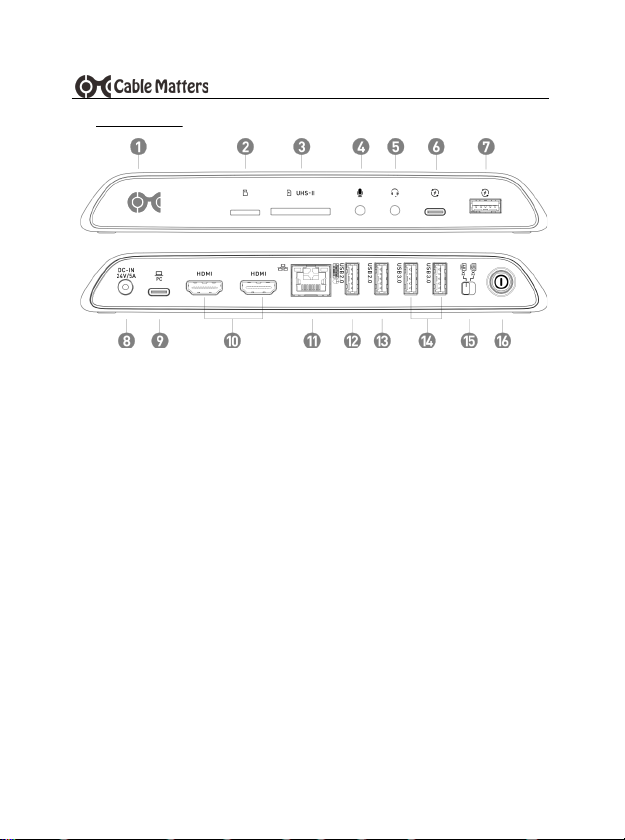
3.2 Panel Diagrams
1) Power (blue) and host connection (white) status LED
2) microSD UHS-I memory card slot
3) SD UHS-II memory card slot
4) Mono microphone line-in port
5) Combo audio headset port
6) USB-C 3.1 Gen 2 (10 Gbps) downstream data transfer and charging port supports
power profiles for 5V/3A, 9V/2A, and 15V/1.2A
7) USB 3.1 Standard-A Gen 2 (10 Gbps) data transfer and charging port up to 5V/2.1A
8) Power-in port (24VDC/5A)
9) Host computer USB-C port with charging up to 80W
10) 2x HDMI video ports
11) Ethernet port - 1000 Mbps Gigabit (HD mode) or 100-480 Mbps (4K mode)
12) USB 2.0 port for a 2.4 GHz wireless mouse/keyboard
13) USB 2.0 port
14) 2x USB 3.0 (5 Gbps) data transfer ports
15) Bandwidth configuration switch for 4K or HD
16) On/Off switch
Note: All cables to connect devices to the USB-C Docking Station are sold separately
Page 7
www.cablematters.com
5
USB-C™ Docking Station with Dual 4K Displays & 80W PD
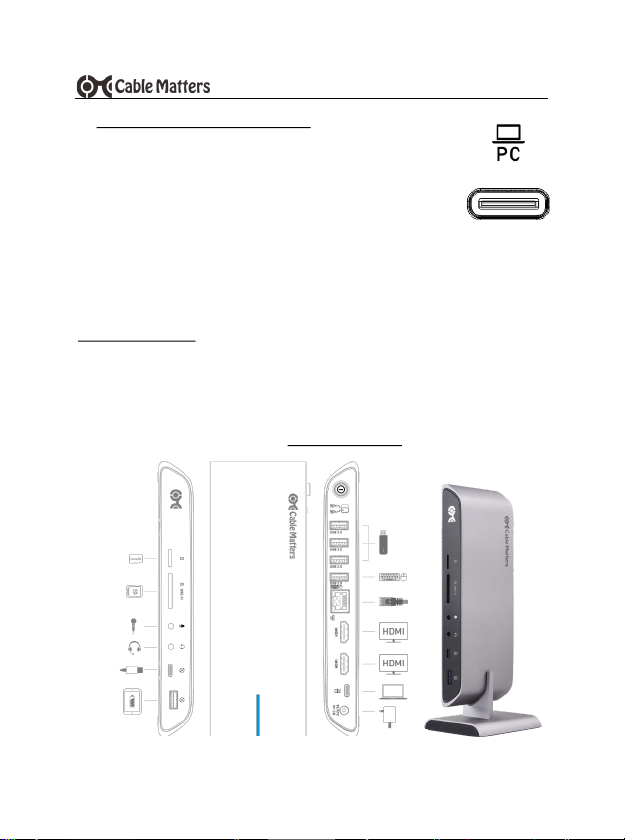
3.3 Connecting the USB-C Docking Station
1) Connect the Dock to an AC power outlet or the Dock will not operate
2) Connect the included USB-C cable to the USB-C or Thunderbolt 3 port
on the host computer (Do not substitute with a different USB -C cable)
3) Depress the On/Off button to turn on the Dock
4) Wait while any additional drivers are automatically installed
Notes:
• Charge a laptop up to 80 watts while in use with a power delivery equipped USB -C or
Thunderbolt 3 port
• Computers requiring more than 80 watts will charge at a slower rate. Some computer
models may not charge over USB-C and require an AC power adapter.
Troubleshooting Tips
• Unplug and re-plug the USB-C host cable to the Dock
• Reboot the computer and check that the Dock has AC power
• Check that the power status LED is lit on the front of the Dock
• Test the USB-C cable with a different device
• Locate troubleshooting information at: kb.cablematters.com and search for 201053)
Page 8
6
www.cablematters.com
USB-C™ Docking Station with Dual 4K Displays & 80W PD
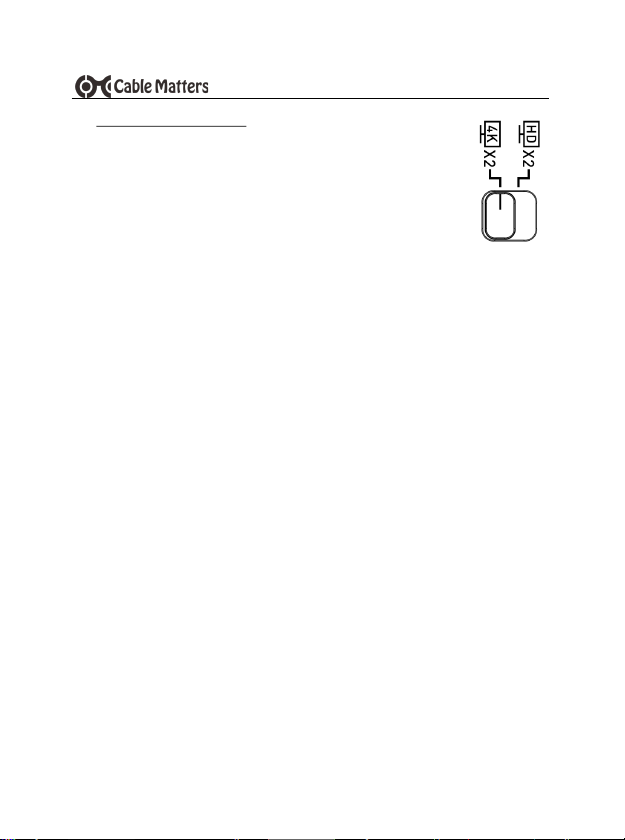
3.4 Dynamic Bandwidth Switch
This USB-C Docking Station supports the full USB-C Gen 2 10 Gbps
bandwidth. This bandwidth is shared by all connected devices. The 4K or
HD switch allows the Dock to be configured to support dual 4K displays.
Dynamically adjust the bandwidth allocation on the Dock by clicking the
switch.
4K Setting
Use this setting for connecting dual 4K displays.
• Ethernet speed is limited to 100-480 Mbps Ethernet
• USB 3.0 or USB 3.1 transfer speed is reduced to USB 2.0 speed
• UHS-I or UHS-II SD card R/W speed is reduced to 480 Mbps (USB 2.0 speed)
HD Setting
Use this setting for connecting dual HD/QHD displays or one 4K UHD display.
• Gigabit Ethernet 1000 Mbps speed is supported
• USB 3.1 Gen 2 10 Gbps data transfer rate is supported on the USB -C and USB-A
ports (front panel)
• USB 3.0 5 Gbps data transfer rate is supported on the rear ports
• UHS-II SD card data transfer rate is supported
Page 9
www.cablematters.com
7
USB-C™ Docking Station with Dual 4K Displays & 80W PD
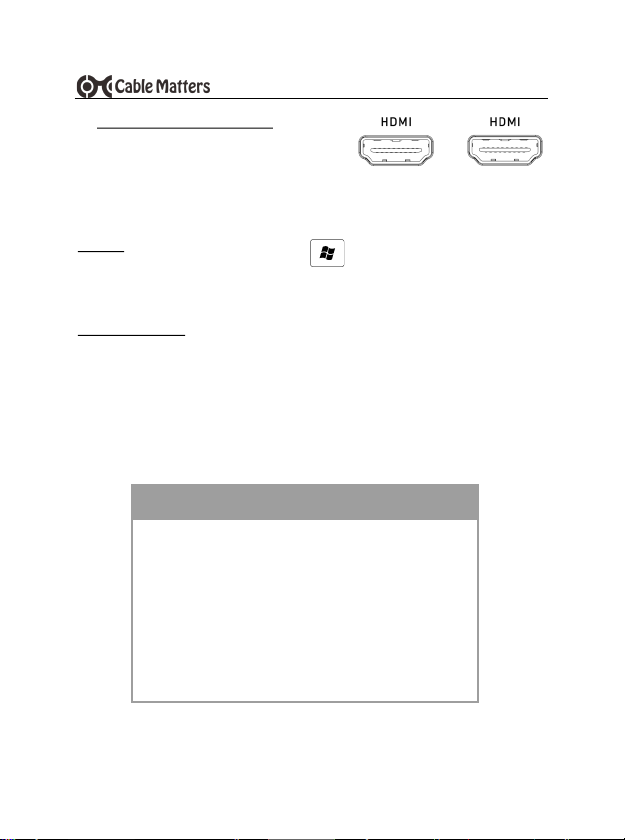
3.5 Connecting Dual HDMI Monitors
1) Connect an HDMI cable (sold separately)
2) Set the bandwidth switch to 4K or HD (see below)
3) Select the HDMI video input from the monitor menu
4) Select the audio output from the computer and input from the monitor menu:
Windows (Duplicate or Extend the Display)
Video: Press Windows Logo + P
or search Display >Click Adjust Resolution
Audio: Search Sound > Click on the display name > Set Default > OK
Troubleshooting Tips
• Check that your computer supports DisplayPort Alternate Mode over USB-C
• Check that your computer supports two external displays
• 4K UHD video resolution requires a 4K video card source, cable, and output display
# Displays Max Resolution Mode
2 3840x2160@30Hz 4K
2 3840x2160@30Hz
2560x1440@60Hz
4K
1 3840x2160@60Hz 4K
2 1920x1200@60Hz HD
1 3840x2160@30Hz HD
Page 10
8
www.cablematters.com
USB-C™ Docking Station with Dual 4K Displays & 80W PD
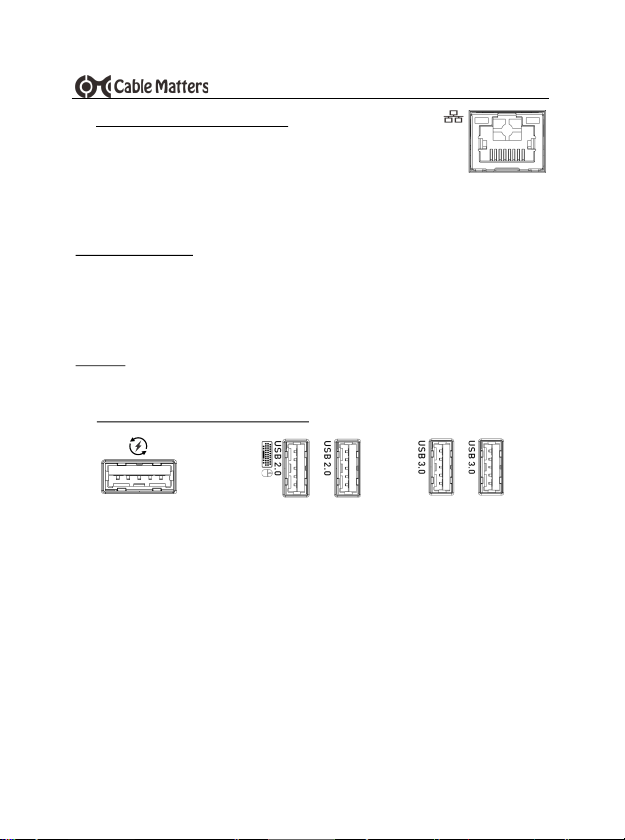
3.6 Connecting to an Ethernet Network
1) Connect an RJ45 patch cable to the Dock (Cat 6 recommended for
Gigabit Ethernet)
2) Connect the patch cable to an active LAN or router port
3) Check the documentation of your LAN or router to configure network access
4) Link and Status LEDs should blink to indicate a live connection
Troubleshooting Tips
• Ethernet network speed is limited to 100-480 Mbps Ethernet when in 4K mode
• Reboot the computer and check that the Link and Status LEDs are lit
• Test the patch cable with a different device or try another USB port
Check if your computer recognizes the Dock:
Windows: Search Device Manager > Click on Universal Serial Bus devices > USB-C
Computer Docking Station
1) Connect a USB 2.0 or 3.0 device to the Dock
2) Wait while any needed device drivers are downloaded
3) Use Safely Remove or Eject to remove the device before unplugging, if needed
Notes:
• Front Panel USB 3.1 port supports the USB Gen 2 data transfer rate up to 10 Gbps
and provides fast charging up to 5V/2.1A
• Rear Panel USB 2.0 ports are designed for 2.4 GHz devices such as a mouse/
keyboard. USB 2.0 offers less interference for wireless connections.
• Maximum data transfer rate is limited to 480 Mbps (USB 2.0 speed) when the Dock is
switched to 4K mode
3.7 Connecting a USB-A Peripheral Device
REAR PANEL
data only
FRONT PANEL
2.1A charging+10Gbps
REAR PANEL
data only
Page 11
www.cablematters.com
9
USB-C™ Docking Station with Dual 4K Displays & 80W PD
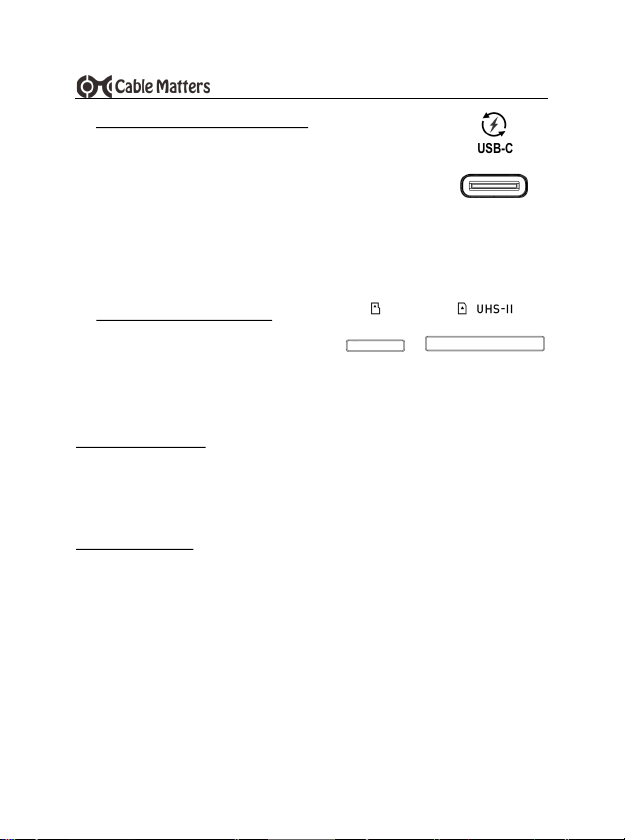
3.9 Connecting an SD Memory Card
• microSD Card slot supports UHS-I microSD/SDHC/SDXC cards
• SD Card slot supports UHS-I and UHS-II SD/SDHC/SDXC cards. A microSD card is
supported with an SD adapter (sold separately).
Installation Instructions
1) Insert an SD card into the slot with the label facing up
2) SD card should be recognized after downloading any needed drivers
3) Always Safely Remove or Eject the device before unplugging
Troubleshooting Tips
• Data transfer rate is limited to 480 Mbps (USB 2.0 speed) when the Dock is switched to
4K mode
• Disconnect the Dock, reboot the computer, and reconnect everything
• Test the SD card with a different card reader
1) Connect a USB-C peripheral device
2) Wait while any needed device drivers are downloaded
3) Transfer files and charge a smartphone
Notes:
• USB-C 3.1 port provides 5V/3A, 9V/2A and 15V/1.2A charging and a data transfer rate
up to 10 Gbps
• Not compatible with USB-C video adapters or Thunderbolt 3 devices
3.8 Connecting a USB-C Peripheral Device
3A charging + data
USB-C
Page 12

10
www.cablematters.com
USB-C™ Docking Station with Dual 4K Displays & 80W PD
3.10 Connecting Audio Devices
1) Connect an external 3.5mm mono microphone to the Mic port
2) Connect a stereo headset or external speaker to the combo
audio port. This port also supports a headset/mic combo.
Note:
Configure the audio settings from the computer:
Search Control Panel > Click on Sound > Adjust Playback or Recording devices
Troubleshooting Tips
• 3.5mm TS microphone port does not provide power to a mic
• Mono microphone port does not support stereo audio
• Test the cable or device with different equipment
Page 13

www.cablematters.com
11
USB-C™ Docking Station with Dual 4K Displays & 80W PD
3.11 Troubleshooting Tips
Check for updated drivers from your computer manufacturer
Check for Thunderbolt 3 driver information at:
kb.cablematters.com (search for 201053)
Dock
• Check that the Dock is connected to AC power and that the LED is lit
• Check that your computer is connected to the Host USB-C port on the rear panel
Cabling
• Check that all cable connections are secure
• Test device cables with different equipment
Computer Source
• Check the specifications from the manufacturer to see if your computer supports
power delivery over USB-C, DP Alternate Mode, and two external displays
• Some computers require more than 80 watts for charging or do not recognize
charging over USB-C
• Reboot the computer after making multiple changes
Connected Displays
• Select the HDMI input from the display menu
• Adjust the audio level from the computer and connected display menu
• Some video adapters may not be compatible for converting the video output. Cable
Matters has tested this with our HDMI to VGA (Model 113046) and HDMI to DVI
(Model 303002) products.
• Converting from HDMI to DisplayPort is not recommended. Cable Matters offers a
USB-C Docking Station with DisplayPort (Model 201054)
• Check the video resolution support list under Section 3.5 (page 7)
USB Peripheral Devices
• USB-A or USB-C devices must support Battery Charging 1.2 to benefit from the fast-
charge function of the USB ports on the front panel
• USB-C 3.1 device port (not Host port) is NOT compatible with USB -C adapters or
Thunderbolt 3 devices for video output or data transfer
Contact [email protected] with a description of your computer
Page 14

12
www.cablematters.com
USB-C™ Docking Station with Dual 4K Displays & 80W PD
4. TECHNICAL SPECIFICATIONS Model 201053
USB-C (upstream/host): USB -C with 80W power delivery
Ethernet Network Port: RJ45 568-B
microSD Memory Card Slot: microSD (SDHC/SDXC UHS-I)
SD Memory Card Slot: SD (SDHC/SDXC UHS-I/UHS-II
USB-A 3.1 (front panel): USB-A 3.1 Gen 2 (10 Gbps) (data and charging)
2x USB 3.0 (rear panel): USB-A 3.0 with data transfer rate up to 5 Gbps
2x HDMI: HDMI with 8-Ch LPCM, compressed audio
Audio Input: 3.5mm TS Mic Port
Audio Output: 3.5mm TRRS Combo Headset/Mic
Power: 24V/5A
OS Support: Windows 10 / Linux /Select Chromebook models
Dock Housing (LxWxH): 7.9 x 2.8 x 1.0 Inches
Dock Stand: (LxWxH): 3.4 x 2.8 x 1.8 Inches
Compliance: C E, FCC, RoHS
Warranty: Limited One-Year
Note: Specifications are subject to change without notice
5. WARRANTY AND SUPPORT
5.1 Customer Support and Contact Information
Cable Matters offers lifetime technical support as an integral part of our commitment to provide industry
leading solutions.
Contact us with any questions at [email protected].
5.2 Warranty Information
This product is backed by a limited one-year warranty. The warranty covers parts and labor costs only. Cable Matters does
not warrant its products from defects or damages arising from misuse, abuse, or normal wear.
5.3 Limitation of Liability
In no event shall Cable Matters Inc. (including their officers, directors, employees or agent s) be liable for any damages
(whether direct or indirect, special, punitive, incidental, consequential, or otherwise), loss of data, loss of profits, loss of
business, or any pecuniary loss, arising out of, or related to the use of this product exceeding the actual price paid for the
product (as allowed by state law). Specifications are subject to change without notice.
Page 15
www.cablematters.com
13
USB-C™ Docking Station with Dual 4K Displays & 80W PD
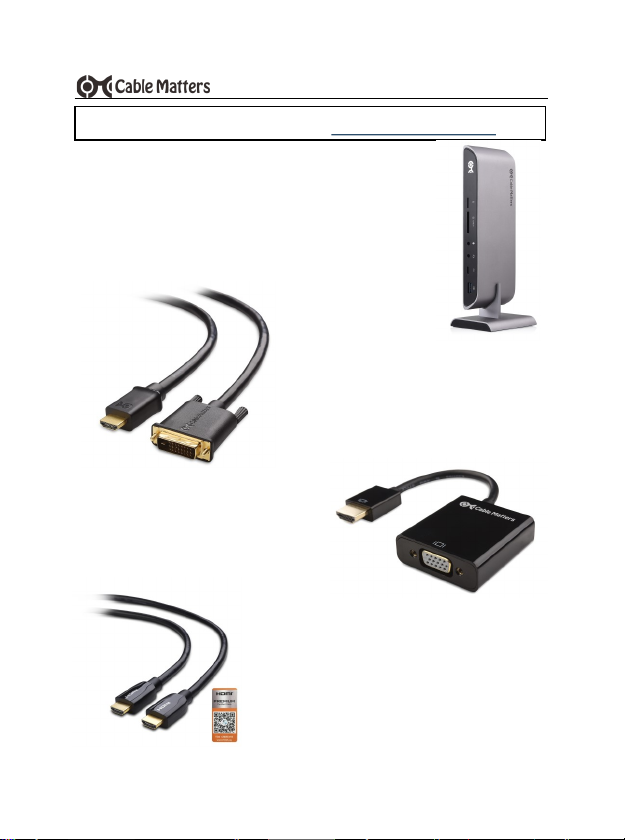
HDMI® to VGA Adapter
Model 113046
HDMI® to DVI Cable
Model 303002
4K-Rated Premium Certified
HDMI® Cable
Model 300010
View compatible products at www.cablematters.com
USB-C™ Dual 4K DisplayPort™
Docking Station
Model 201054
Page 16
14
www.cablematters.com
USB-C™ Docking Station with Dual 4K Displays & 80W PD
View compatible products at www.cablematters.com
Certified USB-C™ Gen 2
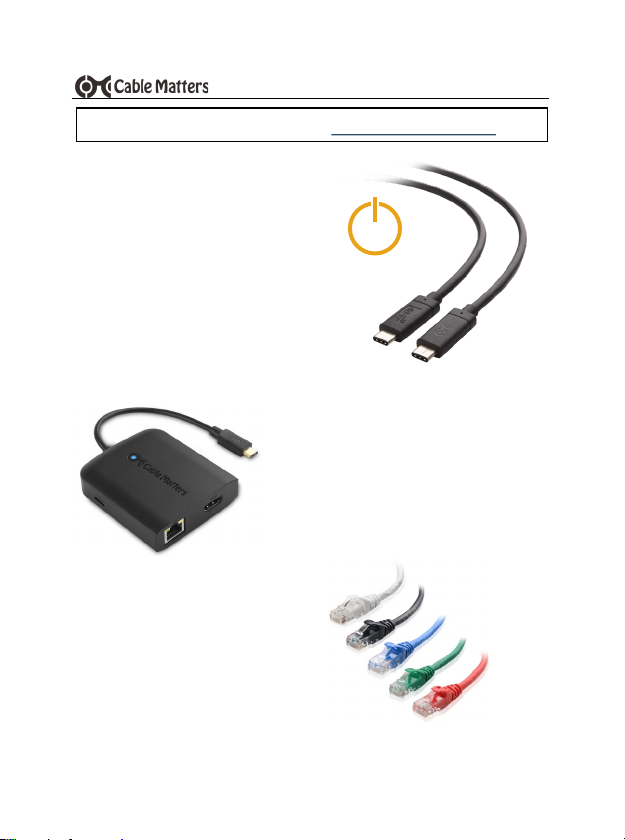
Video, Data & 100W Charging Cable
Model 201025
Snagless Cat 6 Patch Cables
Model 160021
100W
USB-C to HDMI® Multiport Adapter with
100W PD
Model 201048
v2 03/2019
 Loading...