

Page 1
Contact [email protected] for questions
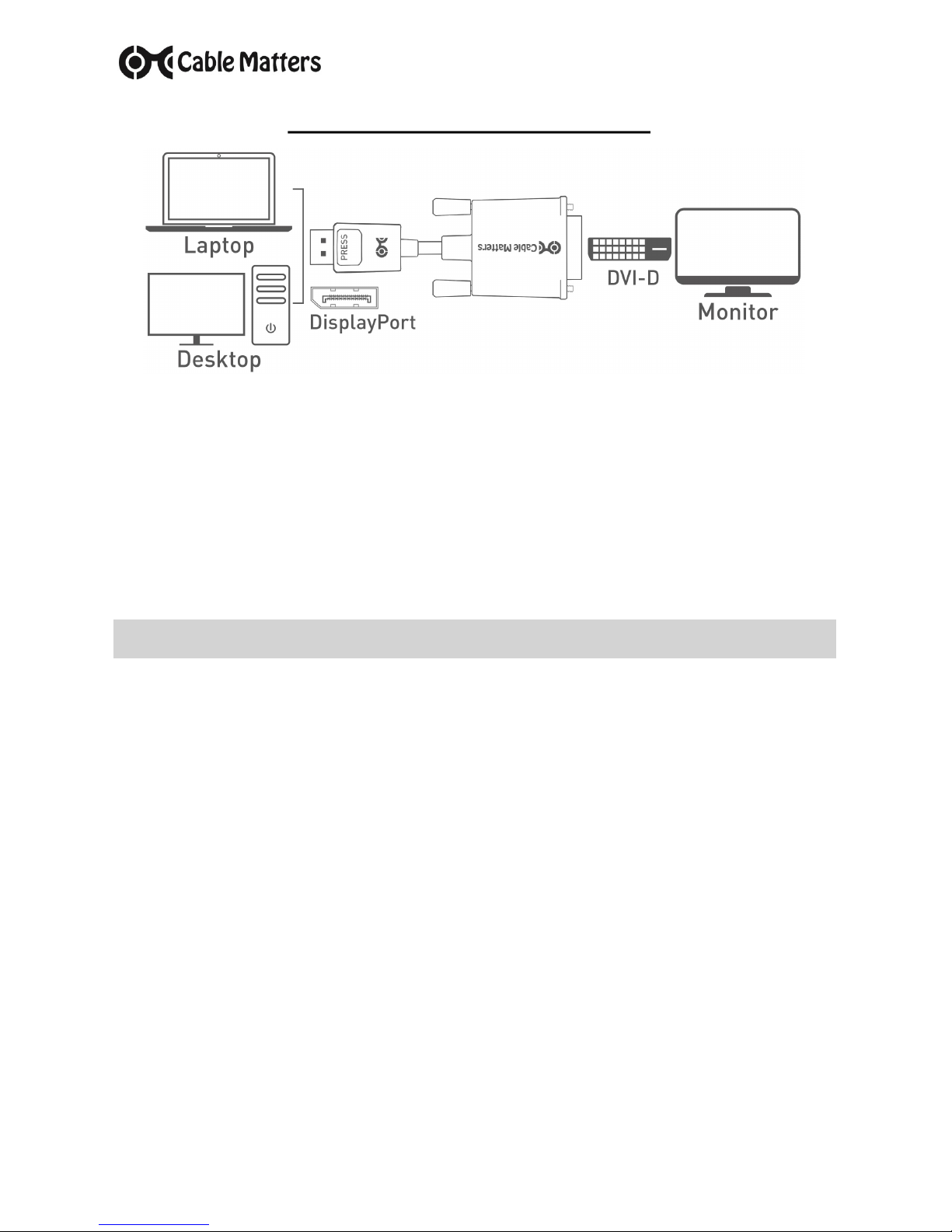
1) Directly connect the DisplayPort cable end to the computer DP port
2) Connect the DVI cable end to the DVI-D port of the monitor
3) Select the DVI input setting from the menu of the connected monitor
4) Select a compatible video resolution and refresh rate from the computer
Model 102004
• !! DEPRESS THE LATCH on the DisplayPort connector to avoid damage when unplugging !!
• Dual Mode DP++ support is required from the graphics card or an active adapter is required
• Connect up to 2 monitors (1 cable per monitor) with AMD Eyefinity
• Video resolution up to 1920x1200p @ 60Hz including HD1080p with DVI-D Single Link
• Audio is not supported by DVI and must be transmitted separately
• This cable is not bi-directional. It only converts the video signal from DisplayPort to DVI
DisplayPort™ to DVI-D Cable
Connection Notes
Page 2
Contact [email protected] for questions
1) Connect the cable to computer and the monitor
2) Select the DVI input from the connected display menu
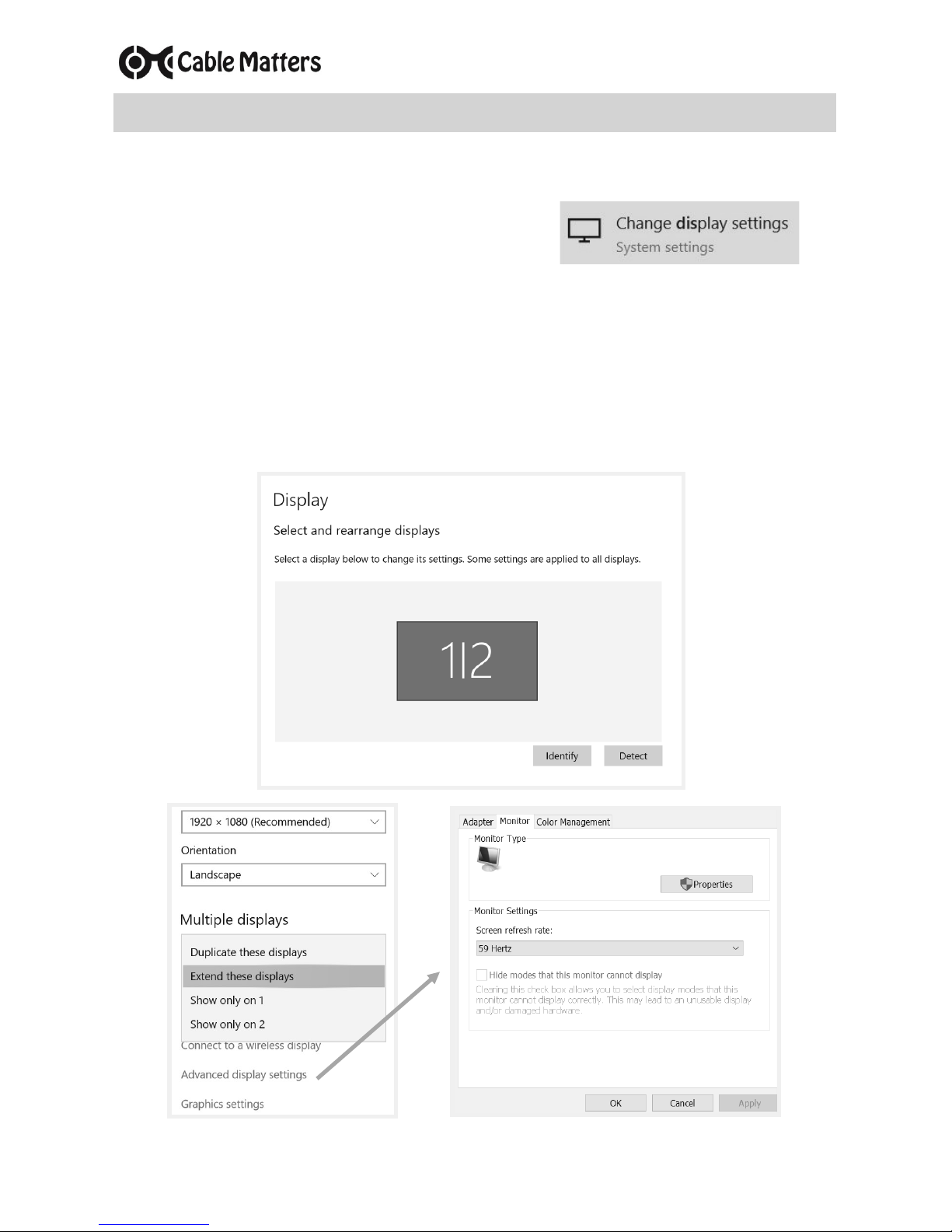
3) Search for Display in Windows
4) Select the video Resolution (if needed)
5) Select to Duplicate or Extend the display
Note: Click and drag the program to the display in Extended Mode
6) Select Advanced display settings and select the Display adapter properties
7) Select the Monitor tab and adjust the Screen refresh rate (if needed)
8) Click Apply to save the settings
9) Click OK to exit the menu
Video Settings in Windows
Page 3

Contact [email protected] for questions
Troubleshooting Tips
CABLING
• Check that all cable connections are secure
• Inspect the cable to check that no pins are damaged or bent
• Test the cable with a different port or computer, if possible
COMPUTER SOURCE
• Check for updated OS and video graphics card drivers
• Try different video resolution and refresh rate settings supported by the monitor
• Check that the output audio is set and not muted
• Reboot the computer after making multiple changes
CONNECTED DISPLAY
• Select the DisplayPort input from the connected monitor menu
• Select a video resolution and refresh rate supported by your computer
• Check for firmware updates and troubleshooting notes from the display manufacturer
• Adjust the volume from the display menu
Page 4
Contact [email protected] for questions
Customer Support and Contact Information Cable Matters offers lifetime technical support as
an integral part of our commitment to provide industry leading solutions.
Contact us at [email protected] for large volume discount pricing.
Warranty Information This product is backed by a limited one-year warranty. In addition, Cable Matters
warrants its products against defects in materials and workmanship for the periods noted, following the
initial date of purchase. During this period, the products may be returned for repair, or replaced with
equivalent products at our discretion. The warranty covers parts and labor costs only. Cable Matters does
not warrant its products from defects or damages arising from misuse, abuse, alteration, or normal wear
and tear.
Limitation of Liability In no event shall Cable Matters Inc. (including their officers, directors, employees or
agents) be liable for any damages (whether direct or indirect, special, punitive, incidental, consequential, or
otherwise), loss of data, loss of profits, loss of business, or any pecuniary loss, arising out of, or related to
the use of this product exceeding the actual price paid for the product. Some states do not allow the
exclusion or limitation of incidental or consequential damages. If such laws apply, the limitations or
exclusions contained in this statement may not apply to you.
Cable Matters is a registered trademark or trademark of Cable Matters Inc. All rights reserved. All other
trademarks are the property of their respective owners.
DisplayPort™ and the DisplayPort™ logo are trademarks owned by the Video Electronics Standards Association
(VESA®) in the United States and other countries.
View other DisplayPort Cable products at www.cablematters.com
v4 11/2018
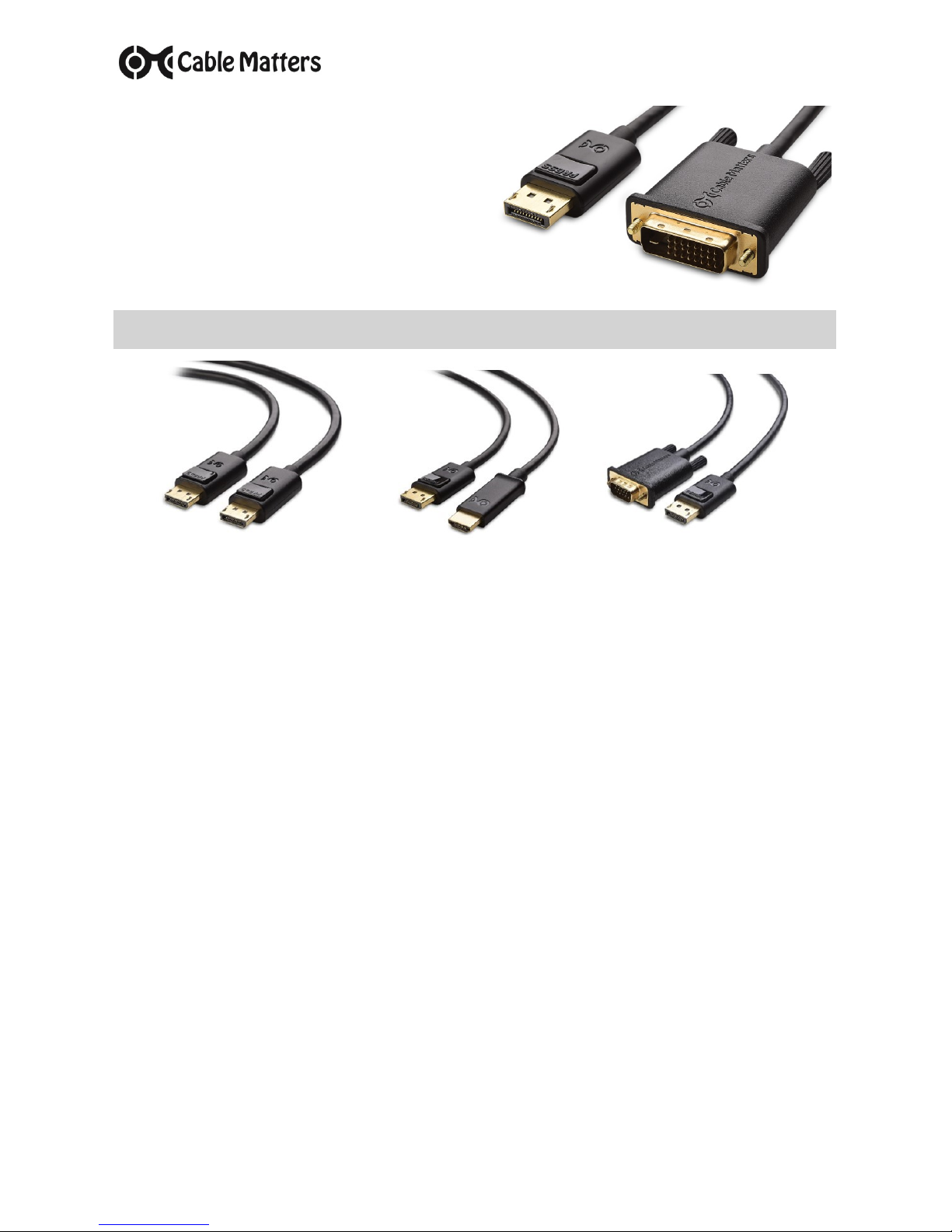
The Cable Matters DisplayPort to DVI-D cable
is an indispensable companion for your laptop
or desktop equipped with DisplayPort. Connect
your computer to a monitor for high definition
video streaming with this DisplayPort to DVI-D
cable. Use this cable to mirror or extend your
desktop for an expanded workstation.
DisplayPort Cable
Model 102005
DisplayPort to HDTV Cable
Model 102003
DisplayPort to VGA Cable
Model 102019
 Loading...