

Page 1
269 020 584 E 0806
Additives & Instruments
A member of
Measure what you see.
BYK-Gardner GmbH · Lausitzer Strasse 8 · 82538 Geretsried · Germany · Tel. +49-8171-3493-0 · Fax +49-8171-3493-140 · www.byk.com/instruments
Please note the detailed operating instructions in English on CD.
ENGLISH
micro-gloss Operation
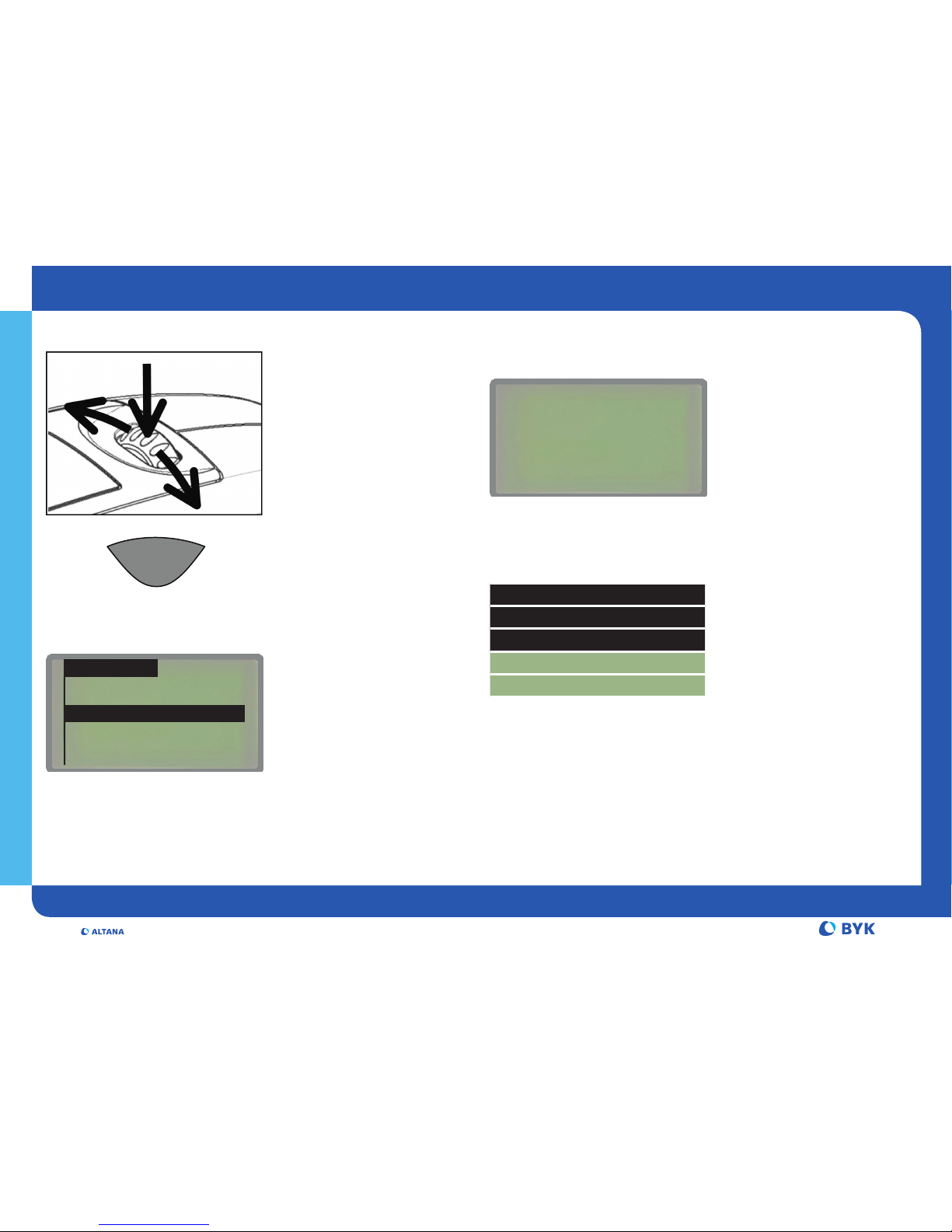
mode wheel:
• Switch on press
• Show menu press
• Select function scroll
• Activate function press
operate-button:
• Measure
operate
How to calibrate?
Gloss
• Turn on the unit in holder
• Autodiagnosis checks standard
and calibration
• If requested, clean the standard
and start calibration by pressing
the mode wheel
*It is advisable, to perform the zero calibration on the uncoated
metal of the sample to be tested.
Main menu
Mode }
Geometry/Sensor }
Memory }
Difference }
Calibration }
Setup *}
¢
Navigation Symbols:
Back to previous menu
} Got to sub-menu
3 Function activated
* Guide to language menu
¢
Thickness (only micro-TRI-gloss μ)
Autodiagnosis
Please clean standard
Confirm ¢ [mode]
Cancel ¢ [operate]
Main menu
Calibration }
Calibrate }
Thickness Fe }
Thickness NFe }
• Select the desired sensor
(Fe or NFe)
• Put the unit on the zero
standard or original substrate*
• Press operate button
• Hold the unit free in air and
press operate
Page 2
Measure what you see.
Additives & Instruments
A member of
BYK-Gardner USA · 9104 Guiford Road · Columbia · MD 21046 · USA · Phone +1-301-483-6500 · Fax +1-301-483-6555 · www.byk.com/instruments
260 020 740 E 0812
ENGLISH
How to measure?
Main menu
Mode
Sample mode
Statistics
Continuous
Basic mode
Advanced mode
Main menu
Geometry/Sensor
• Select the desired measuring mode:
Measurement without statistical evaluation
Multiple measurement with statistics
Continuous measuring with adjustable interval
Measuring without statistics/saving/difference
Reactivates all menus and functions when
Basic mode was activated
How to measure differences?
Main menu
Difference
Difference
Measure standard
Select standard
Create standard
Delete standard
Change standard
• Select Difference and activate
the desired function:
Turn difference measurement on/off
Measure a standard (target value)
Select a standard from list (if saved)
Enter up to 50 standards
Delete individual standards
Define target and limits for Pass/Fail
How to save?
Main menu
Memory
Memory
Select memory
Create memory
Delete memory
Display memory
• Select Memory and activate
the desired function:
Turn saving on/off
Select a memory from list
Enter up to 50 memories
Delete memory content or memory name
Recall memory content (use scrollwheel)
How to change settings?
Main menu
Setup
• Select menu Setup to change:
Language, Switch-off time, Clock, Beeper
and Bluetooth connection on/off
• Select geometry and thickness
sensor where appropriate
• Measure with operate button
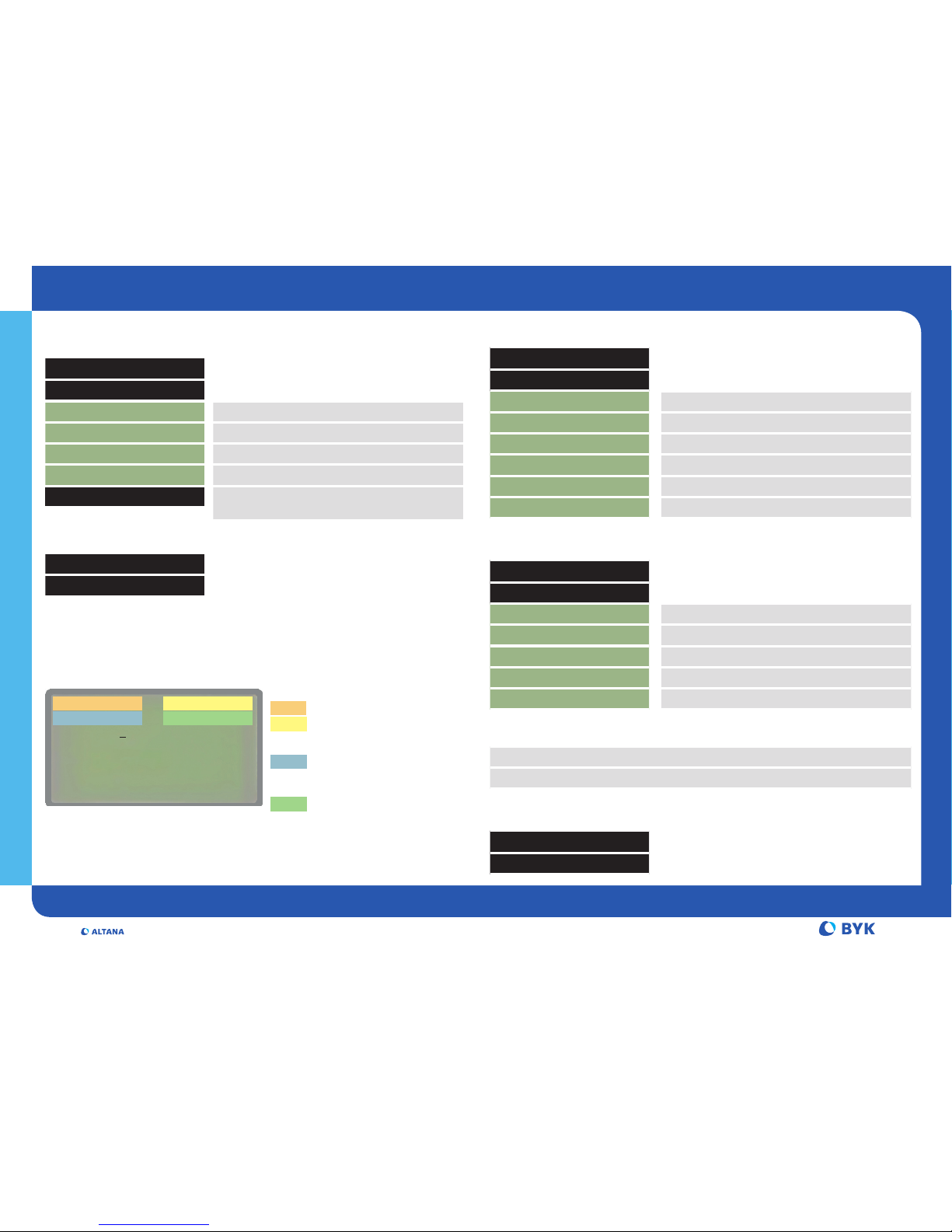
Display example:
MEMORY 001
STANDARD 2
SAMPLE 012
n = 02/03
x stdev diff
20° 49.6 2.1 -8.9
60° 78.3 1.3 -3.5
If Memory on:
Memory name
Sample name
If Difference on:
Standard name
If Statistics on:
Number of measurements
Following functions can be used together:
Difference with Sample mode, Statistics
Memory with Sample mode, Statistics, Continuous
 Loading...